


What Is Network Infrastructure A Guide to Your Business Backbone
- Craig Marston
- Dec 9, 2025
- 14 min read

Think of your office network as the body's central nervous system. It's the invisible, high-speed web of connections that allows your people, tools, and data to talk to each other in an instant. This "digital nervous system" is far more than just your Wi-Fi signal; it's the entire ecosystem that underpins everything your business does.
A professionally installed network ensures signals travel without lag, preventing data jams and keeping your operations flowing smoothly. Getting it right isn't just an IT expense—it's a foundational investment in your company's productivity, security, and future growth.
The Foundation of Modern Operations
Every single task, from firing off a quick email to accessing critical cloud software, relies on your network infrastructure performing flawlessly. Without that solid foundation, even the most powerful software will feel sluggish, leading to frustrated teams and lost productivity. That's why meticulous planning and expert execution are so critical.
A healthy network has several key elements working in harmony:
Physical Hardware: This is the tangible stuff—servers, switches, routers, and the physical cables connecting it all together.
Software Components: These are the operating systems and protocols that direct data traffic and keep everything secure.
Connectivity Services: This covers your link to the wider internet and connections between different office locations.
Investing in a Reliable Future
With the rise of remote working and increasingly clever security threats, the demand for robust, secure networks has never been higher. This isn't just an observation; it's backed by serious market growth. The Network Infrastructure market within the UK Data Centre sector, for example, is forecast to hit US$10.30 billion in revenue. This huge figure is driven by the exact pressures businesses like yours are facing. You can find more insights on infrastructure investment over at the Office for National Statistics.
A professional installation from an Excel network accredited partner means your infrastructure is fully certified and tested. More importantly, it comes with long-term protection, like a 25 year equipment warranty. That's peace of mind, guaranteeing a reliable digital backbone for years to come.
The Building Blocks of a High-Performance Network
So, what exactly is network infrastructure? To get a clear picture, we need to look at its core components. Think of these as the individual organs working together to create that digital nervous system we talked about. Each piece has a specific job, and only when they're all connected and configured correctly does your business operate at its full potential.
This diagram gives a great overview of how the key elements—the hardware, the software, and the physical cabling—all interconnect to form this vital system.
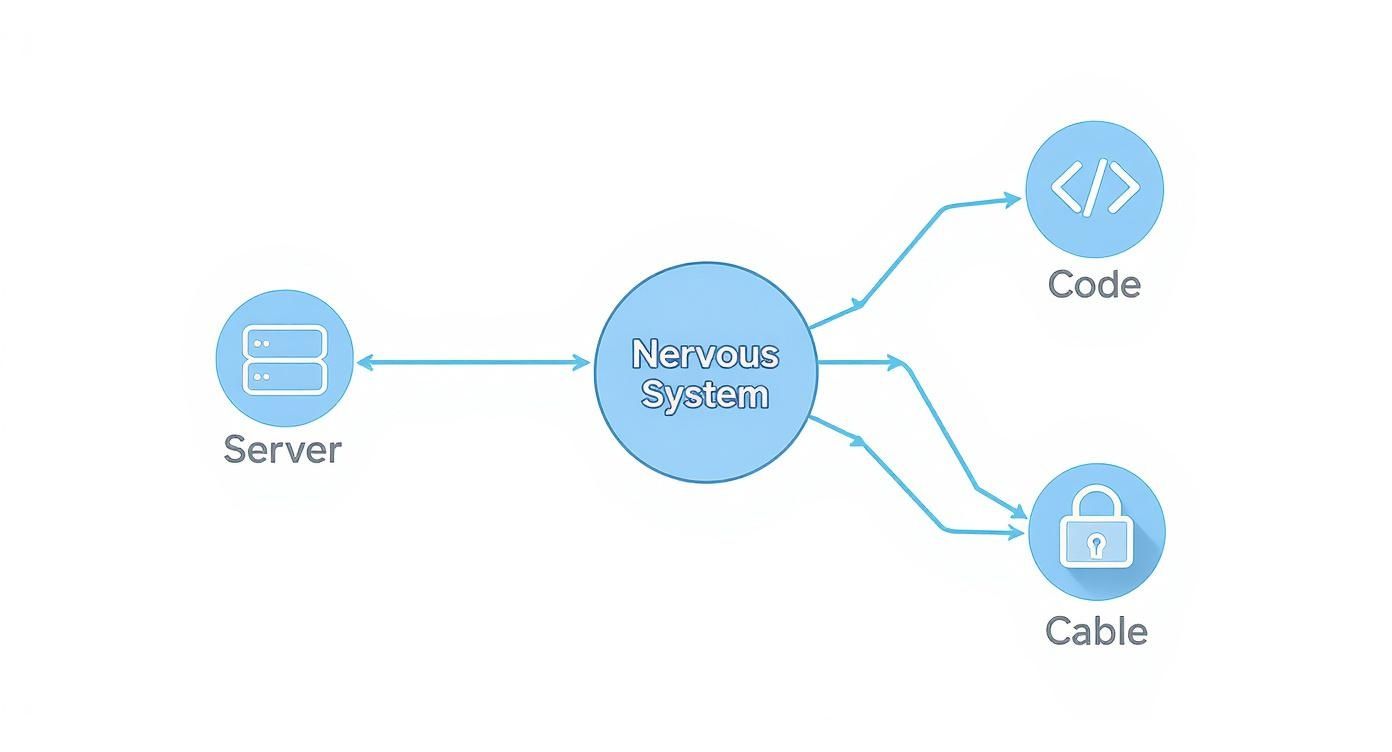
As you can see, everything is coordinated from a central point, much like a brain. This system relies on physical hardware, logical software, and the actual cables that transmit the data. Let’s break down these essential hardware components one by one.
The Arteries of Your Network: Structured Cabling
Structured cabling is the unsung hero of any reliable network. It's the physical system of wires carrying data between every single device, from workstations and printers to servers. Just as our bodies have arteries carrying blood, your network has cables carrying information.
In a typical office, you'll come across two main types:
Copper Cabling: These are the workhorses of the network, connecting individual devices like desktop PCs, VoIP phones, and printers. Modern standards like Cat 6 provide the speed and reliability needed for day-to-day business.
Fibre Optic Cabling: This is your high-speed superhighway. A professional fibre cable installation is crucial for backbone connections, like linking server rooms or connecting different floors in a large building. Because fibre transmits data using light, it can cover far greater distances at much, much higher speeds.
Without a properly installed and certified cabling system, even the most expensive equipment will struggle to perform. For a deeper dive into modern copper standards, check out our essential guide to Cat 6 cable.
Switches and Routers: Directing Digital Traffic
If cables are the roads, then switches and routers are the traffic controllers and gateway keepers. They are the brains behind the brawn, managing where your data flows to ensure it gets to the right place quickly and securely.
A switch operates within your local area network (LAN). Think of it as a smart sorting office for a single building or department. When one computer sends a file to another in the same office, the switch intelligently directs that data packet only to the intended device, preventing unnecessary traffic jams on the network.
A router, on the other hand, is what connects your entire office to the outside world—the internet. It acts as the main gateway, directing traffic between your internal network and external ones. It's also your first line of defence, making critical decisions about what data is allowed in or out.
The Brains and Storage: Servers and Access Points
At the very heart of your infrastructure, you'll find the server. This powerful computer is the central brain and library for your entire organisation. It stores critical business files, runs shared applications, and manages who can access what. A reliable server is simply non-negotiable.
Working alongside it are Wi-Fi access points (APs). These are the devices that provide wireless connectivity for laptops, tablets, and smartphones, giving your team the freedom to work from anywhere in the office. Strategically placing APs is key to ensuring you have strong, consistent coverage without any frustrating dead spots.
A well-organised network relies on more than just high-tech components. Elements like patch panels and cabinets are vital for effective cable management, ensuring a tidy desk environment extends to your server room. This organisation isn't just for looks; it simplifies maintenance, improves cooling, and is a hallmark of a professional installation. This is especially vital during an office relocation with equipment testing, where a clean setup makes re-connection and validation far more efficient.
Designing a Future-Proof Network Infrastructure
A great network doesn’t happen by accident; it’s built on a strategic blueprint, not guesswork. It’s all about creating a system that not only meets your business demands today but is ready for whatever tomorrow throws at it. This kind of forward-thinking prevents costly bottlenecks down the line and ensures your network remains a powerful asset rather than a frustrating liability.
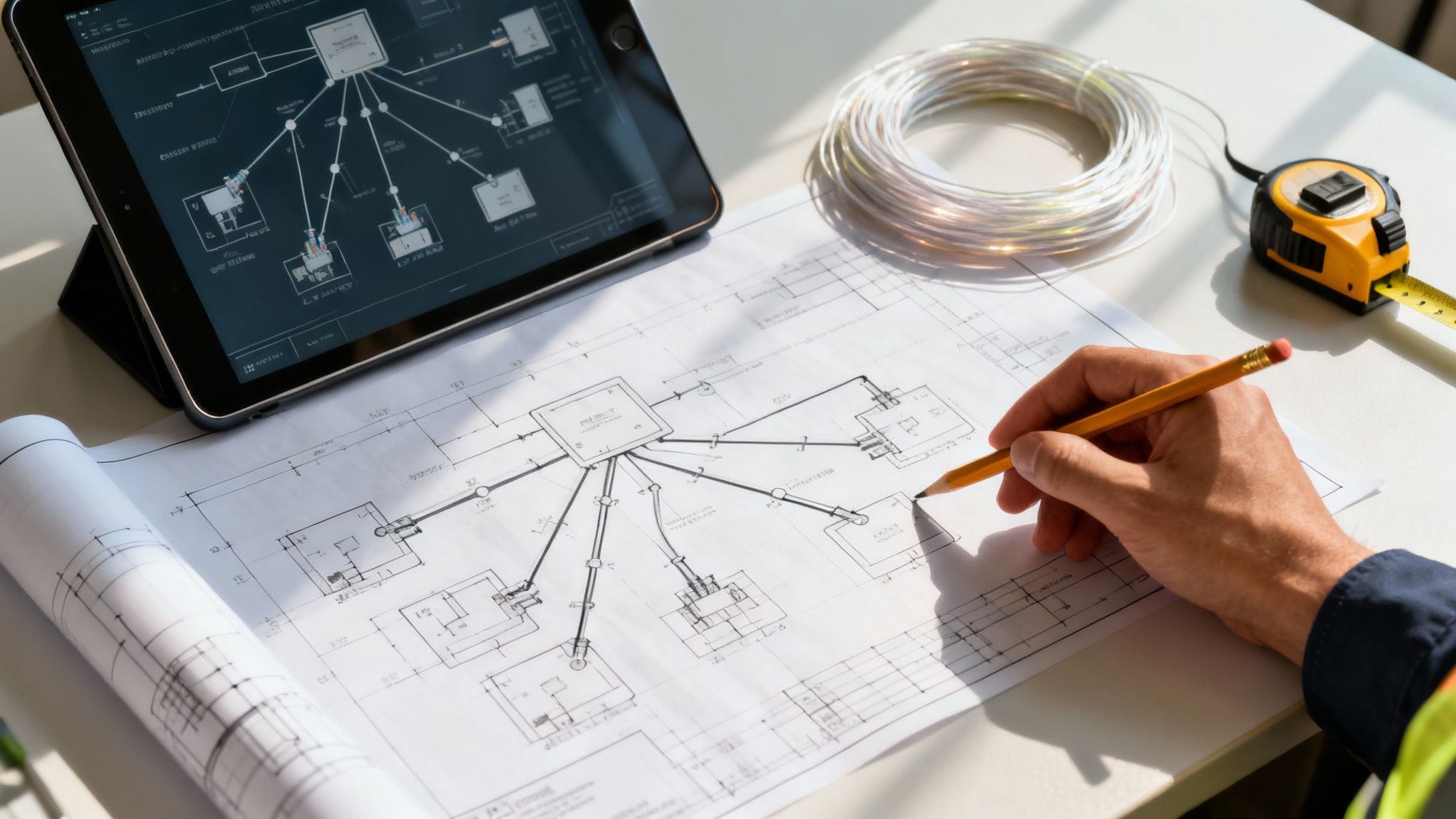
The entire process kicks off with a detailed assessment of where you are now and where you want to be. It means asking the tough questions about performance and growth, making sure the final design is perfectly aligned with your real-world operational goals.
Assessing Performance and Planning for Growth
First things first, you need to get a handle on your data traffic. How much data does your team really use during peak hours? Which applications are the most bandwidth-hungry? Answering these questions helps us figure out the capacity needed for core components like switches and routers, preventing the slowdowns that kill productivity.
Just as important is planning for scale. Your business is going to grow, and your network has to be ready to grow with it. A scalable design lets you add new users, devices, and services without having to rip everything out and start again. This might mean planning for a future fibre cable installation to connect new office floors or simply ensuring your server room has the physical space for expansion.
The ever-increasing demand for data makes this planning absolutely critical. In the UK, users consumed 18% more mobile data last year alone, a trend that directly impacts office networks. A network built only for today’s traffic will be obsolete before you know it. You can see the full findings on these data consumption trends in this Ookla report.
The Value of Professional Installation and Cable Management
A brilliant design is only as good as its execution. Professional installation is what turns that blueprint into a high-performing, reliable reality. Certified engineers make sure every connection is flawless, every component is configured for peak performance, and the entire system is built to last.
A key marker of a truly professional job is meticulous cable management. This isn't just about making things look neat; it's about functionality and safety.
Simplified Troubleshooting: Neatly organised cables make it massively easier for technicians to pinpoint and resolve issues, which means less downtime for you.
Improved Airflow: In server cabinets, proper cable routing prevents air blockages, keeping your sensitive equipment cool and extending its lifespan.
Enhanced Safety: A well-managed system gets rid of trip hazards and creates a safer working environment, contributing to a genuinely tidy desk culture across the office.
This attention to detail is especially vital during an office relocation with equipment testing, where an organised infrastructure makes taking things apart and putting them back together much faster and more reliable.
Choosing an Excel network accredited partner is one of the most important decisions you can make. This certification is your guarantee that your installers follow the industry’s most rigorous standards, using top-quality materials and proven techniques to deliver a superior result.
Securing Your Investment with Accreditation and Warranties
Partnering with a certified expert gives you more than just a quality installation—it delivers long-term peace of mind. As an Excel network accredited partner, we can offer a comprehensive 25 year equipment warranty on the entire cabling system. This warranty is a powerful statement of quality, protecting your investment against material defects for decades to come.
This guarantee is unlocked after a certified, tested network delivery. In this final stage, our engineers use specialised equipment to validate that every single connection meets or exceeds strict performance standards. You get the paperwork to prove that your network is performing exactly as it was designed to.
This blend of expert design, professional installation, and robust warranties creates a network infrastructure that is not just powerful and scalable, but exceptionally reliable. For businesses needing complex yet dependable connections, you can learn more about how different network structures work by reading our article on mesh topology in networking.
Ensuring Long-Term Performance and Reliability
Putting in new network infrastructure is a serious long-term commitment. It’s not just about getting the lights to blink on day one; it's about building a dependable asset that will support your business for years, even decades, to come. Protecting that investment means focusing on quality, proper verification, and solid guarantees that lock in performance from the get-go.
This protection starts with understanding what a professional installation actually involves. It’s so much more than just plugging in cables and hoping for the best. A high-quality network is built on a foundation of rigorous testing and certification, making sure every single component works flawlessly under real-world pressure.
The Assurance of Certified and Tested Network Delivery
A certified, tested network delivery is your ultimate quality guarantee. It’s the process where engineers use specialised diagnostic gear to validate the performance of every connection, all the way from the server room to each individual desk. Think of it as a comprehensive MOT for your network before it even goes live.
This isn't just a simple pass/fail check, either. The testing measures critical performance metrics that really matter:
Bandwidth Capacity: It confirms each cable can actually handle the data speeds it was designed for, preventing those frustrating bottlenecks that slow everyone down.
Signal Integrity: This checks for any data loss or interference, ensuring information travels cleanly and accurately without corruption.
Compliance with Standards: It verifies that the entire installation meets strict industry benchmarks, which is a non-negotiable requirement for activating long-term warranties.
Afterwards, you get a detailed report documenting the performance of every single link. This document is your concrete proof that the infrastructure performs exactly as specified, giving you complete confidence in its reliability. This is especially vital during an office relocation with equipment testing, as it guarantees the network is 100% ready before your team even walks through the door.
The Power of a 25-Year Equipment Warranty
Perhaps the biggest benefit of working with a certified professional is the long-term protection it unlocks. A comprehensive 25-year equipment warranty is more than just a piece of paper; it’s a powerful statement about the quality of both the materials and the installation itself.
This kind of long-term guarantee, often available through programmes from manufacturers like Excel, shows immense confidence in the durability of the components. It protects your business from the costs of premature hardware failure or material defects for a quarter of a century.
A 25-year equipment warranty isn't just about replacing a faulty cable. It’s about the peace of mind that comes from knowing your network's physical foundation—the structured cabling and connecting hardware—is built to last, safeguarding your investment and minimising future disruption.
This level of assurance is a direct result of partnering with a certified installer, like an Excel network accredited partner. These partners are trained to follow the manufacturer's highest standards, ensuring every installation, whether it’s a new fibre cable installation or a traditional copper network, is eligible for this extensive warranty.
To ensure long-term performance and reliability, some businesses may consider outsourcing their IT services, including aspects of network management. This can be a strategic move to access specialised expertise and maintain complex systems effectively. To explore this option further, you can Learn more about outsourcing IT services for business success. This approach allows internal teams to focus on core business objectives while experts handle the technical upkeep.
Ultimately, combining a certified delivery with a long-term warranty transforms your network from a potential headache into a resilient and reliable business asset. It’s a forward-thinking strategy that ensures your company’s digital nervous system remains healthy and effective, ready to support your growth for years to come.
Executing a Seamless Office Relocation
Moving your office is a huge undertaking. Get it wrong, and the network transition alone can derail the entire project. A successful relocation is so much more than just unplugging kit at the old place and plugging it back in at the new one; it demands a meticulous, forward-thinking strategy to make sure your business is firing on all cylinders from day one.
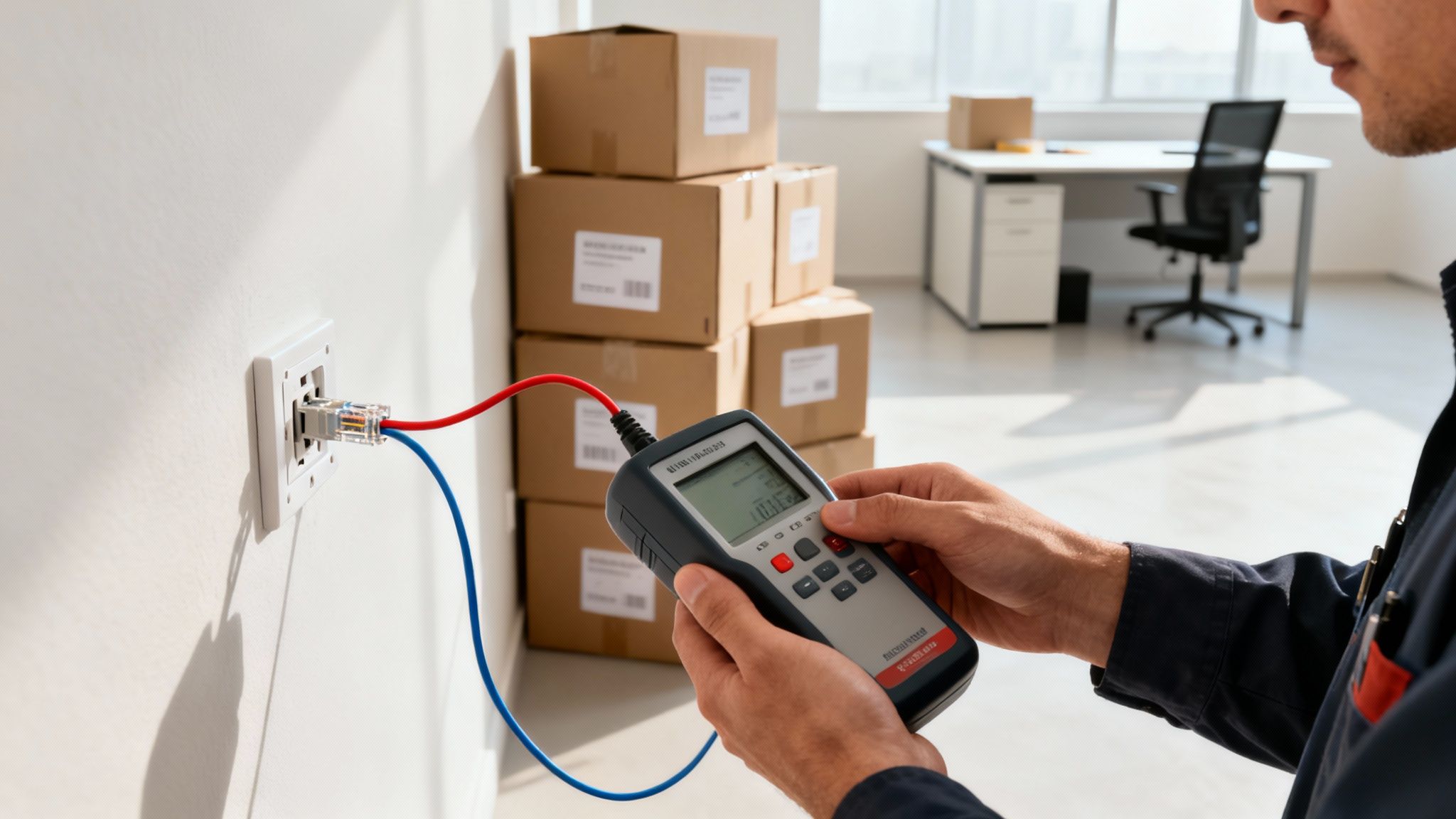
This process touches everything, from a full audit of your current hardware right through to coordinating installers for a brand-new fibre cable installation at your new premises. The whole point is to avoid those costly Day One disasters—like patchy connectivity or a total network meltdown—that can bring productivity to a grinding halt.
Decommissioning and Auditing Your Old Site
The first real step in any successful move is a thorough audit of what you've already got. This means documenting every single piece of hardware, from servers and switches down to the individual patch leads. This inventory is absolutely critical for deciding what’s worth moving and what needs to be upgraded or replaced to handle the demands of the new space.
This phase is also the perfect time to be brutally honest about your current setup's weak points. Are you constantly fighting with poor cable management? Is the server room a chaotic mess? Pinpointing these headaches now means you can design a far more efficient and manageable system at the new location, setting the stage for a truly tidy desk environment for the whole team.
Proper decommissioning is just as important. It’s a careful process of securely wiping data, methodically disconnecting hardware, and making sure everything is packed and labelled with military precision. This systematic approach is the foundation of a smooth transition, preventing vital equipment from getting lost or damaged along the way.
Installation and Coordination at the New Premises
While you're winding down the old site, the new office should be a hive of activity. This is where partnering with an Excel network accredited partner really pays off. Their expertise guarantees the new cabling infrastructure is installed to the highest industry standards, whether that’s copper cabling to every workstation or a high-speed fibre backbone for the building.
Effective coordination is everything. Your network installers need to work in lockstep with electricians, builders, and furniture fitters to keep the project on track. A well-managed project means data outlets are exactly where they need to be, server rooms are prepped, and all cabling is neatly routed before a single piece of expensive hardware even arrives on site.
The golden rule of a successful move is proactive validation. An office relocation with equipment testing isn't an optional extra; it's the single most critical step to guarantee a smooth launch. This means every last connection is physically tested and verified before your team walks through the door.
The Critical Role of Equipment Testing and Certification
This final stage, the certified, tested network delivery, is what separates a successful move from a chaotic one. Once all the equipment is installed, engineers use specialised tools to test every network port, server link, and workstation connection. It’s a rigorous process that confirms the entire network is performing exactly as designed.
This proactive testing prevents the nightmare scenario of staff arriving at their shiny new desks only to find they can't get online or access key files. By catching and fixing any gremlins beforehand, you ensure maximum productivity from the very first hour.
This certification is also essential for activating your 25 year equipment warranty, protecting your investment for the long haul. For a complete breakdown of the entire process, have a look at our ultimate guide to office relocation. It gives you a step-by-step checklist to manage every part of your move, helping you turn a potentially stressful event into a strategic opportunity to build a better, more reliable network.
Your Network Infrastructure Questions, Answered
Planning a new network, upgrading an old one, or moving offices always brings up a lot of questions. To help you navigate the process, we’ve put together some straightforward answers to the queries we hear most often from business owners and IT managers.
With Wi-Fi Everywhere, Do I Still Need a Wired Network?
It's a great question, and the answer is a definite yes. While Wi-Fi is fantastic for laptops, tablets, and giving your team the freedom to move around, it simply can’t compete with a wired connection for speed, security, and pure, rock-solid stability.
Think of it like this: your critical devices—servers, desktop PCs, VoIP phones—are your business's engine room. You wouldn't want them running on a connection that can be affected by a microwave in the kitchen or a neighbouring office's network. A wired network, built on quality structured cabling, gives these essential devices the dedicated, interference-free performance they need. The best setup is always a hybrid one: a powerful wired backbone for your core operations, complemented by seamless Wi-Fi for everything else.
What Does a “Certified and Tested Network Delivery” Actually Mean?
This is our stamp of quality, and it’s a crucial final step. After every cable has been run and every connection point is in place, our certified engineers don't just switch it on and hope for the best. They use specialised diagnostic tools to test every single link from end to end.
These tests measure critical performance metrics like bandwidth and signal quality, proving that the network meets (and often exceeds) strict industry standards. You then receive a detailed report showing the results for every connection. It’s not just a piece of paper; it’s documented proof that your network is built to perform as promised. This certification is also what activates your long-term guarantees, like a 25-year equipment warranty, giving you complete peace of mind.
A certified, tested network delivery is the difference between a network that should work and one that is proven to work. It guarantees that the performance promised in the plan is what you get in reality, ready for business from day one.
How Does Good Cable Management Benefit My Business?
Proper cable management is far more than just making things look neat behind a tidy desk—it has a direct impact on your business's efficiency, safety, and bottom line. When you see an organised system, you’re seeing the work of a professional Excel network accredited partner.
Here’s how it helps you:
Faster Troubleshooting: When something goes wrong, a tangled mess of cables can turn a 10-minute fix into a half-day of downtime. Organised cabling means our technicians can trace connections, identify faults, and get you back online in a fraction of the time.
Improved Safety: Unruly cables are a trip hazard waiting to happen. Neat, secure routing keeps your office and server room safe for staff and visitors.
Protects Your Investment: Cables that are bent, stretched, or kinked will fail over time. Good management prevents this physical stress, preserving signal quality and extending the life of your entire infrastructure.
Makes Growth Easier: Need to add a new desk or move a department? A well-managed system makes adding, moving, and changing connections straightforward and cost-effective.
This becomes especially important during an office relocation with equipment testing, where organised cabling can make the entire process smoother, faster, and far less prone to errors.
Is a Professional Network Installation Worth the Cost for a Small Business?
Absolutely. In fact, for a small business, a reliable network is arguably even more critical. Downtime or poor performance doesn't just cause a bit of disruption; it can bring your entire operation to a halt. Investing in a professionally designed and installed network, including key components like a fibre cable installation, is an investment in your company’s productivity.
It’s about moving away from the constant frustration of slow speeds, dropped connections, and other glitches that often come with DIY setups. A stable network means your team can work efficiently, stay productive, and deliver a better experience to your customers. More importantly, getting it right from the start saves you from the much higher cost of ripping everything out and starting again when your business grows.
Ready to build a network infrastructure that drives your business forward? The team at Constructive-IT has over 20 years of experience designing and delivering high-performance, reliable network solutions for UK businesses. From initial consultation to a certified, warrantied installation, we ensure your project is a seamless success.
Comments