

The call usually comes when nobody is on site. A door controller has dropped offline. A comms cabinet still has power, but the cameras are dark. The heating plant is reporting alarms. Someone asks a familiar question: can we get in remotely, or do we need to send a person?
That’s the moment when “smart building” marketing stops mattering. What matters is whether the site was designed to keep operating without daily human intervention, and whether it has a workable fallback when part of the system fails. In practice, every unmanned building needs its own version of safe mode. Not Windows safe mode alone, although that still matters for plant controllers, workstations, and maintenance laptops. The building itself needs a reduced-function but controlled operating state that keeps entry, monitoring, power integrity, and recovery paths available.
For Windows devices inside these environments, the way you boot into safe mode has changed over time. The old F8 method was standard from Windows 95 through Windows 7, then Microsoft moved recovery towards WinRE and Shift + Restart with Windows 8 because of faster boot and Secure Boot changes, as outlined in the general Safe mode history reference. In building environments, that shift matters because recovery now depends more heavily on planning, access to consoles, and remote support workflows.
What Unmanned Building Management Means in Practice
An unmanned building isn’t a building with fewer staff walking through it. It’s a site that can keep running, stay secure, and be recovered remotely for most faults without relying on a receptionist, facilities operative, or on-site engineer being present every day.
That changes the design brief straight away. You’re no longer fitting out a convenient office with a few remote features. You’re engineering a site that has to tolerate communication faults, local power events, failed devices, expired credentials, camera blind spots, and routine maintenance without descending into operational confusion.
What it looks like on the ground
In practical terms, unmanned building management usually means a combination of:
Controlled access: Doors, gates, cabinets, and restricted areas need credentialed entry with clear audit trails.
Environmental oversight: HVAC, leak detection, temperature alerts, and power quality need remote visibility.
Security monitoring: CCTV has to do more than record. It has to help verify events and support remote decision-making.
Recoverable local systems: If a controller, PC, or gateway starts failing, someone needs a path to diagnose it, often by booting maintenance devices into safe mode or using local recovery tools.
Documented operating states: Staff need to know what the site does during partial failure, not just in perfect conditions.
A “smart” site might let users open a door with an app or check a camera feed. An unmanned site is stricter. It assumes things will break and makes sure the building still behaves predictably.
Practical rule: If you can’t explain how the site behaves when internet, mains power, and one critical controller fail, it isn’t unmanned. It’s just automated.
Where this shows up most often
This model is common in places where staff presence is intermittent or deliberately minimised:
Environment | Why unmanned design matters |
|---|---|
Self-storage sites | Entry, surveillance, and incident response have to work without permanent front-desk staff |
Remote data rooms | Physical access and environmental control need tighter discipline than a normal office |
Multi-site clinics | Smaller sites often need secure access and reliable connectivity without a full-time technical presence |
Plant rooms and utility compounds | Access has to be restricted, logged, and recoverable during faults |
Out-of-hours office spaces | Security, lighting, and door control need to hold up well beyond staffed hours |
A good unmanned building feels uneventful. Doors work. Cameras are reachable. Comms stay up. Faults are visible. Recovery is boring. That’s the target.
Why Many Unmanned Building Projects Fail
Most failed projects don’t fail because the lock was poor, the switch was wrong, or the camera platform was unusable. They fail earlier, at design stage, when teams treat access, electrical works, CCTV, Wi-Fi, and control systems as separate packages that can somehow be stitched together later.
That approach looks efficient in procurement. It’s expensive in operation.
The silo problem
One contractor installs access control. Another handles commercial electrical installation and certification. A third fits structured cabling. Someone else supplies CCTV. The in-house IT team is expected to “make it work” once hardware is already on the wall.
That’s where hidden failure gets baked in.
A door controller may be technically correct, yet still be a bad choice because it depends on a network switch fed from a non-backed-up spur. The camera system may record perfectly, but if its storage and uplink share a single fragile cabinet feed, you lose eyes on site during exactly the sort of event you most need to inspect remotely.
The red flags that usually appear early
Projects that struggle tend to show the same warning signs:
Power is treated as a finishing item: UPS strategy is discussed after endpoints are chosen.
Access control is cloud-first by default: Nobody asks what happens when WAN connectivity drops.
No one maps recovery paths: The team can describe normal operation, not degraded operation.
Maintenance is ignored: Battery changes, credential lifecycle, firmware updates, and replacement stock aren’t planned.
Cabinet and riser design is too tight: There’s no room for sensible segregation, labelling, or future additions.
CCTV is specified for coverage, not operations: The design looks good on a drawing but doesn’t support remote verification of doors, deliveries, or plant alarms.
A building can be packed with automation and still be operationally brittle if the recovery path only exists in someone’s head.
Convenience-first design causes the worst surprises
The biggest planning mistake is confusing convenience with resilience. A phone app that opens a door is convenient. It isn’t resilient if the door needs a live cloud round-trip to validate the request. Remote dashboards are helpful. They aren’t enough if local failover behaviour is undocumented.
The “boot into safe mode” idea proves useful beyond Windows. Every site should have a reduced but known operating state. Maybe cameras keep recording locally if WAN fails. Maybe perimeter doors stay credentialed while internal non-critical zones revert to scheduled lock rules. Maybe critical cabinets retain local-only access and event logging until sync is restored.
That thinking is often missing because buyers are shown features, not failure states.
Failure usually starts with assumptions
A few assumptions cause more damage than any hardware fault:
“Internet will always be there.” It won’t.
“Facilities can handle the electrical side later.” They can’t if containment, UPS placement, and segregation were wrong from day one.
“Battery devices reduce complexity.” They often shift complexity into maintenance.
“The vendor cloud is the backup.” It isn’t a substitute for local control.
“If Windows recovery is needed, someone can sort it on site.” On an unmanned site, that may mean a late-night dispatch just to reach a console.
For Windows 10 and 11 estates, recovery planning matters because the old F8 habit no longer applies in most cases. A common route is WinRE after interrupted boots, then Troubleshoot > Advanced options > Startup Settings > Restart, followed by 4, 5, or 6 depending on the recovery need, as described in this Safe Mode process reference. The operational lesson isn’t just the menu path. It’s that support teams need a documented path before the fault occurs.
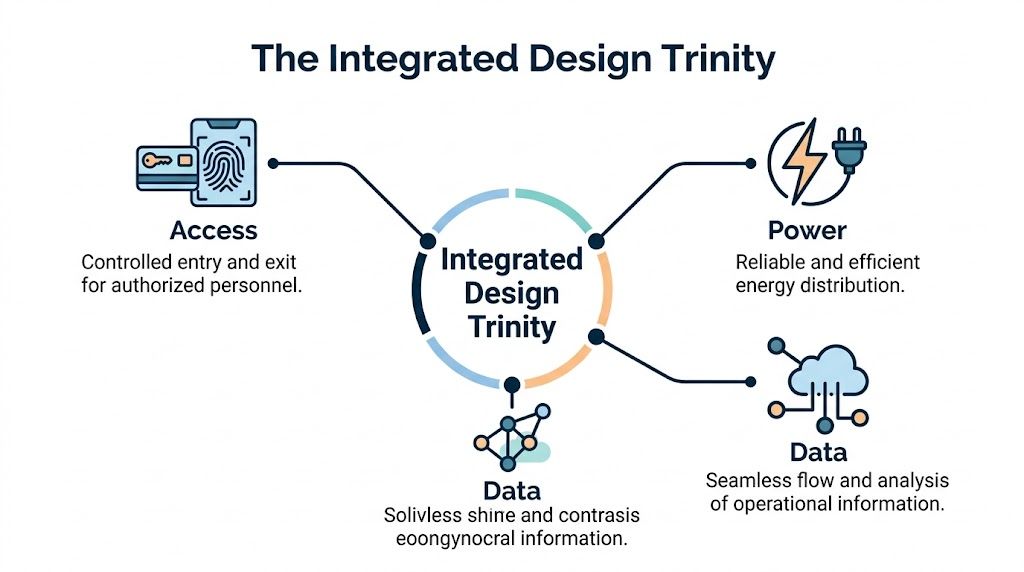
The Integrated Design Trinity Access Power and Data
The most reliable unmanned sites are designed around a simple principle. Access, power, and data are one system. Treat them separately and you build weak points into the fabric of the building.
Think of it as a three-legged stool. If one leg is undersized, badly positioned, or missing backup, the whole thing falls over. You don’t get partial resilience from isolated excellence.
Access without power is theatre
An access control design may look solid on paper, but if readers, controllers, release mechanisms, and supporting switches lose power together, the security model collapses into whatever the hardware’s default state happens to be.
That’s why door hardware selection has to be reviewed alongside:
UPS runtime
Circuit segregation
Lock fail-safe versus fail-secure behaviour
Local release requirements
Fire interface behaviour
Cabinet autonomy during comms loss
Many teams still make the mistake of protecting the server but not the edge. In an unmanned building, edge devices matter just as much because they’re the physical points where people test the system.
Data without access context is noise
A network can be perfectly engineered and still fail the building operationally if it doesn’t support the devices that control space, entry, and incident response.
For that reason, structured cabling and switching design should start with building functions, not port counts. If your CCTV uplinks, access controllers, intercoms, and plant gateways all converge in the same cabinet, then cabinet placement, thermal control, resilience, and management visibility become building issues, not just IT issues.
A lot of this comes down to sensible topology. Separate critical paths. Label everything properly. Keep remote management available when user networks are unstable. In many projects, a dedicated security and infrastructure segment is more useful than trying to force every device into a flat general-purpose network.
For teams planning a gateway-centric edge design, the Ubiquiti Dream Machine Pro overview is a useful reference point when considering how routing, surveillance, and remote visibility fit together in a single stack.
Power without data is blind
Electrical resilience on its own doesn’t buy much if nobody can see what’s happening. A backed-up cabinet with no reliable telemetry still leaves the support team guessing. In unmanned environments, uncertainty is expensive because every unknown tends to trigger a callout.
This is why electrical design and network design have to be reviewed together. If a UPS keeps a switch alive but the upstream path is unmonitored, you’ve only solved half the problem. If local recording survives but no one knows a camera has dropped to low functionality, the apparent resilience is misleading.
The question isn’t whether a device stays on. The question is whether the right people can still trust what they’re seeing when the site is under stress.
Design them concurrently
A workable design review usually checks all three legs at once. Not in separate meetings.
Decision area | Access question | Power question | Data question |
|---|---|---|---|
Door controller location | Can authorised staff still reach and recover it? | Is it on backed-up power? | Can it be managed if the user LAN has issues? |
CCTV cabinet placement | Does it support verification of entry points? | What happens during local outage? | Is recording local, remote, or both? |
Comms room layout | Who can enter, and how is that logged? | Are critical circuits segregated and labelled? | Are switching and uplinks sized for future load? |
Remote recovery | Can support staff reach the system securely? | Will recovery interfaces stay powered? | Is there an out-of-band or fallback path? |
Safe mode for the building
The best unmanned sites have a defined degraded state. That’s the building equivalent of booting into safe mode. Minimal services stay available. Critical controls remain reachable. Non-essential systems can wait.
This mindset changes the engineering conversation. Instead of asking, “What can the building do?” ask, “What can it still do after one bad event, then a second one?” That’s where reliability comes from.
Choosing Future-Proof Access Control Technology
Locks tend to be specified late and discussed narrowly. People compare finishes, apps, and credential types. In unmanned environments, that’s the wrong level of thinking. The useful question is simpler: what still works when your site loses convenience?
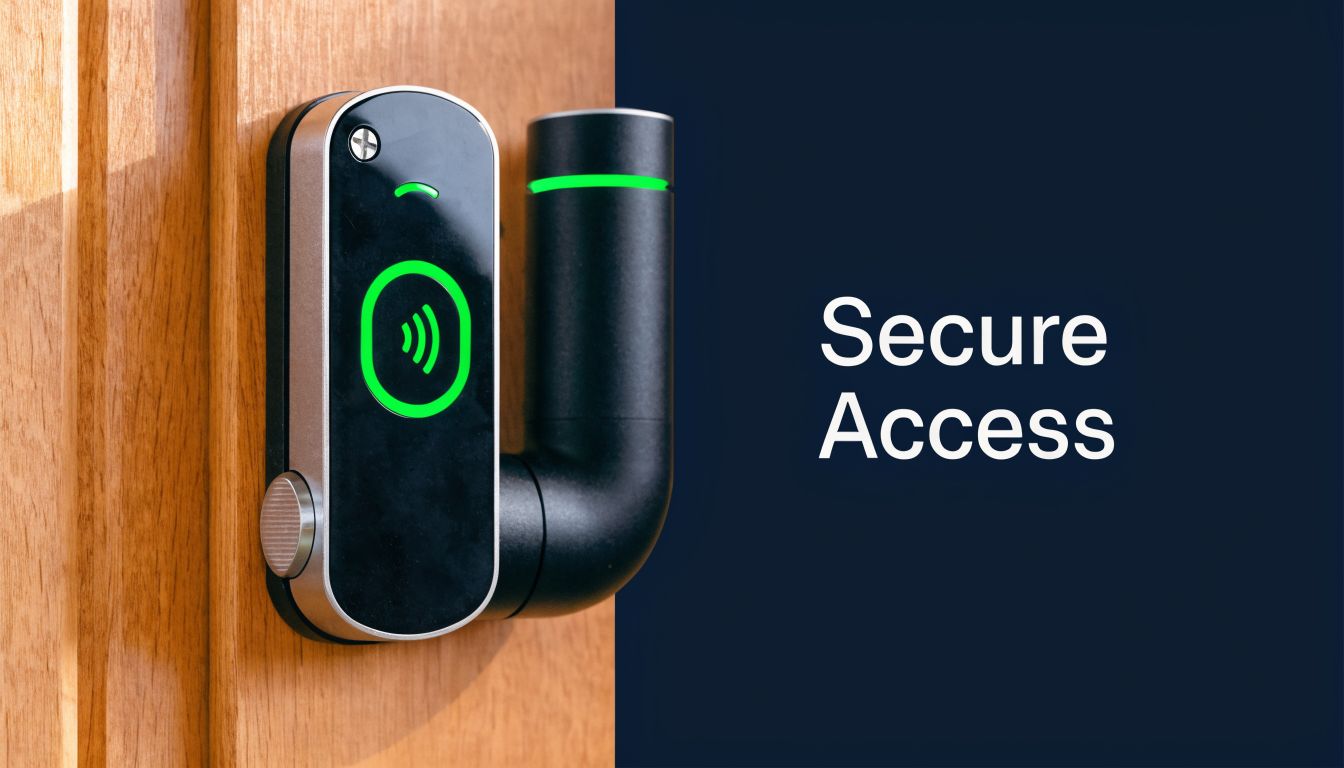
Battery-less, NFC proximity locks deserve serious consideration for that reason. They aren’t fashionable because they’re flashy. They’re practical because they remove one of the most persistent maintenance burdens in distributed estates.
Why battery-powered estates become operationally messy
Battery devices seem attractive during early budgeting because they reduce cabling at the door. The problem arrives later. Someone has to own battery replacement schedules, stock consistency, site visits, fault diagnosis, and the inevitable cases where the reported battery state wasn’t as reassuring as expected.
Across multiple sites, that becomes a rolling maintenance programme rather than a one-off installation choice.
Cloud-only credential validation creates a different risk. If WAN connectivity is unstable, entry can become dependent on a service path you don’t control locally. That’s a poor fit for buildings that must remain accessible to authorised personnel during outages, contractor visits, or controlled emergency response.
Why NFC has a strong place in unmanned sites
Battery-less, NFC-based systems solve a specific problem well. They can use the user’s device as part of the interaction, which means the lock itself doesn’t carry the same battery maintenance burden as a battery-operated smart lock estate.
In practice, that gives facilities and IT teams several advantages:
Less routine maintenance: There’s no battery replacement cycle across every lock head.
Cleaner lifecycle management: Fewer consumables means fewer avoidable callouts.
Offline usefulness: Well-chosen systems can support local credential logic rather than depending entirely on cloud reachability.
A practical fallback state: If parts of the site are degraded, authorised users may still be able to gain controlled entry.
That last point matters most. In an unmanned building, the lock should contribute to the site’s safe mode, not prevent it.
If the only way into a critical room depends on a healthy internet path and a vendor cloud, the design has confused modernity with resilience.
For teams still weighing installers and platform fit, this guide to finding a certified access control installer you can trust is worth reading before hardware gets selected.
The maintenance conversation most projects skip
The practical lock decision isn’t just about today’s access pattern. It’s about who supports the estate over years.
Ask these questions before standardising anything:
Can the lock support local operation during WAN loss?
What fails first, the reader, the credential workflow, or the supporting controller?
How are emergency contractors admitted out of hours?
What does replacement look like if a unit is damaged?
Can facilities staff handle routine checks without specialist software every time?
That discipline matters just as much as installation quality.
A short product demonstration can help frame what to look for in daily use and not just in a datasheet:
Where Windows safe mode still fits
Access control estates still include PCs, gateways, thin clients, and maintenance laptops. If a local management machine starts misbehaving, support teams often need a known-clean environment to isolate driver or service conflicts. On current Windows versions, msconfig remains one of the more controlled methods when the system is still bootable. The process is Win + R, then , then Boot, then Safe boot, and later clearing that setting after work is complete, as covered in this Dell Safe Mode guidance.
That’s a useful reminder for unmanned sites generally. Every critical component needs an exit from normal operation and a defined path back.
Building Out a Fully Autonomous Unit
A fully autonomous unit isn’t created by adding a few smart devices to an empty shell. It’s assembled in a sequence that preserves recoverability. The order matters because each layer constrains the next one.
Start with the physical operating model
Before any cable is pulled, define how the building is supposed to work when nobody is present.
That means identifying:
Who enters and when
Which spaces are critical
What needs visual verification
Which systems must survive local disruption
What support teams need to recover faults remotely
A storage site, for example, may prioritise perimeter control and vehicle approach coverage. A small clinical site may prioritise controlled room access, environmental alerts, and secure cabinet entry. A plant-heavy building may care most about out-of-hours alarms, electrical segregation, and evidence-grade CCTV around service routes.
Build the electrical foundation properly
Commercial electrical installation and certification shouldn’t sit at the edge of the conversation. It is the conversation. If containment, circuit design, protection, labelling, earthing arrangements, and UPS integration are weak, every “intelligent” layer above becomes less reliable.
In unmanned sites, electrical work has to support:
Electrical consideration | Why it matters to autonomy |
|---|---|
Segregated critical circuits | Keeps essential systems from failing with general loads |
UPS-backed security and comms | Preserves doors, controllers, and network visibility during interruption |
Tested distribution and certification | Gives facilities and insurers confidence in the installed environment |
Documented shutdown and restart order | Reduces damage and confusion during maintenance or power events |
Good certification isn’t paperwork for a folder. It’s operational evidence that the building was installed and tested to behave predictably.
Treat structured cabling as the nervous system
A proper autonomous unit depends on structured cabling more than is generally understood. Access readers, intercoms, cameras, Wi-Fi, plant controllers, and management consoles all rely on clean pathways and sensible termination.
Shortcut thinking causes years of pain. Mixed standards, poor labelling, cramped cabinets, and casual patching make fault isolation much slower. In an unmanned building, slower fault isolation means longer exposure.
Use a cabling design that supports:
Clear segregation between security, building services, and user networks
Documented routes and cabinet schedules
Spare capacity for growth
Predictable testing and certification
Neat, serviceable patching rather than improvised cabinet sprawl
Use CCTV for decisions, not just recording
CCTV in an autonomous site has to support action. A remote operator should be able to answer practical questions quickly. Is the correct door shut? Has a courier left goods in a vulnerable area? Did someone tailgate through a controlled entrance? Is the plant room flooded, or has a sensor thrown a false positive?
That requires more than broad coverage.
Camera design works best when it includes:
Verification views at entry points
Environmental context around comms and plant spaces
Adequate lighting strategy
Retention and retrieval planning
Network and storage resilience that matches the site’s risk profile
For a useful external perspective on camera-led monitoring strategy, this overview of automated camera systems for proactive security is a helpful complement to access and facilities planning.
Remote visibility only helps if the camera angle answers the question your operator is actually asking.
Define local fallback and remote recovery
Every autonomous unit needs two operating ideas written down. First, what happens locally if connectivity drops. Second, how support teams regain control.
That includes practical items such as:
Local event storage
Door behaviour during WAN failure
Who holds emergency credentials
Cabinet key management
Recovery laptop standards
Console access procedures
Safe mode workflows for Windows-based support devices
If the maintenance workstation still boots, msconfig can be useful for forcing a reboot into safe mode on the next cycle, especially during controlled testing or post-change diagnostics. If the device won’t start normally, Windows Recovery Environment can be triggered by interrupted boots and then proceeded through startup settings, as covered earlier. The point isn’t to memorise a menu tree. The point is to embed recovery into the operating model.
Commission the building as a system
Many projects are technically installed but never fully commissioned as a joined-up operating environment. Each trade signs off its own piece. Nobody runs building-level fault scenarios.
That final stage should include checks such as:
Loss of WAN while local access remains in service
UPS-backed operation of key cabinets
Credential revocation and replacement
Camera verification for forced-door and after-hours events
Restart sequence after planned electrical works
Remote operator handling of alarms with no one on site
Recovery of one failed endpoint without disrupting the whole estate
If those tests aren’t carried out, the first real incident becomes the commissioning exercise. That’s a poor time to discover hidden dependencies.
Designing for Resilience Not Just Convenience
The strongest unmanned buildings don’t depend on perfect conditions. They’re designed to behave sensibly when conditions are imperfect. This is the core difference between a site that looks advanced in a tender response and one that survives ordinary operational stress.
The core principle is simple. Access, power, and data must be designed together. If one is weak, the other two can’t rescue the project on their own. Good locks won’t compensate for poor power design. Clean electrical work won’t help much if the network gives you no visibility. Strong networking won’t save a site that can’t maintain controlled entry during disruption.
Resilience starts before installation
A lot of organisations now understand that security needs to be built into systems early rather than bolted on later. The same logic applies in the built environment. This piece on integrating security into the software development life cycle is about software, but the discipline carries over neatly. Design review, failure-state thinking, testing, and lifecycle ownership all matter more than shiny features.
For infrastructure specifically, redundancy planning needs the same treatment. If your WAN path, controller path, or power path has a single untested point of failure, your autonomous building is less autonomous than it looks. That’s why a practical grounding in network redundancy and zero-downtime design is so valuable when these projects are still on paper.
What holds up over time
The sites that age well usually share a few traits:
They have a known degraded operating state
They avoid unnecessary maintenance burdens
They use CCTV to support decisions, not just archive footage
They treat certification and documentation as operational tools
They plan recovery paths for devices that may need to boot into safe mode during support events
Good unmanned design doesn’t try to eliminate failure. It limits the blast radius and keeps recovery controlled.
If you’re planning an unmanned unit, expanding a secure estate, or trying to align access control, cabling, CCTV, and electrical works into one dependable design, it helps to work with a team that understands all three legs of the problem from the start.
If you need a practical design review for an unmanned building, office fit-out, server room expansion, or multi-site upgrade, Constructive-IT can help you plan the access, power, data, CCTV, and electrical layers as one coherent system, so the site stays recoverable when real-world faults appear.