
When your office network starts to grind to a halt, the temptation is to blame the internet connection and start shopping for a faster plan. But that's often a costly guess. A truly effective fix starts with playing detective: you need to diagnose the real cause before you throw money at the problem.
This means looking beyond just speed and focusing on the three main culprits behind a sluggish office network: latency, jitter, and packet loss. Getting to grips with these will help you pinpoint whether your ISP, your cabling, or your own equipment is the real bottleneck.
Diagnosing the True Source of Network Lag
Frustrating network delays aren't just about slow downloads. They're a trio of issues that can turn a simple video call into a garbled mess or make accessing company files feel like wading through treacle.
Latency is the time it takes for data to get from A to B. High latency is what makes interactions feel sluggish. Jitter, on the other hand, is the variation in that delay, and it's the number one enemy of real-time communication like VoIP and video conferencing. Finally, packet loss is when bits of data just vanish on their journey, forcing your system to resend them, which gums up the works.
If you want to dive deeper into the technical side, our guide on the https://www.constructive-it.co.uk/post/low-latency-meaning-your-guide-to-high-speed-uk-networks offers a detailed breakdown.
To help you get started, we've put together a quick reference table. Think of it as a first-pass diagnostic tool to connect the symptoms you're seeing with their most likely causes.
Quick Diagnostics for Common Lag Symptoms
Symptom | Potential Cause | Quick Check |
|---|---|---|
Choppy video calls, robotic audio | High jitter or packet loss | Run a ping test to a reliable server (e.g., your ISP's) and watch the time values. Are they jumping around wildly? |
Web pages load slowly, file transfers are sluggish | High latency or insufficient bandwidth | Use a speed test site during peak hours. Is your measured speed far below what you pay for? |
Certain apps are slow, but browsing is fine | Application-specific issues, server bottlenecks | Check if the lag is tied to one application (e.g., your CRM). Are others in the office having the same issue with it? |
Problems only affect one part of the office | Wi-Fi dead spots, faulty cabling, switch issue | Have users in the affected area connect via a different method (e.g., a different Wi-Fi network or a wired connection) to see if the problem persists. |
This table should give you a solid starting point and help you focus your investigation where it's most likely to pay off.
Start with a Diagnostic Checklist
You don’t need to be a network engineer to run some initial checks. Getting your in-house team to work through a simple checklist can provide critical clues and help you decide if it’s time to bring in the experts.
Pressure-Test Your ISP: Don't just run one speed test. Run several at different times, especially during your busiest periods like 9:30 AM and 2:00 PM. If performance plummets, your internet plan might not have enough headroom for your team's needs.
Identify Bandwidth Hogs: Is one person's massive cloud backup bringing the entire office to its knees? Check your network monitoring tools (or even your router's dashboard) to see if specific devices or applications are gobbling up all the bandwidth.
Assess Physical Health: Never underestimate the simple stuff. A network switch overheating in a stuffy cupboard, a frayed Ethernet cable under a desk, or an ancient, forgotten router can all cause havoc. To really get to the bottom of it, it's useful to understand what is network jitter and how physical faults can be a major cause.
This simple workflow—Identify, Test, Assess—is the core of any good network diagnosis.
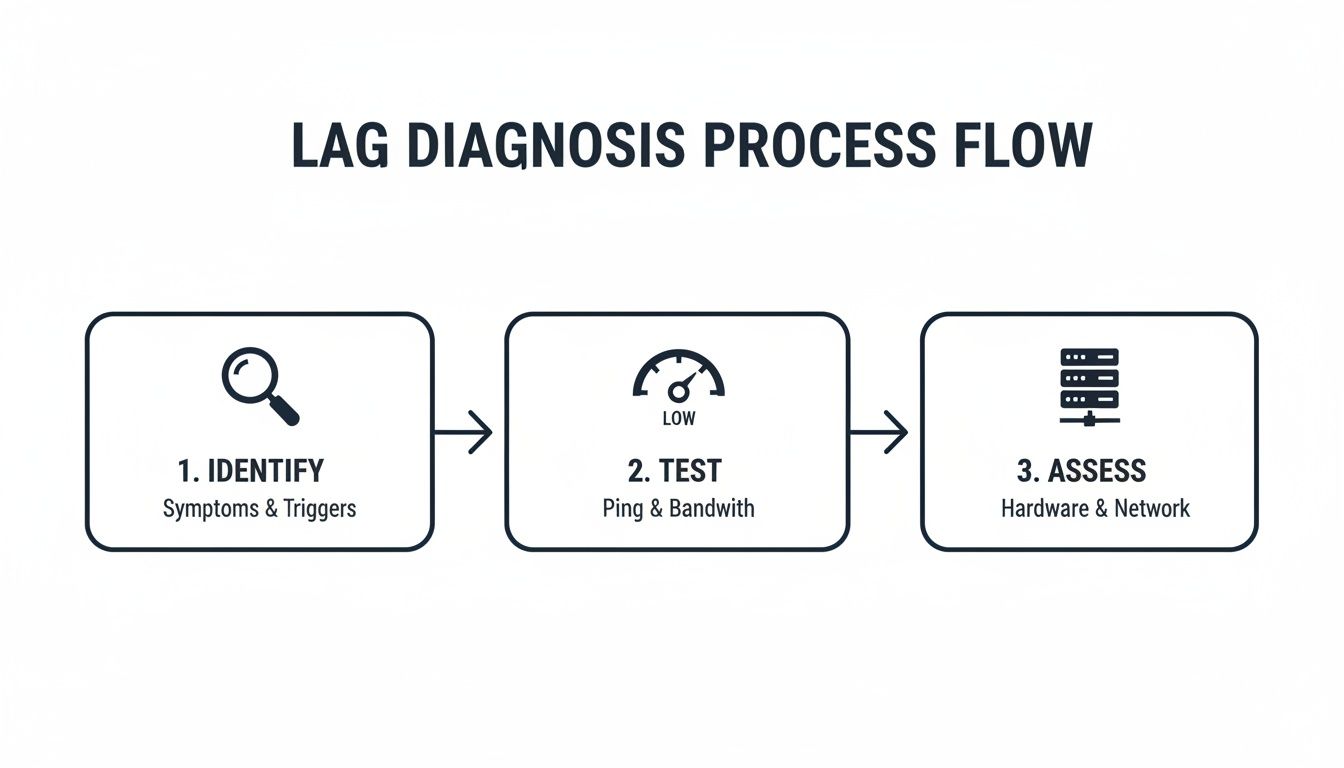
By following a methodical process, you're not just guessing. You're gathering evidence that points directly to the root cause. This means you can apply a targeted solution that actually works, saving you time, money, and a whole lot of frustration.
Building a Low-Lag Network with Structured Cabling
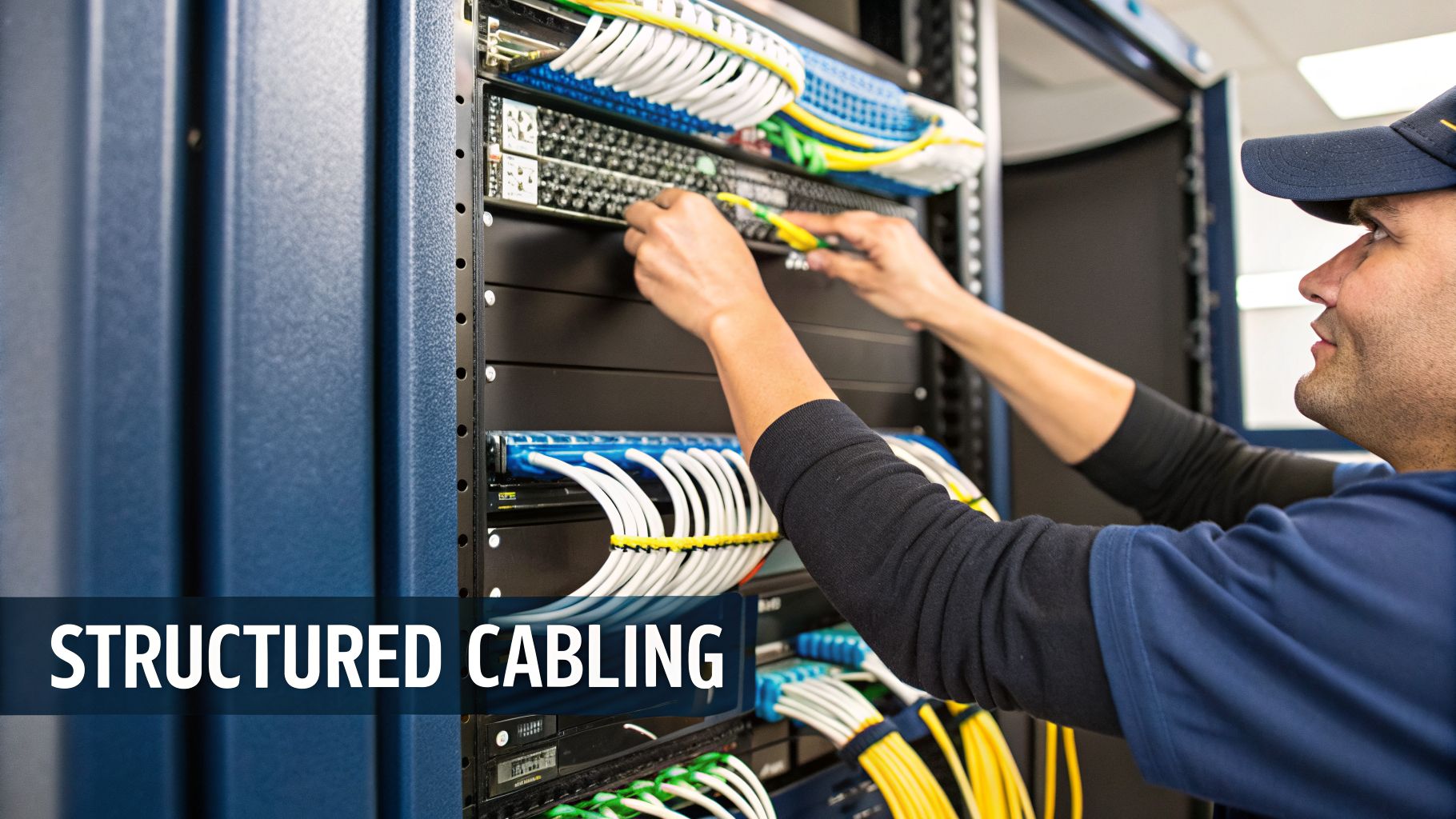
When teams are battling network lag, they often look at Wi-Fi signals or ISP speeds. The real culprit, however, is frequently hidden right inside your walls. The physical cabling that forms the backbone of your office network is one of the most common causes of persistent, hard-to-diagnose performance issues. An outdated or poorly installed cabling system creates bottlenecks that no amount of internet bandwidth can ever fix.
For any modern UK business, especially during an office fit-out or relocation, investing in professional structured cabling is non-negotiable. It’s the foundation that every other piece of your IT—from Wi-Fi access points and servers to VoIP phones—depends on for stable, high-speed connectivity.

The Real-World Jump From Cat5e to Cat6
Many offices, especially in older buildings, are still running on old Cat5e (Category 5e) cabling. A decade ago, it was the standard, designed for speeds up to 1 Gbps under ideal conditions. In the real world, though, factors like cable length, interference from electrical wiring, and simple wear and tear can drastically degrade its performance.
This is where upgrading to Cat6 or even Cat6a makes a tangible difference.
Increased Bandwidth: Cat6 supports speeds up to 10 Gbps over shorter distances (around 55 metres), a tenfold increase over Cat5e. This gives you the headroom needed for data-heavy tasks, large file transfers, and high-quality video streaming without a struggle.
Reduced Crosstalk: Cat6 cables are built to stricter specifications, with a tighter twist in the copper pairs and often a central spline to separate them. This design cuts down on crosstalk—interference between adjacent cables—resulting in fewer data errors and less packet loss.
Future-Proofing: An investment in certified Cat6 cabling ensures your office is ready for what’s next. This includes multi-gigabit connections needed for Wi-Fi 6E access points, integrated AV systems, and the growing number of IoT devices in a modern workplace.
The performance gains are not just theoretical. We consistently see offices transform their internal network speeds by moving away from old, untested cabling. It's the difference between a network that struggles and one that supports business growth without complaint.
Why a Certified Installation Matters
Simply buying a box of Cat6 cable isn't enough; the quality of the installation is what truly counts. A professional structured cabling system is a complete end-to-end solution where every component—from the patch panel in the comms room to the data outlet on the wall—is tested and certified to meet strict performance standards.
The problem of poor internal infrastructure is widespread. Ofcom's 2026 report found that 28% of fixed broadband customers experienced speeds below 30Mbps at peak times, a figure often made worse by internal network flaws. To put a number on the impact, a 2025 London financial firm case study showed that upgrading from old Cat5e to Cat6 reduced their intra-office latency from 45ms down to under 10ms, boosting data transfer efficiency by over 60%.
We solve this by deploying Excel Cat6 cabling certified to BS EN 50173 standards, which comes with a 25-year warranty that guarantees bandwidth stability.
A certified installation guarantees:
Compliance with Standards: The work adheres to strict industry guidelines, ensuring performance isn't wrecked by poor terminations, sharp cable bends, or proximity to power lines.
Full System Warranty: Reputable installations using quality components like Excel cabling come with a manufacturer-backed 25-year warranty. This covers the performance of the entire system, not just the parts.
Thorough Testing and Documentation: Every single cable run is tested with specialised equipment to verify it meets the required speed. You get a full report that acts as a clear blueprint of your network's physical layer.
For businesses looking to fully understand the components and planning involved, our comprehensive guide explains what structured cabling is in more detail.
Don't Forget Fibre Optic Backbones
While Cat6 is ideal for connecting workstations, fibre optic cabling plays a critical role in preventing lag in larger offices. It is used to create high-speed "backbone" links that connect different server cabinets or comms rooms, often between floors.
Fibre is completely immune to electromagnetic interference and can carry huge amounts of data over much longer distances than copper. This makes it essential for linking your core network switches at speeds of 10 Gbps, 40 Gbps, or even higher. A well-designed network will always use fibre for these crucial links, ensuring there are no choke points between different areas of your business.
Optimising Your Wi-Fi for Seamless Connectivity
While your structured cabling provides the super-fast backbone for your office network, it’s the Wi-Fi that delivers that connection to your team's devices. In today's always-on office, where laptops, phones, and meeting room screens are all fighting for airtime, a poorly set up wireless network is a guaranteed source of daily frustration.
The knee-jerk reaction is often to just plug in more wireless access points (APs), but this rarely works. In fact, it can make things much worse by creating a noisy, congested mess of overlapping signals.
To properly understand how to reduce lag, you first have to see what’s happening in the air. This is where a professional Wi-Fi survey becomes your most powerful tool. It’s the critical step that moves you from guesswork to a data-driven plan.
The Power of a Professional Wi-Fi Survey
Think of a Wi-Fi survey as creating a detailed 'heat map' of your office's radio frequency environment. Using specialised tools, engineers can visualise exactly where your signal is strong or weak, find frustrating dead zones, and—most importantly—pinpoint sources of interference.
These invisible problems can come from anywhere: the microwave in the kitchen, cordless DECT phones, or even the crowded Wi-Fi networks from the business next door.
A survey gives you clear, actionable data on:
Signal Coverage: A map showing precisely where your signal reaches and where it drops off.
Channel Congestion: Identifying which Wi-Fi channels are oversaturated, forcing devices to compete and slowing everything down.
Interference Sources: Pinpointing both Wi-Fi and non-Wi-Fi signals that are disrupting your network.
Armed with this information, you can stop randomly placing APs and start positioning them strategically for perfect coverage and minimal interference. It’s the foundational step for any stable, low-lag wireless experience.
Prioritising the 5GHz Band
Most modern APs are dual-band, broadcasting on both the 2.4GHz and 5GHz frequencies. The 2.4GHz band is older and has a slightly longer reach, but it’s incredibly crowded and slow. Think of it as a single-lane country B-road choked with tractors and traffic lights.
The 5GHz band, by contrast, is a multi-lane motorway. It provides far more channels that don’t overlap, is much less prone to interference, and delivers significantly higher speeds and lower latency. For anything business-critical, like video calls or VoIP, getting devices onto the 5GHz band is a top priority.
In dense urban offices, the 2.4GHz band is often so congested that it’s practically unusable for reliable business activity. A well-configured network will actively steer 5GHz-capable devices onto this superior band, leaving the 2.4GHz frequency for older, less critical devices that have no other choice.
The difference this makes is enormous. A 2026 survey found 35% of UK office workers experienced consistent Wi-Fi delays over 100ms on 2.4GHz bands in busy areas. Switching to an optimised 5GHz network can slash this lag by 40-60%.
During a recent Birmingham office relocation, our engineers used Ekahau surveying tools to measure the impact. Before optimisation, latency was averaging a painful 150ms. After strategic AP placement and band steering, it dropped to just 35ms, cutting channel contention by a massive 75%. You can learn more about how different components affect lag from these valuable industry findings on Intel.com.
Configuring Quality of Service for Critical Traffic
Even on a perfectly tuned Wi-Fi network, not all data is created equal. A background file synchronisation can wait; a video call with a major client cannot. This is where Quality of Service (QoS) comes in.
QoS is a powerful feature that lets you tell your network which traffic to prioritise. By tagging data from real-time applications like Microsoft Teams, Zoom, or your VoIP phone system, you ensure they always get the bandwidth they need to run smoothly.
This simple configuration prevents the classic scenario where someone starting a huge download causes every video call in the office to stutter and freeze. Implementing QoS is like creating a dedicated express lane on your network for the applications that keep your business running.
To build a truly reliable wireless network, you need a combination of these techniques. The table below breaks down the most effective methods and the kind of performance improvements you can realistically expect.
Wi-Fi Optimisation Techniques and Their Impact
Technique | Description | Typical Latency Reduction |
|---|---|---|
Wi-Fi Survey | Identifies signal blackspots, channel overlap, and interference sources before you commit to hardware placement. | Foundation for all other optimisations; enables targeted fixes that deliver real results. |
Strategic AP Placement | Uses survey data to position access points for maximum coverage and minimal channel conflict. | 20-40% |
5GHz Band Prioritisation | Configures the network to steer capable devices away from the crowded, slow 2.4GHz band. | 40-60% in congested areas |
QoS Implementation | Instructs the network to prioritise real-time traffic like VoIP and video over less-sensitive data. | Reduces jitter and packet loss by up to 80% for prioritised applications. |
Ultimately, a great Wi-Fi experience isn't about having the most powerful hardware. It's about smart, professional configuration that makes the most of the equipment you have, ensuring your team stays connected and productive.
Upgrading Your Core Network and Server Hardware

You can have the most immaculately planned cabling and a perfectly tuned Wi-Fi network, but your office can still grind to a halt with lag. More often than not, the culprit is hiding in plain sight: an outdated server or an underpowered network switch right at the heart of your infrastructure.
When these core components start to struggle, everything else suffers. If your team is constantly complaining about slow file access, a CRM that stutters, or applications that just hang, it's time to look past the laptops and towards your server room. Your network is only as fast as its slowest part, and investigating how to reduce lag means finding those critical hardware bottlenecks.
The HDD to NVMe SSD Performance Revolution
For years, traditional Hard Disk Drives (HDDs) were the workhorses in every server room. But these are mechanical devices. They rely on spinning platters and moving heads to find data, which is an ancient concept in today's fast-paced business world. Waiting for a physical disk to find a piece of information is a huge source of lag.
The single most effective server upgrade you can make today is switching from HDDs to Non-Volatile Memory Express (NVMe) Solid-State Drives (SSDs). The difference is night and day.
Drastic Latency Reduction: NVMe SSDs can slash data access times from a sluggish 10-15 milliseconds on an HDD down to 0.1 milliseconds or even less. That’s a 100x improvement that your team will feel instantly.
Massive Throughput: They are built to handle a huge number of simultaneous requests, completely getting rid of the queues that build up when multiple users try to pull data from a single mechanical drive.
This isn't just about making things feel faster; it’s about a measurable boost to productivity. A 2026 Uptime Institute survey noted that 42% of UK facilities saw HDD fragmentation cause 20-30% slowdowns in data retrieval. We saw this firsthand on a 2025 project at a Leeds hospital, where replacing old HDDs with NVMe SSDs dropped read latencies from 10ms to under 0.1ms. It fundamentally changes how your business applications perform.
High-Throughput Switches and Cohesive LAN/WAN Design
Think of your network switch as the traffic controller for your entire office. An old switch trying to manage a modern office's data flow is like having a single traffic warden at a six-lane motorway junction. It’s a recipe for disaster, causing packet loss, high latency, and that familiar, frustrating lag.
Modern high-throughput switches are designed to handle the immense traffic from cloud apps, 4K video, and constant data syncing without breaking a sweat. When planning an office move or an expansion, creating a cohesive Local Area Network (LAN) and Wide Area Network (WAN) design is absolutely vital.
A common mistake we see is businesses investing in a lightning-fast internet connection (the WAN) but connecting it to old, cheap internal switches (the LAN). This creates a massive bottleneck right at the door, completely wasting the investment and leaving users frustrated.
A well-designed network ensures switches have enough backplane capacity to handle peak loads and that high-speed uplinks (usually 10Gbps or 40Gbps fibre) connect switches and server racks, preventing choke points. We recently managed a London data centre fit-out where integrating 400Gbps Fibre links cut inter-server lag by an incredible 80%, allowing CCTV and AV systems to run seamlessly together.
Building a Resilient Core Infrastructure
For any business that relies on real-time data, simply being fast isn't enough. You need resilience. A high-speed network is useless if it goes down. This is where professional server room upgrades and electrical installations become mission-critical.
Creating a resilient core means looking at:
Redundant Power: An Uninterruptible Power Supply (UPS) is the bare minimum. For true resilience, a backup generator keeps your servers and switches online no matter what happens with the grid.
Certified Electrical Work: A certified commercial electrical installation provides your server room with clean, stable power, free from the dips and spikes that can damage sensitive hardware and cause random crashes.
Climate Control: Servers and switches produce a lot of heat. Proper cooling is non-negotiable to prevent thermal throttling, a hidden source of lag where hardware slows itself down to avoid overheating.
While you're making these major improvements, it's also worth remembering how your hosting service affects website speed, as external factors can play a big part in the overall user experience. By bringing all these elements together—server performance, network throughput, power, and cooling—you build a core infrastructure that is not only fast but exceptionally reliable.
Building a Proactive Network Monitoring Strategy
Fixing a laggy network isn't a one-off job. You can install the best cabling, tweak your Wi-Fi, and upgrade every server, but if you take your eye off the ball, performance will inevitably creep back down. A genuinely fast network needs constant attention and a proactive approach to stop problems before they ever affect your team.
This means getting out of the reactive 'firefighting' cycle, where you only jump into action when someone complains about a slow connection or a dropped call. The real goal is to build a system that lets you spot trouble brewing—like a switch that's starting to fail or bandwidth usage that’s creeping up—and fix it before it costs a single second of productivity.
Choosing the Right Monitoring Tools
The cornerstone of any proactive strategy is visibility. After all, you can’t manage what you can’t measure. Putting proper network monitoring tools in place is the only way to get a clear, real-time picture of your infrastructure’s health.
These tools don’t have to be massively complex or break the bank. Many modern network switches and firewalls come with built-in dashboards that offer a surprising amount of useful insight. For a deeper dive, dedicated software can track key performance indicators (KPIs) across every part of your network.
You’ll want to keep a close eye on a few key metrics:
Latency (Ping): The time it takes for data to make a round trip. If this number is consistently high, you’ve got a bottleneck somewhere.
Jitter: The variation in latency from one moment to the next. High jitter is the number one culprit for choppy VoIP and video calls.
Packet Loss: The percentage of data packets that get lost in transit and have to be resent. Even a small amount can grind things to a halt.
Bandwidth Saturation: How much of your total available bandwidth is being used. Sudden spikes can help you pinpoint peak usage times and identify resource-hungry applications or devices.
Tracking these numbers gives you the hard data you need to make informed decisions. Is the lag being caused by a specific application, a piece of faulty hardware, or have you simply outgrown your internet connection? Without monitoring, you’re just guessing.
When to Review Your ISP Contract and Look at a Leased Line
Your monitoring data is also your single best piece of evidence when dealing with your Internet Service Provider (ISP). If your tools show that your internal LAN is running perfectly but you’re still getting lag, the problem almost certainly lies with the internet connection itself.
Most standard business broadband packages are ‘contended’ services. This means you share the main fibre connection with other businesses in your area. During peak business hours, this contention can cause your speeds to plummet and latency to spike, no matter what the headline speed was on the sales brochure.
If your monitoring consistently shows high latency and bandwidth saturation during business hours—even after you've optimised everything internally—it’s a clear sign your contended connection is the bottleneck. It's time to review that ISP contract.
For any business where reliable, consistent connectivity is mission-critical, a dedicated leased line is often the only real answer.
A leased line gives you a private, uncontended fibre connection straight from your office to the local exchange. That bandwidth is 100% yours. You get symmetrical speeds (the same for uploads and downloads) and a proper service level agreement (SLA) that guarantees performance and uptime.
It's an investment, but it completely eliminates contention as a source of lag, giving you the stable foundation you need for demanding applications. For a more detailed look at the tools and techniques involved, our guide on network performance monitoring can help improve your UK office network. A leased line is an investment in predictable, high-quality performance.
Your Network Performance Questions, Answered
Figuring out the root cause of network lag can feel like a real headache. As an IT or facilities manager, you’re often caught in the middle, trying to solve complex performance issues. We get it. Here, we tackle some of the most common questions we hear from businesses trying to get their office network running smoothly.
Why Do Many Unmanned Building Projects Fail?
We’ve seen a lot of unmanned building projects stumble, and it almost always comes down to a fragmented design. People treat access control, power infrastructure, and data connectivity as completely separate jobs, almost like they exist in different worlds.
This siloed approach is a recipe for disaster. For example, a power outage knocks out the data network, which then deactivates the smart locks. Suddenly, your building is both insecure and inaccessible. Success relies on designing these three pillars—access, power, and data—as one cohesive, interconnected system from the very beginning. A truly resilient setup has built-in redundancies, so if one part is compromised, the others can maintain core functions.
What Does Unmanned Building Management Look Like in Practice?
In practical terms, it means creating a facility that can run securely and autonomously, without needing staff on-site around the clock. This is achieved by integrating all the essential systems into a single platform that you can oversee and control from anywhere.
It’s a combination of a few key things:
Integrated Access Control: Using smart locks, often NFC-based, that can be managed remotely. This is common in co-working spaces, self-storage units, and unmanned gyms.
Reliable Connectivity: Building a data network with robust failover options to ensure it never goes down.
Resilient Power: Putting in place UPS systems and backup generators so critical equipment never loses power.
Remote Monitoring: Deploying CCTV and other sensors to give you complete security and operational awareness.
The end goal is to automate daily operations, from granting someone access to monitoring for threats, without a person needing to be physically there.
What Are the Benefits of Battery-Less NFC Locks?
For any kind of unmanned or low-touch facility, battery-less NFC (Near Field Communication) proximity locks are a genuine game-changer. Unlike battery-powered locks which can—and do—fail at the worst possible moments, these locks draw power directly from the user's smartphone during the brief interaction.
This simple design trick eliminates the single biggest point of failure in most smart lock systems: a dead battery. It also gets rid of the massive operational headache of tracking and replacing hundreds of batteries across a site, saving a huge amount of time and maintenance cost.
They provide a brilliantly simple and highly reliable solution for access control, perfect for any environment where security is high but maintenance needs to be minimal.
How Does CCTV Affect Network Performance?
Modern high-definition CCTV systems are incredibly data-hungry. If you just add them to your existing office network without proper planning, they can quickly eat up all your bandwidth, causing frustrating lag for every other business application.
The correct way to integrate them is by segmenting the CCTV traffic onto its own Virtual LAN (VLAN). This effectively creates a separate, dedicated lane for the heavy video streams, isolating them from your primary business data. It ensures your Teams calls and file transfers aren’t stuck in a traffic jam behind security footage. It's a critical step in building a network that supports robust security without sacrificing business performance.
Building out a fully autonomous unmanned building unit requires careful planning of not just the network but also the commercial electrical installation and certification. This guarantees that all systems, especially high-power equipment like CCTV servers and network switches, get a clean, reliable power supply. It’s fundamental to preventing hardware-related lag and system failures.
At Constructive-IT, we specialise in designing and implementing the resilient, high-performance infrastructure your business needs. From structured cabling and Wi-Fi optimisation to complete server room fit-outs, we build networks that eliminate lag and support your future growth. Get in touch with our team today to discuss your next project.