
Your office is at that awkward stage where the old network still limps along, but every new desk, camera, access point, or phone makes it feel less predictable. That's the point where network switch installation stops being a simple hardware task and becomes part of the building's core continuity plan.
If the new fit-out also includes access control, CCTV, VoIP, or remote building management, the switch isn't just carrying data. It's carrying the day-to-day operation of the site, and the installation has to be done with that in mind.
Beyond Connectivity The Switch as a Buildings Backbone
A lot of office projects slip because the network is treated as a separate workstream, cut off from the building itself. That creates avoidable problems later. In unmanned building management, the site still has active systems, but routine operation is handled remotely or automatically rather than by staff on site, so the network has to support power, cabling, ventilation, and the physical environment as one integrated system, not as isolated trades or individual devices. UNC's switch installation guidance makes that point plainly, and Cisco's setup guidance also expects nearby AC power, secure mounting, and proper airflow, which is exactly what you would expect in a building that is designed to run without constant hands-on intervention (UNC installation guidance, Cisco switch setup guidance).
What unmanned means in practice
Unmanned doesn't mean empty. It means the building's access, climate, security, and communications continue to operate through engineered systems rather than an on-site team reacting to every fault. In practice, that means the switch becomes part of the operational spine for VoIP, Wi‑Fi, remote access control, CCTV, and monitoring.
That is why these projects fail so often when access, power, and data are designed separately. A lock system gets bought first, then the switch is sized later, then the cabling gets squeezed into the leftover path, and the UPS comes in as an afterthought. The result is a site that looks complete on paper but has weak points everywhere in the field.
Practical rule: if a device depends on the network to keep doors, cameras, or phones running, treat the switch as building infrastructure, not IT furniture.
This matters especially in offices, schools, healthcare sites, and multi-tenant buildings, where legacy systems often depend on older cabling patterns that do not match current power-delivery or performance needs. The shift from analogue to digital telephony infrastructure has pushed many UK estates into a broader refresh cycle, and the planned PSTN switch-off in January 2027 is becoming a planning marker for that work, because services now move to IP-based networks and any PSTN-connected device has to be redesigned, tested, and commissioned before service loss (Ofcom PSTN switch-off context).
Why the switch is now a building decision
The practical takeaway is simple. The switch is no longer just a port multiplier. It is the point where building services meet network design, and that means it has to be selected and installed with continuity, power-over-Ethernet capacity, and maintenance access in mind.
That shift also changes how you should think about fit-out sequencing. If a project is building out a fully autonomous unmanned building units setup, the network design has to support the building's operating model from day one, not after people discover the first weak link during commissioning. When the rack work starts, the installation detail matters as much as the hardware choice, so a planned rack-mount approach should be part of the build discussion, not an afterthought, as covered in this rack mounting guide for office network equipment. The same planning should include training and access control around site works, including Crystalline silica & asbestos awareness training, where the fit-out involves older fabric or intrusive work.
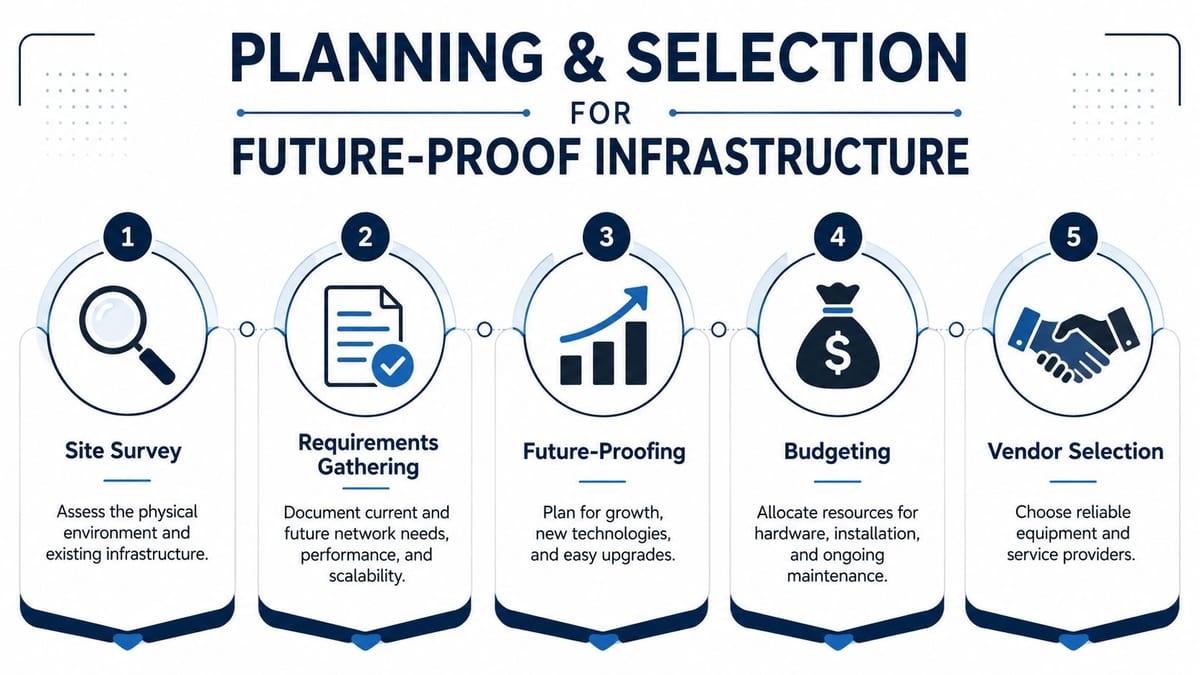
Planning and Selection for Future Proof Infrastructure
Good switch installs are won before the first rack unit is touched. The site survey, the device list, the patching plan, and the power plan all need to line up, or you'll end up reworking hardware that should have been right the first time. The market pressure is real too, with the worldwide Ethernet switch market reaching USD 11.7 billion in Q1 2025 and rising 32.3% year on year, driven by datacentre build-outs for AI-era infrastructure, while UK structured cabling projects are increasingly planned around Cat6 or better, with one industry compilation saying Cat6 accounts for about 52.8% of the cable-type segment in 2026 and that a standard cabling drop often costs around $100 to $250, while fibre runs can cost $500 to $1,500 or more per run (IDC and market context).
Start with devices, not boxes
The right way to plan is to list every powered endpoint that will depend on the switch. That means access points, VoIP phones, CCTV, building controls, and any door hardware that needs network and power together. In one practical installation walkthrough, the advice is to match switch ports to patched cables where possible and to plan for PoE before purchase, because adding it later can mean replacing the whole switch, which is exactly the kind of mistake that turns a modest fit-out into a rip-and-replace project (PoE planning walkthrough).
For offices, that's especially relevant when the design includes CCTV, phone handsets, and wireless coverage that can't be powered independently. It's also why choosing the cheapest switch often becomes the most expensive decision over the life of the install.
Why battery-less NFC proximity locks change the design
Battery-less, NFC proximity locks are a smart choice in modern buildings because they reduce the maintenance burden of replacing local batteries and fit better with a networked access model. They still need proper planning, though. If the lock, reader, or controller draws power from the network side, the PoE budget has to be designed for it from the start, and the cabling path has to support the access-control layout without forcing awkward retrofits.
That choice also affects resilience. If a door system shares the same switch stack as cameras and phones, the architecture has to assume that a power issue or a port failure can affect more than one service at once. A smaller switch might look fine at purchase, but once the building grows, it can paint you into a corner.
Best planning habit: build for the next two refresh cycles, not just the first one.
For practical LAN design work, the switch choice should be tied to port count, uplinks, PoE headroom, and support for future segmentation. If you want a structured planning approach, the framework in Constructive-IT's LAN design best practices is a useful reference point for aligning cabling, switch selection, and growth planning.
Physical Installation and Commercial Electrical Works
The hardware phase is where good plans either become solid infrastructure or turn into noisy, awkward, difficult-to-maintain boxes in a crowded comms room. Switch placement matters more than most office teams realise. Manufacturer guidance explicitly warns about orientation and airflow, and that comes up in real UK fit-outs all the time when installers are trying to fit modern equipment into shallow cabinets, legacy comms rooms, or non-standard spaces where the airflow path is already tight (TP-Link installation guide).
Rack it for service, not just for appearance
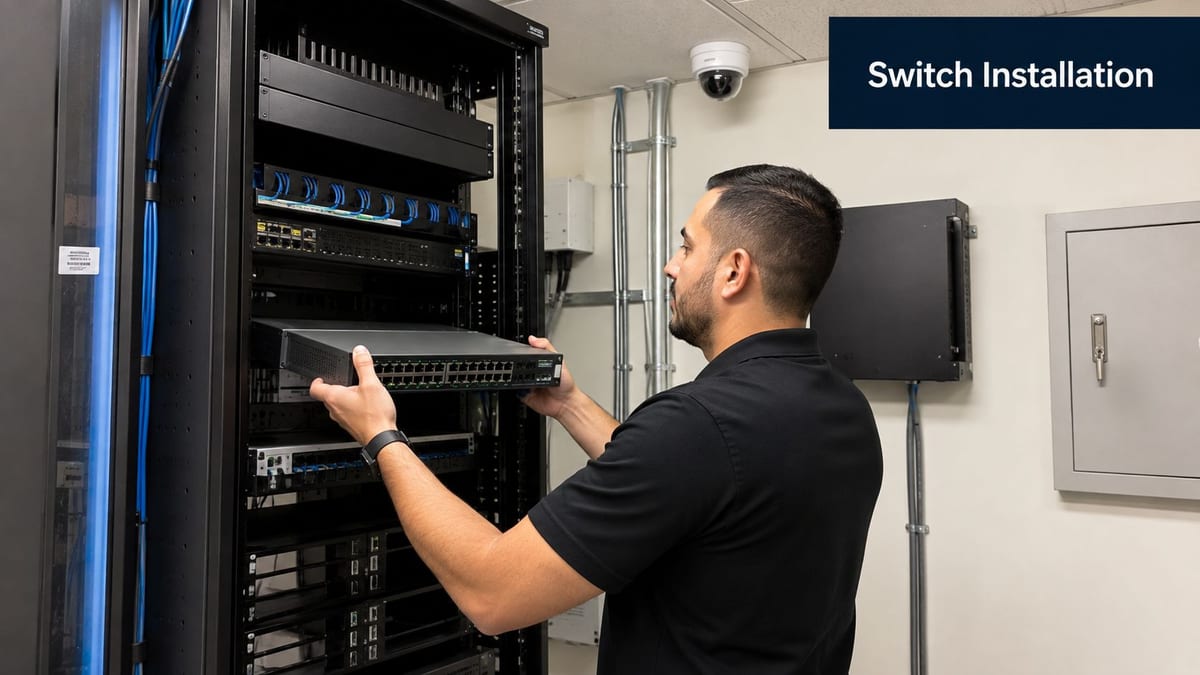
Leave space around the switch so it can breathe, and don't mount it in a way that blocks exhaust or makes future patching awkward. Field guidance recommends leaving at least 1U of rack space above or below the switch for airflow, and using two people for rack mounting because one can hold the chassis while the other secures it, which is a sensible benchmark in constrained comms rooms (rack mounting guidance).
That same practicality applies to cable management. Patch cords should be short enough to stay tidy, but not so tight that they strain ports when someone reworks a panel later. If you need a mental check for the physical side of the job, Constructive-IT's U rack mount guide fits neatly into the sort of work that prevents avoidable maintenance problems.
Non-standard mounting is a real issue, not an edge case
The awkward installs are often the ones that get signed off by people who never have to maintain them. Vertical mounting, wall mounting, upside-down orientations, and cramped brackets all need to be considered before the hardware is fixed in place. The reason is simple, bad placement can compromise cooling, access, and serviceability even if the switch powers on perfectly.
Don't solve a space problem by blocking the switch's airflow path.
That warning also belongs in the electrical conversation. A comms room isn't just an IT space, it's part of the commercial electrical installation, and the power source has to be clean, certified, and suitable for the load. If the switch feeds access points, phones, CCTV, or building systems, it should also sit behind proper UPS-backed protection, because a brief mains issue can become a building-wide outage.
If you want to brief broader site teams, a useful external reference for the non-network side of resilience is Crystalline silica & asbestos awareness training, especially where older buildings, refurbishments, or plant-room work means installers are operating around wider construction risks.
Safety and site discipline
Commercial electrical work shouldn't be improvised to save time. Power needs to be integrated, certified, and documented, especially when the switch is supporting multiple building services. Clean installation is not just about neatness, it's about making sure the site can be maintained without accidental outages or unsafe access.
For offices that are part of a wider estate refresh, that usually means the switch, rack, patching, and power provision are commissioned together rather than handed off in separate silos. That's the difference between a tidy install and a reliable one.
Configuration from Basic Setup to Advanced Features
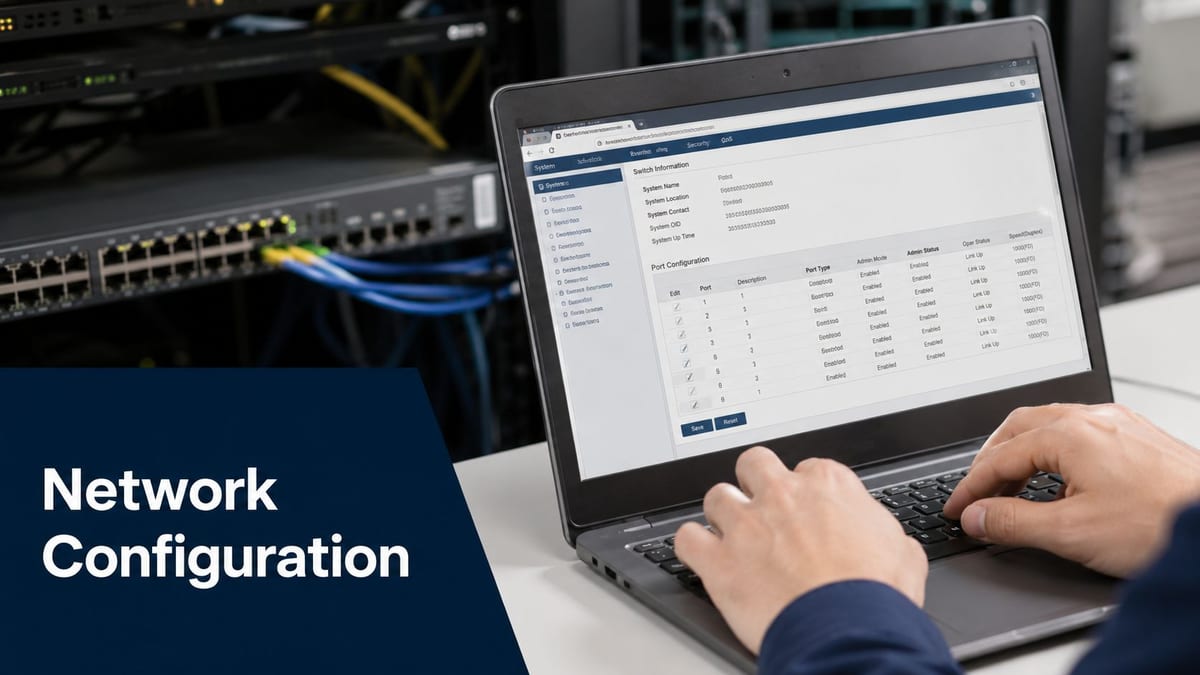
The physical install only gets the hardware onto the rack. The critical work starts when the switch needs to be brought under control, verified, and segmented for the building's actual traffic patterns. Cisco's setup guidance uses a rollover cable for console access during initial configuration, and the most reliable field method is still the same, place the device in a central, well-ventilated location, connect the uplink first, and validate traffic incrementally before turning on management features that can hide mistakes if you rush them (Cisco switch setup guidance).
Basic setup should be boring
Boring is good here. Console in, confirm the device is reachable, apply the base configuration, and update firmware before the switch starts carrying critical traffic. If the switch is going into a live office environment, don't skip the staged validation, because a cabling or port-mapping mistake is easier to catch when only one uplink or one small group of endpoints is in play.
The cleanest approach is to connect the uplink, check link lights at both ends, then add devices one by one. That approach gives you a known-good path before the rest of the building depends on it.
VLANs and traffic separation
Once the base layer is stable, VLANs are what let one physical network behave like several logical ones. Corporate data, guest Wi-Fi, CCTV, and access control don't all belong in the same traffic pool. A switch that supports VLAN tagging lets you separate those services without pulling separate physical cable runs for every use case, which is one of the reasons star and tree topologies remain so common in office environments.
That said, VLANs aren't a patch for poor planning. If the cabling, port map, or label set is messy, VLANs can make debugging harder, not easier.
Operational rule: don't enable the advanced features until the physical path is proven.
Uplinks, stacking, and monitoring
For larger offices or mixed-use buildings, uplink design matters as much as edge ports. Link aggregation gives you resilience and bandwidth across multiple links, while stacking can simplify the management of several switches if the environment needs it. SNMP then gives the IT team a way to monitor port health, device status, and trend changes before they become a helpdesk issue.
That's where the switch starts behaving like infrastructure rather than a box. If the design is heading towards a more autonomous building model, the management plane needs to be visible, documented, and supportable after go-live. If you're weighing the hardware itself against longer-term site requirements, Constructive-IT can also supply the surrounding network design and installation work as part of a broader fit-out package, which matters more than the switch model alone.
Testing Cutover and Minimising Business Disruption
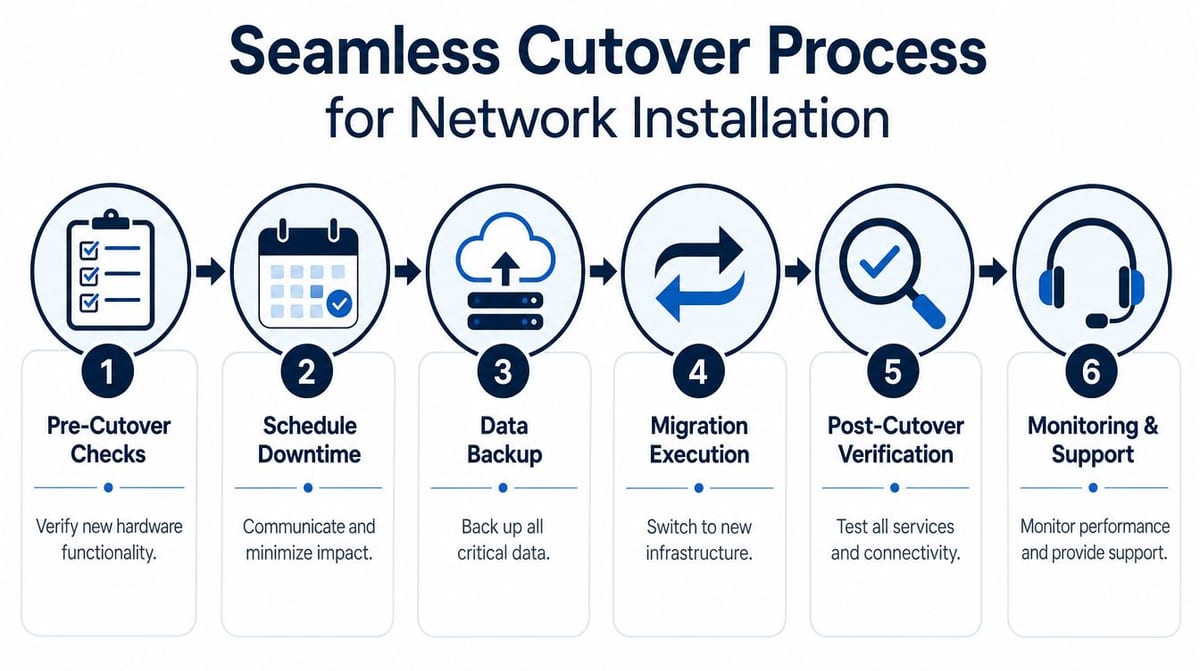
Cutover day is where projects go wrong if the team tries to move too much at once. A controlled migration is safer than flipping the whole office in one hit. In an occupied office, the practical approach is to move live Ethernet circuits in small batches, such as replugging old switch ports 5 ports at a time and checking link lights after each interval before continuing. That reduces the risk of a mass outage during the changeover (low-downtime migration guidance).
Cutover needs a sequence
The sequence keeps the day under control. Check the hardware, confirm the patching, validate the uplink, and only then start moving end devices. If a problem appears, you want it isolated to a small group, not hidden under a full floor of live traffic failing at once.
Two people in the rack make that easier. One person can handle the physical work while the other tracks the change list and watches for link confirmation. That matters on fit-outs where the switch is part of a wider system for data, power, CCTV, and access control, because a fault in one layer can look like a fault in another unless the change is tightly managed.
Testing should cover more than link lights
Link lights show that copper or fibre has negotiated, not that the business service is healthy. You still need end-to-end checks for phones, cameras, Wi-Fi, and access control after the migration batches are moved. The most common day-one failure is a cable landed on the wrong port or a device that never gets reintroduced into the correct VLAN or patch group.
Keep the documentation open while you work. Patch records, rack diagrams, switch backups, and a simple migration log make troubleshooting much faster if you need to roll back or prove what changed. That matters even more in modern smart buildings, where the switch supports systems that have to keep talking to each other after handover.
A clean cutover is less about speed and more about control.
What to fix before people notice
Day-one issues usually fall into the same buckets, a dead patch cord, a mislabelled port, a missing uplink, or a device that was powered but never correctly reattached to the service path. Do not let the schedule force you to move on before each batch is verified. If the change window is tight, stop and stabilise rather than chase three new faults while the office starts to feel the disruption.
That discipline matters most in live workplaces where even a short outage affects reception, phones, or security. The goal is not just getting the switch live, it is getting the site back to normal without drama. In practice, that means treating the switch install as part of the building's operating system, not a standalone hardware swap.
Post Deployment Operations for Autonomous Buildings
Once the switch is live, the project doesn't end, it starts paying back only if the operational side is handled properly. Unmanned building projects often fail because access, power, and data were never integrated tightly enough, and Cisco's installation guidance expects ESD-safe handling, specific mounting conditions, and proper fit checks, while Lantronix's physical-link constraints, including 100-ohm cabling, remind you that power and data design can't be separated if you want a reliable system (Cisco installation and hardware guidance).
Maintenance is part of the design
A switch in a building environment needs routine attention, even if nobody stands next to it every day. That means checking firmware strategy, keeping port maps current, documenting changes, and tracking what each active port supports. If the building relies on PoE for access points, phones, or CCTV, then post-deployment support has to include both network health and power resilience.
For that reason, I'd treat essential power protection for security as a useful primer when the site's critical systems depend on uninterrupted service. UPS planning is one of those areas people underinvest in until the first avoidable outage proves the point.
Fully autonomous buildings still need oversight
A building can be automated, monitored remotely, and designed for self-operation, but that doesn't remove the need for maintenance contracts, warranty cover, and escalation routes when something goes wrong. The stable network layer is what makes fully autonomous unmanned building units credible, and without it the rest of the automation stack is just decorative.
That's where prevention beats repair. The maintenance mindset in Constructive-IT's preventive maintenance programmes is well-suited to long-lived estates, because the switch, cabling, power, and access systems all age together.
What good support looks like
Good support is not reactive firefighting. It's knowing which ports are critical, which devices are power-dependent, which cabinets are constrained, and which spares or configuration backups will keep a fault from becoming an outage. That's the difference between a neat one-off install and a building that can keep running with minimal intervention.
If you're planning a new office fit-out, a telecoms refresh, or a network that has to support access control, CCTV, and resilient PoE from day one, talk to Constructive-IT about the full installation and commissioning picture. Visit Constructive-IT to discuss a switch deployment that's designed around uptime, compliance, and the building systems it has to support.