
Right, let's clear up the confusion between a modem and a router. It’s a question we hear all the time, and getting it right is the first step to building a reliable office network.
Think of it this way: a modem is your direct line to the outside world. It takes the signal from your Internet Service Provider (ISP) and translates it into a single, usable internet connection. A router, on the other hand, is the traffic director for your internal network. It takes that one connection and smartly shares it among all your office devices—computers, printers, Wi-Fi access points, and CCTV cameras.
One brings the internet in; the other distributes it where it needs to go. Simple as that.
The Foundational Difference Between a Router and a Modem
Let's dig a bit deeper. A modem’s only job is to modulate and demodulate signals, establishing a connection to the Wide Area Network (WAN). This gives your entire business one public IP address that identifies you on the internet.
A router, however, is all about creating and managing your private Local Area Network (LAN). You can find out more about what these network types mean for your business in our guide on LAN and WAN networks for UK businesses.
This separation of duties is more important than ever. In the UK, the rollout of high-speed internet has been relentless. The number of premises with gigabit-capable broadband rocketed from 64% in January 2022 to 78% by January 2024. This boom means your modem now needs to be powerful enough to handle these multi-gigabit speeds without becoming a bottleneck.
Quick Comparison Modem vs Router
For any IT or facilities manager, knowing exactly what each box does is vital for making smart decisions on hardware. This table breaks down the core differences at a glance.
Attribute | Modem | Router |
|---|---|---|
Primary Function | Connects your premises to the Internet Service Provider (ISP). | Creates a local network and shares the internet connection. |
Network Scope | Manages one connection to the Wide Area Network (WAN). | Manages multiple device connections on a Local Area Network (LAN). |
IP Address | Is assigned one public IP address by the ISP. | Assigns unique local IP addresses to each connected device. |
Typical Ports | One coaxial/fibre input and one Ethernet output port. | One WAN (Internet) input port and multiple LAN output ports. |
Wi-Fi Capability | No, a standard modem does not provide Wi-Fi. | Yes, its primary role is to create a Wi-Fi network. |
So, while they often sit side-by-side, their roles are completely distinct. The modem gets you online, and the router creates the network that lets everyone in your office actually use that connection.
Modem Types and Their Impact on Business Performance
So we’ve separated routers and modems, but it’s just as important to realise that not all modems are built the same. The type of modem your business uses is locked to the connection from your ISP, and its technology sets the absolute ceiling for your network's speed and reliability.
Think of it as the main entrance to your entire office. If that doorway is too small or constantly jammed, it doesn’t matter how fast people can move around inside.
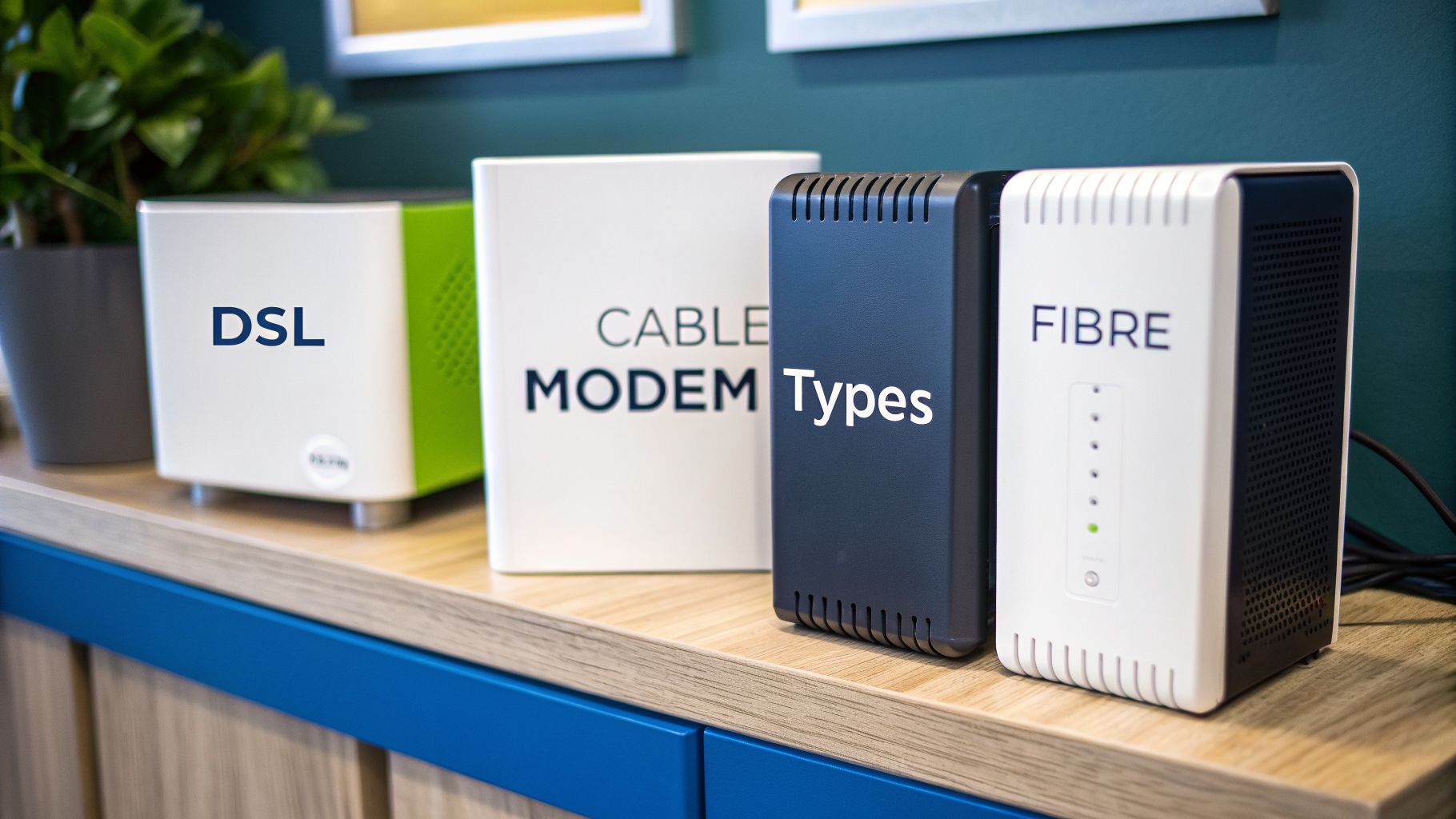
For any UK business, you’ll typically run into one of three modem technologies: DSL, Cable (DOCSIS), or Fibre (GPON). Each works in a fundamentally different way, and the choice has a massive impact on performance, especially when you’re trying to support data-hungry systems.
Understanding the Technology Behind Your Connection
Making the right call starts with knowing what’s actually connecting your office to the internet. This is the technology that will define your performance limits before a single byte of data even hits your router.
DSL (Digital Subscriber Line): This technology runs over old-school copper telephone lines. While it’s available almost everywhere, its performance drops off the further you are from the local exchange. This often means slower speeds and less reliability, making it a legacy solution that really struggles with the demands of a modern business.
Cable (DOCSIS): Short for Data Over Cable Service Interface Specification, DOCSIS delivers internet using the same coaxial cables as television. It offers a huge speed boost over DSL, with the latest DOCSIS 3.1 standard able to support gigabit speeds. The catch? It’s a shared network, meaning your bandwidth can take a hit from other users in your area, especially during peak business hours.
Fibre (GPON): Gigabit Passive Optical Network technology is the gold standard. It uses fibre-optic cables to transmit data as pulses of light, giving you the fastest, most reliable, and most symmetrical (equal upload and download speeds) connection you can get. For businesses that depend on cloud services, VoIP phone systems, and large file transfers, a fibre connection is non-negotiable.
Why Your ISP-Supplied Modem Falls Short
Most UK ISPs, like BT or Virgin Media, will hand you an all-in-one gateway—a box that acts as both a modem and a router. While that’s handy for a home setup, these units are often the very first bottleneck in a business network. They’re simply built to a low price point, not for the demands of a commercial environment with dozens of devices all needing a stable connection.
For a business, relying on the generic modem from your ISP is like trying to run a logistics warehouse through a single residential garage door. It creates an immediate choke point for critical systems like CCTV, server access, and voice communications, undermining your entire operation's efficiency.
These standard-issue boxes just don't have the processing power to manage high traffic volumes. Worse still, their firmware is often updated infrequently, leaving you exposed to security risks. When you’re planning an office fit-out or an upgrade, you have to look beyond the free hardware.
Instead, IT managers should be specifying a dedicated, high-performance modem that’s a perfect match for the broadband plan you’re paying for. This ensures you aren't paying for a 1 Gbps connection only to have it throttled by a device that can’t keep up. Similarly, businesses considering wireless primary or backup connections may also want to explore our guide comparing LTE and 5G for UK businesses to understand those modem requirements.
Why Business-Grade Routers Are Non-Negotiable
While a modem gets the internet signal into your building, it's the business-grade router that acts as the real command centre for your entire network. It's a common mistake to think of a router as just a box that dishes out Wi-Fi. In a commercial setting, it’s the brain of your operation, managing how data flows, enforcing security, and deciding who gets access to what.
Unlike the basic router you’d have at home, a business model is built for high-density offices and constant, heavy use. It has the processing muscle to handle dozens or even hundreds of simultaneous connections without grinding to a halt. This is the difference between a network that just about functions and one that actively boosts your team's productivity.
A consumer-grade router simply doesn't have the features needed to run a secure and efficient office. For any business that takes its operational stability and data security seriously, investing in a professional model is non-negotiable.
Core Features That Define a Business Router
The true power of a business-grade router is found in its advanced features. These are the tools that allow an IT manager to slice up, control, and fine-tune network traffic in ways that are completely impossible with standard kit. They turn your network from a simple free-for-all into a highly organised and secure system.
Three features, in particular, are absolutely critical:
Virtual LANs (VLANs): This feature lets you create completely separate, isolated networks using the same physical hardware. You could put your Finance department on one VLAN, your guest Wi-Fi on another, and sensitive CCTV systems on a third. This segmentation is crucial for security because it stops a breach in one area from spreading across the entire company.
Quality of Service (QoS): QoS is all about prioritising certain types of internet traffic. You can make sure a CEO's vital video conference gets more bandwidth than an employee streaming music in the background. This prevents lag and dropouts for business-critical functions.
Advanced Firewall and VPN: Business routers are equipped with robust, highly configurable firewalls and built-in Virtual Private Network (VPN) capabilities. This allows you to create secure, encrypted tunnels for remote workers to access the office network, protecting sensitive data while it's in transit.
These aren't luxury add-ons; they are essentials for modern business operations. They provide the control needed to manage a complex environment with different user needs and security demands. Our guide to the UniFi Dream Router explores how a single device can deliver many of these powerful features.
From Theory to Practice: Real-World Scenarios
Let’s put these technical terms into a real-world context. Imagine a busy marketing agency in the middle of a client presentation. With QoS properly configured, the router ensures the video call stays crystal clear, even if other team members are downloading massive design files at the same time.
Or think about a shared office space. Using VLANs, the network administrator can give each tenant company its own secure, private network. This stops one company from ever seeing another's data, even though they all share the same internet connection and hardware.
For a business, a professional router isn’t just a piece of hardware; it’s a strategic asset. It's the gatekeeper that secures sensitive client data, the traffic manager that ensures smooth operations, and the foundation upon which all other IT systems are built.
The global wireless router market is projected to grow, but here in the UK, the demand for stable, high-performance wired connections remains incredibly strong. This is especially true for critical infrastructure like server rooms and reliable CCTV monitoring. For operations managers planning these kinds of upgrades, separating the modem from a powerful business router is key to building a scalable and resilient network. This distinction is at the heart of the router vs. modem debate for any serious commercial installation.
Integrated Gateway vs Separate Modem and Router
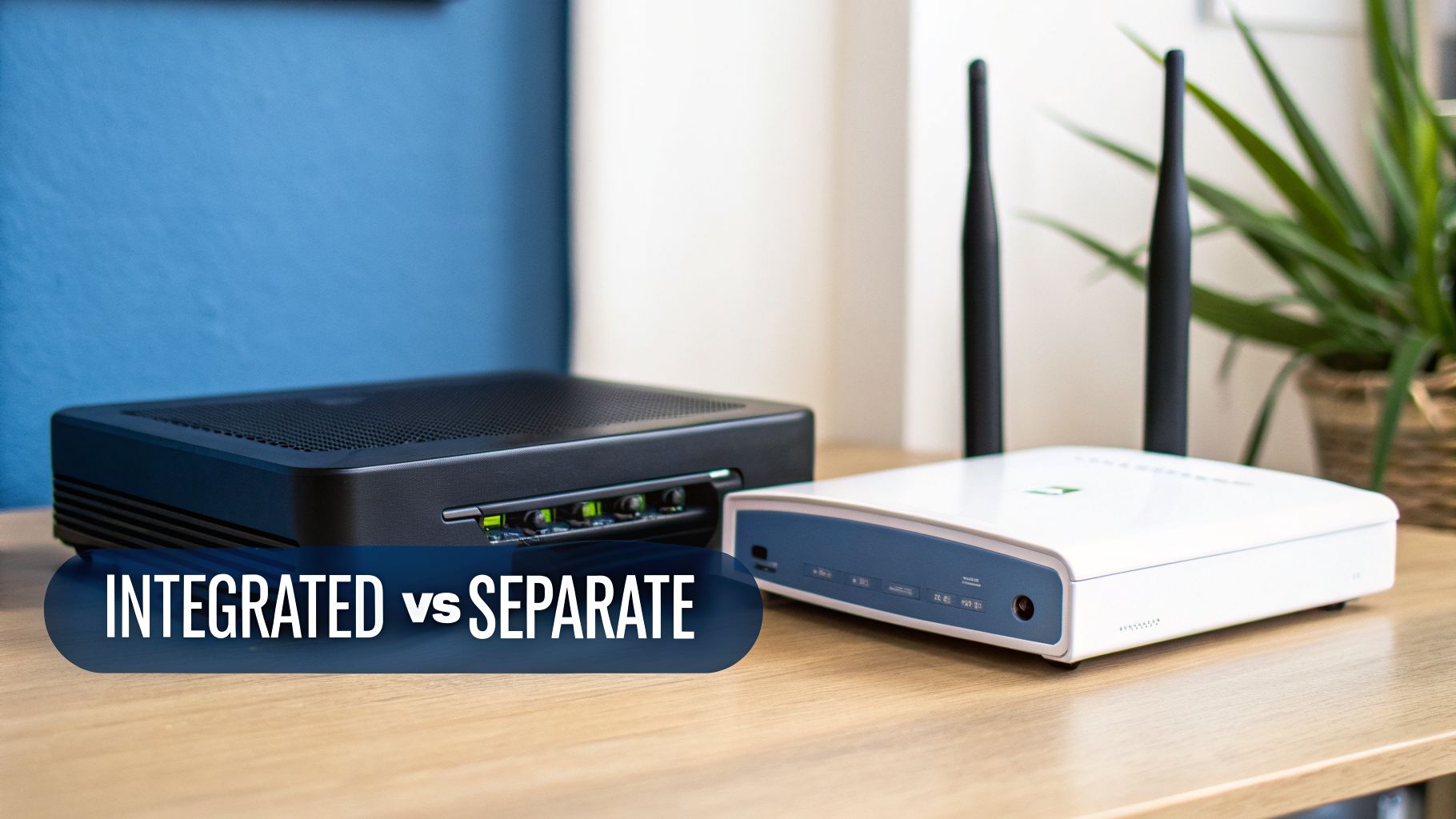
When setting up your office network, you’re faced with a fundamental choice: do you use the all-in-one box your Internet Service Provider (ISP) gives you, or do you invest in a separate modem and a dedicated, business-grade router? The first option, known as an integrated gateway, offers simplicity. The second delivers professional-grade control and performance.
For any business, this isn't just a technical detail. It’s a strategic decision that directly impacts your productivity, security, and ability to grow. While a gateway might seem convenient, its limitations become glaringly obvious in a commercial environment.
The appeal of a single box is easy to understand—fewer cables and a straightforward setup handled by the ISP’s engineer. But that convenience comes at a serious cost. These units are mass-produced for home use, not for the demands of an office with dozens of users, critical systems, and complex security policies.
The Drawbacks of an All-in-One Gateway
An integrated gateway is a jack-of-all-trades and master of none. By cramming both modem and router functions into a single piece of hardware with a shared processor, it introduces several critical weaknesses for any business.
Limited Customisation: Gateways offer almost no real control. You can't implement advanced features like VLANs to segment your network or configure sophisticated firewall rules, leaving you with a one-size-fits-all setup that can’t adapt as your business needs change.
Poor Performance Under Load: The moment your team gets busy—making video calls, accessing cloud servers, and transferring large files—that gateway's underpowered processor becomes a major bottleneck. The result is slow speeds, dropped connections, and frustrated staff.
Infrequent Security Updates: ISPs are notoriously slow at rolling out firmware updates for their gateways. This can leave your network exposed to known security vulnerabilities for months on end, a risk no business can afford.
Single Point of Failure: If any part of the gateway fails—whether it’s the modem component or the router—your entire network goes offline. With separate devices, you can troubleshoot and replace the faulty component independently, drastically cutting down on downtime.
The reliance on ISP-provided hardware also fuels a surprising amount of electronic waste. A 2021 survey of UK adults found that 42% have an unused router at home, often because the gateway they received becomes useless when they switch providers. You can read the full study to learn more about broadband hardware waste in the UK.
The Case for a Separate Modem and Router
For any professional environment, separating your modem and router is the only robust, long-term solution. This approach lets you select best-in-class devices for each specific job, creating a network that is powerful, secure, and ready to scale with you.
Your modem’s only job should be to provide the fastest, most stable connection to your ISP. By putting it into ‘bridge mode’, you effectively turn it into a transparent link to the internet, passing the connection straight to your dedicated router.
Your business-grade router then takes full command. With a powerful processor and advanced firmware, it can manage heavy traffic, enforce complex security policies, and give you the granular control needed to fine-tune your network for peak performance.
For any business that depends on its network for daily operations, separating the modem and router is the only professionally sound strategy for long-term reliability and growth.
Designing the Network for Unmanned and Autonomous Buildings
An office relocation or fit-out is the golden opportunity to get your network infrastructure right from the ground up. This isn’t just about picking a router or modem; it’s your chance to design a cohesive, high-performance system where every single component works together flawlessly. A proper plan, starting from the moment the ISP’s line hits your building and extending to every workstation, is the only way to avoid future bottlenecks and costly rework.
This blueprint has to cover everything: where the modem sits, the layout of your comms room, and the quality of your structured cabling. It’s all interconnected. For instance, running high-grade Excel Cat6A cabling is a great move to support multi-gigabit speeds for years to come, but that investment is wasted if it’s all plugged into an underpowered network core.
A common professional setup involves putting the ISP's modem into 'bridge mode'. This simple tweak switches off its built-in routing functions, turning it into a pure modem that does one job and does it well: delivering a stable internet connection. It then hands the public IP address directly to your dedicated firewall or business-grade router, which takes full command of network management and security.
Designing for Autonomous and Unmanned Buildings
The design process becomes even more critical in unmanned buildings, where technology has to operate perfectly without anyone on-site. In practice, this means building out a fully autonomous unmanned building unit where systems like access control, lighting, and security operate without human intervention. The network is the central nervous system that makes this possible.
Frankly, many unmanned building projects fail for one core reason—the pillars of access, power, and data are treated as separate problems instead of an integrated system. A network outage stops being an inconvenience and becomes a critical failure. It could mean doors won't open, security systems go dark, and the entire facility becomes inaccessible.
Integrating Access, Power, and Data
A truly autonomous building needs a network architecture where every critical system is backed by redundant power and connectivity. This is where a holistic approach is absolutely non-negotiable.
Integrated Power and Data: Key systems like CCTV cameras, access control readers, and telecoms must be powered via Power over Ethernet (PoE). Those network switches, in turn, must be connected to an Uninterruptible Power Supply (UPS). This simple step ensures that even during a power cut, your security and access systems stay online.
Reliable Access Control: For unmanned sites, traditional key locks are a liability. Modern solutions like battery-less, NFC proximity locks are a far superior choice. They draw power from the user's phone during the NFC tap, which completely eliminates the operational nightmare of monitoring and replacing thousands of batteries across a property portfolio. The reduction in maintenance overhead is huge.
Certified Installations: The entire network, from the data cabling to the final port, must be underpinned by a commercial electrical installation and certification. This is the only way to guarantee all power and data lines are installed to regulated standards, ensuring safety, compliance, and long-term performance. It’s a foundational step that you just can't skip.
Building out a fully autonomous unmanned unit isn’t just about remote access; it’s about engineering trust. The network must be designed from day one to guarantee that access, security, and communication systems are always online, no matter what happens.
Maintenance and Operational Considerations
The long-term success of any unmanned facility hangs on minimising physical maintenance. This is why the choices you make in the design phase have such a massive impact on your future operational costs. Battery-less NFC locks, for example, wipe a significant and recurring maintenance task off the board entirely.
In the same way, a professionally installed and well-documented structured cabling system makes troubleshooting a world away from the guesswork involved in a poorly planned network. When an issue does pop up, engineers can identify and resolve it quickly. These operational efficiencies are a direct result of getting the initial design right.
We're now seeing these integrated systems become standard in a range of sectors, including:
Self-storage facilities
Unstaffed "dark" retail stores
Remote industrial monitoring sites
Serviced apartment buildings
By designing a network that cohesively brings together power, data, and access control, you create an infrastructure that is truly resilient. If you're planning a project and need to get these foundations right, we can help you design a network built for performance and reliability from day one.
Your Network Hardware Decision Checklist
Getting your network design on paper is one thing; translating that plan into real-world performance is another. This is where choosing the right hardware becomes the final, critical step. For any business, the modem vs. router debate isn't about picking one over the other. The answer is almost always "both, but chosen carefully."
This checklist is designed for IT managers to move past simple feature comparisons. It’s about asking the right questions to specify equipment that not only meets today’s demands but is also ready for your company’s future growth.
This decision tree shows the ideal flow for a professional network design, starting right from the ISP demarcation point and moving through to a dedicated router or firewall.
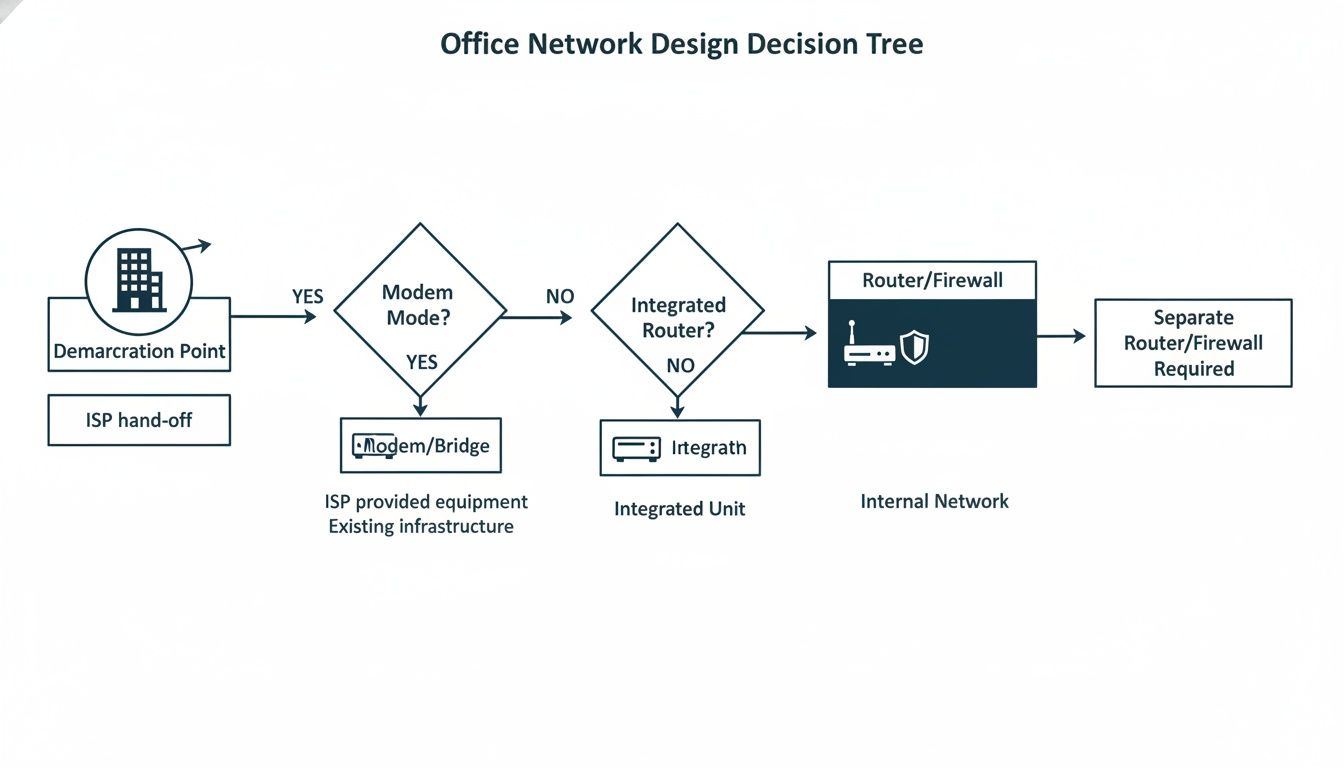
The key takeaway here is the clean separation of duties. The modem's only job is to handle the ISP connection in bridge mode. All the heavy lifting—internal traffic management, routing, and security—is offloaded to a proper business-grade router or firewall.
Evaluating Bandwidth and Device Load
The first step is to get some hard numbers. A vague feeling that the network is "busy" won't cut it. You need to know exactly what your data consumption and device landscape look like.
Current and Future Bandwidth: What internet speed are you paying for now? More importantly, do you plan to upgrade within the next 2-3 years? Your modem has to handle your plan's top speed, but your router needs enough processing power to manage that throughput without becoming a bottleneck.
Connected Device Inventory: Make a list of every single device that will touch the network. This isn't just computers and phones; it’s your CCTV cameras, AV systems, printers, and any IoT sensors. A high device count demands a router with a powerful CPU and plenty of RAM.
Defining Security and Access Requirements
Security isn't just another feature on a spec sheet; it's the foundation of your entire network. Your hardware choices will directly dictate how much control you have over your security posture.
Firewall and VPN Needs: Do you need to build granular firewall rules to protect sensitive data? Or are secure VPN tunnels for remote staff a priority? A dedicated business-grade router gives you far more sophisticated security tools than any ISP-provided gateway ever could.
Network Segmentation: Is there a need to keep different types of traffic separate? For example, creating isolated networks for guests, your finance department, and operational systems like access control. This calls for a router that properly supports VLANs (Virtual LANs). For anyone looking to brush up on these core concepts, the CompTIA Network+ Study Guide is an excellent resource.
Assessing the Physical Environment
Finally, don't forget about the comms room itself. The physical environment plays a massive part in the long-term reliability of your network infrastructure.
The comms room is the heart of your office's nervous system. Overlooking its power, cooling, and access requirements is a direct route to avoidable downtime and operational headaches.
These considerations are especially critical for unmanned buildings or remote sites where reliability is everything. How will you manage access if no one is on-site? The integration of battery-less, NFC proximity locks can be a game-changer, drawing power from a user's phone and eliminating a major maintenance headache.
Pairing smart tech like this with a certified commercial electrical installation ensures your core infrastructure is not just robust, but genuinely resilient.
Frequently Asked Questions About Routers and Modems
When you're sorting out your office network, the terms 'modem' and 'router' get thrown around a lot. It’s easy to get them mixed up, but getting the setup right is absolutely critical for a reliable network.
Let's clear up the common questions we hear all the time, so you can make the right call for your business.
Do I Need Both a Modem and a Router?
Yes, for any serious business setup, you absolutely need both. Think of them as two specialists with distinct jobs. The modem acts as the translator, converting the signal from your Internet Service Provider (ISP) into a format your network can understand. It’s your single gateway to the internet.
The router, on the other hand, is your internal traffic controller. It takes that one internet connection from the modem and securely distributes it to every computer, printer, and phone in your office, creating your local network. While some ISPs offer a combined 'gateway' unit, the professional standard is to keep them separate for far better performance and security.
Can I Just Use the Free Router From My ISP?
Technically, yes. But for any business that relies on its internet connection, we’d strongly advise against it. The free hardware ISPs provide is built for home use, designed to hit a low price point, not to handle the demands of a busy office.
These residential-grade boxes simply lack the processing power and critical features needed for a business. They can’t manage dozens of simultaneous connections, support proper network segmentation with VLANs, or prioritise important traffic like video calls. Using one is creating a deliberate weak link in your company's infrastructure.
What Is Bridge Mode and Why Should I Use It?
Bridge mode is a vital setting on an ISP-provided gateway. When you activate it, you essentially switch off all its built-in routing and Wi-Fi functions, turning it into a simple, dedicated modem. It becomes nothing more than a 'bridge' between your network and the internet.
Using bridge mode is standard practice when deploying a proper business-grade router. It stops common network conflicts like Double NAT and gives your own high-performance router direct, unfiltered control over the public IP address. It’s the key to letting your router manage all security, traffic, and connections properly.
This setup ensures you get the full benefit of your professional hardware. It's a fundamental step for building a secure, efficient office network.
How Do I Know If My Hardware Is a Bottleneck?
Your network will often give you some pretty clear signs that your hardware is struggling to keep up. It’s the digital equivalent of a car engine sputtering when you try to accelerate.
Common symptoms of a network bottleneck include:
Slow internet speeds, even though you’re paying for a fast business broadband plan.
Frequent Wi-Fi dropouts or patchy connections, especially when the office gets busy.
Poor quality on video calls and VoIP phone systems, with constant buffering or lag.
The whole network slows to a crawl as soon as more people connect their devices.
While a professional network assessment is the only way to be certain, an underpowered ISP gateway is one of the most common culprits we find in businesses.
Planning a new office fit-out or a network upgrade requires expertise to ensure performance and reliability. Constructive-IT specialises in designing and deploying structured cabling and network solutions that are built for your business's specific needs. To start planning your project with confidence, visit us at Constructive-IT.