


10 IT Asset Management Best Practices for 2025
- Craig Marston
- Nov 27, 2025
- 19 min read
In today's complex operational environment, simply knowing what IT assets you own is no longer sufficient. Effective IT Asset Management (ITAM) is the strategic linchpin for financial control, operational efficiency, and robust security. For UK businesses undergoing office relocations, new building fit-outs, or data centre upgrades, a mastery of ITAM is non-negotiable. It represents the difference between a seamless, certified, tested network delivery and a chaotic scramble of missing equipment, unexpected costs, and critical downtime.
This guide moves beyond outdated spreadsheets, offering a comprehensive roundup of essential it asset management best practices. We'll explore actionable strategies that ensure every piece of hardware and software is accounted for, optimised, secured, and ready to support your organisation's goals. This includes everything from initial fibre cable installation and structured cable management during a fit-out to ensuring every desk has a tested, functional workstation post-move. For a deeper dive into modern ITAM strategies, including foundational steps and forward-looking trends, explore these crucial 10 IT Asset Management Best Practices for 2025.
Implementing these practices will not only streamline daily operations but also lay a resilient foundation for future growth. You will gain the control needed to manage everything from a 25 year equipment warranty on network infrastructure to the lifecycle of individual laptops. The following sections provide a detailed roadmap to mastering your IT estate, ensuring your technology infrastructure is a reliable asset, not a logistical liability, especially during periods of significant physical change.
1. Comprehensive Asset Discovery and Inventory Management
The bedrock of any successful IT asset management (ITAM) programme is a complete and accurate inventory. This foundational practice involves discovering, cataloguing, and maintaining a detailed record of every IT asset across your organisation. This includes all hardware (servers, laptops, monitors), software licences, cloud instances, and virtual machines.
Effective inventory management goes beyond a simple list. It involves capturing critical metadata for each asset, such as specifications, physical location, assigned owner, purchase date, and current lifecycle stage. This creates a single source of truth that informs strategic decisions, enhances security, and streamlines operations. For projects like an office relocation with equipment testing or a data centre fit-out, this initial audit is non-negotiable.
Why It's a Core Practice
Without knowing precisely what you have, where it is, and who is using it, managing your IT estate becomes an exercise in guesswork. A detailed inventory is crucial for planning and execution, especially during complex projects. When relocating an office, an accurate asset list allows partners like Constructive-IT to meticulously plan the physical move, ensure correct port allocation in the new space, and validate that every piece of equipment arrives and is accounted for post-move.
Key Insight: A comprehensive asset inventory directly enables effective "tidy desk" policies by standardising equipment, simplifying cable management, and ensuring every workstation is correctly provisioned before staff arrive.
Actionable Implementation Tips
Automate First, Verify Second: Deploy automated network discovery tools to create a baseline inventory of all connected devices. Follow this with a manual audit to capture offline assets and verify data accuracy.
Establish a Single Source of Truth: Consolidate all asset data into a centralised Configuration Management Database (CMDB) or a dedicated ITAM platform. Avoid using disparate spreadsheets which quickly become outdated.
Implement Physical Tagging: Use barcoding or RFID tags for all physical assets. This drastically speeds up audit processes and improves tracking accuracy, especially during large-scale equipment moves.
Schedule Regular Audits: A "set and forget" approach will fail. Implement a regular audit cycle, such as quarterly or semi-annually, to maintain data integrity. For a deeper dive into this process, you can find valuable steps in our guide on how to perform an asset audit.
2. Asset Lifecycle Management
Effective IT asset management extends far beyond simply knowing what assets you have; it involves actively managing them throughout their entire lifecycle. This practice covers every stage, from initial procurement and deployment to ongoing maintenance, optimisation, and eventual secure retirement. By tracking an asset's journey, organisations can maximise return on investment, ensure compliance with support timelines, and proactively plan for replacements before failures disrupt operations.
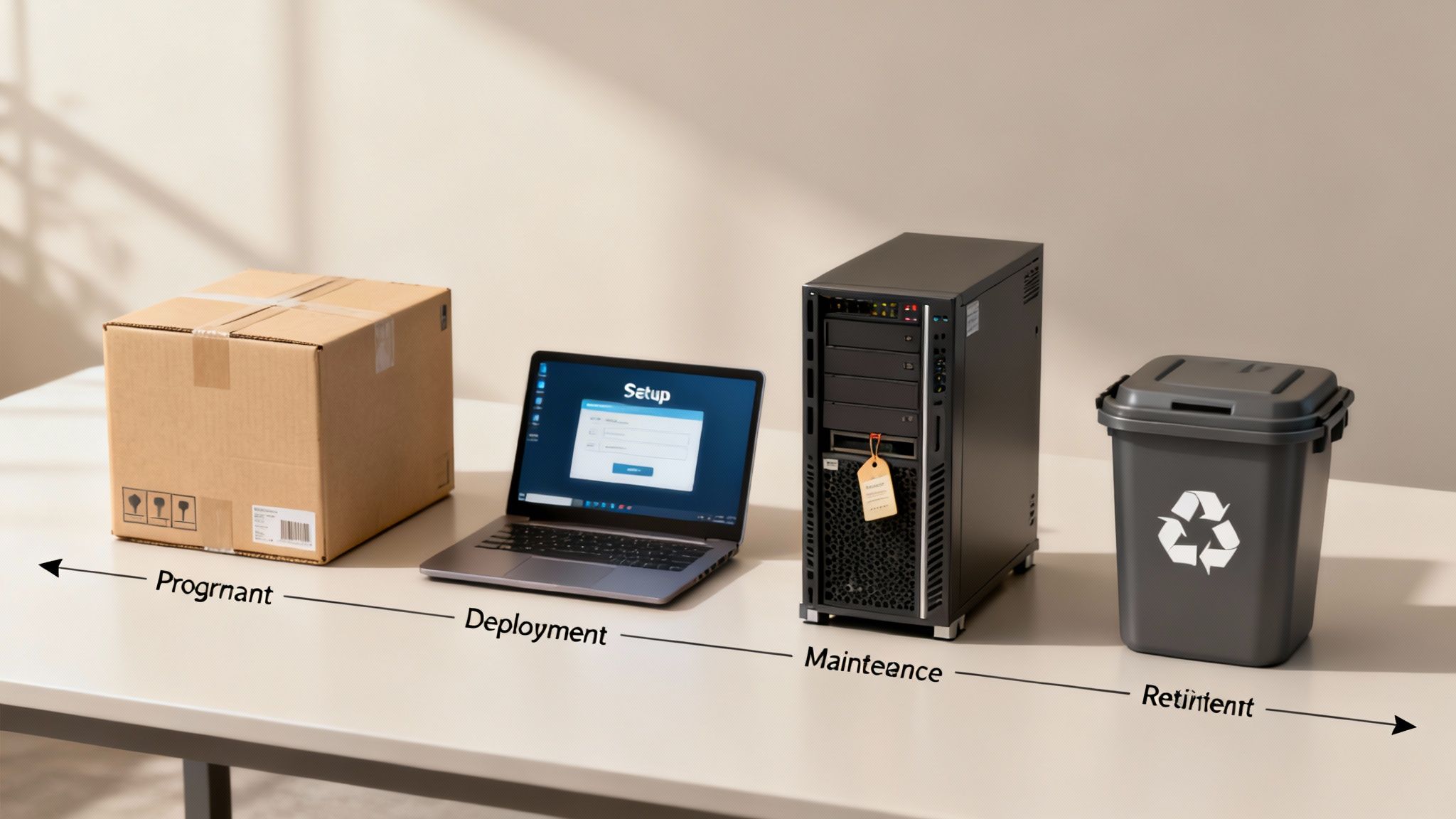
This holistic approach transforms ITAM from a passive record-keeping task into a strategic financial and operational discipline. For a business undergoing a data centre fit-out, for instance, understanding the lifecycle status of servers and networking hardware is critical. It determines whether equipment should be redeployed, upgraded, or replaced, directly influencing project budgets and long-term infrastructure reliability.
Why It's a Core Practice
Managing the asset lifecycle is fundamental to preventing costly downtime and avoiding the security risks associated with unsupported hardware or software. When a key server reaches its end-of-life, its vendor support and security patches cease, leaving it vulnerable. Proactive lifecycle management ensures a replacement is planned, procured, and deployed well before this happens. During an office move, this practice helps identify which PCs are due for replacement, allowing new equipment to be installed and tested at the new site, creating a seamless transition for staff.
Key Insight: A robust asset lifecycle strategy is crucial for capital expenditure (CapEx) planning, enabling accurate budget forecasting for hardware refreshes and preventing unexpected costs from sudden equipment failures.
Actionable Implementation Tips
Define Clear Lifecycle Phases: Establish distinct stages for your assets (e.g., In Procurement, Deployed, In Repair, Retired) with specific criteria that trigger a status change within your ITAM system.
Establish Standard Useful Life Guidelines: Create and enforce standard replacement cycles for different asset categories (e.g., laptops: 3-4 years, core switches: 5-7 years). This standardisation simplifies planning and budgeting.
Monitor Warranty and Support Expirations: Actively track vendor support contracts and warranty expiration dates. Use your CMDB to set up automated alerts to notify your team 90, 60, and 30 days before a contract ends.
Plan Replacement Cycles Strategically: Use historical data on asset performance and failure rates to forecast future needs. This allows you to schedule replacements during planned maintenance windows or as part of a larger project, like an office fit-out, to minimise disruption.
3. License Compliance and Software Asset Management (SAM)
Beyond physical hardware, a critical component of IT asset management best practices involves governing your software estate. Software Asset Management (SAM) is the strategic practice of managing and optimising the purchase, deployment, maintenance, utilisation, and disposal of software applications within an organisation. It ensures every piece of software is properly licensed, tracked, and compliant with vendor agreements.
Effective SAM prevents crippling financial penalties from software audits and eliminates wasteful spending on unused or over-provisioned licences. It provides a clear view of software usage, enabling informed negotiations with vendors like Microsoft or Adobe and supporting strategic decisions about standardising applications across the business. This clarity is invaluable during an office fit-out, ensuring new workstations are provisioned only with necessary, fully compliant software.
Why It's a Core Practice
Failing to manage software licences is a significant financial and legal risk. Vendors frequently conduct audits, and non-compliance can result in severe fines and mandatory back-payments. Proactive SAM transforms this risk into an opportunity for cost savings and operational efficiency. For a business undergoing an office relocation, a robust SAM programme ensures that as employees move to new desks, their software entitlements are correctly managed, preventing licensing gaps and ensuring productivity from day one.
Key Insight: Effective Software Asset Management directly supports a streamlined office relocation by ensuring every user has the correct, legally compliant software on their machine upon arrival, avoiding post-move licensing chaos and support tickets.
Actionable Implementation Tips
Centralise Licence Documentation: Create a definitive repository for all software purchase records, entitlement proofs, and vendor agreements. This is your first line of defence in an audit.
Monitor Software Usage: Deploy automated tools, like those from Flexera or Snow Software, to discover all installed software and actively monitor its usage. This reveals underutilised licences that can be reharvested or cancelled.
Conduct Regular Reconciliations: At least quarterly, compare your licence entitlements against actual software installations and usage data. This reconciliation process identifies compliance gaps or overspending before they become major issues.
Establish a Formal Request Process: Implement a clear workflow for all new software requests. This ensures every acquisition is justified, approved, and correctly licensed from the outset, preventing "shadow IT" from creating compliance risks.
4. Asset Financial Management and Cost Tracking
Effective IT asset management best practices extend beyond the physical and technical; they must encompass rigorous financial oversight. This practice involves the comprehensive tracking of all costs associated with an IT asset throughout its entire lifecycle, from the initial procurement and deployment to ongoing maintenance, support contracts, and eventual disposal. It’s about understanding the total cost of ownership (TCO), not just the purchase price.
By meticulously monitoring these expenses, organisations can create accurate budgets, allocate IT costs precisely to different departments or projects, and identify significant opportunities for cost optimisation. This financial clarity is essential for demonstrating the value of IT investments and making informed decisions about future spending, upgrades, and technology refreshes.
Why It's a Core Practice
Without a firm grasp on the financial data tied to your assets, your IT budget becomes a reactive, often inaccurate, forecast. Tracking TCO provides the evidence needed to justify strategic initiatives, such as investing in new hardware that may have a higher upfront cost but lower long-term support expenses. For a large-scale data centre fit-out, this practice allows you to accurately model costs for everything from server racks and fibre cable installation to the ongoing energy and cooling expenses, ensuring the project stays on budget and delivers a clear return on investment.
Key Insight: Tracking the TCO for each asset allows you to make data-driven decisions on repair versus replace, helping to avoid sinking money into ageing equipment with escalating maintenance costs.
Actionable Implementation Tips
Integrate Financial and IT Systems: Link your ITAM or CMDB platform with your organisation's financial management software. This integration automates cost tracking and ensures data consistency between IT operations and finance departments.
Establish Clear Cost Centres: Define and implement a clear structure for cost centres and categories. This allows for precise cost allocation to specific departments, projects, or business units, improving accountability.
Track Beyond the Purchase Price: Capture all associated costs, including software subscriptions, support contracts, training, and warranties. Including a 25 year equipment warranty from an Excel network accredited partner in the TCO calculation provides a more accurate long-term financial picture.
Perform Regular Reconciliation: Schedule monthly or quarterly reviews to reconcile financial records with asset inventory data. This process helps identify discrepancies, such as payments for assets that are no longer in service, and ensures financial accuracy.
5. IT Asset Security and Data Protection
Effective IT asset management best practices are incomplete without a robust security framework. This practice involves embedding security controls and data protection measures throughout the entire asset lifecycle, from procurement to disposal. It covers everything from endpoint encryption and access controls to continuous monitoring and secure data erasure, safeguarding your organisation against data breaches and ensuring regulatory compliance.

Integrating security directly into your ITAM strategy transforms it from a logistical exercise into a core component of your cyber defence. Tools like Microsoft Intune and Jamf Pro allow for centralised policy enforcement on devices, while frameworks like ISO/IEC 27001 provide a structured approach. This ensures that every asset, whether in the office or remote, adheres to your organisation's security standards.
Why It's a Core Practice
An unsecured asset is a liability. A lost or stolen laptop without encryption can lead to a catastrophic data breach, significant financial penalties, and reputational damage. By systematically applying security measures, you protect sensitive corporate data and intellectual property. This proactive stance is essential for meeting compliance obligations under regulations like GDPR and for identifying and patching vulnerabilities before they can be exploited by threat actors. For an example of how critical this is, consider the immediate action required for certain network device vulnerabilities.
Key Insight: Secure asset disposal is just as crucial as securing active devices. A documented, verifiable data sanitisation process is non-negotiable to prevent sensitive information from being recovered from decommissioned hardware.
Actionable Implementation Tips
Enforce Universal Encryption: Implement full-disk encryption (e.g., BitLocker for Windows, FileVault for macOS) on all laptops and mobile devices. Ensure data in transit is also protected using strong encryption protocols.
Utilise Role-Based Access Control (RBAC): Restrict access to assets and data based on the principle of least privilege. Use multi-factor authentication (MFA) as a standard for all users accessing critical systems.
Establish Secure Disposal Protocols: Create and enforce a strict policy for asset end-of-life. This must include certified data destruction methods. For mobile devices, it is vital to know how to totally wipe an iPhone or Android device before it leaves your control.
Conduct Regular Security Audits: Schedule periodic vulnerability scans and penetration tests for your IT assets. Use the findings to prioritise patching and strengthen security configurations, keeping your defences current against emerging threats.
6. Automated Asset Tracking and Mobile Device Management (MDM)
Manual asset tracking using spreadsheets is inefficient, prone to error, and unsustainable for modern, dynamic IT environments. This best practice involves leveraging automation technologies like RFID, barcode scanning, and dedicated Mobile Device Management (MDM) platforms to track asset locations, configurations, and health status in real-time. This significantly reduces manual overhead and provides unparalleled visibility, especially across geographically dispersed sites.

Automation transforms ITAM from a reactive, administrative task into a proactive, strategic function. By integrating tools such as Microsoft Intune for corporate devices or Cisco Meraki for network infrastructure, organisations can enforce policies, deploy software, and monitor device health remotely. This level of control is vital for maintaining a secure and organised IT estate, whether managing laptops for remote workers or tracking servers within a data centre.
Why It's a Core Practice
Real-time tracking and management are essential for operational efficiency and security. In a large-scale office relocation with equipment testing, automated tracking ensures every asset from a monitor to a server is accounted for during transit and correctly redeployed. Using an MDM platform, IT teams can remotely wipe a lost or stolen device, push new Wi-Fi configurations to all laptops simultaneously upon arrival at a new office, and verify that every device is patched and compliant before it connects to the new network.
Key Insight: Integrating automated tracking with your CMDB creates a dynamic, self-updating asset register. This eliminates data staleness and provides the high-fidelity information needed for accurate project planning and security compliance.
Actionable Implementation Tips
Prioritise High-Value Assets: Begin your automation journey by focusing on high-value, high-risk, or mobile assets. Laptops, servers, and smartphones are excellent starting points before expanding to lower-cost peripherals.
Invest in Reliable Infrastructure: Choose robust barcode or RFID scanners and printers that can withstand daily use. Ensure your chosen system integrates seamlessly with your central ITAM or ITSM platform.
Train Staff Thoroughly: Your system is only as good as the data entered. Provide clear training for IT and facilities staff on proper scanning procedures during asset receiving, deployment, and disposal.
Integrate MDM with Your CMDB: Connect your MDM solution (like Microsoft Intune or Apple Business Essentials) directly to your Configuration Management Database to ensure device data is always synchronised and up-to-date.
7. Asset Performance Monitoring and Predictive Maintenance
Moving beyond static inventory, advanced IT asset management best practices involve actively monitoring the health and performance of your assets in real-time. This proactive approach uses continuous data collection on metrics like utilisation, error rates, and system logs to identify potential failures before they cause downtime. By predicting issues, organisations can schedule maintenance proactively, extending asset life and minimising emergency support costs.
This practice transforms ITAM from a reactive record-keeping function into a strategic, value-driving operation. For critical infrastructure, such as core network switches or storage area networks (SANs), predictive maintenance is essential. For instance, monitoring performance degradation in network equipment can signal the need for an upgrade before it impacts productivity during a high-stakes data centre fit-out or an office relocation.
Why It's a Core Practice
A reactive "break-fix" model is costly and disruptive. Predictive maintenance prevents the operational chaos that ensues when critical hardware fails unexpectedly. During a complex project like a hospital relocation, where uptime is non-negotiable, knowing that all network infrastructure is performing optimally is crucial. By monitoring asset health, partners like Constructive-IT can ensure that the underlying systems, from fibre cable installation to server room equipment, are resilient and ready for go-live.
Key Insight: Predictive analytics can identify a server that is consistently overheating, allowing for a planned component replacement during a low-usage window rather than risking a catastrophic failure during peak business hours.
Actionable Implementation Tips
Establish Performance Baselines: Define and document normal operating metrics for each critical asset class. Tools like Cisco Catalyst monitoring or Microsoft's System Center can help establish what "good" looks like.
Utilise AIOps and Machine Learning: Implement tools like Splunk or Datadog that use machine learning to analyse logs and performance data, automatically flagging anomalies that deviate from established baselines.
Create Clear Escalation Paths: Develop and communicate a clear procedure for responding to predictive alerts. This ensures that a critical performance warning on a server doesn't get lost in a sea of low-priority notifications.
Integrate with Maintenance Schedules: Use performance insights to plan and schedule maintenance activities during off-peak hours, minimising disruption. Every action should be logged in your CMDB for historical analysis. To learn more, explore our guide on how to improve UK office networks through performance monitoring.
8. Vendor Management and Contract Optimisation
Effective IT asset management extends beyond the assets themselves to include the vendors who supply and support them. This practice involves systematically managing IT suppliers, negotiating favourable contract terms, and tracking performance to maximise value and mitigate risk. It transforms vendor relationships from simple transactions into strategic partnerships that support your organisation's goals.
Strong vendor management ensures you get the most out of every pound spent. It involves maintaining a central repository of all contracts, service level agreements (SLAs), and renewal dates. For critical infrastructure projects, such as a data centre fit-out or a complex office move, having a firm grip on vendor contracts for everything from fibre optic cabling to server hardware is essential for staying on budget and on schedule.
Why It's a Core Practice
Without a structured approach, you risk overpaying for services, missing crucial renewal dates, and being locked into unfavourable terms. Proactive vendor management allows you to leverage your purchasing power, ensure compliance with SLAs, and hold suppliers accountable. When engaging partners for specialised services like a certified fibre cable installation, robust vendor management ensures they deliver on their promises, such as providing a 25 year equipment warranty and fully tested network delivery.
Key Insight: Centralising vendor contracts and performance data creates a powerful negotiation tool, enabling you to consolidate suppliers and demand better terms, service, and pricing for future projects.
Actionable Implementation Tips
Create a Centralised Vendor Database: Use your ITAM platform or a dedicated tool to store all vendor contracts, contact information, renewal dates, and performance metrics. This eliminates scattered information and provides a single source of truth.
Establish Regular Vendor Reviews: Schedule quarterly business reviews with key strategic partners. Use these meetings to discuss performance against SLAs, address any issues, and align on future technology roadmaps.
Track and Enforce SLAs: Don't just file away your SLAs. Actively monitor vendor performance against agreed-upon metrics. Document all breaches and enforce any contractual penalties to ensure you receive the level of service you pay for.
Automate Renewal Alerts: Set up automated reminders for all contract renewal and expiry dates at least 90 days in advance. This provides ample time to review the contract, assess performance, and either renegotiate terms or explore alternative vendors.
9. Compliance, Audit, and Reporting
Robust IT asset management best practices extend beyond operational efficiency; they are fundamental to meeting legal, regulatory, and organisational policies. This involves establishing clear processes to ensure every IT asset complies with relevant standards, conducting regular audits to verify this, and generating comprehensive reports for stakeholders and regulatory bodies.
This practice is not just about ticking boxes. It's about creating a transparent, accountable, and defensible IT environment. For organisations in regulated industries like finance or healthcare, or those handling sensitive data, demonstrating compliance with standards like PCI DSS or GDPR is non-negotiable. It requires meticulous documentation and the ability to produce a detailed audit trail for any asset at any time.
Why It's a Core Practice
In an era of stringent data privacy laws and cybersecurity threats, non-compliance can lead to severe financial penalties, reputational damage, and operational disruption. A systematic approach to compliance and reporting provides proof that your organisation is exercising due diligence in protecting its data and systems. During a complex data centre project or an NHS facility fit-out, auditors will require evidence that every network component, from servers to structured fibre optic cabling, meets specific security and performance standards and is fully tested.
Key Insight: An ITAM system with strong reporting functions provides the concrete evidence needed to satisfy auditors, demonstrating that security controls are in place and that assets are managed according to policy from procurement to disposal.
Actionable Implementation Tips
Map Regulations to Assets: Identify which regulations (e.g., GDPR, Cyber Essentials) apply to your organisation and map their specific requirements directly to the relevant IT assets within your CMDB.
Automate Compliance Checks: Use automated tools to continuously scan for non-compliant software versions, unpatched systems, or unauthorised hardware. This shifts compliance from a periodic scramble to an ongoing, manageable process.
Create Comprehensive Audit Trails: Ensure your ITAM system logs every change to an asset's status, location, or configuration. This immutable record is invaluable during both internal and external audits.
Schedule Pre-emptive Internal Audits: Conduct regular internal audits to identify and remediate compliance gaps before they are discovered by external auditors. This proactive stance significantly reduces risk and audit-related stress.
10. Documentation, Knowledge Management, and Change Control
Effective IT asset management best practices extend beyond the physical and digital assets themselves; they must encompass the knowledge required to manage them. This practice involves creating and maintaining a comprehensive, accessible knowledge base for all IT assets, detailing their configurations, dependencies, change history, and standard operating procedures. It’s about ensuring that critical information isn’t siloed in one person’s head.
This structured approach to documentation, often managed in platforms like Confluence or ServiceNow, is intrinsically linked to robust change control. When any significant modification is proposed, from a server upgrade to re-patching a comms cabinet, a formal process ensures it is reviewed, approved, and, crucially, documented. This prevents undocumented changes from undermining the integrity of your asset inventory.
Why It's a Core Practice
Without rigorous documentation and change control, your IT environment becomes a black box. This is particularly risky during complex infrastructure projects. For an office fit-out, detailed documentation on network topology, port mapping, and server configurations allows partners like Constructive-IT to execute the plan precisely. It ensures that every certified and tested network delivery, backed by a 25 year equipment warranty, is installed according to a pre-approved and documented design, minimising errors and future troubleshooting.
Key Insight: Strong documentation and change control are the safety net for your IT operations. They ensure that even if key personnel leave, the knowledge required to manage, maintain, and modify your infrastructure remains with the organisation.
Actionable Implementation Tips
Integrate with Your CMDB: Link your documentation directly to asset records in your CMDB. When viewing a server asset, a technician should be able to click through to its configuration guide, maintenance history, and change logs.
Establish a Change Advisory Board (CAB): Formalise your change control process by creating a CAB responsible for reviewing and approving all significant changes to the IT environment. This ensures changes are properly assessed for risk and impact.
Use Standardised Templates: Create and enforce the use of templates for all documentation, such as server build sheets, network diagrams, and change request forms. Consistency makes information easier to find and understand.
Mandate Post-Change Updates: Make updating relevant documentation a mandatory final step in any change implementation process. An un-documented change is an incomplete change and a future liability.
IT Asset Management: 10-Point Best Practices Comparison
Item | Implementation Complexity 🔄 | Resource Requirements ⚡ | Expected Outcomes ⭐📊 | Ideal Use Cases 💡 | Key Advantages |
|---|---|---|---|---|---|
Comprehensive Asset Discovery and Inventory Management | High initial effort; ongoing updates and tuning | Network scanners, CMDB, discovery tools, dedicated staff | ⭐ Complete asset visibility; 📊 fewer unknown assets, improved budgeting & compliance | Organizations needing centralized inventory, shadow IT prevention | Central source of truth; improves compliance and procurement accuracy |
Asset Lifecycle Management | Medium–high planning and cross-team coordination | Procurement systems, workflow engines, lifecycle owners | ⭐ Optimized ROI; 📊 predictable replacements and lower TCO | Enterprises managing long-lived hardware/software portfolios | Proactive replacement planning; better TCO and compliance |
License Compliance and Software Asset Management (SAM) | High due to complex license models and audits | License tracking tools, usage monitoring, licensing expertise | ⭐ Legal compliance; 📊 reduced software spend (20–30% typical) | Firms with heavy software spend or frequent vendor audits | Avoids penalties; enables license optimization and negotiation leverage |
Asset Financial Management and Cost Tracking | Medium complexity; requires financial integration | Financial systems, depreciation models, accounting staff | ⭐ Accurate cost allocation; 📊 improved budgeting & ROI visibility | Organizations needing chargeback/financial reporting for IT | Better financial planning; supports chargeback and investment cases |
IT Asset Security and Data Protection | High — technical controls + continuous monitoring | Encryption tools, IAM, monitoring, security ops resources | ⭐ Reduced breach risk; 📊 compliance with GDPR/HIPAA and reduced insider risk | Regulated sectors, sensitive data environments, hybrid-cloud setups | Protects data/integrity; supports regulatory compliance |
Automated Asset Tracking and Mobile Device Management (MDM) | Medium — deploy infrastructure and mobile policies | RFID/barcode, MDM platform, mobile devices, readers | ⭐ Real-time location/status; 📊 faster audits and reduced loss | Distributed workforces, high-value physical assets, field teams | Rapid audits, theft reduction, improved deployment speed |
Asset Performance Monitoring and Predictive Maintenance | High — telemetry, analytics, ML model tuning | Monitoring agents, analytics platform, data scientists | ⭐ Lower downtime; 📊 extended asset life and reduced emergency costs | Critical infrastructure, storage/network systems, large fleets | Prevents failures; reduces emergency maintenance and cost |
Vendor Management and Contract Optimization | Medium — process and negotiation heavy | Vendor portal, contract repository, procurement expertise | ⭐ Improved SLA compliance; 📊 cost savings via consolidation | Organizations with many suppliers or large licensing/contracts | Better pricing/SLA enforcement; reduced renewal surprises |
Compliance, Audit, and Reporting | High administrative and technical complexity | Compliance tools, audit logs, policy owners, legal resources | ⭐ Reduced regulatory risk; 📊 audit-ready reporting and governance | Regulated industries, multi-jurisdiction operations, audited services | Simplifies audits; demonstrates governance maturity |
Documentation, Knowledge Management, and Change Control | Medium — cultural adoption and ongoing maintenance | KB/wiki platform, version control, assigned owners | ⭐ Faster resolution; 📊 reduced knowledge silos and safer changes | Teams needing standardized configs, DevOps/ITSM environments | Improves consistency, onboarding, and change safety |
Integrating Your Assets for a Future-Ready Workplace
Navigating the landscape of modern business technology requires more than just a simple list of equipment. As we have explored, adopting IT asset management best practices transforms ITAM from a passive inventory exercise into a dynamic, strategic function that underpins your entire organisation's efficiency, security, and financial health. The journey from initial asset discovery and meticulous lifecycle planning to robust security protocols and streamlined vendor management is not a series of isolated tasks; it is a unified strategy.
By implementing these principles, you move beyond reactive problem-solving. Instead of scrambling when a server fails or facing audit panics over software licences, you are proactively managing your technology estate. This strategic approach provides the clear visibility needed to make informed decisions, optimise spending, and mitigate risks before they escalate into costly disruptions. It is the difference between simply owning technology and truly mastering it.
The Strategic Value of Integrated ITAM
The true power of these best practices is realised when they are integrated. Consider the interplay between different elements we have discussed:
Discovery and Security: A comprehensive inventory (Best Practice #1) is the foundation for effective security (#5). You cannot protect what you do not know you have, from laptops containing sensitive data to network switches that require critical patching.
Lifecycle and Financial Management: Understanding the full asset lifecycle (#2) directly informs your financial planning and cost tracking (#4). This allows you to forecast replacement costs, avoid unexpected capital expenditure, and maximise the return on every technology investment.
Compliance and Vendor Management: Robust software asset management (#3) and diligent vendor contract optimisation (#8) are two sides of the same coin, ensuring you remain compliant while preventing overspending on licences and support agreements.
This interconnectedness is particularly critical during high-stakes projects like office relocations, fit-outs, or data centre upgrades, common challenges for UK businesses. A mature ITAM strategy ensures that every component, from a newly installed fibre optic cable to a user's desktop phone, is accounted for, tested, and ready for operation from day one. It guarantees that the infrastructure delivered is not only certified and tested but also supported by comprehensive documentation and long-term warranties, such as a 25 year equipment warranty, providing peace of mind and predictable performance.
From Theory to Action: Your Next Steps
Embracing these IT asset management best practices is an ongoing commitment, not a one-time project. Your immediate next step should be to assess your current ITAM maturity against the principles outlined in this guide. Identify the area of greatest risk or opportunity-perhaps it's formalising your asset disposal process or gaining control over sprawling SaaS subscriptions.
Start by establishing a single, reliable source of truth for your asset data. From there, you can begin to layer in processes for lifecycle management, security, and compliance. The goal is to build a virtuous cycle where accurate data leads to better decisions, which in turn strengthens security, optimises costs, and improves operational efficiency across the board. The result is a resilient, agile, and secure technology foundation, empowering your organisation to thrive in an ever-evolving digital world and ensuring every user has a tidy, functional, and productive workspace.
Planning a complex office relocation, data centre upgrade, or a new building fit-out in the UK? Constructive-IT specialises in delivering the certified and meticulously managed network infrastructure that forms the bedrock of effective IT asset management. Visit Constructive-IT to learn how our expert project delivery can ensure your technology foundation is secure, reliable, and ready for the future.