


A Complete Guide to the Rack Mounted PDU for UK Data Centres
- Craig Marston
- Dec 21, 2025
- 16 min read

A rack-mounted PDU is so much more than a glorified extension lead; it’s the intelligent heart of your server rack's entire power setup. Its job is to manage and distribute clean, reliable power to all your critical IT gear—the servers, switches, and storage arrays that keep your business running. Think of it as a highly specialised fuse box, engineered for dense IT environments where failure simply isn't an option.
The Foundation of Your Data Centre Power
In any modern commercial building, and especially in places like hospitals, the IT network has to be rock-solid. Downtime isn't just a minor headache; it can bring critical operations to a halt and cost a fortune. This is where the humble rack-mounted PDU steps into the spotlight, serving as the first line of defence against power-related network failures. Getting the power strategy wrong is one of the most common—and damaging—data network mistakes, often leading to a cascade of problems.
A robust power infrastructure is as fundamental to a high-performing structured cabling system as a solid foundation is to a building. The two are completely intertwined; you can't have one without the other. Making sure your network is tested and certified is the only way to guarantee this foundation is sound.
More Than Just a Power Strip
Calling a PDU a simple power strip is like comparing a modern smartphone to an old rotary-dial phone. Sure, they both deliver a current, but that’s where the similarity ends. A professional-grade rack-mounted PDU ensures every piece of equipment gets exactly the power it needs, protecting sensitive electronics from damaging surges and dips. To get a better feel for the principles at play here, it can be helpful to understand the basics of general industrial electrical systems, which share many of the same reliability goals.
This level of precision is non-negotiable in complex environments like:
Hospitals: Where network uptime can be a matter of life and death, affecting patient care and access to vital medical records.
Commercial Buildings: These are the engines of our digital world, where even a few seconds of downtime is completely unacceptable.
Large Office Relocation: A new network needs to start on the right foot—stable, with comprehensive equipment testing, and absolutely reliable from day one.
The Value of Certified Installation
Of course, a PDU is only as good as its installation. As an Excel network accredited partner, we don’t just plug things in and hope for the best. Every installation, from a simple patch panel to a complex fibre cable installation, is meticulously planned and carried out. This means proper cable management for a tidy desk and server room, followed by certified network delivery and rigorous testing to guarantee performance.
This professional approach is what allows us to back our work with a 25 year equipment warranty, giving you genuine long-term peace of mind. The demand speaks for itself: rack-mounted units already make up over 60% of all PDU deployments. That figure is only set to climb as UK data centres expand to keep up with the demands of cloud and edge computing. You can find out more about the rack PDU market's growth and see why getting this right is so important.
Choosing Your PDU: Basic vs. Intelligent Power Distribution
Picking a rack mounted PDU isn’t just about ticking a box; it’s about choosing the right tool for the job. Not all PDUs are created equal. At one end of the spectrum, you have the simple, reliable Basic PDUs, and at the other, the much more capable Intelligent PDUs that give you advanced control and monitoring.
Basic PDUs: The Dependable Workhorse
Think of a Basic PDU as a professional-grade, heavy-duty power strip designed specifically for a server rack. Its one and only job is to get power from a single source to multiple pieces of kit, safely and reliably. It’s a real workhorse.
This straightforward approach makes them perfect for smaller network closets or less critical environments where budgets are tight and you just need to power things on. A small office, for instance, might use a Basic PDU for a simple rack with a network switch and a patch panel. But for anything more complex, you’ll quickly find their limitations.
The Rise of Intelligent Power
The moment your IT infrastructure becomes mission-critical, the game changes. You need more control, more data, and more insight. This is where Intelligent PDUs step in, transforming a simple power device into an essential part of your network management toolkit. In places like hospitals or large commercial buildings where downtime is simply not an option, they are non-negotiable.
Intelligent PDUs generally fall into three main categories, each building on the last:
Metered PDUs: These give you real-time data on how much power the entire PDU is drawing. This helps IT teams monitor the total load, prevent dangerous circuit overloads, and plan for future capacity.
Monitored PDUs: Taking things a step further, Monitored PDUs let you see the power consumption of each individual outlet. This granular detail is invaluable for spotting power-hungry servers or understanding the precise power draw of every single device.
Switched PDUs: The most advanced of the lot. Switched PDUs have all the features of Monitored units but add the killer ability to remotely turn individual outlets on or off. This is a lifesaver for rebooting a frozen server without having to get an engineer on-site.
This flowchart offers a simple way to think about which path to take based on how critical your operations are.
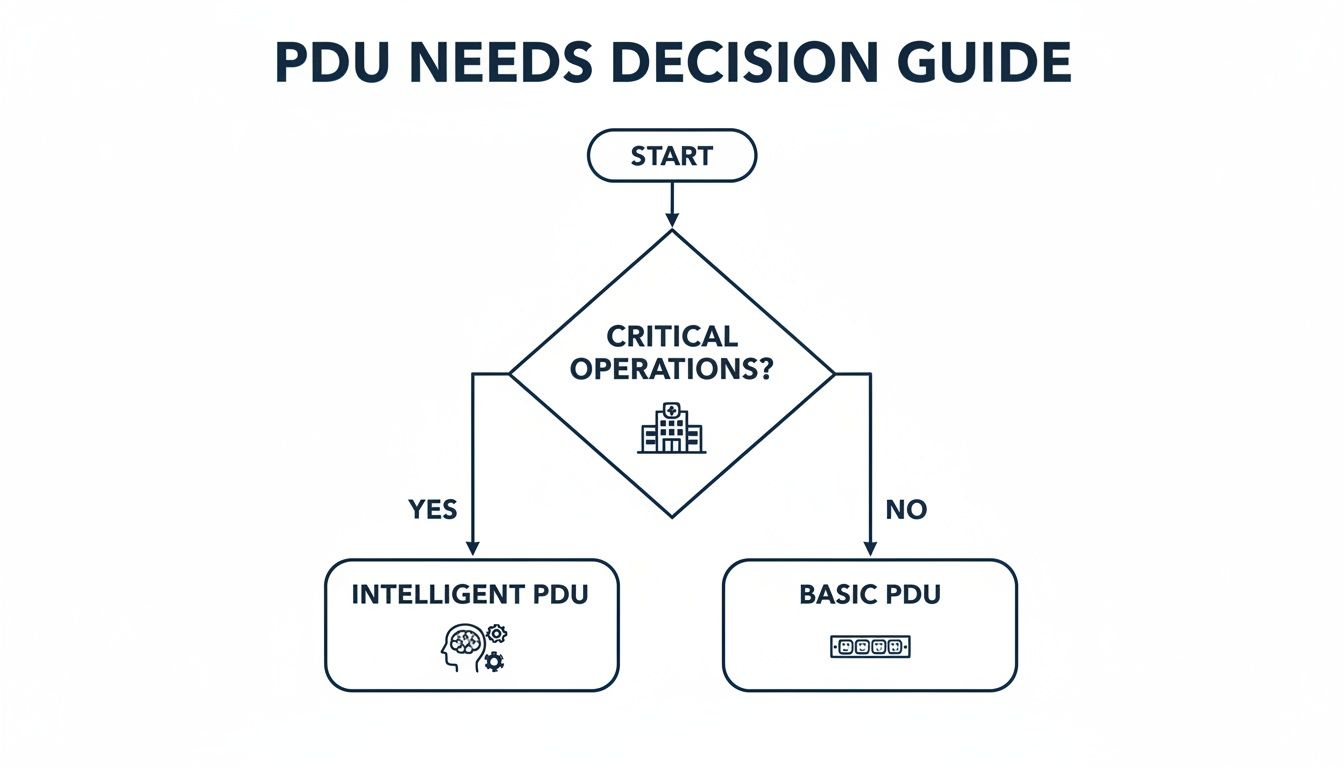
As you can see, the decision becomes pretty clear once uptime is paramount. If your operations are critical, like in a hospital or commercial building, an intelligent PDU becomes the default choice.
To make the differences even clearer, here's a quick side-by-side comparison.
Rack Mounted PDU Types at a Glance
PDU Type | Key Feature | Primary Benefit | Ideal Environment |
|---|---|---|---|
Basic PDU | Simple power distribution | Cost-effective and reliable power delivery | Small offices, network closets, non-critical racks |
Metered PDU | PDU-level power monitoring | Prevents overloads and aids capacity planning | Growing businesses, labs, mid-sized server rooms |
Monitored PDU | Outlet-level power monitoring | Granular insight into individual device consumption | Data centres, co-location facilities, performance-critical racks |
Switched PDU | Remote outlet control (on/off/reboot) | Remote troubleshooting and power cycling | Mission-critical data centres, remote/unmanned sites |
This table shows the clear progression in functionality. Your choice really depends on how much control and data you need to keep your systems running smoothly.
Why UK Data Centres Are Moving to Smart PDUs
This shift towards smarter power management isn't just a fleeting trend; it's a strategic move to boost reliability and efficiency. Looking at adoption patterns inside UK data centres, the move to intelligent units is happening fast.
Industry reports suggest that by 2025, around 28% of UK data centre racks will have smart PDUs integrated, with compact form factors making up roughly 60% of those installations. This tells us that UK operators are prioritising outlet-level metering and remote switching to maximise uptime, get a grip on power usage, and plan for future growth more accurately. You can dig deeper into these trends by exploring data on the switched PDU market.
By providing outlet-level control and detailed power telemetry, an intelligent PDU transforms from a passive component into an active management tool. This proactive capability is fundamental to preventing data network mistakes before they cause costly downtime.
Ultimately, the choice comes down to your specific needs. While a Basic PDU is a solid, cost-effective solution for simple tasks, an intelligent rack mounted PDU is an investment in stability, efficiency, and remote management. As an Excel Networking accredited partner, we ensure your PDU is not only fit for purpose but also installed and tested for certified network delivery, backed by a 25 year equipment warranty.
Getting to Grips with PDU Specs and Form Factors
Choosing a rack-mounted PDU isn't as simple as just counting the outlets. You need to dig into the technical specifications to ensure it can safely and effectively power your gear. Think of it like picking an engine for a car; you have to match the power to the job it needs to do.
Let's break down the most critical electrical specs first. These details determine the PDU's raw capacity and whether it will even work with your building's power setup—getting this right is a fundamental step in avoiding costly mistakes from the get-go.
Understanding Electrical Ratings
At the heart of any PDU are its voltage, amperage, and overall power capacity. If you get these wrong, you risk underpowered equipment, constantly tripped circuits, or even frying your expensive hardware.
Voltage (V): This is the electrical "pressure." In the UK, you'll generally find single-phase (230V) for most standard IT equipment. For high-density racks in data centres or large commercial sites, you’ll see three-phase (400V). A three-phase supply is essentially three single-phase circuits rolled into one, letting you deliver a serious amount of power to a single cabinet.
Amperage (A): This measures the flow of electrical current. A PDU's amp rating, typically 16A or 32A in the UK, is the maximum current it can draw before its circuit breaker says "no more" and trips.
Power Capacity (kW): This is the total punch the PDU can deliver, measured in kilowatts (kW). You can work it out by multiplying the voltage and amperage. For example, a single-phase 16A PDU running at 230V provides about 3.6kW of power.
A classic mistake is fixating on the number of outlets while ignoring the total power draw of the equipment. Always budget your power with a 20-30% buffer. This gives you room for future growth and stops you from red-lining the PDU 24/7.
Matching Plugs and Outlets
Once the power maths is sorted, you need to make sure everything can physically plug in. The PDU's input plug has to match the socket your electrician has installed. In UK commercial environments, these are usually IEC 60309 plugs—often called "Commando" plugs—which are colour-coded to identify their voltage and amp rating.
The outlets on the PDU itself are just as vital. You'll mainly come across two types:
IEC C13: The bread-and-butter connector for almost all servers, switches, and network devices.
IEC C19: A beefier, more robust connector built for power-hungry hardware like blade server chassis or large core switches that need more current.
Most modern PDUs will offer a mix of both C13 and C19 outlets to handle a variety of kit. As an Excel Network accredited partner, we make sure every link in the chain—from the electrical feed to the PDU and the equipment cords—is perfectly matched and installed to certified standards.
Choosing the Right Physical Form Factor
How the PDU is shaped and sized—its form factor—has a huge impact on how you can use the space inside your server cabinet. This choice is all about maximising your rack real estate and keeping things accessible. If you want to see how PDUs fit into the bigger picture, check out our guide to selecting and installing network server racks.
You’ve got two main options to consider:
1. Horizontal (1U/2U) PDUsThese are mounted horizontally across the rack, taking up space just like a server or switch. They usually occupy 1U (1.75 inches) or 2U of vertical space. While they're simple to install, they eat into valuable mounting space that could be used for your IT equipment. They really only make sense for smaller cabinets or in specific situations where vertical mounting isn't an option.
2. Vertical (Zero-U) PDUsAs the name implies, these long, skinny PDUs mount vertically in the rear or side channels of the cabinet. Their massive advantage is that they take up "Zero-U" of your precious vertical equipment space. This frees up the entire front of the rack for your servers and networking gear, which is why it's the go-to standard in modern data centres. This design maximises how much kit you can fit in and almost always makes cable management far tidier.
Best Practices for PDU Installation and Cable Management
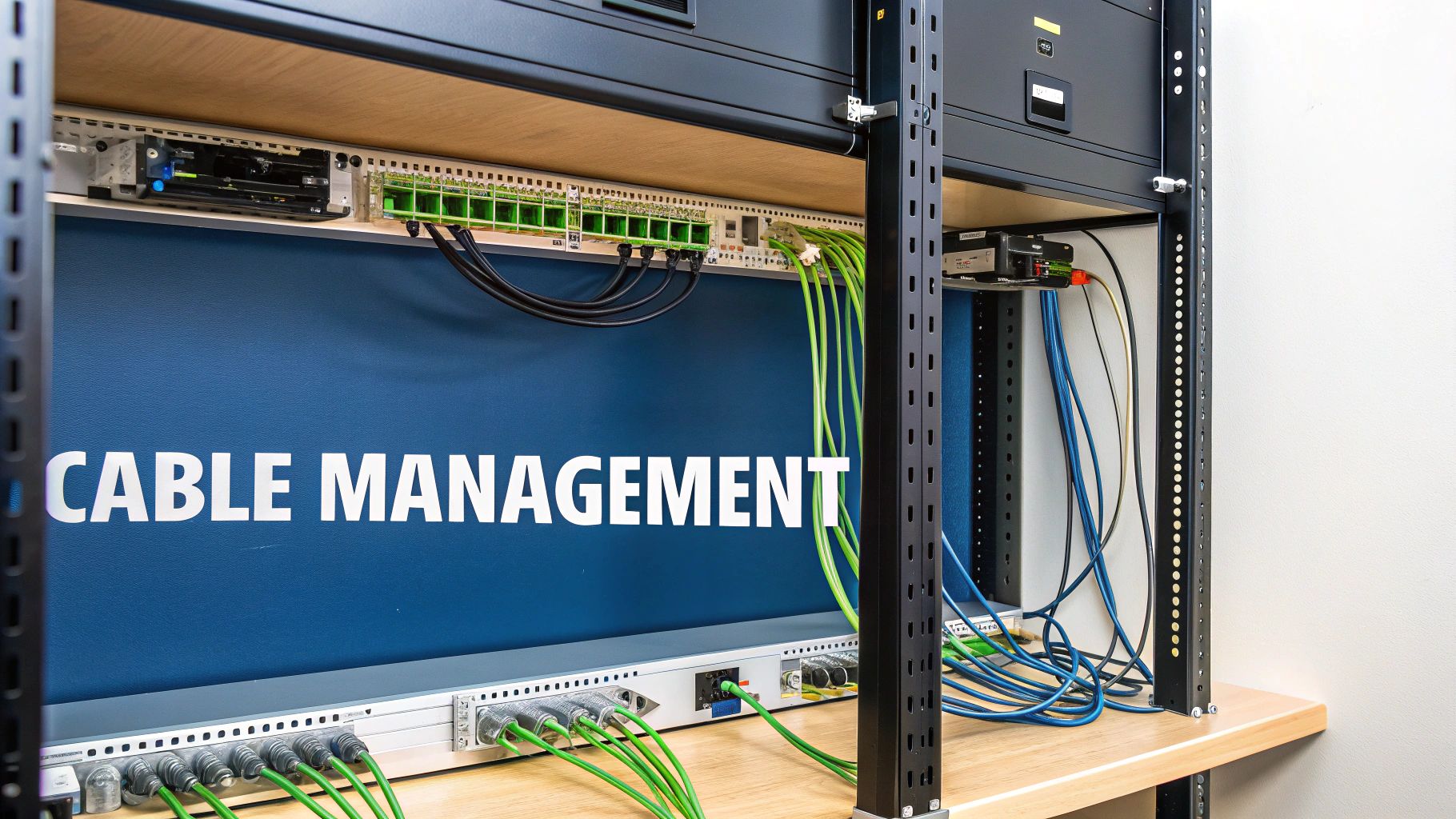
A proper installation is what elevates a rack-mounted PDU from just another power strip to the very backbone of your network’s reliability. It’s not simply about plugging things in; it's about doing it safely, efficiently, and in a way that won’t give you a headache down the line.
This becomes especially critical during an office relocation or a new fit-out for demanding environments like commercial buildings or hospitals. In these scenarios, a fully tested and certified network that works flawlessly from day one is non-negotiable.
Getting this right from the start is your best defence against a whole host of future data network mistakes. A hastily installed PDU can lead to accidental shutdowns, poor airflow that cooks your equipment, and a maintenance nightmare waiting to happen. A professional, certified approach means every connection is solid and performance is guaranteed.
Securing The PDU and Ensuring Proper Grounding
The first job is to get the PDU physically mounted in the rack. For a vertical or Zero-U PDU, this means fitting it neatly into the side channels, making sure it doesn’t block access to your servers or switch ports. The unit has to be rock-solid—no sagging or vibrating, as that can loosen connections over time.
Even more important is proper electrical grounding. Think of grounding as the safety net for your entire system. It gives any stray electrical current a safe path to dissipate, protecting both your expensive gear and your team from nasty shocks. This isn't optional; a certified electrician must verify that the rack and PDU are correctly bonded to the building's earth ground.
The Art of Strategic Cable Management
With the PDU in place, the focus turns to the cables. A tangled mess of power cords, what we often call "cable spaghetti," isn't just ugly; it's a serious operational risk. That chaos can block airflow, driving up equipment temperatures and increasing the odds of a critical failure.
Good cable management makes any future maintenance or troubleshooting infinitely easier. Just imagine trying to trace one faulty power cord in that tangled mess. It’s the difference between a five-minute fix and a five-hour ordeal, and contributes to a tidy desk and workspace.
Meticulous cable management is the hallmark of a professional installation. It directly contributes to network reliability by improving airflow, simplifying maintenance, and reducing the risk of human error during equipment changes.
As an Excel network accredited partner, we know that how you manage power cables is just as vital as how you manage a delicate fibre cable installation. Both demand precision to deliver a clean, tested, and high-performance network. To really get into the weeds on this, you can explore the many benefits of effective cable management and see why it’s so important.
Implementing Power Redundancy With A/B Feeds
For mission-critical systems in places like hospitals and data centres, relying on a single PDU creates a massive single point of failure. This is where power redundancy is absolutely essential. The industry-standard solution is an A/B power feed design, which uses two independent PDUs.
Here’s a breakdown of how it works:
Dual Power Sources: The rack is powered by two completely separate electrical circuits, which we label 'A' and 'B'.
Dual PDUs: We install two separate PDUs. PDU 'A' is connected to circuit 'A' and runs down one side of the rack, while PDU 'B' connects to circuit 'B' and runs down the other.
Dual-Corded Equipment: Any server or switch with dual power supplies gets plugged into both. One power supply connects to PDU 'A', and the other connects to PDU 'B'.
This setup gives you complete power redundancy right there in the rack. If the entire 'A' circuit goes down—whether it's a tripped breaker or planned maintenance—all your equipment keeps humming along, completely uninterrupted, on the 'B' feed.
It’s a simple but incredibly powerful strategy that’s fundamental to achieving the high availability modern IT environments demand. It’s a core part of any certified network delivery we complete, and it’s backed by our 25 year equipment warranty.
Taking Control with Advanced PDU Monitoring

An intelligent rack-mounted PDU is so much more than just a fancy power strip. Think of it as the central nervous system for your entire cabinet. These modern units pull in a constant stream of data, giving you a complete, real-time picture of your rack's health and the environment around it.
This level of insight is a game-changer for proactive management. Instead of reacting to a server failure after it’s already happened, you can spot the warning signs and step in long before it causes any downtime. For critical environments like hospitals or busy commercial buildings, that’s not just a nice-to-have; it's absolutely essential.
From Raw Data to Smart Decisions
The real magic of an intelligent PDU happens when you connect it to your network. Just plug it in, and you unlock a treasure trove of data accessible through a simple web browser or specialised management software. Suddenly, you can see exactly how much power each server is pulling, track usage over time, and start making your power consumption far more efficient.
This information gives IT teams the power to make evidence-based decisions. You might spot a few underused servers that are still munching away on electricity, giving you a clear case for consolidating them and cutting down your running costs. It’s also the perfect defence against one of the most common data network mistakes—accidentally overloading a circuit when adding new kit or moving equipment around.
Adding Environmental Sensors to the Mix
But it doesn't stop at power. Most intelligent PDUs have dedicated ports where you can plug in a range of external environmental sensors. With these simple probes, your PDU becomes a complete environmental watchdog for the cabinet.
You can easily add sensors for:
Temperature: By placing sensors at the top, middle, and bottom of the rack, you can instantly detect dangerous heat build-up before it fries your equipment.
Humidity: These keep an eye on moisture levels, helping you avoid both condensation and static discharge – two things that can kill sensitive electronics.
Contact Closure: These are simple but effective sensors that can tell you if a cabinet door has been opened, adding another layer of physical security.
When you combine power metrics with environmental data, the intelligent PDU gives you a truly holistic view of your rack's health. This integrated approach allows you to connect the dots, like correlating a sudden power spike with a rise in temperature, giving you a much deeper understanding of what’s really going on.
This kind of proactive monitoring is a cornerstone of any reliable, professionally delivered network. It ensures the conditions inside your racks stay well within safe limits, protecting your investment and keeping everything running smoothly.
The UK's Push for Smarter Power Management
This shift towards advanced monitoring isn't just a best practice; it’s a major trend shaping the UK's digital infrastructure. The UK is a huge player in the European market, making up around 18% of the continent's data centre rack PDU market in 2024. This growth is fuelled by the high density of financial services and cloud facilities in hubs like London, where intelligent PDUs are essential for managing power-hungry racks and hitting strict energy efficiency targets. You can read more about the UK's role in the rack PDU market here.
As an Excel network accredited partner, we see this demand every day. A professionally installed and certified intelligent PDU, backed by a 25 year equipment warranty, isn't just about distributing power. It’s about giving you the visibility and control you need to run a resilient, efficient, and secure network.
Why Certified PDU Installation Is Your Best Investment
Your power distribution setup is only as strong as its weakest link. It’s one thing to invest in a high-quality rack mounted PDU, but true network reliability comes from an end-to-end approach that looks far beyond the hardware itself. It’s about making sure your network is tested and certified from start to finish.
This holistic view means expert selection, meticulous installation by a certified professional, and a fully tested and signed-off network. When you bring these elements together, you build an infrastructure that’s robust, secure, and ready for whatever you throw at it. It’s the single most effective way to sidestep the common data network mistakes that lead to crippling downtime.
The Value of an Accredited Partner
Choosing an accredited partner for your installation completely changes the game. As an Excel network accredited partner, we bring more than just technical skill; we deliver a certified, accountable process from the first cable to the final handover. This involves careful planning of everything, from precise PDU placement to the final fibre cable installation.
This accreditation means your network is installed to the manufacturer’s exacting standards, a crucial step that unlocks the full 25 year equipment warranty. This long-term assurance is invaluable, especially for mission-critical sites like hospitals and busy commercial buildings where you simply can’t afford failure. It guarantees your investment is protected for decades.
A certified installation isn't just an expense; it's an insurance policy for your network's performance and reliability. It ensures every component, from the rack mounted PDU to the final data outlet, is professionally integrated, tested, and guaranteed to work as a single, cohesive system.
A Foundation for Future Growth
Whether you’re planning a complex office relocation with equipment testing or fitting out a brand-new commercial space, a professionally installed power infrastructure is the foundation you build everything on. We make sure every detail, including immaculate cable management and rigorous testing, is handled with precision. This creates a stable and scalable environment that can easily grow with you, without needing a complete and costly overhaul down the line.
Our approach combines deep expertise in both networking and electrical systems. By having certified professionals manage the entire lifecycle, you get a seamless, dependable result. To see how our integrated approach can support your projects, learn more about our services as dedicated electrical contractors.
Ultimately, a certified installation delivers peace of mind. You know your network is built correctly, built to last, and ready for the future.
Your Questions About Rack PDUs, Answered
If you’re planning your data centre's power setup, a few common questions often pop up. We’ve pulled together some straightforward answers to help you make the right calls for your infrastructure.
What Is a 'U' in a Server Rack?
You'll hear the term 'U' all the time when dealing with racks. A 'U' (or 'RU') simply stands for a "rack unit," which is the standard height measurement for any equipment designed to be bolted into a server rack.
One rack unit is exactly 1.75 inches (44.45 mm) high. Your typical full-size cabinet is 42U tall, giving you space for 42 separate 1U devices. This universal standard is brilliant because it guarantees that servers, switches, and horizontal PDUs from completely different manufacturers will all slot in perfectly.
What Does 'Zero-U' Mean for a PDU?
A Zero-U PDU is a smart bit of design. Instead of taking up valuable front-facing rack space, it mounts vertically in the side or rear channels of the cabinet.
The major advantage here is that it consumes none of the precious 'U' space, leaving the entire rack free for the gear that does the actual work—servers, storage, and networking hardware. It’s no surprise that this design has become the go-to choice in modern data centres, as it helps pack more equipment in and often makes cable management far tidier.
How Do I Calculate My Rack's Power Needs?
Figuring out your rack's total power budget is one of those jobs you can't afford to get wrong. Overloading a circuit is a classic data network mistake, but it's easily avoided.
Here's a simple process to follow:
List all your gear: Jot down every single device you plan to put in the rack.
Find the power draw: Look at the manufacturer's specs for the maximum power draw (usually in watts or amps) for each piece of equipment.
Add it all up: Sum the power draw for everything on your list to get a total figure.
Build in a safety buffer: This is critical. Always add a 20-30% buffer to your total. This gives you headroom for future upgrades and, more importantly, ensures you aren't red-lining the PDU, which is a massive risk you don't want to take.
When Should I Choose an Intelligent PDU?
You should start looking at intelligent PDUs (the metered, monitored, or switched types) the moment uptime becomes non-negotiable and you need proper insight into what your power is doing. They are absolutely essential for:
Mission-Critical Sites: Think commercial buildings or hospitals. These places simply cannot afford downtime, so remote monitoring and control aren't just nice-to-haves; they're mandatory.
High-Density Racks: When a single rack is crammed with powerful, energy-hungry servers, outlet-level monitoring is the only way to safely prevent overloads and manage the resulting heat.
Remote Management: A switched PDU is a lifesaver. It lets you remotely reboot a frozen server or switch, saving you from an expensive and time-consuming trip to site just to flick a switch.
As an Excel network accredited partner, we ensure your entire network delivery is professionally tested and certified for maximum reliability.
Ready to build a robust and reliable power infrastructure for your next project? Constructive-IT provides expert consultation, certified installation, and ongoing support for all your structured cabling and power distribution needs, backed by a 25-year equipment warranty. Contact us today to discuss your requirements.
Comments