


A Guide to Selecting and Installing Network Server Racks
- Craig Marston
- Dec 20, 2025
- 17 min read

Choosing the right network server rack is the very first step in building an IT infrastructure that’s resilient, organised, and ready for whatever you throw at it. This is especially true in critical environments like commercial buildings and hospitals, where downtime is simply not an option. A server rack does far more than just hold your equipment; it’s the central nervous system of your entire operation, responsible for organising, protecting, and cooling your most vital network assets.
Why Your Choice of Network Server Rack Matters
A well-thought-out rack strategy is non-negotiable for any modern organisation. It’s easy to see a server rack as just a metal box, but it’s better to think of it as the command centre for your entire digital world. You wouldn't build a hospital on a shaky foundation, so why would you trust your critical servers, switches, and storage to a flimsy, ill-suited enclosure? Getting this right from the start prevents a whole cascade of problems down the line.
Avoiding common data network mistakes begins right here. The wrong rack can lead to chronic overheating, a chaotic mess of cabling that makes maintenance a nightmare, and serious physical security risks. It's the difference between a clean, efficient comms room and a tangled disaster zone that bleeds time and money every time you need to troubleshoot an issue. This guide is all about helping you build a certified, high-performance network that will support your goals for years to come.
The Foundation of a Certified Network
Achieving a truly professional and reliable network is about more than just buying good hardware. It requires a holistic approach where every single component works in perfect harmony, and that harmony starts with the network server rack. Professional planning and installation ensure that every detail is considered, from the initial setup to long-term reliability.
Key elements of a professionally planned rack infrastructure include:
Expert Fibre Cable Installation: Ensuring your high-speed data connections are routed correctly and shielded from physical damage inside the rack.
Tidy Cable Management: Applying a "tidy desk" philosophy to your network's core. This isn't just about looks; it dramatically improves airflow, makes maintenance simpler, and cuts the risk of someone accidentally unplugging the wrong thing.
Certified and Tested Delivery: Working with an accredited partner, like an Excel network accredited partner, ensures that every connection is tested and verified to perform at its absolute peak potential.
Long-Term Assurance: A robust, professionally certified installation is often backed by a 25-year equipment warranty, giving you complete peace of mind and protecting your investment for decades.
This initial planning is absolutely critical during something like an office relocation. A structured and well-documented rack setup makes equipment testing and recommissioning at the new site a smooth, efficient process. By focusing on these fundamentals, you transform your network from a potential headache into a secure, scalable, and strategic asset built to last.
Understanding Rack Types and Specifications
Not all server racks are created equal, and choosing the right one is a bit like pouring the foundation for a new building. Get it right, and everything else falls into place. Get it wrong, and you're in for a world of headaches. Your choice dictates everything from security and cooling to how easily your team can access the critical equipment inside.
The first big decision you’ll face is between an open-frame rack and a fully enclosed cabinet.
Think of an open-frame rack as industrial-strength shelving for your IT kit. It gives you completely unrestricted access from all sides, which is brilliant for environments where engineers are frequently tweaking, adding, or removing hardware. This open design also provides fantastic natural airflow. The major trade-off? Zero physical security. This makes it suitable only for rooms that are already Fort Knox-secure, like a dedicated, access-controlled data centre.
An enclosed cabinet, on the other hand, is more like a locked safe for your servers and switches. With lockable doors and side panels, it provides a crucial first line of defence against anyone who shouldn't be touching your gear. This is an absolute must-have in shared office spaces or sensitive environments like hospitals where physical security is non-negotiable. While they offer far better protection, you do have to be more deliberate about planning for airflow and heat management.
To help you visualise this, the diagram below breaks down the core functions of any server rack—how it helps you organise, protect, and cool your vital IT infrastructure.
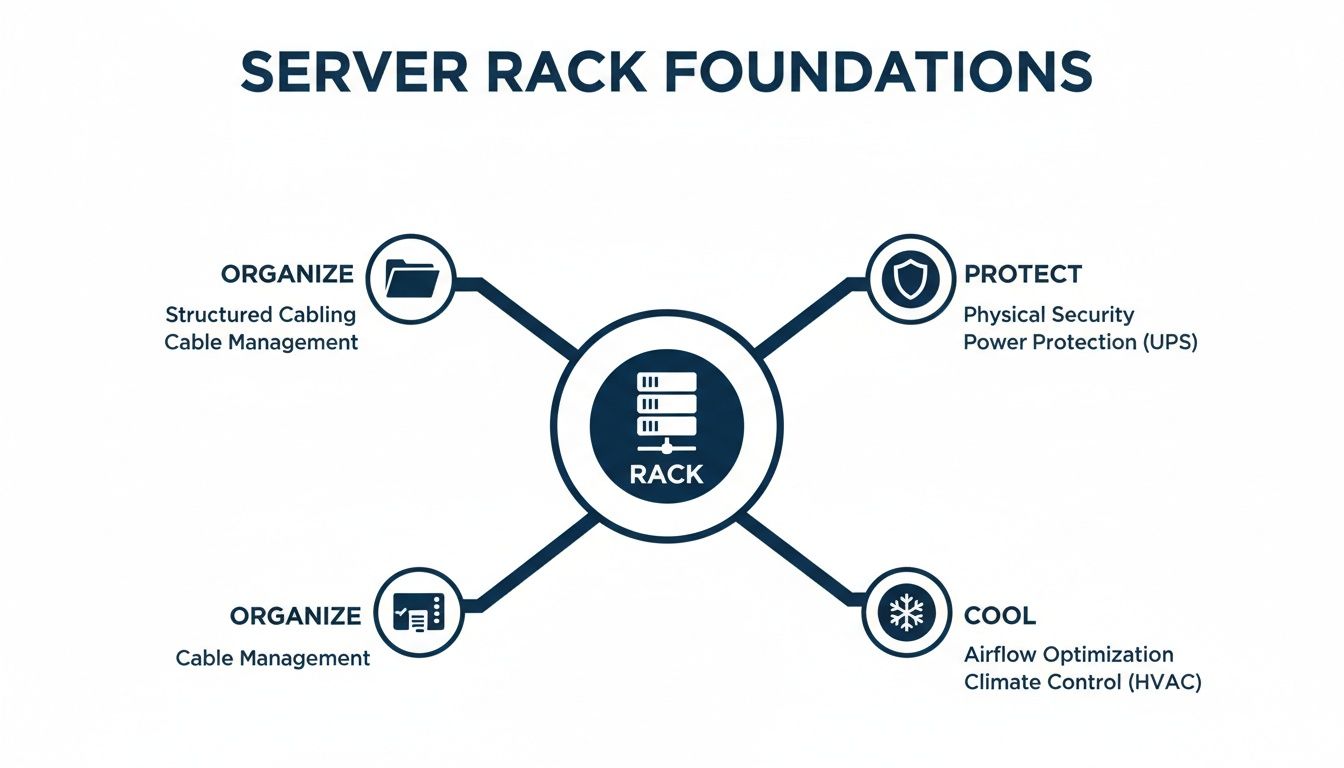
Whether you prioritise the easy access of an open frame or the robust security of an enclosed cabinet, the fundamental job is the same: to create a stable, controlled micro-environment for your most important technology.
Decoding Key Rack Specifications
Once you’ve settled on a style, you need to get fluent in the language of rack specifications. This is where the details really matter. A miscalculation here can be a costly data network mistake, leading to returned items, project delays, or finding out your brand-new server simply won’t fit.
You need to nail three critical measurements: height, width, and depth.
Height (U Space): Rack height isn’t measured in centimetres but in rack units (U). A single U is 1.75 inches (44.45 mm). Think of it like floors in a building. A standard full-height rack is typically 42U, giving you a 42-storey block to house your various devices.
Width: The industry standard for the equipment itself is 19 inches. This refers to the width of the gear you're mounting, not the cabinet's external shell. The external width is usually 600 mm to leave room for cable management channels and airflow down the sides.
Depth: This is probably the most crucial—and most variable—measurement. Depths can range from 600 mm all the way up to 1200 mm. The golden rule is to find your deepest piece of kit (usually a server), measure it, and then pick a rack that gives you plenty of extra room for cabling and airflow at the back. Always look for adjustable mounting rails.
Choosing Between Open-Frame and Enclosed Racks
To make the decision clearer, let's put the two main types of server racks side-by-side. Your choice will come down to the specific demands of your office, server room, or data centre.
Open-Frame vs Enclosed Server Racks
This comparison will help you choose the right rack type for your commercial environment.
Feature | Open-Frame Rack | Enclosed Rack (Cabinet) |
|---|---|---|
Security | Low. No doors or panels. Relies entirely on room security. | High. Lockable doors and side panels prevent unauthorised access. |
Airflow | Excellent. Unrestricted airflow around all equipment. | Controlled. Requires careful planning with fans and blanking panels. |
Accessibility | High. Easy access from all sides for installation and maintenance. | Moderate. Access is limited by doors and panels. |
Cost | Generally lower cost due to simpler construction. | Generally higher cost due to more materials and features. |
Best For | Secure, dedicated server rooms and data centres. | Multi-use spaces, offices, and high-security environments. |
In larger facilities, standardisation is everything. It's no surprise that full-height racks hold a dominant share—about 72.3% of the UK data-centre rack market. This reflects an industry-wide move towards standard 600 mm × 1,200 mm enclosures that simplify everything from cooling to cabling. You can find more insights into UK data centre trends to see where the market is heading.
By carefully weighing up these specifications, you ensure all your equipment fits perfectly, avoiding compatibility issues and setting the stage for a tidy, efficient, and secure network hub.
Planning for Power, Cooling, and Future Growth
A network server rack is far more than just a metal frame; it's the micro-environment that keeps your mission-critical hardware alive and kicking. Two of the most vital life support systems for this environment are power and cooling. Getting them wrong is one of the most common—and damaging—mistakes an organisation can make, leading to equipment failure, costly downtime, and a shortened lifespan for your entire infrastructure.
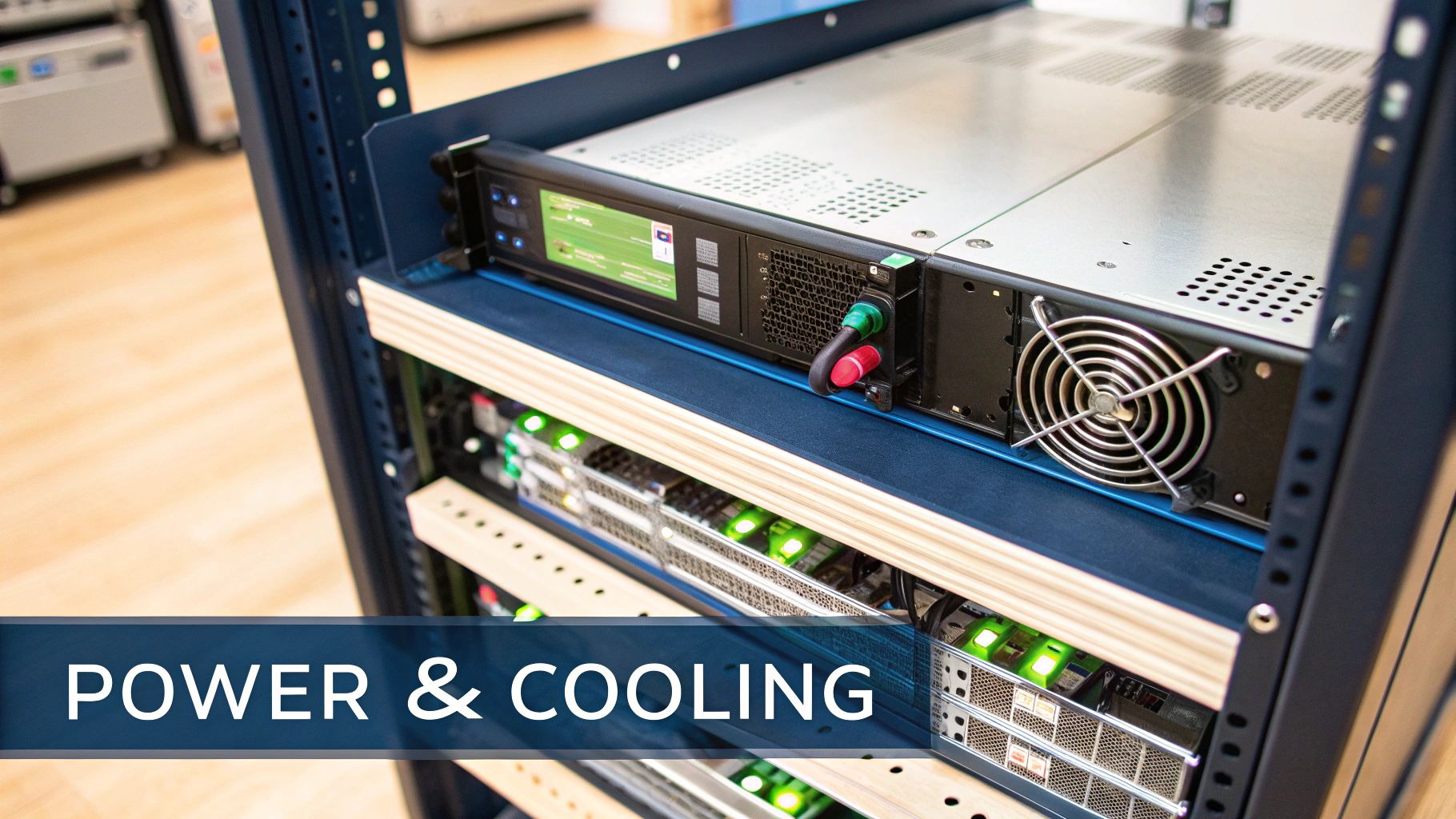
Effective planning starts when you stop seeing your rack as a passive storage unit and start treating it like an active ecosystem. Every device you add generates heat and consumes electricity, fundamentally changing the dynamics inside the cabinet.
Mastering Power Distribution
At the heart of any good rack setup is the Power Distribution Unit (PDU). While a basic one might look like a simple power strip you'd find in an office, professional-grade units offer a whole world of control. They range from simple models that just give you more outlets, to intelligent PDUs that let you monitor power usage and even control individual sockets over the network.
This remote capability is invaluable in commercial buildings and hospitals, where rebooting a server remotely can save a costly site visit. When you're planning your power needs, think beyond just having enough sockets. To ensure every device gets the stable, consistent power it needs, it's essential to understand and apply the correct voltage drop calculation formulas when designing the electrical circuits. It's a small detail that prevents a world of performance headaches.
Implementing Effective Cooling Strategies
Just as critical as power is managing the heat your equipment pumps out. Without a proper cooling strategy, an enclosed cabinet can quickly turn into an oven. Effective cooling isn't about just blasting cold air; it's about intelligent airflow management.
Here are some essential cooling tactics you can't afford to ignore:
Blanking Panels: These are simple but absolutely critical. They cover unused U-space in your rack, stopping hot exhaust air from one server from being sucked into the cool air intake of another—a problem known as hot air recirculation.
Active Fan Trays: For high-density setups where kit is packed in tightly, fan trays installed at the top or bottom of the rack actively pull hot air out of the cabinet. This forces cooler ambient air to be drawn in, creating a constant, managed airflow.
Strategic Equipment Placement: It’s simple physics. Place your highest heat-producing devices, like big servers, lower in the rack where the air is naturally cooler. Position network switches, which often generate less heat, higher up.
A common misconception is that more airflow is always better. The real goal is controlled airflow—ensuring cool air reaches equipment inlets and hot air is efficiently exhausted without mixing. This principle is fundamental to preventing thermal shutdown and ensuring equipment longevity.
Future-Proofing Your Rack for Scalability
Choosing a server rack isn’t just about meeting today’s needs; it’s about preparing for tomorrow’s growth. Underestimating future requirements is a classic misstep we see all the time, especially during office relocations or new fit-outs. Always plan with expansion in mind.
Start by calculating your immediate needs:
U Space: Add up the total 'U' height of all equipment you plan to install.
Power Draw: Sum the maximum power consumption (in watts) for every single device.
Cooling Load: Calculate the total heat output (in BTUs) of your hardware.
Once you have these baseline figures, add a buffer of at least 25-30% for future growth. This ensures you have the physical space, power capacity, and cooling potential to add new servers, switches, or fibre cable trays without a complete and costly overhaul.
This forward-thinking is essential. Market researchers estimate the UK data-centre market's IT load capacity will blow past 3,000 MW by 2029, driven by cloud and AI. This means racks will need to support more power than ever. You can read more on this aggressive facility expansion from Research and Markets. For guidance on the foundational cabling needed to support this kind of growth, check out our guide on UK office network wiring installation. This foresight transforms your rack from a static box into a scalable platform, ready for whatever the future throws at it.
Mastering Cable Management Inside Your Rack
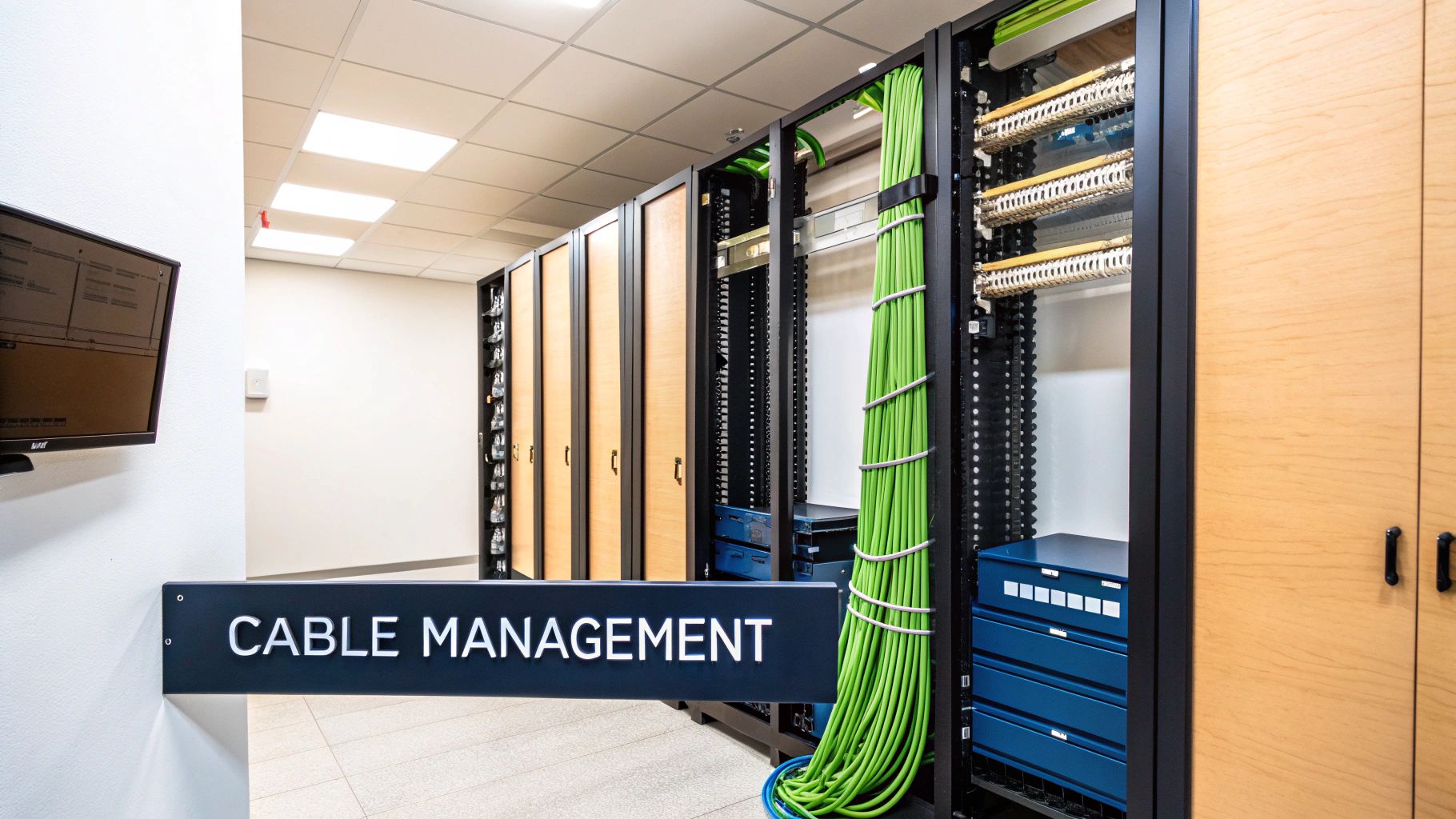
We’ve all seen it: the pristine server rack that slowly devolves into a chaotic “spaghetti junction.” It’s one of the most classic mistakes in networking. But that tangled mess isn’t just unprofessional; it actively chokes airflow, turns troubleshooting into a nightmare, and raises the risk of an accidental outage every single time an engineer has to make a change.
Think of it this way: a messy desk hides important documents and makes finding a single pen a frustrating chore. A messy rack is a thousand times worse. It buries critical ports and turns a simple patch lead swap into a high-risk operation. Good cable management is simply about applying a 'tidy desk' philosophy to the very core of your network, transforming chaos into clarity.
This isn't just about looking good. In demanding environments like commercial buildings and hospitals where every connection is critical, effective cable management is a cornerstone of a reliable network.
Essential Tools for a Tidy Rack
Achieving a clean, professional setup means using the right tools for the job. Just stuffing cables into the back of the rack and hoping for the best won't cut it. To build a system that’s genuinely easy to manage and maintain, you need to plan for dedicated cable management hardware right from the start.
Here are the non-negotiable components for any professional installation:
Horizontal Cable Managers: These are typically 1U or 2U panels that mount directly above and below your patch panels or switches. They create a clean channel to route patch leads, stopping them from drooping across other equipment.
Vertical Cable Managers: For larger racks, these run up the sides of the cabinet. They form a high-capacity channel for the main bulk of cabling running between different pieces of equipment, keeping it all neatly tucked away.
Patch Panels: A patch panel acts like a static switchboard for your network. All the permanent cabling from wall outlets terminates here, meaning you can easily change which switch port connects to which desk without ever touching the fixed infrastructure cabling.
Velcro Straps (Not Plastic Ties): Plastic zip ties might be cheap, but they’re a false economy. They can be pulled too tight, crushing delicate cables (especially fibre), and have to be cut off every time you make a change. Reusable Velcro straps are the professional standard for a reason.
Best Practices for Fibre Cable Installation
While copper cables are pretty robust, fibre optic cables demand special attention. They are, after all, made of glass. Mishandling them is a guaranteed way to create performance bottlenecks that are notoriously difficult to track down later.
A classic mistake is ignoring the bend radius. Every fibre cable has a minimum bend radius specified by the manufacturer. Bending it too tightly creates micro-fractures in the glass core, leading to signal loss (attenuation) and data errors that can cripple your network's speed.
When routing fibre inside a rack, always use dedicated fibre trays or spools that guide the cable in gentle curves. This protects the delicate core and ensures your high-speed connections remain stable. This level of care is a hallmark of a certified, tested network delivery performed by an accredited partner.
The Long-Term Benefits of Tidy Cabling
The effort you put into proper cable management at the beginning pays for itself over the entire lifespan of your network. A tidy rack isn't a one-off project; it’s a strategic decision that delivers ongoing value. This becomes crystal clear during an office relocation, where equipment has to be moved and re-tested efficiently.
To dig deeper into how this impacts workplace safety and productivity, you can explore the many benefits of effective cable management in our detailed guide.
Ultimately, a well-managed rack simplifies maintenance, dramatically improves cooling by letting air flow freely, and minimises the human error that causes so many network outages. It’s the difference between a resilient, professional infrastructure and a ticking time bomb of tangled wires.
Why Certified Network Installation Matters
After weeks of careful planning, picking out the perfect network server racks, and getting your head around cable management theory, the final step is where it all becomes real. The installation isn't just about bolting a cabinet to the floor; it's the moment that decides whether your network will run smoothly for the next decade or become a constant headache. This is especially true in critical, zero-downtime places like hospitals and large office buildings.
Choosing a professional installer isn’t a luxury—it’s a basic requirement for getting the job done right. An accredited expert, like an Excel network accredited partner, brings a level of precision you just don't get from a general contractor. They get the little details right, from calculating floor loading to ensuring the rack is perfectly level and securely mounted, creating a solid foundation for all the gear it's about to hold.
But the real value of a professional job becomes crystal clear after the rack is in place. This is where the focus shifts from physical hardware to guaranteed performance.
The Assurance of a Tested and Certified Network
Simply plugging in a cable and seeing a green light flash isn't good enough. A professional installer's job is to prove, with hard data, that every single connection meets or beats industry performance standards. This isn't guesswork. It means using specialised network certification testers that fire signals down every copper and fibre cable installation to measure its performance against very specific metrics. Making sure your network is tested and certified avoids countless future problems.
This process uncovers hidden faults that would otherwise go unnoticed until they start causing serious problems, such as:
Crosstalk: Signal "bleed" between adjacent copper cables that can corrupt your data.
Attenuation: The natural signal loss over the length of a cable, which can kill its speed and range.
Return Loss: Signals bouncing back towards the source, usually caused by a poorly made connection.
Incorrect Wiring: Simple but surprisingly common pin-out errors that stop a connection from running at its proper speed.
By catching and fixing these issues during the install, you dodge the classic data network mistakes that lead to those frustrating intermittent slowdowns, dropped connections, and hours spent troubleshooting down the line.
A certified network report is your guarantee of quality. It’s a detailed document proving that every single link—from the patch panel in the rack to the outlet at a user's tidy desk—has passed with flying colours. This is your ultimate assurance against performance bottlenecks.
Why Certification is Non-Negotiable During an Office Relocation
The importance of a certified network really hits home during an office relocation. Moving an entire IT infrastructure is a high-stakes job where everything gets unplugged, moved, and reconnected against a tight deadline. Having a certified and well-documented network in place beforehand makes the whole process dramatically smoother.
When your equipment arrives at the new site, a certified installer can quickly re-test every connection. They’ll make sure nothing got damaged in transit and that the whole network comes back online perfectly. This methodical approach of testing and verifying removes all the guesswork, slashes downtime, and gets your team back to work without delay. Finding a reliable partner is key, which is why we've put together a guide on choosing network cabling installers you can trust for these kinds of critical projects.
The Power of a 25-Year Equipment Warranty
Perhaps the biggest long-term perk of using an accredited partner is gaining access to comprehensive manufacturer warranties. Big names like Excel Networking offer a 25-year equipment warranty on their cabling systems, but there’s a catch: the system must be designed, installed, and tested by one of their accredited partners.
This warranty is your ultimate peace of mind. It’s a promise that the components—the cables, patch panels, and outlets—are free from defects and will perform as they should for a quarter of a century. This transforms your network infrastructure from a simple operational cost into a long-term, protected asset, ensuring the physical layer of your network remains a stable foundation for years to come.
Your server rack is more than just a metal frame; it’s the vault protecting the digital heart of your business. After you’ve carefully planned the space, power, and cabling, the final layers of physical security and long-term assurance are what truly lock in the value of your investment. This is especially true in places like commercial buildings or hospitals, where unauthorised access simply isn't an option.
The first line of defence is straightforward but absolutely essential: controlled physical access. Enclosed cabinets with locking front and rear doors, along with lockable side panels, are non-negotiable in any shared or unsecured space. This simple feature is your best guard against casual interference or malicious tampering, ensuring only authorised personnel can get their hands on your critical infrastructure.
The Power of a 25-Year Equipment Warranty
Beyond the immediate physical locks and keys lies the crucial issue of long-term reliability. This is where a comprehensive warranty shifts from being a piece of paper to a powerful strategic asset. When your installation is handled by a certified professional, such as an Excel network accredited partner, you can often secure a 25-year equipment warranty on the entire structured cabling system.
This isn’t just a nice-to-have. It represents a quarter-century commitment to performance and quality, covering components like cables, patch panels, and outlets against any manufacturing defects. This warranty is your assurance that the physical foundation of your network—from a single tidy desk connection to a complex fibre cable installation—will stay robust and dependable for decades.
A long-term warranty transforms your network infrastructure from a short-term operational cost into a protected, long-term asset. It's the peace of mind that comes from knowing your investment is safeguarded against premature failure and will support your organisation's growth for years to come.
Why Certified Partnerships Are Key to Your Warranty
Crucially, these extensive warranties almost always depend on the system being installed and tested by a certified partner. This requirement ensures that every single part of the installation meets the manufacturer's strict standards, from proper cable management techniques to precise, documented testing protocols.
Choosing a certified installer gives you two major benefits:
Guaranteed Quality: The installation is guaranteed to perform perfectly from day one, having been put through a rigorous, certified testing process.
Warranty Activation: Your project qualifies for the full manufacturer's warranty, protecting you from component failure and ensuring the system's integrity for the long haul.
This approach is invaluable during an office relocation, as all the equipment testing is handled by professionals who know how to maintain the warranty's validity. It turns your network into a reliable foundation, free from the common data network mistakes that can plague less professional jobs. By prioritising a certified delivery, you ensure your network is not just secure today, but reliable for a generation.
Of course. Here is the rewritten section, crafted to sound like it was written by a human expert, following all your specific instructions and matching the provided style examples.
Got Questions About Server Racks? We've Got Answers
Stepping into the world of network racks can feel a bit overwhelming, especially when the stakes are high in a commercial office or a critical hospital environment. It’s only natural to have questions. We hear them all the time, so we’ve put together some straight answers to the most common queries we get.
How on Earth Do I Pick the Right Size Rack?
Choosing the right rack size is about more than just what you have today; it's about planning for what you’ll need tomorrow. First, add up the total 'U' height of all your current gear. Then, give yourself some breathing room—add at least 25-30% more space. This isn't just for future servers; it's for crucial hardware like cooling units and the cable management panels that keep everything sane.
Next, and this is a big one, you absolutely must measure your deepest piece of equipment. Always choose a rack that can comfortably handle that depth, with adjustable rails that give you plenty of space at the back. You need that room for proper airflow and to route cables without putting stress on them, which is especially vital for delicate fibre installations.
What Does a 'Certified Network Installation' Actually Mean?
A certified network installation is your guarantee that what you paid for is what you actually got. It means a professionally accredited installer, like an Excel network accredited partner, comes in with specialised equipment and tests every single connection. This isn't just a quick check; it’s a deep diagnostic that verifies each cable is performing to strict industry standards.
This tested network delivery is critical because it uncovers hidden gremlins like crosstalk or signal loss that cause those frustrating, intermittent network problems. It’s your proof that the physical foundation of your network is flawless and ready to perform—something that’s non-negotiable during an office relocation where equipment testing is the difference between a smooth move and a chaotic one.
How Important Is a Long-Term Warranty, Really?
Honestly? A long-term warranty is one of the most valuable parts of your entire network. When you have your system installed by a certified pro, you can often get a 25-year equipment warranty. This isn't just a nice-to-have; it protects your investment in all that cabling and hardware against defects for decades.
Think of a comprehensive warranty as more than just a document. It's a commitment to the long-term health and performance of your network's physical layer. It transforms your infrastructure from a short-term cost into a protected, strategic asset that will support your organisation for years.
It’s what gives you lasting peace of mind, ensuring your network remains the stable, dependable bedrock of your operations.
Common Questions on Network Racks
To make things even clearer, we've pulled together some of the most frequent questions we encounter into a quick-reference table.
Question | Answer |
|---|---|
What's the difference between a server rack and a network rack? | Server racks are typically deeper to house full-sized servers, whereas network racks are often shallower, designed for switches, patch panels, and routers. However, the terms are often used interchangeably. |
Do I need an open-frame or enclosed rack? | Open-frame racks are cheaper and offer easy access and airflow. Enclosed racks (cabinets) provide better security, dust protection, and more controlled cooling, making them ideal for server rooms or less secure areas. |
How much weight can a rack hold? | This varies massively. A small wall-mounted rack might hold 50kg, while a heavy-duty floor-standing rack can support over 1,000kg. Always check the static and dynamic load ratings. |
Are rack components from different brands compatible? | Mostly, yes. The industry standard 19-inch width and 'U' height system ensure that most rack-mountable equipment from different manufacturers will fit into any standard rack. |
Hopefully, these answers give you a solid starting point for your planning.
At Constructive-IT, we don’t just install racks; we design and deliver certified, warrantied network infrastructures for commercial offices and critical environments across the UK. From the initial blueprint to the final test report, our accredited team makes sure your project is built to the highest standard. Learn how we can support your next office relocation or infrastructure upgrade.
Comments