


Mesh WiFi vs Extender for UK Offices
- Craig Marston
- Dec 2, 2025
- 15 min read

For most UK offices that need stable, seamless, and scalable connectivity, a professionally installed mesh WiFi system is almost always the superior choice over a WiFi extender. While an extender can offer a quick, cheap fix for a single dead spot, it often creates performance bottlenecks and management headaches that just don't belong in a professional environment.
A mesh system, on the other hand—especially one supported by structured cabling—delivers the robust and reliable network that modern businesses depend on.

Choosing Your Office WiFi Solution
When your office WiFi coverage falters, productivity grinds to a halt. Deciding between a mesh system and a simple extender is a critical investment in your operational stability, impacting everything from video call quality to data access speed.
This guide will break down the two technologies across the criteria that actually matter for a business. We'll look at real-world performance, deployment complexity, total cost of ownership, and the long-term value you get from a properly certified installation. By the end, you’ll have the clarity to invest wisely in your office's digital backbone.
Mesh WiFi vs Extender At a Glance for Business
To cut to the chase, here’s a high-level look at the key differences when you’re making a decision for your office.
Factor | Mesh WiFi System | WiFi Extender |
|---|---|---|
Best For | Whole-office, seamless coverage | A single, small dead spot |
Performance | High, consistent speed & low latency | Degraded; typically halves bandwidth |
Management | Centralised dashboard for all nodes | Individual device configuration |
User Experience | Single network name (SSID), seamless roaming | Separate network names, manual switching |
Scalability | Easily add more nodes to expand coverage | Not scalable; adding more creates interference |
Installation | Professional planning & certified cabling | Simple plug-and-play setup |
Reliability | High, especially with a wired backhaul | Low; prone to interference & bottlenecks |
As you can see, the two are worlds apart in what they deliver for a professional setting. Let's dig a little deeper into how they work.
A WiFi extender is essentially a simple repeater. It captures the signal from your existing router and rebroadcasts it, creating a new, separate network. This means as you move through the office, your devices have to manually disconnect from one network and connect to another, which is a guaranteed way to drop a video call. You can learn more about the specifics of how a WiFi extender works in our simple guide.
The biggest problem with extenders is that they typically cut your available bandwidth in half. Because they use the same radio to both receive the signal and transmit it, you’re creating a significant performance bottleneck right out of the box.
In contrast, a mesh system is designed to replace your existing router setup entirely. It uses multiple interconnected nodes that work together as a single, intelligent network. This unified system blankets your entire office under one network name (SSID), allowing devices to roam from one node to another without ever dropping the connection.
How Mesh and Extender Technologies Differ
To choose the right solution for your office, you need to get under the bonnet and see how these technologies actually work. They both promise better Wi-Fi coverage, but their methods—and results—are worlds apart. This isn't just a technical detail; it has a real impact on your business's day-to-day operations.
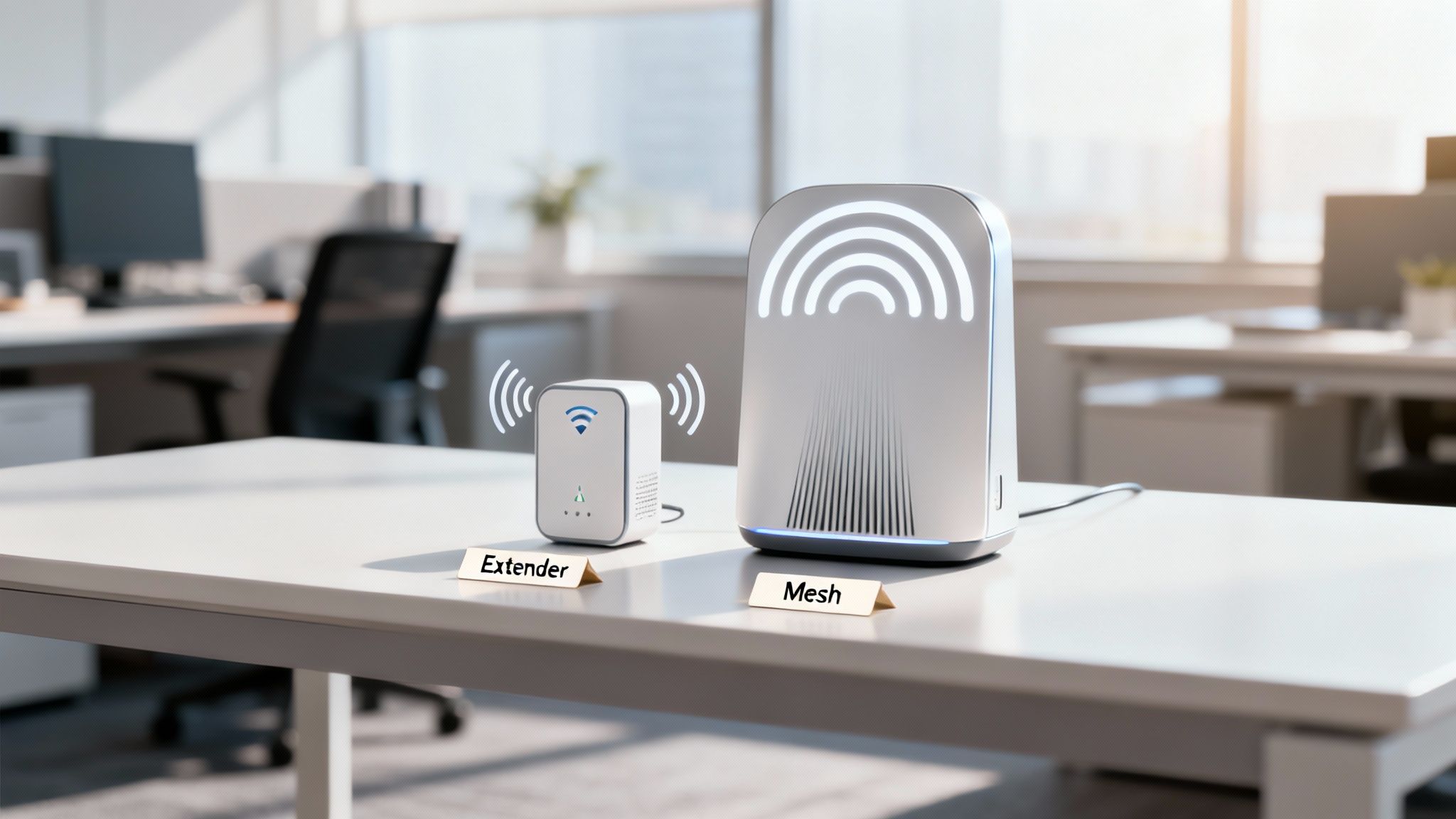
A Wi-Fi extender is a pretty basic bit of kit. Think of it as a signal repeater. It grabs the wireless signal from your main router and simply rebroadcasts it to fill a dead zone. While it sounds straightforward, this approach comes with some serious performance penalties and creates a clumsy, disjointed experience for users.
The Extender Model: Separate Networks and Halved Bandwidth
The biggest killer for an extender is its 'half-duplex' limitation. It uses the same radio to both receive and transmit data, which means it effectively halves your potential bandwidth right from the start. In a busy office, that performance hit is something your team will feel immediately.
Worse still, an extender creates a completely separate network with its own name (SSID). So, when an employee walks from their desk to a meeting room, their device has to manually drop the main router's network and connect to the extender's. It’s clunky, causing video calls to drop and file transfers to fail. If you try to fix this by adding more extenders, you just make the problem worse by creating signal overlap and interference that can bring the whole network to its knees.
The core problem with extenders in a business setting is that they create separate, weaker networks. This fragmentation makes seamless roaming impossible—a deal-breaker for any modern, mobile workforce that relies on uninterrupted connectivity for VoIP calls and video conferencing.
The Mesh Model: A Unified and Intelligent System
A mesh Wi-Fi system is a different beast entirely. It’s designed to replace your old router and create one single, unified, and intelligent network. It starts with a main router node plugged into your modem, supported by several satellite nodes placed strategically around the office. All these nodes work together as a single, cohesive system, broadcasting just one network name.
This unified approach delivers seamless roaming. As someone moves through the building, their device automatically connects to the node with the strongest signal, and the handover is so smooth it's unnoticeable. No interruptions, no dropped calls. This is only possible because the nodes are smart; they constantly communicate with each other to manage traffic and device connections efficiently. To dig deeper into how these interconnected systems operate, have a read of our guide explaining mesh topology in networking.
Backhaul: The Critical Data Pathway
How data gets from the satellite nodes back to the main router is called the backhaul, and it’s a massive differentiator. An extender's backhaul uses the same wireless channel that your devices are on, creating a traffic jam that slows everything down.
Mesh systems are far more sophisticated. They often use a dedicated wireless backhaul channel—a private motorway for the nodes to talk to each other without getting in the way of user traffic.
But for ultimate performance and reliability, nothing beats a wired backhaul. This is the professional standard. It means connecting the mesh nodes with structured cabling, like that installed during a professional fibre cable installation. A certified installer, such as an Excel network accredited partner, would put this in place. This approach guarantees maximum speed and stability, removes wireless interference as a point of failure, and is a core part of any properly tested network delivery. This also helps with cable management for a tidy desk and is essential for projects like an office relocation with equipment testing. A 25 year equipment warranty on certified cabling gives you invaluable peace of mind.
Comparing Network Performance and Reliability
Business operations live and die by network stability. While both mesh Wi-Fi and extenders aim to boost your signal, how they impact actual performance—throughput, latency, and reliability—is night and day. Once you look past a simple signal strength bar, you start to see the critical differences that affect everything from VoIP calls to large file transfers in a busy office.
An extender's very design introduces performance trade-offs that simply don't cut it in most business environments. By catching and rebroadcasting a signal, it inherently adds latency—a delay in data transmission. For anything real-time, like video conferences or cloud software, even a small increase in latency causes that frustrating lag, buffering, and dropped connections we all know too well.
Throughput vs Latency: A Critical Distinction
It’s easy to mistake raw speed (throughput) for responsiveness (latency), but they aren't the same thing. An extender might show a strong signal, but its half-duplex operation—using the same radio to both receive and transmit data—drastically slashes its actual data throughput.
A mesh system, on the other hand, is built from the ground up for low latency and high throughput. Its intelligent nodes are constantly talking to each other, finding the most efficient path for your data and dramatically cutting down delays. This design ensures that as employees move around the office, their connection remains stable and responsive—something that's absolutely essential for keeping productivity high.
The core performance difference comes down to this: an extender acts like a traffic warden stopping and starting cars at an intersection, slowing everything down. A mesh system is like a multi-lane motorway, dynamically routing traffic to avoid congestion and keep data flowing smoothly.
The Backhaul: The Network's Backbone
The single biggest performance differentiator in the mesh vs. extender debate is the backhaul. This is the invisible connection that carries data from the satellite nodes back to the main router, and it’s where an extender completely fails a professional stress test. Its backhaul shares the exact same wireless channel as your devices, creating a constant battle for bandwidth that slows everyone down.
Mesh systems take a much smarter approach, often using a dedicated wireless backhaul. This separate, private channel lets the nodes communicate without interfering with user traffic, preserving precious bandwidth for your team's devices. While this is a huge improvement, the gold standard for any serious business is a wired backhaul.
This professional-grade setup involves connecting each mesh node directly to the network switch with structured cabling. A fibre cable installation provides the ultimate in speed and reliability, completely removing wireless interference as a point of failure. This method guarantees that every single node delivers the maximum possible speed, creating a rock-solid and predictable network.
Ensuring Reliability with Certified Installation
A network is only as strong as its weakest link. For business-critical operations, relying on a plug-and-play device is a massive risk. A professional installation of a mesh system, complete with a wired backhaul, ensures every component is working in perfect harmony.
Here’s what a certified installation brings to the table:
Tested Network Delivery: Engineers use specialised tools to test and certify every single cable run, guaranteeing it meets strict performance standards. This removes all the guesswork and ensures your infrastructure is solid.
Excel Network Accredited Partner: Working with an accredited partner means the installation adheres to the highest industry standards for both quality and performance.
25 Year Equipment Warranty: A certified installation from an accredited partner often comes with a comprehensive 25 year equipment warranty on the cabling infrastructure. This offers incredible long-term security for your investment and is invaluable during an office relocation where equipment testing and guarantees are non-negotiable.
This professional approach also handles practical concerns like cable management, ensuring a tidy desk environment and a clean, organised server room. For a deeper dive into maintaining this level of performance, explore our guide on how to improve UK office networks with performance monitoring.
The market itself shows a clear preference for more robust, multi-frequency systems. Statistical analysis reveals that dual-band Wi-Fi systems dominate the UK, holding over 50% of the market share. This shows a clear understanding that systems operating on both 2.4 GHz and 5 GHz frequencies offer better stability and performance than single-band alternatives—a principle that mesh systems fully embrace. You can discover more insights on UK consumer trends from this industry analysis of the Wi-Fi extender market.
Deployment, Management, and Scalability
When you’re weighing up mesh Wi-Fi against an extender for your office, the practical side of things—deployment, day-to-day management, and future growth—is just as critical as raw performance. The initial setup alone tells you everything you need to know about their different philosophies. An extender is a quick fix, a sticking plaster. A professional mesh installation is a strategic, long-term infrastructure investment.
An extender’s deployment is almost comically simple: you just plug it in. But that simplicity masks a major flaw. There's no real strategy involved; you're left guessing where the best spot is, which often leads to patchy performance at best. Each extender also acts as a lone wolf, needing to be configured individually through its own clunky web interface.
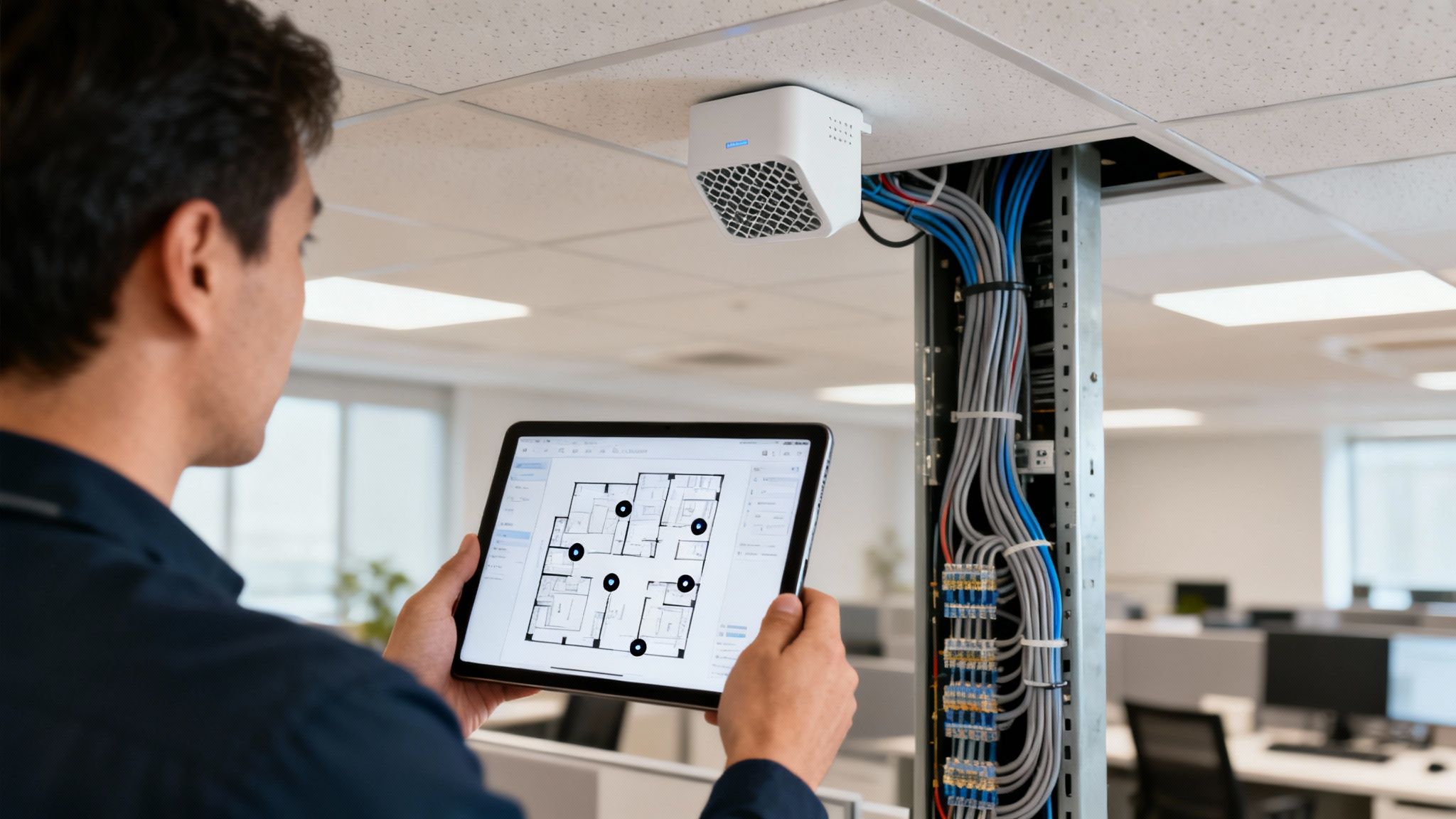
A professional mesh installation couldn't be more different. It always starts with a proper site survey. This is a non-negotiable step that maps out how signals travel through your specific building, identifies sources of interference, and pinpoints the exact placement for each node. The goal? Flawless, building-wide coverage from day one.
Centralised Control vs. Isolated Islands
Once everything is up and running, the management experience really drives home the difference. A mesh system gives your IT manager a single, powerful dashboard—a unified command centre to see the entire network in one place.
From this central hub, you can:
Monitor the health and connection quality of every single node.
See exactly which devices are connected to which access point.
Push out firmware updates to the entire system in one go.
Configure network-wide security settings and guest access rules.
An extender gives you none of that. Each unit is its own little island. If you have two or three, you have to log into each one separately to tweak settings or figure out what’s gone wrong. This kind of fragmented approach is totally impractical and unmanageable in a professional setting.
For any serious business, the ability to centrally manage, monitor, and secure the network is non-negotiable. Mesh systems are built from the ground up for this. Extenders are built for simple, unmanaged home use.
The Importance of Professional Installation
For the kind of performance and reliability a business needs, a commercial-grade mesh system depends on a wired backhaul. This is where professional fibre cable installation becomes absolutely essential. An Excel network accredited partner will run structured cabling to connect each node back to the core network, guaranteeing you get maximum speed and rock-solid stability.
This process delivers a certified, tested network, where every single connection is verified to meet strict performance standards. One of the huge benefits of going this route is the long-term peace of mind it offers, often including a 25 year equipment warranty on the cabling infrastructure itself. This is especially vital during an office relocation with equipment testing, as it guarantees the network will perform perfectly from the moment you move in. Plus, a professional install means meticulous cable management, leading to a tidy desk environment and a properly organised server room.
Future-Proofing and Business Growth
Perhaps the most critical difference for a growing business is scalability. As your company expands—whether that means hiring more staff or moving to a larger office—your network has to keep pace.
With a mesh system, adding a new node is a simple affair. The central controller automatically finds and integrates the new device, seamlessly extending your coverage without any complex reconfiguration. Trying to scale a network with extenders is a recipe for chaos. Adding more units just creates more interference and network conflicts, slowing things down for everyone.
The UK Wi-Fi market is fiercely competitive, with major players like TP-Link, Netgear, and Cisco constantly pushing out new innovations. The arrival of tech like TP-Link's Wi-Fi 7 mesh kits is a game-changer, making powerful, seamless roaming capabilities much more accessible for businesses of all sizes. You can discover insights on Wi-Fi technology trends and see how the market is evolving. For any business thinking about mesh Wi-Fi vs extenders, when it comes to scalability, the choice is crystal clear.
Looking Beyond the Sticker Price: Total Cost of Ownership
When you’re weighing up mesh Wi-Fi vs extenders, the initial hardware price is just the tip of the iceberg. To get a real picture of the costs, you need to look at the Total Cost of Ownership (TCO). This isn’t just about what you pay for the box; it includes installation, ongoing management, and the often-overlooked costs of network downtime and lost productivity.
The low upfront cost of an extender can be tempting, but for a business, it's a false economy. The real price tag appears when network instability starts hitting your operations. Every dropped video call, every failed file transfer, and every minute spent waiting for a page to load costs your business real money. These small but frequent disruptions add up fast, quickly wiping out any initial savings.
The Hidden Costs of an Unreliable Network
Then there’s the management burden. Each extender is an island, a separate device that needs individual attention. When something goes wrong, your IT team has to troubleshoot each unit one by one—a slow, frustrating, and completely inefficient process. This kind of reactive firefighting pulls them away from strategic projects, creating a significant, if invisible, operational cost.
In stark contrast, a professionally installed mesh system is built for stability and requires minimal hands-on management, which massively reduces its long-term TCO.
The crucial shift in thinking is from viewing network hardware as a one-time purchase to seeing it as a long-term investment in business continuity. An extender is a cheap consumable; a certified mesh system is a reliable asset.
The Long-Term Value of a Professional Installation
Bringing in an Excel network accredited partner to deploy a mesh system completely changes the TCO calculation. You’re no longer just plugging in a device; you're investing in a fully engineered solution that guarantees performance and reliability for years.
This value is built on several key pillars:
Certified, Tested Network Delivery: A professional installation isn't complete until every component has been rigorously tested. We use specialised equipment to certify that the entire infrastructure, from the comms room to the final access point, meets strict performance standards.
Fibre Cable Installation: For the best possible performance, a wired backhaul using fibre cable installation creates a future-proof foundation. It guarantees maximum speed and completely eliminates the wireless bottlenecks that can plague other setups.
25 Year Equipment Warranty: This is perhaps the biggest long-term win. A certified installation often comes with a comprehensive 25 year equipment warranty, protecting your investment for decades and offering genuine peace of mind.
This professional approach is absolutely essential during an office relocation with equipment testing, where the network simply has to work perfectly from day one. A certified installation delivers that guarantee. On top of that, proper cable management ensures a tidy desk environment, which contributes to a more organised and productive workplace.
The market is already voting with its wallet. In 2023, the UK wireless mesh network market hit around £590 million in revenue, and it’s projected to climb to nearly £825 million by 2030. This growth shows a clear business preference for reliable, high-performance systems over cheap quick fixes. You can find more insights on the UK's growing adoption of mesh technology on grandviewresearch.com.
Making the Right Choice for Your Office
When you strip back the technical jargon, deciding between a mesh Wi-Fi system and a simple extender really comes down to your office environment and what you need the network to do. It’s about matching the right tool to the job.
Let’s be honest: for a tiny, single-room office with just a couple of people and one notorious dead spot, a Wi-Fi extender can feel like a quick, cheap fix. But even in this best-case scenario, you're introducing problems. The drop in performance is often noticeable, and creating a second, separate network for staff to switch between is just asking for frustration.
Matching the Solution to Your Workspace
The moment your needs get even slightly more complex, the cracks in an extender-based solution start to show.
Imagine a multi-floor office, especially one with thick concrete walls that kill Wi-Fi signals. An extender is a non-starter here; it simply won't work. The only professional-grade solution is a properly installed mesh system with a wired backhaul. We’d typically run fibre cable installation between floors to guarantee there are no performance bottlenecks.
Now, think about a modern, open-plan office. It's packed with laptops, smartphones, tablets, and smart meeting room tech, all fighting for a slice of the bandwidth. This is where a mesh system truly shines. It intelligently manages traffic and allows for seamless roaming, so your team can move around without losing connection or experiencing the slowdowns an extender would inevitably cause.
The core principle is simple: match the technology to the environment. An extender is a sticking plaster for a minor home issue, whereas a mesh system is a strategic infrastructure solution designed for the demands of a professional workspace.
A Practical Checklist for Your Decision
To make sure you’re investing wisely, run through these key questions. The answers will point you in the right direction.
Office Size and Layout: Are we talking about a single small room or a sprawling, multi-floor space with signal-blocking materials like steel and concrete?
User and Device Count: How many people and devices need a solid, reliable connection at the same time? High-density environments demand a mesh network.
Performance Needs: Does your business rely on real-time apps like VoIP, video conferencing, or cloud-based software? If the answer is yes, the low latency of a mesh system is non-negotiable.
Long-Term Strategy: Are you planning an office relocation in the future? Do you need a system that can easily scale as your business grows? A certified mesh system, backed by a 25 year equipment warranty, offers a level of future-proofing an extender just can't match.
This decision tree gives you a clearer picture of how hardware, installation, and long-term value all play a part in the total cost of your Wi-Fi solution.

As the infographic shows, while the initial hardware costs might look different, the true value emerges when you consider professional installation and long-term reliability. Opting for a certified, tested network delivery from an Excel network accredited partner ensures everything from meticulous cable management for a tidy desk environment to a guaranteed return on your infrastructure investment.
Frequently Asked Questions
When deciding between mesh Wi-Fi and extenders for an office, a few key questions always come up. Here are the answers to the most common queries we hear from clients, designed to help you make the right call for your business network.
Can a Wi-Fi Extender Support a Large Office?
Frankly, no. Trying to use a Wi-Fi extender in a large office is a recipe for frustration. Each extender you add halves the available bandwidth and creates a separate, clunky network. The result is abysmal performance, frequent connection drops, and a management nightmare – none of which belong in a professional environment.
For any large or multi-floor business, the only sensible solution is a professionally installed mesh Wi-Fi system. Ideally, this should have a wired backhaul using structured cabling to guarantee reliable, seamless coverage.
Stacking multiple extenders is like putting a plaster on top of another plaster. It might cover the immediate issue, but it doesn't fix the underlying problem and usually makes things worse by creating signal interference.
Is a Wired Backhaul Essential for a Mesh Wi-Fi System?
For any business, a wired backhaul is the gold standard. Connecting mesh nodes via structured Ethernet or a fibre cable installation guarantees maximum speed and rock-solid stability. It dedicates the entire wireless spectrum to your team's devices, completely removing any potential bottlenecks.
While a wireless backhaul can work in a pinch, if your operations depend on a reliable connection, investing in a certified, tested network delivery is non-negotiable. This professional approach is the only way to ensure your network delivers predictable, long-term performance without compromise.
What Is the Benefit of Using an Excel Accredited Partner?
Working with an Excel network accredited partner means your network will be designed, installed, and tested to the highest industry standards. This isn't just about day-one performance; it’s about future-proofing your investment and ensuring long-term reliability.
Crucially, an accredited partner is the only one who can offer a certified, tested network delivery that includes a 25 year equipment warranty on the cabling infrastructure itself. This provides incredible peace of mind, especially during an office relocation with equipment testing, where you need flawless network performance from the moment you move in. This process also ensures professional cable management, which contributes to a tidy desk policy and a more organised, efficient workspace.
For a network solution that guarantees performance, reliability, and long-term value for your office fit-out or relocation, trust the experts. Constructive-IT delivers certified, warrantied network infrastructure designed for the demands of modern UK businesses.
Attending the Global Skills Meet means stepping into a vibrant space focused on growth and innovation. The event showcases diverse voices and perspectives from various industries. Each participant benefits from curated content designed to address current skill trends. Networking opportunities help bridge learners with mentors and like-minded professionals.