


UK Office Network Wiring Installation Guide
- Craig Marston
- Nov 29, 2025
- 17 min read

A professional network wiring installation is the central nervous system of any modern UK office. It directly impacts everything from data speed and call quality to the overall reliability of your day-to-day operations. This isn’t just about running wires; it’s a strategic process that lays the groundwork for a scalable, high-performance network that supports your business for years to come.
Getting it right from the start ensures you’re not facing costly downtime or frustrating bottlenecks down the line.
Blueprint for a Flawless Network Installation
A reliable office network starts long before the first cable is pulled. This initial blueprinting phase is where we translate your business needs into a technical strategy. It’s all about preventing expensive future revisions and ensuring the final result is a business asset, not a hindrance.
This process boils down to three key stages: a detailed site survey, forecasting your future demands, and planning how the new system will integrate with your existing setup. The goal is to create a robust framework that supports your team today and can easily adapt as you grow.
Performing a Detailed Site Survey
The first practical step is always a comprehensive site survey. This means getting on-site and physically walking through the space to map out the environment and spot any potential challenges. Think of it as creating a detailed map for your data pathways before any work begins.
During this survey, an engineer will be looking at:
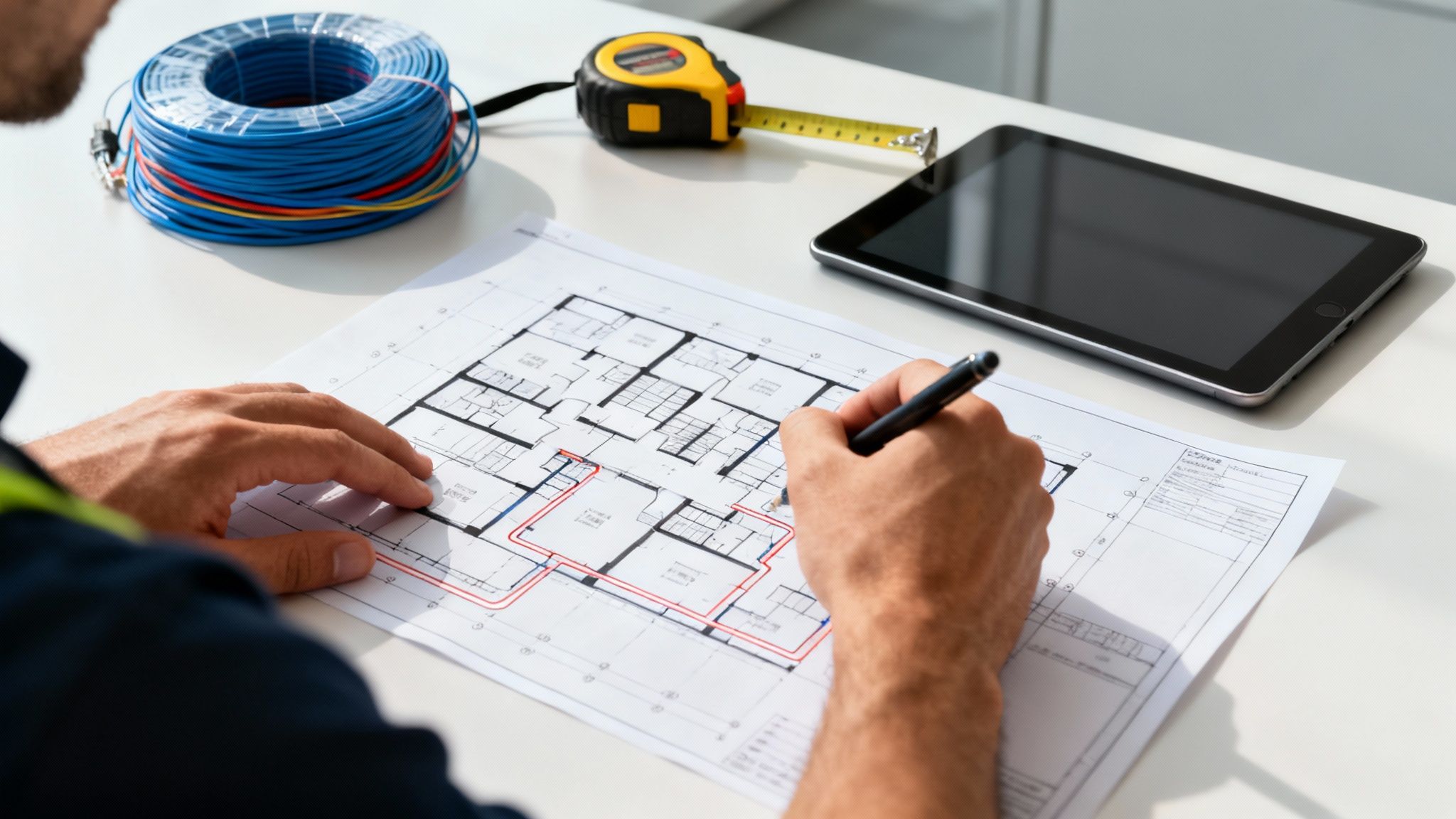
Optimal Cable Routes: Identifying the most efficient and discreet paths for cables, whether that’s through ceiling voids, underfloor trays, or along existing dado trunking.
Potential Obstructions: We're looking for anything that could get in the way or cause interference. This includes solid concrete walls, lift shafts, or areas with heavy electrical equipment that could disrupt signal integrity.
Cabinet and Outlet Locations: Pinpointing the best spot for the main communications cabinet and figuring out exactly where each data outlet needs to go for maximum accessibility and a clean finish.
A crucial part of this stage is also about navigating building codes and regulations to ensure full compliance. Checking this early on prevents delays and guarantees the installation meets all safety and quality standards from day one.
Forecasting Your Network Demands
With a clear picture of the physical layout, the next step is to look ahead and forecast your company's network demands. This isn't just about counting current employees; it’s about anticipating future needs so you don't outgrow your infrastructure in a couple of years.
We’ll consider factors like:
User and Device Count: How many people will be using the network? What's the average number of connected devices per person (laptops, phones, tablets, etc.)?
Application Requirements: What software does your team rely on? High-bandwidth applications like Teams video calls, cloud-based tools, and large file transfers all put heavy demands on a network.
Future Growth: Are you planning to expand the team or adopt new technologies like IoT devices in the next five years? Your network must be able to scale without a complete overhaul.
This chart shows how we turn those initial discoveries into a concrete plan.
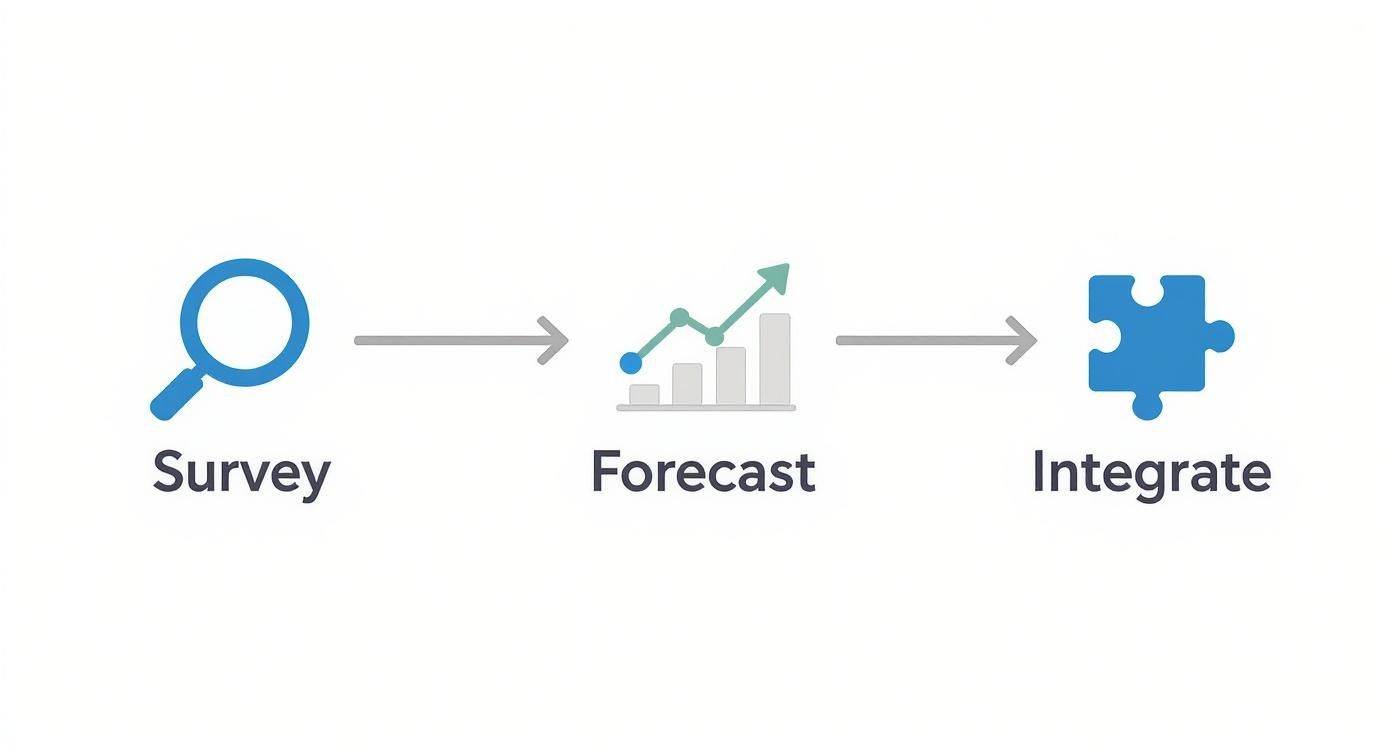
By taking this structured approach, we ensure no detail is overlooked. It’s the best way to turn a complex set of business needs into a clear, actionable technical plan that just works.
Choosing Your Cabling: Cat6 vs Fibre Optic
Making the right cable choice is a foundational decision in your network wiring installation. It’s not just a technical detail—it dictates the speed, reliability, and future-proofing of your entire office. The choice between traditional copper and fibre optic cabling has real-world consequences, affecting everything from video call quality to how easily you can expand down the line.
The conversation isn’t about which is simply "faster." It's about deploying the right tool for the right job within your office layout. For most day-to-day connections, like linking a user's PC to a nearby network switch, copper cabling remains the effective and well-established standard. Fibre optic, on the other hand, really comes into its own when you need massive bandwidth over long distances.
The Case for Copper: Cat6 and Cat6a
For the vast majority of horizontal cabling runs—those connections from the comms cabinet out to the individual desk outlets—Cat6 or its beefier sibling, Cat6a, is the go-to solution. These copper cables are more than capable of handling the gigabit speeds required by pretty much any modern office device.
Why do we still rely so heavily on copper? It comes down to practicality.
Cost-Effectiveness: Copper is generally less expensive to buy and install than fibre, making it the perfect choice for wiring up dozens, or even hundreds, of individual workstations.
Ease of Installation: Terminating and testing copper cables is a more straightforward process for engineers, which can noticeably speed up the installation timeline for a typical office fit-out.
Power over Ethernet (PoE) Support: This is a big one. Cat6 cables can carry both data and low-voltage power, letting you run devices like VoIP phones, Wi-Fi access points, and security cameras without needing a separate power socket nearby.
This all-round utility makes Cat6 the undisputed workhorse of most office networks. If you want to get into the nitty-gritty, have a look at our essential guide to Cat 6 cable.
When Fibre Optic is the Champion
While copper is king for local connections, fibre cable installation becomes non-negotiable when you’re talking about the network's backbone. Think of it as the high-speed motorway connecting the different hubs of your network together.
Fibre's key advantage is its use of light to transmit data, which makes it completely immune to electromagnetic interference (EMI). This is a critical feature in environments with heavy machinery, extensive electrical wiring, or even just fluorescent lighting that can disrupt copper signals.
The demand for high-performance cabling reflects just how vital these decisions are. The UK wires and cables market generated USD 11,503.3 million in 2023 and is projected to keep growing. You can see the full picture in the UK wires and cables market report from Grand View Research. This isn't just an abstract number; it shows that businesses are investing heavily to get their infrastructure right.
Cat6 vs Fibre Optic Cabling At a Glance
To make the decision clearer, here's a direct comparison of the key characteristics that matter most when planning your office network.
Feature | Cat6 / Cat6a Copper | Fibre Optic |
|---|---|---|
Best Use Case | Horizontal runs (comms cabinet to desks), PoE devices (phones, Wi-Fi), general office use. | Backbone connections (between cabinets/floors), long distances, high-interference areas. |
Maximum Distance | Up to 100 metres for Gigabit speeds. | Can run for several kilometres without signal degradation. |
Bandwidth / Speed | 1 Gbps (Cat6) to 10 Gbps (Cat6a) over shorter distances. | Extremely high, capable of 10 Gbps, 40 Gbps, 100 Gbps and beyond. |
Cost | Lower material and installation cost. | Higher initial cost for both cable and the required transceivers/switches. |
Interference Immunity | Susceptible to electromagnetic interference (EMI) from power cables or heavy machinery. Shielded options help mitigate this. | Completely immune to EMI, making it incredibly stable. |
Power over Ethernet (PoE) | Yes, it's a standard feature. | No, it cannot carry electrical power. A separate power source is always needed for connected devices. |
Ultimately, this table shows there's no single "best" cable—just the best one for a specific application.
Making the Right Decision: A Hybrid Approach
For almost every UK office we work on, the answer isn’t an either/or choice. It's a strategic combination of both technologies. This hybrid model uses the strengths of each cable type exactly where it makes the most sense, giving you the best of both worlds.
A hybrid approach is the hallmark of a professionally designed network. Using Cat6 for user-facing connections and fibre for the backbone delivers maximum performance and value, ensuring your network is both powerful and cost-efficient.
Let’s picture a multi-story office building to see how this works in practice:
Within each floor: Cat6a cables run from a local comms cabinet to each desk, providing rock-solid gigabit connectivity for PCs, printers, and phones.
Between floors: A high-speed fibre optic "backbone" cable links the cabinet on each floor back to the main server room, making sure there are zero bottlenecks when data needs to travel across the building.
This design isn't just efficient; it's also incredibly scalable. When you're planning an office relocation, for example, having a solid fibre backbone installed in the new building means you're set for future growth. A certified installer will ensure this entire system undergoes rigorous equipment testing, guaranteeing performance and qualifying your installation for a full 25 year equipment warranty.
Mastering Cable Routes and Management
You can always spot a professional network wiring installation. It’s not about the shiny equipment, but about what you don’t see. Impeccable cable management is the true signature of a high-quality job. This isn’t just about making the office look tidy; it’s a critical discipline that directly impacts network performance, simplifies future maintenance, and even improves workplace safety.
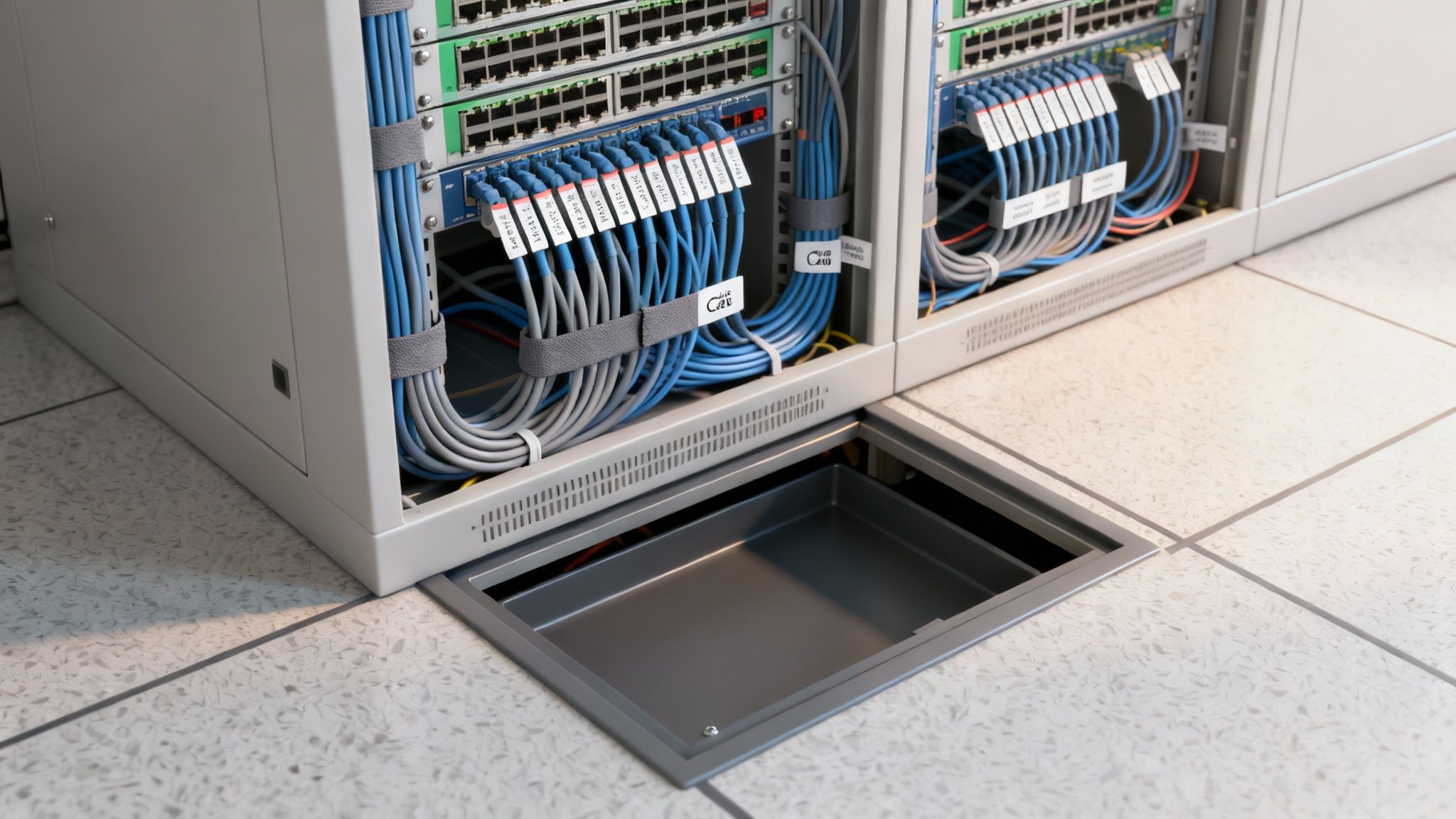
Getting this right means carefully planning out every cable route and using the right containment systems. Every single choice, from the path a cable takes through the building to the way it's labelled, contributes to a stable and serviceable network. This foresight is what prevents the tangled "spaghetti" that plagues so many comms cabinets and workstations, turning a potential liability into an organised, efficient asset.
Ultimately, a tidy desk area and an organised comms room are a direct reflection of a well-executed installation. It shows a commitment to quality that goes far beyond the visible outlets on the wall.
Choosing the Right Containment Strategy
The first step in proper management is picking the best way to contain and protect your cabling. The ideal choice really depends on your office environment—whether it's a modern open-plan space or a traditional building with solid walls. There is no one-size-fits-all solution here.
Common containment options include:
Dado Trunking: This is a classic choice for offices with solid walls. It's a plastic or metal channel running along the walls, usually at desk height, providing a neat and accessible route for both power and data cables.
Ceiling Voids: If your office has suspended ceilings, the space above the tiles is a perfect, hidden highway for running cables. This keeps everything out of sight and is ideal for dropping connections down to desks or for feeding ceiling-mounted Wi-Fi access points.
Underfloor Trays: For buildings with raised access flooring, underfloor cable trays or baskets offer incredible flexibility. They allow high-density cabling to be run directly to floor boxes, making it a breeze to reconfigure office layouts in the future.
Each method has its place, and we often use a combination to create the most efficient pathway from the comms cabinet to the end-user. For a deeper look into this, understanding the benefits of professional cable management can help you appreciate why hiding these cables away properly is so important.
Best Practices for Flawless Installation
Once the route is planned, execution is everything. A certified installer, like an Excel network accredited partner, will follow strict industry standards that guarantee performance and reliability. These aren't just arbitrary rules; they are proven techniques that prevent common, frustrating problems.
A key principle we always follow is the separation of power and data cables. Running data cables too close to electrical wiring can cause electromagnetic interference (EMI), which corrupts data signals and leads to a slow, unreliable network. We always maintain a specified distance to ensure signal integrity is never compromised.
This kind of attention to detail is what qualifies an installation for a comprehensive 25 year equipment warranty. It’s proof that the job was done right, from start to finish.
Meticulous labelling of every cable, port, and patch panel is also non-negotiable. This simple act transforms future troubleshooting from a painful guessing game into a swift, logical process. It's a cornerstone of delivering a truly certified, tested network delivery.
Another crucial technique is respecting the cable's bend radius. Every data cable has a minimum radius it can be bent without damaging the internal wiring and degrading performance. Forcing a cable into a tight corner can create a permanent bottleneck, a mistake that often only reveals itself during performance testing.
During an office relocation, ensuring your new site is cabled with these principles in mind is essential for a smooth transition. This should always be backed by full equipment testing to verify performance before you even think about moving in. The result? A clean, manageable, and high-performing network from day one.
Why Certified Testing Is Non-Negotiable
A professional network wiring installation isn't finished just because the last cable has been neatly clipped into place. Far from it. The most critical phase happens next, turning that collection of wires and ports into a guaranteed, high-performance asset for your business.
This is where certified testing comes in. It's the ultimate quality control that validates every single connection, and it’s the difference between hoping your network is fast and knowing it meets precise, internationally recognised standards. We call this a certified, tested network delivery, and without it, you're essentially flying blind. You're leaving the door wide open for those intermittent faults, unexplained slowdowns, and frustrating connectivity gremlins that are a nightmare to trace later on.
What Does a Certified Test Involve?
To certify a network, engineers use highly specialised diagnostic tools like a Fluke DTX cable analyser. This isn’t just a simple continuity check to see if a light blinks at both ends; it’s a deep-dive forensic analysis that measures performance against exacting standards.
For every single data point we install, the tester runs a full suite of critical diagnostics, including:
Wiremap: This confirms that each of the eight tiny wires inside the cable is connected to the correct pin at the other end. Just one misplaced wire can cause a total connection failure or bizarre, hard-to-diagnose faults.
Length: The test precisely measures the physical length of the cable run. This is vital, as performance drops off a cliff on copper cables that exceed the 100-metre industry limit.
Attenuation: Think of this as signal loss. The test measures how much the signal weakens as it travels down the cable. Too much loss means a faint signal arrives at the other end, leading to dropped data packets and errors.
Near-End Crosstalk (NEXT): This is a key measure of signal interference between adjacent wire pairs inside the same cable sleeve. High crosstalk is one of the most common culprits behind poor network performance, and it's something only a proper certifier can detect.
When a cable passes this barrage of tests, it proves the quality of the installation is impeccable—from the components used right down to the termination technique of the engineer. This applies equally to both copper and fibre cable installation projects.
The Power of Documentation and Warranties
After the physical testing is done, you receive the most valuable deliverable of the entire project: the detailed report. Any reputable installer will provide you with a comprehensive document showing a "Pass" result for every single link, from the comms cabinet to the desk outlet. This isn't just paperwork; it’s your iron-clad proof of quality.
This documentation is the key that unlocks long-term protection for your investment. For installers who are an Excel network accredited partner, these certified test results are mandatory to activate the manufacturer-backed 25 year equipment warranty.
That warranty is your peace of mind. It guarantees the cabling system will perform to its specified standard not just for a year or two, but for decades to come. It covers the individual components and, crucially, the performance of the system as a whole. Without the certified test reports, this warranty simply cannot be registered, leaving you exposed.
The demand for this level of robust, proven infrastructure has skyrocketed. As of January 2025, 73% of UK premises now have access to full-fibre broadband, according to the latest UK fibre broadband statistics on Uswitch.com. This is driving businesses to upgrade their internal networks to keep pace, making certified installations more important than ever.
This rigour is especially critical during an office relocation. Conducting full equipment testing and certification at the new site before you move in is the secret to a seamless transition. Your team arrives on day one to a fully operational, high-speed network that just works. There’s no guesswork, just tangible proof that your new network is built to last.
To keep things running smoothly after installation, have a look at our guide on how network performance monitoring can improve UK office networks for more insights on maintaining that peak efficiency.
Executing a Zero-Downtime Office Relocation
An office move is one of the most fraught periods for any business. The risk of prolonged network downtime is very real, and it can quickly spiral into lost productivity and frustrated staff. A successful office relocation, however, hinges on treating the network wiring installation as a mission-critical project in its own right, not just another item on a long to-do list.
The secret to a genuinely seamless transition is surprisingly simple: have the new office’s network infrastructure completely installed, tested, and ready to go before a single piece of equipment is unplugged from the old site. This transforms what could be a chaotic, stressful process into a straightforward plug-and-play operation.

The Pre-Move Audit and New Site Preparation
Long before you think about packing any boxes, the first job is a thorough audit of your existing IT gear. This isn't just about counting servers and switches; it's about proper equipment testing to flag any hardware that's on its last legs. There’s absolutely no point in moving a failing switch to a brand-new office—you’re just moving the problem.
While that audit is happening, the new office should be buzzing with activity. This is where your installation partner, ideally an Excel network accredited partner, comes in to lay the groundwork.
The work at the new site breaks down into a few key stages:
Installing the Infrastructure: All the Cat6a and fibre cable installation backbones are run according to the design you signed off on. Getting this done in an empty office is far quicker and cleaner than working around furniture and people.
Termination and Labelling: Every single data point is terminated, and both ends of every cable are meticulously labelled. This level of discipline is a hallmark of professional cable management and saves countless hours of headaches later.
Full Certification Testing: Each connection is individually tested with a network certifier to prove it meets performance standards. This is the only way to guarantee a certified, tested network delivery and avoid nasty surprises on move-in day.
By front-loading all this work, the new office isn't a building site when you arrive; it's a fully commissioned network environment, just waiting for the hardware.
The goal is simple: your team should be able to walk into the new office, plug their computer into any data port, and get straight to work. This can only happen if the cabling infrastructure is proven to be flawless before anyone arrives.
Managing the Physical Migration
With the new site fully cabled and certified, the physical move can be executed with precision, usually over a weekend to cause the least disruption. A phased migration is always the best strategy, starting with your most critical systems.
A typical migration plan looks something like this:
Core Systems First: The main servers and network switches are carefully decommissioned, transported, and reinstalled in the new comms cabinet. Your installer should be on-site to help with this, patching everything into the pre-certified panels.
Workstation Deployment: As desks go in, your IT team can start setting up PCs, VoIP phones, and printers. Since every network port is already tested and live, this becomes a rapid, repetitive task, leading to a tidy desk environment from day one.
Post-Move Verification: Once everything is plugged in, a final round of equipment testing confirms every device is online and talking to the network. Your installer should stick around to troubleshoot any immediate connectivity snags, ensuring a smooth "go-live" morning for your staff.
When you follow this methodology, the network becomes the one part of the move that doesn’t cause any stress. It’s prepared, tested, and ready. This level of planning and execution is precisely why a good partner can confidently offer a 25 year equipment warranty—they've verified the performance of the entire system from end to end. An office move becomes an opportunity for a network upgrade, not a cause for business disruption.
Selecting Your Installation Partner
The physical cables and hardware are only one part of the puzzle. The partner you choose to design and install your network is just as crucial, if not more so. A great installer doesn't just pull cables through ceilings—they bring genuine expertise, rigorous project management, and the assurance that your network will stand the test of time.
Making the right choice here means your network becomes a reliable, invisible asset. Getting it wrong can lead to years of frustrating glitches and performance headaches.
The Value of Accredited Professionals
Your selection process needs to go far beyond just comparing the bottom-line figures on a few quotes. What you're really looking for is proof of expertise and a solid commitment to quality. The most reliable indicator? Official accreditation from a leading manufacturer.
Choosing a certified professional, like an Excel network accredited partner, offers a layer of security that unaccredited installers simply can't. These partners have been through intensive training directly with the manufacturer, meaning they're held to the absolute highest standards of installation and testing.
It’s this direct relationship between the installer and the manufacturer that unlocks robust, long-term guarantees.
The single biggest benefit of using an accredited partner is gaining access to a comprehensive 25 year equipment warranty. This isn't just a vague promise; it's a manufacturer-backed guarantee that your entire structured cabling system will perform to its certified standard for decades. This warranty is only available when the network is designed, installed, and tested by a certified professional following those strict guidelines.
This warranty covers the lot – from the copper and fibre cable installation right down to the patch panels and data outlets on the wall. It’s your ultimate protection against component failure or substandard performance, giving you genuine peace of mind.
Key Questions to Ask Potential Vendors
When you're speaking to potential installers, a few sharp questions can reveal a lot about their professionalism and how they operate. Don't be shy about digging into the details of how they handle projects from start to finish.
A few essentials to ask include:
Project Management: How do you manage the project timeline and keep me updated? Who will be my single point of contact throughout?
Experience and Case Studies: Can you show me examples of similar projects you've completed? Have you handled an office relocation with tight deadlines before?
Testing and Handover: What does your certified, tested network delivery process actually involve? Will I get a full report for every single data point?
Ongoing Support: What happens after the project is signed off? What kind of support do you offer down the line?
It’s also vital to have a solid grasp of understanding contractor management to ensure a smooth and compliant project. Any professional firm worth its salt will have clear, structured answers to all these questions.
Comparing Quotes The Smart Way
When the quotes start coming in, train yourself to look past the final price. A suspiciously cheap quote often hides things that will end up costing you more later on. A professional, complete proposal should clearly itemise every single component and service.
Make sure the quote explicitly includes:
Full equipment testing and certification for every last link.
A commitment to meticulous cable management for a tidy desk environment and a well-organised comms room.
All labour costs for the entire project, with no hidden surprises.
The registration of the 25 year equipment warranty once the job is complete.
A transparent, detailed quote is a huge green flag. It signals a trustworthy partner who is committed to a high-quality, end-to-end delivery. Putting in this diligence at the selection stage is the final, crucial step in securing a network that will properly support your business for years to come.
Answering Your Key Questions
When you're planning a new network installation, you're bound to have questions. Getting the right answers is key to protecting your investment and ensuring you end up with a high-performance, reliable system. Here are some of the most common things we get asked by IT and facilities managers.
Why Is a 25-Year Equipment Warranty So Important?
Think of a 25-year equipment warranty as the ultimate seal of approval for your network infrastructure. It’s a guarantee, usually offered by an installer who is an Excel network accredited partner, that every single component—from the cables and patch panels right down to the data outlets on the wall—is free from defects and will perform as expected for decades.
But this warranty is much more than just a piece of paper. To even get it, the entire system has to be designed, installed, and then rigorously tested by a certified engineer. This whole process, known as a certified, tested network delivery, is your proof that the job was done right. It means your infrastructure is built to last, giving you total peace of mind and protecting your investment long-term.
How Can I Make an Office Relocation Go Smoothly?
The secret to a zero-downtime office relocation is all in the preparation. The goal is to have the network cabling at your new site, including all the copper and fibre cable installation, completely installed and certified before you even think about moving a single server.
It breaks down into a few critical stages:
Pre-Move Audit: Your installer should run equipment testing on all your current hardware. This flags up any failing components so you don't waste time moving kit that's on its last legs.
New Site Installation: With the new office empty, we can get all the cabling in place quickly and without disruption.
Full Certification: Every data point is individually tested and verified. You should be handed a full report of the results.
When moving day comes, your team walks into a fully operational, high-speed network. They just plug in their machines and get straight to work. It turns what could be a chaotic, stressful experience into a seamless transition from day one.
The key takeaway here is to treat the new network infrastructure as a completely separate project. It needs to be finished, tested, and signed off before you unplug anything at the old office. This removes all the guesswork and guarantees you’re connected from the moment you arrive.
Why Does Professional Cable Management Matter So Much?
Proper cable management is far more than just making the comms cabinet look good or achieving a tidy desk. It's absolutely fundamental for three reasons: performance, reliability, and future maintenance.
When cables are routed correctly, it prevents the sharp bends and kinks that can damage the delicate internal wiring and kill signal quality. Keeping data cables physically separate from power lines is also crucial to stop electrical interference, which can cause frustrating slowdowns and connection drops.
But maybe the biggest win is for the future. A neatly organised and clearly labelled system saves a massive amount of time and money when it comes to troubleshooting, upgrades, or moving staff around. It’s the difference between a logical, professional asset and a "spaghetti junction" that costs you hours of frustration down the line.
At Constructive-IT, we build certified network solutions that are designed to perform and built to last. From the initial survey to a fully warrantied handover, we make sure your network infrastructure provides a solid foundation for your business. To get started on your next project, visit us at https://www.constructive-it.co.uk.
Comments