


Your Essential Guide to a Rack with PDU Setup
- Craig Marston
- Dec 26, 2025
- 16 min read

At its heart, a server rack combined with a Power Distribution Unit (PDU) is the professional standard for organising and powering your network equipment. The rack provides the housing, and the PDU takes a single power source and efficiently distributes it to every device inside. This duo is the true foundation of any reliable IT infrastructure.
The Foundation of a Resilient IT Infrastructure
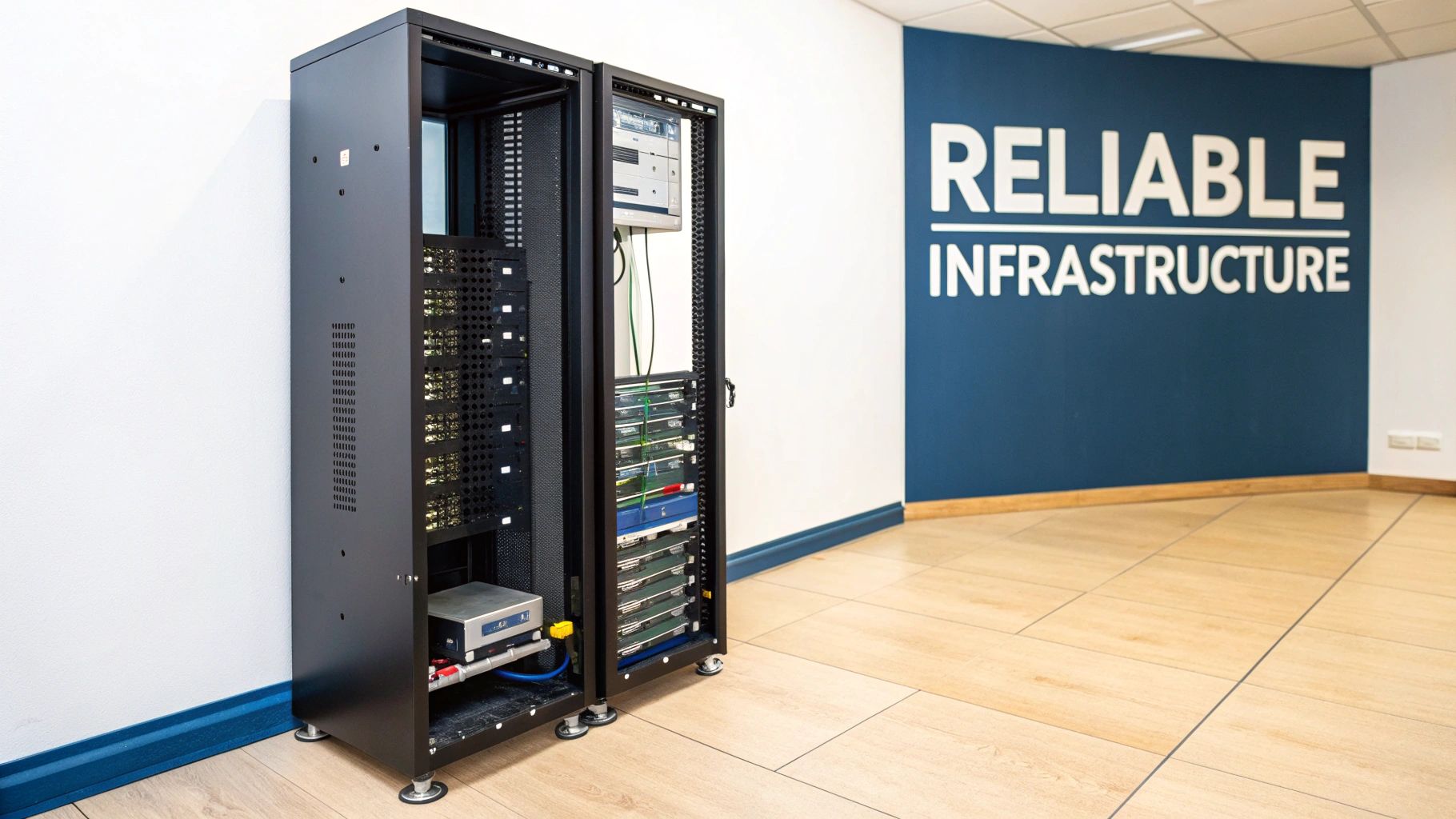
If you're an IT or Facilities Manager in the middle of an office relocation or a data centre fit-out, choosing the right rack with PDU isn't just another box-ticking exercise. It's a foundational decision that will directly impact the reliability, safety, and future-proofing of your entire network. This is especially true in critical environments like commercial buildings and hospitals, where network uptime is simply non-negotiable.
This decision goes far beyond just getting power to your servers. It's about creating a smart ecosystem where power is managed intelligently and your expensive hardware is properly protected. A poorly specified setup can lead to a cascade of critical data network mistakes, causing unexpected outages, overheating, and maintenance headaches for years to come.
Beyond the Box: A Strategic Approach
Thinking strategically from day one ensures the infrastructure you build today will support your goals tomorrow. As an Excel network accredited partner, we focus on delivering network solutions that don't just perform well but are also backed by a 25-year equipment warranty. That level of assurance is only possible when every single component, from the fibre cable installation to the final power configuration, is meticulously planned and executed.
Effective planning really boils down to a few key things:
Certified Network Delivery: Making sure every part of the installation meets tough industry standards and is fully tested before we hand it over.
Professional Cable Management: A tidy rack isn't just about looking good; it massively improves airflow, makes maintenance simpler, and cuts the risk of someone accidentally pulling the wrong plug. This extends to creating a tidy desk environment, free from cable clutter.
Integrated Testing: From initial checks during an office move to final certification, every connection has to be verified for both performance and safety.
A common oversight we see is treating the rack and PDU as afterthoughts. In reality, they are the bedrock of your IT operations. Getting this right from the start prevents costly rework and ensures the network is resilient enough to support critical services without interruption.
Ultimately, making sure your network is professionally tested and certified gives you complete peace of mind. To dig deeper into this, you can find more details in our complete guide to selecting and installing network server racks.
Calculating Power and Planning for Future Growth
Before you even think about ordering a single piece of kit for an office move or data centre project, you need a meticulous power plan. It’s non-negotiable. One of the most common—and costly—data network mistakes we see is people jumping straight to hardware selection without knowing their exact power requirements. A proper plan is what keeps your infrastructure safe, compliant, and ready for whatever you throw at it next.
The first job is a comprehensive power audit. This isn't just a quick count of what you have now; it's a deep dive into every single device destined for that new rack. For every server, switch, and storage array, you need to find its maximum power draw. You'll usually find this listed in watts (W) or volt-amperes (VA) on the manufacturer's nameplate or in the tech specs.
Conducting a Thorough Power Audit
To get a true picture of what you'll need, you have to account for both the kit you have today and the hardware you'll be adding down the line. A proper power audit breaks down into a few key stages:
Inventory Current Equipment: List every device and its maximum power consumption. Don't be tempted to use 'typical' usage figures. You must always plan for the peak load to avoid tripping breakers when your systems are working their hardest.
Factor in Future Hardware: Are you planning a server refresh in the next two years? Will you be adding a new storage shelf? That future growth has to be baked into your calculations from day one.
Sum the Totals: Add up the maximum power draw for everything on your list to get your total required capacity.
This can get complicated quickly, especially in large-scale commercial buildings or hospitals with a huge range of equipment. This is where a detailed asset and site survey becomes invaluable, giving you the clarity needed to make sure nothing gets missed. It’s the bedrock of a successful power strategy.
Understanding Key Electrical Concepts
When you start talking to electrical engineers, you'll hear terms like kW, kVA, single-phase, and three-phase power. Getting your head around these concepts is crucial for specifying the right rack with PDU and making sure the building's electrical supply can actually handle the load.
Put simply, kilowatts (kW) is the actual power a device uses, while kilovolt-amperes (kVA) is the apparent power it draws from the circuit. For planning, kVA is often the more important number because it determines the load on your wiring and circuit breakers.
You’ll also need to know whether your site provides single-phase or three-phase power. Single-phase is common for smaller setups, but three-phase is the standard for commercial buildings and data centres because it delivers more power, more efficiently. A three-phase PDU can support much higher-density racks, making it a must-have for modern IT environments.
Why You Must Plan for Tomorrow Today
A classic mistake is designing a power system that only just meets today's needs. It's a shortsighted approach that guarantees you'll have problems later. The IT world moves fast, and new technologies are constantly demanding more power within the same rack space.
The rule of thumb for any certified network delivery is to build in 25-30% extra capacity. This buffer isn't a luxury; it's an essential part of future-proofing your investment. It allows for unexpected growth, hardware upgrades, and the adoption of high-density equipment without requiring a costly electrical overhaul.
This forward-thinking approach has never been more important. The UK data centre landscape is seeing explosive growth, driven largely by the demands of AI and high-density computing. The UK data centre rack market, valued at USD 118.75 million in 2024, is projected to soar to USD 230.9 million by 2030, with full-sized racks dominating the market. These trends, highlighted in this in-depth industry report, underscore the critical need for robust power planning.
When you're thinking about power needs and future expansion, especially with hardware refreshes, a guide on replacing ageing servers can be invaluable. It helps ensure that as you upgrade your kit, your power infrastructure can keep pace. By planning for growth from the outset, you create a resilient system that supports your business not just on day one, but for years to come—the hallmark of a long-term, warrantied installation.
Choosing the Right PDU for Your Operational Needs
Picking the right Power Distribution Unit (PDU) is about much more than finding a glorified power strip for your cabinet. Think of it as a strategic asset. The right choice directly impacts your operational efficiency, your energy bills, and how easily you can manage your infrastructure when you're not on-site.
Matching the tech to your actual needs is key. It stops you from overspending on flashy features you'll never use, but it also prevents the far more costly mistake of picking a model that simply can't keep up.
This decision tree helps map out those initial thoughts, whether you’re just trying to power what you have today or planning for the next five years of growth.
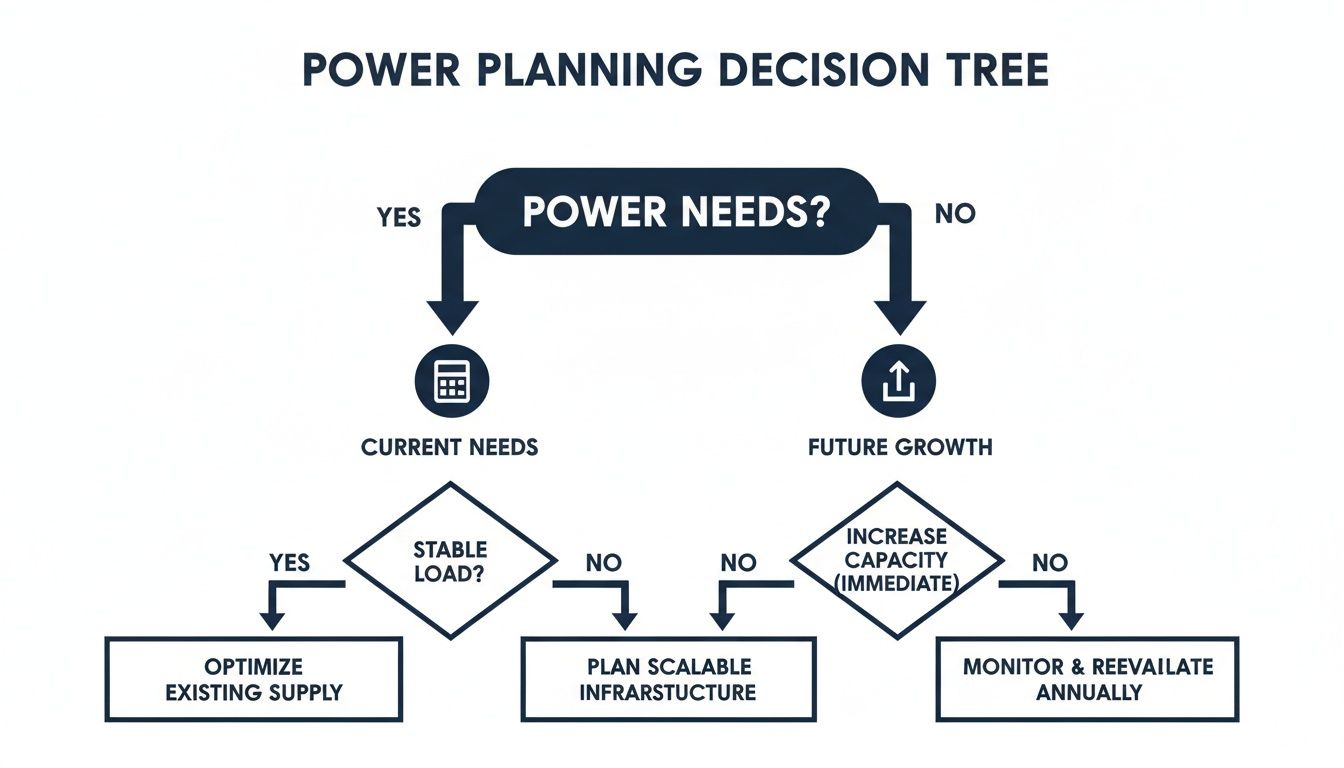
The main takeaway here? Both immediate needs and future plans demand a proper, detailed approach. That’s how you end up with a rack and PDU setup that's genuinely reliable.
The Spectrum of PDU Intelligence
PDUs aren't all created equal. They range from simple plug-and-play units to sophisticated remote management tools. Getting to grips with these differences is the first step to making a sound investment.
Here's a breakdown of the main types you'll encounter:
Basic PDUs: The no-frills workhorse. These units reliably distribute power from one input to multiple outputs, and that’s it. They're perfect for small comms closets or labs where your team is always on-site and there's no need for remote monitoring.
Metered PDUs: This is a big step up. Metered PDUs have a local display showing the total power draw, which is a massive help for balancing loads and making sure you don't trip a circuit when plugging in new kit. More importantly, network-enabled versions let you track consumption over time—vital for capacity planning and spotting energy waste.
Monitored PDUs: These give you the features of a Metered PDU but with much more detail. They let you remotely monitor the power being used by each individual outlet. This granular data is brilliant for accurately billing different departments (or clients) for their power usage, or for singling out that one power-hungry server that needs optimising.
Switched PDUs: The top-tier option, giving you total remote control. A Switched PDU does everything a Monitored PDU can, but it also lets you remotely turn individual outlets on and off. For any unmanned site, this is a game-changer. It means you can reboot a locked-up server from anywhere, avoiding an expensive emergency call-out.
A Switched PDU can turn a multi-hour outage into a five-minute fix. The return on investment becomes crystal clear the first time you remotely reboot a critical server at 2 AM and save yourself an engineer's call-out fee.
To make the choice clearer, it helps to match the PDU's capabilities directly to a business need. This table breaks down where each type of PDU really shines.
Matching PDU Features to Your Business Case
PDU Type | Key Feature | Primary Benefit | Ideal Use Case |
|---|---|---|---|
Basic | Reliable power distribution | Cost-effective and simple | Small comms rooms or test labs with on-site staff. |
Metered | Aggregate power monitoring | Prevents overloads and aids capacity planning | Data centres needing to balance loads and track overall rack consumption. |
Monitored | Per-outlet power monitoring | Granular energy tracking and accurate cost allocation | Co-location environments or businesses needing to bill departments for usage. |
Switched | Remote on/off control per outlet | Remote rebooting of unresponsive equipment | Unmanned or remote sites where physical access is difficult or slow. |
Ultimately, the goal is to select a PDU that provides the level of control and insight your operations demand, without paying for features that will go unused.
Vertical vs Horizontal PDU Mounting
Beyond the 'brains', the physical shape—or form factor—of the PDU plays a huge role in how you design your rack. Your choice between a vertical or horizontal unit has a direct impact on available space, cable management, and airflow.
Rack-Mounted (1U/2U) PDUs These are horizontal units that mount straight into the standard 19-inch rack rails, taking up one or two units of space (1U or 2U). You’ll often see them in smaller racks or where power needs are fairly light. The problem is, in a densely packed server rack, every single 'U' of space is precious real estate.
Vertical (0U) PDUs This is where 0U PDUs come in. These vertical units are the industry standard for any high-density setup. They mount neatly in the space at the side or rear of the cabinet, consuming zero usable equipment space. Not only does this free up valuable 'U' space for more servers and switches, but it also makes a world of difference to your airflow and cable management, keeping power cords tidy and out of the way.
In the UK, energy efficiency is a huge driver. The UK data centre power market is valued at USD 1.10 billion in 2024 and is expected to hit USD 1.71 billion by 2029. With energy costs making up 40-50% of a data centre's running costs, intelligent PDUs with metering are no longer a luxury—they're essential. You can learn more about how the PDU market is central to energy management on industrytoday.co.uk.
A thoughtfully chosen PDU makes your infrastructure more reliable, manageable, and cost-effective. By investing in the right level of intelligence and the best form factor, you're building a solid foundation that supports a certified, warrantied network.
Designing for High Availability and Redundancy
In environments where even a moment of downtime causes chaos – think hospitals or busy commercial data centres – a resilient power setup isn't just a nice-to-have; it's non-negotiable. Anyone can plug a rack with pdu into the wall. The real skill lies in designing a system that can withstand the unexpected. This is where a redundant power design becomes the bedrock of any professionally engineered and certified network.
The industry standard for achieving this level of resilience is the A/B power feed design. It’s a straightforward but incredibly powerful concept that eliminates the single point of failure responsible for bringing down far too many networks. Instead of one electrical circuit, you give every critical cabinet two completely independent power sources.
Implementing A/B Power Feeds
The whole idea is to create two distinct power paths. To do this, you'll install two separate PDUs in each server rack – typically a pair of vertical 0U units to save valuable rack space. One PDU is labelled 'A', the other 'B'.
PDU 'A' connects to one independent power circuit. This circuit should be backed by its own Uninterruptible Power Supply (UPS) and, in a perfect world, a generator.
PDU 'B' connects to a second, entirely separate circuit, which is supported by its own distinct UPS and power infrastructure.
Most modern enterprise-grade servers, switches, and storage arrays are built for this, coming straight out of the box with dual power supply units (PSUs). You simply plug the first PSU into your 'A' PDU and the second into the 'B' PDU. This one simple action is transformative for your uptime.
Now, if the 'A' circuit fails for any reason – a tripped breaker, a UPS fault, or even just scheduled maintenance – the equipment doesn't skip a beat. It seamlessly continues drawing power from the 'B' circuit. The failover is instant and automatic, ensuring your most vital systems stay online.
What About Single-Corded Equipment?
This is where many redundancy plans fall flat. What do you do with devices that only have one power supply, like smaller network switches or older bits of hardware? Leaving them on a single feed reintroduces a single point of failure, completely undermining your carefully built A/B strategy. It's a classic data network mistake, but thankfully, one that's easily fixed.
The solution is an Automatic Transfer Switch (ATS). An ATS is a simple rack-mounted device with two power inputs and one or more outputs.
You connect the ATS inputs to your 'A' and 'B' power feeds, just like with the dual PDUs. Then, you plug your single-corded device into the ATS output. The switch constantly monitors the primary 'A' feed. The second it detects a power loss, it instantly flips over to the secondary 'B' feed, keeping the connected device running without interruption. It’s a clean and effective way to extend that redundancy to every single piece of equipment in the rack.
For any certified network delivery, especially one that unlocks a 25-year equipment warranty, proving you have robust failover capability is essential. Implementing an A/B power design, complete with ATS units for single-PSU devices, is the hallmark of a professional installation built to last.
Reliability in rack PDUs is critical for UK businesses scaling their data infrastructure, particularly with the explosive growth in hyperscale and edge computing. Driven by the expansion of 5G and AI, the UK data centre rack market is projected to grow from USD 118.75 million in 2024 to USD 230.9 million by 2030, a 14.23% CAGR. In this market, PDUs are the crucial link ensuring flawless power delivery. You can read the full market analysis on data centre rack PDUs for more on this trend.
By embracing this dual-path approach, you create an infrastructure that isn't just powered on, but is genuinely resilient. It’s a foundational step for any office relocation or data centre project where uptime is the top priority.
Installation Best Practices and Cable Management
The true test of a server rack installation isn't how it looks on day one. It’s how it performs months down the line when you’re scrambling to fix an issue or add new kit. This is where meticulous planning and execution separate a reliable, high-performance rack with pdu from a chaotic mess. It’s the difference between a five-minute fix and a five-hour headache.
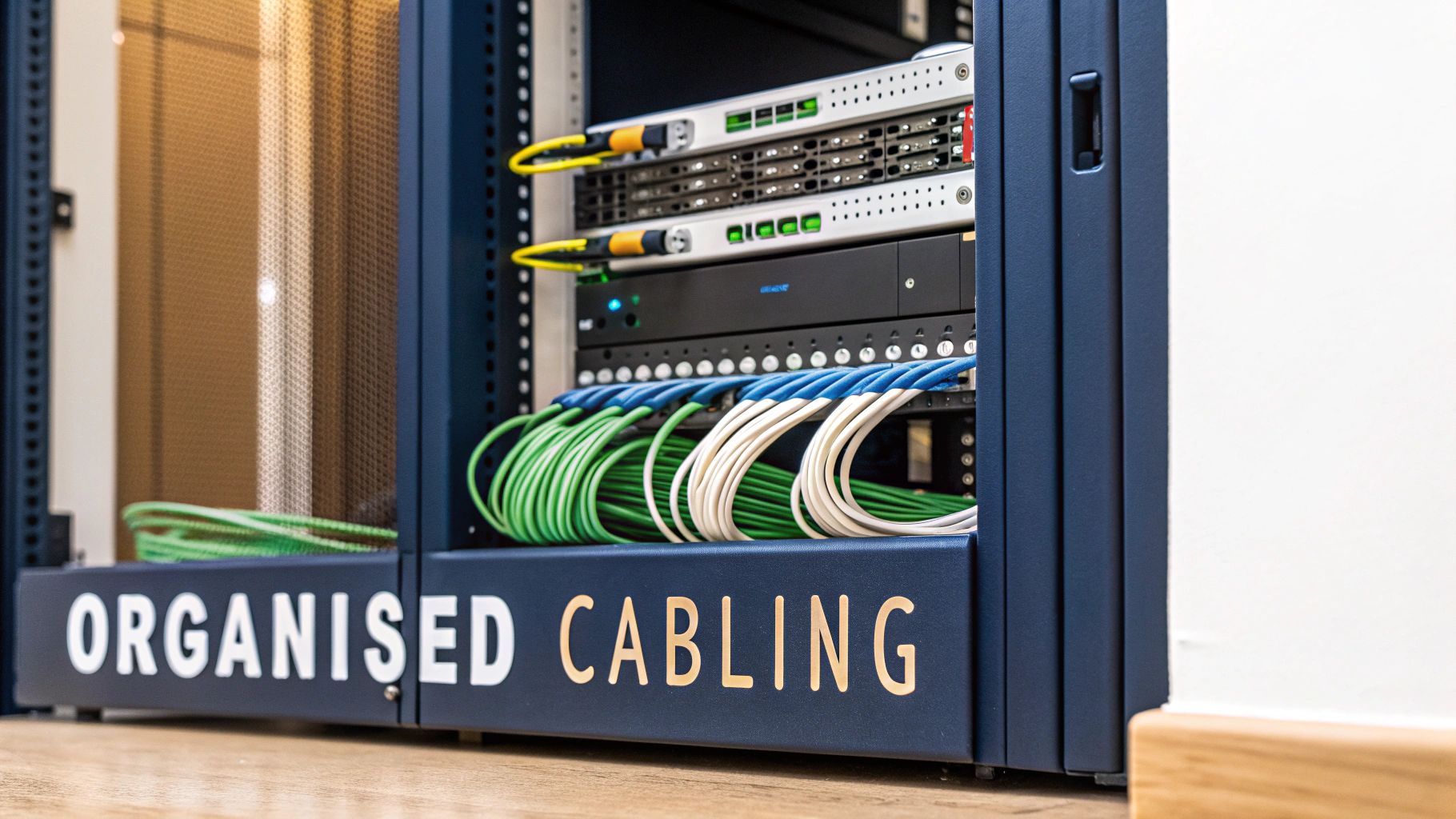
Getting this right goes way beyond just slotting equipment into the cabinet. It's about everything from physically bolting the rack down to painstaking cable management and safety checks. For places like commercial buildings and hospitals, where failure just isn't an option, these practices are non-negotiable.
Securing The Foundation: Your Rack and PDUs
Before a single server goes in, the rack itself has to be rock-solid. That means placing it on a level surface, bolting it to the floor where needed, and properly grounding it to the building's main earthing terminal. This isn’t just a friendly suggestion; it’s a critical safety requirement under UK electrical standards to prevent static discharge and protect both your people and your expensive equipment.
Mounting the PDUs correctly is just as important. For the best access and airflow, we always install vertical (0U) PDUs in the rear of the cabinet, keeping them clear of server exhaust fans. This simple step keeps power cords tidy and, crucially, stops them from blocking the hot air trying to escape—a small detail that makes a big difference to your cooling efficiency.
Transforming Chaos With Professional Cable Management
A messy cabinet is one of the most common mistakes we see, and it causes more than just aesthetic pain. A tangled spaghetti of power and data cables chokes airflow, which can lead to equipment overheating. Worse, it turns maintenance into a nightmare and massively increases the risk of someone unplugging the wrong thing during routine work.
This is where a professional approach to cabling becomes essential. As an Excel network accredited partner, we treat every cable as a critical piece of the infrastructure. The goal is always a clean, logical layout that makes future work straightforward and boosts reliability.
Here’s how we get it right:
Using Correct-Length Cords: Instead of using ridiculously long cables and coiling up the slack, we specify power and data cords of the exact length required. This one change makes a dramatic difference.
Colour-Coding for Clarity: We assign different colours to A/B power feeds, network uplinks, and specific server types. It makes tracing a connection instant and intuitive.
Implementing Cable Management Arms: These simple accessories guide cables neatly from the back of the server to the side of the rack, preventing them from getting snagged or damaged when you pull a server out for maintenance.
The ultimate goal of good cable management is to achieve a "tidy desk" philosophy inside the server rack. A clean, organised environment not only looks professional but also drastically cuts down troubleshooting time and reduces human error—the root cause of many network outages.
This level of detail is vital during projects like an office relocation, where every piece of equipment is moved and re-cabled. A structured approach, including thorough testing of every single connection, ensures the network performs perfectly from day one in its new home. For a deeper dive, you can explore the many cable management benefits that make a real difference to your operational efficiency.
The Value of Certified and Tested Delivery
At the end of the day, the installation process culminates in a fully tested and certified network delivery. This isn’t about just plugging things in and hoping for the best. It’s a holistic process that covers everything from the initial fibre cable installation to the final power-on tests.
A certified installation, carried out by experienced engineers, guarantees that every component meets manufacturer and industry standards. This professional validation is what unlocks a long-term guarantee, like a 25-year equipment warranty, giving you complete confidence in the resilience and longevity of your infrastructure. By avoiding common installation mistakes, you ensure your network isn't just working—it's truly robust.
Final Testing, Certification, and Handover
Getting your rack with PDU physically installed is a huge step, but the job isn't done until every connection has been properly tested, certified, and documented. This is the crucial commissioning phase that turns a pile of expensive hardware into a reliable, manageable, and warrantied system. It's the final sign-off that proves the quality of the entire installation.
For any commercial project, especially in environments like offices or hospitals, full electrical testing is non-negotiable. This goes way beyond just flicking a switch to see if the lights turn on. A certified engineer has to test every single connection to ensure it meets strict UK safety regulations, providing a formal record that the installation is correctly earthed, safe, and ready to handle its designed load without any risk.
Getting Smart with PDU Integration
Modern intelligent PDUs are far more than just glorified extension leads; they're smart, network-connected devices that provide a stream of incredibly useful data. You unlock their real potential when you hook them into your Network Management System (NMS) or a dedicated Data Centre Infrastructure Management (DCIM) platform. This is what turns your rack from a simple cabinet into a source of actionable intelligence.
Once integrated, you can start to:
See Real-Time Power Draw: Keep a close eye on exactly how much power is being used per rack, per PDU, or even down to a specific server's outlet.
Track the Environment: Use sensors connected to the PDU to monitor things like temperature and humidity, helping you spot potential overheating issues before they cause damage.
Set Up Smart Alerts: Configure the system to automatically send you a notification if power usage spikes or the room gets too hot. This lets you get ahead of problems before they turn into critical failures.
Adopting a proactive approach to management is key. To get this right, it's worth following established critical infrastructure monitoring best practices to move from simply reacting to problems to preventing them entirely.
The Professional Handover and Warranty
The very last stage of the project is the formal handover. This is where an accredited partner, like an Excel networking specialist, will give you a complete documentation pack. This isn't just a basic user guide; it’s a detailed dossier containing everything from the certified test results to network diagrams and configuration files for all the gear.
This handover pack ensures your own IT team has everything they need to manage the new infrastructure right from day one. They get a crystal-clear understanding of the entire setup, backed by a full set of test results proving every component, from the fibre cabling to the PDU wiring, was installed to the highest possible standard.
This meticulous process of testing, certification, and documented handover is what solidifies the value of a professional installation. It's the final piece of the puzzle that enables a provider to stand behind their work with a long-term guarantee, such as a 25-year equipment warranty.
Ultimately, making sure your network is professionally tested and certified does more than just tick a compliance box—it delivers genuine peace of mind. It confirms your infrastructure is robust and reliable today, and built on a foundation of quality that will support your organisation for years to come.
Your PDU Questions, Answered
Got questions about planning your rack and power setup? Here are the straight answers to the most common queries we get from clients planning their next project.
How Many PDUs Should I Install in a Server Rack?
For any server rack that’s running critical systems—whether in a commercial office or a hospital—the professional standard is two PDUs per rack. No exceptions.
This isn’t just about adding more outlets. It’s about creating what’s known as an A/B power design. Your dual-corded servers and network gear get plugged into two completely independent power feeds. If one PDU or the entire circuit it's on goes down, your equipment doesn't even flicker. It’s the bedrock of a resilient, certified network delivery.
What’s the Biggest Mistake People Make When Choosing a PDU?
Hands down, it’s under-provisioning. So many organisations specify a rack with PDU based only on what they need today, with zero thought for what’s coming next. Always, always calculate your maximum potential power draw and then add a 25-30% buffer on top.
The other common oversight is grabbing a basic PDU just to save a few quid upfront. A metered or switched model might seem like an unnecessary expense, but the ability to monitor power consumption and reboot outlets remotely can save you a fortune in operational costs and call-out fees down the line.
A classic scenario we see during an office relocation is this: we start equipment testing only to find their PDU is already running at 95% capacity. This forces a last-minute, costly upgrade that throws the whole project timeline off—all because the initial planning was too short-sighted.
Do I Need a Qualified Electrician to Install a Rack PDU?
Yes, absolutely. While physically mounting the PDU into the rack is simple enough, the final connection into the building's electrical supply must be done by a qualified electrician.
This isn’t optional. It’s a legal requirement for compliance with UK electrical regulations, it’s essential for validating your business insurance, and it's a non-negotiable step if you want to secure a 25-year equipment warranty on your installation.
Planning a certified infrastructure that’s built to last means getting these details right from the start. From initial fibre cable installation to final testing and commissioning, Constructive-IT delivers warrantied solutions that avoid the common pitfalls.
Comments