
You've probably seen the pattern already. A fit-out starts cleanly, then CCTV gets added late because someone realises the reception, loading bay, or back-of-house corridor needs coverage. By then, the ceilings are closing, the electricians are moving on, and the “quick security job” has turned into a messy coordination problem.
That's the wrong way to treat CCTV system installation in a UK office, healthcare site, or mixed-use building. A proper deployment sits alongside structured cabling, electrical works, access control, and governance from day one, because the camera is only one part of a system that has to record reliably, stay secure, and stand up to compliance scrutiny.
Why CCTV System Installation Is an Infrastructure Project
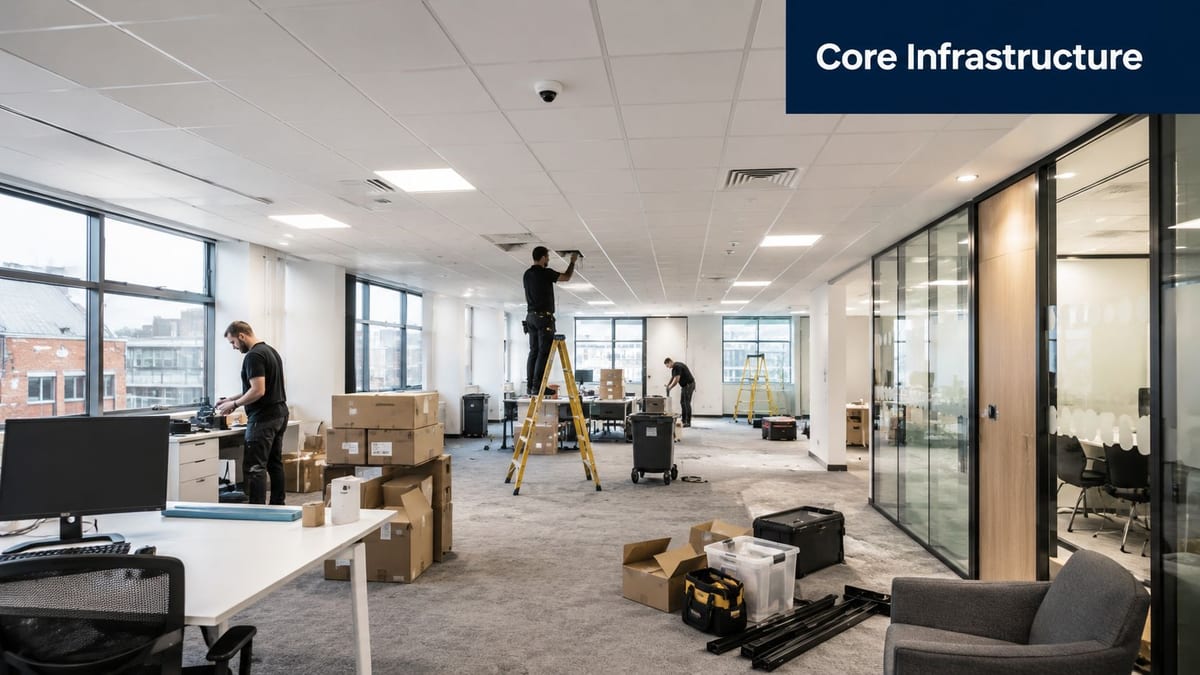
A typical office relocation exposes the issue fast. Facilities wants visible coverage at the entrance, IT wants the recorder in a secure room, and the landlord's electrician has already routed mains in a way that doesn't suit the camera positions. If CCTV is treated as a bolt-on, the project ends up with awkward cable runs, poor sightlines, and a recorder that nobody can support properly.
That's why CCTV system installation is better understood as infrastructure work, not device fitting. In practice, the system spans IP cameras, PoE switching, an NVR or cloud recording platform, structured cabling, secure equipment spaces, and sometimes integration with access control or wider building management. The physical camera is the visible tip of a deeper design that has to fit the building's network and power reality.
The project risk is rarely the camera itself
The choice between dome, turret, or PTZ gets attention because it's easy to compare. The harder part is whether the camera can be cabled cleanly, powered correctly, and managed by the people who'll own it after handover. If the recorder room is inaccessible, the switch capacity is wrong, or the network team wasn't involved, the system becomes a support burden instead of a security asset.
Practical rule: if a CCTV plan can't be explained to IT, facilities, and compliance in the same meeting, it isn't ready to build.
That's also why cost discussions need to happen early. A late-stage redesign can easily be more expensive than the original equipment list, especially when ceilings are already closed or containment has been installed in the wrong place. For a useful cost overview before specifying hardware, see this guide to CCTV installation cost.
The benefit of treating CCTV this way is consistency. The same team that plans LAN capacity, server-room expansion, and access control can make sure cameras, recorders, and network services all land in the right place without rework.
Planning the Site Survey and Coverage Design
A good survey starts with walking the building as it will be used, not as the floor plan looks in a sales pack. Reception movement, delivery access, side entrances, shared corridors, plant rooms, and outdoor approaches all create different risks, and each one affects where the camera should sit and what it needs to see.
Lock the coverage before the first hole is drilled
The cleanest workflow is simple. First, identify entry points, blind spots, and weather-exposed areas. Then decide whether the site is better served by IP over PoE or by a legacy DVR and coax approach. Only after that should the team commit to mounting points, recorder locations, and cable routes.
That order matters because the cabling design has to match the recorder topology from the outset. IP systems commonly run Cat5e or Cat6 Ethernet back to an NVR or PoE switch, while analogue systems depend on RG59 or RG6 coax with separate power. Once the wrong architecture is built into the ceiling void, the project stops being a design exercise and becomes a compromise.
A solid survey also maps camera fields of view against the floor plan. That means checking not just where a camera can be mounted, but what it will capture at the intended height and angle. In practice, you want a plan that shows the camera cone, the overlap between adjacent views, and any areas where a privacy mask or narrower angle is needed.
- Start with access paths: Front doors, loading areas, car park routes, and visitor entrances usually deserve the first attention because that's where incidents begin.
- Check weather and glare: Outdoor locations need suitable housings and angles that cope with rain, sunlight, and reflections.
- Confirm service access: A camera mounted where nobody can safely maintain it will be a problem later.
- Keep the recorder location flexible: If the rack room is still changing, don't lock in the cable run too early.
The main discipline here is planning before drilling. Once cameras are mounted, discovering that a recorder room is wrong or a cable path is blocked means opening finished surfaces, moving containment, and redoing terminations. That's where schedules slip and budgets get eaten.
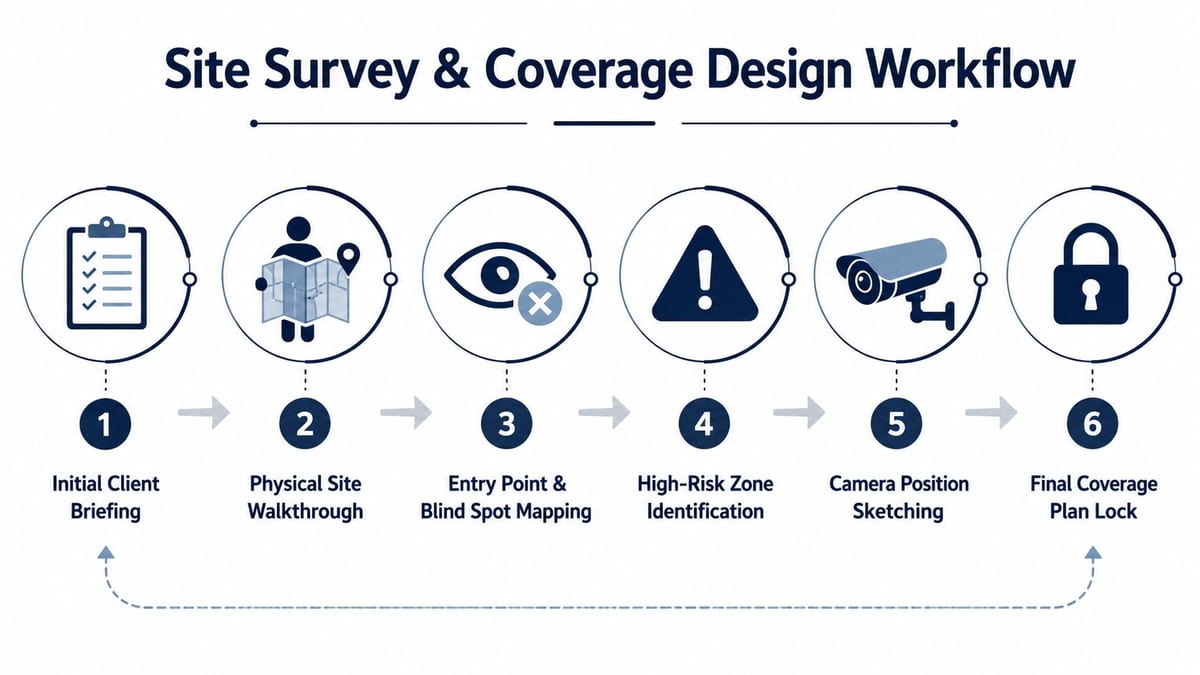
The workflow above is the one that saves time on fit-out sites. It keeps the survey, sketching, and final lock-in front-loaded, so the install team isn't forced into last-minute changes when the builder is already closing up the ceiling.
Designing Power, Data and Access as One System
A CCTV system fails most often where teams separate power, data, and physical access into different conversations. The camera contractor thinks in images, the electrician thinks in circuits, and the IT team thinks in switches. If nobody owns the joined-up design, the result is an installation that works on day one and then becomes fragile.
The backbone has to be sized, protected and segregated
The NSI code of practice treats power supplies, including PoE switches and injectors, as part of the design load, not an afterthought. They must be capable of meeting the largest load likely under normal operating conditions, and they need to sit in secure areas or be protected from tampering. It also expects extra-low-voltage cabling to be kept away from mains cabling unless it's properly screened, insulated, or segregated. That's the standard that stops a neat-looking install from becoming an unreliable one. See the PoE cabling guidance for the practical side of that planning.
Shared risers and ceiling voids are where poor design shows up quickly. If CCTV data cabling is forced to run alongside mains because containment wasn't thought through early, the project risks both interference and a messy handover. If the PoE switch room is exposed or the recorder sits where anyone can tamper with it, resilience drops before the system has even been commissioned.
Resilience has to match the building use
For offices, clinics, and lightly staffed sites, power continuity matters just as much as picture quality. A recorder that drops offline during a power issue is a security gap, and a switch that can't handle the connected load will take the whole edge of the system with it. In more autonomous building models, the same logic applies to other infrastructure, reduced site visits only work when access, power and data are designed together from the start.
Battery-less NFC proximity locks fit that same thinking. They're chosen where maintenance burden matters, because avoiding battery replacement cycles in the lock itself reduces routine site visits and removes one more failure point. The lock still needs power, secure mounting, and sensible integration with other systems, but the day-to-day upkeep is lighter.
A system that depends on good luck with power and access isn't autonomous, it's just under-supervised.
The practical takeaway is straightforward. CCTV should sit on the same design sheet as access control, the network, and electrical certification. If those workstreams aren't aligned, the project will eventually pay for it in callouts, downtime, or a re-run of the install.
Baking UK GDPR and Surveillance Code Compliance into the Design
The biggest mistake on workplace CCTV isn't usually technical, it's overreach. Teams ask for coverage “everywhere” because that feels safer, then discover too late that the view captures staff-only spaces, adjacent public areas, or more personal data than the business needs.
Privacy has to shape the camera plan
The ICO expects CCTV operators to have a lawful basis, carry out a data protection impact assessment where monitoring is likely to create high risk, and keep monitoring targeted and proportionate. The UK Surveillance Camera Code of Practice also pushes systems toward a specified purpose, clear governance, operational review, and secure handling of footage. In plain terms, that means you don't design first and ask about privacy later, you build the privacy choices into the layout.
That affects camera angles, masking, storage location, and who gets access to playback. In offices, NHS environments, and other occupied premises, a camera pointed at a reception desk or shared entrance may be reasonable, but a camera that also sweeps across unnecessary staff areas needs a harder justification. In some cases, the better design is the one that captures less incidental personal data while still meeting the security objective.
A useful external reference point for broader workplace data handling is Orange Box Self Storage's customer data protection details, which shows how a clear policy can support day-to-day accountability around personal data.
Retention and access are design decisions, not admin tasks
Retention settings should be agreed before handover, not improvised after the first incident. Access should be role-based, limited, and auditable. If the wrong people can browse footage casually, the problem isn't just compliance, it's trust.
Practical rule: if a proposal needs “we'll sort the privacy bits later”, it's already behind.
That's where privacy-by-design pays for itself. Retrofitting masking, moving a camera, or reworking retention settings after installation is far more painful than setting the rules early. For workplace environments, especially offices and clinical spaces, the safest design is often the one that feels slightly narrower than the first draft.
Commissioning, Testing and Handover Documentation
A CCTV project isn't done when the last camera goes on the wall. It's done when the system has been tested under real conditions, the settings are documented, and the people taking ownership can run it.
Commission the system like you'd commission any critical building service
The first checks are basic, but they're the ones contractors sometimes rush. Verify each live feed, confirm night-vision performance, test motion zones, and check remote access from the approved user accounts. Make sure the time and date are accurate, because recorded evidence is only as defensible as the timestamps attached to it.
Then test the recording path itself. Confirm that the NVR or cloud platform is storing footage as expected, that retention settings match the agreed policy, and that playback is usable from the client's network. If anything fails here, the issue is still cheap to fix. Once the site has been handed over and users have started relying on it, every change gets harder.
The commissioning discipline used in data centre work is a good mental model for CCTV too. The point is the same, prove the system before it carries operational responsibility.
Handover has to include governance evidence
A proper handover pack should include the commissioning results, the camera schedule, the retention settings, and the named responsible person. It should also show that ICO registration, DPIA sign-off where needed, signage, and the documented usage policy are in place. Those governance items aren't separate from the install, they're part of what makes the install legitimate.
- Check the channels individually: Every camera should be visible, recording, and correctly named.
- Test day and night: Low-light performance often exposes poor placement faster than daytime checks.
- Confirm remote access controls: Use only approved credentials and verify that access is restricted.
- Validate retention and export: The system should delete and retain footage exactly as agreed.
- Record sign-off: The responsible person should accept the system only after technical and governance checks are complete.
If the contractor can't hand over evidence for these items, the job isn't finished. It may look finished, but it isn't supportable yet.
Integrating CCTV with Access Control and Cyber Defences
Modern CCTV doesn't live alone anymore. AI-enabled cameras, cloud-managed platforms, and remote monitoring have made systems more capable, but they've also increased the attack surface and the number of people who need to trust the result.
Treat the camera network like any other IT asset
The National Cyber Security Centre's guidance is clear in principle, network-connected cameras and recorders need strong passwords, patching, network segmentation, and secure remote access. That's not optional housekeeping. It's the difference between a monitored system and one that becomes another weak point on the network.
That matters even more when CCTV is linked to access control. In office fit-outs and healthcare environments, the same infrastructure often supports door entry, intrusion detection, and video verification. A joined-up design means shared governance, shared support expectations, and a clearer path for the IT team to maintain the whole environment without duplicating effort.
For practical planning around combined systems, Mena's Key has a useful integration guide that reflects the same principle, access control performs better when it's designed as part of a wider security stack rather than as a standalone gadget.
Why battery-less NFC locks keep appearing in unmanned projects
Unmanned or lightly staffed buildings need lower-maintenance access systems. Battery-less NFC proximity locks are attractive because they remove one more recurring maintenance cycle from the lock itself, which is useful when you're trying to build out a fully autonomous unmanned building units model. The lock still has to be installed correctly, powered properly, and integrated into the wider system, but the operating burden is lighter.
That's the same design instinct behind CCTV decisions in remote offices, plant spaces, and certain healthcare support areas. You want the IT and security team to support the system long-term without creating a persistent cyber or resilience problem. That means thinking about VLANs, MFA for remote viewing, firmware updates, and fail-safe recording at the specification stage, not after the first incident.
When to Bring in a Specialist Infrastructure Partner
In-house teams can absolutely own parts of a CCTV project. They know the building, the users, and the operational constraints better than anyone. The warning signs start when the work drifts into rework, compliance uncertainty, or network risk, especially if surveys are incomplete, cable routes keep changing, or nobody can explain who owns the recording policy.
That's when end-to-end support pays for itself. A specialist partner can align survey work, structured cabling, electrical installation and certification, recorder setup, and post-deployment support into one delivery path. For office relocations, new fit-outs, and NHS projects where downtime has to stay low, that joined-up model is usually the lowest-risk option.
Constructive-IT's three-step style, schedule, collaborate, ongoing support, fits that kind of project well because it keeps the build tied to operational reality instead of treating CCTV as a purchase list. If your next move, refurbishment, or security upgrade needs clean delivery rather than a pile of disconnected trades, it's worth getting advice early.
If you're planning CCTV alongside cabling, power, access control, or a wider office fit-out, Constructive-IT can help you shape the scope before the build starts and keep the installation supportable after handover. The right conversation early on usually saves a lot of patch-up work later, especially when security, compliance, and uptime all have to line up.