

You're usually deep into commissioning when this shows up.
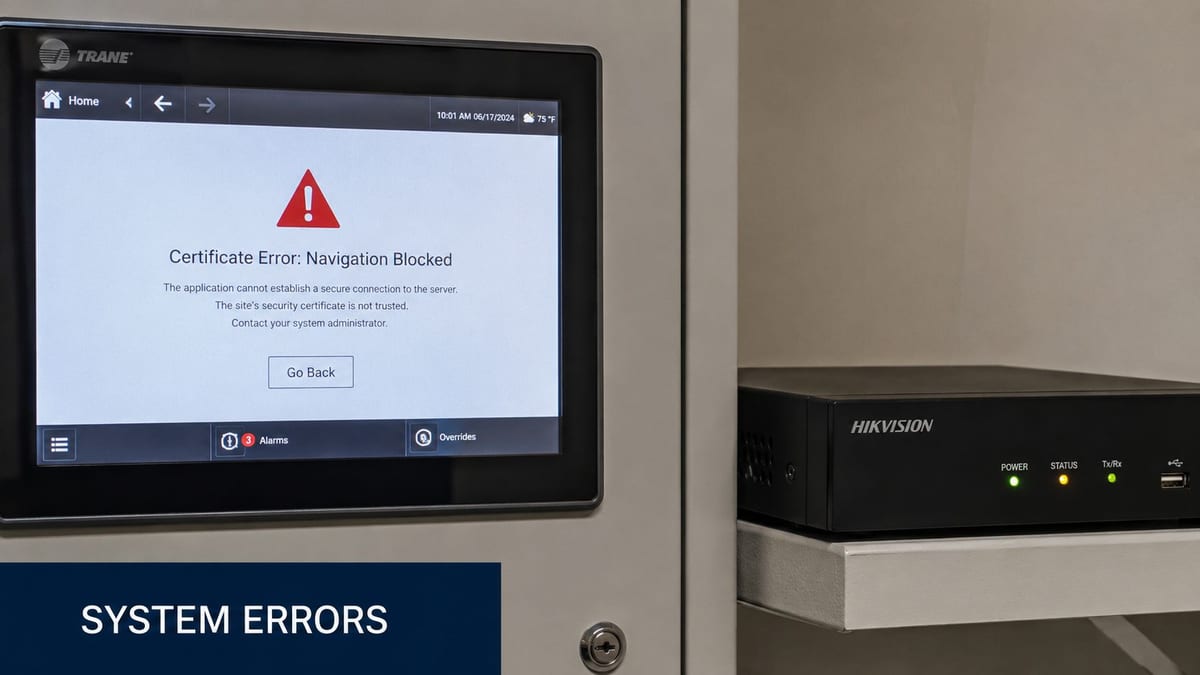
The racks are live. Structured cabling has been certified. The switch stack is up, CCTV is powered, the access control panel is online, and facilities want a quick demo before handover. Then the browser throws Certificate Error Navigation Blocked when you try to open the web interface on a brand new NVR, door controller, lift interface, or building management appliance.
At that point, the problem rarely feels like a browser issue. It feels like the whole fit-out is suddenly fragile. In practice, that instinct is often right. On live office projects, this warning usually points to a trust problem between the managed endpoint and the newly installed hardware, not a loose patch lead or a dead circuit.
That Navigation Blocked Feeling on a Brand New Install
The pattern is familiar on UK fit-outs. The electrical install is signed off, containment is finished, comms room labels match the drawings, and all the newly installed devices respond on the network. Then the first configuration session starts and one or more systems refuse to load because the browser blocks navigation on certificate grounds.

I see this most often with on-premise hardware that ships with a web UI. CCTV NVRs, access control heads, intercom controllers, smart PDUs, environmental monitors, and edge appliances all fall into that category. They're servers in small boxes, and they often arrive with default certificates that don't match how the device is being accessed on site.
That matters during a complex office move or new build because go-live isn't just about internet access. Teams need to commission systems in sequence. CCTV has to be reachable before handover. Access control has to be manageable before occupancy. Building automation has to expose its interface before facilities can validate behaviours. If the browser won't trust the session, the programme stalls.
What this feels like on the ground
The frustrating part is that the device often pings, the switch port is healthy, and the service itself is listening. You can prove the box is there. You just can't get through the trust gate to manage it.
A quick network sanity check still helps, especially if you need to confirm whether you're even browsing to the correct management interface. Identifying upstream network kit and addressing through a simple process is particularly helpful if temporary circuits and staging switches were used during the fit-out. If you need that baseline, this guide on finding the IP address of a router is a useful starting point.
Practical rule: If the device responds on the network but the browser blocks before login, treat it as a trust and identity problem first, not a cabling fault.
The teams that recover quickest are the ones that stop clicking around in different browsers and start checking certificate identity, trust chain, device naming, endpoint policy, and any inspection happening between the user and the appliance.
Why Certificate Errors Plague New Building Management Systems
A lot of modern building kit is marketed as physical infrastructure, but on the network it behaves like an embedded web server. That includes CCTV, access control panels, energy monitoring gateways, room booking controllers, and the parts of unmanned building management that rely on remote administration.
In practice, unmanned building management means the building can continue operating with minimal routine staff presence on site. Doors open according to policy, CCTV records and alerts, power is monitored, alarms report upstream, and support teams manage the estate remotely from trusted endpoints. The building isn't unmanaged. It's centrally controlled, instrumented, and designed so people don't need to stand beside every subsystem to keep it running.
Why these devices trigger browser trust problems
The underlying cause is usually straightforward. In the UK, the foundational technical cause behind a certificate error navigation blocked message is typically a failure in trust validation: the browser cannot confirm that the site's TLS/SSL certificate is valid, trusted, and matched to the domain. Microsoft's guidance on certificate errors and blocked site access makes clear that the issue arises when a website certificate is untrusted, expired, or otherwise invalid.
Newly installed building systems hit that condition for predictable reasons:
- Default self-signed certificates. Many appliances generate their own certificate at first boot. The browser has no reason to trust that issuer.
- Name mismatch. The installer accesses the box by short name or management address, but the certificate was generated for a different hostname.
- Bad timekeeping. If the device clock or the endpoint clock is wrong, a valid certificate can appear not yet valid or expired.
- Chain problems after renewal. Someone imports a replacement certificate, but not the intermediate material the endpoint needs to validate it.
- Inspection devices in the path. A proxy or security appliance re-signs traffic, and the endpoint doesn't trust that path.
Why many unmanned building projects fail here
Projects often fail at this stage because physical install and digital trust were designed separately. The electricians finish power. The security contractor mounts the hardware. The network team provides a VLAN and uplink. Nobody owns certificate identity end to end.
That's where trouble starts. The building may be technically live but operationally inaccessible. A fully autonomous site can't be run like that. If a remote engineer can't securely administer the panel, the unit is not truly ready for handover.
A practical commissioning conversation should include not only switching, PoE budget, and patching, but also naming, certificate issuance, trust distribution, and secure access method. If the device estate spans wired and wireless management paths, this overview of Ethernet and wireless design trade-offs is worth revisiting before you standardise how controllers and gateways are exposed.
New building systems don't usually fail because the browser is awkward. They fail because the device identity was never designed to fit the managed network it was installed into.
Designing for Trust by Integrating Access Power and Data
The cleanest fix for certificate error navigation blocked is to stop treating it as a last-day snag. It belongs in the design pack with the power schedules, access drawings, and switching plan.
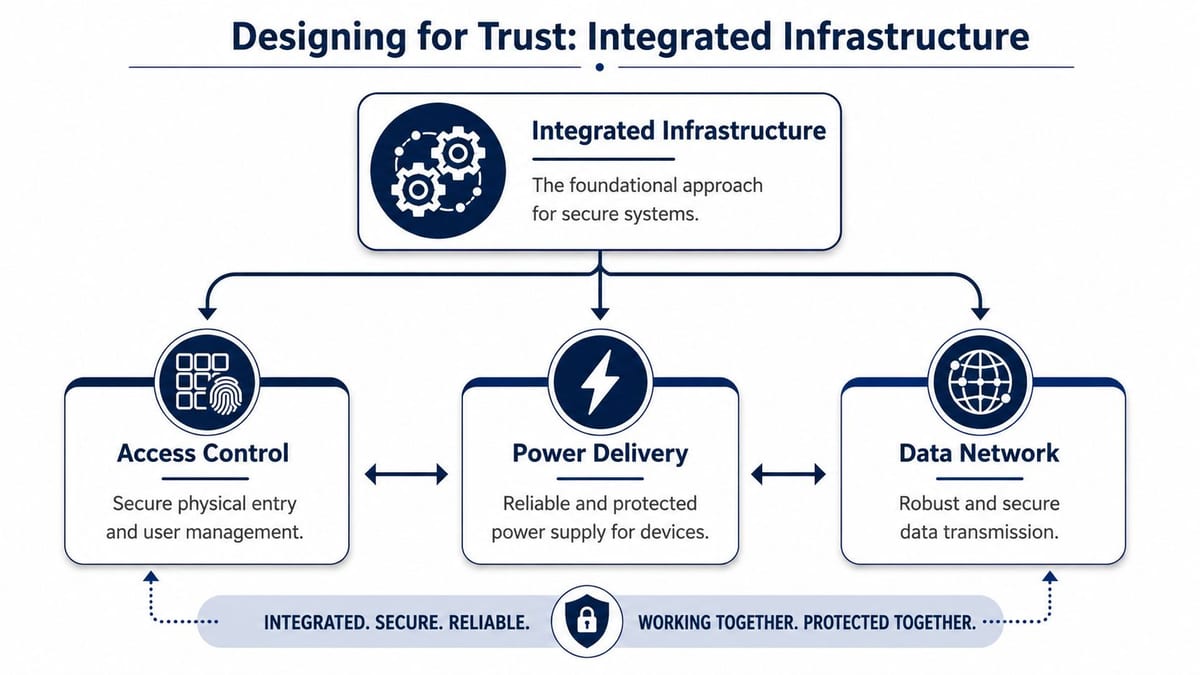
Access power and data have to be one design problem
When access, power, and data are designed by separate workstreams, small assumptions become expensive. A door controller gets mounted where power is convenient, not where structured cabling and secure management are cleanest. A CCTV recorder gets energised before the hostname, DNS entry, and trust model are agreed. A facilities platform is commissioned on a temporary laptop outside policy, then later moved to a managed estate where the certificate immediately breaks.
The better approach is integrated from the start:
| Design area | What needs planning | What goes wrong if it isn't planned |
|---|---|---|
| Access control | Device identity, remote management path, controller location | Admin sessions fail or rely on insecure workarounds |
| Power delivery | Clean power, PoE availability, reboot method, UPS coverage | Devices reset badly, clocks drift, controllers become unpredictable |
| Data network | VLANs, naming, switching, DHCP reservations, DNS, trust distribution | Certificates mismatch, management paths change, browser trust fails |
That joined-up design matters most on fully autonomous unmanned building units. If the goal is to run the space with minimal local intervention, every manageable endpoint needs a stable identity and a supportable trust model.
Why battery-less NFC proximity locks are often the right choice
Battery-less, NFC proximity locks are a good example of design discipline paying off. They're often chosen for practical reasons that have nothing to do with marketing language:
- No battery replacement cycle. Facilities teams don't want hundreds of door devices on a rolling battery schedule.
- Cleaner maintenance planning. There's less routine device servicing at the door itself.
- Useful in lightly staffed or unmanned spaces. If the site isn't occupied full-time, avoiding battery failures at the edge is a real operational advantage.
- Good fit for controlled, short-range credential use. NFC keeps the interaction deliberate and local.
But those locks still don't live in isolation. The management layer behind them depends on readers, controllers, policy engines, and secure administration. If the lock estate is elegant but the controller certificate is untrusted, the maintenance benefit is undermined by avoidable access headaches.
Where these systems are commonly used
You'll see this integrated model in places where remote administration and predictable operation matter more than flashy features:
- Multi-tenant offices with shared risers, controlled common areas, and separate tenant networks
- NHS estates and clinical back-office areas where centrally managed endpoints and internal applications are normal
- Serviced units and satellite offices where local technical staff aren't always present
- Warehouses and light industrial spaces where access, CCTV, and environmental monitoring need to be managed from elsewhere
- Plant rooms and comms rooms where only authorised staff should gain entry and audit matters
If a door, recorder, or controller is expected to be remotely managed for years, its certificate identity should be planned before the device is mounted, not after the handover date is set.
Why commercial electrical work belongs in the same conversation
This is also where commercial electrical installation and certification stops being a parallel stream and becomes part of system reliability. Clean power, labelled circuits, protected feeds, and proper certification affect whether managed hardware behaves consistently after energisation. Brownouts, poorly sequenced startup, and undocumented circuit dependencies can leave appliances with bad time, failed services, or partial reboots that complicate certificate diagnosis.
That's one reason the best fit-outs don't split electrical, security, and network decisions into separate silos. Trust depends on all three.
On-Site Triage Diagnosing Client Server and Network Faults
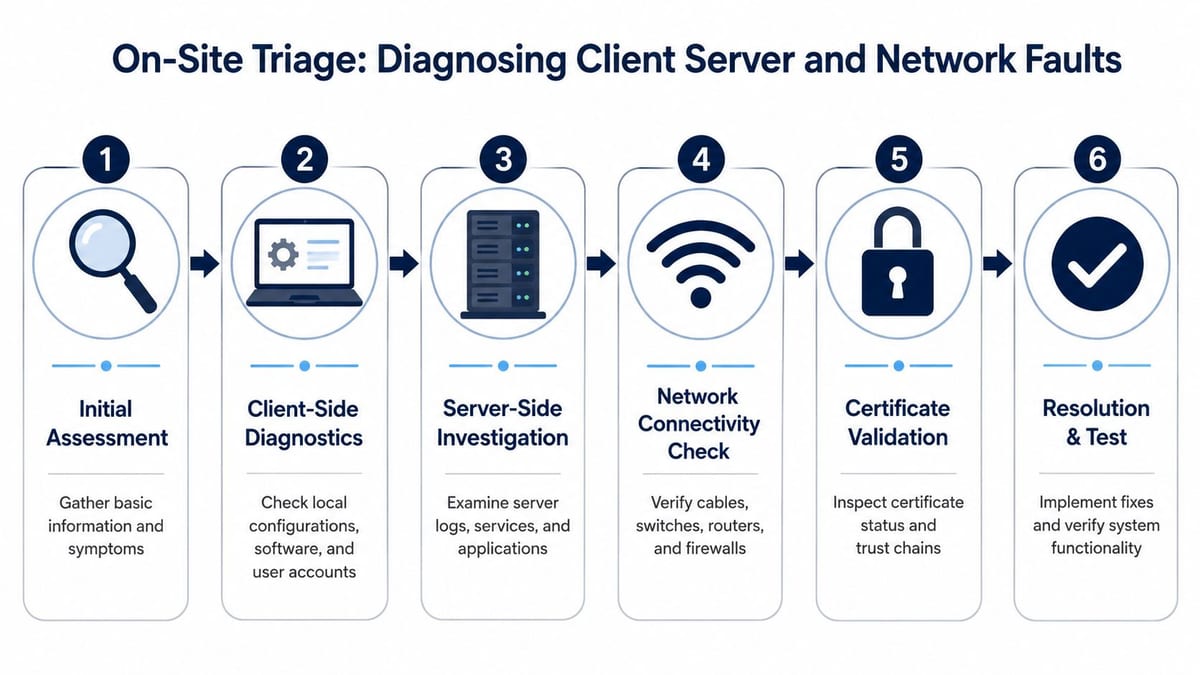
When this lands on a live site, don't chase random fixes. Work the problem in three lanes: client, server, then network. That order usually isolates the fault quickly enough to keep commissioning moving.
Start with the endpoint in front of you
On managed Windows endpoints, the browser is only part of the picture. The machine trust store, local clock, endpoint policy, and inspection software all influence what happens when you open the device UI.
Check these first:
- System time and date. If the laptop time is wrong, certificate validity checks become meaningless.
- User versus machine context. A certificate trusted for one profile or browser container may not be trusted system-wide.
- Local trust store. If the internal root or intermediate isn't present, the browser may reject the path even though the server is healthy.
- Browser behaviour. Compare one managed browser with another if your policy allows it. Don't do this to “fix” the issue. Do it to identify whether the trust decision is browser-specific or endpoint-wide.
- Security tooling on the client. Some endpoint tools insert inspection components or tighten certificate validation.
If you need to confirm that the service is even reachable before the browser blocks it, a simple transport check helps. This guide on how to ping a port is useful for separating “service not listening” from “service reachable but untrusted”.
Then inspect what the device is actually presenting
Once reachability is confirmed, look at the certificate details in the browser or with your usual admin tools. The useful questions are basic and precise.
| What to inspect | What you're looking for | Why it matters |
|---|---|---|
| Issuer | Self-signed, internal CA, public CA | Tells you whether trust should already exist on the endpoint |
| Validity window | Not yet valid, expired, unexpectedly short | Flags time drift or bad renewal handling |
| Subject and SAN entries | Hostname the cert was issued for | Exposes mismatch when the device is accessed another way |
| Full chain | Missing intermediate or broken path | Explains why an apparently valid cert still fails |
| Device time | Correct local date and timezone | Embedded kit often drifts after power events |
Many hours are often wasted. Engineers assume the visible warning is the actual problem. It isn't. The actual problem is usually one layer lower. The certificate was issued for the wrong name, renewed incompletely, or generated by a CA the endpoint doesn't trust.
Field note: If the certificate says one thing and the way you're reaching the device says another, the browser will usually side with the certificate and block you.
Finally check what the network is doing to the session
On office projects, there's often more in the path than a patch lead and a switch. Corporate proxies, SSL inspection, captive onboarding segments, NAC policies, and security appliances can all alter the trust path.
Look for these patterns:
- Works on an isolated commissioning network, fails on the corporate LAN. That points toward inspection, policy, or trust distribution.
- Works from one support laptop but not another. That often means endpoint trust store differences or MDM policy timing.
- Fails only after a device certificate renewal. That suggests chain handling or stale trust assumptions.
- Fails only through a published URL or management jump point. Reverse proxy or load-balancing policy may be involved.
The modern gap in troubleshooting guidance is that a lot of public content is still browser-centric and dated. Enterprise teams now deal with managed-device trust, internal CA migrations, and proxy inspection in ways older guidance doesn't really address. On live fit-outs, that means you have to think like both a network engineer and a systems engineer.
What works and what wastes time
Useful triage is disciplined. It narrows variables.
What works
- Testing from a known-good managed endpoint with current policy
- Comparing direct access and normal user path to identify interference
- Checking certificate fields before changing network config
- Reviewing device time after first power-on and after reboots
What wastes time
- Trying five browsers in a row without checking trust details
- Blaming cabling first when transport is already proven
- Reissuing certificates blindly before confirming the device name and chain
- Bypassing the warning on an admin workstation and calling it resolved
A good triage process doesn't just get you into the box. It tells you whether the build is supportable once the site is handed over.
From Bypass to Best Practice Fixing and Preventing Certificate Issues
Teams under handover pressure are tempted to click through the warning, finish the config, and promise to tidy it up later. That's understandable. It's also how fragile estates get left behind.
Bypassing the warning can be a short-lived diagnostic move on a controlled commissioning path, but it is not a fix. It leaves the underlying trust problem in place and teaches support staff the wrong lesson. On a building system, that's especially risky because the interfaces you're bypassing often control physical access, surveillance, or environmental functions.
The proper fix on embedded building hardware
The best remediation depends on what the device supports, but the goal is consistent. Replace the default or unsuitable certificate with one issued by a CA your managed estate already trusts, or can be made to trust cleanly.
That usually means:
- Generate a CSR on the appliance if the vendor supports it.
- Issue a certificate for the correct management name that support staff will use.
- Import the full certificate material in the format the device expects.
- Confirm the full path validates from a standard managed endpoint.
- Retire the old certificate and document the renewal method.
Some devices make this easy. Others make it painfully vendor-specific. CCTV recorders, access controllers, and smaller gateways often have awkward import routines or limited certificate handling. That's exactly why “just renew it later” tends not to happen.
Why long-term prevention is mostly an estate problem
A lot of the content people still find on this topic is outdated and browser-centric, focused on older Internet Explorer-era behaviour and generic causes like self-signed or expired certificates. The more useful modern lesson is that UK organisations with centrally managed devices and secure internal applications lose time when teams focus on user-facing advice instead of certificate chains, root distribution, and device policy across the estate, as reflected in this older but still relevant discussion of internal secure website certificate errors.
In a current enterprise environment, prevention usually comes down to four decisions:
| Prevention area | Good practice | Weak practice |
|---|---|---|
| Certificate authority | Use a trusted internal or appropriate public CA | Leave devices on factory self-signed certs |
| Trust distribution | Push root trust through GPO or MDM | Manually trust exceptions per laptop |
| Naming standard | Decide the management names before install | Access devices by whatever label is handy on site |
| Renewal ownership | Assign responsibility and process | Assume the installer will remember later |
Building out fully autonomous unmanned units properly
If you're building out fully autonomous unmanned building units, certificate management needs to sit alongside physical design and operational ownership. The building may be low-touch, but the support model cannot be ad hoc.
That means:
- Controllers and gateways need stable identities that survive contractor handover.
- Remote support paths need trust by default, not exception handling.
- Maintenance windows need certificate renewal procedures, not just firmware plans.
- Spare or replacement hardware needs onboarding standards so a failed unit doesn't reintroduce factory trust problems.
For estates that also bridge cloud services and remote management, it helps to think beyond the local appliance. Issues around trust, inspection, and policy often overlap with wider security design. A useful companion read is CloudCops' expertise in cloud security, especially when your building systems report into external platforms or hybrid management stacks.
The strongest certificate fix is the one nobody notices later, because every managed device already trusts the right issuer and every appliance presents the right identity.
Maintenance and operations after handover
Many projects degrade unnoticed in scenarios like these. The site works on day one, then certs age, replacement devices arrive, and support teams lose the original install knowledge.
Build these into operations:
- Renewal diary and ownership. Someone needs to own certificate lifecycle for building systems.
- As-built records. Record issuer, intended hostname, import method, and dependencies.
- Standard rebuild method. If an NVR or controller is swapped, the replacement should follow a known trust workflow.
- Post-change testing. Firmware updates, proxy changes, and MDM policy shifts can all affect trust.
If those controls are missing, the next browser warning won't be a surprise. It will be the expected result of a system that was commissioned, but never operationally finished.
Ensuring Your Next IT Fit-Out Is Seamless and Secure
A certificate error navigation blocked warning on a new installation usually means the project reached commissioning before trust design caught up. The device has power. The network path exists. But the management model isn't complete.
That's why these faults show up so often around CCTV, access control, and unmanned building platforms. They sit at the intersection of physical install, secure networking, and operational policy. If those disciplines don't meet early, the browser becomes the first place the mistake is visible.
The better outcome is straightforward. Design access, power, and data together. Treat every manageable building device as a server with a certificate identity. Build commercial electrical installation and certification into the same delivery conversation as naming, switching, trust distribution, and remote support. Then test from the same kind of managed endpoint your teams will use after handover.
That approach produces buildings that are supportable. Not just energised. Not just connected. Supportable.
If you're planning an office move, a fit-out, or an upgrade to CCTV and autonomous building systems, choose a delivery partner that understands both sides of the handover. Physical infrastructure has to be installed cleanly, but it also has to be reachable, trusted, and maintainable from day one.
If you're planning a new office fit-out, relocation, CCTV deployment, or a secure unmanned building rollout, Constructive-IT can help you deliver the full stack properly, from cabling, Wi-Fi, switching, and server room build through to electrical works, certification, commissioning support, and the secure network design that keeps new systems usable after go-live.