
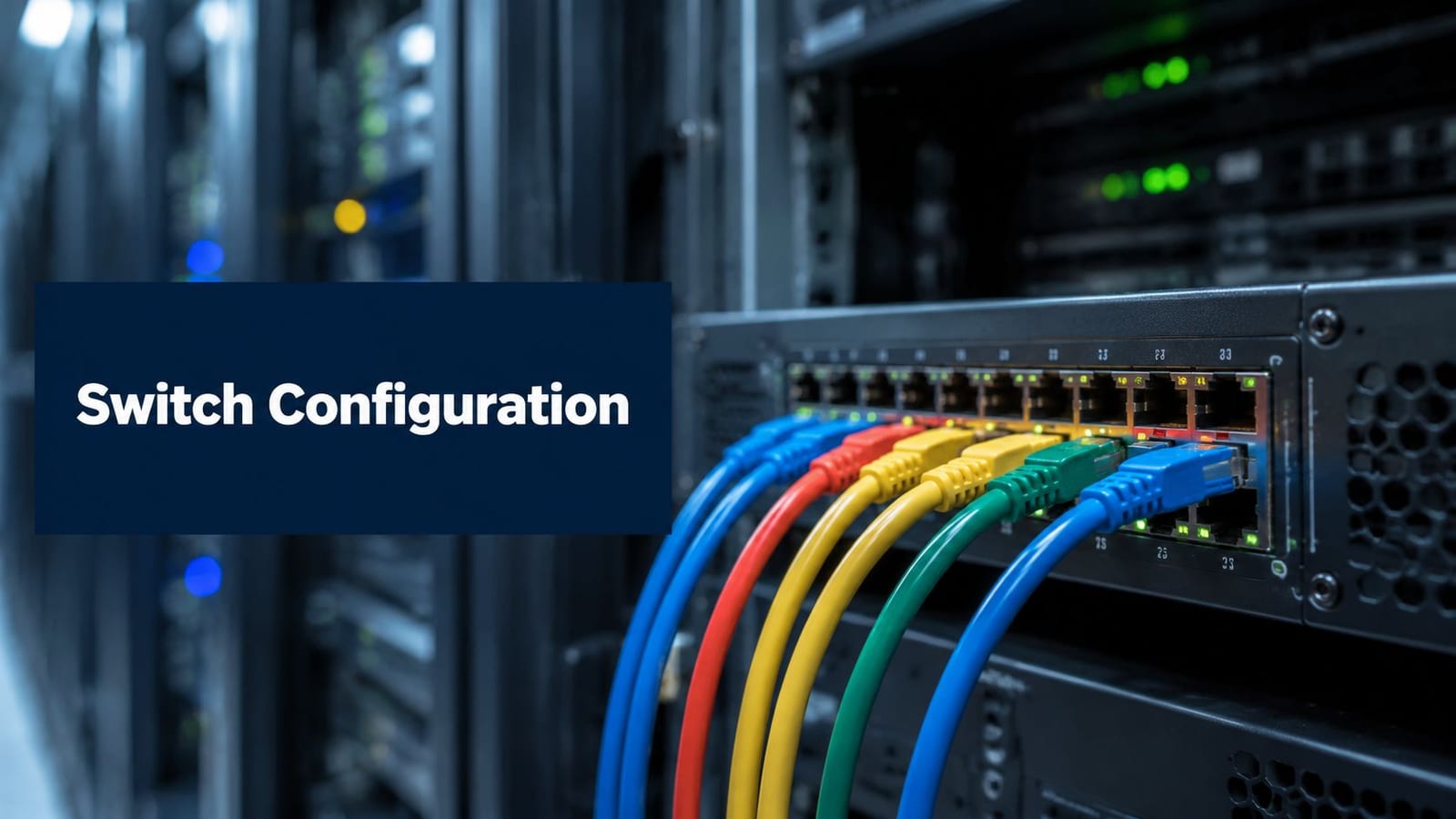
If you're planning a new unit, office relocation, managed workspace, gatehouse, plant room, storage compound, or satellite facility that won't have permanent staff on site, you're probably already seeing the problem. Every supplier says their part is simple. The lock vendor talks about credentials. The electrical contractor talks about feeds and certification. The IT team talks about switches, VLANs, Wi-Fi, and remote monitoring. Then go-live arrives, and the building only works when three separate people intervene.
That's why network switch configuration matters far more in unmanned buildings than many teams expect. In a conventional occupied office, someone can usually spot a failed door, reboot a panel, or call reception when something stops working. In an autonomous site, the network is part of the building's operating model. If switches, power paths, access devices, CCTV, and management platforms aren't designed together, the building isn't really autonomous at all. It's just unattended.
The Reality of Unmanned Building Management
An unmanned building isn't a futuristic concept. It's a commercial space that people use, visit, service, and secure without relying on permanent on-site staff to keep daily operations moving.
In practice, that usually means a mix of systems working together:
- Access control for doors, gates, risers, and restricted rooms
- CCTV and alarms for security, verification, and response
- Lighting and HVAC controls to manage occupation, schedules, and energy use
- Remote monitoring for faults, health checks, and event alerts
- A resilient data network to connect all of it
The important detail is that “unmanned” doesn't mean “empty”. People still arrive. Deliveries still happen. Contractors still need controlled access. Engineers still need to isolate faults. Staff still expect the building to function when they present a credential, open a cabinet, connect a laptop, or check a camera feed.
What that means on the ground
A workable unmanned site has to answer ordinary operational questions without human improvisation.
| Building function | What has to happen | What can go wrong if it is missed |
|---|---|---|
| Entry to the site | User identity must be recognised and access granted or denied correctly | Legitimate users get locked out, or unauthorised users get in |
| Door release | Lock hardware must have the right local or central power design | Doors fail secure or fail operationally |
| Event logging | Access and security events must be recorded and available remotely | Incidents can't be verified quickly |
| Device connectivity | Readers, cameras, controllers, and uplinks must stay online | Monitoring becomes partial or blind |
| Fault response | Teams need alerts, remote access, and escalation paths | Minor faults become service outages |
Why the network sits in the middle
Network switch configuration stops being a back-room IT task and becomes a building delivery issue. Readers, controllers, cameras, wireless bridges, intercoms, and monitoring appliances all depend on switching behaviour, segmentation, uplink resilience, and secure management.
That dependency is easy to see in UK healthcare. NHS England's national network moved to the Health and Social Care Network framework in 2017, replacing N3 and connecting more than 700 geographically dispersed NHS organisations, which made managed switching, segmentation, and resilient routing essential for secure access to shared clinical systems, according to this history of the NHS national network transition. That same principle applies in smaller commercial estates. Once multiple sites, shared services, controlled access, and central oversight are involved, switch planning becomes part of service continuity.
Unmanned buildings don't remove operations. They formalise them into systems, policies, and dependencies that have to work without someone standing beside the door.
Why So Many Unmanned Building Projects Fail
Most failures don't start with a dramatic technology problem. They start with a planning problem that gets disguised as a commissioning issue.
A project team chooses locks before confirming power strategy. CCTV gets designed after containment is fixed. The electrical installer allows for local feeds, while IT assumes PoE. The access provider expects stable wired connectivity, but the site team tries to bridge key devices over patchy wireless links. By the time anyone compares assumptions, the building is already expensive to change.
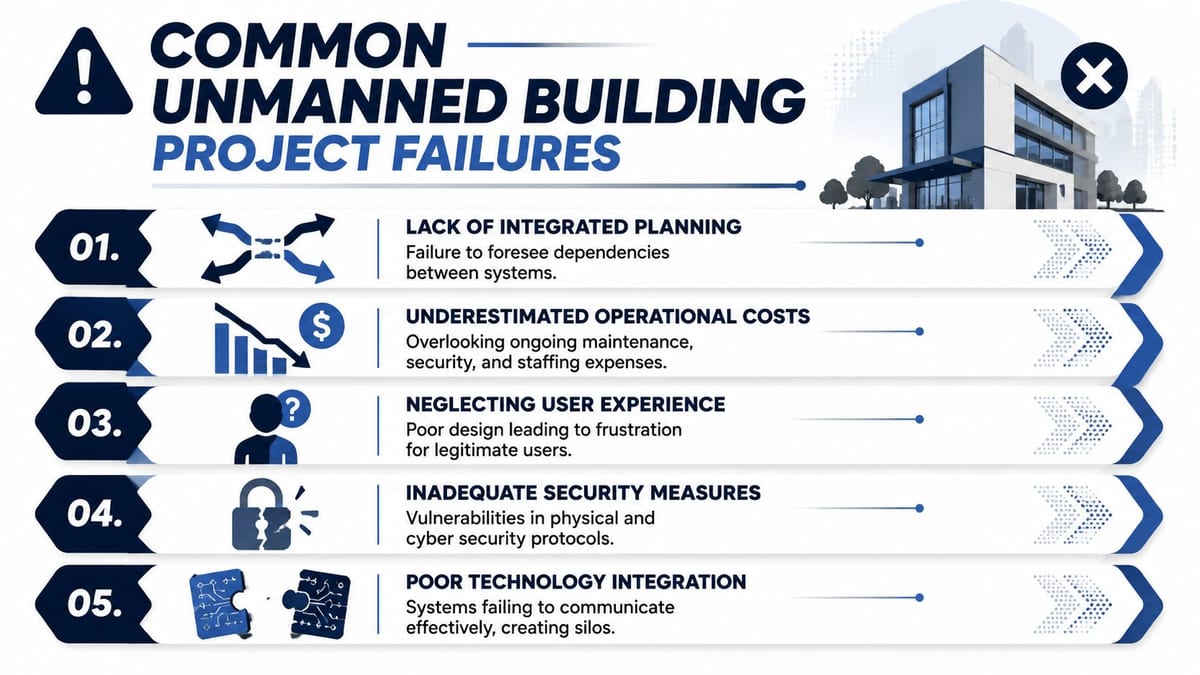
Critical oversight: Teams design access, power, and data in isolation, then act surprised when the finished building behaves like three separate projects.
The common failure pattern
I see the same sequence repeatedly in fit-outs, relocations, and autonomous unit projects.
Technology gets picked before the operating model
Teams ask which lock, which camera, which controller, or which managed switch. They should first ask who needs access, who approves it, what happens during outages, how deliveries are handled, and what must keep running during partial failure.
Power gets treated as a separate work package
That's a mistake. Electronic doors, intercoms, network cabinets, edge devices, CCTV, and local control equipment all have different tolerance for outage, restart behaviour, and maintenance access.
Network design is reduced to “we have a connection”
A live internet circuit doesn't mean the building is ready. VLAN design, port roles, uplink resilience, switch management access, logging, and remote troubleshooting all affect whether the site is supportable.
Where switch mistakes become building problems
A lot of “building faults” are network faults that present with physical symptoms. General switch troubleshooting guidance notes that poor performance can come from mismatched speed and duplex settings, incorrect VLAN placement, Spanning Tree blocking, and security controls, all of which can look like cabling or hardware trouble to the site team, as outlined in this network switch troubleshooting guide.
That matters because unmanned buildings are highly sensitive to ambiguous faults. If a reader drops offline, users blame the door. If a camera feed freezes, security blames the recorder. If a gate controller stops responding after a network change, the first assumption is often hardware. Meanwhile the actual issue may be on a trunk port, an access VLAN, or a blocked path.
The non-technical reasons projects unravel
The technical errors are real, but the management errors usually come first.
- Ownership is unclear. Nobody owns the full service from door credential to switch port to remote alert.
- Commissioning is fragmented. Each contractor proves their own component, but nobody proves the complete workflow.
- Maintenance is ignored. Teams budget for installation, not for firmware, access audits, battery replacement rounds, camera cleaning, patching, and live support.
- User experience is an afterthought. If legitimate users can't enter cleanly, they bypass process. That creates security drift fast.
- Too many platforms get introduced. Facilities, IT, and security end up juggling multiple portals and event views instead of one operational picture.
A building becomes reliable when the project team treats it as one operating system. If they don't, failure is only delayed, not prevented.
Designing for Autonomy by Integrating Access Power and Data
The strongest unmanned projects start with one principle. Access, power, and data are one design problem.
That sounds obvious, but many organizations still split them into separate procurement and delivery tracks. Then they spend the end of the programme reconciling contradictions that were built in from the start.
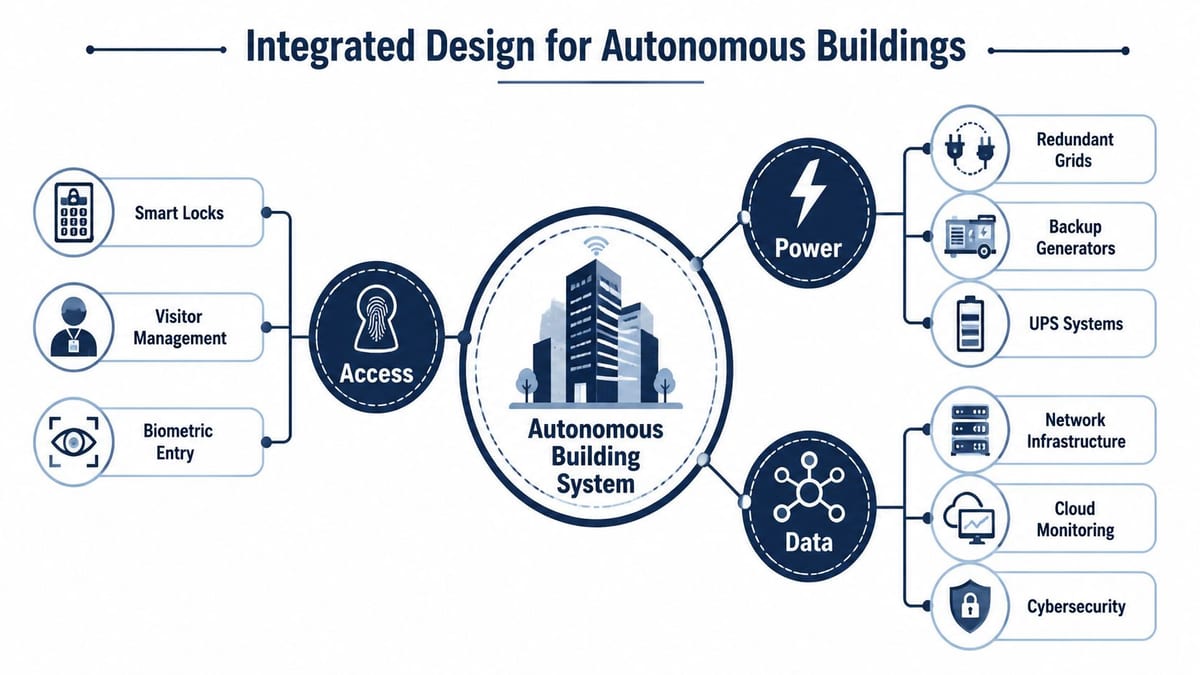
Start with the door, not the switch
Take a single secure door. The access decision seems simple. Reader, credential, lock, open, log event. But one hardware choice creates a chain of consequences.
If you choose a hardwired lock, you need containment, power allocation, fail-state logic, and maintainable cable routes. If you choose a PoE-connected device, the switching estate has to support the power draw and port planning. If you choose a wireless edge device, signal quality and recovery behaviour become part of the risk profile.
That's why the conversation has to include facilities, IT, security, and commercial electrical installation from day one. If the lock depends on the network, then network switch configuration becomes part of physical access design, not an afterthought.
A helpful starting point is understanding how Power over Ethernet works in building systems, because it affects cabinet design, switch selection, thermal load, and service recovery.
Capacity planning is where many designs get honest
Most switch guides spend too much time on commands and too little time on deployment layout. Real projects need planning for MDFs, IDFs, uplinks, powered edge devices, and headroom for changes.
One practical vendor rule is to plan for only 75% of ports for powered devices, leaving the rest for uplinks, unpowered endpoints, and spare capacity, based on EnGenius guidance on managed switch best practice. That's a useful discipline for unmanned buildings because later changes aren't optional. A new camera, new intercom, or relocated reader often arrives after practical completion, not before it.
Network configuration that supports real operations
For managed switches, the setup process itself still matters. A solid baseline includes establishing a secure serial console connection, often with PuTTY at 9600 baud, before enabling SSH with a minimum key modulus of 2048 bits. The same verified guidance recommends disabling Telnet, enforcing SSH-only access, and restricting management access with ACLs.
The operational reason is straightforward. In an unmanned project, you need recoverable devices and secure remote administration. You can't depend on ad hoc local access.
Several verified UK deployment figures reinforce the point:
- 78% of enterprise network failures during office relocations stem from misconfigured duplex or speed settings on trunk ports in UK environments.
- Switches left without VLAN segmentation and still defaulting to VLAN 1 suffer a 65% higher success rate for unauthorised lateral movement than segmented alternatives, according to benchmarks cited from the UK's NCSC in the verified data.
- 92% of successful fit-outs include regular backup of startup configurations to TFTP or FTP servers, with a 98% data recovery rate during go-live phases.
- Failure to comment configuration lines leads to a 40% increase in configuration drift during post-deployment support.
What integrated design looks like in delivery
A better design workshop usually resolves these points before installation starts:
- Door hardware choice: Decide the lock type, fail mode, credential method, and controller location.
- Power path: Confirm whether each device is fed locally, centrally, or through PoE, then validate electrical loading and protection.
- Data path: Define the cabinet, patching route, uplink, VLAN placement, and monitoring method for every critical endpoint.
- Remote support model: Decide who can reach what, by which method, and under which approval process.
- Certification and handover: Make commercial electrical installation and certification part of the final operational sign-off, not a parallel document set.
A switch port in an unmanned building isn't just a network port. It may be the thing standing between a user and a locked door, a black screen, or a silent alarm.
Smarter Access Control with Battery-less NFC Locks
Battery-powered locks look attractive early in a project. They seem easier to fit, lighter on containment, and quicker to deploy in awkward areas. On paper, that can look like a sensible shortcut.
In live operation, they often become a maintenance burden.
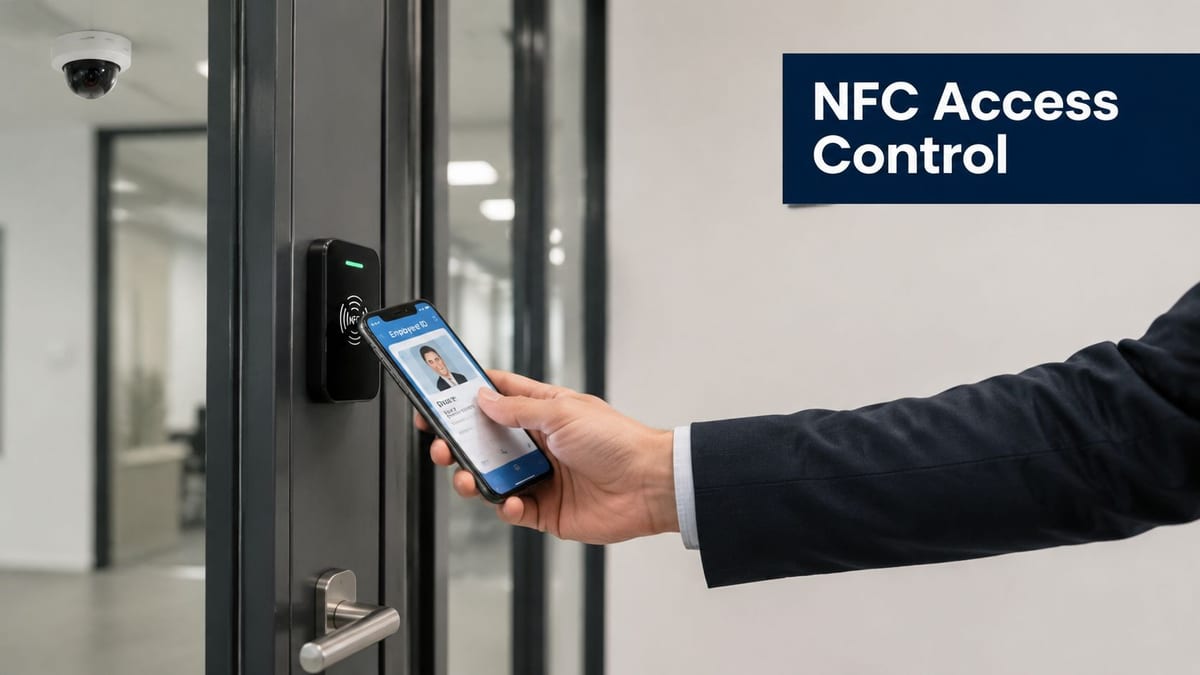
The maintenance mortgage nobody budgets properly
Every battery-powered lock introduces a recurring task. Someone has to track battery condition, schedule replacement, verify performance, and deal with the awkward reality that battery life rarely aligns neatly across an estate.
That's manageable on a handful of internal doors. It's far less attractive across multiple units, compounds, risers, comms cupboards, service entrances, and restricted rooms where access windows are controlled and failures create delay.
Battery-less NFC proximity locks solve a different problem than many buyers first assume. The benefit isn't just the credential method. The key value is reducing dependence on battery replacement cycles at the edge.
Why battery-less NFC makes operational sense
Battery-less NFC locks suit unmanned environments because they simplify support.
- Less routine maintenance: There's no estate-wide battery replacement programme for the lock hardware itself.
- Fewer hidden failure points: You remove one of the most common causes of gradual degradation in distributed access systems.
- Cleaner support model: Facilities, security, and IT don't need to coordinate around battery status exceptions.
- Better fit for controlled access points: Doors that protect comms rooms, plant areas, cabinets, or autonomous units benefit from predictable operation.
That doesn't mean battery-less NFC is right for every opening. Some retrofits, heritage constraints, or low-use areas may still justify another approach. But for serious commercial deployments, especially where a site is expected to run with minimal intervention, it's often the more disciplined choice.
The trade-off that matters
The comparison isn't installation convenience versus sophistication. It's upfront convenience versus long-term operability.
A battery-based decision can look cheaper during procurement because it avoids some wiring complexity. But that same decision can increase the support burden for years. Every future battery check is labour. Every missed battery issue becomes a door incident. Every emergency attendance erodes the value of the original shortcut.
By contrast, battery-less NFC locks fit the logic of autonomous buildings. They support a design where access control is treated as infrastructure rather than gadgetry.
Reliable access control should behave like part of the building fabric. If a door depends on repeated manual babysitting, the building isn't really autonomous.
Where this choice is commonly justified
Battery-less NFC proximity locks are often a strong fit in places such as:
- Managed office suites where tenants need controlled shared access without a staffed reception
- Utility or plant enclosures where access is occasional but security matters
- Remote compounds and storage units where maintenance visits are expensive
- Server rooms and comms spaces where controlled entry should be dependable and auditable
- Multi-unit commercial sites where support teams need standardised access methods
This is also where network switch configuration intersects with access in a practical way. If the wider site uses integrated monitoring, remote alerts, and controlled segmentation for security systems, the access choice should support that operational model instead of fighting it.
Building Out Autonomous Units with CCTV and Monitoring
An autonomous unit doesn't stay successful because the install went well. It stays successful because the operator can see what's happening, verify it quickly, and act without guesswork.
CCTV is central to that. Not only for post-incident review, but for live operational confidence. If a user reports a failed entry, a door held open, a delivery issue, or suspicious activity, cameras give the support team context that logs alone often don't.
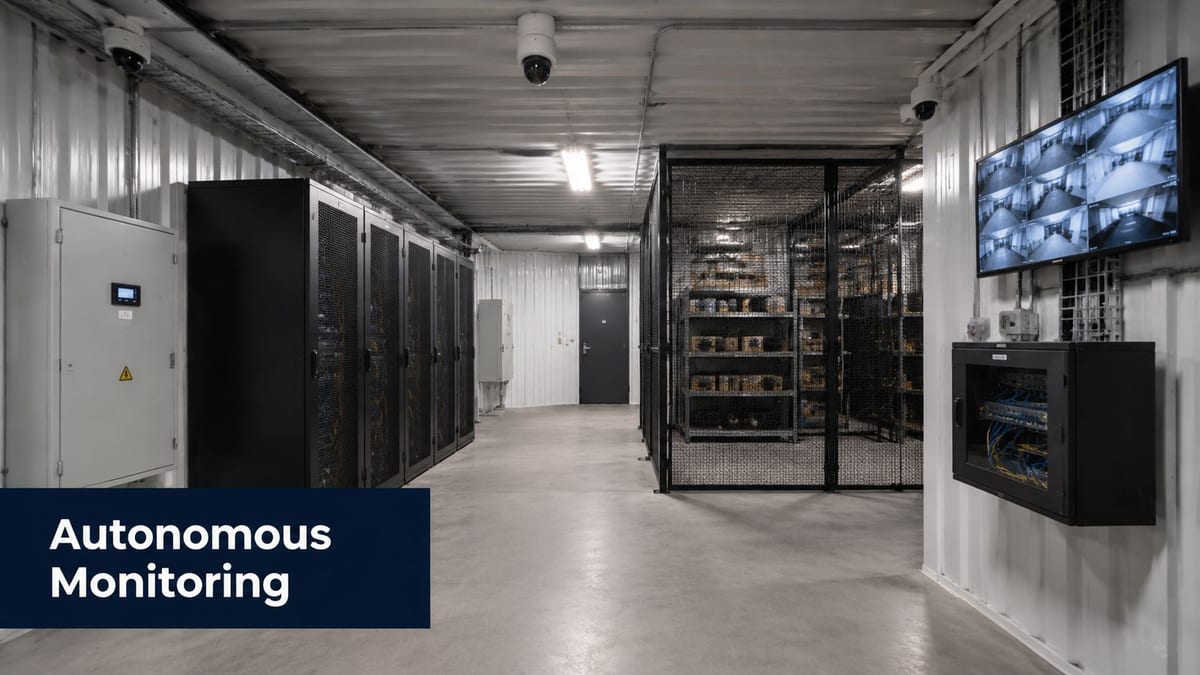
Monitoring has to extend beyond security footage
Well-run autonomous units combine several data streams in one operating picture:
- Access events such as granted, denied, forced, or timed access
- Camera status so teams know whether coverage is live and recording
- Switch and uplink health to catch edge failures before users report them
- Power alarms for cabinets, UPS units, and critical feeds
- Environmental signals where temperature, enclosure state, or equipment room conditions matter
If you're assessing surveillance design in more detail, this guide to commercial CCTV system installation is a useful operational reference point.
The switch layer still drives supportability
A surprising amount of Day 2 success comes down to basic switch discipline rather than headline technology. Verified UK deployment data highlights several practices that consistently separate stable projects from fragile ones:
- 83% of new office fit-outs experienced at least one rogue DHCP server incident when DHCP guarding was not enabled, with average downtime of 4.2 hours per incident, according to the verified 2024 UK BCS study data provided.
- Switches configured with DHCP guarding and port security achieved a 96% success rate in preventing unauthorised access during NHS hospital relocation projects.
- SNMP v2c or higher has a 99% adoption rate in large-scale enterprise deployments, while v1 is deprecated because of clear-text credentials.
- Static duplex or speed settings on auto-negotiating ports cause a 55% failure rate in high-traffic server room expansions.
- 88% of successful projects include a syslog server configured to log all switch events for real-time anomaly detection.
- Projects with fully documented, commented configurations and firmware updates every 6 months achieve a 94% functional reliability score over a 25-year warranty period, compared with 72% for non-compliant setups.
Those figures matter because CCTV, access control, and remote management all become difficult to support when the network edge is inconsistent.
A practical operating model
A fully autonomous unmanned building unit needs more than installed hardware. It needs a routine.
Define remote triage
Decide who checks alerts first, what they can verify remotely, and when an attendance is required.
Set maintenance windows
Firmware, switch backups, camera checks, controller updates, and certificate reviews should happen on a planned rhythm, not as reactive work.
Document physical dependencies
Label cabinets, patching, power feeds, local isolators, and controlled doors so remote teams can direct engineers accurately.
Before launch, it also helps to align stakeholders with a common visual baseline. This short overview is useful for that conversation:
What teams often miss after handover
The hidden challenge is usually operational ownership.
Facilities may own the doors. IT may own the switches. Security may own CCTV. Estates may own electrical certification. None of that helps if a single incident needs all four disciplines within the same hour.
The better model is a simple service matrix that says:
| Event | First responder | Evidence source | Escalation path |
|---|---|---|---|
| User can't enter | Service desk or security control | Access log plus CCTV | Facilities and access integrator |
| Camera offline | IT or security operations | VMS alert plus switch status | Network and field engineer |
| Cabinet power issue | Facilities or electrical contractor | UPS or power alarm | Certified electrical support |
| Repeated endpoint dropouts | Network team | Syslog, SNMP, port logs | Switch and cabling investigation |
That's how autonomous units stay autonomous. Not because faults never happen, but because the response path is already designed.
From Plan to Reality A Checklist for Your Project
Successful unmanned building delivery is less about buying advanced components and more about forcing the right decisions early.
Use this as a working checklist:
- Define the operating model first: Who enters, who approves, who responds, and what must continue during partial outage.
- Run a joint design workshop: Put access, IT, security, and electrical teams in the same room before hardware is specified.
- Map every critical endpoint: Doors, cameras, readers, cabinets, intercoms, and monitoring devices should each have a power path and data path.
- Treat network switch configuration as infrastructure: Secure management access, segmentation, logging, backups, and recovery planning should be part of the base build.
- Check capacity thoroughly: Cabinet space, switch port headroom, power budget, uplinks, and future adds all need allowance.
- Plan maintenance before handover: Firmware, CCTV cleaning, access reviews, alert routing, and support responsibilities should already be documented.
- Insist on certification and documentation: Commercial electrical installation and certification, as-built drawings, labelled patching, and commented switch configurations save time later.
- Choose technology that reduces operational drag: The right lock, camera, and switch decisions are the ones your team can support consistently, not just install quickly.
If you're reviewing platforms, it also helps to understand what a managed network switch actually adds in live environments, because autonomy depends on visibility and control, not just connectivity.
An unmanned building can work very well. But it only works reliably when access, power, and data are treated as one system from the beginning.
If you're planning a fit-out, relocation, autonomous unit, CCTV deployment, or a wider access and network upgrade, Constructive-IT can help you de-risk the design before small assumptions become expensive problems on site.