
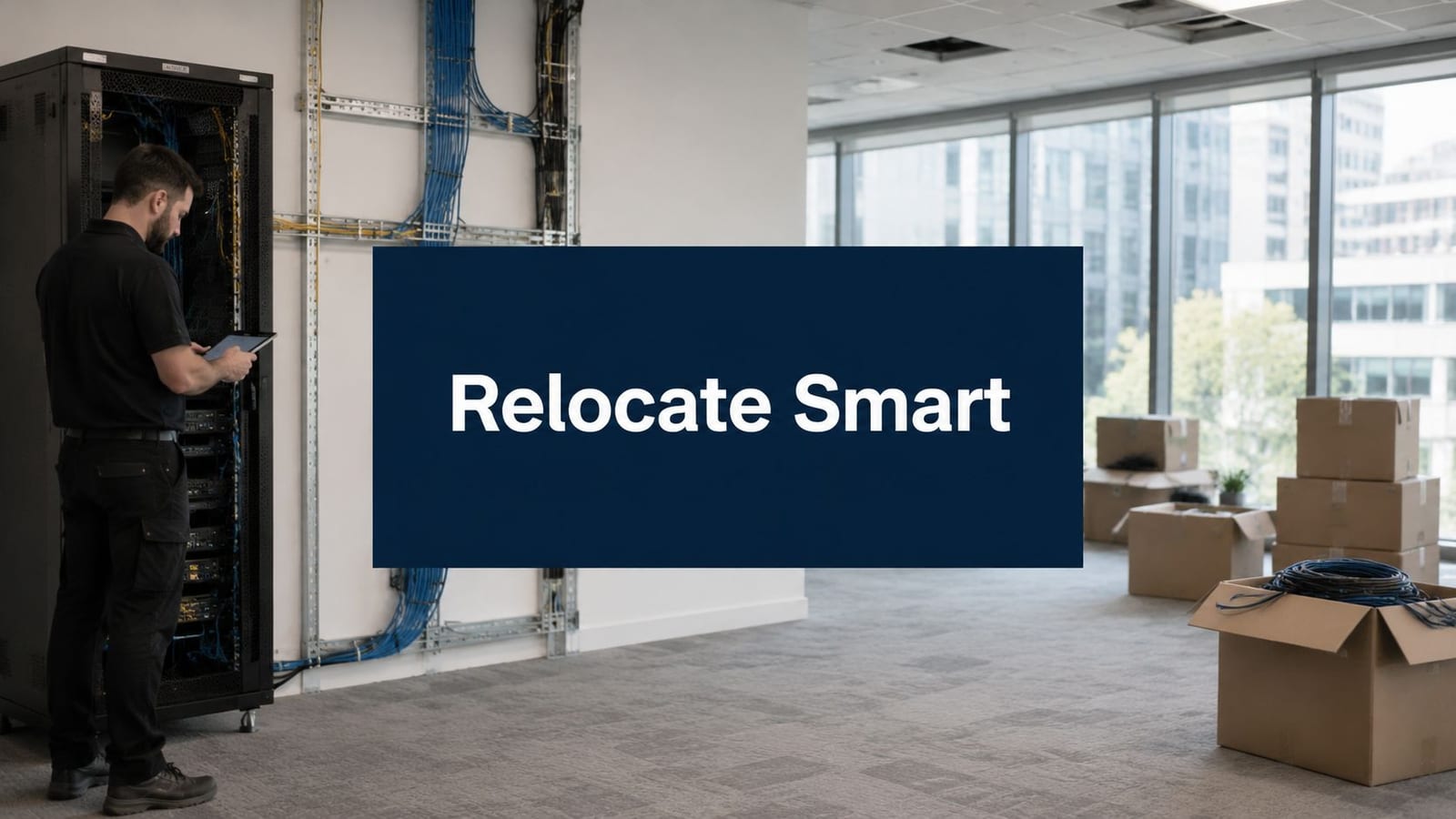
Most office relocation budgets look sensible until the technical work starts. The spreadsheet has removals, furniture, decorating, maybe a contingency. Then someone asks where the comms cabinet is going, whether the meeting rooms need new AV, who is certifying the electrical alterations, how the CCTV will be segmented, and what happens if the phones and Wi-Fi aren't ready on day one.
That's the point where an office move stops being a facilities exercise and becomes an infrastructure project.
If you're the IT Director or the person who gets called when anything with a cable fails, you already know the risk isn't the van. It's the period between “we have keys” and “the business can operate”. In the UK, that risk sits against a more expensive occupancy backdrop too. The Office for National Statistics reported that average weekly private office rents in Great Britain increased by 5.2% in the year to September 2024 (Dancker budget guide reference). That makes wasted days, dual-running sites, and rushed rework even harder to absorb.
A well-run relocation protects continuity. A poorly-run one creates months of avoidable cost after the move date.
The True Cost of an Office Move Is Rarely the Move Itself
The familiar version of an office move goes like this. The lease is agreed, the floorplan looks good, the move company is booked, and the board wants a number. On paper, the relocation looks manageable because the visible items are easy to price. Vans, crates, labour, furniture, decorators.
The hidden budget sits elsewhere. It sits in getting the new site live without breaking day-to-day operations. That means structured cabling, switching, Wi-Fi coverage, access control, CCTV, telecoms, testing, electrical alterations, rack installation, patching, cutover planning, and on-site support when users arrive.
When those items are under-scoped, the cost doesn't disappear. It reappears as downtime, temporary fixes, overtime labour, duplicate circuits, rushed hardware orders, and frustrated staff who can't work properly for the first week.
Practical rule: If the move plan spends more time on desks than on data, power and access, the budget is probably wrong.
There's also a common sequencing mistake. Teams treat infrastructure as a late-stage task because they assume the building is “mostly ready”. In practice, the new office only becomes usable when the core systems are commissioned in the right order. You can't hand over a boardroom because the table arrived. You hand it over when power is live, network ports are tested, screens work, wireless is stable, and the access system lets the right people in.
That's why office relocation costs are best understood as the cost of making a space operational, not just the cost of moving assets between addresses.
Deconstructing Your Office Relocation Costs
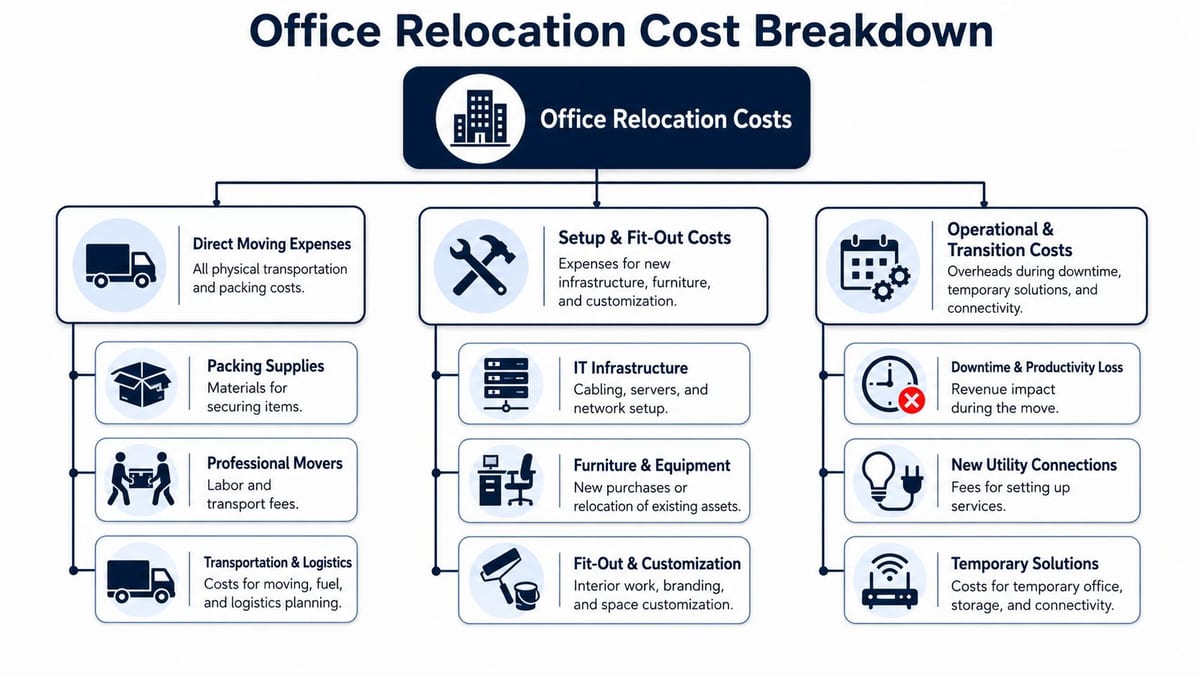
Most budgets improve as soon as you separate small visible costs from large operational ones. The cleanest way to do that is to split the project into three layers. The physical move, the fit-out, and the technology stack.
The physical move
This is often the first part that comes to mind. It includes removers, packing, crate hire, disconnection and reconnection of basic workstation equipment, and disposal of redundant furniture or legacy kit.
These costs matter, but they are usually the most straightforward to control because they're visible and quoteable. The mistake is letting that visibility distort the whole budget.
The fit-out layer
The fit-out is where office relocation costs start to become serious. UK commercial property practice has long treated lease-end obligations such as dilapidations and reinstatement as part of the occupier's planning burden, and a commonly used UK rule of thumb puts office fit-out at roughly £50 to more than £150 per square foot depending on specification. That means a 10,000 sq ft move can imply a fit-out budget in the low hundreds of thousands of pounds before IT and downtime are included (Armstrong relocation cost guide).
This is also where teams underestimate “minor” building work that isn't minor at all in programme terms:
- Electrical alterations: Extra small power, dedicated circuits, containment, testing and certification.
- Partition changes: New meeting rooms, acoustic spaces, comms rooms, and secure storage.
- Landlord conditions: Approved contractors, out-of-hours works, building permits, access windows.
- Compliance work: Emergency lighting implications, fire stopping around cable penetrations, and sign-off requirements.
If your move includes commercial electrical installation and certification, that work has to be treated as a governed package, not an add-on for the final week.
The technology stack
The biggest operational risk usually arises from IT relocation services. Industry guidance notes that office moves must include IT relocation services, and more complex environments need skilled engineers for server racks, patch panels and structured cabling. Costs rise with the number of endpoints, cable drops and cross-connects that must be tested and certified at go-live (WeWork office relocation costs guidance).
In practice, the technology stack often includes:
- Structured cabling: Copper and fibre backbones, patching, labelling, certification.
- Wi-Fi infrastructure: Surveying, access point placement, power and switching capacity.
- Server room works: Rack moves, cabinet fit-out, power distribution, cooling considerations.
- Telecoms and collaboration: SIP or telephony migration, meeting room AV, display systems.
- Security systems: Access control, intercoms, intruder interfaces, CCTV.
- Go-live engineering: Floorwalking support, fault triage, rapid remediation.
A useful way to sanity-check your scope is to read broader property and occupier commentary before locking your programme. Resources such as JRG Property UK Ltd insights often help teams spot lease, premises, and handover issues that pure IT plans miss.
Downtime rarely starts with a total outage. It usually starts with small commissioning gaps. One dead switch uplink, one unpatched meeting room, one access door that doesn't release correctly.
That's why the riskiest invoices are often not the biggest ones. They're the rushed remedial jobs created by poor integration.
Designing Power Data and Access as One System
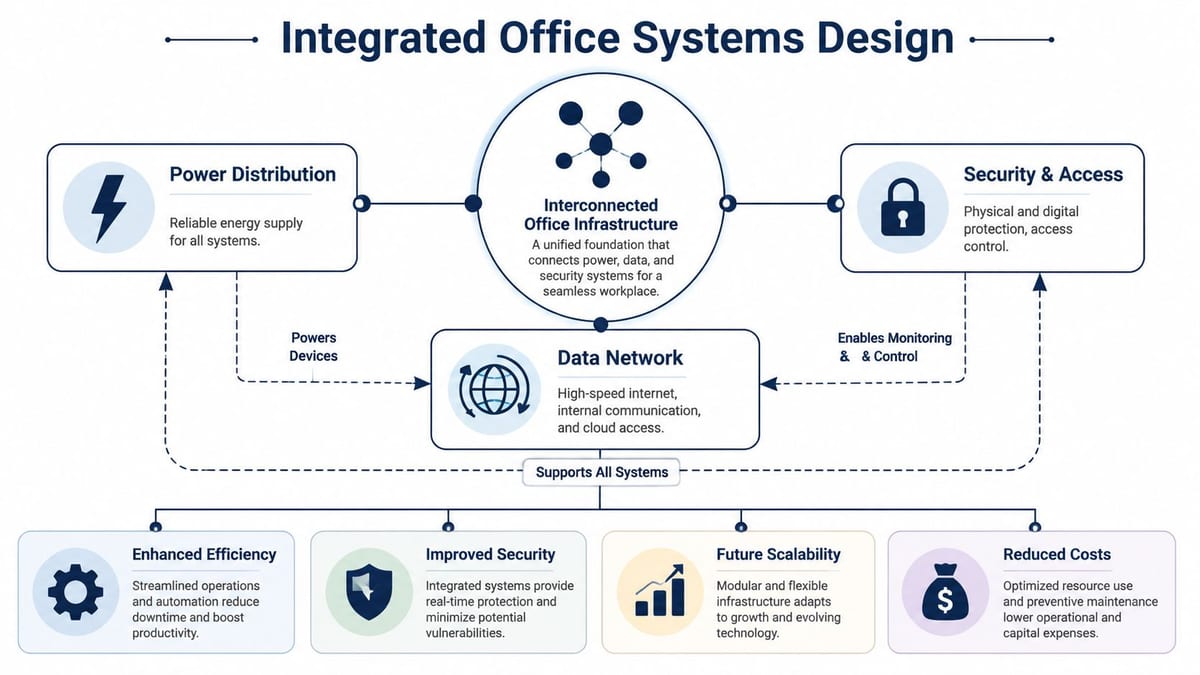
The fastest way to create expensive rework is to design power, data and access separately. Different contractors turn up, each solves their own problem, and nobody owns the whole operating model of the floor.
That approach produces familiar failures. A reader goes beside a door but there's no clean cable route. A PoE device is specified but the switching and power budget weren't considered. The comms cabinet is placed where the floorplan can tolerate it, not where cable paths and maintenance access make sense. Meeting room screens go in, then someone realises the wall has power but no data in the correct position.
What integrated design looks like in practice
An integrated design starts with usage, not products. Who enters the building. Which spaces need controlled access. Where staff work. Which rooms carry sensitive conversations. What must stay live during a local fault. Which devices rely on network power. Which systems need remote monitoring.
From there, the design package should tie together:
| System area | Questions to resolve together |
|---|---|
| Power | Where do active devices sit, what needs dedicated supply, and what must be certified after alterations |
| Data | How many outlets, where are the cabinet locations, what uplinks and patching are required |
| Access and security | Which doors need control, what release logic applies, how events are monitored, how CCTV and access records are retained |
A good structured cabling plan is the spine of this work. If you need a practical primer, this guide on what structured cabling means in office environments is a useful reference when you're reviewing layouts with facilities, electricians and security vendors.
Why unmanned building projects fail
A lot of “smart building” projects fail for boring reasons, not futuristic ones. The software may be fine. The concept may be fine. The operational design is what usually lets the project down.
Common failure points include:
- Siloed procurement: Separate trades deliver separate systems that don't share events, logic or support ownership.
- Weak fallback planning: The building works when everything is online, but nobody planned for faults, overrides, or out-of-hours failures.
- Poor user journeys: Occupiers can't get into rooms, visitors can't self-serve properly, deliveries have no controlled path.
- Maintenance blind spots: Batteries, readers, door hardware, cameras and switches all need support, but nobody owns the lifecycle.
- Over-consumerised choices: Cheap smart locks and app-dependent devices create support noise in commercial settings.
Why battery-less NFC proximity locks often make sense
For some unmanned or low-touch environments, battery-less, NFC proximity locks are a practical choice because they reduce one of the most irritating recurring tasks in access control, battery maintenance. They also suit buildings where operators want predictable credentialing, straightforward audit behaviour, and less dependence on users having the right phone setup or app permissions at the right moment.
That doesn't mean they are right for every door. It means they are often a sensible option where reliability, simple credential issue, and lower maintenance overhead matter more than novelty.
If your electrical contractor is involved in integrated access and low-voltage work, risk transfer matters too. Teams reviewing subcontractors often check insurance position alongside competence and certification. For context on that side of procurement, this overview of essential insurance for your electrical business is worth a look.
How to Estimate Your Project Budget and Timeline
Budgeting gets easier when you stop asking “what does an office move cost?” and start asking “what has to exist on day one for the business to operate properly?” That shifts the conversation from removals to deliverables.
For UK relocations, the fit-out and infrastructure layer often represents the largest cost. Commercial office fit-outs are benchmarked at around £2,500 to £5,000+ per square metre, which means a 1,000 m² relocation can become a multi-million-pound capital project before tenant-specific IT is added (Tenant CS relocation cost overview).
Build the budget in layers
Start with a functional brief. Count spaces, not just people. Open-plan desks, focus rooms, boardrooms, collaboration areas, comms spaces, reception, breakouts, secure storage, and any specialist rooms all drive infrastructure decisions.
Then price in this order:
Base building and landlord works
What is already provided, what must be altered, and what approvals control programme risk.Fit-out and electrical package
This includes containment, power distribution, small power changes, lighting impacts, certification, and finishing works that affect installation sequence.IT and data infrastructure
Cabling, cabinets, switching positions, Wi-Fi design, telecoms, AV, CCTV, rack work, testing, and go-live support.Transition costs
Temporary links, dual-site operation, staged migrations, staff support, disposal, and snagging.
If you're planning detailed network drops and floor distribution, this guide to data cabling for London office projects is a practical reference point when you need to translate floorplans into actual installation scope.
Sample Office Fit-Out Cost Estimates UK 2026
| Specification Level | Cost per sq. m. (Low End) | Cost per sq. m. (High End) | Typical Inclusions |
|---|---|---|---|
| Basic | £2,500 | Lower end of benchmark range | Standard finishes, straightforward layouts, core workplace infrastructure |
| Mid-spec | Within benchmark range | Within benchmark range | More meeting rooms, denser workstation planning, broader power and data requirements |
| High-spec | Upper end of benchmark range | £5,000+ | Premium finishes, complex engineering, resilient network design, more specialist spaces |
Use this table as an orientation tool, not a substitute for a survey and technical design. The jump from one spec level to the next usually comes from complexity. More rooms. More devices. More containment changes. More labour coordination.
Budget by dependency, not by trade. If one package can't complete until three others finish first, treat it as a programme risk item as well as a cost item.
Build the timeline backwards from go-live
A realistic office move timeline usually works better when anchored to commissioning milestones instead of furniture delivery.
A sensible sequence looks like this:
- Survey and design: Validate floorplans, cabinet positions, power constraints, risers, and landlord rules.
- First fix works: Containment, electrical alterations, cable routes, wall and ceiling coordination.
- Infrastructure installation: Cabling, cabinets, AP mounts, access hardware, CCTV positions, AV backboxes.
- Second fix and certification: Termination, testing, electrical certification, device mounting, labelling.
- Cutover and migration: Network activation, telephony transition, access enrolment, support desk readiness.
- Go-live support: Engineers on site to resolve live issues quickly.
What doesn't work is compressing all technical work into the last few days because “the builders are nearly finished”. That is where office relocation costs start leaking into weekend premiums, temporary patches and post-move defects.
Future-Proofing From Smart Office to Unmanned Building
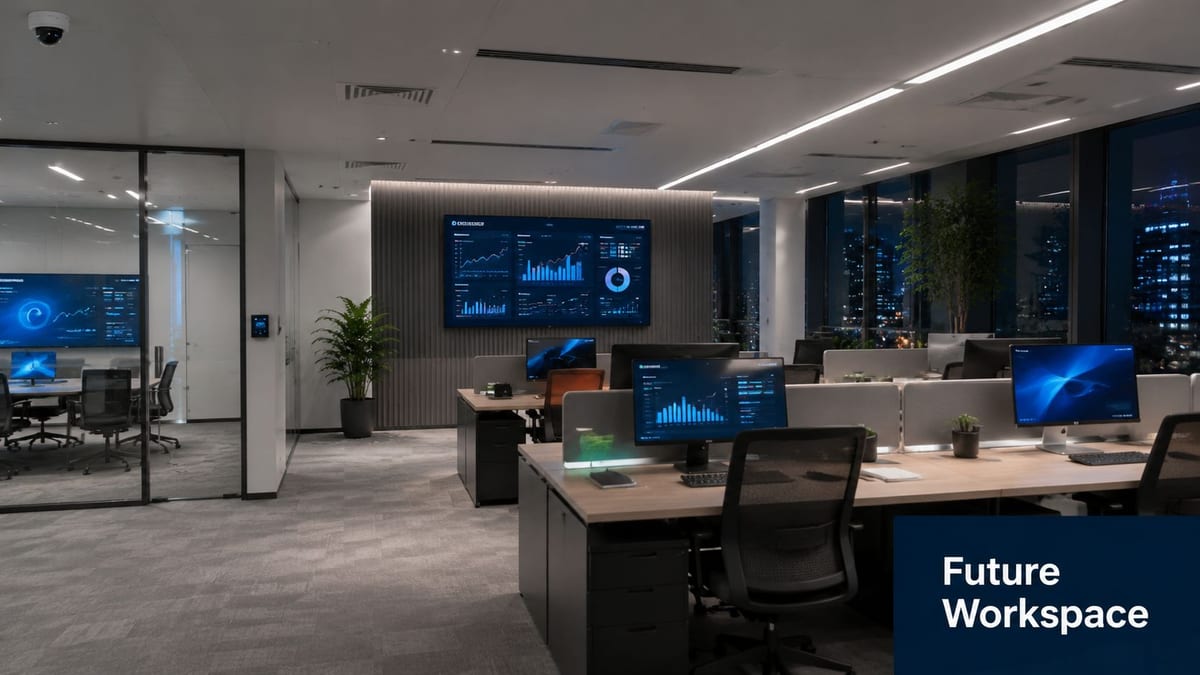
A relocation is one of the few moments when you can reset how the building operates. Most organisations won't get another clean shot at comms rooms, cable routes, door hardware, CCTV positions, and workspace logic for years. If you only replicate the old setup in a nicer shell, you miss the bigger value.
What unmanned building management means in practice
Unmanned building management doesn't mean an empty building with no human oversight. It means the day-to-day running of the site no longer depends on a receptionist, facilities coordinator, or security guard being physically present for routine actions.
In practice, that usually means:
- Access is automated: Staff, contractors and approved visitors can enter authorised areas without manual key handover.
- Building services are rule-based: Lighting, heating, cooling and room availability respond to schedules, occupancy rules or pre-set triggers.
- Security is remotely monitored: CCTV, alarms, door events and alerts can be reviewed off-site by authorised teams.
- Faults are triaged centrally: Engineers or support teams can see what failed before they travel.
- Spaces support self-service use: Occupiers can use rooms, enter shared areas and complete basic workflows without on-site intervention.
That model is common in flexible workspaces, managed offices, satellite hubs, multi-tenant common areas, and small operational units that need controlled access without full-time front-of-house staffing.
Why many unmanned building projects fail
The biggest misconception is that an unmanned building is mainly a software purchase. It isn't. It is an operating model built on reliable infrastructure and clear exception handling.
Projects tend to fail when teams automate the happy path and ignore the awkward realities:
- A courier arrives at the wrong entrance.
- A reader works, but the maglock release logic conflicts with life-safety requirements.
- CCTV records events, but nobody planned image review workflows.
- The broadband is live, but the wireless design doesn't support the density of devices in shared spaces.
- Users need three apps to open a door, book a room and report a fault.
The result isn't a futuristic building. It's a building that creates daily friction.
A stronger target is fully autonomous unmanned building units that still have sensible manual override, documented support ownership, and straightforward user journeys. That means designing for exceptions from the start. Lost credentials. connectivity faults. deliveries. cleaners. maintenance engineers. fire alarm interactions. out-of-hours support.
Access technology choices that reduce long-term pain
Not every building needs the newest access product. Most need the one that fails least often and is easiest to support.
Battery-less NFC proximity locks are attractive in these environments for practical reasons:
| Decision factor | Why it matters in operation |
|---|---|
| Fewer battery replacement tasks | Reduces planned maintenance visits and missed door maintenance |
| Predictable credentialing | Easier for facilities and IT teams to issue and revoke access |
| Lower user friction | Staff can use simple proximity behaviour rather than managing app states |
| Cleaner support model | Fewer consumer-device variables to troubleshoot |
That's especially useful where multiple doors, changing occupiers or shared amenities would otherwise create a steady stream of access tickets.
Connectivity choices matter in the same way. Buildings that rely on wireless-only thinking often struggle when fixed devices, security hardware and AV all compete for stability. A balanced design usually uses both wired and wireless infrastructure appropriately. This guide on Ethernet and wireless design trade-offs is a helpful reference when you're deciding what must be hard-wired and what can safely sit on Wi-Fi.
A short visual explainer can help teams align on the concept before detailed design starts.
Maintenance and operations still decide success
Even highly automated spaces need a support model. Someone has to own credentials, audit logs, camera retention policies, switch health, firmware windows, spare parts, and contractor access. Someone has to know which faults stop occupation and which can wait until the next maintenance window.
That's why CCTV, access control, Wi-Fi, and electrical infrastructure should be handed over with operating documentation, not just installation certificates.
An unmanned building only works if the support model is more disciplined than the staffing model it replaced.
How to Procure the Right Specialist Partner
The wrong procurement approach creates complexity before the first cable is pulled. If you appoint one contractor for electrics, one for data, one for access control, one for AV and one for removals, you may save money on paper and still lose it in coordination failures.
An office relocation partner should understand dependencies across systems. That means they can sequence first fix, cabinet build, testing, access control installation, CCTV integration, and go-live support around a realistic programme instead of treating each trade as isolated.
What to test during procurement
Ask for evidence of delivery on comparable office environments. Not just “can you install cabling?” but “can you deliver a live office with certified electrical works, tested data infrastructure, access control, CCTV, and cutover support under landlord constraints?”
Look for these qualities:
- Integrated scope handling: One team can coordinate power, data, access, AV and security interfaces.
- Survey discipline: They insist on site surveys, cabinet reviews, and technical validation before final pricing.
- Testing and certification: They can explain exactly how they certify the work and document handover.
- Operational support: They offer post-installation and go-live presence, not just practical completion.
- Commercial awareness: They understand landlord approvals, handover timing, and occupier obligations.
If you want one factual example of this kind of integrated scope, Constructive-IT works across structured cabling, LAN and Wi-Fi design, server room expansion, telecoms, AV, CCTV, electrical works, testing and on-site go-live support for UK office projects. That sort of combined delivery model is often easier to manage than stitching together multiple specialist trades yourself.
Why the right partner can reduce effective cost
The partner's value isn't limited to installation quality. In the post-pandemic UK office market, increased vacancy has meant landlords often compete through tenant incentives such as rent-free periods and fit-out contributions, and an experienced relocation partner can help occupiers use that position to reduce effective cost (relocation expense context and landlord incentive note).
That matters because a technically literate partner can separate what the landlord may contribute from what remains tenant-specific. They can also prevent you from spending your own budget on items that should have been negotiated earlier.
Choose the contractor who asks difficult questions before the quote, not the one who promises everything will be fine on the day.
Your Relocation Is a Technology Project First
An office move succeeds when the business can operate cleanly on day one. That depends far more on infrastructure than on transport. Power, cabling, Wi-Fi, access control, CCTV, electrical certification, server room readiness, and cutover planning decide whether the new office works or looks finished.
That's why office relocation costs should be managed as a technology and operations programme first. The removals package still matters, but it is not where the long-term risk sits.
If you're still comparing broad move estimates, it helps to separate logistics providers from infrastructure partners. For the physical side of office removals, a provider such as Best London Removals Ltd for office moves may sit alongside your technical delivery team rather than replace it. Treat those as complementary scopes, not interchangeable ones.
The most useful first step is usually a proper survey, a dependency-led scope, and a realistic go-live plan. Once those exist, the budget gets clearer very quickly.
If you're planning a relocation, refit, or autonomous workspace rollout, Constructive-IT can help you scope the technical requirements before they become budget problems. A focused early discussion on power, data, access, CCTV, electrical works, and cutover planning will usually save far more time than it takes.