
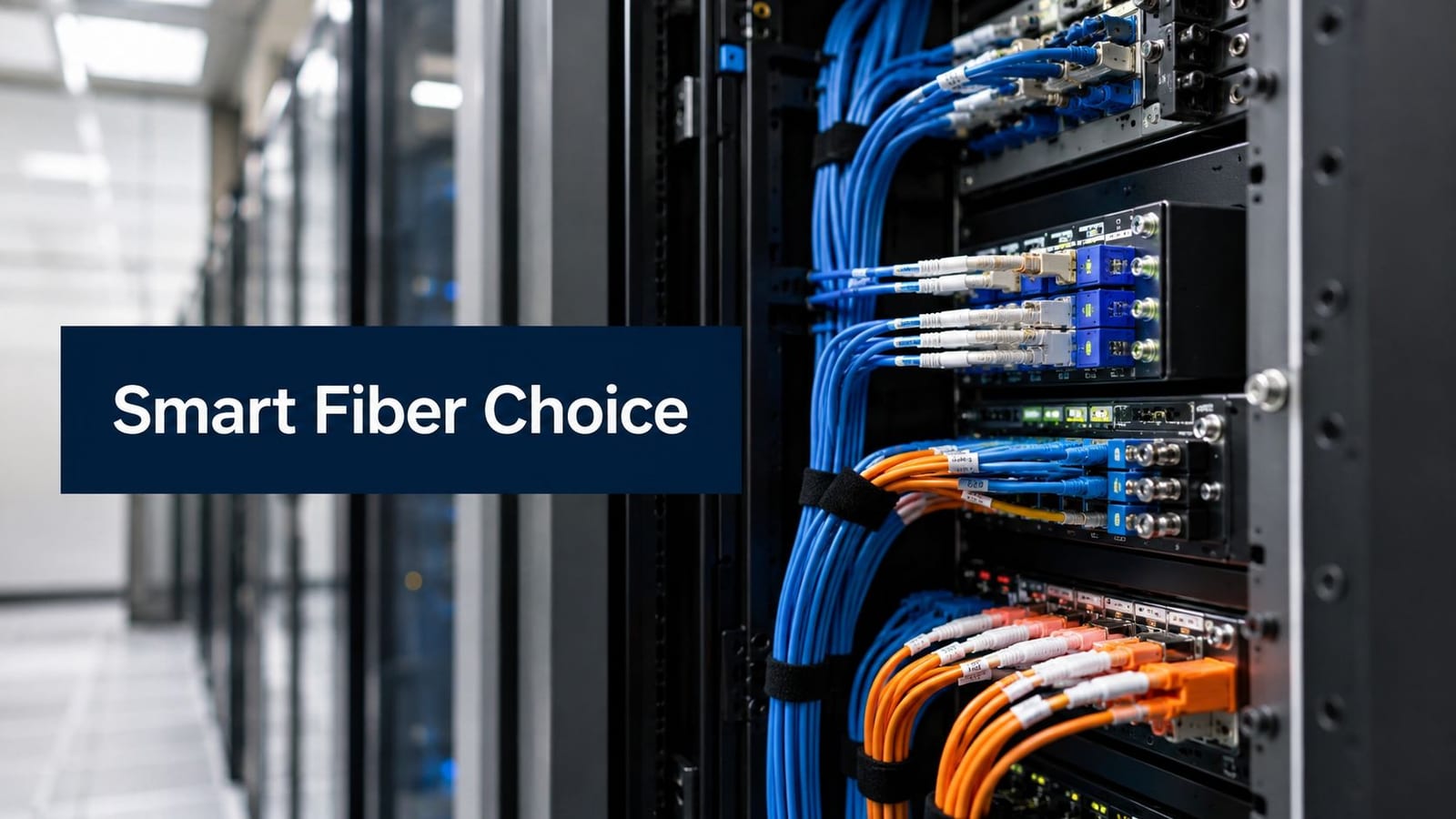
You're probably looking at a new fit-out, a relocation, or a site conversion and hearing the same promise from every supplier: make the building autonomous, reduce staffing overhead, tighten security, and let authorised users come and go without friction. That part is easy to say.
What decides whether the building works unattended is far less glamorous. It's the wiring routes above the ceiling, the power design behind the risers, the lock choice at each door, the CCTV backhaul, the cabinet layout, the testing records, and one deceptively simple question that keeps showing up in design reviews: single mode vs multimode fiber.
On paper, fibre choice can look like a narrow network decision. In practice, it affects how you build out a fully autonomous unmanned building unit. Get it right and the building stays secure, visible, maintainable, and ready for expansion. Get it wrong and you end up with doors, cameras, sensors, and uplinks that were never designed to work as one system.
The Goal of the Unmanned Commercial Building
A typical brief sounds straightforward. A landlord wants a multi-tenant office floor that tenants can access at any hour. A storage operator wants staff-free units with controlled entry and CCTV. A facilities team wants a remote plant room or equipment hub that can be monitored without posting someone on site all day.
What they want is operational autonomy with predictable control.
That means authorised users can enter the right area at the right time, lighting and services are available when needed, CCTV footage is visible remotely, alarms can be checked quickly, and faults can be diagnosed without guessing. It also means the building still behaves properly when there's a network issue, a local power problem, or a change in occupancy.
What owners usually mean by autonomous
Most clients aren't asking for a futuristic building. They want a site that can run safely with minimal human intervention. In real projects, that usually comes down to a few practical outcomes:
- Controlled entry: Only approved users get through the right gates, doors, or internal zones.
- Reliable visibility: CCTV gives facilities or operations staff a usable live and recorded view of what's happening.
- Remote oversight: Critical systems can be checked without sending an engineer to site for every minor issue.
- Low-touch operation: Day-to-day access and monitoring don't depend on a receptionist, caretaker, or full-time on-site manager.
The business case is physical, not just digital
Too many early conversations stay at software level. People talk about mobile credentials, dashboards, and cloud management, then leave the hard part until later. That's backwards.
An unmanned building only works if the physical infrastructure is designed around the operating model. The cabling has to support the cameras you'll deploy. The power design has to support locks, switching, and local resilience. The commercial electrical installation and certification has to be right, because every “smart” endpoint still depends on dependable electrical work. If the backbone is weak, the software layer just gives you a nicer view of failure.
Unmanned sites don't fail because the idea is flawed. They fail because the infrastructure was value-engineered in separate packages that never met properly on site.
What Unmanned Building Management Means in Practice
At 10 p.m., a tenant turns up at a storage unit, a courier needs access to a service area, and an operations manager checks an alert from home. If the building is unmanned, all three events are handled without calling out staff, and without relying on improvised fixes behind the scenes.
That is the practical test. An unmanned building is not merely a site with app-based entry or a remote camera feed. It is a building that can admit the right people, record what matters, report faults early, and keep core services available without a receptionist, caretaker, or on-site engineer bridging gaps between disconnected systems.
In delivery terms, many projects often drift off course. Teams buy access control, CCTV, connectivity, and electrical work as separate packages, then expect the building to behave like one joined-up system at handover. It rarely does.
What has to work together
A usable unmanned site depends on several infrastructure layers operating as one:
- Access control: Mobile credentials, NFC cards, PIN entry, readers, door controllers, intercoms, and release hardware.
- Surveillance and audit: CCTV at entrances, circulation routes, plant areas, and other points where operators need evidence, not just visibility.
- Network transport: Switching, copper runs, and fibre links that carry traffic between doors, cameras, cabinets, and remote areas of the site.
- Electrical support: Clean power for controllers, switches, locks, comms cabinets, and any backup strategy the operating model requires.
- Status and alarm signals: Door position, forced-entry alerts, cabinet alarms, device health, and environmental monitoring.
- Management layer: One place for authorised staff to review events, investigate faults, and make changes without site attendance.
The weak point is usually not the software. It is the join between trades.
A door system can be specified correctly and still become a support problem if the controller is mounted in the wrong place, the cabinet has no spare capacity, or the network feed was treated as an afterthought. The same applies to cameras. The image quality may be fine on day one, but if uplinks were sized loosely or patching was never documented properly, faults become slow and expensive to trace.
What underdelivery looks like on site
Underperforming unmanned buildings tend to fail in ordinary ways, not dramatic ones.
The tenant gets in, but remote support cannot see whether the fault is the credential, the reader, the controller, or the network path. CCTV is installed, but recorded streams drop when several cameras are active at once. A new internal gate is added later, and there is no cabinet space, no PoE headroom, and no clear route back to core switching. Handover technically happens, yet the facilities team inherits a site that only the original installers can decipher.
That operating friction is what turns a promising concept into a maintenance burden.
Why the practical definition matters
For an unmanned building to work in real life, the design has to reflect how the site will be used. Busy access windows, isolated plant rooms, detached outbuildings, poor mobile signal, after-hours deliveries, and remote resets all affect the infrastructure choices underneath. That is why early decisions about cabling routes and comms spaces matter as much as the software interface. A solid plan for wiring a building for internet and connected systems usually tells you more about long-term reliability than a product demo ever will.
This is also where the single mode versus multimode fibre decision stops being an abstract networking question. In an unmanned building, the data backbone is tied directly to access, monitoring, resilience, and future expansion. Choose the wrong transport layer and every later system has to work around it.
Unmanned building management is an operating model built on integrated infrastructure. If those layers are not designed to support each other, the site will still need people to compensate for the gaps.
Why Power Access and Data Must Be Designed Together
If you want a reliable autonomous site, start with one rule: access control, electrical infrastructure, and network transport have to be engineered as a single system. Not coordinated loosely. Designed together.
A battery-less NFC proximity lock is a good example. On the operations side, it's attractive because there are no local batteries to replace on a maintenance rota. On the user side, entry is fast and familiar. On the infrastructure side, though, that decision affects cabling routes, controller locations, power provisioning, cabinet capacity, and fault response.
Why battery-less NFC proximity locks make sense
Battery-powered devices have their place, especially in retrofit jobs where cable routes are difficult. But in busy commercial environments, battery-less locks often give a cleaner operating model.
- Less routine maintenance: Facilities teams don't have to chase battery schedules across multiple doors and units.
- More predictable performance: You avoid the gradual degradation and nuisance faults that come with weak local power sources.
- Better fit for managed sites: Centralised infrastructure is easier to document, test, and support than dozens of semi-independent endpoints.
That doesn't make them “fit and forget”. They still need correct power and communications design around them.
The lock decision changes the infrastructure plan
Choose battery-less NFC locks and you immediately need to answer a wider set of questions.
- Where do the controllers live?
- What's the power path to each point?
- What happens during a local electrical issue?
- How are door events carried back to the management platform?
- Which routes are critical enough to deserve better resilience?
Those aren't lock questions. They're integrated design questions.
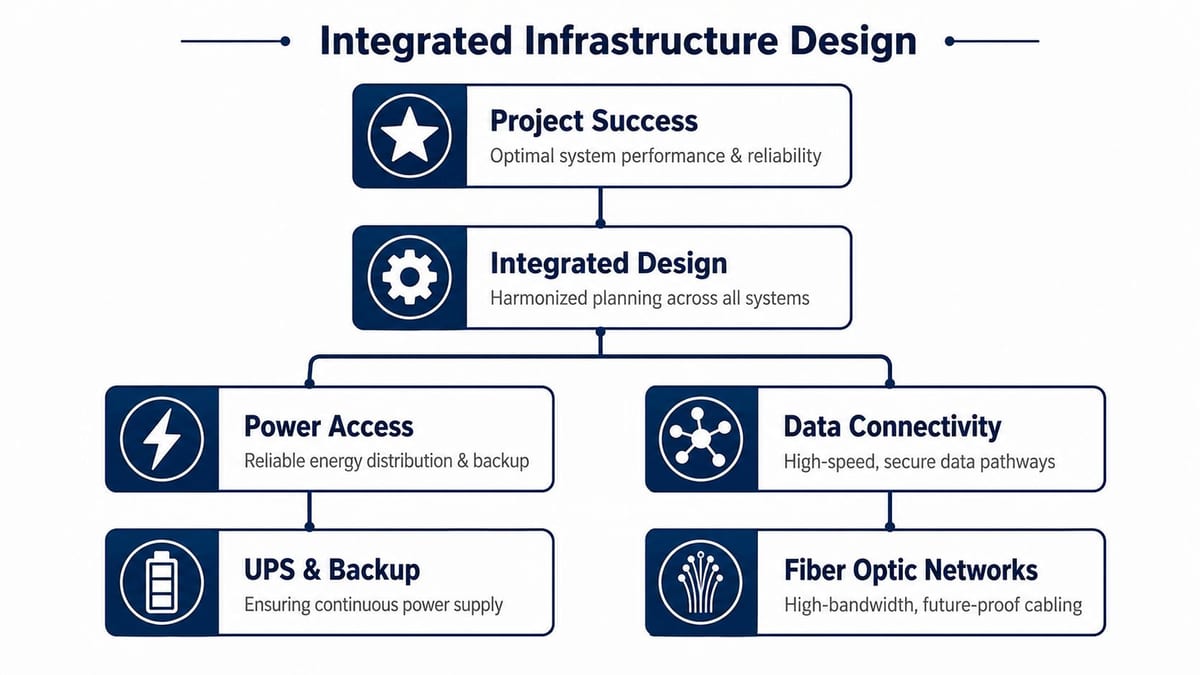
CCTV changes the design again
CCTV is often where weak planning gets exposed. A single camera isn't demanding. A properly covered unmanned site isn't built around one camera. It includes entry points, external approaches, shared internal spaces, lift lobbies, plant access, and sometimes perimeter or loading areas.
That raises practical requirements around switching, uplink design, recording, and physical installation. It also means the commercial electrical installation and certification must be done to support stable operation of network cabinets, camera positions, and associated services. If you need a useful overview of how data infrastructure planning ties into building connectivity, wiring for internet in commercial spaces is closely related to the same design discipline.
Practical rule: If the power design is finished before the access and camera schedules are final, the project is already heading towards rework.
What a joined-up design review should cover
Before installation starts, a proper review should settle the basics:
- Door hardware and reader method: NFC, card, PIN, release requirements, fail-safe or fail-secure operation.
- Power model: Distribution, protected circuits, local backup expectations, and maintenance access.
- Cabinet strategy: Locations, ventilation, growth space, patching discipline, and segregation of services.
- Backhaul design: Copper where it makes sense, fibre where distance, bandwidth, or future expansion demands it.
- Testing and handover: Electrical certification, cabling certification, labelling, as-built drawings, and fault ownership.
Projects that skip this don't save time. They push complexity into installation and operations, where it costs more.
The Critical Data Backbone Single Mode vs Multimode Fiber
A typical unmanned building failure starts with a small assumption. The CCTV package is signed off, access control is specified, cabinet locations are fixed, and fibre is treated as a late-stage cabling choice. Then the live design needs longer uplinks, higher camera densities, or a second building link, and the backbone that looked fine on paper starts driving cost, delay, and compromise.
That is why single mode vs multimode fiber is not a side question. In an unmanned building, the fibre backbone has to support surveillance, access events, remote diagnostics, inter-cabinet links, and future service growth as one system. The right choice depends on distance, active equipment, upgrade plans, and how much change the site is likely to see after handover.
Single-Mode OS2 vs Multimode OM4 At a Glance
| Specification | Single-Mode (OS2) | Multimode (OM4) |
|---|---|---|
| Core diameter | 9 µm | 50 µm |
| Light path | One light path | Multiple light paths |
| Typical strength | Long-distance backbone and high-capacity uplinks | Shorter building and campus links |
| 10 Gbps reach | Long-reach applications with the right optics | Commonly used for shorter 10 Gb building links |
| 40/100 Gbps reach | Better suited to longer high-speed runs | Better suited to contained high-speed runs over shorter distances |
| Best use | Inter-building links, site spine, expansion-ready backbone | Comms room links, floor distribution, predictable internal routes |
| Cost pattern | Cable can be competitively priced, but optics often cost more | Often attractive for short runs where optics stay simple |
Why the fibre type changes the whole design
The physical difference is straightforward. Single-mode uses a much smaller core and carries light on a single path. Multimode uses a larger core and carries multiple paths of light, which increases modal dispersion over distance. Patchbox's comparison of single-mode and multimode fibre gives a useful technical summary of that behaviour.
In practice, that affects far more than a spec sheet. It determines where cabinets can sit, whether one core backbone can survive future bandwidth upgrades, how much tolerance you have if a route changes during fit-out, and whether adding another unit or outbuilding later means changing optics only or replacing installed cabling.
For unmanned buildings, that last point matters. A backbone should not be designed only for today's camera count or today's access doors.
Connector fit does not mean system compatibility
Commercial projects usually use familiar connector formats such as LC or SC. The connector is the easy part. The harder part is making sure the fibre type, transceivers, patching, and switch ports were chosen as one matched system.
On live projects, one of the most expensive mistakes is ordering hardware around connector type and assuming the rest will work itself out. It will not. If the design team selects multimode fibre and the switching package arrives with single-mode optics, the fix is rarely tidy. It usually means replacement modules, revised patching, procurement delay, and another round of testing.
If optics are being ordered before the backbone type is agreed, the project has already created avoidable risk.
Where multimode makes sense
OM4 is a sensible choice for many internal building links where routes are fixed and distances are controlled.
It suits:
- short backbone runs inside a single building
- comms room to comms room links over known distances
- contained office fit-outs with clear bandwidth requirements
- local aggregation for CCTV or access control where cabinet strategy is settled
Used in those conditions, multimode can keep the active equipment side simpler and easier to budget. For teams comparing in-building cabling options, this guide to fibre optic cabling benefits in commercial environments covers the wider infrastructure case.
Where single mode earns its keep
OS2 is usually the safer choice when the building is part of a wider estate, when routes may extend later, or when uplink speed is likely to increase during the life of the site.
Choose single mode where:
- links leave the building
- future expansion is likely
- the backbone may need to serve another unit or outbuilding later
- high-capacity uplinks are expected over time
- replacing installed fibre later would be disruptive or expensive
This is common in unmanned commercial units. The first phase may only need core connectivity between cabinets, doors, and cameras. Two years later, the same site may need ANPR, more edge devices, higher retention requirements, or remote support for another tenant area. Single mode gives more room for those changes, even if the initial electronics cost more.
Cost needs to be priced at system level
Cable price on its own is a poor decision tool.
The cost question is more complex than cable price. In many projects, the installed fibre is only one part of the spend. Optics, switch selection, power draw, spare capacity, patching hardware, and future upgrade path can outweigh any small saving made on the cable reel. That is why I prefer to price backbone options as an operational system, not as a line item.
For a compact single-building fit-out with short, stable runs, multimode can still be the cleaner commercial choice. For a site that may expand, cross a yard, connect another structure, or move to higher uplink speeds later, single mode often avoids a second backbone project.
That trade-off sits at the centre of unmanned building design. Data, power, cabinet placement, and access coverage have to work together. Fibre choice is one of the points where that joined-up planning either holds or fails.
Installation Testing and Future-Proofing Your Network
A building goes live on Monday. By Wednesday, a camera drops out, a door controller reports intermittently, and remote support starts chasing what looks like a software fault. On site, the actual cause is usually simpler: contaminated connectors, poor patching records, an overstressed fibre route, or testing that never verified the link properly in the first place.
That is the risk in an unmanned building. The fibre backbone is not serving a single application. It is carrying the traffic that keeps security, access, monitoring, and support working together without constant human intervention.
Installation quality sets the ceiling for everything above it
Design choices on paper only hold up if the install team protects them on site. I have seen well-specified backbones underperform because the fibre was forced into tight cabinet entries, left exposed in risers, or patched with no useful labelling for the next engineer.
A few practices make a disproportionate difference:
- Control bend radius: Tight turns at trays, risers, and cabinet entries can introduce loss before handover.
- Keep connectors clean: Dirty end faces often get mistaken for switch or optics faults.
- Terminate and patch with discipline: Small errors at the physical layer create intermittent faults that are hard to trace remotely.
- Label for operations: Record routes, cores, and patching clearly enough that an engineer can fault-find without guessing.
This work is part of system delivery, not cosmetic finishing work at the end of the job.
Test the installed link, not just the installer's confidence
Continuity checks are not enough for a building that is supposed to run with minimal hands-on support. The handover pack should show that the fibre installed matches the design intent and that the wider infrastructure around it can be supported cleanly after occupation.
In UK commercial projects, that usually means structured cabling records aligned with recognised practice such as BS 6701, plus electrical testing and certification managed with the same level of control. That joined-up approach matters because network faults and power faults often show up as the same operational problem at the application layer. A reader goes offline. A camera reboots. A remote cabinet disappears.
If the project includes new comms rooms, cabinet moves, or wider fit-out work, the fibre scope should sit alongside the broader data cabling design for London commercial sites, not as a standalone package.
For clients that want a single delivery path, Constructive-IT is one example of a provider that handles structured cabling, electrical works, testing, certification, and go-live support within the same project scope.
A building only operates reliably at a distance when someone has proved the links, circuits, and endpoints were installed and tested properly.
Future-proofing means leaving sensible options open
Future-proofing is not about specifying the highest-cost option everywhere. It is about making sure the physical layer will not force avoidable rework when the building changes use, adds devices, or needs higher-capacity services later.
That also means comprehensive network pricing. Cable cost is only one part of the decision. Optics, switch ports, cabinet space, power draw, testing time, and fault-finding effort all contribute to the total lifecycle cost. Single mode can be the right call if the site may need longer runs or higher-capacity uplinks later. Multimode can still be the cleaner choice for contained internal runs where distance is predictable and active equipment cost matters more.
The practical question is simple. Will this backbone still make sense after the first change request, tenant reconfiguration, or security expansion? If the answer is unclear, the project needs another pass before installation starts.
Recommended Choices for UK Building Scenarios
A UK office block can look straightforward on a floor plan, then turn awkward once the live services are mapped onto it. Access control wants clean riser routes, CCTV wants predictable uplinks, Wi-Fi wants cabinet locations that make RF and cabling sense, and the building management layer still needs stable backhaul when nobody is on site to patch around a weak design. Fibre choice sits inside that wider system, not outside it.
Multi-tenant London office fit-out
For a multi-floor office fit-out, OM4 multimode is often a sensible choice for internal backbone runs between comms rooms, floor distributors, and shared services, provided the distances are controlled and the scope is staying within one building. That usually suits sites where the main pressure is tenant density, Wi-Fi capacity, door access, and shared CCTV rather than long external routes.
The trade-off is straightforward. Multimode can keep optics and switch decisions simpler for contained internal links. It becomes less attractive when the landlord expects repeated reconfiguration, extra riser demand, or later extension into adjacent buildings.
That is why the wider pathway plan matters as much as the fibre type. For projects that include relocations, CAT6A access layers, cabinet changes, and revised containment, data cabling for London office environments should be considered alongside the backbone decision rather than after it.
Regional data centre expansion
Regional data centre work usually splits into two different problems. Inside a hall, short high-density links can still suit multimode. Between halls, across external plant space, or into remote support rooms, OS2 single-mode is often the cleaner long-term decision.
I would usually push single mode once the design includes diverse routing, expansion phases, or any realistic chance that today's support room becomes tomorrow's production space. The cable itself is only part of the cost. Replacing optics later is inconvenient. Replacing installed fibre across a live site is where budgets and programmes start to slip.
This short video is a useful visual reference point for the broader fibre decision in commercial environments.
NHS hospital wing and clinical support areas
Hospital work needs a more conservative approach. A new wing can carry clinical applications, security systems, building controls, imaging-related traffic, and links back into older comms spaces that were never placed with modern service density in mind. In that situation, OS2 single-mode is usually the safer choice for core spines, inter-building routes, and any long internal path where future change is likely.
The reason is operational, not theoretical. Estates teams need headroom. Clinical environments also tend to accumulate services over time, and an unmanned or lightly staffed support area cannot depend on a backbone that only works comfortably under the original brief.
In hospitals and larger campuses, fibre should be chosen by route length, service criticality, and expected change across the estate, not by room label alone.
Building Your Fully Autonomous Unit with Confidence
Building out a fully autonomous unmanned building unit isn't about piling on smart devices. It's about making sure the building can be trusted when people aren't there to compensate for weak design.
That trust comes from integration. Access control has to match the operating model. CCTV has to be positioned and backhauled properly. Electrical design has to support cabinet power, endpoint reliability, and safe certification. The network has to carry all of it without becoming the hidden constraint.
What works in practice
The projects that hold up well over time usually share the same habits:
- They define the operating model early: Who enters, when, through which points, and under what rules.
- They choose low-maintenance hardware deliberately: Battery-less NFC proximity locks are often a strong fit where planned infrastructure can support them.
- They design the backbone around reality: Not assumptions carried over from older office standards or one supplier's preference.
- They insist on testing and certification: Not as a paperwork exercise, but as proof that the site can be supported properly after handover.
What doesn't work
Problems usually start when teams try to save money by separating decisions that are physically connected. A building can't run unattended if the access designer ignores the switching plan, the CCTV package ignores uplink demand, or the electrical scope stops short of what the network needs.
Single mode vs multimode fiber sits right in the middle of that. It isn't just a cable question. It affects surveillance performance, remote operations, future expansion, maintenance effort, and total project cost.
If you're planning an unmanned site, choose a delivery approach encompassing the whole stack from electrical installation and certification through structured cabling, fibre design, CCTV integration, testing, and final commissioning. That's how autonomous buildings start working from day one instead of becoming a list of avoidable service calls.
If you're planning an office fit-out, relocation, or autonomous commercial unit, Constructive-IT can support the infrastructure side of the project with structured cabling, electrical works, testing, certification, CCTV integration, and go-live delivery so the access, power, and data layers are designed to work together.