


Guide: how does the wifi extender work for your office
- Craig Marston
- Dec 14, 2025
- 17 min read

At its core, a Wi-Fi extender is a pretty straightforward bit of kit. It grabs the wireless signal from your main router and then blasts it out again, pushing the signal into those annoying dead zones where your connection always seems to drop.
Think of it as a relay runner for your internet. The first runner (your router) gets the signal so far, and then the extender takes the baton and carries it the rest of the way. It’s a simple concept that tackles a very common problem.
How a Wi-Fi Extender Really Works to Fix Office Dead Zones
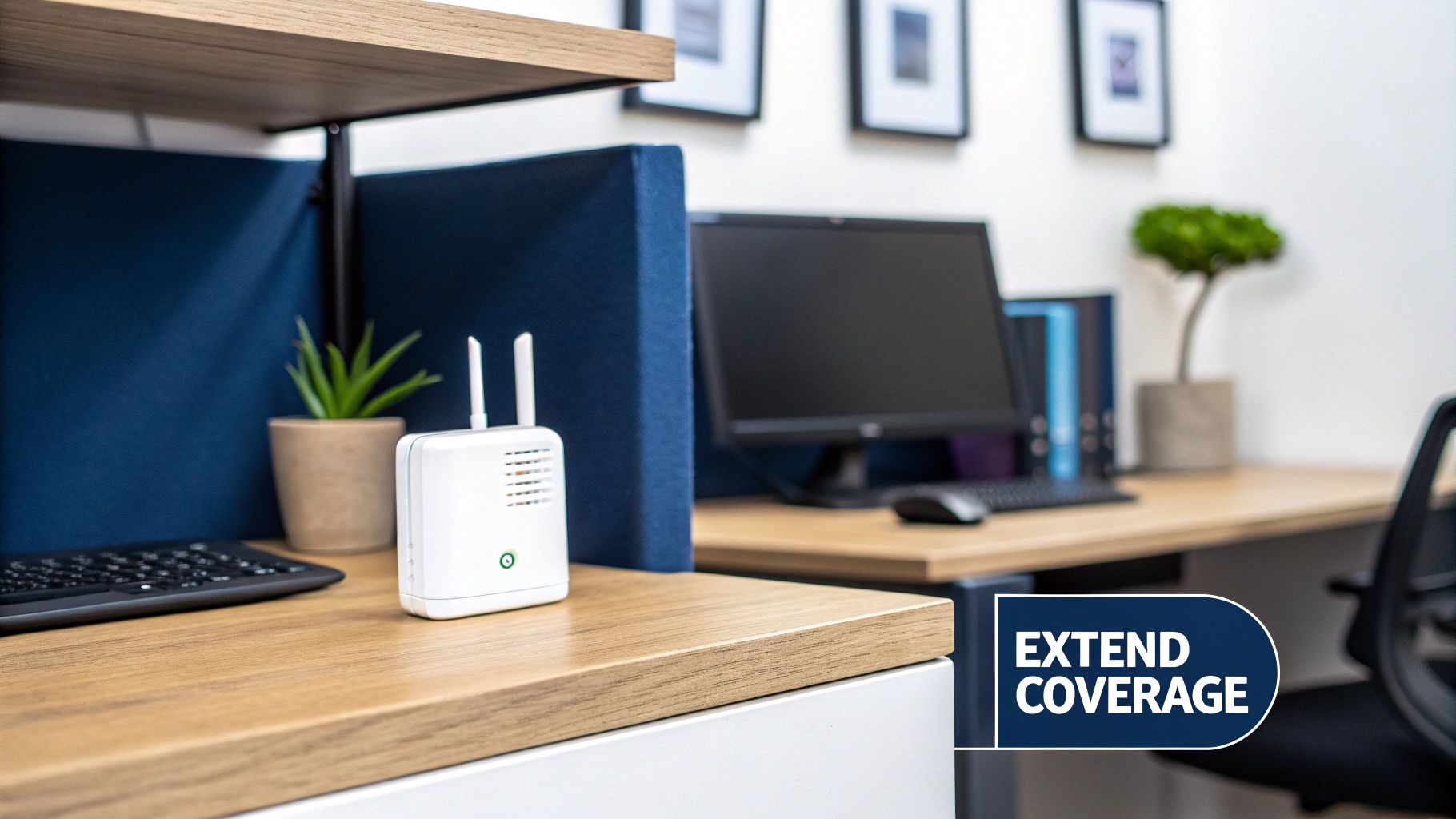
Let's use another analogy. Imagine your office Wi-Fi is like music playing from a speaker. As you walk further away, the music gets fainter until you can't hear it at all. That quiet spot is your dead zone.
A Wi-Fi extender acts like a second speaker placed halfway across the room. It "listens" to the original music and plays it again, making sure everyone at the back can hear clearly.
This "listen-then-talk" process is exactly how an extender works. It connects to your router, grabs the Wi-Fi signal, and then creates a new, extended network. But this simple fix comes with a major trade-off: speed. Because the extender has to both receive and transmit data using the same radio, it effectively cuts your available bandwidth in half. Your connection in the extended area will be slower.
To make this crystal clear, here’s a quick summary of what’s happening under the hood.
WiFi Extender At a Glance Key Operating Principles
Principle | Simple Analogy | Primary Function | Typical Outcome |
|---|---|---|---|
Signal Capture | Listening to music | Connects to the main router to receive the Wi-Fi signal. | Establishes a wireless link to the primary network. |
Signal Rebroadcast | Repeating the music | Creates a new, secondary network to transmit the signal. | Extends Wi-Fi coverage into previously unreachable areas. |
Bandwidth Halving | Talking and listening at once | Uses a single radio for both receiving and sending data. | Internet speeds on the extended network are typically 50% lower. |
Placement Sensitivity | Speaker positioning | Must be placed within strong range of the main router. | Performance heavily depends on its distance from the router. |
This table neatly shows the cause and effect of an extender. You gain reach, but you sacrifice raw performance to get it.
The Role of Extenders in UK Commercial Buildings
For many UK businesses, especially those in older commercial buildings with thick concrete walls or hospitals notorious for blocking signals, an extender is often the first thing people try. It’s a quick, off-the-shelf fix.
In these environments, an extender can be a useful plaster. While it might halve the original speed, a well-placed device can eliminate up to 90% of dead zones in a typical UK office, making it a popular choice for restoring basic connectivity.
Here’s a common mistake we see all the time: people place the extender right in the middle of the dead zone. It won’t work there. For an extender to do its job, it needs to be positioned where it can still get a strong, stable signal from the main router to rebroadcast effectively.
Is a Simple Fix Good Enough for Your Business?
While an extender offers a cheap and cheerful way to improve coverage, it’s usually more of a temporary patch than a permanent business solution. For any company that relies on stable, fast connections for video calls, large file transfers, or critical cloud apps, that 50% performance drop can cause serious headaches.
Understanding this limitation is the first step. If you’re looking at ways to strengthen your connection, our guide on how to improve Wi-Fi coverage in your office explores other strategies. For businesses that need guaranteed performance, however, nothing beats a professionally installed, certified network with structured cabling.
The Technical Mechanics Behind Signal Relaying
To really get your head around how a Wi-Fi extender works, we need to look past the simple analogies and dive into the technical nitty-gritty. At its core, an extender runs on a principle called half-duplex communication. Think of it like a walkie-talkie; it can either listen or talk, but it absolutely cannot do both at the same time.
This "listen-then-talk" system is the real culprit behind the notorious speed drop you get with extenders. When your device, say a laptop in a hospital ward, sends out some data, it first travels to the extender. The extender then has to hit pause, switch from receiving to transmitting mode, and forward that exact same data on to your main router. This creates a tiny but crucial delay, or latency, with every single packet of information.
This whole process is why an extender, by its very design, will always be slower than your main network. It's essentially doing double the work—once to catch the signal and a second time to throw it back out. For just browsing the web, you might not even notice. But for business-critical tasks like video conferencing or VoIP calls, this extra latency can lead to infuriating lag and poor quality.
The Journey of a Data Packet
Let's trace the path of a single request to see how an extender actually relays information. Imagine you're in a part of the office with weak Wi-Fi, trying to grab a file from your company server.
Device to Extender: Your laptop sends the data request over the extender's new, separate Wi-Fi network. The extender catches this signal on one of its radios.
Extender to Router: The extender then flips its role. It connects to your main router's original Wi-Fi network and re-sends that exact same data packet.
Router to Server and Back: Your router gets the request, fetches the file from the server, and starts sending the data back.
Router to Extender: The extender receives this incoming data from the router.
Extender to Device: Finally, the extender switches back to its own network and forwards the data on to your laptop.
This five-step relay happens for every bit of information sent or received. While it all happens in milliseconds, the cumulative effect is what slows your entire connection down. This is a critical factor for UK businesses, especially when you consider that 35% of buildings were constructed pre-1919 and struggle with signals getting through thick, solid walls. To make this relay work at all, an extender needs to be placed within a 30-50m line-of-sight from the router, allowing it to sync up—often with a simple WPS button press—in under two minutes. You can read more about the challenges in the UK WiFi extender market.
How Dual-Band Extenders Mitigate Speed Loss
To fight back against this performance hit, modern extenders use a clever trick called cross-band technology. Instead of trying to listen and talk on a single channel, a dual-band extender uses two separate radio frequencies.
A dual-band extender essentially creates a dedicated communication bridge. It uses one band to talk exclusively to the router and the other band to talk exclusively to your devices, which significantly reduces congestion and improves throughput compared to single-band models.
Here’s how that plays out in a commercial setting:
The 5 GHz "Backhaul": The extender connects to your main router using the faster, less crowded 5 GHz band. This creates a high-speed "backhaul" link, a private lane of traffic just for communication between the router and the extender.
The 2.4 GHz "Access" Band: It then rebroadcasts the signal out to your devices (laptops, phones, etc.) using the 2.4 GHz band, which has a longer range and is better at punching through walls to cover the dead zone.
Separating the traffic like this lets the extender handle data much more efficiently, sidestepping a lot of the slowdown caused by the listen-then-talk problem. It’s a definite improvement, but it doesn't completely eliminate the latency that's baked into the signal relaying process. For businesses needing truly seamless, high-performance coverage, a more robust solution is usually the answer. Understanding the different network layouts is key, and you can explore this further in our guide explaining mesh topology in networking.
Comparing Network Solutions for Your UK Business
Knowing how a Wi-Fi extender works is one thing, but figuring out if it’s the right tool for your business is another matter entirely. While extenders can offer a quick fix for a dead zone, they are just one of several ways to tackle poor coverage. For any growing UK business, choosing the right network solution is a critical decision that directly impacts productivity, security, and your ability to scale.
When your daily operations rely on crystal-clear VoIP calls, lag-free video conferences, or handling sensitive data in places like commercial buildings and hospitals, a simple off-the-shelf extender just won't cut it. Let's compare it against more robust, professional-grade alternatives like Wired Access Points (APs) and modern mesh systems.
WiFi Extenders: The Quick But Limited Fix
A Wi-Fi extender is the most basic solution you can get. It’s a single device that simply catches your existing wireless signal and rebroadcasts it, making it a handy plug-in for filling a small, specific gap in your office's coverage.
Best For: Small offices with a single, isolated dead zone that isn’t business-critical.
Limitation: It creates a separate network and, due to the way it has to relay the signal, cuts your available speed by up to 50%. This performance hit can cripple data-heavy business tasks.
Scalability: Poor. Adding multiple extenders just creates more interference and lag, quickly making the network slow and unreliable.
For a business, an extender should be seen as a temporary plaster, not a long-term infrastructure solution. It might solve one small problem but often creates a bigger one: unreliable speed.
Mesh WiFi Systems: The User-Friendly Middle Ground
Mesh Wi-Fi systems are a huge step up. They usually consist of a main router and several satellite "nodes" that you place around your office. These nodes all talk to each other, blanketing the entire area in a single, seamless Wi-Fi network.
Unlike an extender, a mesh system lets your devices automatically connect to the strongest node as you move around. This gets rid of the need to manually switch networks and provides a much more consistent experience—something that’s essential in a dynamic office.
Mesh systems are smarter, more flexible, and deliver far better performance than extenders. However, most consumer-grade mesh kits still rely on wireless connections between the nodes, which means they can still suffer from signal degradation, just less severely than a standard extender. For a more detailed breakdown, have a look at our complete guide on mesh Wi-Fi vs. Wi-Fi extenders for business networks.
Wired Access Points: The Professional Standard
For any business that cannot afford to compromise on performance or security, the Wired Access Point (AP) is the undisputed champion. An AP is a device that creates a wireless local area network, but crucially, it connects directly back to your main router or network switch via a physical cable—typically high-performance copper or a fibre cable installation.
This direct, wired connection is what makes all the difference. It completely eliminates the signal relay problem that plagues extenders and wireless mesh systems.
Here’s why a professionally installed, certified network using Wired APs is the gold standard:
Guaranteed Performance: Because the AP gets its data straight from the cable, it can broadcast a Wi-Fi signal at full strength and speed. There is no bandwidth loss whatsoever.
Superior Reliability: A hardwired connection isn't affected by the wireless interference that can disrupt extenders. This ensures a rock-solid, stable connection for your business-critical applications.
Ultimate Scalability: You can add dozens of APs across a large commercial building or hospital campus, all managed from one central point. Each one delivers maximum performance without interfering with the others.
Enhanced Security: Professional-grade APs offer advanced security features vital for protecting sensitive company and client data, far exceeding what consumer devices can offer.
A key part of this solution is the quality of the cabling underneath. As an Excel network accredited partner, we ensure that all cabling is tested and certified to meet strict industry standards, providing reliability backed by a 25-year equipment warranty. This meticulous approach avoids common data network mistakes and guarantees your network is robust and built for the future.
The infographic below shows a basic but critical step in any network setup—making sure your device has a strong signal to begin with.
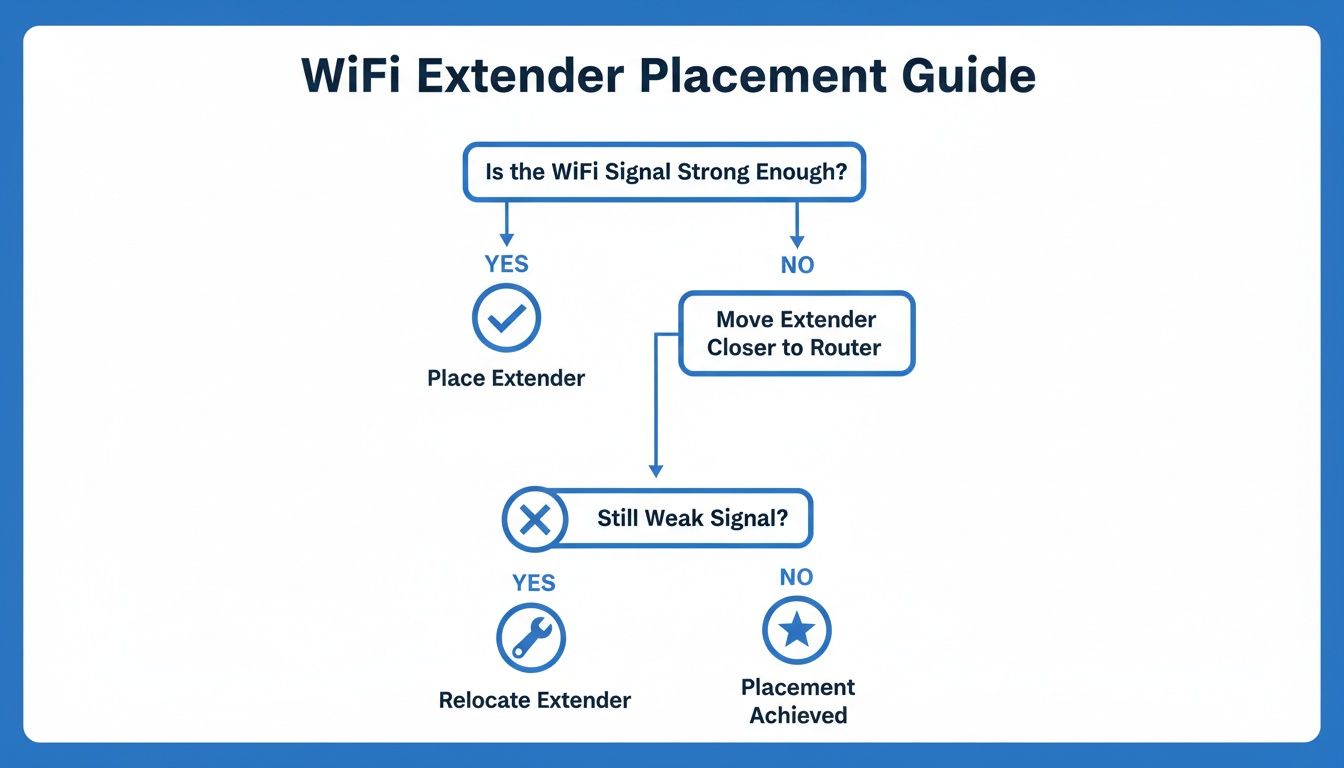
This simple logic—start with a strong signal—is precisely why a wired connection for an Access Point delivers superior results every time. It removes the guesswork and ensures peak performance right from the source.
To help put it all together, here’s a quick comparison of how these technologies stack up in a typical business environment.
Comparison of Office Network Extension Technologies
Feature | WiFi Extender / Repeater | Wired Access Point (AP) | Mesh WiFi System |
|---|---|---|---|
Performance | Low. Reduces speed by up to 50% per hop. High latency. | High. Delivers full network speed with no signal loss. Low latency. | Medium to High. Better than extenders, but wireless backhaul can still reduce speeds. |
Reliability | Low. Susceptible to interference and signal drops. | Very High. A hardwired connection is stable and consistent. | Good. Self-healing network, but still relies on wireless links between nodes. |
Coverage | Small, localised areas. Best for a single room. | Excellent. Scalable to cover large areas with multiple, managed APs. | Good to Excellent. Multiple nodes create a wide coverage blanket. |
Scalability | Poor. Adding more units creates interference and management headaches. | Excellent. Easily add dozens of APs managed from a single controller. | Good. Easy to add more nodes, but performance can degrade with too many wireless hops. |
Management | Basic. Each device is configured individually. | Advanced. Centralised management for all APs, security, and user policies. | User-Friendly. Typically managed via a simple mobile app. |
Best For | A quick, temporary fix for a non-critical dead spot in a small office. | Businesses of any size needing guaranteed performance, reliability, and security. | Small to medium-sized offices that need better coverage than an extender and value ease of use. |
As the table shows, while extenders and mesh systems have their place, a professionally installed wired Access Point system is the only solution that provides the performance, reliability, and scalability a modern business truly needs.
Avoiding Common Wi-Fi Extender Placement Mistakes

Knowing the theory behind how a Wi-Fi extender works is one thing; getting it placed just right is another. This is where most people go wrong. Even the best extender on the market will be completely useless if it’s positioned poorly, and it's a simple mistake that can render your investment worthless.
Think of it this way: an extender can’t magically create a good signal out of thin air. It needs something solid to work with, meaning it has to start with a strong, clean signal from your router to have anything worth rebroadcasting.
The single biggest error we see is people putting the extender right in the middle of the Wi-Fi dead zone. That’s like asking a translator to repeat a message they can’t hear in the first place. All the extender will do is pick up a weak, garbled signal and blast out that same poor signal, leaving you with a connection that’s just as flaky as before.
Instead, you need to find the "Goldilocks" spot. This is the sweet spot roughly halfway between your main router and the area you're trying to cover. From this midpoint, the extender can still grab a robust signal from the router, giving it a solid foundation to push reliable coverage into the room that needs it.
Finding the Sweet Spot for Signal Strength
To track down this ideal position, just use the signal strength indicator on your smartphone. Walk away from your router towards the dead zone and watch your Wi--Fi bars. The perfect spot is where you still have at least two or three bars of signal. Placing your extender here ensures it has a healthy connection to work with.
Once you’ve found the right location, the setup itself is usually pretty straightforward. Many modern extenders come with a WPS (Wi-Fi Protected Setup) button for a quick-and-easy sync. Just press the WPS button on your router, then the one on your extender, and they should automatically connect within a couple of minutes—no need to manually type in network names or passwords.
Physical Obstacles That Sabotage Your Signal
Beyond sheer distance, physical obstructions are the arch-enemy of a good Wi-Fi signal. Office buildings, hospitals, and warehouses are often full of materials that absorb, block, or interfere with wireless transmissions. You have to be mindful of what’s between your extender, your router, and your devices.
Avoid placing extenders where the signal path is compromised. This includes places like:
Behind Metal Objects: Metal filing cabinets, server racks, and steel beams are notorious signal killers.
Near High-Power Appliances: Microwaves, cordless phones, and even some fridges operate on the same 2.4 GHz frequency and can cause serious interference.
Inside Enclosed Spaces: Sticking an extender inside a cupboard or behind a thick concrete wall will severely cripple its ability to communicate.
An extender needs open air to do its job properly. Tucking it out of sight often means tucking it out of commission. Prioritise a clear line of sight back to the router wherever possible for the best results.
Even with perfect placement, it's important to remember that an extender is a limited tool. For any business that needs guaranteed uptime and rock-solid performance, a professionally installed network is the only reliable long-term solution. Professional solutions involving fibre cable installation and structured cabling eliminate these placement headaches entirely, providing a stable foundation that a simple plug-in device can never hope to match. This kind of certified, tested network delivery ensures every corner of your office gets the consistent, powerful connectivity it needs to function.
Business Risks of Relying on WiFi Extenders

While a Wi-Fi extender seems like a tempting quick fix for a patchy signal, leaning on these consumer-grade devices in a professional setting is a recipe for trouble. For any business where every connection counts, these gadgets introduce serious performance and security risks that can grind daily operations to a halt and leave your sensitive data wide open.
The most immediate pain point is the performance hit. By their very nature, extenders add latency and slash your available bandwidth. This directly impacts the tools your team relies on every single day. Think choppy VoIP calls, frozen video conferences, and large file transfers slowing to a crawl. It’s a guaranteed drag on productivity.
This performance drop gets particularly bad in a busy office with dozens of devices competing for signal. At their core, Wi-Fi extenders just repeat a signal, stretching its reach up to 100m in an open area, though UK office walls quickly cut this down to 30-50m. Dual-band models are essential and make up 61.3% of the market, as they're better suited for the UK's data-heavy tasks on the 5GHz band. A well-placed extender might cut connection dropouts by 70%, but that inherent speed loss is a bottleneck that never goes away. You can read a full breakdown of the Wi-Fi extender market for more detail.
The Hidden Security Dangers
Beyond sluggish performance, the security holes in Wi-Fi extenders pose an even greater threat. Every extender you plug in is another potential doorway for an attack. If it isn't properly locked down, it acts as a backdoor, giving intruders a foothold right inside your company network.
An unsecure extender doesn't just create a weak link; it effectively duplicates and broadcasts your network's vulnerabilities. Any security flaw in your main router is amplified and made more accessible by the extender.
Many businesses make the critical mistake of leaving the device with its factory settings. This is a massive security risk, as the default admin passwords are often publicly known and incredibly easy for an attacker to exploit.
Essential Security Hygiene for Extenders
If you absolutely must use an extender, treating it with the same security rigour as your main router is non-negotiable. Protecting your network means taking a few crucial steps:
Change Default Passwords Immediately: The very first thing you should do is change the extender's default admin username and password to something strong and unique.
Use Robust Encryption: Make sure the extender is configured to use WPA3 encryption, the latest security standard. If your router can't support it, use WPA2, but never, ever use the outdated and insecure WEP protocol.
Keep Firmware Updated: Manufacturers release firmware updates to patch security holes. Regularly checking for and installing these updates is absolutely essential to shield your network from new threats.
These measures offer a baseline of protection, but they really highlight why a consumer-grade solution falls short in environments like commercial buildings and hospitals. For any operation handling sensitive data, a professionally certified, tested network delivery is the only way to guarantee both rock-solid security and reliable performance. Getting your network properly tested and certified eliminates these risks from the outset.
When Your Business Needs Professional Network Installation
Wi-Fi extenders offer a tempting plug-and-play fix, but how do you know when your business has officially outgrown these DIY solutions? That line is crossed the moment "good enough" connectivity starts costing you money through wasted time and frustrated staff.
If your daily operations rely on flawless performance for things like VoIP calls or cloud-based software, it’s time to think beyond consumer-grade gadgets. High-density environments like busy open-plan offices or hospital wards will quickly overwhelm a simple extender, leading to dropped connections and sluggish speeds.
More importantly, any organisation handling sensitive patient or client data cannot afford the security risks that come with improperly managed network devices. For these mission-critical scenarios in commercial buildings and hospitals, a professionally installed network isn't a luxury—it's a fundamental requirement for reliable and secure operations.
The Value of a Structured Cabling Solution
When you move past extenders, you enter the world of structured cabling. This is the professional standard, where performance isn't left to chance. Instead of trying to relay a weakening wireless signal, a structured solution uses high-performance fibre cable installation or dedicated copper wiring to connect access points directly to your core network.
This approach completely sidesteps the signal degradation that’s built into how a Wi-Fi extender works. Every access point gets data at full speed, delivering maximum performance and rock-solid reliability exactly where you need it. It’s a robust, permanent foundation designed to support your business today and well into the future.
A professionally installed network isn't just about faster Wi-Fi; it’s about creating a dependable digital foundation for your entire organisation. It removes bottlenecks, enhances security, and ensures your infrastructure can support your growth.
Benefits of a Professionally Tested and Certified Network
Bringing in certified professionals means every single part of your network is meticulously planned, installed, and verified. As an Excel network accredited partner, we ensure every connection is rigorously tested to meet stringent performance standards. This process prevents the common data network mistakes that plague DIY setups from ever happening.
A certified network brings real, tangible advantages to your business:
Guaranteed Reliability: Your network is backed by a 25-year equipment warranty, giving you complete peace of mind.
Operational Efficiency: Professional cable management creates a clean, organised server room and contributes to a tidy desk environment, meaning your IT team isn't left battling a tangled mess.
Seamless Relocations: For an office relocation, every piece of equipment is tested before and after the move to guarantee a smooth transition with zero surprises.
Future-Proof Infrastructure: The network is built from the ground up to handle future technologies and increased demand, protecting your investment for years to come.
Ultimately, making sure your network is tested and certified is about moving from patching problems to building a strategic asset. It ensures every user has a fast, stable, and secure connection, letting them focus on their work instead of being held back by a fragile network.
Your Wi-Fi Extender Questions, Answered
When you're trying to fix dodgy Wi-Fi in the office, extenders can seem like a quick, cheap solution. But before you plug one in and hope for the best, it’s worth getting some straight answers to the most common questions we hear.
Will a Wi-Fi Extender Actually Make My Internet Faster?
This is the number one misconception. The short answer is no; in fact, it will do the opposite. A Wi-Fi extender is designed to stretch your signal’s reach, not boost its speed. Think of it like a relay runner—it has to grab the signal from your router and then re-broadcast it.
That two-step process introduces a delay and cuts your available bandwidth, often slashing the maximum potential speed by up to 50%. You get a signal where you had none before, but you sacrifice a huge chunk of performance to get it.
Can I Just Plug in a Few Extenders Around the Office?
Technically, yes. But in a professional environment, it's a terrible idea. Every extender you add to the chain creates more lag and slices the available speed even further.
If you try to daisy-chain them—connecting one extender to another—you'll end up with a network that’s painfully slow and completely unreliable for any real business use. For any space with more than one dead zone, a professionally installed system with wired Access Points is the only sensible solution.
How Do I Make Sure My Extender Isn’t a Security Risk?
This is a big one. An unsecured extender is like leaving a side door unlocked on your entire network. First, and most importantly, change the default admin password the moment you set it up. Second, make sure it’s using the same strong encryption as your main router, preferably WPA3.
Third, you have to keep its firmware updated to patch any new security holes. Finally, if you’re using an old, unsupported extender that no longer gets updates, unplug it. It’s a ticking time bomb and a massive risk to your business network.
Relying on consumer-grade devices often introduces unseen security risks and performance bottlenecks, which are common data network mistakes. For critical environments like commercial buildings or hospitals, a more robust solution is non-negotiable.
Is a Professionally Certified Network Really Better Than Using Extenders?
Absolutely, and it’s not even a close comparison. A professionally installed and certified network built on structured cabling, like a fibre cable installation, delivers guaranteed performance, rock-solid reliability, and security that extenders can never hope to match.
With a certified, tested network delivery, every single connection is verified to meet strict industry standards. This ensures you get consistent speed and stability for all your business-critical operations. It’s a proper long-term investment in your company’s digital backbone, often backed by a 25-year equipment warranty—a guarantee you simply won’t get from a £50 plug-in box.
If your business has outgrown the quick fixes and constant frustrations of Wi-Fi extenders, it's time for a professional solution. Constructive-IT specialises in designing and installing certified, high-performance networks for UK businesses.
Learn how our structured cabling and tested network delivery can provide the reliability your organisation needs by visiting https://www.constructive-it.co.uk.
Comments