


Mesh WiFi vs WiFi Extender for Business Networks
- Craig Marston
- Nov 24, 2025
- 15 min read

When it's time to boost your office WiFi, you're faced with a critical choice: a mesh network or a WiFi extender. For most businesses needing reliable, seamless coverage across multiple rooms or floors, a mesh WiFi system is the superior solution. It creates a single, intelligent network that just works.
An extender, on the other hand, is a simpler, budget-friendly fix for a small, isolated dead zone. The catch? It creates a separate network and can significantly reduce your connection speed.
Choosing Your Business WiFi Solution
Deciding between mesh WiFi and a WiFi extender is a foundational choice that impacts daily operations, from staff productivity to client satisfaction. An unreliable connection is more than a minor inconvenience; it's a genuine barrier to business. For any organisation planning for growth, a scalable and robust network isn't a luxury—it's a core utility.
This decision often comes down to the scale and nature of your connectivity issues. The following decision tree helps visualise which path is right for your office environment.
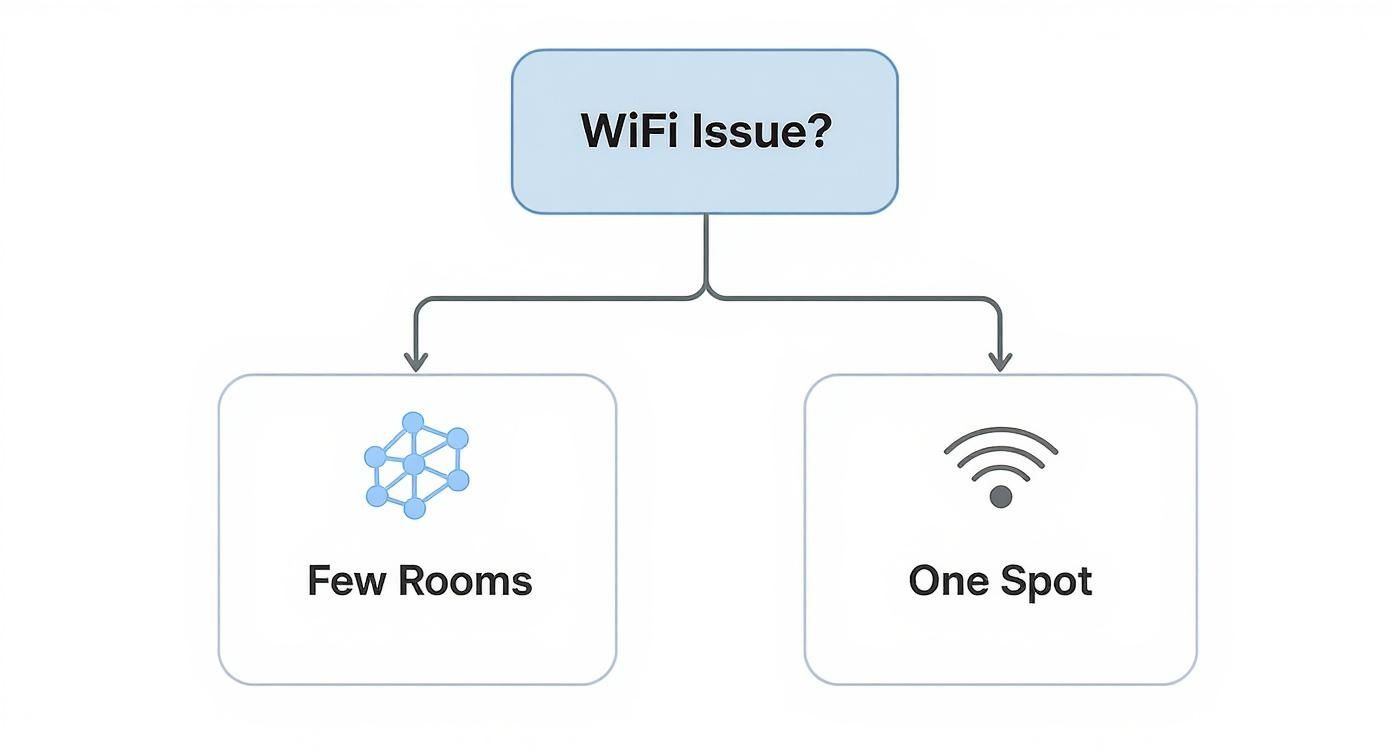
As the chart illustrates, the scope of the problem really dictates the solution. Widespread coverage issues point you firmly towards mesh, while a single problem spot might initially suggest an extender is all you need.
Key Differences for Professional Environments
While both technologies aim to expand your wireless coverage, their methods—and the results they deliver—differ greatly in a professional setting. Mesh systems are engineered from the ground up for performance and simplified management. Extenders offer a basic fix but come with notable performance trade-offs.
This table cuts through the noise and highlights the key factors for businesses.
Mesh WiFi vs WiFi Extender At a Glance for Business
Factor | Business-Grade Mesh WiFi | Standard WiFi Extender |
|---|---|---|
Network Structure | Creates a single, unified network (one SSID) for seamless roaming between access points. | Creates a separate, secondary network, which often requires users to manually switch connections. |
Performance | Maintains high speeds across the network, often using a dedicated backhaul channel to avoid congestion. | Typically halves the available bandwidth because the same radio has to receive and then re-broadcast the signal. |
Management | Centralised management through a single, intuitive interface for all nodes and settings. | Each extender must be configured, updated, and managed individually, adding complexity. |
Scalability | Easily scalable. You can add more nodes to expand coverage as your business grows, without performance hits. | Difficult to scale effectively. Adding more extenders creates signal interference and management headaches. |
Ideal Use Case | Multi-floor offices, large open-plan spaces, and dynamic work environments needing flawless connectivity. | A small, single dead zone in a non-critical area like a staff break room or a quiet corner. |
Ultimately, the right choice depends on your specific needs, but the architectural differences are clear.
A certified and tested network delivery is crucial for either solution. However, the inherent architecture of a mesh system, especially when combined with professional fibre cable installation for the backhaul, provides a foundation for reliability that extenders simply cannot match. This is why solutions backed by a 25 year equipment warranty are almost exclusively mesh-based.
How the Underlying Technology Differs
To really get to the bottom of the mesh Wi-Fi vs Wi-Fi extender debate, you have to understand they’re built on completely different philosophies. They both aim to stretch your wireless coverage, but how they do it is what separates a professional-grade solution from a quick fix. That choice has a knock-on effect on everything from data speeds to the daily user experience.
Think of a mesh Wi-Fi system as an intelligent team of devices working together. You have a primary router connected to your modem, and then several satellite modules, or 'nodes', positioned around your office. These nodes are constantly talking to each other, creating one large, seamless network under a single name (SSID).
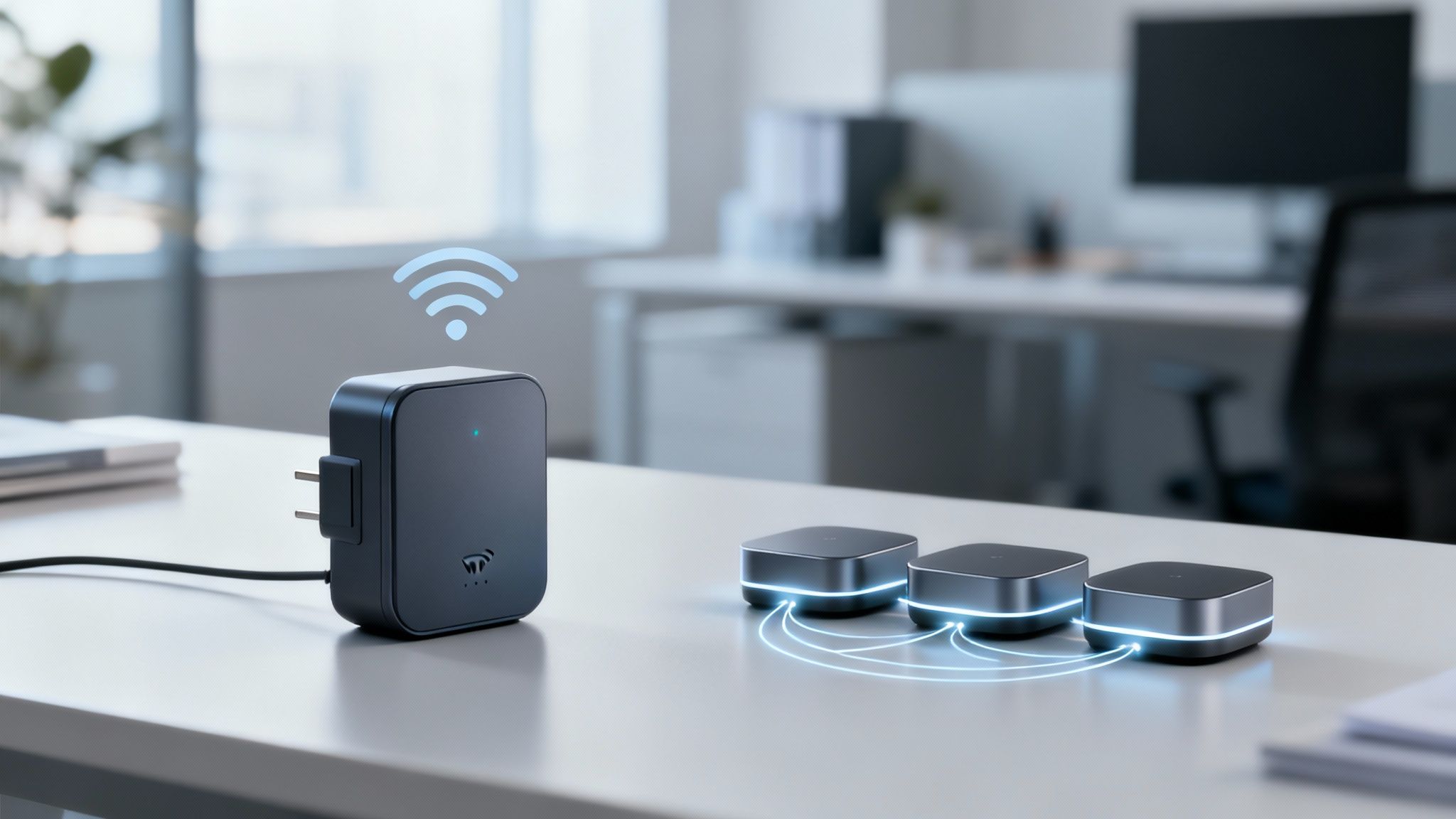
This cooperative structure is precisely why mesh is so effective for businesses. The nodes don’t just blindly repeat a signal; they intelligently route data, picking the fastest and least congested path back to the main router. If one node gets overloaded or fails, the network instantly reroutes traffic through a healthier one, keeping everyone online without a hitch.
The Role of a Dedicated Backhaul
One of the biggest advantages of a proper enterprise mesh system is the dedicated backhaul. This is essentially a private, high-speed data lane that the nodes use just for communicating with each other. This clever design stops the nodes from competing for bandwidth with your laptops, phones, and printers, which is crucial for preventing congestion and keeping speeds high.
For the absolute best performance, this backhaul needs to be wired. A professional fibre cable installation creates the ultimate data highway between nodes, giving you rock-solid gigabit speeds. This is standard practice for projects demanding a certified, tested network delivery, and it’s how we can guarantee performance with a 25 year equipment warranty. A wireless backhaul is an option, but in a busy office, nothing beats a wired connection.
How WiFi Extenders Operate
A Wi-Fi extender, or repeater, works in a much more basic, linear way. It listens for the signal from your main router and then simply rebroadcasts it, creating a new, separate network.
This approach comes with a massive, unavoidable flaw. The extender has to use the same radio to both receive the signal and send it out to your devices. This process instantly cuts the available bandwidth by at least 50%. You'll feel this performance hit straight away, and it only gets worse as more people connect.
A Wi-Fi extender is like a relay runner who has to run back and forth to get the baton. A mesh network is a team of runners passing the baton seamlessly to each other. The difference in efficiency and speed is substantial, especially in a busy office.
This simple rebroadcasting model is why extenders just aren't cut out for business use. Each extender you add creates its own little network island, making management a headache and creating a clunky experience for users. To understand more, you can read about how a Wi-Fi range extender works and what to expect. In many cases, adding more extenders just creates more problems—like signal interference—than it solves.
Comparing Network Architecture
Let’s break down the core architectural differences from a business perspective:
Network Intelligence: Mesh systems are proactive. They constantly manage connections and find the best data paths. Extenders are purely reactive; they just repeat a signal, completely unaware of network health or traffic jams.
Scalability: Expanding a mesh network is simple—just add another node, and it automatically joins the team. Trying to scale with multiple extenders is a recipe for disaster, leading to poor performance and interference between all the separate networks you’ve created.
Physical Integration: A professionally designed mesh system can be woven into an office layout, incorporating smart cable management for a tidy desk environment. This is particularly important during an office relocation with equipment testing, where the network is built from the ground up for perfect coverage and aesthetics. As an Excel network accredited partner, we consider this integrated approach the standard for any modern business.
Comparing Performance and Network Reliability
In any business, network performance isn’t just a nice-to-have; it's the bedrock of productivity. When you put mesh Wi-Fi and Wi-Fi extenders side-by-side, the difference in performance and reliability is night and day, and that difference directly impacts everything from video calls to critical data transfers.
This is where the smarter architecture of a mesh system really shines.
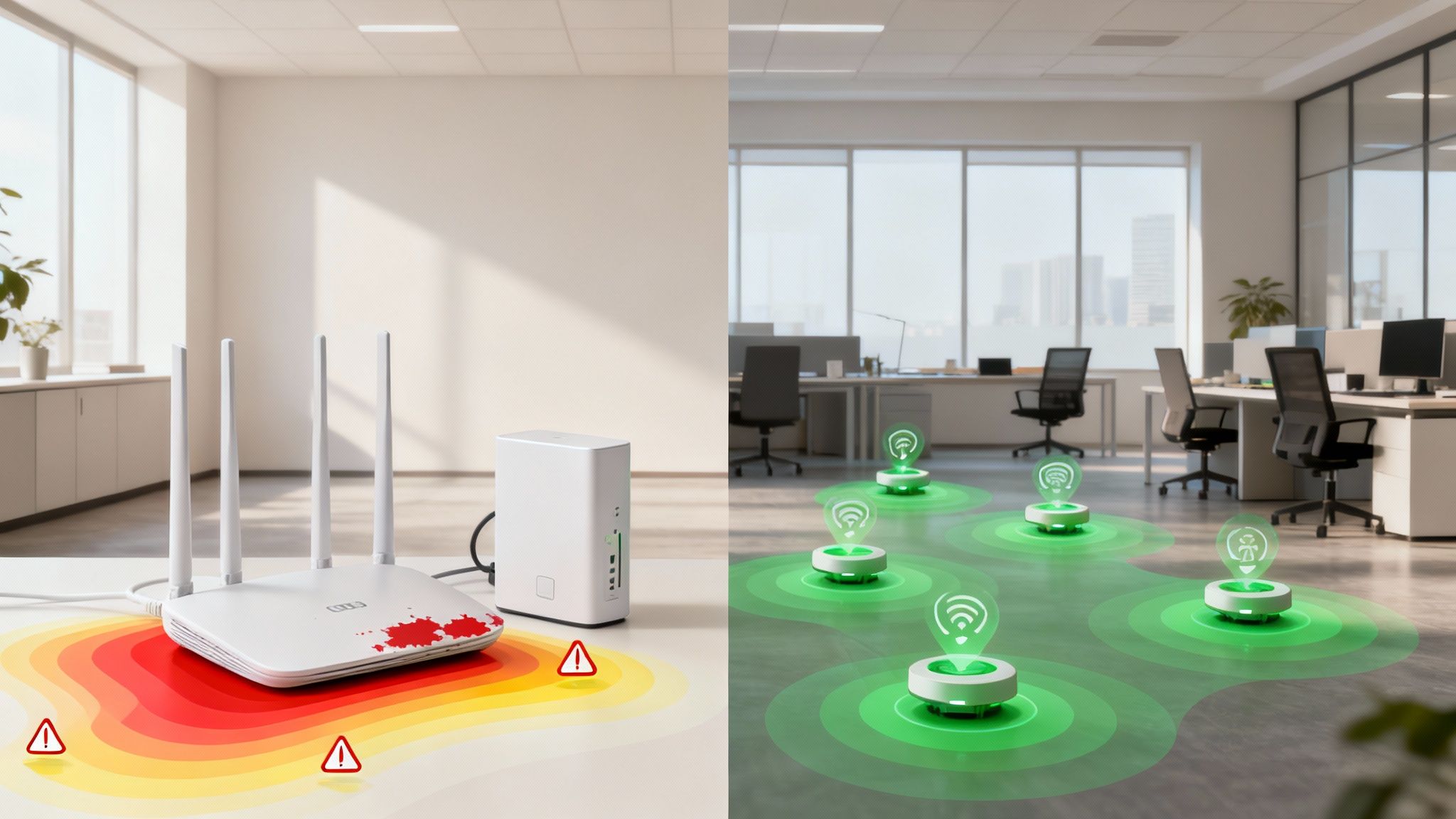
A business-grade mesh system is built for consistency. It delivers stable throughput (your actual data speed) and low latency (the delay in data getting from A to B) across your entire office space. It manages this with intelligent routing, where data packets are dynamically sent along the quickest, least congested path between nodes and back to the router. No bottlenecks, no fuss.
A Wi-Fi extender, on the other hand, just catches and re-broadcasts a signal. It’s a simple process that unfortunately introduces significant latency and, as a rule of thumb, cuts the available bandwidth by at least 50%. For a single person browsing a website, that might just be a minor annoyance. For a team relying on VoIP calls and cloud apps, it’s a productivity killer.
The Critical Role of Backhaul in Business Networks
The real secret to a high-performing mesh network is its backhaul—the dedicated connection between the nodes themselves. A solid backhaul ensures that the nodes can talk to each other without stealing bandwidth from your team's devices. This is what stops the network from grinding to a halt when everyone is busy.
For absolute reliability in a professional environment, nothing beats a wired Ethernet or fibre cable installation for the backhaul. This physical connection guarantees maximum speed and stability between nodes, completely separating the network's own traffic from your client Wi-Fi. It’s a non-negotiable part of a certified, tested network delivery.
In stark contrast, an extender has no concept of a dedicated backhaul. It uses the exact same wireless channel to talk to the router as it does to talk to your laptop. This creates a constant traffic jam that tanks performance for everyone connected. It’s a fundamental design flaw that makes extenders unsuitable for busy offices.
An extender merely patches a weak signal, often creating new performance problems in the process. A professionally installed mesh system, backed by a 25 year equipment warranty, delivers a resilient and predictable network built for business continuity.
Throughput Under Load: A Real-World Comparison
Picture your open-plan office on a busy Tuesday morning. Multiple teams are on video calls, your designers are uploading massive files, and the sales team is hammering the cloud CRM. This is where the performance gap becomes a chasm.
Mesh System Performance: Even with dozens of devices online, the mesh system intelligently balances the load. Its dedicated backhaul means heavy traffic from one user doesn't bog down the entire network. Performance stays consistent and predictable.
Extender Performance: The extender rapidly becomes a bottleneck. As every device tries to communicate through it, its single radio struggles to manage the two-way traffic. Speeds plummet, video calls start to stutter, and file transfers fail. Adding a second extender often just makes things worse by creating signal interference.
To get the most out of any setup, it's also worth looking into different strategies to improve internet speed, as the connection from your provider is the foundation for everything else.
Latency and its Impact on Productivity
Latency is the delay it takes for data to travel from its source to its destination. For real-time applications like video conferencing and VoIP, low latency isn't just important—it's essential. Even a tiny delay is enough to cause robotic voices and frozen video feeds.
Mesh systems are designed specifically to keep latency to an absolute minimum, with data hopping between nodes efficiently. Extenders, by their very nature, add a significant layer of latency every time they rebroadcast the signal. This "middleman" delay makes them a poor choice for any application that needs a responsive, real-time connection.
The table below breaks down the key performance differences in a business context.
Performance Metric | Business-Grade Mesh Wi-Fi (Wired Backhaul) | Standard Wi-Fi Extender |
|---|---|---|
Bandwidth Impact | Negligible impact on bandwidth; maintains near-full speed across the network. | Reduces bandwidth by 50% or more due to the receive/rebroadcast process. |
Latency | Very low latency, suitable for VoIP, video conferencing, and real-time applications. | High latency introduced with each signal hop, causing lag and stuttering. |
Performance Under Load | Handles high device density and heavy traffic by distributing the load effectively. | Performance degrades rapidly as more devices connect, creating a bottleneck. |
Reliability | High reliability with self-healing capabilities; if one node fails, traffic is rerouted. | Low reliability; if the extender loses connection or fails, a large dead zone is created. |
As an Excel network accredited partner, we know that network reliability is built on solid engineering. A mesh system offers a foundation for dependable performance that an extender can never match. From meticulous cable management for a tidy desk environment to full network design during an office relocation with equipment testing, the objective is always the same: predictable, high-speed connectivity.
The Impact on Daily User Experience
Technical specs are one thing, but the real question in the mesh Wi-Fi vs. Wi-Fi extender debate is how each one actually feels to use day-to-day. It’s not just about signal bars; it’s about creating a smooth, frustration-free work environment where technology just gets out of the way. After all, a solid connection is the bedrock of modern business, directly impacting your team's efficiency and morale.
Picture this: one of your team is on a critical video call with a new client. They need to grab something from a meeting room on another floor, so they pick up their laptop and start walking. This is where the difference between the two solutions becomes painfully obvious.

Seamless Roaming with Mesh WiFi
In a mesh environment, that walk across the office is completely uneventful—which is precisely the point. A mesh system functions as a single, intelligent network. As your employee moves, their laptop is automatically and silently handed off to the nearest node with the strongest signal.
This is called seamless roaming, and it's a core feature of any business-grade mesh system. The video call continues without a single stutter, dropped frame, or awkward pause. For the user, the network is invisible. It just works, everywhere. That kind of reliability is essential in a dynamic office where people are constantly on the move.
Disconnected Handoffs with WiFi Extenders
Now, let's replay that scene with a Wi-Fi extender. An extender doesn't join your network; it creates a separate, distinct network with its own name (often with "_EXT" tacked on the end). As your employee leaves the main router's range and enters the extender's zone, their laptop has to completely disconnect from the first network and then reconnect to the new one.
This is a hard stop, not a smooth handoff. The result is predictable: the video call freezes and drops. Productivity grinds to a halt while they fiddle with their Wi-Fi settings, and professional momentum is lost. That disjointed experience is a major liability for any business where staff aren't chained to their desks.
The core difference comes down to transparency. A mesh network is fluid and invisible, supporting mobility without a second thought. A Wi-Fi extender creates clunky, visible network seams that interrupt work and break concentration.
Comparing Real-World Scenarios
This contrast plays out in countless daily office situations. Thinking through these common scenarios makes it clear which solution is the right long-term investment.
Hot-Desking and Collaboration: In a flexible office, staff move between desks, breakout areas, and meeting rooms. Mesh Wi-Fi lets their devices stay connected without ever needing to manually switch networks or suffer connection drops.
Warehouse and Logistics: Imagine staff using handheld scanners to manage inventory. With an extender's patchy coverage, you get data sync errors and delays. A mesh system provides a blanket of consistent signal across the entire facility, ensuring real-time updates.
Client-Facing Areas: Offering solid guest Wi-Fi in your reception and meeting rooms is non-negotiable. A mesh system presents a single, professional network. Extenders create a confusing and unreliable experience for visitors trying to figure out which network to join.
Ultimately, your choice here directly shapes how your team interacts with the digital tools they rely on. For any business embracing flexible work or planning for growth, the dependable, fluid experience of a mesh network is a clear operational advantage. For a deeper look into optimising your workspace, our guide on how to improve Wi-Fi coverage in your office offers more valuable insights.
Management and Future Scalability
Beyond the day-to-day performance figures, the real test of a network solution is its long-term viability. How easy is it to manage, and how well will it adapt as your company grows? When you compare mesh Wi-Fi against Wi-Fi extenders, the differences in management and scalability are stark—and they directly impact your IT team's workload and your business's future.
A business-grade mesh Wi-Fi system is designed from the ground up for simplicity and unified control. It offers centralised management through a single interface, usually a web dashboard or a dedicated app. From one screen, an IT manager can see the entire network's health, roll out security updates, change passwords, and manage guest access for every single node.
This streamlined approach is a massive time-saver and drastically cuts the risk of human error. When a critical security patch is released, it can be deployed across the whole network in just a few clicks, guaranteeing consistent protection for the entire office.
The Headache of Managing Extenders
Wi-Fi extenders, in stark contrast, are lone wolves. Each one is a standalone device that needs its own separate configuration and management. If you have three extenders dotted around the office, you have three separate devices to log into, update, and troubleshoot.
This quickly spirals into an administrative nightmare. Imagine having to manually update the firmware on five different extenders scattered across multiple floors. What should be a simple task becomes a tedious, time-consuming chore that pulls your IT resources away from more important work.
The core difference is architectural. A mesh system is managed as one cohesive network. A setup with multiple extenders is just a collection of disparate devices, each demanding individual attention. That lack of cohesion makes scaling with extenders completely impractical for any growing business.
As an Excel network accredited partner, we know that a manageable network is a secure and reliable one. A system that’s a pain to maintain often gets neglected, which is a fast track to security vulnerabilities and performance issues down the line.
Planning for Business Growth
Future scalability is where mesh systems really prove their worth as a long-term investment. As your business expands and your office footprint grows, so will your need for dependable wireless coverage.
With a mesh system, scaling up is incredibly straightforward.
Assess New Coverage Needs: Identify the new area that needs a stronger signal, like a recently built office wing or an expanded floor.
Add a New Node: Simply plug in a new mesh node within range of the existing network.
Automatic Integration: The new node automatically finds the existing mesh system, configures itself, and seamlessly joins the network, extending your unified coverage blanket.
This plug-and-play scalability means your network can grow in minutes, not hours, without needing a complete overhaul.
Trying to scale with Wi-Fi extenders, however, is a recipe for frustration. Adding more extenders just introduces more signal interference and network congestion. Each new extender creates its own separate network, making management even more complicated and adding more potential points of failure. Often, the performance gets worse, not better, as you add more devices.
Integrating with Professional Infrastructure
A truly scalable network is one that's built on a solid foundation. For any business planning an office relocation with equipment testing or just looking to improve its current setup, the network is a critical component. A well-designed mesh system integrates perfectly into a professional infrastructure that includes thoughtful cable management and a tidy desk policy.
A certified, tested network delivery ensures that every component, from the nodes right down to the underlying fibre cable installation, works together in harmony. This forward-thinking approach is why we recommend mesh technology for any business serious about its future. For a closer look at the benefits, you can explore the key advantages of mesh networking for UK offices and see how it aligns with long-term business goals.
Real-World Scenarios: Choosing the Right Tool for the Job
Theory is one thing, but making the right call between mesh Wi-fi and a Wi-Fi extender really boils down to your specific business environment. The best way to decide is to look at how each technology handles real-world operational needs, ensuring your investment actually boosts productivity instead of creating new headaches.
Scenario One: The Multi-Floor Professional Services Firm
Picture a growing accounting firm spread across two floors in a modern office building. The team lives on VoIP phones, needs constant access to cloud software, and spends half their day in video conferences. Staff are constantly moving between desks, meeting rooms, and breakout spaces, and they expect their connection to follow them seamlessly.
For an environment like this, a professionally installed mesh system isn't just the best choice—it's the only one that makes sense.
Here’s why:
Seamless Roaming: An accountant can start a video call at their desk, walk over to a conference room, and never see a stutter or a dropped connection. It's all one unified network.
Consistent Performance: High-speed data is everything. A certified, tested network delivery using a wired backhaul means every user gets the reliable performance they need, without the bottlenecks an extender would inevitably create.
Guaranteed Reliability: This firm simply cannot afford network downtime. A solution backed by a 25 year equipment warranty offers the peace of mind and business continuity they depend on.
In a dynamic, multi-level office, consistent performance and seamless mobility are non-negotiable. A mesh network provides the stable, unified coverage needed to support a modern, agile workforce without compromise.
Scenario Two: The Small High-Street Retail Shop
Now, let's consider a small, independent bookshop. The main router does a decent job covering the customer area and the main till. But there's a single stockroom at the back of the building with a persistent dead zone, which means the card payment terminal keeps dropping its connection.
In this very specific, low-stakes situation, a simple Wi-Fi extender could be a pragmatic, short-term fix.
The goal here isn't blistering performance; it's about getting basic connectivity for one low-bandwidth device. The extender can bridge that small gap, allowing the terminal to process transactions. A slight performance dip isn't critical, and since staff and devices aren't roaming, the lack of seamless handoff isn't an issue. It solves one problem in one spot, cheaply.
But let's be clear: this is a patch, not a strategy. If the bookshop decided to expand by adding a coffee shop with guest Wi-Fi, this solution would fall apart instantly, showing its limitations as anything more than a temporary fix.
Got Questions? We’ve Got Answers
When you're weighing up mesh Wi-Fi against extenders for your business, a few common questions always pop up. Getting the right answers is key to making a smart investment in your network.
Can I Use a Wi-Fi Extender with an Existing Mesh System?
While it might seem like a quick fix, mixing these two technologies is something we strongly advise against in any professional setting. Adding an extender to a mesh network creates a serious performance bottleneck and essentially sets up a separate, disjointed network.
This completely undermines the whole point of a mesh system, which is to provide seamless, unified coverage. It also makes managing your network a headache.
Is a Wired Backhaul Essential for a Business Mesh Network?
For the best possible performance in an office, a wired (Ethernet) backhaul is the gold standard. This physical link between mesh nodes delivers the most stable, high-speed connection possible, leaving the wireless spectrum free for your team’s devices.
While a wireless backhaul will work, a wired connection—often installed via professional fibre cable installation—guarantees you're getting every bit of performance you paid for. It's a non-negotiable part of any certified, tested network delivery.
How Do I Know How Many Mesh Nodes My Office Needs?
Figuring this out depends on your office size, its layout, what the walls are made of, and how many people will be using the network. The only way to get it right is with a professional wireless site survey.
This process involves mapping out signal strength and identifying the perfect spot for each node. It ensures you get complete coverage without any dead zones or performance drops and is a vital step during an office relocation with equipment testing.
Investing in a properly planned system from an Excel network accredited partner ensures your network is robust and scalable. Solutions like these often come with a 25 year equipment warranty, reflecting a commitment to long-term performance and reliability that a simple extender cannot match. This professional approach also considers details like cable management for a tidy desk environment, integrating the network seamlessly into your workspace.
Your office network is the backbone of your business. Constructive-IT specialises in designing and implementing high-performance, reliable network solutions, from structured cabling to complete Wi-Fi systems, ensuring your infrastructure supports your goals. Plan your network upgrade with our certified experts today.
Comments