
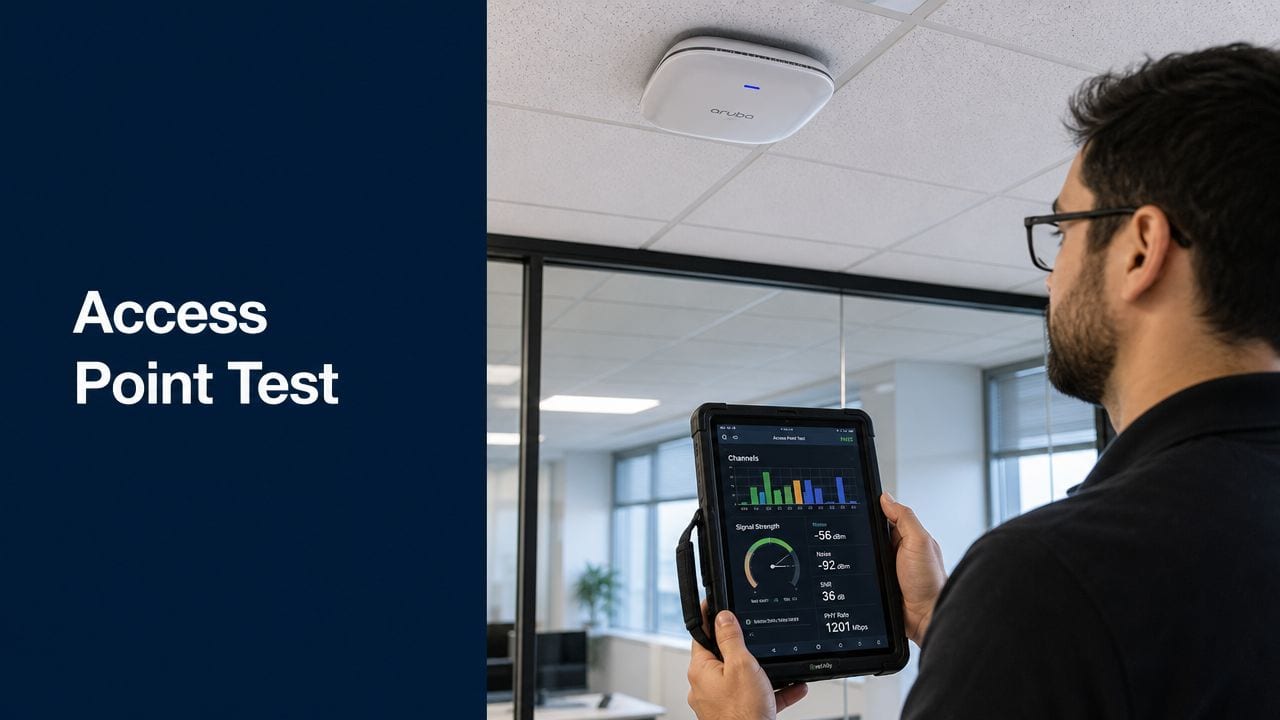
You're probably in one of two positions right now. Either the office fit-out is moving quickly and the Wi-Fi is being treated as a final-stage checkbox, or the access points are already on the ceiling and people are assuming the building is “smart” because devices can see an SSID.
That's where projects drift into trouble.
A proper access point test isn't just about proving that a laptop connects in an empty room. In a modern office, the wireless network carries staff devices, guest access, CCTV backhaul, building controls, and the practical day-to-day behaviour of an unmanned site. If the Wi-Fi roams badly, authenticates inconsistently, or collapses under mixed device load, the damage shows up as failed door events, patchy camera coverage, support tickets, and a building that still needs people on site to babysit it.
Why Your Smart Building Hinges on the Network
An unmanned building isn't only a building with apps and automation. In practice, it means core functions operate without day-to-day on-site staff. That includes automated access control using digital keys or fobs with remote permission changes, AI-powered CCTV that flags unusual activity without continuous guard presence, and remote utilities management for HVAC, lighting, and power from a central dashboard, as described in this overview of unmanned building management in practice.

That sounds straightforward until the systems encounter practical conditions. Doors need data and power. Cameras need bandwidth and predictable switching. Controllers need resilience when something upstream fails. The underlying cabling has to support all of it, which is why good projects start with the physical layer and not just wireless settings. If you're reviewing the building fabric itself, this primer on structured cabling for commercial environments is a useful place to ground the conversation.
What unmanned building management means on site
The practical version looks less glamorous than the brochure version.
It means reception may be unstaffed for long periods. Deliveries may be handled through controlled access rules. Occupants may enter with credentials pushed remotely rather than keys handed over locally. Plant, lighting, occupancy, and security events may be monitored from elsewhere. If the site is made up of autonomous units, every one of those units still depends on a joined-up approach to access, power, and data.
It also means the design has to survive local disruption. A lock that only works when the internet is up isn't an unmanned strategy. A camera estate that drops because a PoE switch was never validated under load isn't an autonomous building. A building management interface that nobody can reach after a single controller failure was automated, not properly engineered.
Practical rule: If you can't explain how the building behaves when internet, mains power, and one critical controller fail at the same time, it isn't truly unmanned. That failure pattern, and the need to define who enters, which spaces are critical, what needs visual verification, and what must survive local disruption before any cable is pulled, is laid out clearly in this safe mode planning guide.
Why these projects fail
Most failures start before testing begins.
Teams design door access separately from Wi-Fi. Electrical contractors complete power routes without reference to network cabinet locations. CCTV gets specified late and lands on whatever switching capacity is left. Then someone expects the wireless estate to smooth over all the compromises.
That's the wrong order. Commercial electrical installation and certification, structured cabling, switching, wireless design, access control, and CCTV need to be treated as one system. Building out a fully autonomous unmanned building units approach only works when those layers are designed together. The access point test then becomes the proof that the building behaves as intended, not a hopeful signal check at handover.
Laying the Groundwork for a Valid Test
On office fit-outs, the failure usually shows up at handover. Doors are online, cameras are mounted, desks are occupied, and then the first full day of traffic exposes missed VLANs, weak PoE budgets, poor AP placement, or roaming gaps between meeting rooms and corridors. In a building that is supposed to run with minimal on-site intervention, that is not a Wi-Fi problem in isolation. It is an operational failure that affects CCTV visibility, access control events, visitor systems, and every other service riding the same network.
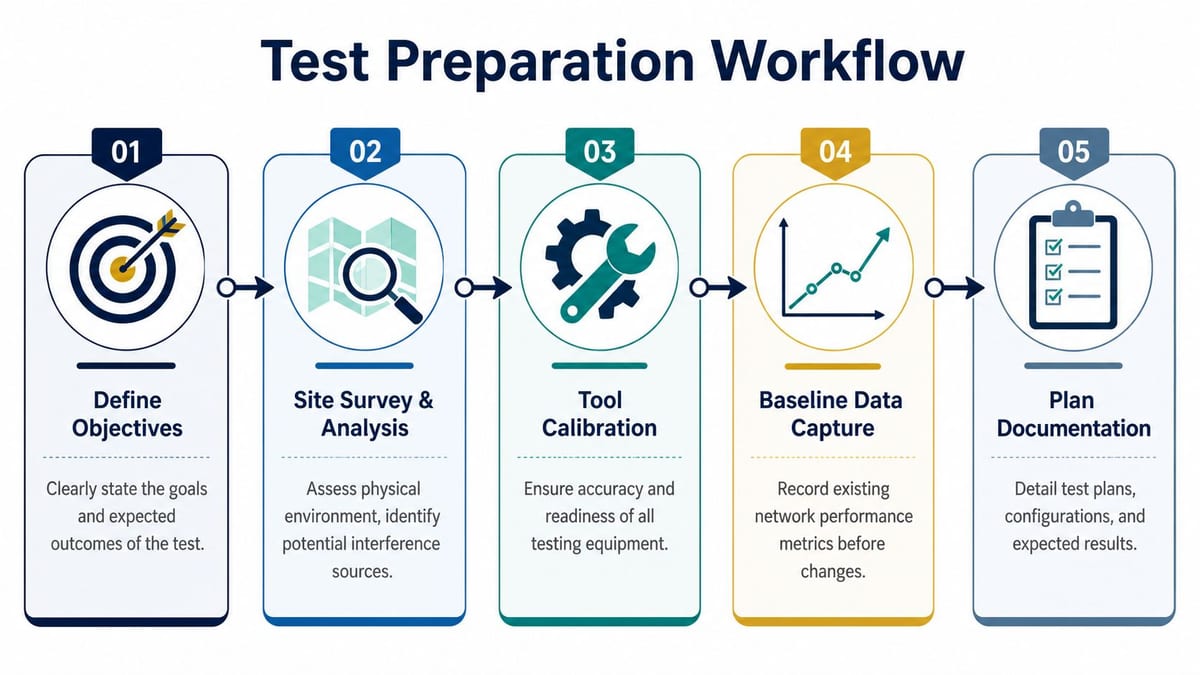
A valid access point test starts before installation is signed off. It starts by proving the network underneath the APs is ready to carry the services the building depends on.
Start with the survey sequence
For a commercial office, one survey is never enough. The job needs a predictive survey to model AP count and placement, a passive survey on site to measure the existing RF environment, and an active survey during typical occupancy to confirm client experience against the design. CloudSwitched's guide to Wi-Fi site surveys and heat mapping is a solid reference for that sequence.
Each phase answers a different engineering question, and skipping one usually pushes risk into commissioning.
| Survey phase | What it proves | What it misses if skipped |
|---|---|---|
| Predictive survey | Whether the planned AP layout is sensible on paper | Real wall construction, neighbouring networks, occupancy effects |
| Passive survey | What the RF environment actually looks like on site | Live client behaviour, application performance, roaming impact |
| Active survey | Whether users and endpoints can work under normal conditions | Design faults hidden by an incomplete survey process |
Keep those outputs tied to floor plans, switch schedules, and validation notes. A documented Wi-Fi coverage mapping process for commercial buildings gives the project team something usable after churn. Furniture moves, partitions change, occupancy rises, and the network has to be retested against reality rather than guessed at from an old drawing set.
Verify the wired baseline first
Wireless testing without a wired baseline wastes time.
Before testing any AP, confirm the switch port configuration, uplink capacity, patching, VLAN assignment, DHCP behaviour, gateway reachability, PoE delivery, and wired throughput from the same cabinet path serving the AP. If that path is unstable, every wireless result is suspect. I have seen AP placement blamed for faults that were caused by bad patch leads, ports negotiating incorrectly, or trunk misconfiguration between core and edge switching.
The rule is simple. Clear the cable, port, power, and switching path first. Then test the radio.
That matters even more in an unmanned building, because a marginal wired path does not just slow laptops down. It can delay door events, interrupt camera backhaul, or leave remote support teams trying to diagnose a building fault that is really a cabinet fault.
Set the scope before anyone opens a test tool
Good testing is scoped, not improvised.
List every SSID, authentication method, VLAN, and endpoint class in scope before the first walk test starts. That includes staff devices, guest access, voice handsets, scanners, tablets, wireless printers, CCTV bridges, and any building systems using Wi-Fi as a transport. Define the business-critical areas as well. Reception, lift lobbies, meeting rooms, executive spaces, plant areas, comms rooms, and security desks do not all carry the same operational risk.
For each area, set pass criteria that match how the building will be used. A touchdown space may tolerate lower capacity than a boardroom full of video calls. A back-of-house corridor may only need stable roaming for handhelds. A reception zone handling visitor check-in and access control needs consistent connectivity under load, not just acceptable signal strength during an empty-site survey.
Bring the right tools
A phone app and a browser speed test are not enough for sign-off.
Use survey software that records signal, noise, channel use, and overlap against the floor plan. Use a spectrum analyser where interference is likely from plant, neighbouring tenants, or non-Wi-Fi devices. Use a known-good wired test device for baseline checks. Test with more than one client type, because premium laptops often mask problems that appear immediately on handhelds, older chipsets, or fixed-function business endpoints.
A practical preparation kit includes:
- Survey software for heat maps, overlap checks, and location-based validation
- Spectrum analysis tools for non-Wi-Fi interference and channel congestion
- A known-good wired test device to verify the baseline path
- Mixed client devices such as laptops, phones, and any business-critical endpoint type
- Documentation templates that turn test results into a commissioning record
Projects pass cleanly when the groundwork is disciplined. Projects fail when testing starts with a speed test under the nearest AP and ends with screenshots nobody can audit later.
Executing Core Performance and Roaming Tests
Once the groundwork is done, the key test begins. At this point, a project either proves it can support a working office or exposes the shortcuts buried in design and installation.
The UK standard for multi-AP performance is now ETSI TS 103 754, released in 2022. It provides the framework for testing multi-access point environments and mandates statistical measurement of key metrics including roaming time and throughput, which matters because offices don't behave like single-AP homes. The standard is summarised well in this article on Wi-Fi performance testing standards.
Don't confuse coverage with performance
Full bars aren't proof of a good deployment.
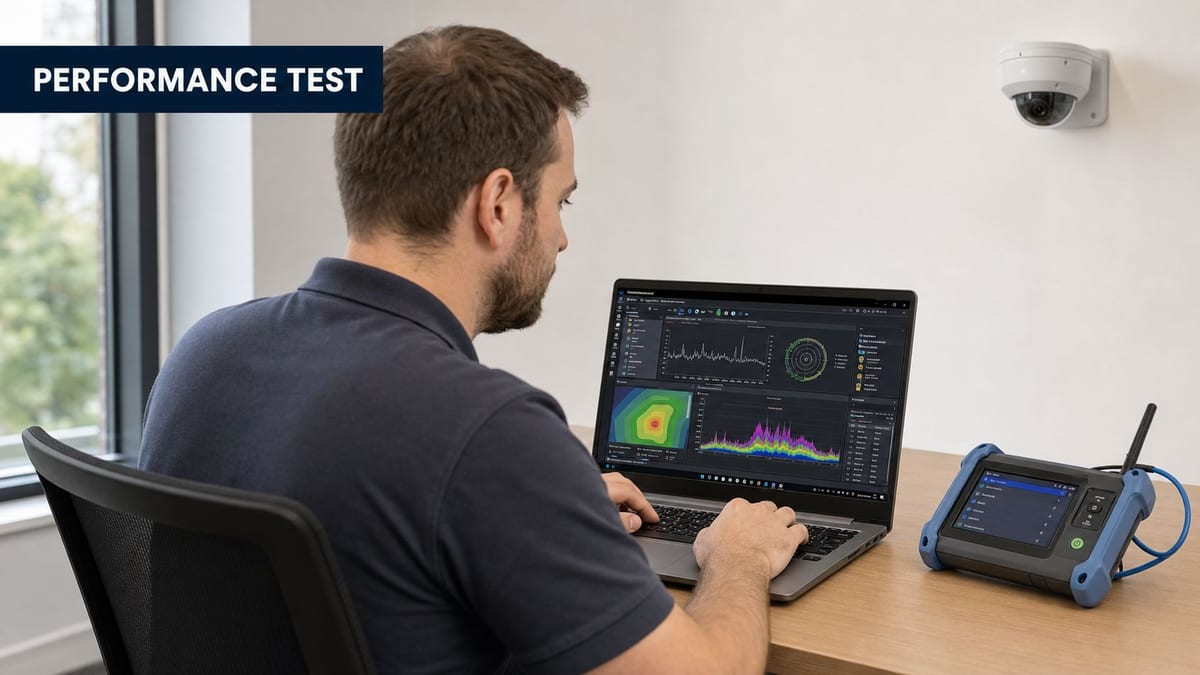
What matters is whether the client has enough clean signal to work, whether the noise floor is under control, whether applications remain usable under occupancy, and whether hand-offs happen without breaking sessions. In office fit-outs, I care far more about SNR, throughput consistency, and roaming behaviour than a simple signal reading.
Core checks should include:
- Static location tests in business-critical areas such as reception, desks, meeting rooms, communal spaces, and any edge zone likely to create complaints.
- Throughput tests on one device and then under multiple active clients, because a quiet room flatters every AP.
- Latency and application feel for the services people use, especially voice and video.
- Walking tests across expected roaming boundaries while a live session stays active.
If users are relying on softphones, collaboration platforms, or mobile workflows, poor roaming will be noticed faster than almost any other defect.
Walking tests reveal the truth
A proper walking test is simple to describe and easy to get wrong. Start a live session, then move through the paths people use. Corridor to meeting room. Desk bank to breakout area. Entrance to lift lobby. Floor to floor where applicable. Watch what happens when the client leaves one AP cell and enters another.
This is also where practical tuning becomes obvious. Oversized cells can make clients cling too long. Aggressive settings can push devices off too early. Channel plans that looked acceptable on paper can become messy when neighbouring offices come online.
If users regularly complain about lag, especially on live collaboration tools, the root cause often sits in this mix of RF quality, roaming behaviour, and contention. This short piece on how to reduce lag on business networks helps frame the wider symptoms.
A useful visual walkthrough helps non-specialists understand what engineers are validating on site:
Test the office you actually have
Lab-like conditions are misleading. The active survey needs to happen during normal business hours with realistic occupancy. That's when you see what the building really does.
Use more than one device class. A modern laptop may roam cleanly while an older handset hangs on badly. A specialist endpoint may authenticate slowly. A busy meeting room may expose airtime contention that never appears in an empty floorplate.
Good wireless validation feels repetitive on purpose. You run the same key tests in the same places until the results are stable enough to trust.
That discipline is what turns an access point test into an engineering activity rather than a post-install ritual.
Validating Security and Integrated Systems
A smart office can pass every speed test and still fail on day one. The usual failure mode is simple. Staff get online, but cameras drop, guest access reaches places it should not, a controller lands in the wrong VLAN, or a door event never reaches the system that is supposed to log it. In an unmanned building, those faults stop being IT irritations and become operational risk.
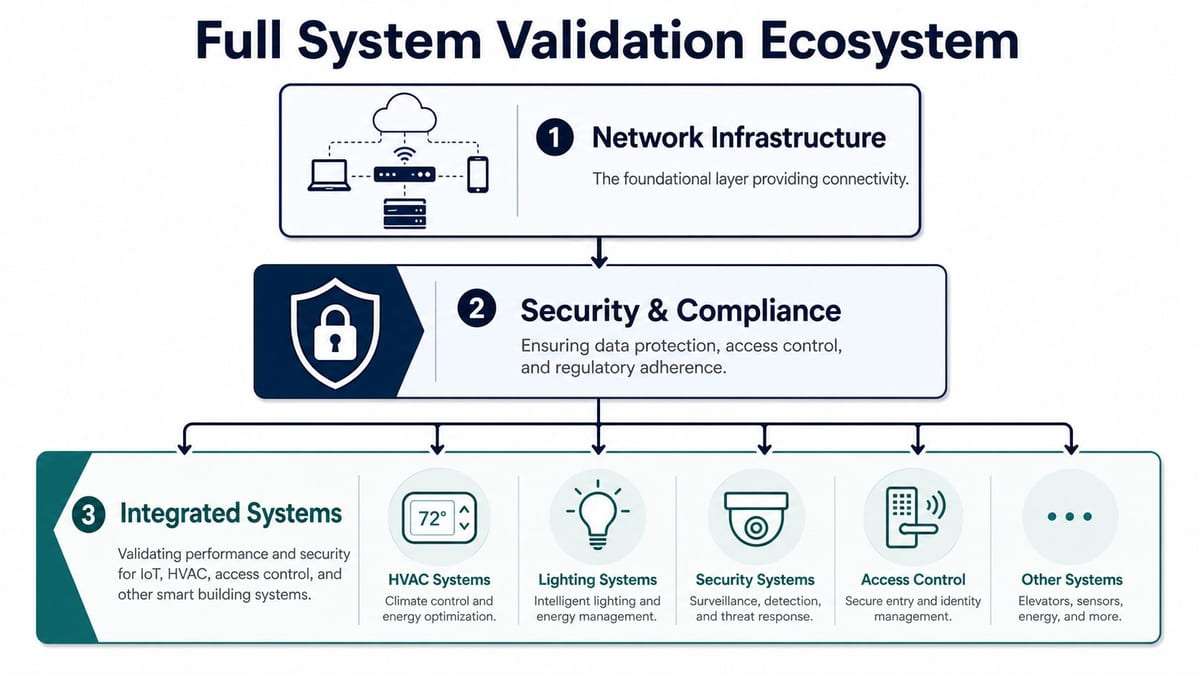
The access point test needs to prove more than coverage and roaming. It has to show that each class of device can join the right network, get the right level of access, and stay contained when something goes wrong. That is the point where Wi-Fi stops being a convenience and becomes the base layer for CCTV, access control, sensors, AV, and every other smart building service riding on top of it.
Check every authentication path
Test each SSID and each onboarding path separately. Staff devices, guest devices, contractor access, shared tablets, printers, cameras, and building controllers often authenticate in different ways. If one path is weak or misconfigured, it can undermine the whole design.
That means checking more than whether a device shows "connected".
Verify that the right authentication method is presented, certificates are accepted correctly on the operating systems in scope, captive portals complete properly, and the client lands in the expected VLAN or policy group. A phone and a Windows laptop can behave very differently against the same WLAN. So can a managed camera with a hard-coded supplicant.
I treat authentication testing as a chain. Association, authentication, DHCP, DNS, policy assignment, internet or application reachability, then re-authentication after sleep, roam, or timeout. Breaks often sit in the middle of that chain, which is why a quick connect test misses them.
Confirm segmentation under real conditions
Segmentation is what keeps a local fault from turning into a building-wide incident. It also decides whether an unmanned site stays manageable after handover.
Validate policy with real devices, not just controller screenshots. A guest device should have internet access and nothing else. A camera should reach recording and management services, but not user subnets. Door controllers should talk to their command platform and fail cleanly if a dependency disappears. Printers, AV endpoints, sensors, and specialist systems need the same treatment.
A practical validation list usually includes:
- Guest isolation that blocks access to internal services and peer devices where required.
- CCTV separation so video traffic and management interfaces stay off user networks.
- Access control segregation so door systems do not share trust boundaries with laptops and handsets.
- Device policy checks for printers, sensors, AV systems, BMS components, and other fixed endpoints.
- Rogue AP and evil twin testing where the threat model justifies it, especially in shared or high-traffic buildings.
The pass condition is specific. The device reaches only the services it is supposed to reach, and nothing else.
Design access control around failure modes
Access systems expose the trade-offs faster than almost any other integration. A fully connected door estate gives central visibility and easier permission changes, but it also adds dependencies across Wi-Fi, switching, power, identity, and controller health. That is acceptable at main entry points. It is often wasteful on internal doors where local resilience and low maintenance matter more.
For some locations, simpler hardware is the better engineering choice. Battery-less NFC proximity locks reduce battery replacement cycles, cut service visits, and remove one failure path at the edge. For remote gates and perimeter entry, transport choice matters as much as lock choice. This Wi-Fi vs LTE gate security comparison is a useful reference because it frames the operational trade-offs clearly.
Use case fit matters:
| Area | Common access approach | Why it fits |
|---|---|---|
| Shared office entrances | Centrally managed credentials | Frequent permission changes and audit needs |
| Internal suites or units | NFC proximity locks | Lower maintenance and simpler local resilience |
| Plant and riser rooms | Restricted access with strong audit controls | Critical infrastructure protection |
| Remote or lightly staffed properties | Mixed model with remote oversight | Balances convenience with survivability |
The testing standard should match that reality. If a lock, camera, or controller depends on the wireless network, prove what happens during AP failover, controller loss, policy server delay, and backhaul interruption. Successful projects are rarely the ones with the longest feature list. They are the ones where each integrated system keeps working, or fails safely, when the building is under normal pressure.
Analysing Failures and Reporting Results
The testing itself isn't the end of the job. The handover document is where the project either becomes maintainable or becomes folklore.
A good report tells two audiences different things. Executives need to know whether the building is fit for service. Engineers need enough detail to fix faults without starting from zero. One page of green ticks won't do either job well.
Separate symptoms from root causes
The most common reporting mistake is writing down where the complaint appeared instead of where the fault lives.
If a meeting room shows poor wireless performance, that doesn't automatically mean the room needs another AP. The issue may be channel overlap, sticky roaming, poor switch configuration, a bad patch lead, a VLAN mismatch, or a policy problem that only surfaces on Wi-Fi. The report should say what was observed, what was tested, what was ruled out, and what remains.
Up to 40% of wireless performance complaints in UK enterprises originate from cabling faults or switch misconfigurations rather than the AP itself, which makes the wired reference throughput the most critical anti-misdiagnosis step, according to this analysis of Wi-Fi penetration testing and root-cause validation.
Make the report usable
The best commissioning reports usually combine three layers.
| Report layer | Audience | What belongs there |
|---|---|---|
| Executive summary | IT leadership, operations, project sponsors | Pass or fail status, business risk areas, remediation priorities |
| Visual evidence | Mixed audience | Heat maps, floor overlays, roaming paths, key failure locations |
| Engineering appendix | Network and electrical teams | Test logs, configurations, SSID results, switch references, remediation actions |
If the site includes wireless CCTV, access control, and supporting electrical works, tie findings back to those services directly. State whether roaming issues could affect mobile staff workflows. State whether segmentation supports CCTV isolation. State whether AP power and switching arrangements align with commercial electrical installation and certification requirements for the delivered scheme.
Write remediation that people can act on
Avoid vague statements like “Wi-Fi weak in east wing”.
Write things like:
- Roaming fault at corridor boundary caused by overlapping cells with poor transition behaviour during live session movement.
- Authentication inconsistency on guest SSID affecting one operating system family during captive portal handoff.
- Wired bottleneck upstream of AP stack proven by reference test and reflected in multiple downstream wireless checks.
- Coverage acceptable but throughput unstable under occupancy indicating contention or channel plan issues rather than simple signal shortage.
The report should leave the next engineer with fewer questions, not more.
That document becomes your baseline for future troubleshooting, changes, and expansion. Without it, every later issue starts with guesswork.
The Benchmark for a Future-Proof Network
A professional access point test isn't a final flourish. It's the acceptance standard for whether the building can operate the way it was promised.
That matters more in office fit-outs now because the wireless network no longer serves only laptops and phones. It underpins guest onboarding, collaboration, CCTV transport, access control workflows, mobile operations, and the wider ambition of running space with less on-site intervention. If the testing is shallow, the building may still open on time, but it won't behave reliably.
What separates a good job from a fragile one
The difference is rarely one clever setting.
It's the discipline to design access, power and data together. It's the willingness to validate the wired baseline before blaming the air. It's the use of predictive, passive, and active surveys instead of a single walkaround. It's testing with the critical clients. It's proving roaming under movement, not just proving association while standing still. It's checking that integrated systems such as CCTV and access control are both reachable and properly isolated.
A future-proof network also accounts for operations. That includes maintenance burden, lock hardware choice, switch resilience, controller dependencies, and what happens when part of the environment fails locally. Buildings described as autonomous often break down on these details. The marketing is modern. The engineering underneath is still brittle.
Use the handover as a filter
Before sign-off, ask a short set of blunt questions:
- Can users move through the office without session drops where mobility matters
- Can every SSID and access method authenticate consistently on the client types in scope
- Can CCTV, access control, and smart building systems run without compromising segmentation
- Can the site tolerate realistic disruption without requiring immediate on-site intervention
- Does the project have a commissioning record that another engineer can rely on later
If the answer to any of those is unclear, the project isn't finished. It's just installed.
The right access point test gives you more than a pass mark. It gives you evidence that the network can carry the building it now supports.
If you're planning an office relocation, a new fit-out, or building out a more autonomous site, Constructive-IT can help you validate the network, cabling, electrical integration, CCTV, and access infrastructure as one joined-up system so handover is based on evidence, not assumptions.