
You're usually not searching for a class C IP range because you care about old networking terminology. You're searching because a fit-out is under way, the building is filling up with connected devices, and someone needs to make the address plan work before the first camera, reader, handset, sensor, and access point lands on the network.
That pressure gets sharper in an unmanned office. In practice, “unmanned” doesn't mean empty or unmanaged. It means the building has to keep operating without a person stationed there to reset doors, check a recorder, trace a patch lead, or chase a failed controller. Access control, CCTV, lighting, alarms, connectivity, and remote support all depend on good design done early. If the IP plan is weak, the whole building feels unreliable even when the individual products are fine.
The IP Planning Challenge in Modern Smart Buildings
A modern office fit-out often starts with what looks like a straightforward request. Give users stable Wi-Fi. Add CCTV. Put in smart access control. Make meeting rooms work properly. Support VoIP. Add building controls. Keep guest traffic separate. Keep the whole thing supportable from day one.
By the time the device list is complete, the network is carrying far more than laptops and printers. It's carrying cameras, door hardware, intercoms, wireless access points, VoIP handsets, display panels, controller appliances, and building services. In an autonomous or unmanned unit, that list usually expands again because facilities teams want remote visibility and fewer site visits.

The old phrase Class C IP range still comes up in these conversations because people use it as shorthand for “a sensible subnet for one part of the building”. That instinct isn't wrong. The problem is assuming one familiar subnet solves the entire design. It doesn't. Smart buildings fail when teams treat addressing as an afterthought rather than part of operational design.
What unmanned building management means on the ground
An unmanned building only works when three disciplines are planned together:
- Access has to fail safely: Doors, readers, release mechanisms, and credentials need a clear operating model for staff, visitors, contractors, and remote support.
- Power has to be stable: PoE devices, cabinet power, edge switching, and local electrical distribution can't be guessed during second fix.
- Data has to be segmented: CCTV, access control, corporate traffic, guest Wi-Fi, and building systems shouldn't all live in one flat estate.
A useful reference point is the work happening in adjacent IoT markets. Teams developing connected products run into the same issue. Hardware, connectivity, management, and security have to be treated as one system.
Practical rule: If the access contractor, electrician, and network team are designing in sequence instead of together, you're already introducing risk.
Why these projects go wrong
Most failures aren't dramatic. They show up as nuisance faults, blind spots, awkward maintenance, and systems that can't be cleanly handed over.
Common causes include:
- Flat networks: CCTV, door controllers, and user devices all sharing the same address space.
- Late power decisions: Cameras and locks specified before PoE budget or switching locations are worked out.
- No ownership model: IT thinks facilities owns it, facilities thinks security owns it, and no one owns the whole service.
- Poor lifecycle thinking: Batteries, readers, controller firmware, and switch capacity aren't planned around real maintenance access.
Battery-less, NFC proximity locks are often chosen in these environments for practical reasons. They reduce battery replacement work, avoid site visits just to recover failed lock power at the door edge, and suit buildings where controlled access needs to stay simple and supportable. They're commonly used in managed offices, multi-tenant suites, meeting-room clusters, plant or comms areas, self-contained business units, and sites where temporary staffing would make traditional key control messy.
What the Class C IP Range Really Means Today
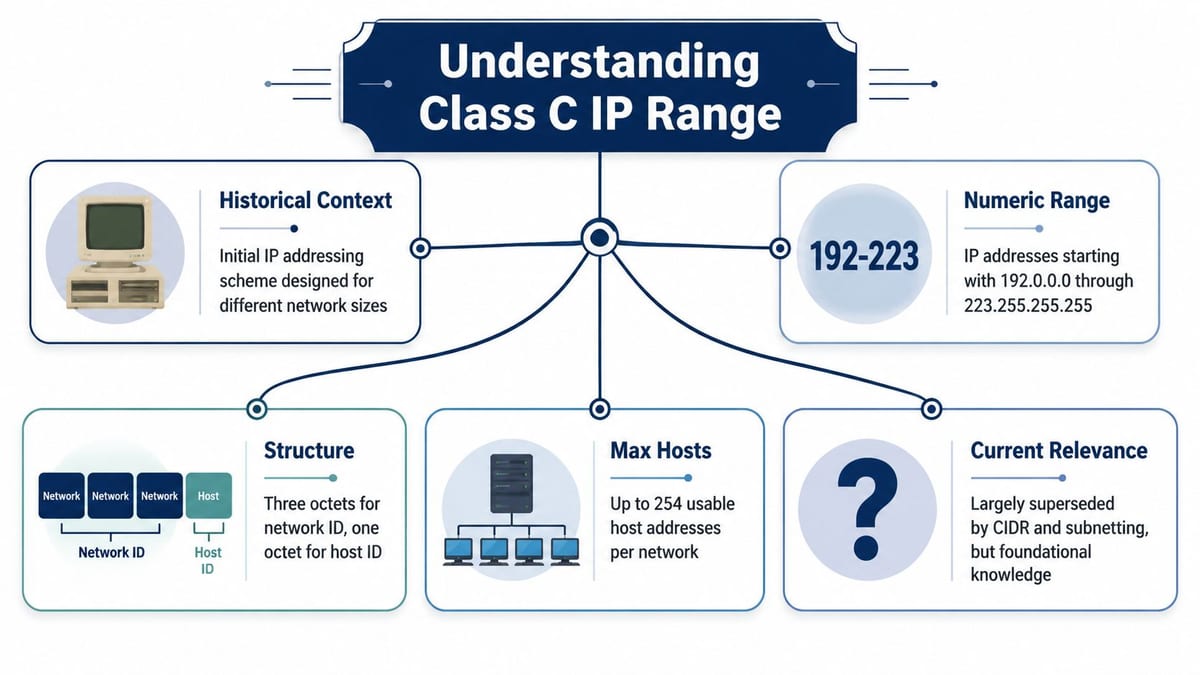
Historically, Class C referred to an IPv4 network where the first three octets identify the network and the last octet identifies hosts. In that model, the first octet ranges from 192 to 223, and a default /24 gives 254 usable hosts per subnet, as described in Oracle's explanation of IPv4 classful addressing.
That's why the term has hung around for so long. For office work, a /24 is easy to reason about. It's large enough for a typical device group and small enough to keep troubleshooting manageable.
Why the old term still appears
In live projects, people rarely mean “classful addressing” when they say class C IP range. They usually mean one of three things:
- A /24 for a device group
- A neat boundary for one floor or one service
- A familiar way to describe a manageable broadcast domain
That's workable as shorthand, but it becomes misleading if the team starts designing around the class label instead of the actual subnetting requirement.
CIDR is what matters now
Modern network planning uses CIDR, not old classful boundaries. So the useful translation is simple. When someone says “give CCTV its own Class C”, what they normally mean is “give CCTV its own /24”.
That matters because modern fit-outs aren't built around old address classes. They're built around segmentation, routing policy, security boundaries, and operational support. You're not choosing a Class C because the building needs “small network class behaviour”. You're choosing a /24 because it's clean, familiar, and easy for engineers to document, monitor, and hand over.
The term still has value as shared language on site. It just shouldn't drive the architecture.
A good engineering habit is to convert legacy language immediately. If a consultant, installer, or facilities lead says “Class C”, write the schedule in CIDR notation and tie it to a VLAN, a cabinet location, a switch stack, and a documented purpose.
Later in the design review, it helps to show the concept visually.
What works in practice
For a typical office or autonomous unit, a /24 often works well because it gives a clear operational boundary. Engineers can identify where devices belong, support teams can isolate faults faster, and moves or adds don't spill into unrelated services.
What doesn't work is treating every future problem as an excuse to create more and more tiny subnets without a clear support model. The address plan should help people operate the building. If it creates confusion in documentation, switching, ACLs, and handover packs, it's too clever for the environment.
Designing IP Segments for Unmanned Building Systems
A flat network is one of the fastest ways to undermine an unmanned building. It makes faults harder to isolate, broadens the blast radius of bad device behaviour, and turns routine maintenance into guesswork. That's one reason many “smart” deployments never feel finished. The products are installed, but the building never becomes dependable.
The safer pattern is to separate systems into VLAN-backed IP segments based on function and operational risk. CCTV has different traffic patterns from access control. Guest Wi-Fi has a different trust model from staff devices. Building controls need stable communication, but they shouldn't sit in the same space as general office endpoints.
Use private space deliberately
For these designs, the common private block associated with Class C-style deployments is 192.168.0.0/16, which contains 65,536 addresses and can be divided into 256 contiguous /24s, as noted in RFC 1918 private addressing guidance. That makes it practical to assign separate /24 subnets by floor, function, or tenant area in a UK fit-out.
That's enough structure for most office projects without making the scheme obscure. A clean plan might reserve one /24 for corporate wired devices, another for voice, another for CCTV, another for access systems, another for guest traffic, and others for shared building services or specialist areas.
Why many unmanned projects fail
The failure usually isn't the lock, the camera, or the access point. It's the lack of a joined-up operating model.
A few patterns come up repeatedly:
- Security systems are mixed with user traffic: That makes policy enforcement messy and troubleshooting slower.
- Installers consume addresses ad hoc: Devices end up wherever there was a spare port or a convenient patch.
- Different contractors bring conflicting assumptions: One expects open east-west traffic, another assumes tight segregation, and no one reconciles them.
- Merged sites create overlap: If separate offices or tenant spaces reuse the same internal ranges without a wider plan, later WAN or VPN integration becomes painful.
Separate by function first. Refine later if the building's operational pattern demands it.
Access, power, and data belong in one design
At this stage, network planning ceases to be an IT-only discussion. If you're deploying NFC proximity locks, intercoms, CCTV, and edge control hardware, you're also designing cable pathways, switch locations, cabinet environments, and electrical feeds.
Battery-less, NFC proximity locks are a good example of why joined-up thinking matters. They appeal because they cut routine battery maintenance, reduce door-by-door servicing overhead, and suit sites where remote administration matters. But they still need reliable readers, controllers, pathways, and network reachability behind the scenes. “Battery-less” doesn't mean “infrastructure-free”.
For supportability, document the logical and physical layout together. The Wi-Fi and wired estate should be planned as one service, not as separate procurement lines. That's why the relationship between switching and wireless coverage matters in real projects, especially where devices roam between user and operational spaces. The interaction is covered well in this guide to Ethernet and wireless.
Where these systems are commonly used
Unmanned or lightly staffed building models show up in places such as:
- Managed office suites
- Serviced business units
- Multi-tenant commercial buildings
- Out-of-hours training centres
- Remote operational depots
- Self-contained leased spaces with shared security infrastructure
In all of them, segmentation supports the same goal. Keep each service predictable, secure, and easy to support without requiring someone on site to manually intervene every time something changes.
A Practical Subnetting Plan for Your Office Fit-Out
The easiest way to make the class C IP range concept useful is to stop treating it as theory and turn it into a working schedule. For a typical office fit-out, the design should map business function to VLAN, subnet, switch policy, and support ownership.
A simple rule helps. If two device groups have different security requirements, different maintenance owners, or different traffic behaviour, separate them.
Example IP subnet plan for a smart office
| VLAN ID | System/Function | Subnet (CIDR) | Usable IP Range | Rationale |
|---|---|---|---|---|
| 10 | Corporate data | 192.168.10.0/24 | 192.168.10.1 to 192.168.10.254 | Keeps staff endpoints together for normal office services and policy control |
| 20 | Guest Wi-Fi | 192.168.20.0/24 | 192.168.20.1 to 192.168.20.254 | Isolates visitor traffic from internal systems |
| 30 | VoIP | 192.168.30.0/24 | 192.168.30.1 to 192.168.30.254 | Separates voice devices for cleaner support and QoS policy handling |
| 40 | CCTV | 192.168.40.0/24 | 192.168.40.1 to 192.168.40.254 | Keeps camera traffic away from user traffic and simplifies recorder troubleshooting |
| 50 | Access control | 192.168.50.0/24 | 192.168.50.1 to 192.168.50.254 | Isolates locks, controllers, and readers as a protected operational service |
| 60 | Building systems | 192.168.60.0/24 | 192.168.60.1 to 192.168.60.254 | Groups automation and environmental systems separately from corporate devices |
| 70 | Network management | 192.168.70.0/24 | 192.168.70.1 to 192.168.70.254 | Gives switches, controllers, and monitoring tools a controlled support segment |
This kind of plan is readable by IT, facilities, security integrators, and electrical contractors. That matters more than people often realise. If only one engineer can interpret the scheme, the handover isn't complete.
How to make the plan operational
Start with the functions that must never be ambiguous on day one:
- User traffic: Wired and wireless access for staff
- Security systems: CCTV, access control, intercoms
- Business communications: Voice and room systems
- Management plane: Switches, controllers, and monitoring tools
Then decide what needs fixed addressing, what can use reservation, and what should remain dynamic within its segment. Keep naming and documentation disciplined. Patch labels, cabinet schedules, switchport descriptions, VLAN names, and rack elevations should all match the subnet plan.
What works and what doesn't
What works is boring, legible engineering. A support engineer should be able to stand in front of a cabinet, check a schedule, and understand what the subnet is for and who owns it.
What doesn't work is making the network map depend on tribal knowledge. If the CCTV contractor has one spreadsheet, the access team has another, and the core switch config tells a third story, the fit-out is already harder to support than it should be.
A practical trick is to model the plan before implementation using tools like ipcalc or a reputable subnet calculator. Not because the arithmetic is difficult, but because it helps catch overlaps, naming drift, and inconsistent assumptions before devices go live.
Build the address plan so a different engineer can support it at short notice. That's the real test.
Integrating Network, Power, and Cabling
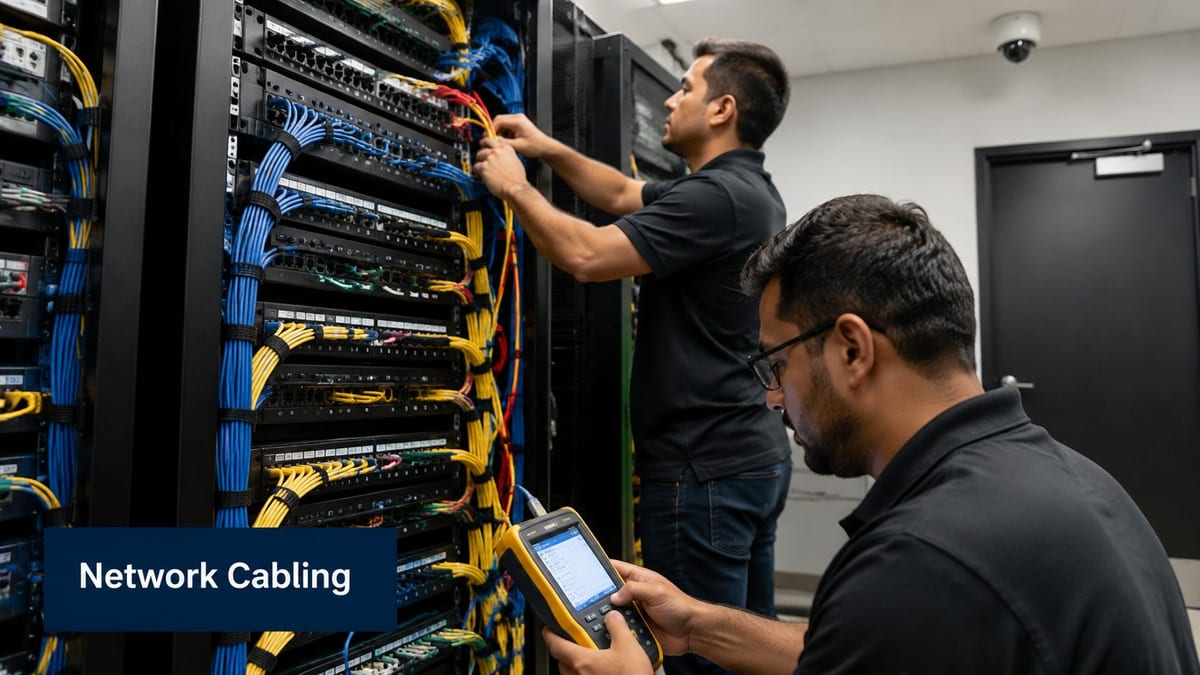
Logical design only survives if the physical layer supports it. That's where many fit-outs drift off course. The VLANs are tidy on paper, but the cabinets are in the wrong place, the cable routes are compromised, PoE demand was underestimated, or the electrical package didn't account for how the building would operate.
In unmanned units, this matters more because there's less tolerance for edge failures. If a door controller drops because a cabinet feed is unstable, or a camera link is marginal because the cabling route was value-engineered badly, there may be no one on site to spot the issue quickly.
Design access, power, and data together
Access control is a good example. A lock decision affects reader position, cable route, controller location, switch selection, PoE budget, and containment. CCTV does the same. So do wireless access points in exposed ceilings or shared spaces.
Commercial electrical installation and certification belong in the same conversation as network delivery, especially where cabinets, power protection, and PoE switching support critical building systems. Clean handover depends on proper testing, certification, and clear demarcation between low-voltage data, powered network infrastructure, and mains work.
The physical layer decides how maintainable the building is
A well-designed autonomous unit is easy to maintain because the documentation mirrors the installation. Engineers can identify the cabinet, patch panel, switchport, VLAN, and powered device without lifting ceiling tiles for half a day.
That's why structured cabling needs to be treated as infrastructure, not just installer scope. Good practice around containment, testing, patching, and labelling has a direct effect on support response and fault isolation. This overview of structured cabling is a useful baseline if you're aligning IT and fit-out teams.
Maintenance considerations that matter
Some practical points are often missed until late in the job:
- Device replacement access: Cameras, readers, and wireless hardware need realistic service access.
- Cabinet environment: Heat, dust, and physical security affect switch and controller reliability.
- Patch discipline: Temporary patching becomes permanent faster than anyone admits.
- Certification records: If the test records and as-built documents aren't organised, fault finding slows down immediately.
A building can look polished at practical completion and still be difficult to operate. The difference is usually in the quality of the physical design and the handover detail.
Building Out Your Fully Autonomous Unit
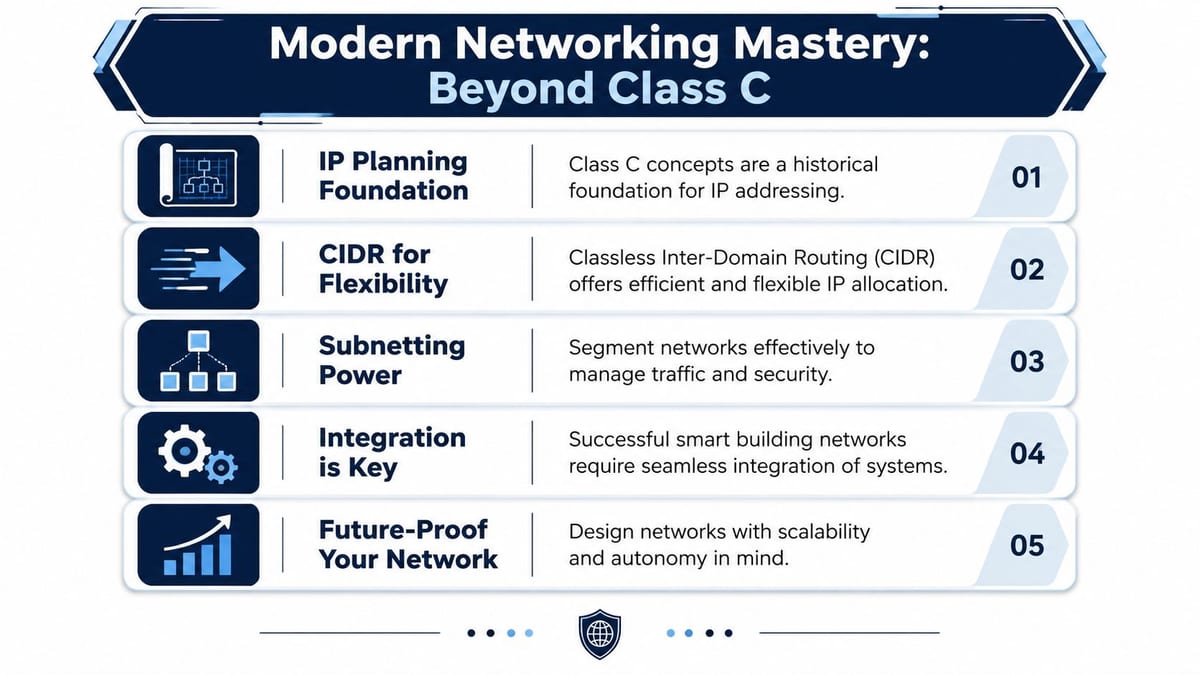
The phrase class C IP range still helps because it gives people a familiar mental model. But modern smart buildings aren't built on classful thinking. They're built on disciplined segmentation, clean private addressing, sensible routing, and an operating model that joins together IT, electrical work, security systems, and maintenance from the start.
That's especially true when you're building out a fully autonomous unmanned building unit. The building has to keep working when nobody is there to improvise around weak design. CCTV has to stay reachable. Access events have to be predictable. Commercial electrical installation and certification have to support the network edge properly. Remote support has to be designed in, not bolted on later.
The real design constraint
A frequently missed nuance is that Class C IP range is often outdated shorthand for a /24. The primary issue is address-management and routing complexity, not the class label, and problems often come from overlapping RFC1918 ranges across merged offices rather than the nominal subnet size, as discussed in this explanation of IP classes and modern addressing nuance.
That distinction matters in buildings with office Wi-Fi, VoIP, CCTV, and integrated access systems. Some of the worst support problems appear when teams assume anything in the wider historical Class C space is “private”, or when they keep adding subnets without a wider addressing policy.
What a future-proof fit-out looks like
The strongest designs usually share the same traits:
- Clear segmentation: Each service has a reason to exist and a defined boundary.
- Joined-up delivery: IT, facilities, security, and electrical teams are working from the same plan.
- Supportable hardware choices: Battery-less NFC proximity locks and PoE-fed edge devices are selected with maintenance in mind, not just procurement cost.
- Good documentation: The as-built pack is accurate enough for another engineer to pick up support confidently.
Power strategy is part of that future-proofing. If you're planning cameras, readers, intercoms, wireless APs, or edge controllers, it helps to understand where PoE fits into modern device delivery and where it doesn't.
A reliable unmanned building isn't defined by how many smart devices it contains. It's defined by how well those devices are separated, powered, documented, and supported.
If you're at the planning stage, the right move is to settle the address model before procurement hardens around bad assumptions. That gives every downstream decision a better chance of working the first time.
If you're planning an office relocation, a new fit-out, or a fully autonomous unit and want the network, cabling, power, CCTV, and access layers designed as one system, Constructive-IT can help you scope it properly before those decisions become expensive to reverse.