

Preparing for an unmanned compliance audit feels uncomfortable because most of the failure points are hidden until someone asks for proof. You're moving into a new UK office, the fit-out is still active, and every cable, lock, camera, switch, and UPS has to work together before the first auditor, insurer, landlord representative, or internal reviewer arrives. If one part is installed late or documented badly, the whole project starts to wobble.
That's why a strong compliance audit checklist for office relocation can't split IT from physical security. In real projects, the network cabinet affects the CCTV design, the power design affects door access, and the door access logs affect your audit evidence. Treat them as separate workstreams and you create blind spots that show up at the worst time, usually during handover or the first incident.
In practice, unmanned building management means automating core property functions through digital access control, AI-powered CCTV that flags unusual activity without round-the-clock guard monitoring, and remote utilities management for HVAC and lighting so the site can operate without on-site intervention, as outlined in Constructive-IT's guide to what unmanned building management means in practice. That's a long way from just fitting a smart lock and calling the building “automated”.
The checklist below pulls IT, network, electrical and physical security into one workable plan for UK office relocations and fit-outs. Use it before installation finishes, not after. That's how projects stay on schedule and pass certification with fewer surprises.
1. Access Control and Battery-Less NFC Proximity Lock Systems
Access control is where unmanned sites either become manageable or become a support burden. If you can't control who enters, when they enter, and how access is revoked, everything else in your compliance audit checklist is built on weak ground.
Battery-less, NFC proximity locks are often the right fit where you want low maintenance and fewer failure points. The practical reason is simple. You remove battery replacement cycles from the door hardware, which means fewer planned callouts, fewer dead-lock incidents, and less chance of discovering a failed door during an audit or an out-of-hours engineer visit.

Where battery-less NFC locks make sense
These systems work well in server rooms, comms rooms, plant areas, pharmacy storage, shared office suites, and autonomous building units where no one is stationed permanently at reception. They also suit buildings with regular contractor access because permissions can be issued, time-limited, and revoked quickly without collecting physical keys.
What works is role-based access from day one. What doesn't work is fitting the lock first and deciding permissions later. That usually leaves broad access groups, orphaned credentials, and no clear owner for changes.
- Define room sensitivity first: A server room, finance records room, and general store shouldn't sit under the same access policy.
- Set expiry on temporary credentials: Contractor and project access should end automatically unless someone renews it.
- Test doors under real conditions: A lock that reads cleanly in a demo can behave differently on misaligned doors, glazed entries, or heavy fire doors.
Practical rule: If a door protects critical infrastructure, its access method, power dependency, and audit logging should be approved together.
Audit evidence people often forget
Auditors and internal reviewers usually ask for the policy trail, not just the hardware list. Keep records of who owns the system, who approves access groups, how leavers are removed, and how emergency override works. For unmanned environments, you also want local resilience, such as offline validation where suitable, so a network issue doesn't turn a secure room into a stranded room.
A polished system isn't the one with the fanciest reader. It's the one that facilities, IT, and compliance can all understand at a glance.
2. Integrated Power Distribution and Uninterruptible Power Supply Design
Most unmanned building failures come back to power, even when the first symptom looks like an access issue or network outage. A door controller drops, a switch reboots, cameras stop recording, and suddenly three teams are arguing over whose system failed first.
Power has to be designed as shared infrastructure for access control, CCTV, networking and building services. If those loads are all hanging off ad hoc circuits, or if the UPS design only protects the core cabinet but not the edge devices that matter, the building won't behave predictably under stress.
Why projects fail here
Many unmanned building projects fail because Access, Power and Data aren't designed together from day one, and the result is missing failover internet, no remote reboot plan, and no predictive maintenance schedule, as explained in this guide to the three pillars of unmanned building design. That's the pattern seen time and again in fit-outs that looked fine at practical completion but became unstable once the site was used.
A good UPS design starts with operational reality. Ask what happens on a Friday evening if the site loses mains supply and nobody can attend until later. Then size and segment your protection around that answer, not around a neat spreadsheet assumption. Constructive-IT's guidance on UPS sizing and runtime planning is the right place to pressure-test that design thinking.
What to separate and document
Power segregation matters. Access control, CCTV, network switching, and general services shouldn't all depend on one vulnerable point of failure. If one circuit trips, you want the rest of the site to stay observable and controllable.
- Split critical loads by function: Keep security and network loads distinct from convenience power.
- Map manual override points: Engineers need to know what can be isolated safely and what must stay live.
- Schedule battery testing: UPS systems fail without immediate warning. If you don't test them, the first real test may be a bad one.
Power design for autonomous spaces should assume delayed human response, not ideal attendance.
This is also where commercial electrical installation and certification needs to align with the IT design. If your electrical contractor certifies the distribution but the IT team adds unscheduled loads later, your original design assumptions may already be wrong by go-live.
3. Structured Cabling and Data Network Infrastructure
Data is the lifeline in an unmanned office. Access events, alarm signals, CCTV streams, BMS telemetry, and remote support all ride on the network. If the cabling is improvised or the network design is too flat, fault-finding becomes guesswork.
For relocations and fit-outs, structured cabling should be treated as permanent infrastructure, not an afterthought once desks and meeting rooms are placed. Excel Cat6 and Fibre with a 25-year warranty is a sensible long-term approach when you want the physical layer to outlast several technology refreshes rather than be replaced every time the site changes use.
Need a useful visual reference before finalising cabinet layouts and pathways? This short walkthrough helps teams understand network infrastructure standards.
What good network design looks like on an unmanned site
A resilient design separates traffic by function. CCTV should not compete casually with user traffic. Access control should not depend on the same poorly managed segment as guest devices. BMS traffic should be visible, documented, and secured, not buried somewhere nobody wants to touch.
For office relocations, common deployment examples include secure fibre backbones between comms rooms, dedicated switching for cameras and access devices, and local intelligence at building level so the site keeps functioning even if upstream connectivity is degraded. NHS relocations, multi-floor commercial offices, and server room expansions all benefit from that same discipline.
The documentation that saves you later
The best installations are boring to support because everything is labelled and every decision is recorded. Auditors, project managers, and support engineers all need the same basics: patching schedules, cabinet elevations, VLAN allocation, fibre routes, test results, and device ownership.
- Label both ends properly: Temporary labels become permanent faster than people admit.
- Record the logical design: A tidy cabinet is useful, but a documented network is what gets you through incidents.
- Leave room for change: Moves, adds, and changes are normal after relocation. Design spare capacity into cabinets, containment, and switch ports.
If your compliance audit checklist doesn't include network evidence, it's incomplete. On unmanned sites, the network isn't support infrastructure. It is operating infrastructure.
4. CCTV Systems Integration and Monitoring
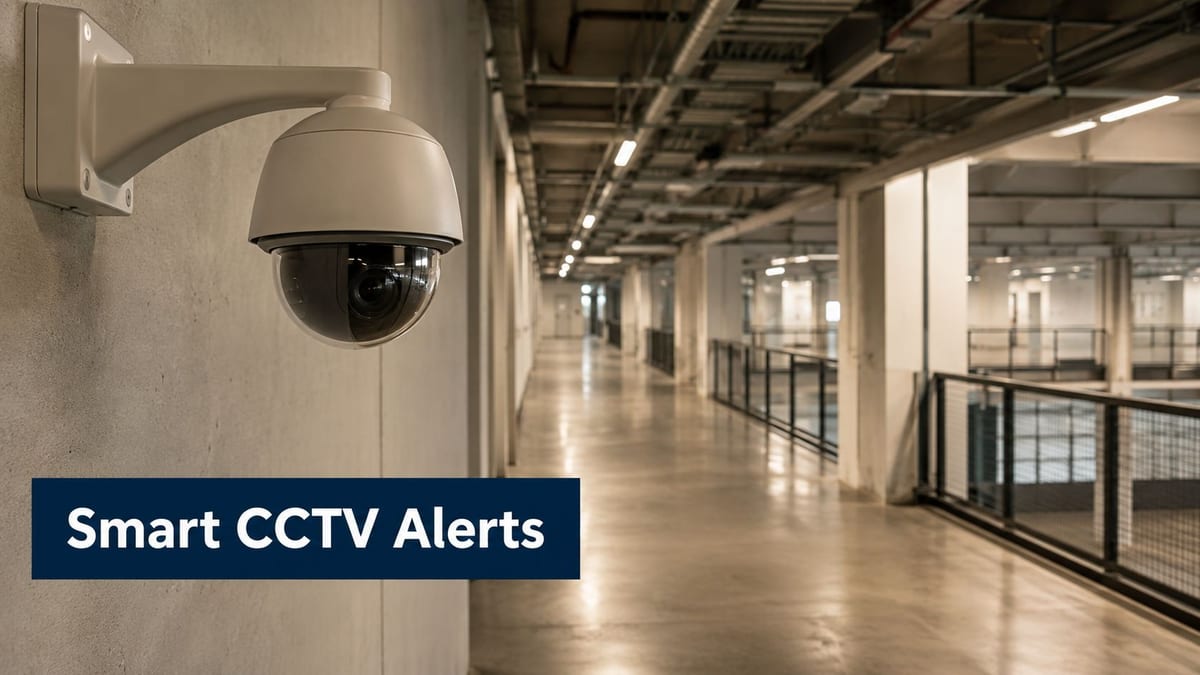
CCTV in an unmanned office isn't just a recording system. It's part of the response model. When there's no receptionist, no patrol, and no facilities presence on the floor, your cameras become the eyes that confirm whether an alert is real, whether someone entered legitimately, and whether an engineer attended the right room.
That only works if CCTV is integrated properly with access control and alarm logic. Standalone cameras with vague retention settings and no event correlation create noise, not oversight.
What auditors and operators both need
In practice, UK regulators increasingly prefer digital audit trails with complete timestamped records for training activities, competencies, and incident reports during compliance audits, according to this UK compliance audit preparation checklist. The same preference for timestamped evidence carries directly into CCTV governance. If a camera is central to your security claim, its time sync, event trail, and operator records must be defensible.
For day-to-day operation, define camera purpose clearly. A reception overview camera is different from a comms room entry camera or a loading-bay verification camera. The field of view, retention handling, privacy controls, and alert thresholds should reflect that purpose.
Common CCTV mistakes in office fit-outs
The biggest one is treating cameras as a late-stage bolt-on after ceilings are closed and network ports are already allocated. The second is underestimating maintenance. Cameras need cleaning, firmware oversight, storage checks, and periodic review of blind spots created by furniture changes or partition alterations.
- Reserve network capacity: CCTV should have predictable bandwidth and predictable storage behaviour.
- Link events together: Access granted at a secure room should be reviewable alongside nearby footage.
- Test low-light conditions: Corridors, exits, and plant areas often look fine by day and useless after hours.
If footage can't be matched quickly to a door event or alarm event, the system is installed but not operationally integrated.
CCTV is also one of the easiest systems to over-specify on paper and under-deliver in practice. Focus on evidence quality, coverage intent, and recovery workflow, not just camera count.
5. Building Management System Architecture and Automation
A building management system becomes the control surface for an unmanned site. It should pull together environmental status, power alarms, access events, and selected security alerts in a way that lets teams act quickly without chasing five dashboards.
That doesn't mean every system has to be forced into one screen. It means the architecture should make it obvious what's happening, who owns the issue, and whether the building can continue safely without local intervention.
What unmanned building management really requires
In practical terms, building out a fully autonomous unmanned building unit means more than adding smart controls. The site must keep functioning when remote staff are busy, when connectivity is unstable, and when an issue happens outside normal hours. Local decision-making matters. If the BMS only works when a cloud service is healthy, it isn't really autonomous.
Good BMS design also respects operational boundaries. Facilities need environmental and plant status. IT needs network and cabinet conditions. Security needs event trails and escalation logic. Trying to hide all of that behind one simplified dashboard often frustrates everyone.
What works in live environments
The best systems escalate clearly and with discretion. They don't send every minor fluctuation to every person. They route issues according to time, severity, and ownership. Night-time HVAC warnings shouldn't be mixed casually with forced-door alarms or network loss events.
- Use role-based access: Not every operator should be able to change every rule.
- Keep logs of changes: If someone alters a threshold or schedule, that action should be reviewable.
- Test offline behaviour: Disconnect upstream links and check what still operates locally.
Commercial office floors, data suites, hospital support spaces, and multi-tenant autonomous units all benefit from a BMS that is disciplined rather than flashy. Smooth operation usually comes from boring, well-defined automation, not from excessive custom logic.
6. Commercial Electrical Installation and Certification Standards
Electrical work is one of the most common weak points in relocation projects because it often gets signed off in stages by different contractors. One team handles containment, another terminates circuits, another installs specialist security power, and the final documentation arrives late or incomplete.
For a compliance audit checklist, that's a problem. You need a complete record that ties the installed reality to certification, operating procedures, and maintenance responsibilities.
The non-negotiables for autonomous spaces
Building out a fully autonomous unmanned building unit in the UK requires commercial electrical installation and certification that complies with NSI or SSAIB standards if police response for intruder alarms is part of the design. It also requires external audible warning devices mounted at least 3 metres off the ground, remote cellular communication to a manned alarm receiving centre, and confirmed detection methods such as sequential verification so police aren't sent to false alarms.
That matters because electrical certification in these environments isn't just about safe power distribution. It supports insurance position, alarm response arrangements, and the operational behaviour of the site when no one is there.
What to keep in the evidence pack
Electrical drawings, test certificates, isolation procedures, emergency shut-down information, and details of who can authorise changes all need to be accessible. During fit-out, versions change quickly, and people often keep local copies that never make it into the final pack.
- Tie drawings to room names and labels: “Final-final-revC” isn't a document control method.
- Record specialist interfaces: Door controllers, alarm equipment, UPS feeds, and CCTV power all need clear cross-reference.
- Confirm handover ownership: Someone inside the business must own the post-project electrical record.
A site can be beautifully fitted out and still fail an audit conversation because nobody can produce the signed, current, coherent documentation. That's usually not a technical failure. It's a handover failure.
7. Access Control Policy and Credential Management
Hardware secures openings. Policy secures behaviour. Plenty of offices install solid readers and decent locks, then undermine them with weak credential management.
This shows up in familiar ways. Former contractors still have active access. Senior staff inherit broad permissions “temporarily” and keep them. Shared credentials appear because a team wants convenience. In an unmanned site, those shortcuts are much harder to spot in real time.
Policy drift is the real risk
Good access policy starts with job roles, not individuals. Define who needs access to finance areas, comms rooms, archives, plant, executive suites, and general workspace. Then set time limits and review ownership. That gives managers a basis for approvals and auditors a basis for tracing decisions.
A strong control here is automatic leaver handling linked to HR processes. If that's not possible, a named manual process is still far better than relying on managers to remember. The weakest model is “someone in IT usually disables cards when notified”.
Broad access rights are easy to issue and hard to justify later.
Practical controls that hold up
Policies should also define what happens when unusual access occurs. If someone enters a secure room outside expected hours, who reviews that event? If a contractor needs emergency weekend entry, who approves it, and where is that approval recorded?
- Review access groups regularly: Remove legacy permissions before they become accepted normality.
- Separate permanent and temporary rights: Project access should not transition to business-as-usual access.
- Train managers on approvals: The approving manager needs to understand the consequence of saying yes.
This is one of the least glamorous parts of a compliance audit checklist, but it's one of the most revealing. Poor credential governance tells you a lot about the broader control culture in the building.
8. Maintenance and Operational Procedures for Autonomous Systems
Unmanned buildings don't forgive reactive maintenance. If a staffed office loses a door reader or camera, someone usually notices quickly and improvises around it. In an autonomous site, a small fault can persist unnoticed until it combines with another problem.
That's why maintenance procedures need to be written around prediction, remote verification, and disciplined visit planning. If a contractor arrives without the right permissions, isolation details, or spares, you've already lost time.
What maintenance actually needs to cover
A workable schedule should include locks and readers, CCTV cleanliness and recording health, UPS condition, switch status, patching, sensor calibration, alarm communication paths, and documentation updates after any change. The point isn't to create paperwork for its own sake. The point is to prevent drift.
CRC compliance adds a useful discipline here. For organisations subject to that regime, an internal audit must be conducted annually, and the report has to record who performed the checks, when they happened, what issues were identified, and what corrective action was taken with resolution dates, as set out in the UK government guidance on annual CRC internal audit reporting.
How teams keep operations stable
The most reliable sites use maintenance logs that operators can read remotely without interpretation. A note like “door checked, all fine” helps nobody. A useful note identifies the asset, action taken, issue found, and follow-up requirement.
- Write visit notes for the next engineer: Assume the next person won't know the site history.
- Control remote access tightly: Time-limited support access is better than permanently open support paths.
- Keep known-good spares: Waiting on a simple replacement can turn a manageable fault into an outage.
Examples are everywhere: a data room where camera lenses haze over, a shared office floor where lock alignment drifts, a hospital support area where a cabinet fan warning goes unread. Maintenance isn't what happens after the project. It's what keeps the project real.
9. Data Privacy, Security Logging, and Compliance Audit Documentation
If your building is unmanned, your logs are your witness statements. Access events, admin changes, camera system actions, alarms, and maintenance notes all need to stand up to scrutiny.
That has both security and privacy implications. People need to know what is being logged, who can review it, and how long it's retained. Teams also need to protect those records from tampering or casual deletion.

What the evidence pack should contain
For regulated firms in the UK, compliance audits must cover seven mandatory areas, and record-keeping under MLR 2017 Regulation 40 requires a strict 5-year retention period for key KYC and related records. That same mindset matters in office security and infrastructure projects. The habit of retaining defensible records, with ownership and review dates, is what makes an audit package credible instead of chaotic.
Version control is often ignored until the first dispute. Every key document should show a version number, an assigned owner, and a review date. If your incident response procedure, access matrix, or CCTV retention note can't show that clearly, someone will question whether it's current.
Constructive-IT's view on IT governance frameworks for evidence and control ownership fits well here, especially when multiple teams share responsibility for infrastructure and compliance. Privacy notices also need to align with how data is processed, not how people assume it's processed. A plain example of that style can be seen in Donely's Privacy Policy.
Logging controls that hold up under review
- Centralise key logs: Don't make investigators pull evidence from scattered local systems if avoidable.
- Protect integrity: Logs should be difficult to alter and easy to verify.
- Review on a schedule: Logging without review is storage, not monitoring.
A good compliance audit checklist always asks two questions here. Can you produce the records quickly, and can you show they were trustworthy throughout the audit period?
10. Network Resilience, Redundancy, and Failure Recovery
A resilient unmanned office doesn't depend on perfect connectivity. It assumes interruption and carries on in a controlled state.
That changes the way you design networks. Cloud-only access control, single-circuit WAN design, and undocumented failover create elegant diagrams and fragile buildings. The better approach is local survivability, clear fallback behaviour, and regular recovery testing.
Design for graceful failure
When the primary link drops, doors should still behave according to policy. Cameras should still record locally where designed to do so. The BMS should still make local decisions. Support teams should know which alerts matter immediately and which can wait.
In this context, edge intelligence earns its place. Remote services are useful, but they shouldn't be the only brain in the system. Constructive-IT's guidance on business continuity strategies for operational resilience is especially relevant for office relocations where teams often underestimate how many building functions now depend on stable networking.
Recovery planning that actually works
Failure recovery needs to be tested, not admired. Pull links, fail over circuits, simulate cabinet outages, and verify what happens to access, CCTV visibility, remote monitoring, and alert routing. If nobody has seen the system recover under controlled conditions, they're trusting assumptions.
- Use separate paths where practical: A single accidental cut shouldn't blind the whole site.
- Document degraded modes: Teams should know what remains available when part of the network is down.
- Test with operations involved: Facilities, IT, and security all need to see the same recovery behaviour.
A compliance audit checklist that stops at installation misses the point. The question isn't whether the network works on a good day. It's whether the building remains safe, observable, and controllable on a bad one.
10-Point Compliance Audit Checklist Comparison
| Area | Implementation complexity 🔄 | Resource requirements ⚡ | Expected outcomes ⭐📊 | Ideal use cases 📊 | Key advantages 💡 |
|---|---|---|---|---|---|
| Access Control, Battery-less NFC Proximity Locks | Medium, hardware install, reader calibration | Moderate upfront hardware; low ongoing maintenance | ⭐⭐⭐⭐, reliable during outages; audit trails | Data centres, NHS secure rooms, unmanned offices | Eliminates battery failure; low maintenance; scalable |
| Integrated Power Distribution & UPS Design | High, electrical design, redundancy, testing | High, UPS units, batteries, cooling, specialist engineers | ⭐⭐⭐⭐⭐, extended runtime; system continuity | Critical facilities, data centres, long-offline unmanned sites | Ensures operation in outages; modular redundancy |
| Structured Cabling & Data Network Infrastructure | Medium–High, fibre/Cat6 design, VLAN segregation | High initial CAPEX; specialist installers and certification | ⭐⭐⭐⭐, low latency; resilient & future-proof | Buildings integrating access, CCTV, BMS; data centres | Future-proof fibre backbone; secure segmentation; PoE |
| CCTV Systems Integration & Monitoring | Medium, camera placement, analytics tuning | High ongoing bandwidth/storage; analytics software | ⭐⭐⭐⭐, 24/7 visibility; event correlation; evidence | Secure areas, NHS monitoring, unmanned sites | Intelligent alerts; remote investigation; scalable |
| BMS Architecture & Automation | High, integrations, edge logic, custom workflows | High, BMS platform, edge hardware, skilled operators | ⭐⭐⭐⭐, centralised control; predictive maintenance | Large unmanned buildings, multi-site management | Orchestrates systems; automated escalation; edge autonomy |
| Commercial Electrical Installation & Certification | Medium, regulated installation & testing | Moderate, qualified electricians, test equipment, documentation | ⭐⭐⭐⭐, regulatory compliance; safety assurance | All commercial/unmanned fit-outs, NHS projects | Legal compliance; safety; audit-ready documentation |
| Access Control Policy & Credential Management | Medium, policy modelling, HR integration | Low–Moderate, admin resources, IAM/integration tools | ⭐⭐⭐⭐, reduced credential drift; traceable approvals | Multi-tenant buildings, staffed/unstaffed sites, NHS | Automated lifecycle; role-based controls; audit trails |
| Maintenance & Operational Procedures for Autonomous Systems | Medium, scheduling, remote tooling, SOPs | Moderate, sensors, spare parts, contractor arrangements | ⭐⭐⭐⭐, fewer reactive failures; improved uptime | Unmanned buildings, data centres, remote sites | Predictive maintenance; remote troubleshooting; logs |
| Data Privacy, Security Logging & Compliance Documentation | High, immutable logs, retention, GDPR controls | High, storage, SIEM/analysis tools, specialist staff | ⭐⭐⭐⭐⭐, forensic readiness; regulatory compliance | Regulated environments (NHS), high-security sites, DCs | Immutable logs; anomaly detection; legal evidentiary value |
| Network Resilience, Redundancy & Failure Recovery | High, dual-WAN, failover testing, edge caching | High, multiple ISPs, redundant hardware, monitoring | ⭐⭐⭐⭐⭐, autonomous operation; graceful degradation | Unmanned facilities, multi-site operations, critical infra | Continuous operation; automatic failover; tested redundancy |
Next Steps to Audit Success
A good office relocation doesn't become audit-ready by accident. It becomes audit-ready because someone has forced the project to connect the physical layer, the electrical layer, the network layer, and the policy layer before handover starts. That's the value of using a single compliance audit checklist instead of separate snagging lists from different contractors.
The practical advantage of this 10-part approach is that it exposes dependencies early. If access control depends on a cabinet that isn't on protected power, you can see the gap. If CCTV has been specified without clear retention ownership, you can fix it before anyone relies on the footage. If your BMS alarms don't map to real operational response, you can redesign the escalation path before the building is left unattended.
For UK office fit-outs, relocations, data room expansions, and NHS project environments, the strongest audit preparation is always evidence-led. Gather sign-offs while the work is still fresh. Keep drawings current. Record policy decisions in plain language. Tie every installed system to an owner, a review process, and a fault response method. That's what gives compliance teams confidence and gives operations teams a site they can run.
It also helps to be realistic about trade-offs. Battery-less NFC locks reduce maintenance overhead, but they still need proper policy and door testing. CCTV adds visibility, but only if time sync, storage, privacy controls, and event correlation are sound. A UPS can protect critical systems, but only if runtime assumptions reflect real attendance delays and if maintenance is taken seriously. Resilience is never one product. It's the outcome of design choices that support each other.
Keep the documentation pack tight. For each area, retain the approved design, the as-built record, the certification, the test result, the named owner, and the remediation log for anything still open. If a control changed during the fit-out, record why it changed and who signed it off. That level of traceability saves a lot of friction later.
Ensure you don't leave audit preparation to the final week. Walk the site while installers are still available. Review doors, cabinets, power routes, alarm paths, remote access methods, and training records as one joined-up system. If you can verify, document, and test each part before the move completes, your office stands a much better chance of going live cleanly and staying compliant once people start using it.
If you're planning a relocation, fit-out, server room upgrade, or autonomous office environment, Constructive-IT can help turn the checklist into a working delivery plan with the right cabling, electrical, CCTV, network and audit evidence in place before handover becomes a scramble.