
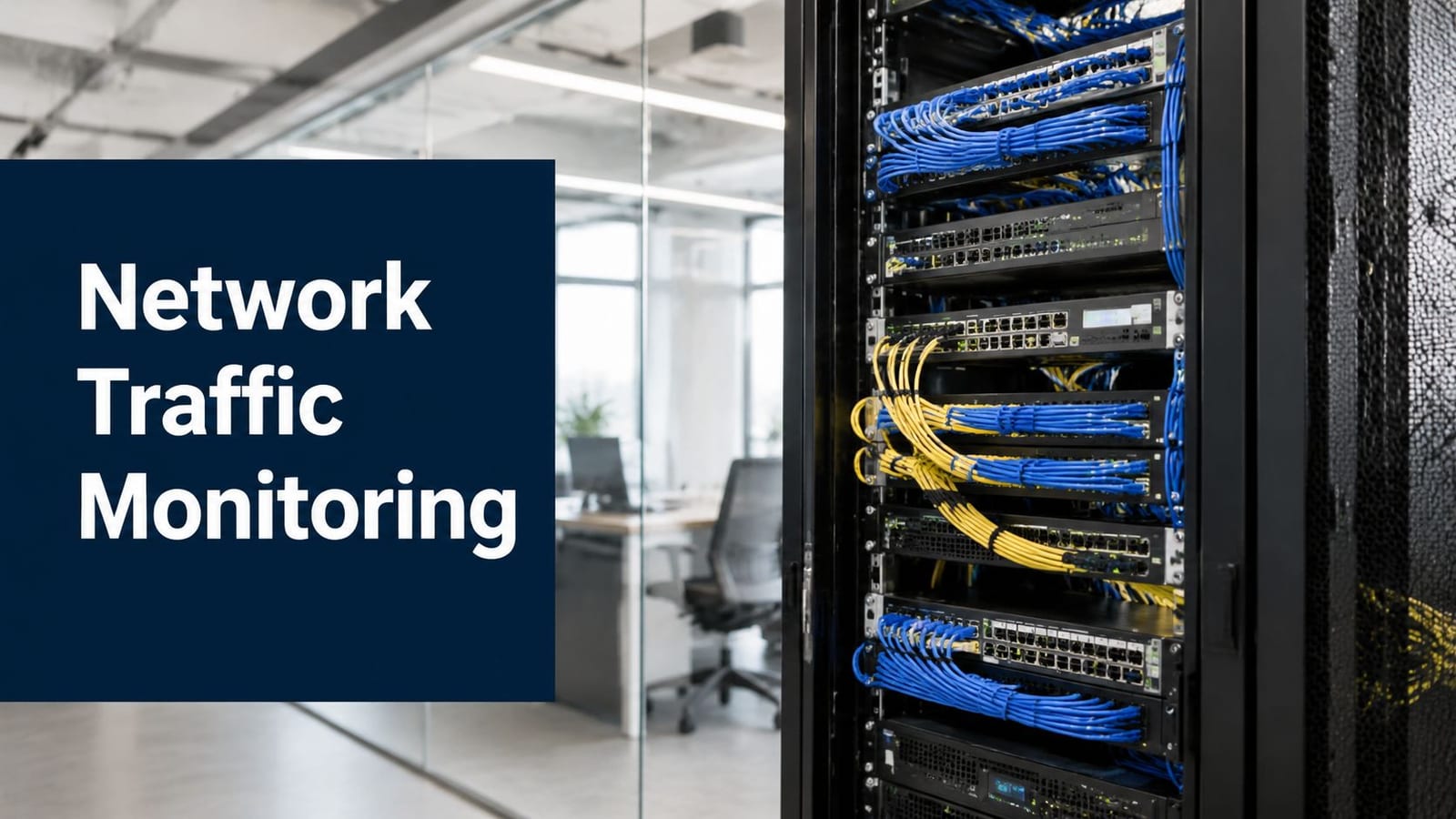
The office move looked straightforward on paper. The desks were tagged, the cabling was signed off, and the new floor had power and connectivity ready. Then the first morning arrived, users signed in, video calls stuttered, and no one could tell whether the fault sat in the WAN, the switch uplink, the wireless cutover, or the building systems that were supposed to support the move. That's why network traffic monitoring matters from day one, not after complaints start.
In a modern relocation, the network is only part of the story. Access control, power, data, CCTV, and building services often need to work as one system, especially where teams are building out a more autonomous site or an unmanned building. If those pieces are treated separately, the result is usually confusion, delays, and blind spots that show up at the worst possible time.
The practical lesson is simple. If you can see how traffic behaves before, during, and after the move, you can separate normal cutover noise from genuine faults. If you design the building's access, power, and telemetry together, you also avoid the common trap where the building technically exists, but nobody can operate it safely or efficiently.
Introduction to Network Traffic Monitoring and Unmanned Building Context
A relocation can hide problems until the first busy morning in the new office. The desks are in place, the phones register, and Wi-Fi looks fine, yet the CRM runs slowly, video meetings freeze, and the CCTV feed stutters when the building starts to wake up. That is when teams lose time, because they begin guessing instead of measuring.
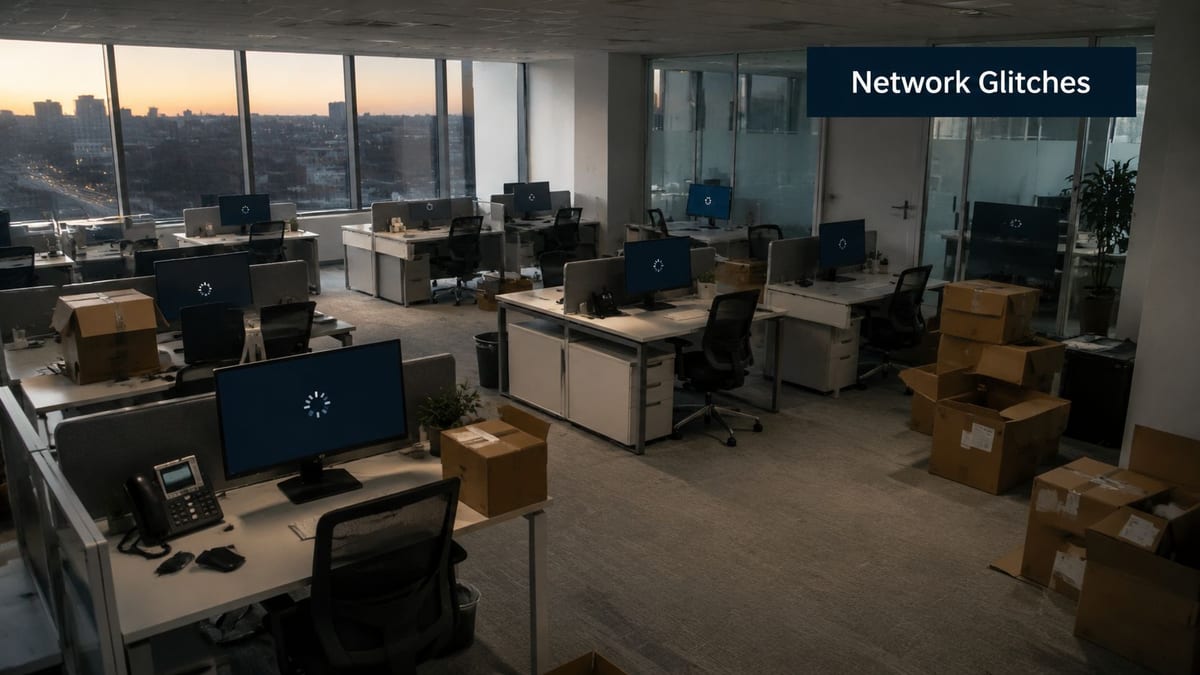
Network traffic monitoring means watching how data moves across routers, switches, firewalls, links, and application paths so you can separate normal activity from abnormal behaviour. In an office move, that matters because the same link may carry user logins, video calls, printing, access-control events, and building-system traffic at the same time. In the UK, fixed broadband infrastructure reached 27.8 million fixed broadband lines by the end of Q3 2022, and about 70% of those lines were already delivered via FTTC or full fibre variants, so many offices now depend on higher-capacity connections more heavily than before. The same data shows daily minimum and maximum speeds averaging 52.9 Mbps and 61.0 Mbps in March 2022, which is enough variation to justify continuous observation rather than occasional checks (uSwitch broadband statistics).
That visibility also supports unmanned building management. An unmanned building is one that runs securely and efficiently without day-to-day on-site intervention, with access control, locks, CCTV, sensors, power, and the management platform all feeding a central operational layer. The connection is practical, not abstract. Access control behaves like the front desk, CCTV like the hallway eyes, and power and data like the building's nervous system. If one of those parts cannot report status or be checked remotely, operators are left piecing together what happened after the fact (Constructive-IT on unmanned building management).
For a relocation project, the useful approach is to design the network, access, power, and data paths together from the start. That lets IT, facilities, and security see the same signals during cutover, instead of each team relying on a separate view. It also helps avoid the common situation where the building is technically occupied, but the systems that keep it safe and usable still need someone on-site to interpret every fault.
Practical rule: if the building cannot explain what it is doing, it is not really unattended, it is only unobserved.
Understanding the Key Concepts
Think of a network like a busy railway station. You don't inspect every passenger to understand how the station works, you watch the platforms, the junctions, and the points where traffic changes direction. Monitoring works the same way, because the most useful data usually comes from the places where flows converge or shift.
Baselines first, then alerts
The clearest model is baseline-first monitoring. You establish historical flow baselines, then watch for deviations in volume, protocol mix, and endpoint behaviour using NetFlow or sampled sFlow telemetry (Fortinet network traffic guidance). That baseline is your “normal timetable”. Without it, every spike looks suspicious, and every slow day looks healthy.
This is why traffic monitoring is different from simple uptime checking. A switch can be “up” while an application is unusable, a link can have spare capacity while a specific cloud breakout is choking, and a firewall can pass traffic while east-west movement inside the estate is abnormal. Flow telemetry helps engineers see those patterns early, because it shows who is talking to whom, how much, and in what shape.
Why convergence points matter
You don't need to watch every possible port. A focused strategy puts sensors at internet gateways, WAN router ports, or VLANs tied to critical servers, because those points give the highest visibility for the least operational noise (Rapid7 monitoring tips). That's especially useful during relocations, where video, VoIP, and cloud cutovers can all create traffic patterns that look dramatic but are nonetheless temporary.
The goal is not to collect everything. The goal is to collect enough to explain what changed.
A good mental model is a hospital triage desk. The nurse doesn't inspect every patient at once, they ask the right questions at the right point, then escalate only when something looks off. Network traffic monitoring should work the same way, measure the right paths, compare against known patterns, then alert only when behaviour drifts.
Benefits and Use Cases for Business Projects
The value of monitoring appears quickly in projects where downtime is expensive and staff are already under pressure. During a corporate move, traffic monitoring helps IT teams separate a call quality problem caused by the internet breakout from one caused by the new wireless layout or by a cloud service behaving differently during cutover. It also keeps CCTV feeds easier to verify, because a camera stream that pauses during a critical change window can create a security gap even when the rest of the network looks normal.
That matters most in buildings where access control, power, and data are being planned together. If the network team has already mapped which devices should stay visible, the facilities team can check whether a door event, a camera outage, or an uplink problem belongs to the same incident or to separate faults. For a practical port-level check during relocation work, teams can use a guide like how to ping a port to confirm whether a service path is open before chasing a larger fault.
The broader point is simple. Monitoring turns a noisy migration into a set of smaller questions. Which endpoint changed, which link became busy, and which system needs attention first.
Where the same approach pays off
The same monitoring pattern works well in:
- Multi-floor office moves, where one floor may come online before another and traffic patterns shift hour by hour.
- NHS relocations, where small delays can create disproportionate disruption and IT teams need quick root-cause visibility.
- Autonomous security sites, where CCTV, access control, and building services all have to remain observable without constant on-site staff.
- Unmanned building units, where battery-less NFC proximity locks and central telemetry need to be checked remotely rather than manually.
Battery-less NFC locks make sense in those settings because they reduce maintenance around local power and battery replacement while still supporting controlled entry and central oversight. In an unmanned building, that matters because the access layer, CCTV, and network telemetry need to point to the same operating picture. A door event can then be read alongside a camera outage or an uplink issue instead of being treated as an isolated alarm.
Key Protocols Metrics and Tool Selection
Good monitoring starts with the right mix of signals. SNMP is useful for interface status and basic device health, NetFlow and sFlow give flow visibility, and packet capture is the deepest option when engineers need protocol-level detail. The mistake many teams make is trying to use one method for everything, which either overloads them with data or leaves too many blind spots.
What to measure first
The most useful metrics are the ones that help explain user experience, so think in terms of throughput, latency, jitter, and error counters rather than raw data volume alone. If a video call drops, the question is not just how busy the link was, but whether the delay pattern changed, whether a specific path became noisy, or whether traffic shifted to an unexpected endpoint. That's why actionable telemetry matters more than packet overload.
A practical operational window is short. Modern guidance recommends focusing on incident windows of about 5 to 15 minutes for response, while retaining higher-resolution data for post-incident analysis, which helps reduce false positives and shorten detection time (LogicMonitor monitoring concepts). For relocation work, that means you can compare the minutes around the cutover against the baseline before and after, instead of reviewing a vague “busy morning”.
How to choose tools
Tool selection should start with architecture, not marketing. Look for secure transport such as mTLS, support for compliance and retention policies, and enough integration capability to fit into your existing alerting and ticketing workflows. If your estate includes mixed office, security, and building telemetry, the platform also needs to support both endpoint-centric data and network-side flow data without forcing you into duplicate dashboards.
For quick validation of a port or path before deeper analysis, a simple port test can be useful, and Constructive-IT's port checking guidance is a relevant reference point for teams that need to confirm connectivity before they escalate to flow analysis. That kind of staged troubleshooting avoids throwing packet capture at a problem that only needs basic reachability confirmation.
Comparing Deployment Models and Vendor Criteria
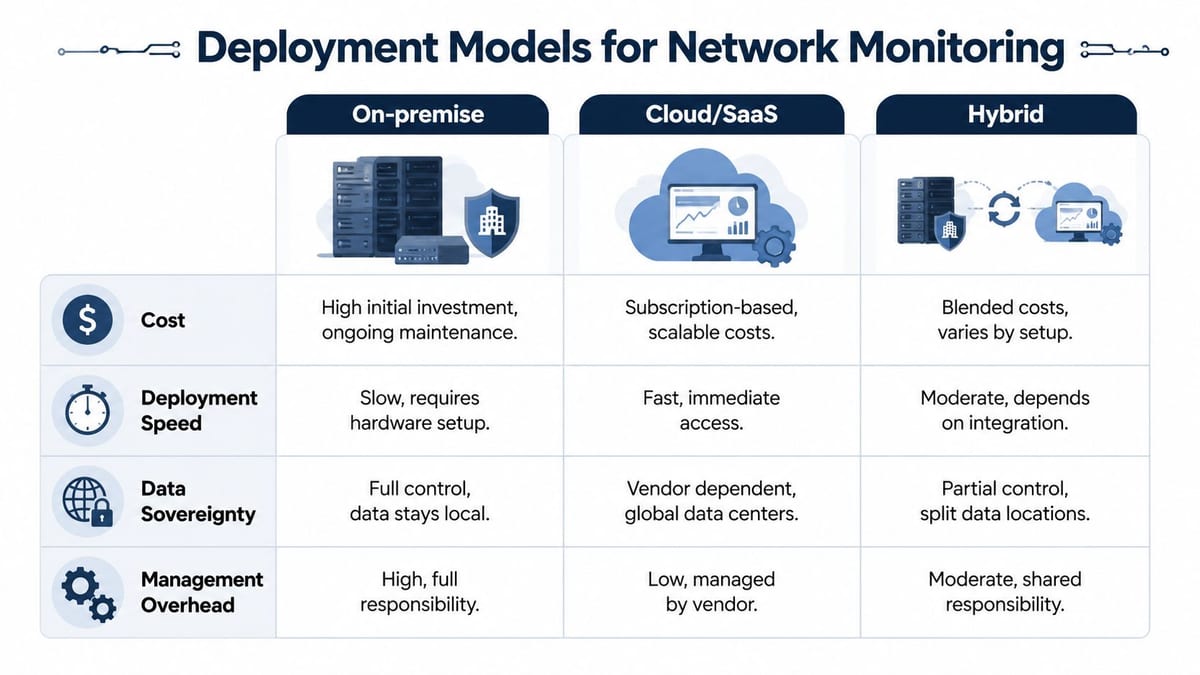
The deployment model matters because it shapes how quickly you can get visibility, where your data lives, and how much maintenance your team inherits. In office relocations, the answer is rarely “one size fits all”. A small fit-out with limited local infrastructure may favour one setup, while a complex estate with security and compliance constraints may need another.
On-premise, cloud, and hybrid
On-premise monitoring gives you direct control over data and infrastructure, which is useful when you want telemetry to stay local and your internal team can manage the hardware. The trade-off is higher management overhead, because your staff owns the setup, maintenance, and scaling.
Cloud or SaaS tools usually deploy faster and reduce day-to-day maintenance, which helps during fast-moving relocations and phased office moves. The trade-off is dependence on the vendor's operating model and data location choices.
Hybrid monitoring blends both. It suits estates where some data needs local handling while other visibility can live in a managed platform. That's often the most realistic route in mixed environments, especially where building services, security feeds, and IT traffic don't all belong in the same place.
What to ask vendors
A useful vendor should be able to explain how the platform handles structured cabling environments, including Excel Cat6 and fibre, without creating warranty or certification problems. Ask how they support structured handover, on-site certification, and escalation during cutover.
Practical rule: if the monitoring vendor can't work alongside the cabling and electrical team, the project will slow down later.
That's where the convergence-point approach helps again. You can focus visibility on the right parts of the estate instead of trying to instrument every switch, access layer, and camera feed on day one (Constructive-IT on managed network switches). In larger office programmes, Constructive-IT is one option for combining network monitoring with relocation, cabling, and building integration services in a single delivery model.
Integration Implementation and Relocation Checklist
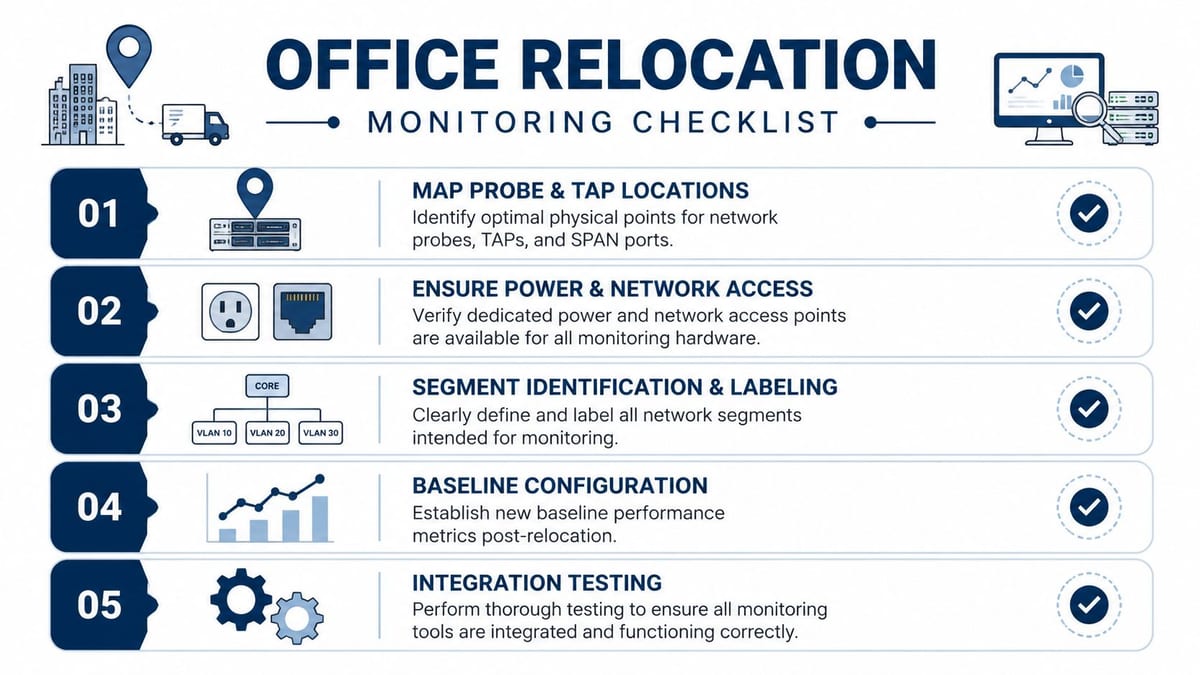
Relocation success depends on the order of work as much as the tools you choose. If network monitoring is bolted on after the move, you often discover that the probe location, power feed, or uplink isn't where it needs to be. If it's planned early, you can design the telemetry around the building rather than retrofitting it into gaps.
Start with the physical points that matter
Probe, TAP, and SPAN placement should reflect the traffic paths you need to understand. Focus on gateway links, major uplinks, and the places where voice, video, and cloud traffic merge, then label those paths clearly so the operations team can recognise them later. This is especially important when a new office opens floor by floor and one segment goes live before the others.
Design access, power, and data together
For unmanned building environments, access, power, and data should be designed as one package. That means the door control, sensor layer, camera feed, and network telemetry all need compatible dependencies, not separate assumptions that only work when someone is physically present.
That integrated model is also what makes battery-less, NFC proximity locks practical in the first place. They reduce local maintenance because you're not relying on routine battery swaps, and they fit the broader move toward centralised control in unattended spaces. They're commonly used in offices, secure storage areas, shared amenity spaces, remote plant rooms, and other controlled access zones where day-to-day physical supervision is limited.
Bring the electrical and compliance work in early
Commercial electrical installation and certification should be part of the relocation plan, not a final checkbox. If power, containment, and data cabinets are treated separately, the risks show up where teams least want them, during cutover and acceptance testing. The same applies to CCTV and monitoring platforms, because a camera feed or telemetry stream is only useful if the electrical and network handoff has been verified end to end.
Projects often fail when teams treat the building as separate disciplines instead of a single operational model, and undefined interface points between access control, CCTV, alarms, electrical containment, and data cabinets are exactly where delays appear (Constructive-IT governance framework guidance). A useful planning aid for scheduling those dependencies is Constructive-IT's office relocation timeline, which helps teams keep the move, the monitoring work, and the building handover aligned.
Troubleshooting Maintenance and Scaling Best Practices
Once the estate is live, the goal changes from deployment to consistency. The first maintenance task is to watch for misrouted flows, because those often appear when a service lands on a different uplink or VLAN than planned. The second is to review sudden traffic spikes with context, since a spike during cutover can be harmless while the same pattern a day later may point to a loop, a backup job, or an application issue.
Thresholds need regular attention. Baselines that made sense during the move may not fit the steady-state office, especially after new departments, printers, meeting rooms, or camera zones come online. Keep the settings tied to business activity, not just raw utilisation, so alerts reflect impact rather than noise.
Maintenance habits that keep visibility useful
- Review alert scope regularly: remove stale thresholds and keep the dashboard focused on the links that matter most.
- Retain the right level of history: keep enough detail for post-incident analysis, then summarise older data so the platform stays responsive.
- Check probe health: a dead probe can look like a quiet network, so verify that the monitoring path itself is still reporting cleanly.
- Re-baseline after major change: if you add a floor, split a tenant space, or bring a new building system online, don't assume the old behaviour still applies.
Scaling across floors or sites is much easier when you keep the same logic everywhere. Use the same naming conventions, the same convergence-point philosophy, and the same response window so staff aren't relearning the process each time a new area comes online. That consistency also helps with mixed environments where IT, CCTV, and building systems share the same operational backbone.
The cleanest monitoring system is the one your team can explain quickly during an outage.
Conclusion and Call to Action
Strong network traffic monitoring gives office relocation teams the evidence they need to separate a cutover issue from a real failure. It also gives unmanned building projects the telemetry they need to unite access, power, data, CCTV, and certification into one operating model. That combination matters because the building can only be reliable when the digital path and the physical path are planned together.
The main takeaway is straightforward. Start with baselines, monitor the right convergence points, design the building systems together, and keep maintenance tied to the way people use the space. That approach supports both staffed offices and fully autonomous unmanned building units without turning the project into a guessing game.
If you're planning a fit-out, office move, or building integration project, speak with Constructive-IT about a monitoring and delivery plan that covers cabling, certification, CCTV, and go-live support from the same team.
A CTA for Constructive-IT.