

You're probably dealing with the same office move pattern most in-house IT managers face. Estates has a programme date. Finance wants a fixed budget. The landlord has its own contractors. One supplier is talking about cabling, another about access control, another about CCTV, and the electrician is asking for final locations before you've even agreed where people will sit.
That's where projects start to drift.
On paper, each workstream looks manageable. In practice, they collide. A door controller needs power where no resilient circuit was allowed for. A camera is mounted neatly, but there's no sensible route back to switching. A meeting room booking panel ends up on the same planning sheet as a secure comms room lock, even though the consequences of failure are completely different. Then the Windows estate arrives at go-live and everyone acts surprised that endpoint security depends on whether people can physically get to devices, cabinets, risers and patching areas.
For an IT manager, the Windows Security Button sounds like a niche device feature. In a fit-out, it's a useful reminder of a bigger principle. Security only works when the trusted action is separated from the spoofable one. At building level, that means your office can't rely on disconnected systems and best guesses. Access, power, data and surveillance need to work as one security model.
The IT Manager's Office Relocation Dilemma
A typical relocation starts with a reasonable assumption. Get the specialists in, let each one deliver their own area, and tie it together at the end. That sounds efficient until the first site walk exposes the gaps.
The cabling contractor wants final device counts. The access control installer wants door schedules. The CCTV company wants viewing angles and recorder locations. The electrical contractor wants containment agreed before second fix. Each one is asking sensible questions, but none of them owns the dependency between systems.
Where fragmentation bites
The failures usually aren't dramatic on day one. They show up as friction.
- Door hardware goes in too early: The reader is fitted before the network route is agreed, so the controller location becomes a compromise.
- CCTV is treated as a bolt-on: Cameras get good sightlines but poor power resilience, which is the wrong trade-off for an unattended site.
- Comms spaces are under-scoped: A cabinet might be big enough for switching, but not for access hardware, recorder capacity, patching discipline and service clearance.
- Endpoint security gets separated from physical security: Devices are domain-joined, encrypted and managed, but they still sit in spaces that are too easy to enter after hours.
Practical rule: If three different suppliers are drawing on the same wall, ceiling void or riser, one person needs authority over the combined outcome.
I've seen the same problem in refurbishments, satellite offices and multi-floor consolidations. The project doesn't usually fail because one component is poor. It fails because nobody designed the whole operating environment.
That matters more in an office meant to run with less onsite intervention. Once reception is unstaffed for long periods, once cupboards stay locked by policy, once support is remote, every weak handoff between trades becomes an operational issue. What looked like a minor coordination gap during fit-out becomes a call-out, a security exception or a delayed opening.
What Unmanned Building Management Actually Means
Unmanned building management doesn't mean a building with no people in it. It means a building that doesn't need constant human supervision to stay secure, functional and predictable.
In practice, that means routine decisions are handled by integrated systems instead of manual intervention. Doors release or stay locked based on policy. Cameras record, alert and retain footage according to defined rules. Lighting and environmental controls respond to occupancy or schedule. Faults generate alerts before they become access issues or service outages.
What it looks like in a real office
A practical unmanned setup usually has four behaviours working together:
| Function | What it does in daily use | Why it matters |
|---|---|---|
| Access control | Limits entry by role, time and area | Reduces ad hoc key handling and uncontrolled movement |
| Surveillance | Records key routes, entrances and sensitive spaces | Gives Facilities and IT a usable audit trail |
| Environmental response | Coordinates lighting, HVAC or shutdown states | Stops the building wasting energy when zones are empty |
| Maintenance alerting | Flags offline devices, power faults or door issues | Lets teams fix problems before users report them |
Common settings for this model
This isn't only for prestige offices with a large estates team. It's common anywhere the building has to stay orderly without permanent front-desk supervision.
- Multi-tenant offices: Shared entrances, common routes and out-of-hours access need clear separation between tenants.
- Healthcare and NHS environments: Certain rooms need tighter access discipline, reliable surveillance and auditable movements.
- Warehouse offices and mixed-use industrial sites: Admin spaces often sit beside delivery routes and stock areas, so physical zoning matters.
- Serviced or satellite offices: Local support isn't always present, so faults need remote visibility.
A building becomes “unmanned” the moment you expect systems to make the right decision when nobody is standing there to correct them.
Why IT should care
This isn't just a Facilities project with some data ports attached. Once the office relies on automation, the building itself becomes part of your security and service stack. Your users experience that immediately. If access fails, they can't reach desks. If surveillance is on the wrong circuit, incidents become harder to investigate. If remote monitoring is weak, simple faults turn into repeated site visits.
That's why unmanned building management has to be designed as an operating model, not purchased as a collection of products.
Why Many Smart Building Projects Fail
Most “smart building” failures begin long before handover. They start when the project treats access, power and data as separate procurement lines instead of one design problem.
A reader without the right cable path is useless. A controller on the wrong electrical circuit is unreliable. A camera with network connectivity but poor upstream design creates blind confidence, not security. The project may still reach practical completion, but it won't behave well under pressure.
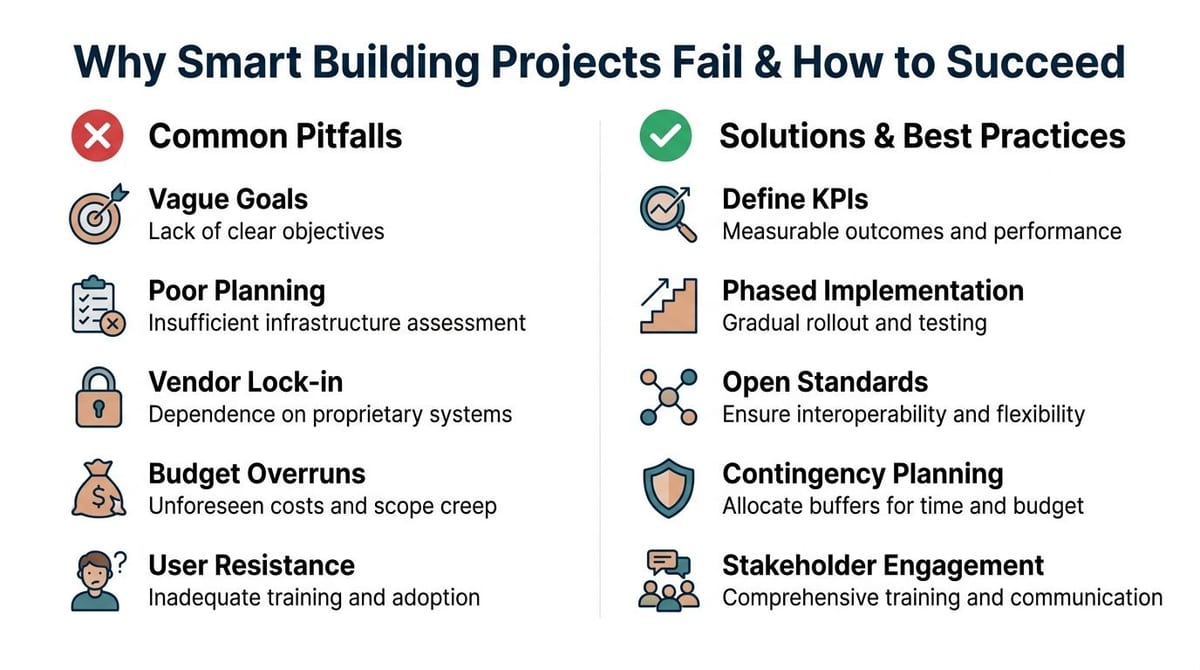
The Access Power Data triad
If a system touches a door, cabinet, route or endpoint area, ask three questions together.
Access
Who needs to enter, when, and under what conditions? This includes staff, cleaners, visitors, contractors and emergency override procedures.Power
What keeps the device or control path running, and what happens during interruption? A secure door on a weak circuit is a planning error, not bad luck.Data
Where does the signal go, how is it segmented, and who monitors it? If the event can't be logged, managed or investigated, the device is only half deployed.
The red flags that show up early
You can usually spot trouble before first fix.
- Room layouts keep changing: That often means containment, cabling and reader positions will drift too.
- Device schedules aren't tied to floor plans: Teams are ordering hardware without confirmed mounting conditions or routes.
- No one owns cabinet strategy: Access controllers, network switches, patching and recorder equipment end up competing for the same space.
- Security systems are left off the main go-live plan: If CCTV, access logs and endpoint readiness are tested separately, failures hide in the gaps.
A lot of managers assume integration can be sorted in commissioning. It can't. Commissioning proves whether the design works. It doesn't rescue a design that never resolved dependencies.
What works instead
The projects that land well usually share a few habits.
- One coordinated drawing set: Not separate versions living with each contractor.
- A dependency-led programme: Doors, containment, power, switching and device install are sequenced around one another.
- Operational scenarios tested before handover: Not just whether a lock opens, but what happens when a user is denied, when a controller drops offline, or when a remote team needs footage quickly.
- A clear ownership model: IT, Facilities, landlord and contractor responsibilities are agreed before defects start appearing.
If your access installer says “we just need a power spur and a data point”, pause there. That sentence often hides the real design work.
Smart buildings don't fail because the idea is wrong. They fail because the build treats infrastructure like a shopping list. The triad fixes that by forcing every decision back to the fundamental question. Can this space stay secure and usable when nobody is nearby to improvise a workaround?
Choosing Your Access Control Foundation with NFC
The wrong lock choice creates low-level operational drag for years. That's why I'd usually start with the door edge, not the software dashboard. If your unmanned setup depends on staff or contractors replacing batteries across multiple doors, you've already introduced a maintenance loop that doesn't belong in an autonomous environment.
Battery-less, NFC proximity locks solve a very practical problem. They reduce moving parts in the operating model. There's no battery replacement cycle to track, no dead cell causing an unexpected lock issue, and less temptation for teams to accept “temporary” workarounds on awkward doors.
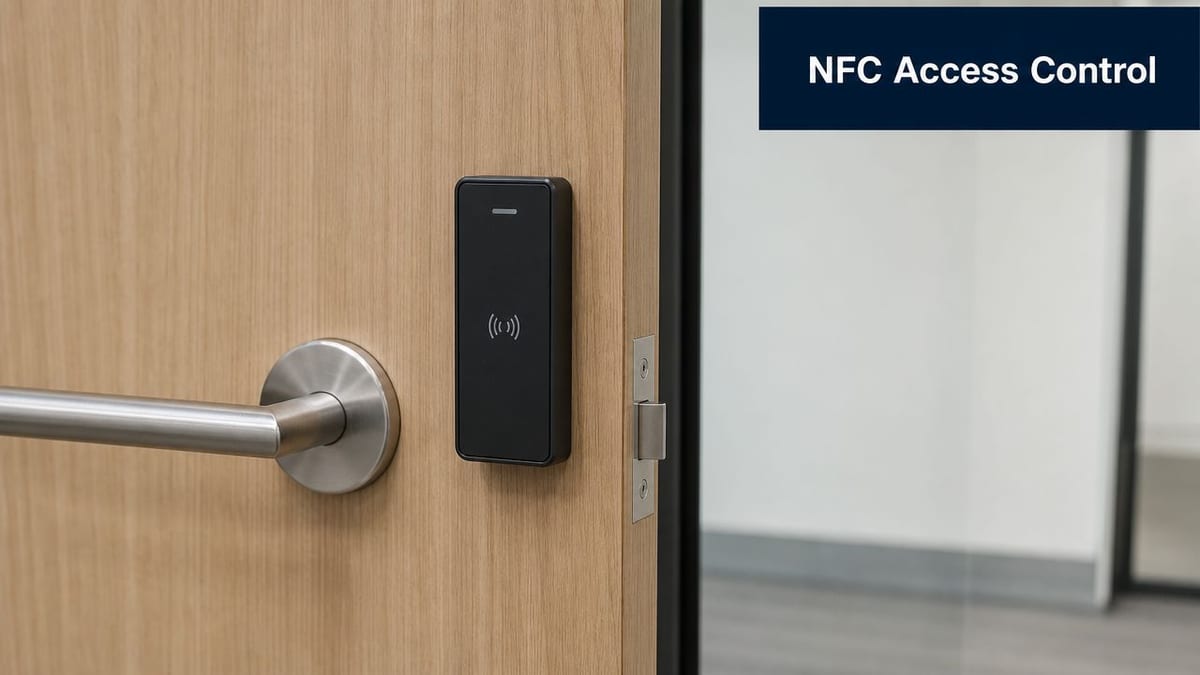
Why NFC makes sense for unmanned units
NFC is attractive because it matches how people already work. Staff can use managed credentials on compatible devices or dedicated cards, and the interaction is quick at the point of entry. For teams comparing models and terminology, this access control system guide gives a useful plain-English overview of the components involved.
The bigger point is resilience. A lock that doesn't need recurring battery visits is easier to standardise, easier to support and easier to trust in lightly staffed sites.
What works well in the field
Not every door needs the same hardware. A comms room, shared office entrance and internal store should not all be specified from one default template.
Consider the lock choice against the space:
- Shared perimeter doors: Favour readers and hardware that cope well with frequent use and changing user groups.
- Plant, riser and technical rooms: Prioritise auditability and consistency. These spaces are often accessed by more than one contractor type.
- Internal staff areas: Aim for a smooth user experience. If entry feels unreliable, people start propping doors open.
- Sensitive rooms with Windows endpoints or cabinets: Keep credential handling simple and tightly governed.
A lot of this depends on cabling routes and switching design. If you're assessing where PoE does and doesn't simplify deployment, this piece on Power over Ethernet cabling is worth reviewing before final lock and reader schedules are signed off.
Trade-offs to be honest about
NFC isn't a magic answer. You still need sound door surveys, sensible fallback procedures and clear enrolment rules for users and contractors. Mobile credential policies need proper governance, especially where personal and corporate devices overlap.
But for an office designed to need less daily intervention, battery-less NFC locks are usually the cleaner operational choice. They fit the unmanned model because they remove a predictable maintenance burden rather than asking your team to manage it forever.
Integrating Your Building's Sensory Network
Treat CCTV, access hardware and supporting electrical works as one sensory network. They are the building's way of seeing, detecting and reporting what's happening when nobody is nearby. If they sit on inconsistent power, poor containment or improvised network routes, the building loses awareness exactly when you need it most.
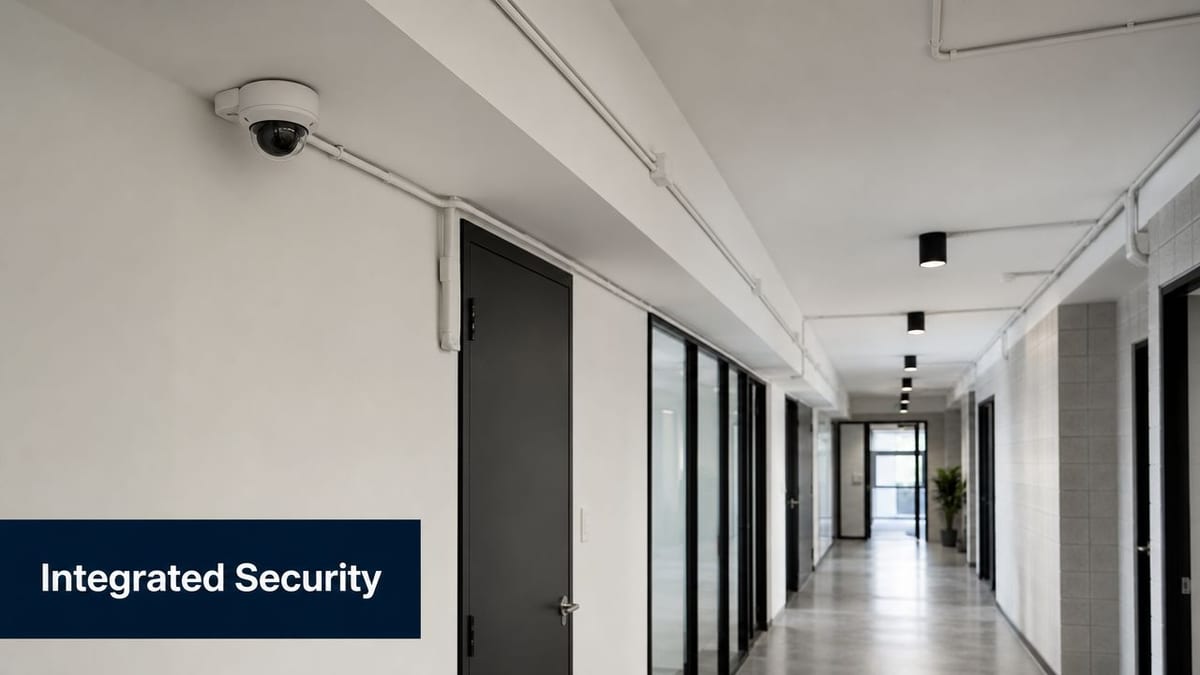
CCTV is only as good as the infrastructure beneath it
Many fit-outs still buy cameras by resolution and lens style first. That's backwards. Fundamental questions are more basic. Is the camera on the right circuit? Can the switch path support it properly? Can footage be reached fast enough by the people who investigate incidents? Is the recording equipment housed somewhere physically appropriate?
This applies to corridor cameras, reception views, loading areas and server-adjacent spaces alike. A camera that records beautifully but drops during a power event hasn't solved the problem.
For planning the balance between fixed cabling and wireless coverage around these systems, this guide to Ethernet and wireless is a helpful reference point. In unattended sites, wired paths usually deserve first consideration for anything security-critical.
Commercial electrical installation has to be part of the security conversation
A certified commercial electrical installation does more than satisfy compliance paperwork. It gives you confidence that the circuits feeding security, networking and supporting systems were installed and tested for the environment they'll operate in.
That matters because autonomous units don't tolerate vague electrical design. If a distribution choice makes fault-finding harder, if key systems share the wrong supply characteristics, or if future maintenance access is awkward, the building will keep charging you for that decision in engineer time and disruption.
The best CCTV design I've seen usually looks slightly boring on the drawings. That's a compliment. It means cable routes, power, mounting and maintenance access were resolved before anyone reached for the ladder.
A short visual overview helps when you're reviewing site scope with mixed stakeholders:
The sensory network checklist
When I review a fit-out plan, I want clear answers to these points:
- Power resilience: Which security elements need the most dependable supply path?
- Physical placement: Can devices be serviced safely without disrupting occupied areas?
- Network path: Are camera and access events visible where operations teams need them?
- Certification and testing: Has the electrical and data layer been signed off to support long-term use, not just handover day?
That's the difference between “we installed CCTV” and “the building can monitor itself properly”.
From Building Security to Endpoint Security
The Windows Security Button matters because it represents a trusted security action at device level. On some Windows tablets and convertibles, it acts as a hardware or firmware-mapped Secure Attention Sequence, functionally equivalent to Ctrl+Alt+Delete, and it's designed to be non-maskable so Windows can verify the user is physically present before showing logon options, as outlined in this Windows Security button SAS explanation.
That sounds narrow, but the principle scales well.
The same trust model applies to buildings
At endpoint level, the point of a secure attention sequence is simple. The user triggers something the operating system can trust more than a spoofable screen prompt. At building level, your equivalent trust control is physical environment design. If the wrong person can wander in, reach a docked laptop, tailgate into a project area, or access the cabinet feeding that floor, your digital controls are already under pressure.
That's why a fully autonomous unmanned building unit isn't just a Facilities achievement. It's the first layer of endpoint security.
Where the connection becomes practical
The building and the Windows estate meet in ordinary places:
- Shared touchdown areas: Devices are often left docked, charging or briefly unattended.
- Meeting rooms: Guest access, screen-sharing equipment and local peripherals create easy crossover between users and devices.
- Comms and printer rooms: These spaces often hold infrastructure and endpoints that nobody thinks of as “high risk” until they're physically exposed.
- Hot-desking zones: Identity, session handling and physical presence all become harder to police informally.
Windows itself has evolved a long way. The platform began in 1985 with no built-in operating system security in Windows 1, the registry arrived later in Windows 3.1 (1992), and by Windows 10 released in 2015 Microsoft had added protections such as Windows Defender Credential Guard, as summarised in this brief history of Windows OS security. Those controls matter, but they don't replace secure rooms, disciplined access and sensible physical segregation.
If you're tightening endpoint procedures alongside building controls, this guidance on changing passwords with net user is a practical companion for Windows administration workflows.
Strong endpoint security assumes the device sits in an environment worth defending. If the room is weak, the policy is weaker than it looks.
The useful way to think about the Windows security button in a fit-out is this. It's both a real feature and a reminder that security depends on trusted actions. In a new office, the building itself should become that trusted layer.
Ensuring Long-Term Success and Operational Readiness
Handover isn't the finish line. It's when the true test starts. An unmanned building only stays “unmanned” if routine issues are predictable, visible and easy to resolve without turning every fault into a site visit.
What day two operations need
You need a clear owner for each part of the estate, but you also need joined-up operating routines. Access logs, camera health, switch alerts, door faults and electrical maintenance records can't live in separate silos forever.
A workable model usually includes:
- Firmware and software discipline: Readers, controllers, cameras and Windows endpoints all need planned update windows and rollback thinking.
- Health monitoring: Offline devices should trigger review quickly, especially on perimeter doors and surveillance paths.
- User administration: Joiners, leavers, contractor access and temporary permissions need one controlled process.
- Support playbooks: Teams should know what happens when a lock fails, a camera drops, or a cabinet loses connectivity.
Maintenance is a design issue, not an afterthought
The easiest systems to support are usually the ones that were easiest to understand during design. Clear labelling, logical cabinet layouts, tested circuits, sensible naming and accurate as-built documentation save time every single time something needs attention.
That's also why battery-less hardware and integrated planning pay off later. They remove recurring tasks and reduce guesswork. For broader operational thinking, this round-up of 2026 security operations best practices is a useful external read when you're shaping monitoring and response habits across physical and digital systems.
Readiness checks that are worth doing
Before you call the environment stable, verify three things.
- The building can report its own problems. If a key device fails undetected, the model isn't mature enough.
- The support team can act without tribal knowledge. If only one engineer understands the setup, you've created fragility.
- Staff know the rules. Doors, badges, visitors, unattended equipment and after-hours behaviour all need consistent practice.
A secure office fit-out isn't only about installation quality. It's about whether the building keeps doing the right thing, week after week, without needing someone onsite to nurse it.
If you're planning a relocation, refurbishment or new autonomous unit and want one team to align access, power, cabling, CCTV and endpoint-readiness from the start, Constructive-IT is worth a look. They work with in-house IT teams to design, install and support office infrastructure that's easier to run on day one and far less painful to maintain after handover.