
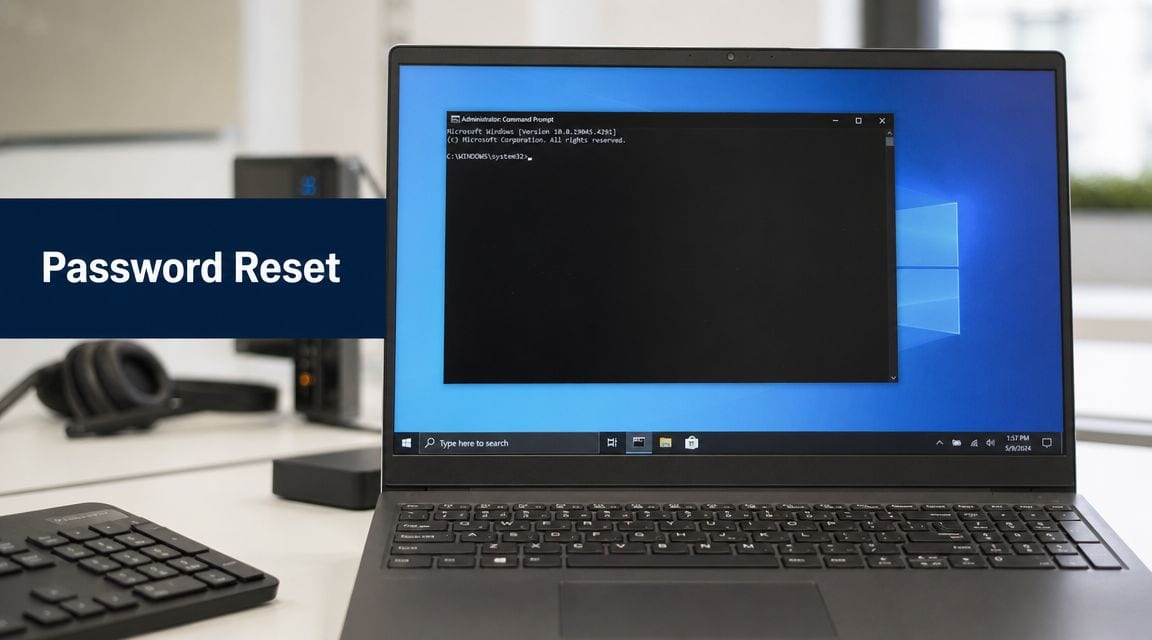
A password reset request rarely arrives at a convenient time. It usually lands in the middle of a handover dispute, a lockout on a live machine, or a recovery job where the wrong change can break remote access and create a bigger support problem than the one you started with.
net user is simple enough as a command. The hard part is the system around it. Whether a password change works cleanly depends on the account boundary you are working in, the permissions available on that device, how the machine is being reached remotely, and what else depends on that credential after the change.
That is the same mistake I see in unmanned building projects. Teams focus on the visible task, change the password, fit the lock, add the camera, and skip the joined-up design that makes the whole environment reliable. In practice, access only works properly when identity, connectivity, power, and recovery paths are planned together. The command line version of that problem is small, but the principle is the same.
For Windows administrators, that means treating net user as part of an operating model, not just a quick fix. Local accounts, domain accounts, cached credentials, remote sessions, and admin elevation all affect the result. Even routine support work can stall if the session is stuck behind keyboard input restrictions, which is why handling Ctrl Alt Del in a Remote Desktop session often sits right alongside account recovery.
Used properly, net user change password is a practical recovery tool. Used without checking the surrounding access path, it is an easy way to lose control of a machine for longer than planned.
What Unmanned Building Management Means in Practice
In day-to-day operations, “unmanned building management” doesn't mean a building runs itself with no oversight. It means the routine parts of access, monitoring, and support are handled through connected systems instead of relying on someone being physically present to hand over keys, open plant rooms, escort contractors, or reset failed endpoints.
That's familiar territory for IT and facilities teams. A site with shared offices, risers, comms rooms, delivery access, CCTV, and out-of-hours contractors quickly becomes an operational drag if every exception depends on a receptionist, facilities assistant, or on-call engineer turning up in person. The building isn't really autonomous if basic access still depends on a phone call and a spare key.
What it looks like on a real site
A practical unmanned commercial building has a few consistent traits:
- Digitally managed entry so staff, tenants, engineers, and approved contractors can access the right areas at the right times
- Auditable events tied to doors, credentials, cameras, and alarms
- Remote administration for access changes, permissions, and incident review
- Defined fallback procedures when connectivity, power, or a single device fails
- Joined-up infrastructure so doors, CCTV, power, network switching, and management platforms behave like one system
The point isn't novelty. The point is control.
A well-run unmanned site still has human ownership. Someone defines access groups, someone approves contractor windows, someone reviews incidents, and someone signs off electrical and compliance work. What changes is that the building no longer depends on someone sitting at a desk in the lobby to remain secure and usable.
Unmanned doesn't mean unmanaged. It means the management layer is designed into the building instead of improvised around it.
For mixed estates, this also overlaps with IT support realities. The same organisations managing secure doors and remote camera views are often managing endpoint recovery, remote sessions, and privileged access. If your team already deals with Windows admin tasks like Ctrl Alt Del on Remote Desktop, you already know the pattern. Reliability comes from planning the control path, not from hoping the simple action works when pressure is highest.
Where Net User change password fits
The reason Net User change password belongs in this conversation is simple. Unmanned buildings still depend on managed identities. Local service accounts, maintenance workstations, edge devices, CCTV servers, and restricted admin endpoints all need disciplined credential control.
For Windows systems, net user <username> <newpassword> is the supported command-line method to change a local or domain account password when you have sufficient privileges. The safest workflow is to enumerate the exact account name with net user, then run the change, then verify by testing sign-in or reviewing net user <username> output. Operational guidance also notes that admins can force a password change at next logon with /logonpasswordchg:yes, which is often preferable to circulating temporary credentials manually, as described in this step-by-step operational walkthrough.
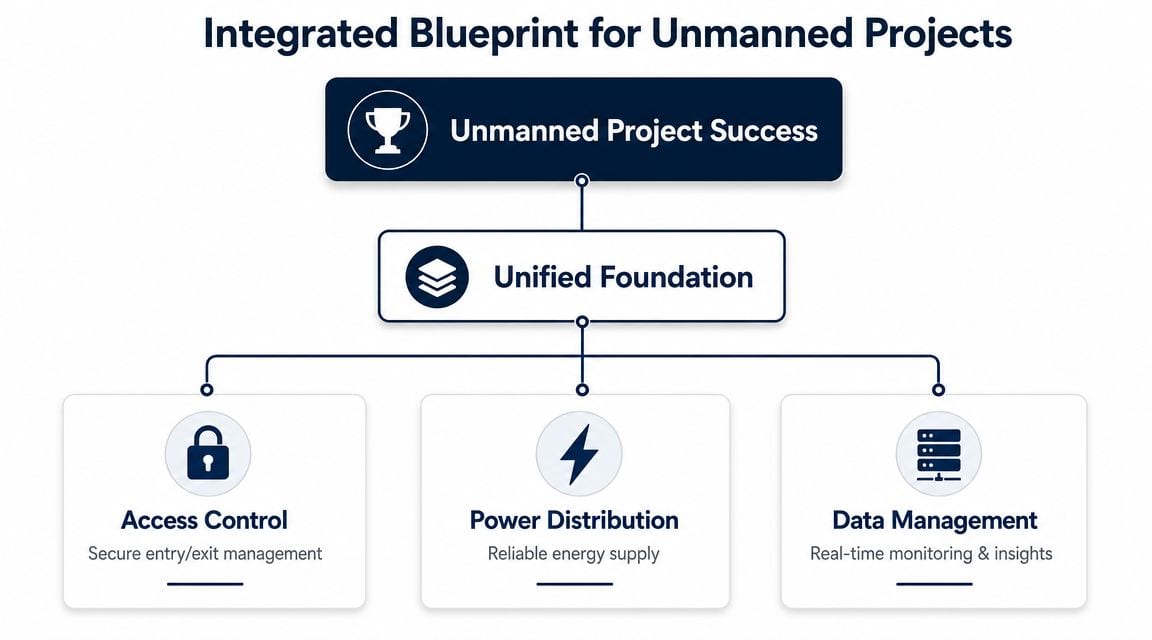
The Integrated Blueprint for Access Power and Data
Most failures start before the first lock is fitted. They start when access control, electrical work, and network design are split into separate decisions, often by separate vendors, each optimising their own package instead of the building.
That approach looks cheaper early on. It usually isn't.
The three-legged stool problem
An unmanned building sits on three essentials:
| Component | What it has to do | What happens if it fails |
|---|---|---|
| Access control | Authorise and log entry events | People can't get in, or the wrong people can |
| Power distribution | Keep locks, switches, controllers, and cameras running safely | Doors, comms, and monitoring become unreliable |
| Data management | Carry events, permissions, alerts, and remote admin traffic | The platform goes blind or unresponsive |
If one leg is weak, the whole design wobbles.
A smart lock with poor connectivity isn't smart in any useful sense. A camera above an entry point adds little value if the switch cabinet feeding it loses power under load. A central dashboard can't compensate for doors that were never specified with the right fail-safe or fail-secure behaviour. These aren't product issues. They're planning issues.
Why joined-up design works better
The strongest projects start with one design conversation. Door schedules, cable routes, containment, switch locations, power resilience, cabinet space, camera views, credential flows, and remote management are mapped together. That's the difference between a system and a collection of devices.
A 2025 BSRIA report found that commercial smart building projects using an integrated design methodology for power, data, and security systems from the outset were 70% less likely to experience significant operational issues or budget overruns after deployment, according to BSRIA's UK research overview.
That finding tracks with what works on live projects. Rework usually comes from omitted dependencies:
- Door hardware chosen before cabling routes are fixed
- Controllers specified without proper cabinet, power, or ventilation allowance
- CCTV added later with no bandwidth or storage planning
- Electrical certification treated as a closing task instead of a design input
- Remote admin expected, but never designed into the network path
Practical rule: If access, power, and data are signed off in different conversations, expect friction during install and surprises after handover.
This is the same discipline IT teams use elsewhere. You wouldn't troubleshoot a Windows endpoint without checking the actual network path, host state, and privileges. The same joined-up thinking applies to buildings. Even something as basic as checking your command prompt IP address reflects the wider principle. Before you act, confirm the environment you're acting in.
Why Most Unmanned Building Projects Underperform
The usual assumption is that projects underperform because the chosen technology wasn't advanced enough. In reality, they usually underperform because the project treated technology as the starting point instead of the operating model.
A good-looking app won't rescue a weak building design. Neither will a premium lockset, a cloud dashboard, or a rack full of hardware if the people who'll run the site weren't part of the planning.
The common failure pattern
The first warning sign is piecemeal procurement. One contractor installs access control. Another handles CCTV. Someone else runs data cabling. Electrical work gets scoped around what's left. Each package might be competent on its own, but nobody owns the whole service path.
That leaves the client with disconnected platforms, partial audit trails, conflicting maintenance responsibilities, and handover documents that don't describe how the building is supposed to operate on a Tuesday night when a contractor arrives late and a tenant has lost access.
The second failure is using consumer-style “smart” products in commercial settings. They can be quick to demo and easy to buy, which is exactly why they get selected too early. But commercial buildings need audited permissions, predictable support, structured cabling discipline, resilient power, and clear failure behaviour. A gadget that works well in a home office doesn't automatically belong on a shared commercial entrance or a server room door.
Operational planning is where projects succeed or stall
Even when the hardware is acceptable, operations often aren't thought through. Teams forget that someone has to manage joiners, leavers, contractors, temporary access windows, emergency override, and account recovery.
For Windows-backed management endpoints and local access stations, the same rule applies. A password reset is only clean if you're changing the right account in the right place. A practical support note from a Windows password recovery guide highlights a common UK-relevant issue: local administrative resets are only part of the picture when the primary identity source is Active Directory or Microsoft Entra ID, and confusion between local and domain-backed identities leads to avoidable lockouts and sync inconsistencies in this operational recovery guidance.
That's why the strongest projects define the lifecycle, not just the install.
Mistakes that keep showing up
- No account ownership model. Nobody knows who approves door groups, local admin access, contractor credentials, or emergency changes.
- Weak commissioning discipline. Devices are fitted, but event logging, failover behaviour, and alert routing aren't properly tested.
- Security treated as a bolt-on. The network for cameras, controllers, and admin endpoints gets the leftovers.
- No support path after go-live. The project ends at installation, not at steady-state operation.
A building can look modern on day one and still be awkward, fragile, and expensive to run by month two.
Underperformance rarely comes from one dramatic fault. It comes from small omissions that stack up until every simple task takes too long and too many people.
Choosing the Right Lock Technology for Zero Maintenance
Lock choice shapes operational burden more than many expect. On paper, many products seem close. In practice, the difference between battery-powered, Wi-Fi-dependent, and battery-less NFC proximity locks shows up in maintenance calendars, support tickets, and failed access events.
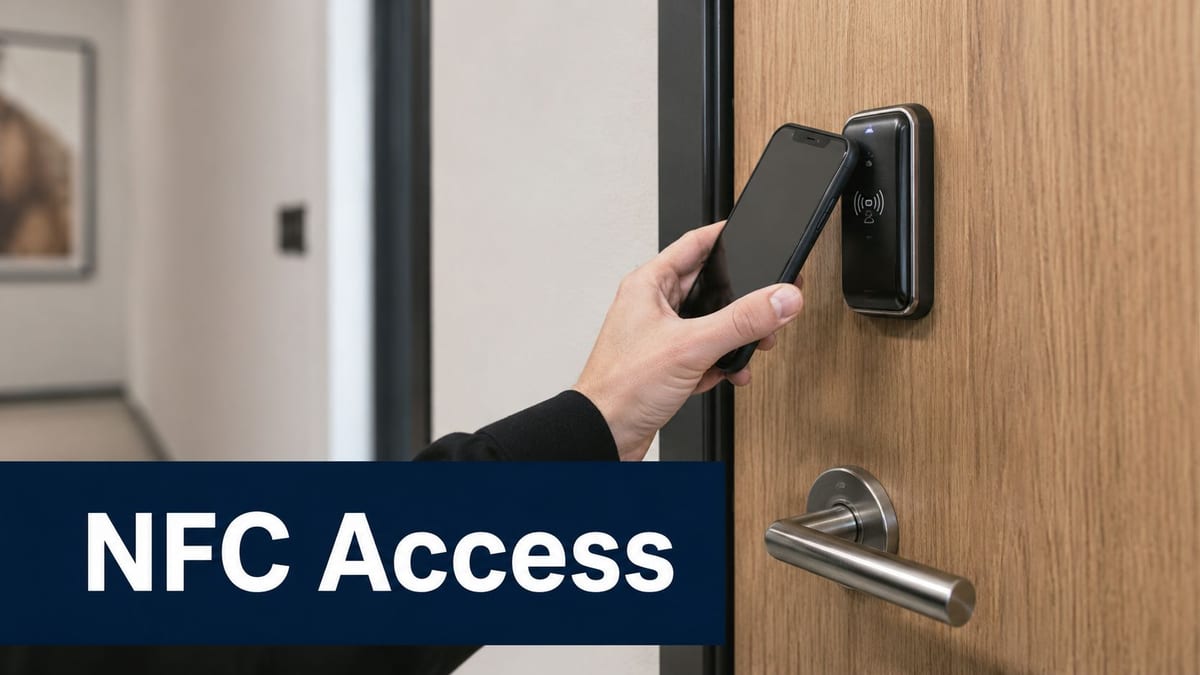
Why battery-less NFC makes operational sense
Battery-powered locks create an estate-wide maintenance obligation. Someone has to monitor battery state, schedule replacements, carry stock, attend site, and deal with the risk of a lock degrading between service windows. Across a portfolio, that becomes a repetitive cost centre.
By contrast, battery-less NFC systems reduce moving parts in the maintenance model. For many commercial environments, that's the difference between a lock fleet that demands constant attention and one that behaves like fixed infrastructure.
According to IFSEC Global's coverage of battery-less NFC access control, over a 10-year lifespan, battery-less NFC systems can reduce operational expenditure by up to 60% compared with battery-powered alternatives for portfolios of 100+ doors, largely by removing battery replacement labour, recurring consumables, and downtime-related risk.
That's the business case. The practical case is just as important. Fewer service visits mean fewer avoidable disruptions. Fewer consumables mean less drift between “designed state” and “actual state”.
Side-by-side decision view
| Lock approach | Strength | Trade-off |
|---|---|---|
| Battery-less NFC proximity locks | Low maintenance, predictable lifecycle, strong fit for managed commercial sites | Needs proper planning around credentials and platform integration |
| Battery-powered wireless locks | Easier retrofit in some spaces | Ongoing battery management never goes away |
| Wi-Fi-dependent door devices | Familiar to some IT teams | Can become fragile if wireless design or roaming behaviour is poor |
Security validation matters here too. Physical access systems shouldn't be trusted just because the vendor brochure looks polished. Teams planning high-consequence spaces should review independent insights on physical security testing so they understand how doors, credentials, human behaviour, and fallback procedures are tested in practical scenarios.
A short product demonstration can also help stakeholders understand how these systems behave in use:
What works better than chasing features
The best lock decision usually comes from asking boring questions well:
- Who needs access and when
- What happens during power or network issues
- How credentials are issued, revoked, and audited
- Which doors justify premium control and which don't
- How often anyone should need to touch the lock after installation
That last question matters most. If the answer is “regularly”, the design probably hasn't gone far enough.
Integrating CCTV and Certified Electrical Systems
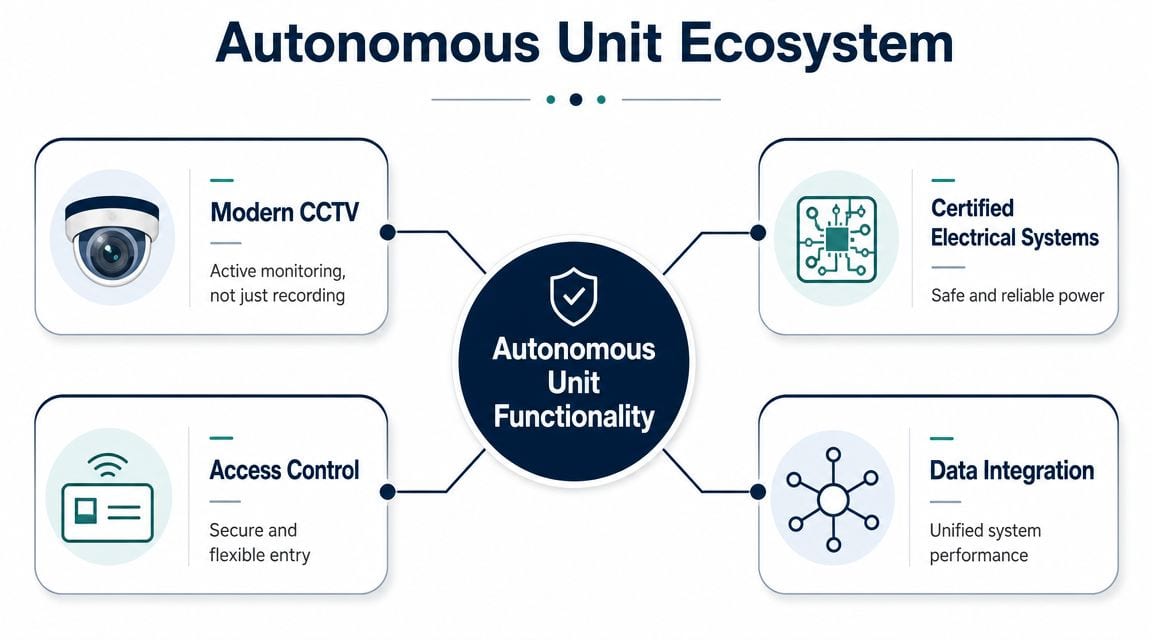
Access control on its own doesn't create a dependable autonomous unit. It controls entry. It doesn't provide visual context, resilient power, or assurance that the infrastructure remains safe and supportable over time.
That broader ecosystem is where projects either mature properly or stay half-finished.
CCTV has to be part of the control loop
Modern CCTV works best when it's tied directly to access events, not treated as a separate archive. When a door opens, operators should be able to verify the event, review the clip, and understand whether the access was expected, mistimed, or suspicious.
That operational link changes response quality. The UK's National Business Crime Centre reports that commercial properties with integrated CCTV and access control systems see up to a 45% reduction in unauthorised access incidents, and the evidence they collect is 3x more likely to be actionable than evidence from standalone systems, as noted by the National Business Crime Centre.
That doesn't happen automatically. Camera placement, retention policies, line of sight, lighting conditions, event tagging, and user permissions all need to be designed intentionally. A camera that records a doorway from the wrong angle doesn't add much value during an incident review.
Good CCTV isn't passive. It confirms what happened, who was there, and whether the access event matched the rule set.
Electrical certification isn't an afterthought
An autonomous unit is still only as reliable as its power path. Locks, door controllers, network switches, storage, cameras, and local admin devices all depend on properly designed and certified electrical work.
That means commercial electrical installation and certification need to be treated as core project work. Circuits must be appropriate to load and use case. Backup arrangements need to match the site's security and safety requirements. Isolation, labelling, containment, and testing need to support the whole system, not just satisfy a narrow install checklist.
For readers comparing compliance approaches across regions, it's useful to understand why AS/NZS 3000 matters because the underlying lesson carries across markets. Standards-driven electrical work protects system reliability as much as legal compliance.
What the complete ecosystem includes
A fully autonomous unmanned building unit usually depends on these layers working together:
- Entry control with clear permission models and defined fallback behaviour
- CCTV coverage aligned to doors, circulation routes, and critical spaces
- Certified power infrastructure for normal operation and sensible resilience
- Data integration so events, alerts, and administrative actions are visible in one management view
If any one of those is bolted on late, the building becomes harder to trust. It might still function. It just won't function cleanly.
Real-World Applications and Planning Your Project
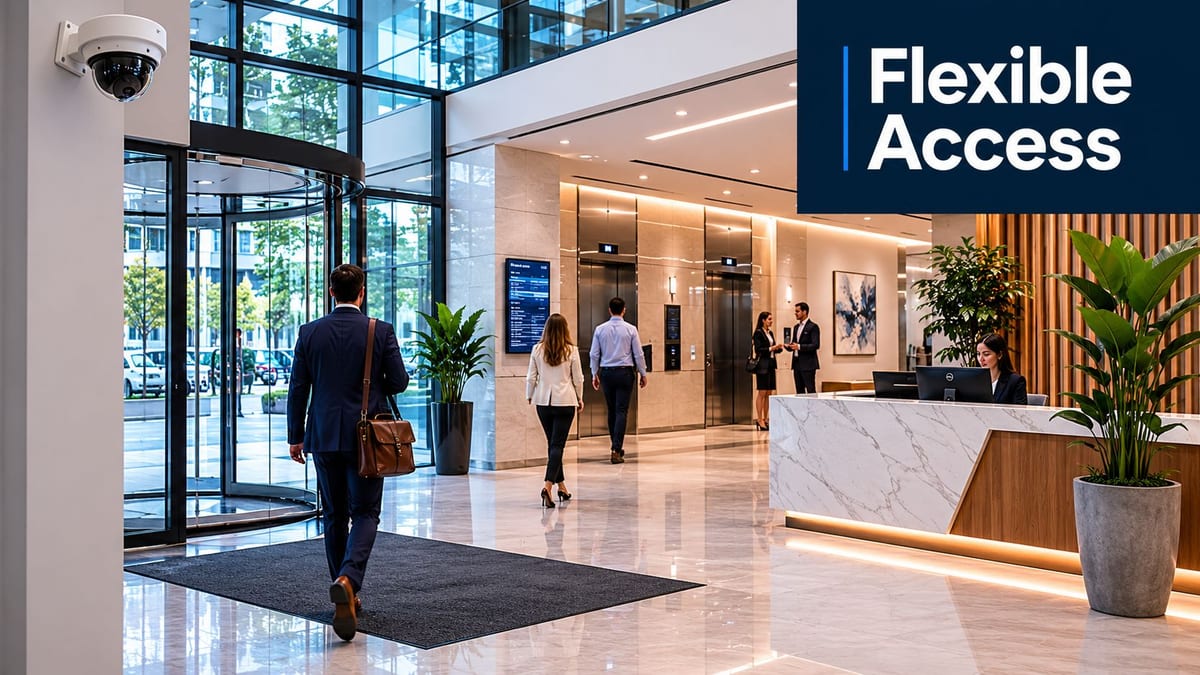
A tenant moves out on Friday. A contractor needs plant room access on Saturday. A new occupier starts Monday morning. In buildings like that, unmanned operation either runs cleanly because access, power, data, and CCTV were planned together, or it turns into a weekly support problem.
The best projects are usually the least dramatic. Shared offices, small multi-tenant buildings, managed workspace, retail units, and technical rooms all benefit from controlled entry, usable audit logs, and fewer manual exceptions. The gain is not just convenience. It is a building that can keep operating without someone constantly issuing keys, resetting edge devices, or explaining one-off workarounds to the next supplier.
Where these systems earn their keep
Multi-tenant office space is a straightforward example. Each occupier needs its own permissions. Shared entrances need consistent rules. Engineers still need managed access to risers, comms rooms, and plant areas. If those decisions are made early, the site is easier to run and easier to audit.
The same pattern shows up in other settings:
- Server rooms and technical spaces where only named staff should have access and every visit needs a record
- Flexible workspace portfolios where users, memberships, and contractor access change regularly
- Retail or distributed sites where central teams need oversight without staffing every location
- Out-of-hours service areas where engineers need time-limited entry without waiting for an escort
Projects usually underperform for familiar reasons. The lock choice gets decided before the credential model. Cameras are added after blind spots appear. Local admin accounts on support workstations are left with weak controls. Then the building goes live and the team discovers that one simple task, including a password reset on a local endpoint, now has operational risk attached to it.
Apply the same discipline to admin access
That is why I treat endpoint administration as part of the building design, not an IT footnote. If a building management PC, local controller host, or maintenance workstation uses net user change password, the process needs the same clarity as any door access rule. Confirm the account. Confirm whether it is local or domain-backed. Use the right privileges. Verify the change before the site depends on that machine again.
The command itself is simple. The failure point is usually scope. Teams change the wrong account, assume a domain path when the device is local, or make the change during an incident without checking service dependencies tied to that login.
Good planning reduces that risk. Document which endpoints exist, who can administer them, how credentials are stored, and what recovery path applies if the machine fails to start normally. For practical recovery steps, keep a runbook that includes when to use Safe Mode on Windows for troubleshooting a building management workstation.
For teams tightening admin hygiene, broader guidance from Digital Footprint Check on securing passwords is useful because weak credential practice around support devices can undermine an otherwise well-planned physical security system.
The planning question that actually matters
Before approving any product list, ask whether the building will still be easy to run six months after handover.
If daily operation depends on frequent battery replacement, undocumented exceptions, manual CCTV checks to confirm door events, or three vendors disputing ownership, the project needs more design work. If the operating model is clear because access control, power resilience, data paths, camera coverage, and admin controls were specified as one system, the building has a much better chance of staying reliable over time.
If you're planning an office fit-out, upgrading a live site, or building out autonomous unmanned building units and want a practical design review before procurement starts, Constructive-IT can help you scope the infrastructure properly, reduce rework, and deliver a system that's secure, supportable, and built for long-term operation.