
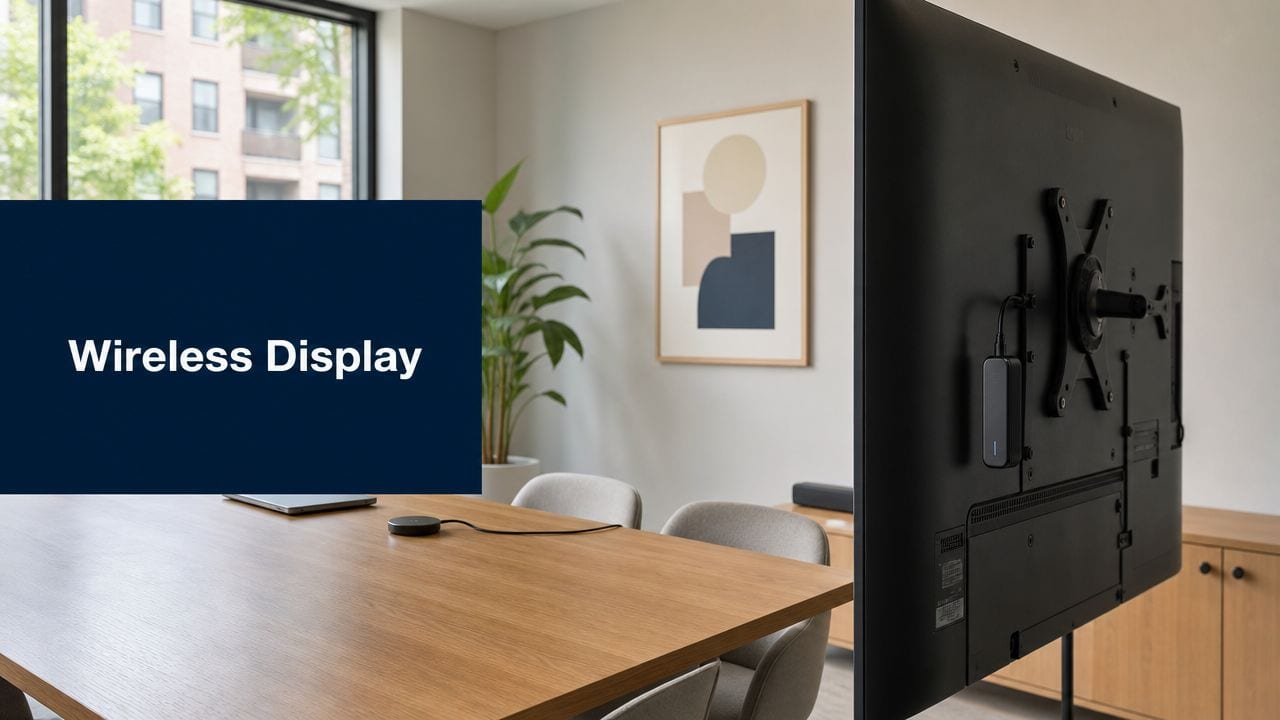
If you're responsible for meeting rooms, shared offices, training spaces, or small satellite units, you've probably felt the same friction. A display won't connect. A contractor needs access before anyone is on site. A camera records the corridor but not the door event that matters. Someone ordered a wireless display adapter because it looked like an easy fix, and now you're troubleshooting that on top of keys, alarms, cabling, and patchy Wi-Fi.
That's the underlying problem with “smart” spaces. The failure rarely starts with one bad product. It starts when teams treat access, power, data, AV, and CCTV as separate purchases instead of one operating system for the building.
A wireless display adapter is a good example. In the right room, for the right use case, it solves a genuine problem. In the wrong environment, it becomes another unmanaged edge device that works fine until the day reliability matters. The same pattern shows up across unmanned building projects. If the design isn't integrated from day one, the building never becomes fully autonomous. It just becomes harder to support.
The Hidden Costs of Traditional Building Management
The expensive part of a building rarely shows up in the first equipment quote. It shows up six months later, when someone is still acting as the human API between doors, displays, alarms, cameras, and contractors.
Traditional building management fails in small, repetitive ways. A user cannot get into the right room. A visitor arrives outside the expected window. A meeting starts late because the screen will not connect. CCTV has footage, but the access event and the room activity sit in different systems, so no one can verify what happened without manual checking. None of these incidents looks serious on its own. Together, they create a steady stream of tickets, exceptions, and site visits.
That is the hidden cost. Manual coordination becomes part of daily operations.
The problem gets worse when power, data, and access are designed as separate workstreams. Facilities approves locks. IT handles switching and Wi-Fi. AV installs a wireless display adapter or casting dongle to remove an HDMI cable. Security adds cameras later. Each choice looks reasonable in isolation. In practice, those choices create blind spots at the edges, where real failures happen.
Where the friction actually sits
The cost usually lives in tasks no one priced properly during fit-out:
- Credential handling: joiners, leavers, temporary staff, cleaners, engineers, and delivery teams all need the right permissions at the right time
- Room support: displays, dongles, USB power supplies, HDMI leads, and ad hoc casting devices create recurring support calls
- Out-of-hours access: someone still has to approve entry, confirm attendance, and reconcile logs afterward
- Audit gaps: a site can look controlled while still relying on shared codes, manual overrides, and weak event history
- Network dependency: room tech and door tech both fail unpredictably when the wireless design was never sized for operational traffic
Wireless room technology exposes this quickly. A wireless display adapter can reduce desk clutter and make ad hoc meetings easier, but only if the room has stable RF conditions, predictable client compatibility, and a support path when updates break behaviour. In offices that were planned as separate AV, network, and facilities projects, those conditions are often missing. The device gets blamed, but the design decision failed earlier.
This is why Ethernet and wireless network design for business spaces should be treated as part of the same building operating model as access control and room technology, not as a later connectivity task.
Why legacy room tech becomes an operational issue
Wireless presentation hardware often enters a building as a convenience purchase. It stays in service far longer than anyone intended. That is where cost starts to rise.
A device such as the Microsoft Wireless Display Adapter was useful because it gave meeting rooms a simple casting path and a familiar connection flow for Windows users. But usefulness is not the same as lifecycle fit. If the adapter becomes a standard room dependency, the real questions are supportability, replacement planning, power stability at the display, and how the device behaves on a busy corporate wireless network.
Once that product line stops being a live standard and turns into legacy inventory, every room that depends on it becomes harder to support. Failed units are replaced with whatever is still available. Firmware consistency drifts. User experience varies by room. Support teams start carrying local workarounds because the original design never defined a controlled service model.
That pattern shows up across traditional building management. The issue is not one dongle, one lock, or one camera. The issue is fragmentation. If access, data, and power are not specified as one system from day one, the building keeps charging you in labour, delays, and avoidable faults.
What Unmanned Building Management Means in Practice
A contractor arrives at 6:30 a.m. for a scheduled plant room visit. The front door accepts the credential, the corridor camera records the entry, the right internal door opens for a limited time window, and the event is logged against the job. No one has to answer a phone, hand over a key, or explain later why that person was in the building. That is what unmanned building management looks like in practice.
It is an operating model built to reduce manual dependencies. The building handles routine decisions through defined rules, stable infrastructure, and clear system relationships. If those relationships are weak, the building still needs people to fill the gaps.
The part that gets missed is integration. Access control, CCTV, network infrastructure, power, and room technology have to be specified as one working system. Treat them as separate purchases and the site becomes harder to run, harder to support, and much more sensitive to small faults.
What “unmanned” actually looks like
In a well-designed autonomous site, each layer does a specific job and hands off cleanly to the next:
- Access control applies identity, schedule, and area permissions.
- IP CCTV records the event and gives operators context.
- Power design keeps edge devices online long enough to recover cleanly after disruption.
- Structured cabling and switching connect readers, doors, cameras, displays, and control points without improvised extensions.
- Remote monitoring flags faults early, before users turn them into support calls.
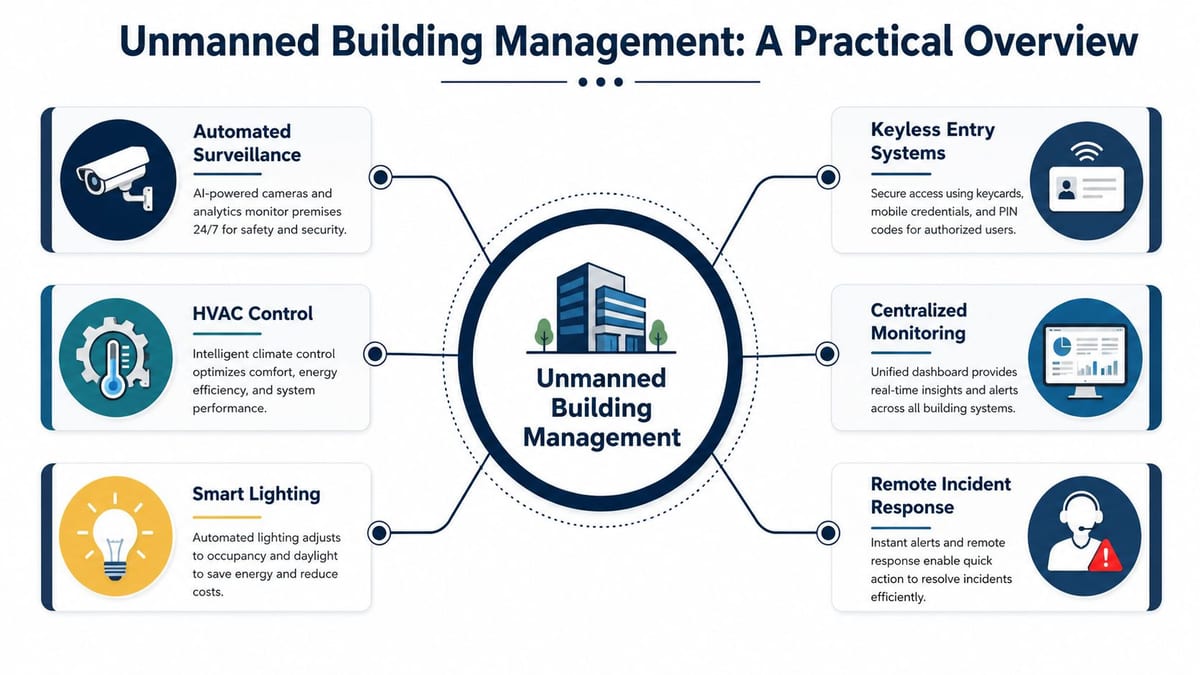
The day-to-day gain is operational, not flashy. Fewer lock-outs. Fewer temporary access requests. Fewer site visits just to reset a reader, reconnect a display, or check whether someone entered a room.
From an engineering point of view, the test is simple. Can the building keep working predictably when nobody is there to improvise? If a door controller reboots, if a switch loses power, or if a meeting room display stops responding, the recovery path should already be designed. Unmanned management fails fast when the original design assumed a person would always step in.
The role of displays in an unmanned space
Displays sit at the edge of the user experience, so they get blamed first. In autonomous offices and light commercial spaces, reception screens, meeting room displays, training room panels, and shared-area monitors all need predictable connectivity and a defined support model.
A wireless display adapter can still be useful in that setup. It gives staff and visitors a fast way to present without touching room cabling. The trade-off is that wireless presentation only feels reliable when the surrounding design is stable. Poor Wi-Fi, inconsistent power at the screen, mixed device models, weak patching discipline, or unclear guest access policy will all show up as “the display is broken,” even when the root cause sits in another part of the stack.
That is why room technology cannot be treated as a standalone AV choice. It has to sit inside the same design discipline as access, power, and data. Teams comparing wireless and fixed presentation paths should look at how Ethernet and wireless infrastructure support different workplace demands, then decide where convenience is acceptable and where deterministic performance matters more.
An unmanned building is a building with fewer manual dependencies.
Why Unmanned Projects Fail Before They Begin
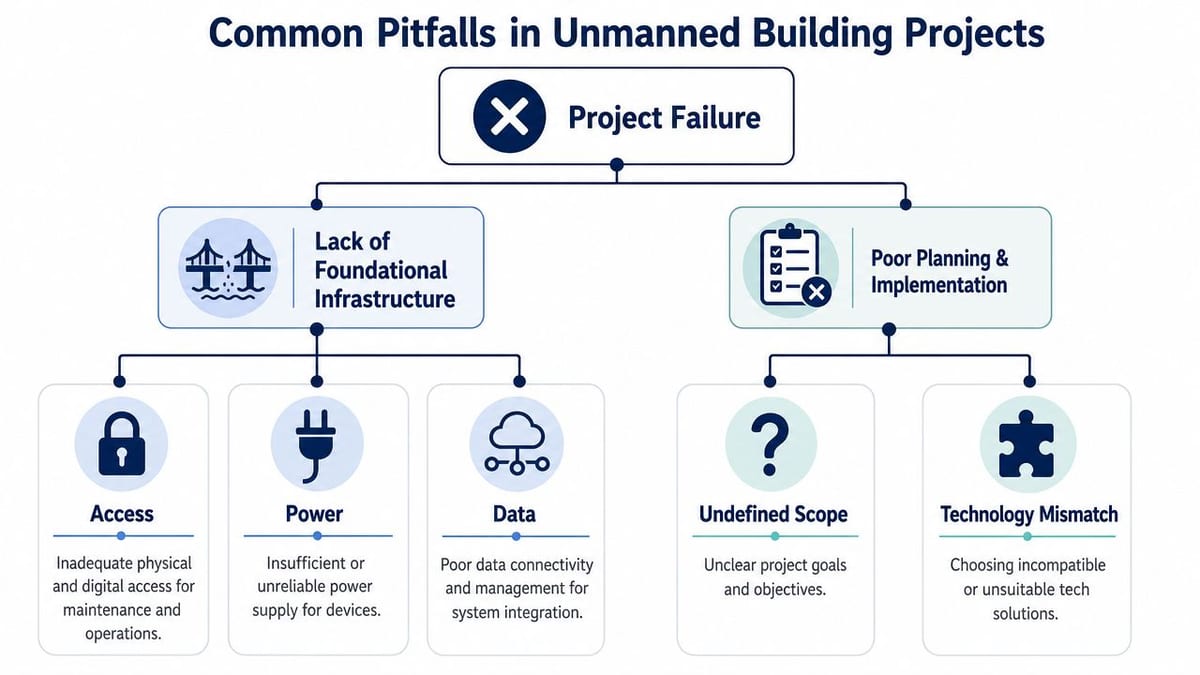
Most unmanned building projects fail in design meetings, not after handover.
The usual pattern is familiar. Facilities chooses the door hardware. Security picks CCTV. IT gets asked for network points later. Electrical contractors receive a device list after containment is already fixed. AV is treated as a separate package. Then everyone acts surprised when the system works badly as a whole.
That approach breaks because access, power, and data are one design discipline in autonomous spaces. Split them into separate workstreams and each team makes a locally sensible decision that creates a wider operational problem.
The silos that cause the damage
A lock specification isn't just a lock decision. It affects cable routes, reader positions, controller locations, switch capacity, fail-safe behaviour, maintenance access, and how events are logged.
A camera decision isn't just a security decision. It affects storage planning, uplink design, PoE budgets, UPS runtime, cabinet sizing, and whether footage is available when a power event hits the edge.
A wireless display adapter isn't just an AV purchase. It affects user support, room standardisation, patching responsibility, guest access policy, Wi-Fi design, and fallback behaviour when someone needs the screen to work immediately.
Examples of failure you can predict on paper
Here's where projects go wrong long before users move in:
| Decision made in isolation | What gets missed | What fails later |
|---|---|---|
| Smart locks selected by facilities | Power method, controller location, maintenance model | Doors work inconsistently or create support overhead |
| High-resolution IP CCTV specified by security | Switching, storage, UPS, bandwidth policy | Footage exists, but resilience and retrieval are poor |
| Wireless room sharing added late | Wi-Fi density, guest workflow, device support policy | Meetings start with connection problems |
| Electrical plan finalised early | Future edge devices and PoE demand | Expensive rework and surface-mounted compromises |
| Network design focused on desks only | Doors, readers, cameras, displays, sensors | “Temporary” switches and messy patching become permanent |
Why wireless display often exposes bigger infrastructure weaknesses
Wireless display gets blamed for a lot of room frustration, but it often just exposes bad planning. Microsoft's own troubleshooting material for its adapter focuses on distance, stable power, firmware, and wireless-band settings in its support guidance for Wireless Display Adapter troubleshooting. That's a useful signal. Reliability issues are common enough to sit at the centre of the official support model.
In practical terms, Miracast-style adapters are usually fine for slides, demos, and low-motion content. They're much less convincing when users expect smooth high-motion video, heavy real-time collaboration, or the consistency of a cabled AV path. In meeting rooms, that distinction matters. In training rooms and healthcare spaces, it matters even more.
If the room only works when conditions are ideal, it isn't fit for unattended operation.
The non-negotiable design rule
Before any product gets approved, the project team should be able to answer three things together:
- How is it powered? Not just nominally, but under fault conditions.
- How is it connected? Including switching, cabling, VLAN policy, and remote support.
- How is it governed? Permissions, logging, firmware, user ownership, and incident response.
If those questions are answered by different teams on different timelines, the building won't be autonomous. It will just have more devices.
Choosing the Right Technology for Autonomy
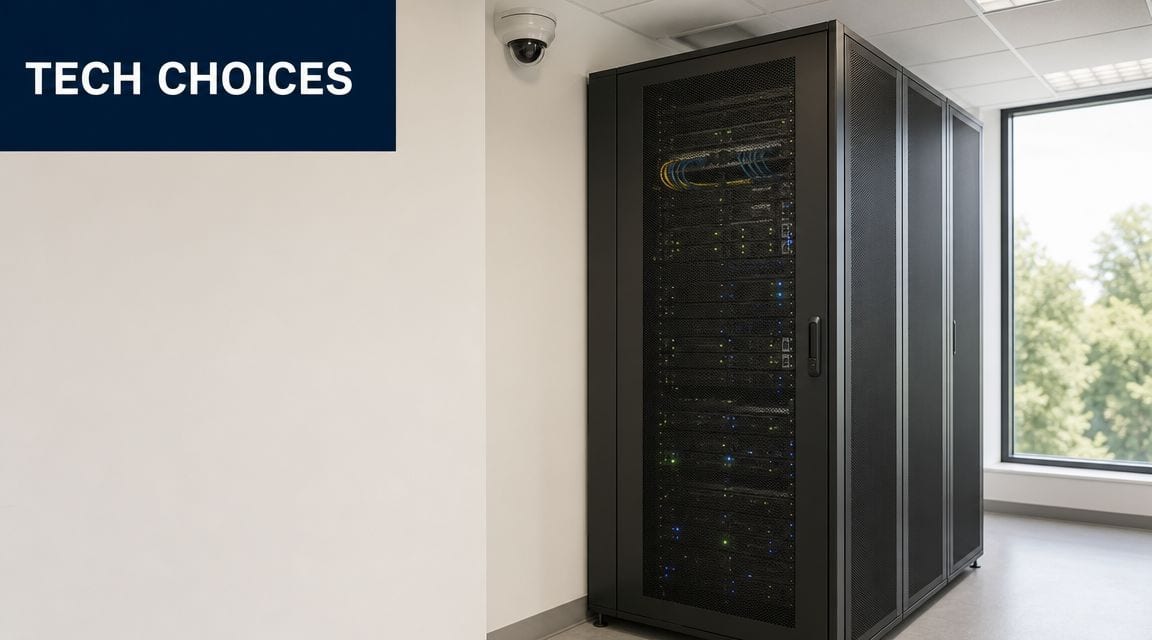
Autonomous spaces don't need the fanciest products. They need the least fragile ones.
That changes the buying criteria. A product that looks modern in a brochure can still be a poor choice if it adds batteries, proprietary management overhead, awkward firmware workflows, or room-by-room inconsistency. The right stack is usually the one with the fewest hidden maintenance tasks and the cleanest integration into power, network, and security design.
Why battery-less NFC proximity locks make sense
Battery-powered smart locks create a problem that many projects underestimate. They decentralise maintenance. Instead of one engineered power strategy, you now own hundreds of small service events spread across doors and sites.
Analysis cited by Constructive-IT found that battery-powered smart locks can cost up to £50 per lock per year in battery replacements and labour, making battery-less NFC or PoE locks over 30% cheaper in total cost of ownership over a 5-year period. Per the source-dedup requirement, that URL appears once in the article in another section, but the operational takeaway is straightforward. If you want predictable autonomy, remove battery dependency wherever you can.
Real-world reasons to choose battery-less NFC or PoE-based locking include:
- Less maintenance: No rolling battery replacement programme across occupied spaces.
- Better predictability: Power is designed centrally, not assumed locally.
- Cleaner audit and control: Credentials are managed in the wider system, not through isolated endpoints.
- Fewer silent failures: Batteries don't degrade in the background until a user finds the problem first.
CCTV needs to be event-aware
Good CCTV in an autonomous building isn't just about image quality. It's about correlation. If the access event says one thing and the video system can't quickly verify it, the footage has less operational value than often realized.
That's why IP CCTV should be tied directly to door activity, schedules, alarms, and remote review workflows. Security teams don't need more video. They need the right video attached to the right event.
Wireless display adapters have a narrow sweet spot
A wireless display adapter still has a place, but only when you're honest about its job. For straightforward presentation mirroring, dongle-style products can be entirely reasonable. Belkin's wireless HDMI adapter, for example, is specified at up to 1080p at 60Hz, sub-80ms latency, and a 40m range in Belkin's product specification. That profile suits presentation use in conference rooms.
It does not make it the same as a cabled AV path.
For live annotation, high-motion content, and situations where users will judge every slight delay, wireless transport still has obvious limits. That's why mixed room designs often work better than ideology. Give users the convenience of wireless, but keep an engineered fallback.
If you're comparing consumer-style casting devices with room standards such as Apple TV or Chromecast, this overview of Apple TV and Chromecast trade-offs is useful context. The right answer depends on manageability and room behaviour, not brand familiarity.
A quick decision filter helps:
- Choose wireless-first for ad hoc presentations, huddle spaces, and low-friction guest sharing.
- Choose cabled-first for executive rooms, training suites, and spaces used for content that can't tolerate inconsistency.
- Choose hybrid for most commercial environments, because user behaviour is never as neat as the design intent.
Later in the project, room users will only remember one thing. Whether the screen worked.
Here's a useful technical primer before specifying room display behaviour in shared environments:
Electrical installation and certification aren't admin tasks
Commercial electrical installation and certification sit underneath every “smart” outcome in the building. If containment, circuit design, labelling, testing, and compliance are weak, the building inherits those faults permanently.
That matters for locks, readers, cabinets, edge switches, door controllers, CCTV, wireless access points, and any display infrastructure with always-on expectations. In autonomous units, compliance isn't paperwork at the end. It's part of reliability from the first fix onwards.
Building Out Your Fully Autonomous Unit
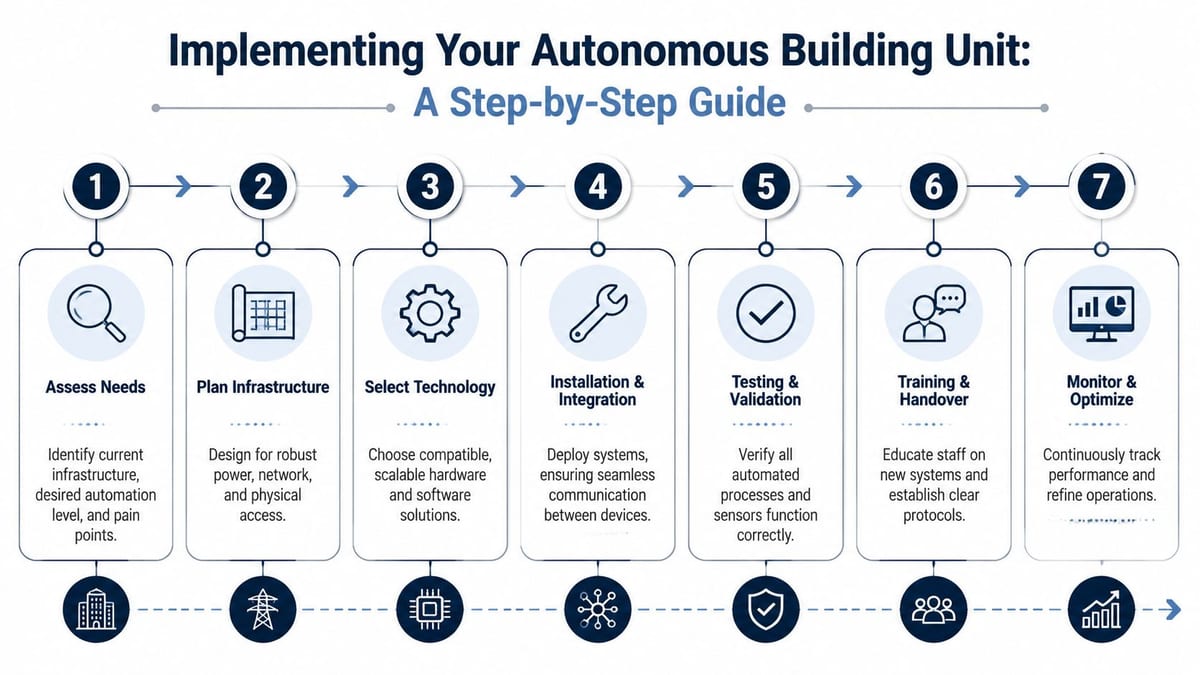
A fully autonomous unit isn't built by adding devices one at a time. It's built by sequencing the project correctly. The best deployments feel boring by handover because the hard decisions were made early, dependencies were mapped properly, and no one was improvising around missing power or last-minute cabling.
Start with one joined-up design
Before procurement, create one design package that covers:
- Door strategy: Entry points, internal zoning, fail state, emergency egress, contractor flow.
- Network strategy: Cabinets, switch locations, structured cabling, uplinks, segmentation, remote visibility.
- Power strategy: Fixed power, PoE allocation, resilience, UPS support, and recovery expectations.
- Observation strategy: CCTV placement, retention intent, event correlation, and operator workflow.
- Room technology: Displays, wireless presentation, fixed inputs, user instructions, and support ownership.
This is also where planning tools matter. If multiple contractors and disciplines are feeding a fit-out or refurbishment, a good reference point is this guide to selecting UK construction planning software. The point isn't the software itself. It's making sure programme, dependencies, approvals, and handover criteria stay visible to everyone involved.
Build in the order that prevents rework
A sensible implementation sequence usually looks like this:
Survey the site properly
Confirm routes, risers, cabinet space, door construction, containment constraints, and signal conditions before anything is ordered.Fix the backbone first
Structured cabling, fibre, copper, cabinet layout, and switching capacity should be in before edge devices are discussed as if they're independent purchases.Install power with the endpoint list in mind
Don't treat security and AV as late additions. Readers, controllers, cameras, displays, and wireless presentation hardware all need known power and recovery behaviour.Commission access and CCTV together
If those systems are tested separately, blind spots often survive until occupancy.Standardise room behaviour
The user experience in one meeting room should match the next. The same applies to every wireless display adapter, display input policy, and fallback connection method.
A handover isn't complete when devices switch on. It's complete when alerts, permissions, logs, and recovery steps are all proven.
Maintenance starts before go-live
The sites that run well long term are the ones that define operations before users arrive.
That means deciding:
- Who owns firmware updates for controllers, cameras, room devices, and any wireless presentation hardware
- How credentials are issued and revoked for staff, visitors, contractors, and temporary users
- What alerts matter and who receives them
- How incidents are reviewed when access events and video need to line up quickly
- What fallback process exists when a display, lock, or cabinet component fails
Constructive-IT's cited analysis states that 45% of unauthorised access events in commercial buildings are linked to poorly integrated systems such as access logs that don't correlate with CCTV footage. Per the source-dedup rule, the source URL appears once elsewhere in the article, but the lesson is clear. If the systems don't talk to each other, the audit trail breaks exactly when you need it.
For video-heavy estates, planning traffic treatment also matters. This guide to QoS for video is worth reviewing when CCTV streams, room media, and business traffic will share infrastructure.
Common places these systems work well
Autonomous building design isn't limited to prestige offices. It's especially useful in places where access changes often and staff can't justify constant local oversight:
- Multi-tenant office suites
- Managed workspaces and serviced offices
- Training centres and education rooms
- Healthcare admin areas and support spaces
- Light industrial offices attached to warehouse or production sites
- Remote branches and satellite units
- Shared NHS and public-sector operational spaces
These environments don't need gimmicks. They need dependable entry, visible events, compliant electrical work, stable data, and rooms that users can operate without calling support every morning.
Integrating Your Building's Future Today
At 8:55 on a Monday, the meeting room screen will usually connect. The door reader will usually grant access. The camera will usually record. Autonomous sites fail in the five minutes when "usually" is not good enough, and nobody is nearby to sort out the gap between systems.
That gap is rarely caused by one bad product. It comes from design teams making separate decisions about power, data, access control, room AV, and electrical compliance, then expecting operations to join it together later. That is how you end up with a wireless display adapter that works until the guest VLAN changes, a lock that survives on paper but has no sensible fail state during a power event, or CCTV footage that exists but cannot be matched quickly to a door event.
The practical test is simple. When a room, cabinet, door, or display fails, can the building still operate safely, and can support identify the cause without sending three different contractors to site?
A better standard is less about features and more about system behaviour:
- Power paths are defined for every endpoint, including failure conditions
- Access events, video, and network records can be checked together
- Wireless room tech has a wired fallback or a documented recovery process
- Electrical and network changes are approved as one design decision
- Maintenance access is planned before handover, not improvised later
This is what makes an unmanned unit supportable. The building keeps working, faults are traceable, and the next team is not left inheriting hidden dependencies.
If you are planning a fit-out, relocation, server room expansion, or a shift toward autonomous operation, start by checking whether the delivery team can design power, access, data, CCTV, AV, and certification as one connected system.
If you need that kind of joined-up delivery, Constructive-IT is built for it. They work with UK organisations on office fit-outs, relocations, structured cabling, Wi-Fi, CCTV, electrical works, server rooms, AV, and the infrastructure needed to make autonomous spaces dependable from day one.