


Data Cabling: The Essential Guide to Building Your Business's Digital Backbone
- Craig Marston
- Jan 22
- 16 min read

Let’s start with a simple analogy. Think of your business as a human body. Your servers are the brain, and all your devices—the PCs, phones, and printers—are the limbs. But what connects them all? That’s your data cabling. It’s the central nervous system that makes everything work together in an instant.
A professionally designed and installed network is the absolute foundation for every single digital action your business takes. Get it right, and everything just flows. Get it wrong, and you're in for a world of pain.
Why Data Cabling Is Your Business’s Digital Backbone
Data cabling is so much more than just a bunch of wires tucked away behind walls and in ceiling voids. It's the physical superhighway that carries information between all your critical systems. We’re talking about everything from connecting your team's computers to the internet and running your VoIP phone system, to powering your Wi-Fi access points and CCTV cameras.
A well-planned cabling system gives you a fast, reliable pathway for all that digital traffic. A shoddy, outdated, or poorly planned one, on the other hand, is like a pinched nerve in your spine. It creates frustrating bottlenecks, causes infuriatingly intermittent faults, and ultimately drags down your entire operation.
The Strategic Importance of Structured Cabling
When you’re planning an office fit-out, a relocation, or a major tech upgrade, it’s absolutely vital to treat your data cabling as a strategic asset, not an afterthought. It's the platform that supports your team's productivity, your company's security, and your capacity for future growth.
A professional, structured approach ensures your network can handle not only what you're doing today but whatever comes next. This kind of forward-thinking is catching on. The UK structured cabling market is projected to hit USD 1,684.2 million by 2033—nearly double what it was in 2024. That's a clear signal: smart businesses are investing heavily in their digital foundations.
For a clearer picture of how this infrastructure supports day-to-day operations, especially in IT-heavy businesses, check out these real-world examples of a business's digital backbone.
A professional cabling installation prevents the costly downtime and persistent network gremlins that can plague a business for years. It’s a direct investment in your operational stability and efficiency.
In the end, the performance of every single device on your network is dictated by the quality of the cabling it's plugged into. By prioritising a professionally designed and installed system right from the start, you're building a resilient digital backbone that lets your business operate without interruption and positions you perfectly for future technology.
Choosing the Right Cable: Copper vs Fibre Optic
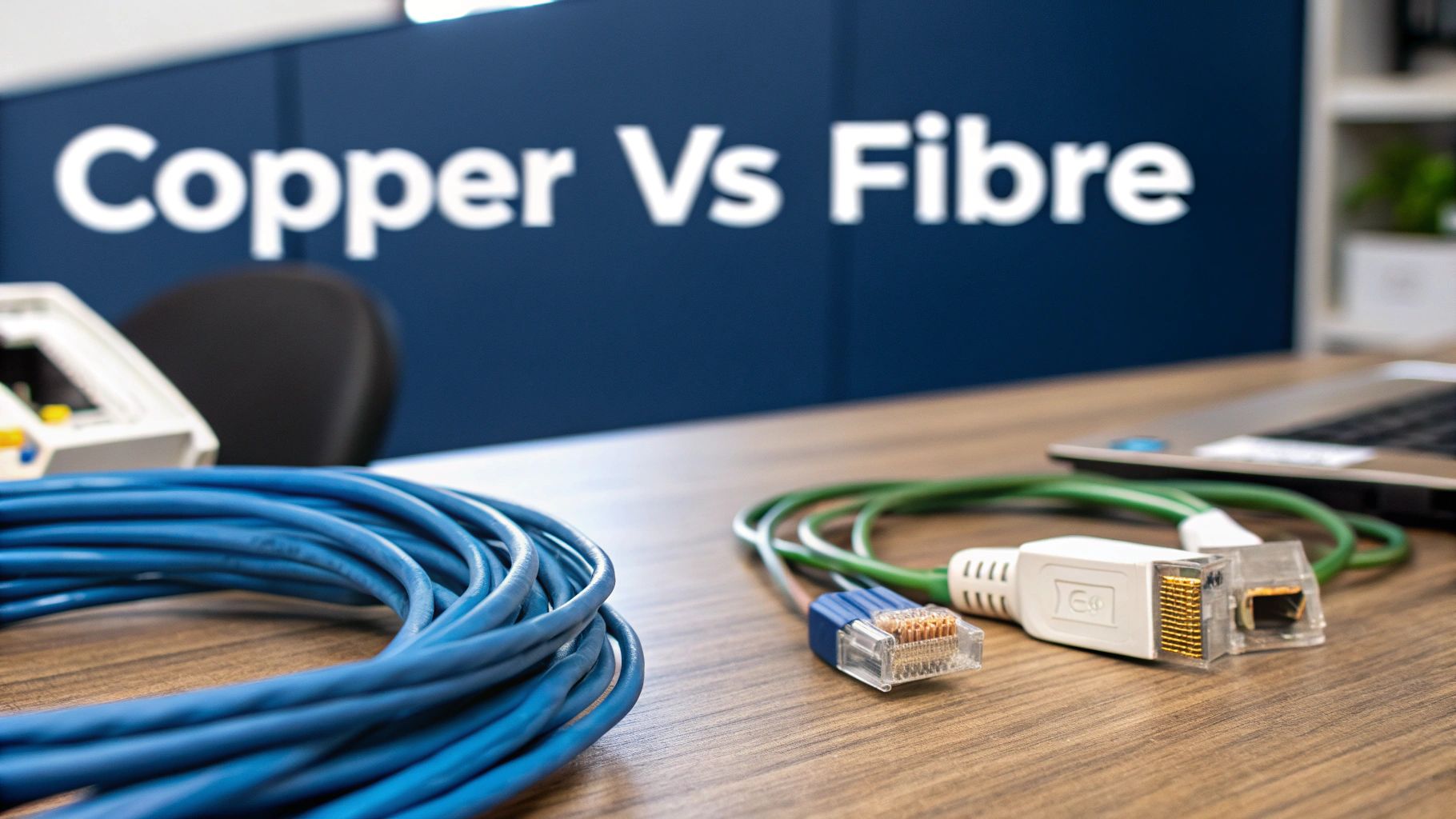
Once you’ve grasped that data cabling is the central nervous system of your business, the next big question is simple: what should it be made of? The choice boils down to two main players, copper and fibre optic, and knowing which one to use for which job is absolutely critical for network performance.
Think of it like planning a road network for a new city. You need reliable local roads for everyday traffic within a neighbourhood, and you need high-speed motorways to connect different districts and handle heavy, long-distance transport. In data cabling, copper cables like Cat6 and Cat6a are your local roads, while fibre optic cables are the motorways.
Understanding Copper Cabling: The Workhorse
Copper cabling, specifically Category 6 (Cat6) or the beefed-up Category 6a (Cat6a), is the go-to choice for what we call "horizontal runs." These are the connections that fan out from a local comms cabinet to all the user devices on a single floor.
They are the perfect solution for connecting the everyday essentials:
Desktop PCs and workstations
VoIP telephones
Printers and scanners
Wi-Fi access points
CCTV cameras
Copper is cost-effective, durable, and more than capable of handling the gigabit speeds required by most office gear. While it's important to understand the role of traditional copper wire infrastructure as technology evolves, it's still the king for desk-to-cabinet connections. The main catch? Copper starts to run out of steam when it comes to distance and raw bandwidth over longer runs.
For the vast majority of connections from the comms cabinet to the desk, Cat6a is the undisputed champion. It provides a reliable, high-performance link that supports devices for years to come without the higher cost of fibre.
Fibre Optic Cabling: The High-Speed Backbone
Fibre optic cabling is your high-speed motorway. Instead of pushing electrical signals through copper wire, it transmits data as pulses of light through incredibly thin glass strands. This technology lets it carry vastly more information over much greater distances without any signal loss.
Its role in a structured cabling system is almost always as the network backbone. This means it’s used for linking main server rooms to distribution cabinets on different floors, connecting separate buildings on a campus, or ensuring the fastest possible link between critical servers and storage arrays. The UK's fibre optic cable manufacturing industry is now valued at £123.2 million and growing at 3.4% annually, which shows just how vital it has become.
You absolutely need to choose fibre when:
Distance is a factor: Copper cables are limited to a run of about 90 metres. Fibre can span kilometres without breaking a sweat.
Bandwidth is critical: You need to shift huge amounts of data between servers or floors without creating a bottleneck.
Immunity to interference is required: Unlike copper, fibre is immune to the electromagnetic interference (EMI) you find in electrically noisy environments like factories or plant rooms.
To help you decide what’s right for different areas of your business, here’s a quick comparison.
Copper (Cat6/Cat6a) vs Fibre Optic At a Glance
Attribute | Copper (Cat6/Cat6a) | Fibre Optic | Best Use Case for UK Businesses |
|---|---|---|---|
Speed | Up to 10 Gbps | 100 Gbps and beyond | Copper is perfect for user devices; fibre is essential for server and building links. |
Distance | Limited to ~90 metres | Can run for many kilometres | Copper for connections on a single floor; fibre for connecting floors or buildings. |
Cost | Lower initial cost for cable and hardware | Higher initial cost, but long-term value | Use copper for the majority of outlets to manage budget, with fibre for the critical backbone. |
Durability | Robust and familiar to install | Can be more fragile if handled improperly | Both are reliable when installed professionally. |
Interference | Susceptible to EMI in certain areas | Completely immune to electrical noise | Fibre is the only choice for plant rooms or factory floors. |
Ultimately, it’s not about choosing one over the other. A well-designed network uses both, playing to their strengths to create a system that’s fast, reliable, and cost-effective.
For any business building a high-performance network, understanding the specifics of a professional installation is key. To get a deeper insight, check out our guide on what a UK office fibre optic installation involves. This ensures you're not just choosing the right cable, but also the right strategy for maximum performance.
Your Blueprint for a Flawless Cabling Project
There’s a rule of thumb in this business: a successful data cabling project is 90% planning and 10% execution. The quality of your entire network is decided long before a single cable is pulled through a ceiling. That’s why a meticulous planning phase is non-negotiable for any office move, fit-out, or major upgrade. Without a solid blueprint, you’re gambling with costly oversights, project delays, and a network that can’t keep up from day one.
The entire process kicks off with a comprehensive site survey. This isn't just a quick walkthrough; it's a forensic examination of the physical space. The goal is to map out every detail that could impact the installation, ensuring everything runs smoothly when the time comes.
The Site Survey Checklist: What We’re Looking For
A proper survey involves more than just glancing at architectural floor plans; it’s about comparing those drawings to the reality of the building. Your installation partner should be on the hunt for the challenges and opportunities that drawings alone will never reveal.
Here are the key things we focus on during a survey:
Spotting Obstacles Early: Are there thick concrete walls, materials containing asbestos (ACMs), or restrictions due to it being a heritage building? Finding these things early prevents expensive surprises down the line. They dictate everything about how and where we can run cables.
Locating the Comms Room: Is the proposed spot for the server room actually suitable? It needs proper ventilation, power, and physical security. Its location has a direct impact on the maximum length and performance of every single cable run.
Mapping Out Cable Routes: We need to find the most efficient and discreet routes for the cables. This means getting a look inside ceiling voids, under floor cavities, and checking existing containment like trunking and cable trays.
A thorough site survey is your first line of defence against budget blowouts and project delays. It turns unknown variables into a concrete plan of action, ensuring the final design is perfectly tailored to the building itself.
By meticulously documenting the site, your cabling partner can design a network that isn't just functional but also fully compliant with building regulations and safety standards. This detailed analysis is the foundation of your entire project.
Planning Your Data Points and Future Growth
Once the physical layout is mapped out, the next step is to define exactly what you need. This is where you translate your business operations into a tangible cabling plan. The biggest mistake people make is only planning for their immediate needs; a smart design should serve your business for the next 5-10 years.
Start by asking these critical questions:
How many data points does each person need? The old standard of one port for a phone and one for a computer is long gone. Today, a typical desk needs at least two data ports, and many businesses now opt for three or four to handle PCs, VoIP phones, printers, and other devices.
Where are your high-density areas? Think about conference rooms, breakout spaces, and reception areas. These spots have unique demands, and you’ll need to plan for AV equipment, presentation screens, guest Wi-Fi access points, and digital signage.
What other systems will connect to the network? Modern offices are packed with integrated systems. You have to account for CCTV cameras, access control panels (like door readers and intercoms), and even building management sensors. Each one of these needs its own dedicated data point.
This kind of forward-thinking ensures your infrastructure is an asset, not a bottleneck. Planning for 20-30% spare capacity in your patch panels and cabinets is a smart, cost-effective way to make future moves and additions simple and affordable. For more detail on planning the physical pathways, our guide on selecting cable tray sizes has all the essential information you’ll need.
This blueprint ensures every system, from access control to CCTV, is integrated seamlessly from the start, creating a robust network that’s ready for whatever you throw at it next.
Designing For The Future: Unmanned Building Management
When we talk about data cabling, the conversation is expanding beyond just connecting computers and phones. We are now engineering intelligent, self-sufficient buildings. In practice, unmanned building management means creating a facility—like a self-storage unit or a remote co-working hub—that can operate securely and efficiently without any on-site staff. The entire vision hinges on a perfectly integrated infrastructure where data, power, and access control work as one unified system.
However, many unmanned building projects fail. The most common culprit is a siloed design approach. When the electrical installer, the data cabling engineer, and the security specialist all plan their systems in separate bubbles, the result is a fragile, overly complex, and high-maintenance mess. True autonomy can only come from a unified design philosophy.
Why Access, Power, and Data Must Be Designed Together
To build out a fully autonomous unmanned building unit, you must treat its core systems as a single, interdependent entity. Your data cabling isn't just carrying information anymore; it’s the backbone delivering power and enabling physical access. This integrated mindset is the only path to achieving real, low-maintenance reliability.
Just think about the systems that have to work in perfect harmony:
Access Control: Door locks, intercoms, and entry keypads must be powered and online 24/7.
CCTV: Your security cameras need a constant, reliable feed of both power and network connectivity to record and transmit footage.
Power Management: All these critical systems need a rock-solid power source, often with battery backups built into the plan as part of a certified commercial electrical installation.
When these are designed in isolation, you inevitably end up with a chaotic tangle of separate power supplies, redundant network switches, and conflicting systems that are a nightmare to troubleshoot. A unified design ensures every single component works together seamlessly.
As you can see, a successful outcome absolutely depends on moving from a thorough site survey through to a cohesive, integrated design before a single system is installed.
The Case For Battery-Less NFC Proximity Locks
A perfect real-world example of this unified philosophy in action is the use of battery-less NFC (Near Field Communication) proximity locks. Traditional smart locks run on batteries, which are a massive operational headache in any unmanned facility. Imagine having to send technicians out to replace hundreds of dead batteries—it creates huge maintenance costs and introduces potential security gaps.
Battery-less NFC locks solve this brilliantly. They draw a tiny amount of power directly from a user's smartphone via NFC when it's held near the reader. The lock uses that momentary power to communicate with the central server over the data network, verify the credentials, and unlock the door. The advantages for unmanned sites are huge:
Zero Battery Maintenance: This completely eliminates the single biggest point of failure and ongoing operational cost associated with traditional smart locks.
Enhanced Reliability: With no batteries to die unexpectedly, the system is far more dependable—a critical factor for any unmanned site.
Simplified Infrastructure: Because these locks are powered on-demand or over the network, you reduce the need for separate electrical wiring to every single door.
By integrating power delivery directly into the access control mechanism, you remove a major maintenance burden. This is the kind of smart design that makes true building autonomy possible and cost-effective.
This integrated thinking extends to every corner of the building, from your CCTV network to the final electrical certification. For anyone looking to dive deeper into this concept, our detailed guide offers more insight into effective unmanned building management. It all starts with a single, intelligent design that treats data cabling as the backbone for every system, ensuring your building is not just smart, but truly self-sufficient.
Why Professional Installation and Certification Matter
There's a massive difference between someone simply running a cable from point A to B and an engineer professionally designing a structured data cabling system. An amateur job might seem to work at first, but it almost always leaves behind a ticking time bomb of intermittent faults, sluggish performance, and future headaches.
A professional installation, on the other hand, is built on a foundation of precision. It’s about meticulously respecting the cable bend radius—because bending a cable too sharply creates invisible micro-fractures that cripple performance. It’s also about ensuring data lines are kept a safe distance from power cables to prevent electromagnetic interference (EMI), a notorious culprit behind slow speeds and corrupted data.
These details might seem small, but they’re what separate a network that just about works from one that flies. A correctly installed system is an asset that guarantees performance for decades.
The Hallmarks of a Professional Data Cabling Installation
True professionals don’t just install cables; they engineer a complete, coherent system. Their work is defined by best practices that ensure every connection is robust, compliant, and easy to manage for years to come. This commitment to quality has never been more vital, especially as UK businesses scale up their digital operations.
The rapid expansion of data centres and edge computing across the country, driven by cloud adoption and AI, has put flawless connectivity front and centre. For any business upgrading its server room, this means deploying cabling that guarantees low latency and uninterrupted data flow. You can learn more about how this infrastructure growth is shaping the market and the demand for scalable data cabling architectures.
Key installation practices include:
Proper Termination Techniques: Every single cable end must be terminated perfectly. A poor connection at the patch panel or wall outlet is one of the leading causes of network failure.
Adherence to Standards: Professionals work to specific BS EN and TIA/EIA standards, which means every component is guaranteed to meet strict performance benchmarks.
Clear Labelling and Documentation: Every cable, port, and panel is clearly labelled. This simple step makes future moves, additions, and troubleshooting incredibly simple and fast.
This meticulous approach turns a potential spider's web of wires into an organised, high-performance business asset.
Why Certification Is Your Non-Negotiable Guarantee
How can you be absolutely certain that every single one of the hundreds of connections in your new office performs exactly as it should? The answer is certification.
After the physical installation is complete, a professional installer uses specialised equipment, like a Fluke Network Analyser, to test every last link—from the patch panel in the comms room right through to the data outlet at the desk.
The process generates a detailed Fluke test report for each individual cable. This report isn't just a piece of paper; it's your non-negotiable proof that the installation meets or exceeds all performance specifications for its category (e.g., Cat6a).
This certification is your ultimate assurance of quality. It proves the network can handle its advertised speeds without errors or data loss.
Crucially, this certified proof is what allows a manufacturer like Excel to back the entire system with a comprehensive 25-year warranty. Without it, you have no guarantee and no recourse. This warranty transforms your data cabling from a potential liability into a guaranteed long-term asset, giving you the peace of mind to focus on your business, not the wires behind the walls.
How to Choose the Right Data Cabling Partner
Picking a partner for your office fit-out, upgrade, or relocation is one of the most critical decisions you’ll make. Get it right, and you’ll have a seamless project and a rock-solid network for years. Get it wrong, and you’re in for a world of costly downtime and technical headaches.
This isn’t just about finding someone who can pull cables through a ceiling void. You’re looking for a genuine systems integrator who understands how every piece of your building’s technology—from the data points to the door locks—needs to work together. The goal is to find a partner who can deliver a fully certified, high-performance data cabling infrastructure that just works from day one. To get there, you need to ask the right questions.
Verifiable Experience and In-House Expertise
The first filter is simple: can they prove they’ve done this before? Don't settle for a vague client list. Ask for detailed case studies or, even better, references from businesses with projects like yours in both scale and complexity. A firm that has successfully wired a multi-floor office fit-out has a completely different skillset to one that mainly handles small office add-ons.
Just as important is who is actually doing the work. A crucial question to ask is whether their network engineers and commercial electricians are in-house staff or just subcontractors they’ve hired for the job.
An integrated, in-house team gives you some huge advantages:
Unified Project Management: With everyone under one roof, communication is faster, and accountability is crystal clear. There’s no finger-pointing between different trades when something goes wrong.
Cohesive Design: The team can design the data cabling, power, and other systems together from the start, preventing conflicts and ensuring everything integrates perfectly.
Consistent Quality Control: The company has direct oversight of the work, making sure every single connection meets their own high standards, not just the minimum requirement.
This kind of structure is a dead giveaway of a mature, professional outfit that can handle complex projects without the usual costly hand-off errors.
A Focus on Integrated Systems
A modern office network is about so much more than just connecting computers to the internet. It’s the backbone for your security systems, access control, AV equipment, and communications. This is where you separate a basic cable installer from a true systems integrator. You need to probe their knowledge on how all these different technologies fit together.
A partner who asks detailed questions about your CCTV, access control, and power requirements is a partner who understands the bigger picture. They see the cabling not just as a standalone component, but as the central nervous system for a fully functional, intelligent building.
Ask them directly how they plan to meet the power and data needs of your CCTV cameras or your door access panels. A forward-thinking partner will immediately start talking about Power over Ethernet (PoE) budgets, network segmentation for security, and making sure the commercial electrical installation is part of the core plan. This holistic view is essential whether you're aiming to build out a fully autonomous unmanned building or simply ensure a modern office runs without a hitch.
Look for Guarantees and Comprehensive Support
Finally, any professional partner worth their salt stands behind their work with concrete, long-term guarantees. The industry standard for a top-tier installation is a 25-year manufacturer's warranty. This isn’t just a vague promise; it’s a certification backed by a rigorous, independent testing process.
Insist on seeing a sample Fluke test report. This document provides undeniable, link-by-link proof that every single connection meets strict performance standards. It’s the difference between hoping your network is fast and knowing it is.
Choosing the right partner is about building a relationship based on proven expertise and trust. By asking these tough questions, you can cut through the sales talk and find a team that will deliver not just a network, but a reliable foundation for your business's future. For a deeper look at our approach, see how we manage complex infrastructure projects.
Your Data Cabling Questions, Answered
Taking on a data cabling project always brings up a few practical questions. Getting straight answers is key to making the right call for your business's infrastructure. Here, we tackle the most common queries we hear from clients planning an office fit-out or upgrade.
How Much Does Professional Data Cabling Cost in the UK?
As a ballpark figure, a new installation usually works out at around £50 to £90 per data point. But it’s important to remember this is just a guide, as the final price really depends on the specifics of your site.
The big variables are the type of cable you need (standard Cat6a for desks is different from pricey fibre optic runs), the complexity of your building's layout, and how much containment like trunking or cable trays we need to install. The only way to get a firm, fixed quote is with a professional site survey. It's best to see it as a long-term investment; shoddy cabling will cost you far more in lost productivity and future headaches than getting it right the first time.
How Long Does a Typical Office Cabling Installation Take?
The timeline for a data cabling project scales with its size and complexity. For a smaller office with, say, 20-30 data points, we can often get the job done and dusted in just a few days. On the other hand, a comprehensive fit-out across multiple floors could take several weeks to complete properly.
A good partner will map out a detailed project schedule right from the start. They should also be flexible enough to work out-of-hours or over weekends to keep disruption to a minimum—something that's absolutely vital if you're trying to run a business during a live office move.
Should I Reuse the Existing Cabling in My New Office?
Honestly, it’s almost always a bad idea. Inherited cabling is a Pandora's box of unknown risks. You have no idea if it’s been properly certified or documented, and more often than not, it’s an older, slower standard like Cat5e that simply can’t keep up with the demands of a modern network.
Relying on old wiring is one of the most common causes of those persistent, hard-to-diagnose network gremlins that frustrate your team and kill performance. Starting fresh with a new, fully tested, and warrantied system is easily the most reliable and cost-effective strategy in the long run.
Unstructured cabling is the technical term for that ad-hoc, messy "spaghetti" of wires you sometimes see. It's a nightmare to manage, troubleshoot, and expand. Structured cabling is the professional standard—an organised, logical system built around patch panels and a central comms area, designed from the ground up for reliability and future growth.
Choosing to install a new, certified system guarantees performance from day one. It gives you a clean slate, eliminates any hidden gremlins, and ensures your network infrastructure is a solid foundation for your business's future.
Planning a data cabling project for an office relocation, fit-out, or upgrade? The expert team at Constructive-IT designs and installs high-performance, certified network infrastructures with a 25-year warranty, ensuring your business stays connected and productive. Get in touch today to discuss your project.
Comments