


A Strategic Guide to Fibre-Optic Cabling for UK IT Managers
- Craig Marston
- Jan 26
- 15 min read

In today's world, your network isn't just a utility; it's the central nervous system of your entire operation. A robust fibre-optic cabling installation is the digital backbone holding everything together, from your cloud services and VoIP calls to the building's security systems. As you plan for growth, this infrastructure becomes the single most critical factor in your future success and resilience.
Why Your Network Backbone Is Your Business Backbone
During major projects like an office move, a new building fit-out, or a data centre expansion, it's vital to treat your cabling as a strategic asset—not just another IT expense. A well-designed fibre network is the foundation that every other system you rely on is built upon.
Think of it this way: you wouldn't build a skyscraper on weak foundations. In the same way, running advanced software, deploying high-definition CCTV, or managing a building's access control on an outdated network is a recipe for bottlenecks and failure. The right cabling ensures every system performs exactly as it should.
A Foundation for Future Growth
The demand for bandwidth never stops growing. A strategic approach to fibre-optic cabling prepares your UK business not just for today's needs but for the challenges of the next decade.
This forward-thinking mindset is crucial for a few key reasons:
Scalability: A high-capacity fibre backbone lets you add more users, devices, and data-hungry applications without grinding performance to a halt.
Reliability: Properly installed and certified fibre dramatically reduces downtime, protecting your revenue and productivity. For critical operations needing unparalleled speed, a dedicated Fibre Leased Line can provide that uncontended, rock-solid connection.
Integration: It seamlessly pulls together separate systems—AV equipment, security cameras, automated building management tools—into one cohesive, high-performing network.
Investing in a superior network infrastructure is one of the most effective ways to future-proof your organisation. It’s not just an upgrade; it’s a long-term investment in your operational capability and competitive edge.
The UK's Rapid Fibre Adoption
The shift to fibre isn't just a business trend; it's a national movement. Here in the UK, fibre-optic cabling has seen explosive growth, going from a niche technology to the cornerstone of our national infrastructure.
Just four years ago, in 2021, less than a quarter—around 25%—of UK premises had access to full fibre. Fast forward to early 2025, and that figure has skyrocketed to nearly seven in ten, or about 73% of homes. This rapid adoption underlines just how essential it has become. To get a handle on the fundamentals, check out our guide on data cabling: the essential guide to building your business's digital backbone.
Choosing the Right Tool: Single-Mode vs Multimode Fibre
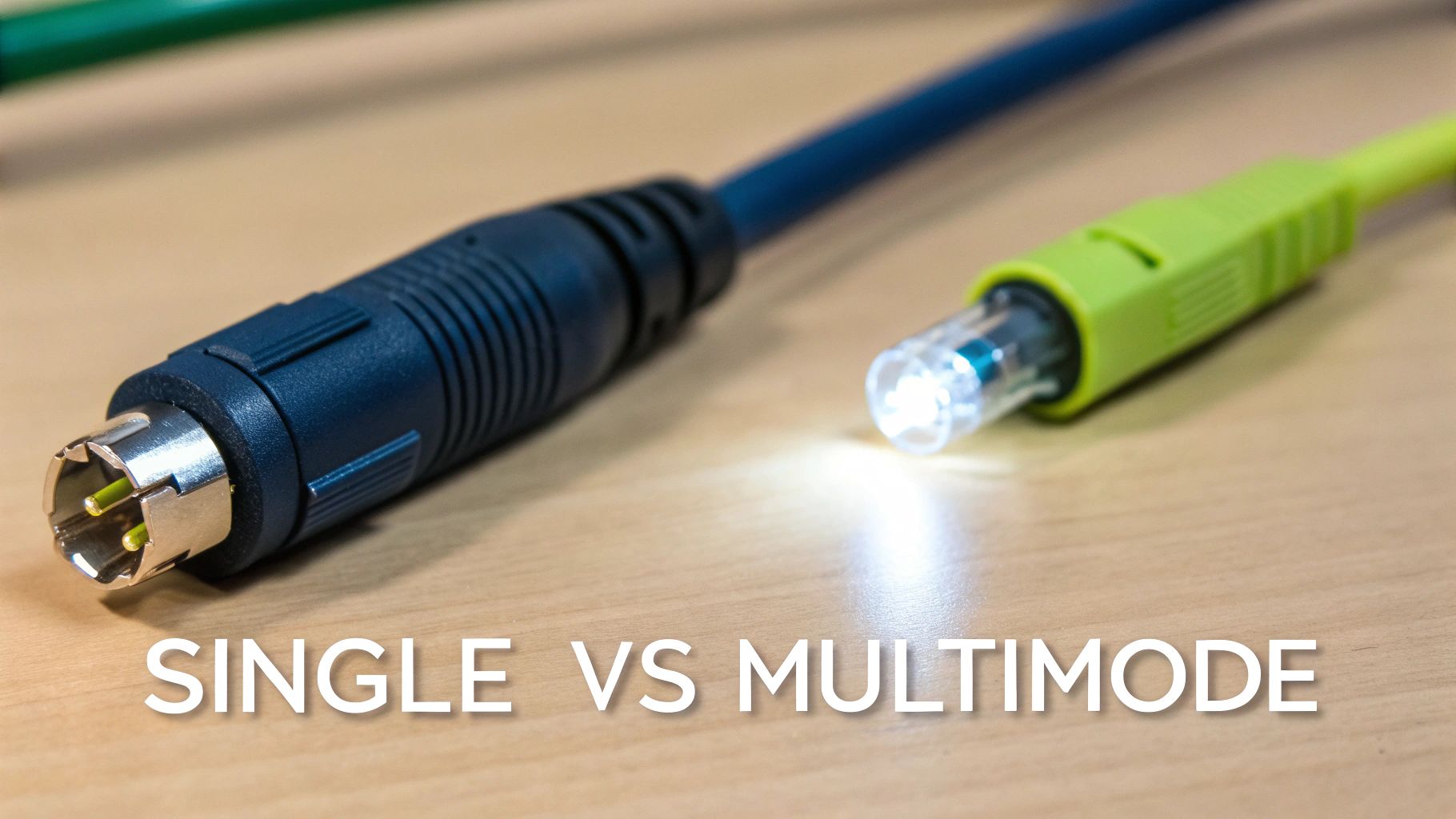
When you're specifying a fibre-optic cabling installation, one of the first and most important decisions you'll face is the choice between single-mode and multimode fibre. This isn't just a technical detail; it’s a strategic choice that directly impacts your network's performance, budget, and future scalability. Getting it right from the start is the key to avoiding costly mistakes down the line.
To get our heads around this, let’s use a simple analogy.
Single-mode fibre (SMF) is like a laser pointer in a very narrow tunnel. It uses a single, highly focused beam of light that travels in a dead straight line with barely any signal loss. This precision allows it to cover vast distances, making it the only real choice for connecting separate buildings across a campus, linking to a remote data centre, or establishing long-haul network backbones that can span several kilometres.
In contrast, multimode fibre (MMF) is like a powerful LED torch in a much wider tunnel. It sends multiple beams of light bouncing down the core at the same time. This method can carry an immense amount of data, but only over shorter distances before the different light signals start to blur together and degrade. It's the absolute workhorse for internal cabling within a single building, connecting server rooms to comms closets on different floors.
Decoding Core Diameters and Their Impact
The physical difference between these two cable types all comes down to the size of the glass core that carries the light. While the outer cladding is always the same (125 microns), that tiny core diameter dictates everything about its performance.
Single-Mode Fibre (SMF): Has a tiny core, typically just 9 microns in diameter. This forces light into a single, straight path, allowing it to travel for dozens of kilometres without needing a boost.
Multimode Fibre (MMF): Features a much larger core, usually 50 or 62.5 microns. This larger "pipe" allows multiple modes of light to travel, but this also introduces a problem called modal dispersion, which limits its effective range.
This single difference is why their applications are so distinct. For an IT manager planning an office fit-out, MMF is almost always the go-to for internal links. But if you’re connecting your main office to a newly acquired warehouse a mile down the road, SMF is the only viable option. Our detailed guide offers more insight into why a fibre-optic single-mode cable is essential for long-distance connectivity.
Practical Applications and Cost Considerations
Choosing the right fibre isn't just about distance; it's also about balancing cost with performance. The electronics that power single-mode fibre (the transceivers in your switches) have traditionally been more expensive than their multimode cousins because they need precise, powerful lasers.
While the single-mode cable itself can be cheaper per metre than multimode, the total cost of ownership has often been higher due to the price of the active equipment at each end. For internal networks, this makes multimode a very cost-effective way to get high bandwidth over the shorter distances required.
Let's look at a few real-world scenarios:
Data Centre Backbone: Inside a data centre, where you need 40GbE or 100GbE links between server racks, high-grade multimode fibre (like OM4 or OM5) is the standard. It easily supports these massive speeds over distances up to 150 metres.
Multi-Floor Office Building: Connecting the main server room in the basement to wiring closets on the 5th and 10th floors is a perfect job for multimode fibre. It easily handles the distance and provides more than enough bandwidth for all your users.
Inter-Building Campus Link: If you need to connect your primary office to a secondary site 2km away, single-mode fibre is non-negotiable. It will provide a stable, high-speed link that multimode simply cannot achieve over that distance.
To help make this choice even clearer, here’s a quick comparison of the two fibre types.
Single-Mode vs Multimode Fibre at a Glance
Attribute | Single-Mode Fibre (SMF) | Multimode Fibre (MMF) | Best Use Case |
|---|---|---|---|
Core Diameter | Tiny (9 microns) | Larger (50 or 62.5 microns) | MMF for short, high-bandwidth runs; SMF for everything else. |
Maximum Distance | 100km+ | Up to 550m (varies by speed and cable type) | If the run is over a few hundred metres, SMF is your only option. |
Bandwidth | Practically unlimited | High, but limited by distance | SMF is the ultimate future-proof choice for bandwidth-hungry applications. |
Light Source | Laser | LED or VCSEL | The laser needed for SMF makes the associated electronics (transceivers) historically more expensive. |
Typical Application | Campus backbones, data centre interconnects, long-haul | LAN backbones, server-to-switch links within a data centre | Use MMF inside the building and SMF to connect to the outside world or other buildings. |
Total System Cost | Cable is cheaper, but electronics can be pricier | Cable is more expensive, but electronics are cheaper | For short runs, MMF is often the most budget-friendly option. For long-term scalability, SMF is a better investment. |
Ultimately, this table highlights the key trade-offs. While multimode absolutely has its place for contained, short-distance networks, single-mode is built for scale, distance, and whatever the future throws at you.
Getting to Grips with Fibre Standards and Connectors
Just as you wouldn't use the same tool for every job, you can't use the same type of multimode fibre for every network. The alphabet soup of standards—OM1, OM2, OM3, OM4, OM5—might seem a bit much, but each one is a step up in performance, designed to handle ever-increasing network speeds. Getting your head around these differences is the key to making a smart, forward-thinking investment in your fibre-optic cabling.
Think of it like choosing fuel for a high-performance engine. The older, orange-jacketed OM1 and OM2 cables were fine for the 1GbE networks of the past. But they simply can't keep up with the demands of modern 10, 40, or even 100GbE data traffic. They're the standard unleaded in a world that now runs on premium.
For any new installation today, the conversation really starts with OM3. These aqua-coloured cables were specifically engineered to push higher bandwidth over longer distances, forming the baseline for modern, high-speed office networks.
The Evolution to High-Speed Multimode
Making the right choice here is all about future-proofing. While OM3 can handle 10GbE up to 300 metres, its capabilities drop off sharply at higher speeds. This is where the newer standards really prove their worth for a growing business.
OM4 (Violet Jacket): This standard offers a big performance jump, pushing 10GbE out to 550 metres and reliably supporting 40/100GbE up to 150 metres. For most new office fit-outs and data centre expansions, OM4 is the sweet spot, perfectly balancing cost against future capability.
OM5 (Lime Green Jacket): The latest addition, OM5 is optimised for a technology called Short Wavelength Division Multiplexing (SWDM). In simple terms, this allows multiple signals to be sent down a single fibre strand at once, creating several virtual lanes on the same data motorway. While OM4 can handle 40/100GbE, OM5 is designed to do it more efficiently over longer distances, making it a prime choice for organisations planning for very high-density server environments.
For IT managers, the takeaway is clear: specifying OM4 as a minimum for any new multimode installation provides a robust foundation that will support your organisation's growth for the next decade, not just the next year. It protects your investment and prevents a costly rip-and-replace project in a few years' time.
Understanding Fibre Connectors
The cable is only half the story. The connector at the end is what physically links your infrastructure to your active equipment. Over the years, several connector types have come and gone, but one has emerged as the clear winner for modern, high-density environments.
You may still come across older types in existing installations:
ST (Straight Tip): A chunky, bayonet-style connector that was popular back in the 80s and 90s.
SC (Subscriber Connector): A square, push-pull connector that offered better density than ST and was a long-time standard.
However, for any new fibre-optic cabling project today, the LC (Lucent Connector) is the undisputed champion. Its small size allows for a much higher density of connections on patch panels and network switches—a critical feature in crowded server racks and comms rooms. Its secure latching mechanism also ensures a reliable connection that won't be easily knocked out.
The compact design of LC connectors is a perfect match for the small form-factor pluggable (SFP) transceivers used in modern switches. You can learn more about the versatility and uses for SFP optic modules in our dedicated article. This seamless fit between connector and hardware is why the LC has become the default choice for virtually all new enterprise and data centre builds.
Designing a Resilient and Compliant Fibre Network
A successful fibre-optic cabling installation is built on a foundation of meticulous planning, not just a pile of good intentions. It’s about looking beyond the simple choice of cables and connectors and designing a network that anticipates your future needs, sidesteps costly rework, and kills off bottlenecks before they even have a chance to form. The goal is a network that’s not just fast, but fundamentally resilient and fully compliant with UK standards.
This kind of strategic foresight means calculating future bandwidth demands, planning out intelligent and accessible cable pathways, and building in redundancy to protect your most critical operations. A well-thought-out design doesn't just work on day one; it simplifies maintenance for years to come and ensures your network can support your organisation’s growth without needing a major, disruptive overhaul.
Adhering to UK Standards and Safety
In the UK, compliance isn’t optional. Any professional fibre-optic cabling project worth its salt has to adhere to strict standards that guarantee performance, safety, and interoperability. Think of these standards as your assurance that the installed system meets recognised benchmarks for quality and reliability.
The key standards you’ll hear about are:
BS EN 50173: This is the core European standard for generic cabling systems. It covers everything from design and installation to the performance requirements for both copper and fibre.
ISO/IEC 11801: The international equivalent of the above, this standard provides a solid framework for creating structured cabling systems that can support a huge range of applications.
Beyond raw performance, fire safety is absolutely critical. UK building regulations mandate the use of Low Smoke Zero Halogen (LSZH) sheathing on cables installed in public spaces. In the event of a fire, LSZH cables emit very little smoke and no toxic halogen compounds, which is vital for protecting human life and sensitive electronic equipment.
Integrated Design for Unmanned and Intelligent Buildings
Modern commercial spaces are becoming integrated ecosystems. This is where planning your fibre-optic cabling alongside other critical systems like power, CCTV, and access control becomes essential. A cohesive, unified design ensures these systems work in harmony, creating buildings that are not just efficient but can be fully autonomous.
This integrated approach is the cornerstone of effective unmanned building management. In practice, this means creating a facility that can operate securely and efficiently with minimal human intervention. Think of self-storage units, remote data centres, or co-working spaces accessible 24/7. The entire concept hinges on the seamless integration of data, power, and access from the very first day of planning.
Many unmanned building projects fail because their core systems are designed in silos. When the data network can't reliably power the access locks, or the CCTV system overloads the network, the whole idea of autonomy falls apart. True success demands that access, power, and data must be designed together from the start.
Building Out a Fully Autonomous Unmanned Unit
To build a genuinely autonomous unit, you have to design data, power, and physical access as a single, unified system. A great example is a modern access control system that uses battery-less, NFC (Near Field Communication) proximity locks. These are often chosen for real-world reasons such as their extreme reliability; because they draw power from the user's device (like a smartphone) upon entry, they eliminate the single biggest point of failure in traditional systems—dead batteries. This is a critical maintenance and operational consideration, removing the need for costly and time-consuming site visits to replace batteries.
But for this to work, the underlying network and power infrastructure have to be flawless. A certified commercial electrical installation and certification guarantees that all components, from the network switches to the door controllers, have a consistent and clean power supply. This prevents the random glitches and infuriating failures that plague poorly planned projects. When you design everything together, you create a building where access is granted via a secure app, monitored by high-definition CCTV, and all supported by a resilient fibre backbone.
We're seeing this level of integration become the standard in several sectors:
24/7 Gyms: Members use their phones to get in outside of staffed hours.
Self-Storage Facilities: Customers can securely access their units at any time, with CCTV keeping an eye on all activity.
Remote Comms Huts and Data Centres: Engineers can securely access critical infrastructure without needing physical keys.
By taking a holistic view of your building’s needs, you can design a fibre-optic network that does more than just move data. It becomes the robust central nervous system for a secure, efficient, and truly intelligent facility.
Executing a Smooth Installation and Migration
Let's be honest, the biggest worry with any network upgrade is downtime. It's the one thing that keeps IT managers up at night. A successful fibre-optic cabling project isn't just about the quality of the cable; it's about a meticulously planned installation that keeps your business running without a single hiccup. The goal is simple: make the switch from old copper to a new fibre backbone completely invisible to your team.
Getting this right isn't magic. It's about treating the installation like a surgical procedure. It requires sharp project management that coordinates with everyone on site, from the electricians to the office fit-out crew, ensuring the entire team works in sync. This is how you avoid those frustrating delays and keep the project on time and on budget.
This visual breaks down the core strategic thinking that goes into a resilient network design, which is the absolute foundation for a smooth installation process.
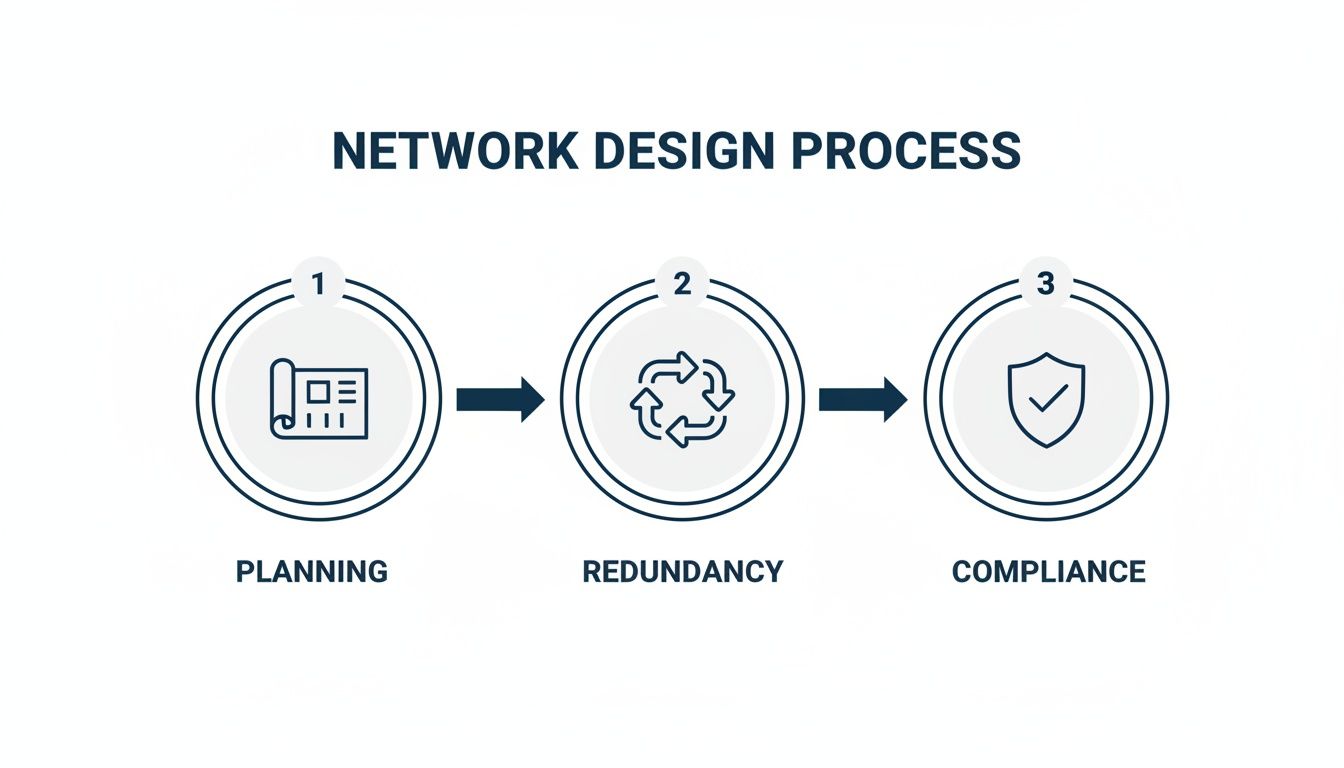
As you can see, a successful project always starts with strategic planning and bakes in redundancy and compliance right from the start. Get that right, and the final installation becomes a much more robust and predictable process.
Minimising Disruption During Installation
Executing a seamless migration comes down to a handful of proven techniques designed to keep your live network fully operational while the new infrastructure is laid down. This isn't a "rip and replace" job; it's a carefully orchestrated handover.
Key strategies include:
Out-of-Hours Scheduling: By far the most effective way to avoid impacting users is to schedule the critical work—like the final switchover—for evenings, weekends, or planned maintenance windows. This means day-to-day business carries on completely uninterrupted.
Pre-Terminated Cabling: Instead of terminating cable ends on-site, which is slow and can introduce errors, pre-terminated fibre assemblies are built and tested in a clean, controlled factory setting. These "plug-and-play" solutions slash on-site installation time and guarantee performance the second they're connected.
Phased Migration: Rather than a risky "big bang" switchover, we move services across in logical, manageable chunks. We might migrate a single department or floor over a weekend, allowing for focused testing and troubleshooting before we touch the next part of the business.
This methodical approach de-risks the entire project. It transforms what could be a chaotic and disruptive event into a smooth, controlled upgrade.
The Critical Role of Testing and Certification
Once the last cable is pulled and patched in, the job is far from over. The final, non-negotiable step is comprehensive testing and certification. This is your concrete proof that the installed fibre-optic cabling system performs exactly as it's supposed to.
The main tool for this job is an Optical Time Domain Reflectometer (OTDR). The OTDR sends pulses of light down the fibre and measures every tiny reflection, creating a detailed 'fingerprint' of the entire cable run. It can precisely identify the location of every connector, splice, and any potential stress points that could cause headaches down the line.
An OTDR test report isn't just a piece of paper. It's your performance guarantee, your insurance policy against future network gremlins, and the essential key needed to activate a long-term manufacturer warranty.
This certification provides several vital benefits:
Performance Verification: It proves every single link meets the required standards for signal loss (attenuation) and reflection, ensuring it can handle the network speeds you've paid for.
Fault Finding: It gives you a baseline "map" of the installation. If a problem crops up years later, a new OTDR trace can be compared to the original to instantly pinpoint the location of the damage.
Warranty Activation: Leading manufacturers like Excel will only issue their 25-year warranty on systems that have been installed by a certified partner and fully tested with calibrated equipment. Without those final test reports, you have no warranty.
Ultimately, this final step safeguards your investment. It ensures the network infrastructure you've paid for will deliver the resilience and performance your business depends on for decades.
Your Fibre-Optic Cabling Questions, Answered
Taking the plunge on a major fibre-optic cabling project always brings up a few practical questions. Getting straight answers is key to making the right call for your business's infrastructure. Here, we tackle the most common queries we hear from UK IT managers, so you can move forward with confidence.
Can We Reuse Our Existing Ducting for New Fibre?
This is usually one of the first questions, and for a good reason—using existing pathways can save a huge amount of time, money, and disruption. The answer is often yes, but it’s a ‘yes’ with some serious conditions attached.
Before anything else, a thorough survey is non-negotiable. We need to check for hidden blockages, damage, or sharp bends that could put fatal stress on a new fibre cable. It's also vital to check the existing capacity. Is there enough room to add new cables without jamming them in and exceeding the recommended fill ratio, which sits at around 40%? Overstuffing ducts makes future work a nightmare and risks damaging the cables you're putting in.
How Long Does a Typical Fibre Installation Take?
This is the classic "how long is a piece of string?" question. The timeline for a fibre-optic cabling project depends entirely on its scale and complexity. A simple backbone link within a single office might be done and dusted in a couple of days. A multi-floor fit-out or a campus-wide job connecting several buildings, however, could easily take several weeks.
A few key factors will shape the schedule:
Building Occupancy: Working in a live office means scheduling work out-of-hours to keep disruption to a minimum, which naturally extends the project's duration.
Site Complexity: The building's age, its physical layout, and how easy it is to access cable routes all play a massive part.
Coordination with Other Trades: On a major refurbishment, our work has to be perfectly timed with electricians, builders, and fit-out teams.
Good project management is the single biggest factor in keeping everything on track and delivering a smooth, timely installation.
What Is Fibre Polarity and Why Does It Matter?
Fibre polarity is a simple but absolutely critical detail that ensures your network actually works. In a standard two-fibre link, one fibre is for transmitting (Tx) and the other is for receiving (Rx). Polarity is just the process of making sure the transmitter at one end is correctly connected to the receiver at the other.
If the polarity is wrong, the link is dead. It’s like plugging your headphones into the microphone jack—you’ve made a connection, but nothing is going to come through. Getting the polarity right is a hallmark of a professional job.
Every single link has to be checked for correct polarity during installation and testing. It’s a fundamental step that prevents hours of frustrating troubleshooting after you go live and separates a reliable network from one plagued by mysterious connection problems.
Do We Really Need a 25-Year Warranty?
Absolutely. A 25-year manufacturer warranty from a vendor like Excel isn't just a marketing gimmick. It's your guarantee that the entire cabling system—from patch panel to outlet—has been installed by a certified partner and has passed rigorous tests to meet strict performance standards.
This warranty is what protects your long-term investment. If any part of that certified system fails because of a manufacturing or installation fault, the manufacturer is on the hook to replace it. That peace of mind is invaluable, ensuring the physical foundation of your network will stay solid for decades and protecting you from surprise costs down the line.
What Maintenance Does Fibre-Optic Cabling Require?
One of the best things about fibre-optic cabling is that it's passive, meaning it needs very little ongoing maintenance. Unlike your active network kit, the cables have no parts that wear out or need servicing.
That said, good housekeeping is always important:
Physical Protection: Make sure cables in busy areas are tucked away safely in trunking or trays to prevent them from being crushed, kinked, or snagged.
Connector Cleanliness: The tips of fibre connectors are incredibly sensitive to dust. Always use the dust caps on unplugged ports and patch leads. If you ever have performance issues, cleaning the connectors is the first and often most effective fix.
Regular Inspections: A quick visual check of your comms rooms during routine IT walkthroughs can help you spot problems like strained cables or damaged patch leads before they cause an outage.
Following these simple practices will keep your fibre infrastructure in prime condition, delivering the performance your business relies on.
Planning and delivering a successful fibre-optic cabling project requires real-world expertise at every stage, from the first design sketch to the final certification report. If you're looking to ensure your next project is executed with this level of precision, getting expert guidance is the first step.
Comments