


Fibre Optic Installation: Expert UK Office Guide
- Craig Marston
- Nov 30, 2025
- 16 min read

Upgrading your office network isn't just another IT job to tick off the list; it's a serious strategic investment in the future of your business. A professional fibre optic installation lays the digital groundwork for growth, giving you a scalable, high-performance, and dependable infrastructure that won't let you down.
This guide is for the IT directors, facilities managers, and project managers out there who are planning a network overhaul for their UK-based business.
Why Smart Businesses Invest in Professional Fibre Installation
Deciding on a professional fibre cable installation is a move that takes your business from basic connectivity to genuine operational excellence. Of course, faster download speeds are great, but the real win is building a robust, future-proofed network that can handle whatever data demands you throw at it. This is especially critical during something like an office move, where you simply can't afford for the network to fail.

This kind of strategic thinking is becoming the norm as UK businesses get to grips with an increasingly connected world. The rollout of fibre optic broadband across the UK has been nothing short of transformative. Coverage shot up from just 12% of premises in January 2020 and is on track to hit over 78% by 2025. This isn't just a niche tech trend; it's a national shift.
The Value of Certified Expertise
When you’re undertaking a major infrastructure project like this, partnering with a certified specialist is non-negotiable. An accredited installer, like an Excel network accredited partner, brings a level of precision and quality assurance that a general contractor just can't match. That expertise means every single part of the project is handled correctly, from the initial designs right through to the final sign-off.
"A meticulously planned and executed fibre installation is the bedrock of modern business operations. It’s not just about cabling; it’s about creating a reliable, high-performance digital ecosystem that supports every transaction, communication, and innovation."
Professional installers deliver a certified, tested network delivery, which means your system is guaranteed to perform exactly as it should from day one. This involves intensive testing to iron out any potential faults before they have a chance to cause expensive downtime. To get the full picture, it helps to understand the crucial benefits of fiber optic cable for businesses and why it's such a smart move.
Long-Term Assurance and Peace of Mind
One of the biggest perks of going with a professional installation is the long-term protection it gives you. Working with an accredited partner unlocks comprehensive warranties that protect your investment for decades to come.
Here’s what that looks like in practice:
A 25-Year Equipment Warranty: This guarantees the quality and lifespan of all your network components. That’s a massive weight off your mind.
Superior Cable Management: A pro installation leaves you with a clean, organised server room. A commitment to good cable management creates a tidy desk environment for your entire infrastructure, making maintenance and future upgrades simpler.
Seamless Office Relocation: If you're moving, an expert can manage the entire process. An office relocation with equipment testing ensures a smooth transition with next to no disruption.
Blueprint for Success: Planning Your Network Upgrade
A high-performance fibre optic installation doesn't just happen. It's the direct result of careful planning long before a single piece of equipment arrives on site. This initial stage is what separates a smooth, successful network upgrade from a project that gets bogged down in delays and spiralling costs. It all starts with a professional site survey – think of it as the intelligence-gathering mission for the entire installation.
During this crucial first step, certified engineers do a lot more than just measure rooms. They effectively become detectives, mapping out the unique quirks and challenges of your office environment. They assess everything, from the building's layout and potential cable pathways to the location of power sources and server rooms. Just as importantly, they're hunting for hidden obstacles—like asbestos, solid concrete walls, or even listed building restrictions—that could completely derail the physical installation if discovered later.
This detailed survey is the essential groundwork for creating a truly bespoke network design.
Crafting Your Digital Architecture
With the survey data in hand, the next step is creating the network design. This is the architectural blueprint for your company’s entire data infrastructure, translating all those on-site findings into a concrete plan that guarantees performance, efficiency, and future growth. This is where the strategic decisions are made that will define your network for years to come.
A huge part of this design phase is choosing the right type of fibre cable. The two main players, singlemode and multimode, are built for very different jobs.
Multimode Fibre: This is the absolute workhorse for internal office networks. Picture it as a multi-lane motorway, perfect for handling high volumes of data travelling over shorter distances, like connecting your server room to desks across different floors.
Singlemode Fibre: This one is the long-distance specialist. Think of it as a high-speed train on a dedicated track, built to link separate buildings on a campus or connect your site directly to an external data centre with almost zero signal loss.
Getting this choice right is vital for performance. For a closer look at the technical details, you can check out our quick guide to fast, reliable networking. Having a certified expert guide this decision ensures your investment delivers the speed and rock-solid reliability you're paying for.
The Importance of Strategic Cable Routing
Once the right fibre type is locked in, the focus shifts to planning the most efficient routes for the cables. This is far more complex than just finding the shortest path from point A to point B. Professional designers meticulously map out routes that protect the delicate glass fibres inside from physical stress, sharp bends, and any potential sources of interference.
A well-designed cable route is the unsung hero of a reliable network. It prevents signal loss, simplifies future maintenance, and lays the groundwork for easy expansion as your business grows. Getting this right is fundamental to a successful fibre optic installation.
This planning stage also feeds directly into your cable management strategy, making sure the final installation is not only functional but also clean, organised, and easy to work on. Just like a tidy desk helps you work more efficiently, a well-managed comms cabinet makes troubleshooting and future upgrades a breeze. This is the level of meticulous preparation an Excel network accredited partner brings to the table, turning a complex project into a predictable and successful outcome.
Ultimately, this detailed planning ensures your network is ready for a certified, tested network delivery, setting the stage for decades of flawless performance backed by a 25-year equipment warranty.
From Server Room to Desk: The Installation Process
Once the detailed blueprints get the green light, we can get our hands dirty with the physical fibre optic installation. This is where the planning becomes reality, turning empty cable trays and server racks into the high-performance network you’ve been waiting for. The process is a logical one, moving from the outside in—starting with any necessary groundwork and finishing with the final connection at a user's desk.
Often, the first step involves civil works, especially if your office needs a brand-new connection brought in from the street. This could mean trenching or using existing underground ductwork to pull the main fibre links to your building's entry point. From there, the internal work begins, focusing on building out the core network backbone that will feed the entire office. This is where the skill of a certified installer really comes into its own.
This workflow chart gives you a bird's-eye view of the crucial planning stages that happen before a single cable is pulled, making sure the project runs smoothly from start to finish.
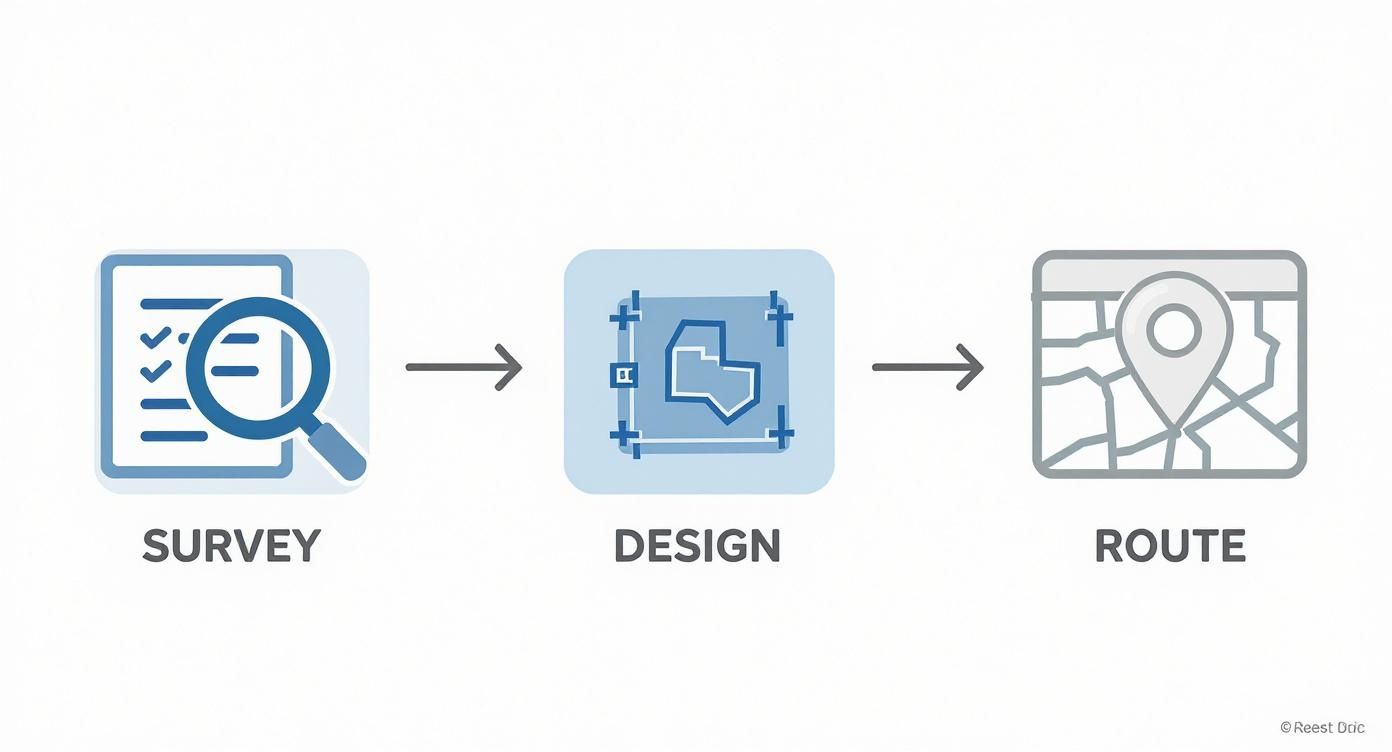
As you can see, the detailed survey and design phases are what determine the final route, setting the stage for a successful installation.
World-Class Cable Management
The true mark of a professional fibre optic installation isn't just that the network works; it’s how clean, organised, and manageable it is when we’re done. This is where top-tier cable management becomes non-negotiable. Think of it like your desk. A cluttered desk makes it impossible to find anything, but a tidy desk lets you work efficiently. The exact same principle applies to your server room and network cabinets.
A chaotic mess of cables—what we call "spaghetti cabling"—isn't just ugly. It’s a genuine risk to your network's performance and reliability:
Increased Risk of Damage: Tangled cables can easily get snagged, bent too tightly, or unplugged by accident during routine maintenance, causing frustrating outages.
Poor Airflow: A bird's nest of cabling can block ventilation in server racks, causing expensive equipment to overheat and potentially fail.
Maintenance Nightmares: Trying to trace one faulty cable in that mess can turn a five-minute job into a five-hour headache, massively increasing downtime.
A certified installer, like an Excel network accredited partner, treats cable management as a core part of the job. They use proper containment like trays, trunking, and conduits to create protected, dedicated pathways for the delicate fibre cables. This not only shields your investment from physical damage but also leaves you with a professional setup that makes future upgrades and troubleshooting a breeze. While multimode is typical for internal runs, our expert guide to single mode fiber optic cabling explains why you might see it used inside a large campus environment.
From Backbone to Tidy Desk
With the main backbone neatly installed and secured, the final piece of the puzzle is getting that connectivity out to individual workstations. This means running structured cabling from the local comms cabinet to faceplates at each desk. Our focus on neatness and organisation continues right up to the end-user's workspace, helping maintain that "tidy desk" environment that everyone wants.
An organised network infrastructure is a direct reflection of a company's commitment to quality and efficiency. It’s a foundational element that ensures reliability, simplifies management, and provides a clear path for future expansion.
This meticulous approach is standard practice for accredited professionals delivering a certified, tested network. Every single cable is run according to industry best practices, terminated with precision, and labelled clearly. This attention to detail during an office relocation with equipment testing or a new fit-out guarantees your network is not just functional, but robust, reliable, and easy to manage for years to come. It’s this commitment that allows partners to offer a 25-year equipment warranty, giving you total confidence in your new infrastructure.
Guaranteeing Performance Through Testing and Certification
So, the cables are in, the connectors are on, and the physical work is done. But how do you know it actually works to the standard you’ve paid for? This is where the crucial final step comes in: testing and certification. It’s the difference between a network that’s just plugged in and one that’s been professionally proven to perform.
This isn't just a box-ticking exercise. It's the ultimate quality control check that ensures every single connection delivers the speed and rock-solid reliability your business depends on.
Without proper testing, you're flying blind. The network might seem to work, but you could be plagued by intermittent faults, sluggish speeds, and random dropouts that are impossible to pin down. Rigorous testing takes all that uncertainty off the table, giving you concrete proof of performance and the peace of mind that comes with a professionally validated network.
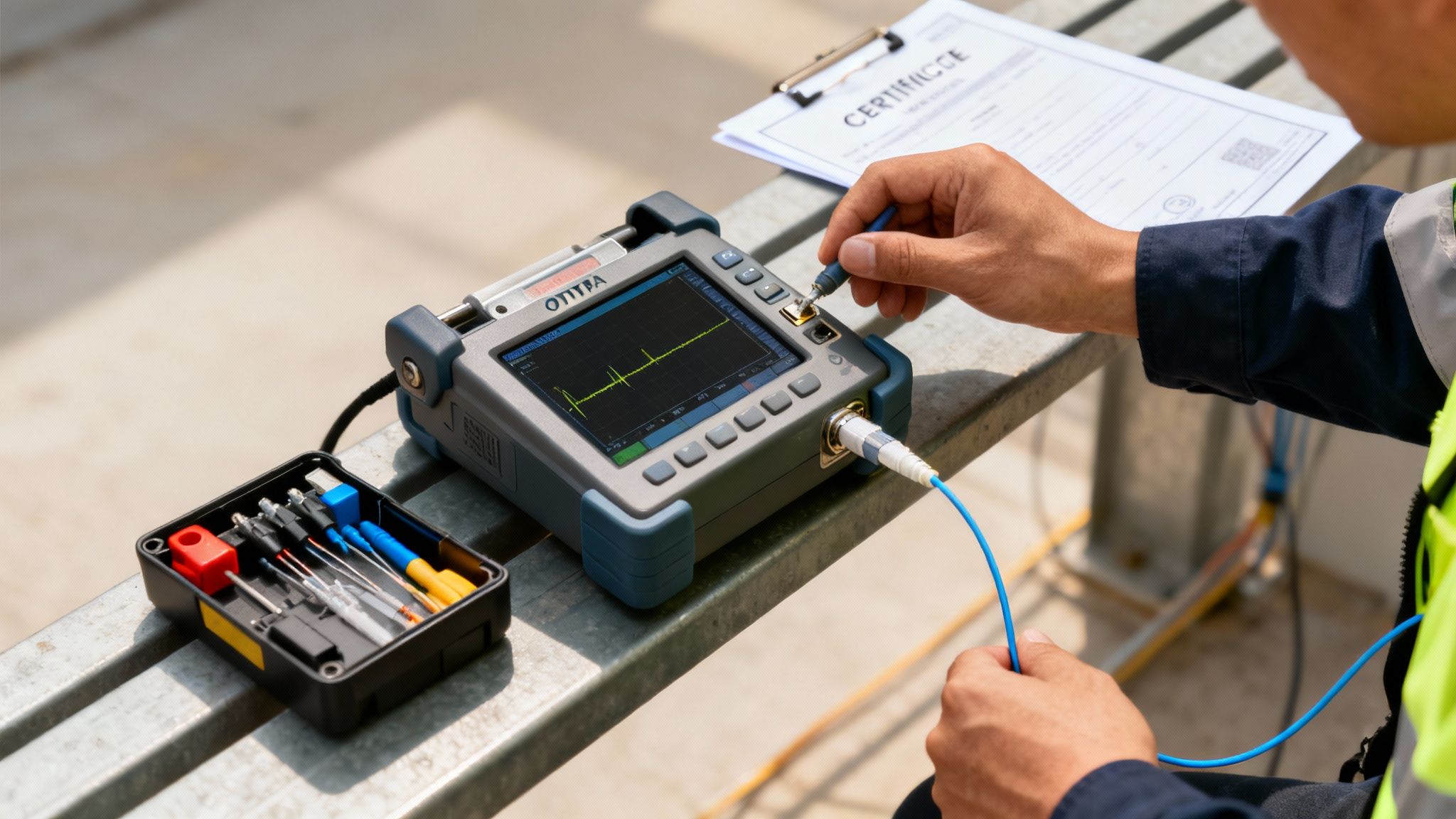
This final assurance is the heart of a certified, tested network delivery. It's the promise that your new infrastructure meets—and often exceeds—all the required performance benchmarks.
The Role of Advanced Testing Tools
Professional installers don't just guess. They use highly specialised equipment to see deep inside the fibre optic cables and verify their integrity from end to end. The star of the show here is the Optical Time Domain Reflectometer (OTDR).
Think of an OTDR as a sophisticated radar for your fibre network. It sends a tiny pulse of light down the cable and meticulously measures every reflection that bounces back. It’s an incredibly clever piece of kit.
This process lets engineers "see" the entire length of the cable run, identifying everything with pinpoint accuracy:
Connection Quality: It verifies that every splice and termination is clean, precise, and losing a minimal amount of signal.
Fault Location: If there’s a microscopic break, a sharp bend, or a poorly made connection, the OTDR finds its exact location, often down to the metre.
Total Cable Length: It confirms the physical length of the cable, a crucial piece of information for your network documentation.
Overall Signal Loss (Attenuation): It measures the total light lost along the entire run, ensuring it’s well within acceptable industry limits.
By using an OTDR, installers can find and fix tiny imperfections before your network goes live. This is what separates a professional fibre optic installation from the rest – preventing future headaches and expensive downtime.
What Certified Network Delivery Really Means
When an installer provides a "certified network," they aren't just saying "it works." They are handing you a fully documented and validated system, complete with a detailed performance report for every single cable. This is the tangible proof of quality that every IT Director and Facilities Manager should demand.
A certified network isn't just a guarantee of day-one performance; it’s a documented baseline for the entire life of your network. This data is essential for fast troubleshooting, planning future expansions, and maintaining the long-term health of your infrastructure.
This level of accountability is becoming more vital as UK businesses ditch older copper connections. By the end of Q3 2023, the number of full-fibre (FTTP) connections in the UK had already surpassed the older Fibre-to-the-Cabinet (FTTC) lines for the first time, hitting 11.56 million subscriber connections. This massive shift, detailed by ISPreview, shows just how much businesses now depend on reliable, high-speed fibre networks that are properly certified from day one.
The Power of an Accredited Partner and Warranty
This brings us to the real value of choosing an Excel network accredited partner. Only certified partners who follow strict installation and testing protocols can offer the manufacturer-backed 25-year equipment warranty. This isn't just a piece of paper; it's a long-term commitment to the quality and durability of every single component in your network.
This comprehensive warranty is entirely dependent on a successful certified, tested network delivery. The test results from the OTDR become the official record, proving the installation meets the manufacturer's demanding standards. This assurance is invaluable, especially during something like an office relocation with equipment testing, as it validates performance in the new environment and ensures your long-term protection stays firmly in place.
Navigating an Office Move with Your Network
An office move is one of the biggest logistical headaches a business can face. Amidst all the chaos, your IT infrastructure is the one piece of the puzzle you simply cannot afford to get wrong. A successful relocation isn’t just about getting desks and chairs to the new building; it's about a military-grade operation to decommission, transport, and reinstall your entire network with as little downtime as possible.
The key is to treat your network move as its own dedicated project. This whole process needs to kick off with a thorough audit of your current setup, long before a single box is packed. This flags up all your critical hardware, shows how everything connects, and highlights any weak spots that need fixing in the new office’s design.
When a move is on the cards, slotting your network plan into a comprehensive business relocation checklist is absolutely vital. It makes sure IT gets the attention it needs right alongside everything else, from furniture to utilities.
Decommissioning and Reinstallation Strategy
The hands-on part of an office relocation with equipment testing begins with a meticulous decommissioning plan. A professional team, like an Excel network accredited partner, will systematically shut down, label, and disconnect every single piece of hardware – from servers and switches right down to individual PCs. Getting this right from the start is what prevents a chaotic mess and lost equipment when you unpack at the other end.
Secure transport is another non-negotiable. Your servers and networking gear are not just valuable; they're delicate. They need specialist handling to make sure they survive the journey without a scratch. Once everything arrives safely, the reinstallation can begin, following the detailed network design that was custom-built for the new space.
Everything hinges on a tight schedule. The ultimate goal is to get the core network infrastructure, including the main fibre cable installation, up and running before your staff and their equipment even turn up. This gives your installers a clear window to test, troubleshoot, and iron out any kinks without an entire workforce breathing down their necks, waiting to get online.
The Critical Role of Post-Move Testing
Just plugging everything in and crossing your fingers is a recipe for disaster. The single most important phase of any IT move is the final round of equipment testing and re-certification. The simple act of moving a server rack from one building to another can shake things loose, dislodge a connection, or cause subtle damage that you won’t spot with the naked eye.
After a move, your network isn't truly 'live' until it has been fully re-tested and re-certified. This final step confirms that performance meets pre-move benchmarks and, most importantly, protects your long-term investment.
This is where you really see the value of a certified, tested network delivery. Installers will use professional tools like OTDRs to re-verify every connection, making sure performance hasn't dropped off. This isn't just for peace of mind, either – it's often a mandatory step for keeping your 25-year equipment warranty valid. Skip the post-move certification, and you could find your warranty is void, leaving you completely exposed if something goes wrong down the line.
Following this methodical process guarantees that your network performs perfectly from day one in its new home. It also reinforces the good habits of cable management, essentially creating a tidy desk environment for your entire infrastructure—an organised, efficient, and reliable network ready to power the next chapter of your business.
How to Choose the Right Fibre Installation Partner
Choosing the right partner for your fibre optic installation is probably the single most important decision you'll make for the entire project. Whether it’s a network upgrade, an office move, or a brand new fit-out, the success of the job rests entirely on the expertise and commitment of the team you hire. This isn't just about finding a contractor—it's about finding a long-term technology partner you can trust.
The market for network installers has become incredibly crowded. With the UK's full-fibre coverage rocketing towards a projected 80% of premises by mid-2025, more companies than ever are jumping on the bandwagon and offering installation services. You can get a sense of this huge expansion from this ComputerWeekly.com article on the UK's gigabit rollout. This rapid growth makes it absolutely critical to know the difference between a generalist and a certified specialist.
The Value of Accreditation
A key thing that sets the experts apart is formal accreditation from a leading manufacturer. An Excel network accredited partner, for example, has been through rigorous training and has proven they can install systems to the highest possible standards, time and time again. This isn't just a badge on their website; it's your guarantee of quality.
This certification is what allows them to offer a comprehensive 25-year equipment warranty. This warranty is more than a piece of paper; it’s a rock-solid promise that every single component is installed correctly and will perform as it should for decades to come. An installer without this official partnership simply can't offer you that level of long-term protection for your investment.
When you're weighing up your options, it's helpful to see a direct comparison of what you get with an accredited partner versus a standard installer.
Comparing Fibre Installation Partners
Here are the key factors to consider when selecting an installer for your business network.
Feature | Accredited Partner (e.g., Excel Certified) | Non-Accredited Installer |
|---|---|---|
Warranty | Manufacturer-backed 25-year warranty on all components and performance. | Typically offers a limited 1-2 year warranty on workmanship only. |
Expertise | Engineers are fully trained and regularly audited by the manufacturer. | Skill levels can vary wildly. No independent verification of quality. |
Component Quality | Uses genuine, certified components from a single, trusted source. | May use a mix of cheaper, non-certified parts to cut costs. |
Testing & Results | Provides full OTDR test results to prove every link meets standards. | Testing may be basic or inconsistent. Full reports often aren't provided. |
Accountability | The manufacturer holds them accountable for the quality of their work. | If something goes wrong years later, you have little to no recourse. |
Ultimately, the choice comes down to risk. An accredited partner removes the guesswork and gives you a guarantee of performance that will last the lifetime of your network.
Essential Questions for Potential Partners
To properly vet potential installers, you need to ask the right questions. Their answers will tell you everything you need to know about their professionalism and whether they can actually deliver.
Choosing an accredited installer is an investment in certainty. It ensures that from the initial design to the final certified, tested network delivery, every step is executed with precision, accountability, and a commitment to long-term performance.
Before you sign any contract, make sure your potential partner can give you solid answers to these questions:
Accreditation: Are you an Excel network accredited partner or certified by another leading manufacturer? Can you show me proof?
Warranty: Can you offer the full manufacturer-backed 25-year equipment warranty for this project?
Testing: What’s your process for testing and certification? Will you provide full OTDR test results for every single line you install?
Cable Management: What’s your approach to cable management? Can you show me pictures of previous jobs to demonstrate you have a "tidy desk" philosophy inside your server cabinets?
Office Relocation: For an office relocation with equipment testing, what’s your exact process for guaranteeing minimal downtime and proving everything works perfectly after the move?
By asking these direct questions, you can confidently pick a partner who won't just get the job done, but will deliver a reliable, high-performance network that will serve your business for years to come.
For a deeper dive into the installation process itself, check out our comprehensive fibre cable installation guide, which covers everything from selecting the right cable to securing your network.
Your Office Fibre Installation Questions Answered
When you're looking at a major network upgrade, it's natural to have questions. To help, we've put together some straightforward answers to the queries we hear most often from IT directors and facilities managers getting ready for a fibre optic installation.
How Long Will the Installation Take?
Every office is different, so every project has its own timeline. A simple job in a small office might be wrapped up in just a few days. But for a large, multi-floor building, you could be looking at a project spanning several weeks. The size and complexity of your workspace really are the deciding factors.
The only way to get a solid schedule is with a professional site survey. A certified engineer will come out, assess exactly what you need, spot any potential roadblocks, and give you a detailed project plan. This way, there are no surprises, and you can plan your own work around ours.
Can You Install New Fibre Without Disrupting Our Business?
Absolutely. Making sure your business keeps running smoothly is a top priority for any professional fibre cable installation. We know you can't just down tools, which is why we plan every upgrade or office relocation with equipment testing to be as low-impact as possible.
We have a few key strategies to make this happen:
Working After Hours: A lot of the physical installation work can be scheduled for evenings or weekends to keep it out of your team's way.
Planning Everything Down to the Last Detail: We map out every single step, from cable management to the final connection, ensuring the whole process is smooth and efficient.
Using Existing Routes: Wherever we can, we'll use existing cable trays and pathways. This speeds things up and means less intrusive work in your office.
The end goal is always a seamless switch-over that lets your staff stay productive. This commitment to a disruption-free installation is a core part of what it means to deliver a certified, tested network delivery.
What’s the Difference Between the Fibre Types?
Choosing the right cable is vital for your network’s performance, and it’s a decision that really needs an expert’s input, like that from an Excel network accredited partner. The two main types of fibre optic cable serve very different needs.
A good way to think about it is like this: multimode fibre is a sprinter, built for incredible speed over shorter distances. It’s perfect for connecting your server room to different floors within the same building. Singlemode fibre, on the other hand, is a marathon runner. It’s designed to send data over huge distances with almost zero signal loss, making it ideal for linking separate buildings on a large campus.
Your network designer will specify the exact type you need to guarantee your system runs perfectly, is built to last, and is backed by a full 25-year equipment warranty.
Ready to build a network foundation that powers your business for decades? The team at Constructive-IT provides certified, warrantied fibre optic installations designed to minimise disruption and maximise performance. Schedule your initial consultation today.
Comments