


Finding the Best WiFi Channels for 5GHz Network Performance
- Craig Marston
- Dec 13, 2025
- 16 min read

If you’re in a crowded UK office, the best starting point for 5GHz WiFi channels will almost always be the non-DFS group: 36, 40, 44, and 48. Why? Because they’re the most stable, steering clear of potential interference from radar systems. But that’s just a rule of thumb—the perfect channel is unique to your building, which is why getting a professional assessment is so important.
Your Guide to Optimal 5GHz WiFi Channels

Is your office WiFi slow, unstable, or constantly dropping out? The fix might be simpler than you think. It's easy to blame your internet provider or the router, but often the real culprit is invisible: radio frequency interference. Picking the right WiFi channel is one of the most powerful things you can do to build a fast, reliable wireless network.
This guide gets straight to the point, explaining why choosing the best WiFi channels for 5GHz is so vital for any modern business. The 5GHz band offers a massive upgrade in speed and capacity over the old 2.4GHz, but you need a smart strategy to unlock its full potential. Just leaving your router on 'auto' simply won’t cut it in a busy office.
The Foundation of a Great Wireless Network
Before we jump into channels, it’s crucial to remember that wireless performance relies on a solid physical infrastructure. The most perfectly planned channel strategy will fall flat if the network cabling behind it is weak.
A high-performance wireless network is built on a few key pillars:
Professional Fibre Cable Installation: This is the high-speed backbone your network needs to handle dozens or even hundreds of wireless devices without hitting a bottleneck.
Certified and Tested Network Delivery: Every single component, from the cables in the walls to the access points on the ceiling, must be professionally installed and verified to guarantee performance.
Meticulous Cable Management: A tidy, well-organised cabling system—the kind that leads to a 'tidy desk' environment—prevents accidental unplugging and makes troubleshooting a breeze.
A robust WiFi network is not an accident. It's the result of a deliberate strategy that combines high-quality physical infrastructure with intelligent wireless channel planning, ensuring every connection is stable and fast.
This big-picture approach is especially important during an office relocation, where you need to test equipment to verify performance before and after the move. Working with an Excel network accredited partner ensures your structured cabling is installed correctly and is backed by a 25 year equipment warranty, giving you complete peace of mind.
With this foundation in place, we can dive into the 5GHz spectrum. As you’ll see, a smart channel strategy helps you sidestep common connection headaches and build an infrastructure that's ready for whatever your business throws at it. If you're weighing up different hardware options, you might find our guide comparing Mesh WiFi vs WiFi Extender for business networks a useful read.
Why 5GHz Channels and DFS Matter
Think of the old 2.4GHz WiFi band as a narrow, congested country road. It only has a few lanes, and they're constantly jammed with traffic—not just from your devices, but from your neighbours' networks and even household appliances like microwaves. It’s no wonder connections feel sluggish and unreliable.
Now, imagine the 5GHz band as a sprawling multi-lane motorway. It offers far more space and a much higher speed limit, providing a serious upgrade for your office network. This extra space is divided into dozens of distinct lanes, known as channels. Having more channels is a complete game-changer because it allows your devices to find their own clear path, drastically reducing interference.
A professionally planned network, underpinned by a quality fibre cable installation, can fully exploit these channels. By strategically assigning devices to different lanes, a certified engineer ensures traffic flows smoothly, preventing the digital gridlock that plagues less organised setups. It’s the first step towards creating a truly efficient wireless environment.
The Role of Dynamic Frequency Selection
While the 5GHz motorway has plenty of lanes, not all of them are open for public use all the time. Certain channels are reserved for priority traffic, such as weather radar, aviation systems, and military communications. To manage this, regulatory bodies like Ofcom in the UK mandate a system called Dynamic Frequency Selection (DFS).
Think of DFS as an air traffic control system for your WiFi. If your router is using a DFS channel and it detects a priority radar signal, it is legally required to immediately vacate that lane and move its traffic to a different one. This is a critical safety feature that prevents consumer WiFi from interfering with essential services.
For a business, though, this process can be disruptive. When a DFS event occurs, your WiFi connection will drop for a minute or more while the router scans for a new, clear channel. In a busy office, these sudden, unpredictable outages can interrupt video calls, stall file transfers, and cause major frustration.
DFS is a necessary compromise for accessing a wider range of 5GHz channels. While it unlocks more capacity, it also introduces a risk of instability that must be managed, especially in business-critical environments where uptime is paramount.
Navigating DFS for Better Stability
Because of this risk, the best wifi channels for 5ghz in many dense office environments are often the ones that don't require DFS. A professional network assessment, performed by an Excel network accredited partner, will identify the level of radar activity in your specific location to determine which channels are safest to use. This expert evaluation is a core part of a certified, tested network delivery.
For many UK businesses, this means prioritising the lower, non-DFS channels. In the UK, selecting channels like 36, 40, 44, or 48 often proves more reliable for urban offices, as they are free from potential radar interference. While higher channels (100 and above) allow for more power, they fall squarely in the DFS range mandated by Ofcom, making them a gamble. As detailed in user discussions about UK WiFi channels and DFS on ISPreview.co.uk, these channels are frequently impacted by weather and military radar.
Understanding this invisible force is the key to smarter channel planning. It helps explain why simply setting your router to 'auto' isn't good enough for a reliable business network. A strategic approach ensures your network is built for stability, delivering the dependable performance backed by a 25 year equipment warranty on its core components.
Choosing the Right Channel Width
Picking the best 5GHz WiFi channels is more than just selecting a number; you also need to decide how wide that channel should be. Let's go back to our motorway analogy. Channel width is the difference between a single, reliable lane and a massive, eight-lane super-highway. While that super-highway promises incredible speed, a single piece of debris (interference) can cause chaos across all lanes.
The width of a WiFi channel is measured in megahertz (MHz). You'll typically see options for 20MHz, 40MHz, 80MHz, and even 160MHz. Wider channels are made by bonding smaller ones together. A 40MHz channel, for instance, is just two 20MHz channels fused together, effectively doubling the potential data throughput.
This "channel bonding" is how manufacturers achieve the headline-grabbing speeds on their latest WiFi hardware. But it comes with a massive trade-off, especially in a professional setting. The wider you make the channel, the more susceptible it is to interference, and the fewer non-overlapping channels you have left for your network plan.
Understanding the 20MHz Standard
Think of a 20MHz channel as the fundamental building block of your WiFi network. It's the single, standard lane on our motorway. It offers the lowest maximum speed, but in return, you get the highest level of stability and the greatest number of clean, non-overlapping channels to work with.
In a high-density office—like a bustling open-plan workspace or a building shared with other businesses—reliability trumps raw speed every time. Using 20MHz channels allows an Excel network accredited partner to design a rock-solid channel plan that minimises co-channel interference, ensuring every access point has its own clear space. This approach, part of a certified, tested network delivery, is vital for supporting a large number of devices without frustrating connection drops.
Balancing Speed and Stability with 40MHz
A 40MHz channel bonds two 20MHz channels to create a two-lane road. This gives you a noticeable boost in performance, making it a fantastic middle-ground for many office environments. It delivers faster speeds for bandwidth-hungry tasks without hogging an excessive amount of the available spectrum.
The catch? Using 40MHz channels immediately halves the number of non-overlapping channels you can use, which makes careful planning absolutely essential. A professional site survey is non-negotiable here to make sure there's enough clean spectrum to accommodate these wider channels without your own access points tripping over each other. This is where the quality of the underlying fibre cable installation really shines, providing the stable backbone needed to support higher wireless data rates.
For most UK offices, 40MHz strikes the optimal balance between performance and reliability. It offers a significant speed increase over 20MHz while still leaving enough channels available for a well-designed network plan that avoids self-interference.
The High-Speed Gamble of 80MHz and 160MHz
Using 80MHz or 160MHz channels is like opening up that massive, multi-lane super-highway. These ultra-wide channels offer blistering theoretical speeds, perfect for shifting huge files in seconds. An 80MHz channel bonds four 20MHz channels, and a 160MHz channel bonds an incredible eight of them.
The problem is, in a typical office, these channels are often completely impractical. They consume such a vast chunk of the 5GHz spectrum that they leave very few, if any, other channels free. This makes them extremely vulnerable to interference from neighbouring networks and even your own access points. A single interfering signal can cripple the entire bonded channel, often making it slower and less stable than a narrower, cleaner 40MHz channel.
These wider channels should only ever be considered in isolated, low-interference environments after a thorough professional survey confirms the spectrum is crystal clear. A 25 year equipment warranty on your hardware is great, but it can't save you from a poor channel plan.
To make sense of these trade-offs, let's break them down.
Comparing 5GHz Channel Widths
The table below analyses the key differences between the common channel widths, helping you understand the balance between speed potential, interference risk, and where each one fits best in an office network.
Channel Width | Potential Speed | Interference Risk | Recommended Environment |
|---|---|---|---|
20MHz | Standard | Very Low | High-density offices, mission-critical stability |
40MHz | High | Low-Medium | General office use, balanced performance |
80MHz | Very High | High | Isolated areas, specific high-bandwidth tasks |
160MHz | Maximum | Very High | Specialist use cases, zero-interference zones only |
Ultimately, choosing the right channel width is a strategic decision. While bigger sounds better, in the world of business WiFi, stability is king. For the vast majority of organisations, a well-planned network using 20MHz or 40MHz channels will deliver a far more reliable and consistent user experience than one gambling on ultra-wide channels.
How to Plan Your Office WiFi Channels
Right, let's move from theory to the real world. Setting up a high-performance office WiFi network isn't about scattering a few access points (APs) around and hoping for the best. That's a recipe for disaster. A proper, strategic channel plan is the blueprint that turns your expensive hardware into a reliable, business-grade wireless environment.
This whole process should kick off long before you even think about installing any equipment. It starts with a comprehensive site survey – a critical diagnostic step to understand the unique radio frequency (RF) landscape of your workspace. Think of it as sending a scout into uncharted territory before you move your main forces; the intel you gather is absolutely essential for success.
A professional site survey is the bedrock for selecting the best wifi channels for 5ghz and dodging the kind of interference that kills performance. It’s a non-negotiable part of a certified, tested network delivery.
The Crucial Role of a Site Survey
A site survey isn't just a quick walk-through with a laptop. It's a detailed analysis using specialised tools to map out the invisible world of WiFi signals zipping through your office. The main goal here is to find and neutralise potential problems before they can start hurting your team's productivity.
A professional site survey sets out to achieve a few key things:
Identifying Competing Networks: Your neighbours' WiFi is one of the biggest sources of interference. A survey tool will sniff out all the nearby networks, showing you exactly which channels they're on and how strong their signals are in your space.
Measuring the Noise Floor: The "noise floor" is the constant background hum of RF interference from non-WiFi sources like microwaves, Bluetooth devices, and even wireless security cameras. If the noise floor is too high, it can completely drown out your WiFi signal.
Pinpointing Interference Sources: The survey helps locate specific devices or even building materials (like reinforced concrete or metal-lined walls) that are blocking or messing with WiFi signals.
A professional site survey removes all the guesswork from network design. It gives you the hard data needed to build a channel plan that’s resilient, stable, and perfectly tailored to your office's unique RF environment.
This deep-dive analysis is what separates a professionally engineered network from a standard, off-the-shelf setup. It ensures every decision is backed by solid data – a core principle for any Excel network accredited partner.
Designing a Strategic Channel Plan
Once you have the data from your site survey, it's time to build the channel plan. The mission is to strategically assign channels to each access point to avoid two major types of interference: co-channel and adjacent-channel interference. This becomes incredibly important in any office with more than one AP.
Co-channel interference happens when two of your own APs are too close together and using the same channel. They end up shouting over each other, creating chaos. A good channel plan makes sure that APs on the same channel are placed far apart, while APs next to each other are assigned to different, non-overlapping channels.
This careful arrangement is what allows for seamless roaming, where a user's device can move smoothly from one AP's coverage area to another without dropping the connection. Of course, this only works if the underlying physical infrastructure, from the fibre cable installation to the meticulous cable management, is absolutely flawless.
This diagram helps visualise the concept of channel width, showing how wider channels bond smaller ones together to boost speed – a key factor in your planning.
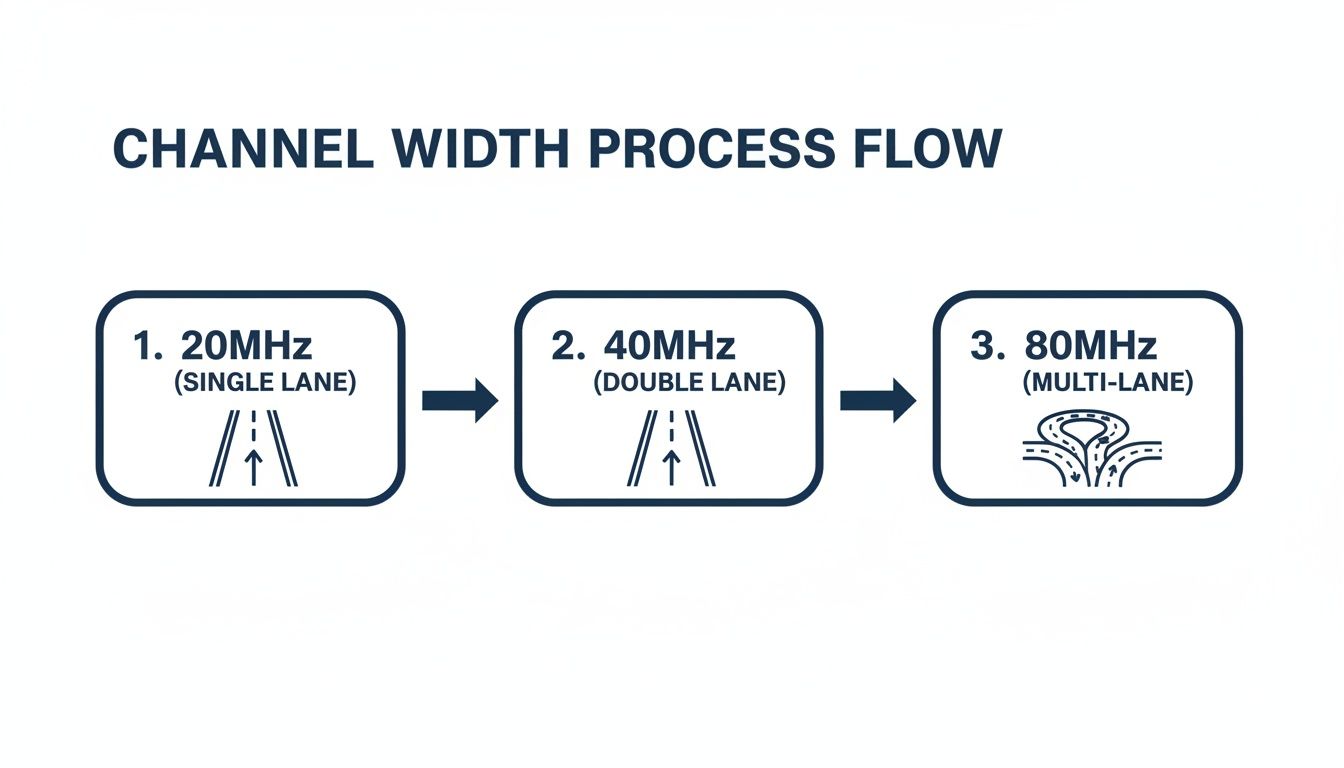
The road metaphor is pretty handy here: while wider channels (like a multi-lane motorway) offer more speed, they also take up more of the available spectrum, making careful planning even more critical.
Connecting the Plan to Your Physical Infrastructure
A brilliant channel plan is completely worthless if the network supporting it is shaky. A robust WiFi deployment relies on every single component working in harmony. This is exactly why working with a partner who provides a 25 year equipment warranty on certified components is so valuable. It’s your guarantee that the physical layer won't be the weak link in the chain.
This is especially true during a big project like an office relocation with equipment testing. All the equipment needs to be tested both before and after the move to make sure performance hasn't taken a hit. A tidy desk policy and a clean server room, both results of excellent cable management, also play their part by preventing accidental disconnections and making future troubleshooting a whole lot easier.
Ultimately, a professional channel plan is the master blueprint for your wireless network. To learn more about creating the ideal wireless setup, take a look at our guide on how to find the best channels for WiFi in your office. This structured approach is what turns a random collection of hardware into a cohesive, high-performing system.
Recommended 5GHz Channel Setups for the UK
Picking the right 5GHz channels in the UK isn't just a technical tweak; it's a strategic decision. Ofcom's regulations split the spectrum into different zones, each with its own balance of risk and reward. For most businesses, especially those in crowded city centres, stability is everything. A single dropped video call is far more disruptive than not hitting the absolute maximum speed your hardware can theoretically handle.
This is why any professional approach to choosing the best wifi channels for 5ghz begins with a simple risk assessment. After a proper site survey, a certified engineer designs a channel plan that fits how your business actually operates, making sure the wireless network is as dependable as the fibre cable installation it runs on.
The Primary Safe Zone: Channels 36-48
For the vast majority of UK office environments, the block of channels from 36 to 48 is your safest bet. This group, known as U-NII-1, is the first choice for a simple reason: these channels are completely free from Dynamic Frequency Selection (DFS) requirements.
Think of these as your own private, reserved lanes on the motorway. You never have to worry about being suddenly forced off onto a slip road. For business-critical apps where uptime is everything, this non-DFS status is a huge advantage.
Sticking to this block drastically cuts the risk of random disconnects, giving everyone a more stable and predictable experience. A network built by an Excel network accredited partner will almost always use these channels as the solid foundation for a reliable wireless setup.
The Higher-Risk DFS Channels
Once you move past channel 48, you're in DFS territory. The U-NII-2 and U-NII-2 Extended bands (channels 52-140) offer a lot more space, which is tempting. But they come with the constant risk of interference from priority radar systems, like those used for weather and aviation.
If your access point detects a radar signal on one of these channels, it is legally required to abandon it immediately. This triggers a service blackout that can last a minute or more. For a busy office, that’s simply not an option.
Unless a professional site survey confirms your location is in a low-risk area, free from radar signals, the U-NII-2 Extended band channels should generally be avoided for business-critical networks. The potential for disruption often outweighs the benefit of extra capacity.
A proper certified, tested network delivery process involves carefully weighing up this risk. In some scenarios, these channels might be fine for a secondary guest network, but they're rarely the right call for your main corporate WiFi. The integrity of your network, backed by a 25 year equipment warranty on its components, depends on making smart, conservative choices here.
A Powerful Option for Low-Interference Areas
While the lower channels are king in dense urban settings, there’s another great non-DFS option available in the UK. For businesses in rural locations or less congested northern regions, channels 149-165 can be some of the best non-DFS 5GHz options for clean, high-speed WiFi. Since 2015, Ofcom has allowed higher power output in this U-NII-3 band without DFS, making it perfect for wider 80MHz or even 160MHz channels. Forum data often shows far fewer neighbour conflicts here, with some users reporting speed boosts of 50% or more. You can explore the latest UK 5G coverage data on Statista.com to get a sense of regional spectrum use.
Ultimately, your channel plan should be a deliberate choice, not an accident. Whether you're fitting out a new space or handling an office relocation with equipment testing, a strategic approach that considers everything from cable management to creating a tidy desk environment ensures your WiFi performs reliably from day one.
Ensuring End to End Network Quality

Choosing the best 5GHz WiFi channels is a fantastic start, but it's just one piece of a much bigger performance puzzle. Think of it this way: a perfectly planned wireless network can’t fix a weak or poorly installed physical one. It’s like putting a Formula 1 engine in a car with flat tyres.
True network quality is an end-to-end commitment, starting from the moment data enters your building. You can have the best access points on the market, but if they’re connected to cheap, unreliable cabling, you’ve just created a permanent bottleneck. To get the performance you’re paying for, every single component has to meet the same high standard.
The Bedrock of Wireless Performance
A reliable WiFi network is built on a solid foundation of expertly installed physical infrastructure. Get this wrong, and your wireless ambitions will always be held back. This foundation is made up of a few key elements all working together.
Professional Fibre Cable Installation: This is the high-speed artery that feeds your entire network. A professional install ensures your building has the bandwidth to support dozens—or even hundreds—of wireless devices without breaking a sweat.
Certified and Tested Network Delivery: Every single cable, port, and connection must be rigorously tested and certified to perform as expected. This validation process weeds out physical-layer issues that are often mistaken for wireless problems.
This is exactly why working with an Excel network accredited partner is so crucial. It’s your guarantee that the structured cabling is installed to exacting standards, often backed by a comprehensive 25-year equipment warranty for complete peace of mind.
From the Server Room to the Desk
Excellent network quality doesn’t stop at the wiring closet; it extends right into the workspace. The way the network is managed day-to-day has a direct impact on its stability and lifespan, reinforcing the link between physical order and digital performance.
Meticulous cable management, for instance, isn’t just about looking neat. It’s a core operational principle. An organised server rack and a tidy desk policy drastically reduce the risk of someone accidentally unplugging a vital connection and make troubleshooting far quicker when things go wrong.
A high-performance network is the sum of its parts. From the initial fibre installation to the final cable tie, every detail contributes to a stable, fast, and reliable user experience that supports business productivity.
This attention to detail is absolutely paramount during an office relocation with equipment testing. All equipment must be thoroughly tested both before and after the move to verify performance and ensure a seamless transition. For businesses wanting to maintain peak performance, our guide on network performance monitoring to improve UK office networks offers valuable insights.
And if you're looking for strategies that go beyond just channel selection, you can also learn how to improve your overall WiFi signal.
Your 5GHz WiFi Questions Answered
When you're trying to get the best out of your office WiFi, a few common questions always seem to pop up. Let's tackle some of the most frequent queries we hear from UK businesses and clear up the confusion around 5GHz network behaviour.
Why Does My 5GHz WiFi Keep Dropping?
This is the classic sign of a run-in with DFS. If your access point is using a DFS channel and it detects radar signals nearby (from airports or weather stations), it has to legally drop everything and move. It's an Ofcom rule. This isn't a fault; it’s a built-in safety feature to protect critical radar services, but it feels like an unstable connection to you.
The simplest, most reliable fix is to stick to the non-DFS channels: 36, 40, 44, or 48. A professional network setup, built on a certified, tested network delivery, will always account for this, making sure your channel plan is solid from day one.
Should I Just Let My Router Choose the Channel Automatically?
The 'auto' setting might seem like a smart shortcut, but for a business environment, it’s a bit of a gamble. Your router simply scans for the least crowded channel at that exact moment. It has no idea about potential radar interference on DFS channels or how the channels should be arranged across all your access points for seamless roaming.
A manual channel plan, created after a proper site survey, is always the better choice for an office. It’s a proactive approach that assigns the best, most stable channels for predictable performance. This is standard practice for any quality fibre cable installation and a non-negotiable for an Excel network accredited partner.
Is a Wider 160MHz Channel Always Faster?
On paper, yes. In the real world of a busy office? Almost never. Using a 160MHz channel is like trying to drive a massive lorry down a narrow street—it takes up so much space that it's bound to run into traffic. It's incredibly vulnerable to interference from neighbouring networks and other devices. More often than not, it ends up being less stable and slower than a clean 40MHz or 80MHz channel.
For any business, reliability beats theoretical top speed every single time. You can have perfect cable management and a tidy desk policy, but a flaky channel choice will ruin performance. Professional hardware backed by a 25 year equipment warranty provides the foundation, and a smart channel plan ensures it works flawlessly, which is especially critical during an office relocation with equipment testing when your network needs to be perfect from the get-go.
Your office deserves a network that just works, free from dropped connections and slow speeds. Constructive-IT specialises in designing and implementing robust, high-performance network infrastructures, from structured cabling to optimised WiFi. We ensure every component works in harmony for seamless connectivity.
Comments