


how does wifi extender work: UK guide
- Craig Marston
- 5 days ago
- 16 min read

Ever found yourself in a WiFi black spot at home or in the office? You’re not alone. The signal from your main router can only stretch so far, and that’s where a WiFi extender, often called a booster, comes into play.
At its core, a WiFi extender does a simple but crucial job: it captures your existing router's wireless signal, gives it a boost, and then rebroadcasts that amplified signal. Think of it as a relay runner in your network, picking up the signal baton just as it starts to lose steam and carrying it further to cover those frustrating dead zones.
How Extenders Solve WiFi Dead Zones
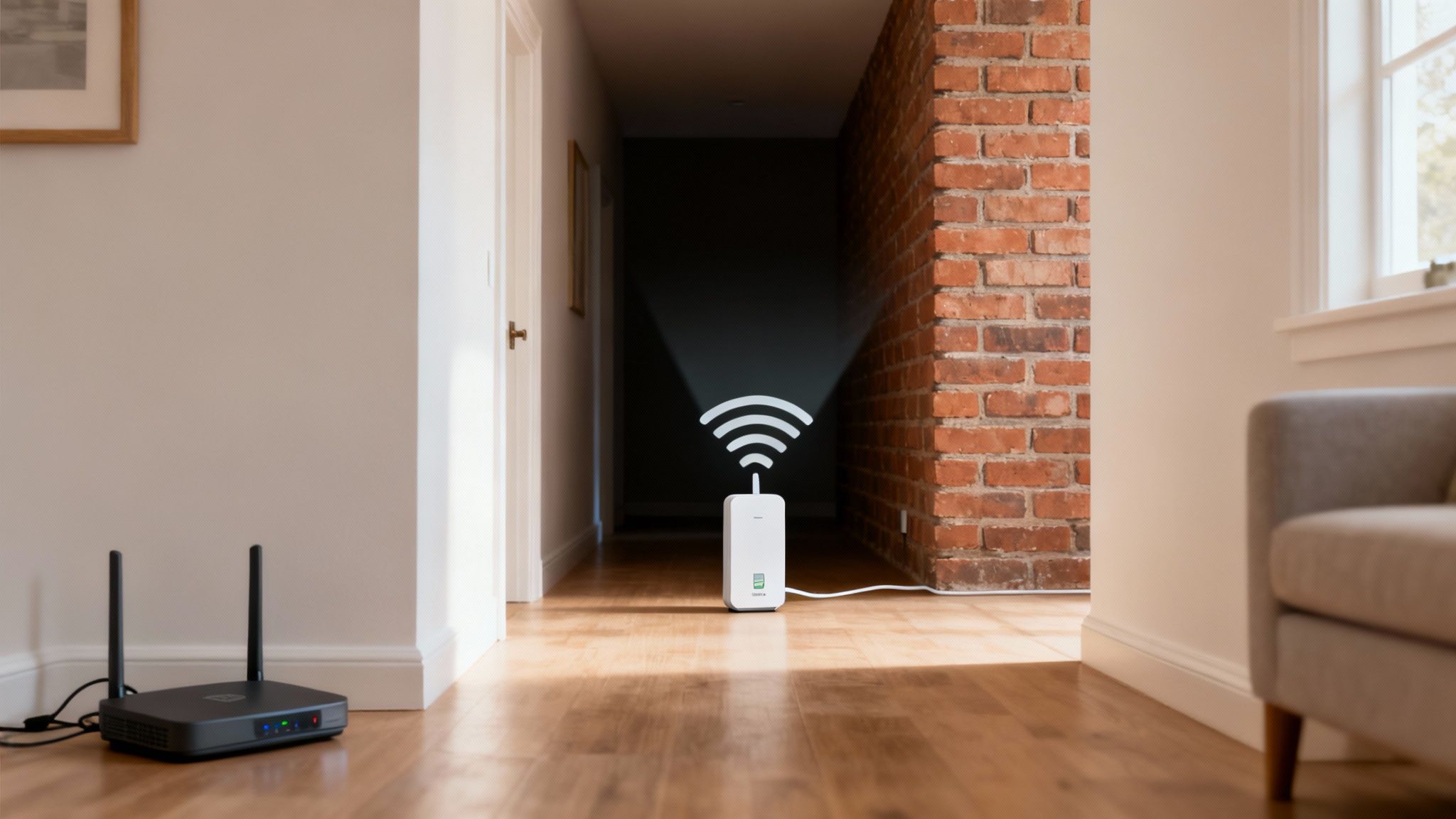
Imagine your router is like a speaker playing music in a large hall. The sound is perfectly clear when you're close, but it gets faint and muffled the further away you go. A WiFi extender is like a second, smaller speaker placed halfway across the hall. It "listens" to the original music, cranks up the volume, and projects it to the back, ensuring everyone gets a clear audio experience.
That's precisely how an extender fixes your network woes. It acts as a bridge, closing the gap between your router and the devices struggling for a decent connection in distant rooms, on different floors, or behind signal-blocking walls.
To put it simply, here’s a quick comparison of what each device does.
At a Glance: Router vs WiFi Extender
Function | Main Router | WiFi Extender |
|---|---|---|
Primary Role | Creates and manages the local WiFi network | Extends the range of an existing WiFi network |
Signal Source | Generates the original WiFi signal | Captures and rebroadcasts the router's signal |
Connection to Internet | Connects directly to the internet via modem | Connects wirelessly to the main router |
Best Use Case | Establishing a primary network for a home or office | Covering dead zones and weak signal areas |
While the router is the heart of your network, the extender is the essential support act, making sure the signal reaches every corner it needs to.
Overcoming Physical Barriers
Here in the UK, many offices and homes are built with materials like brick, concrete, and thick plasterboard – all notorious for weakening WiFi signals. Every wall the signal has to punch through significantly reduces its strength, leading to those dead zones where your connection drops or crawls.
An extender is a really practical fix for this. By placing it strategically between your router and the problem area, you give the signal a much clearer path, helping it bypass the worst of the interference. This is key to maintaining a stable connection, whether you’re on a critical video call or just trying to stream a movie without buffering. If you're looking for more ways to get the most out of your connection, check out our guide on how to improve WiFi coverage.
Understanding the Trade-Offs
While extenders are incredibly useful, it’s important to know their limitations. A basic extender has to receive the signal and then retransmit it using the same radio channel. This process of listening and talking at the same time effectively halves the available bandwidth for any device connected to it.
This performance hit is the main trade-off. You’ll get a stronger, more reliable signal in a dead zone, but the speed you get through the extender will almost always be slower than connecting directly to your main router.
With over 67% of UK households having internet access and a constantly growing number of connected devices, reliable coverage is more important than ever. For businesses planning a network upgrade or an office relocation with equipment testing, understanding these nuances is vital. A professionally planned network, perhaps featuring certified fibre cable installation from an Excel network accredited partner, ensures your connectivity is solid from day one. Good cable management isn’t just about looking tidy; it’s fundamental to a tested network delivery that can come with a 25 year equipment warranty for complete peace of mind.
Single Band vs Dual Band Extenders Explained

To really get how a Wi-Fi extender works, you need to look at the radio frequencies it uses to communicate. Think of these frequencies as invisible motorways for your data. Just like our roads, not all extenders are built to handle traffic in the same way, and the simplest ones can create some serious gridlock.
The Problem with Single Band Extenders
A single-band extender operates purely on the 2.4 GHz frequency. This band is great for its range and ability to punch through solid objects like walls—handy in older UK office buildings. The catch? It's also the most congested and slowest of the Wi-Fi frequencies available.
Imagine a single-band extender as a one-lane bridge. It has to manage traffic flowing in two directions: receiving data from your router and sending it out to your devices. Only one car can cross at a time.
This constant stop-and-go process of receiving and re-broadcasting on the exact same channel is what causes that notorious 50% bandwidth reduction we talked about earlier. Your signal bars might look full, but your actual internet speed takes a massive hit.
This limitation makes single-band extenders a poor choice for any business where speed and reliability are non-negotiable. They might patch a dead zone at home, but for an office that depends on smooth connectivity, they often create more problems than they solve.
The Dual Band Advantage
This is where dual-band extenders completely change the game. These more advanced devices can talk on both the 2.4 GHz and 5 GHz frequencies at the same time. The 5 GHz band is much faster and far less crowded, making it perfect for bandwidth-hungry tasks like video calls and shifting large files.
You can learn more about how to get the most out of this frequency by choosing the right 5GHz WiFi channel.
A dual-band extender uses this second frequency to create a dedicated, private communication link with the main router. This special link is known as the backhaul.
By creating this dedicated backhaul on the 5 GHz band, a dual-band extender is like building a second, express bridge just for traffic flowing between the extender and the router. It completely eliminates the stop-go bottleneck of single-band models, freeing up the 2.4 GHz band to focus solely on connecting your devices.
This clever separation of traffic dramatically improves efficiency, cuts down congestion, and delivers much faster, more stable speeds where you actually need them.
Real World Performance Gains
The difference in performance isn't subtle. While a single-band extender struggles with basic tasks, a dual-band model can comfortably support multiple users and demanding applications without a noticeable drop in speed. This is absolutely critical for keeping productivity high in a modern office.
Reduced Congestion: The 5 GHz band has far more non-overlapping channels, which means less interference from your neighbours' networks and other office electronics.
Faster Speeds: It simply supports higher data rates, essential for data-heavy work.
Improved Reliability: The dedicated backhaul ensures a much more stable and consistent connection back to the router.
The UK Wi-Fi extender market has seen huge growth in dual-band models, which now account for over 60% of sales. This is driven by their superior performance and ability to cut through the digital noise common in dense urban areas. For any business planning an office move or a network upgrade, choosing a dual-band solution is the first real step towards building a reliable, future-ready network.
Why a Wired Backhaul is the Professional's Choice
So, we've seen how a dual-band extender gives you a serious performance jump by creating a dedicated wireless link back to your router. But for any business where rock-solid, high-speed connectivity is an absolute must, there's a better way. To truly get every ounce of performance out of an extender, you need to take wireless out of the equation for its most important connection.
This brings us to the gold standard for extending your network: the wired backhaul.
Cutting Out the Wireless Bottleneck
The term 'backhaul' is just a simple way of describing the data link between your extender and your main router. In most off-the-shelf setups, this link is wireless. Even with a zippy 5 GHz backhaul, this connection is still at the mercy of all the usual things that mess with Wi-Fi signals: distance from the router, solid walls, and interference from other devices.
A wired backhaul, often called an Ethernet backhaul, gets rid of this fragile wireless link and replaces it with a good old-fashioned network cable. When you do this, you’re not just improving the connection; you're fundamentally changing what the extender does.
Once you connect an extender with an Ethernet cable, it stops being a simple signal repeater and transforms into a high-performance Access Point (AP). It no longer has to use any of its wireless power to talk back to the router, freeing up 100% of its bandwidth to serve your laptops, phones, and other devices.
This is, without a doubt, the most effective way to guarantee your extended network delivers the best possible speed and stability, bringing its performance right up to the level of your main router.
The Motorway Analogy
Think of your data as traffic. A wireless backhaul is a bit like a busy A-road connecting two towns (your router and the extender). A dual-band setup is like adding an extra lane, which definitely helps, but it’s still a public road with traffic jams (interference), accidents, and slowdowns the further you go.
A wired backhaul is completely different. It’s like building your own private, multi-lane motorway directly between the two towns. The traffic flows at top speed, with no interruptions, no congestion, and no one else getting in your way. That direct, physical connection is just fundamentally more reliable.
The Go-To Solution for Office Environments
In any business setting, that level of reliability isn’t a nice-to-have; it's essential. Dropped video calls, painfully slow file transfers, and stuttering applications are productivity killers. A wired backhaul makes sure that the team working in the far corner of the office gets the exact same quality of connection as the person sitting next to the comms cabinet.
This is where getting the professionals in makes all the difference. Setting up a proper wired backhaul network needs careful planning and skilled execution, especially if it’s part of an office relocation or a new fit-out. Here’s what a professional installation looks like:
Fibre Cable Installation: For the absolute best performance and to make sure your network is ready for the future, structured fibre optic cabling creates a backbone that can handle massive amounts of data—far more than traditional copper ever could.
Certified, Tested Network Delivery: Working with an Excel network accredited partner means every single cable is installed, terminated, and tested to meet strict performance standards. It’s a guarantee that the physical wiring is perfect.
Guaranteed Long-Term Performance: A professional job often comes with a 25 year equipment warranty. This gives you complete peace of mind, knowing your network infrastructure is solid and built to last.
Flawless Cable Management: Good cable management isn't just about having a tidy desk. It’s crucial for the health of your network, preventing accidental unplugging, making troubleshooting easier, and keeping server racks cool.
By investing in a professionally installed wired backhaul, a business isn't just stretching its Wi-Fi signal. It's building a dependable, high-performance network foundation that will support its growth and operations for years to come.
Extenders vs Mesh Systems vs Access Points
So, you understand how a Wi-Fi extender works. That's the first step. But the real question for any office is whether it's actually the right tool for the job. Extenders are just one way to tackle poor coverage, and comparing them against the alternatives—Mesh Wi-Fi and dedicated Access Points (APs)—is crucial to making a smart investment in your network.
Each of these technologies solves the problem of dead zones, but they all go about it in different ways, with varying levels of performance, cost, and complexity. Making the right choice means matching the solution to the specific demands of your workspace.
The Simplicity of a WiFi Extender
A standard Wi-Fi extender is the most straightforward and budget-friendly option out there. As we've covered, it simply grabs your existing Wi-Fi signal and rebroadcasts it, creating a new, separate network that pushes your coverage area a bit further.
But this simplicity comes with some serious trade-offs. The drop in performance is significant because the extender has to communicate back and forth with the router on the same channel, which effectively halves its potential speed. This isn't just a theoretical problem; in the UK, where sturdy brick and plaster walls can slash signal strength by up to 50% every few metres, an extender often cuts the remaining throughput by another 50%. Despite this, they remain a popular quick fix for simple, isolated coverage gaps.
This diagram offers a quick decision tree for getting the best connection from your extender.
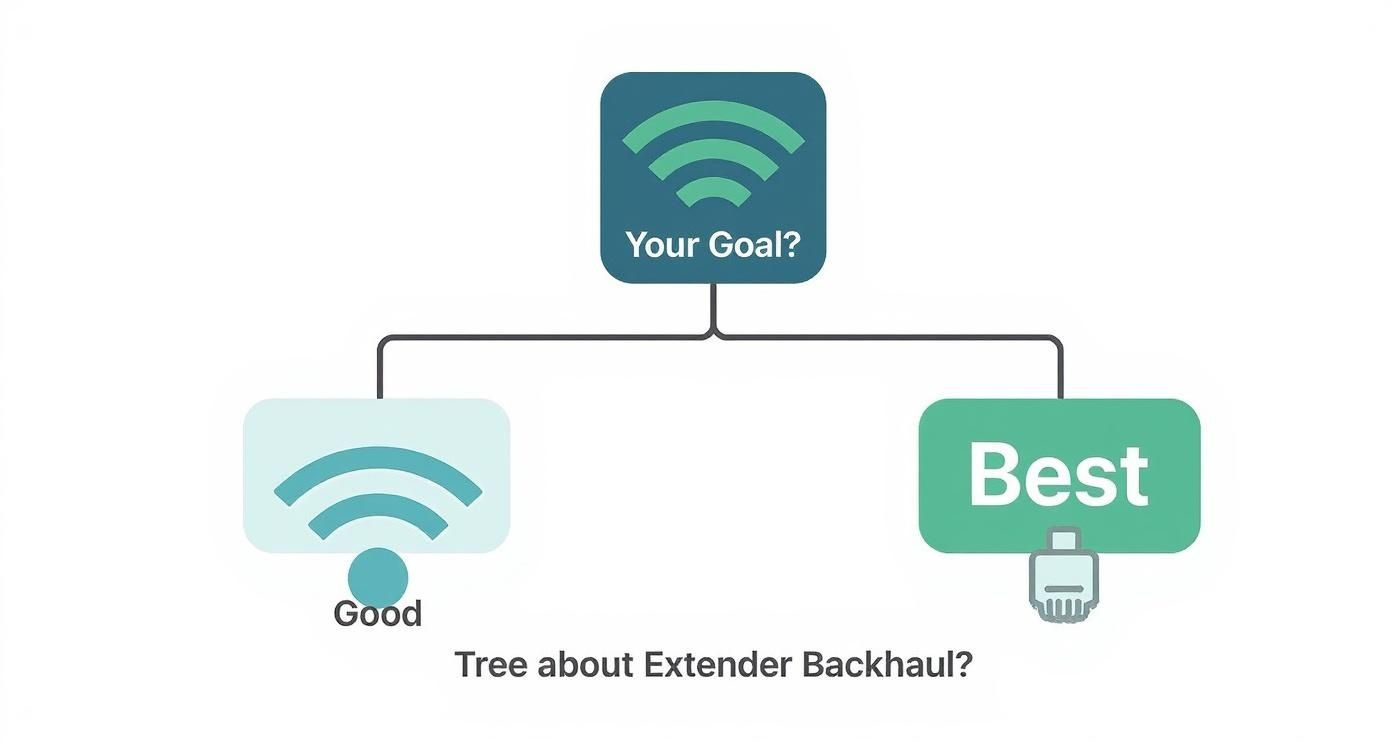
As you can see, while a wireless backhaul is an option, a wired connection is always the best choice for speed and reliability.
The Seamless Coverage of Mesh WiFi
Mesh Wi-Fi systems take a much more intelligent approach. Instead of a single booster creating a separate network, a mesh system uses multiple nodes placed strategically around your office. These nodes work together as a single, unified team, broadcasting one Wi-Fi network with one name and one password.
The key benefit of a mesh system is seamless roaming. As you move through the office with your laptop or phone, your device automatically connects to the strongest node without ever dropping the connection. There's no need to manually switch networks like you would with a traditional extender.
This makes mesh a far better choice for environments where people are constantly on the move. While it's more expensive than a single extender, the user experience is in a different league entirely. We take a deeper look at this in our comparison of mesh WiFi vs WiFi extenders for business networks.
The Professional Power of Access Points
For the highest level of performance, reliability, and scalability, dedicated Access Points (APs) are the professional standard. Unlike extenders that have to rely on a wireless backhaul, APs are almost always connected directly to your main network switch or router using an Ethernet cable.
This wired backhaul completely eliminates the wireless bottleneck, allowing the AP to deliver maximum, uncompromised performance. A network built with multiple APs provides the most stable and high-speed coverage possible, period.
This is the go-to solution for any demanding office environment, especially during a new fit-out or office relocation. It does require professional planning and installation, but the result is a certified, tested network delivery with unmatched performance, often including a 25-year equipment warranty.
Network Expansion Solutions Compared
So, which is the best fit for your office? The answer really depends on your needs, budget, and performance expectations. This table breaks down the key differences to help you decide.
Feature | WiFi Extender | Mesh WiFi System | Access Point (AP) |
|---|---|---|---|
Ideal Use Case | Small, simple dead zones in a home or tiny office with low traffic. | Medium to large offices or homes needing seamless, reliable coverage. | Demanding business environments requiring maximum speed and stability. |
Performance | Lowest (up to 50% speed loss). | Good to excellent, with intelligent traffic routing and seamless roaming. | Highest, with full speed delivery via a wired backhaul connection. |
Ease of Setup | Easiest (plug-and-play). | Moderate (usually a simple app-based setup). | Most complex (requires professional installation and network cabling). |
Cost | Lowest initial cost. | Moderate to high investment. | Highest initial cost, including cabling and professional services. |
Ultimately, while a Wi-Fi extender can offer a quick fix for a small problem, businesses serious about their network should be looking towards mesh systems or, ideally, professionally installed Access Points. These solutions are built to support productivity and growth, not just patch over a dead spot.
Best Practices for Office Network Deployment
Setting up a network in a professional environment is a different game entirely. While a simple "halfway between here and there" approach might just about work for a home extender, an office needs a much more strategic plan. The goal is to deliver reliable, high-performance connectivity that actually supports productivity, rather than getting in its way.
Successfully extending Wi-Fi in an office isn’t just about patching up a few dead zones; it's about building a secure, manageable, and truly robust network foundation. This means thinking carefully about physical placement, security protocols, and long-term management—moving well beyond a simple plug-and-play fix.
Strategic Placement in Complex Environments
Finding the ideal spot for an extender or access point in an office is rarely as simple as picking a midpoint. Office layouts are full of signal-blocking obstacles that can make a poorly placed device completely useless.
Dense Materials: Concrete pillars, lift shafts, and reinforced walls are Wi-Fi killers. You have to work around these, not try to force a signal through them.
Metal Obstructions: Large metal filing cabinets, server racks, and even certain types of insulation can reflect and scatter Wi-Fi signals, creating unpredictable dead spots.
High-Interference Zones: Kitchen areas with microwaves or rooms packed with other high-powered electronics can introduce serious signal interference, wrecking your network's stability.
A professional site survey is the only real way to map out these problem areas and identify the best locations for your network hardware. This process makes sure that devices are placed where they can get a strong signal from the main router and effectively broadcast it to the areas that need it, creating seamless coverage.
For any business, a professionally planned deployment is the only way to guarantee performance. This involves a certified, tested network delivery where every component is verified to meet stringent standards, ensuring the infrastructure is reliable from day one.
This level of planning helps you avoid the common pitfalls of a DIY setup, where extenders get plugged into convenient but ineffective spots, leading to constant connectivity issues and frustrated staff.
Essential Security Protocols for Business Networks
When you extend your Wi-Fi, you also extend your security perimeter. Every single network device is a potential entry point for threats, which makes robust security practices non-negotiable in a business setting.
It's vital to move beyond the default settings. A secure network is one that is actively managed and looked after.
Firmware Updates: Regularly updating the firmware on your extenders and access points is one of the most critical security tasks you can perform. These updates patch vulnerabilities that could otherwise be exploited.
Strong Encryption: Always use the latest and strongest encryption standard available—right now, that's WPA3. It offers far better protection against attacks compared to the older WPA2 protocols.
Admin Password Management: Change the default administrator password on every network device the moment you unbox it. Leaving it as 'admin' or 'password' is like leaving the front door wide open.
These steps are the absolute baseline for securing your extended office network and protecting sensitive company data from potential breaches.
Network Management and Professional Installation
Beyond security, good network management is all about creating a smooth user experience. A key decision is whether to use the same network name (SSID) as the main router or to create a separate one for the extender. A single SSID is convenient, but it can sometimes cause devices to stubbornly cling to a weaker signal. A separate SSID gives users manual control but can be a bit confusing.
This is where a professional installation really shows its value. An expert can configure the network for peak performance, ensuring devices hand off seamlessly between access points as people move around. They also implement proper cable management, which is crucial for a reliable wired backhaul. A tidy desk and an organised comms room aren't just for looks; they prevent accidental disconnections and make troubleshooting a whole lot easier.
For any critical project, like an office relocation with equipment testing, partnering with an Excel network accredited partner is the best move you can make. This ensures your entire network, from the fibre cable installation to the final access point, is expertly designed, installed, and backed by a 25 year equipment warranty. It's a strategic approach that builds a dependable network to support your business now and for years to come.
Building a Network That Works as Hard as You Do
We’ve covered how Wi-Fi extenders work, from their simple signal-repeating job to the much bigger performance jump you get with a wired backhaul. While a basic wireless extender might be a quick fix for a dead spot at home, building a reliable network for your business is a different game entirely. It’s about creating a powerful asset, not a constant headache.
A dependable network is the backbone of any modern business, and getting the technology right is non-negotiable. The solutions we've looked at fall into a clear hierarchy, with each level suited to different needs.
The Connectivity Performance Ladder
Wireless Extenders: This is the entry-level fix, best for patching a single, non-critical weak area. They’re easy to set up but come with a serious performance hit that makes them unsuitable for a busy office.
Mesh Systems: A huge step up. Mesh gives you seamless roaming and much better coverage across the board, making it a solid choice for businesses needing consistent Wi-Fi in a dynamic space without running cables everywhere.
Wired Access Points: This is the professional standard, full stop. By using a wired connection back to the network, APs deliver maximum, uncompromised speed and rock-solid stability. They're the foundation of any high-performance corporate network.
For any business, especially one in the middle of a critical office relocation, patching things up with DIY fixes is a massive gamble. Spotty connections, slow speeds, and security holes can directly hit your productivity and your bottom line. This is where getting the professionals in really pays off.
Bringing in an Excel network accredited partner takes the burden off your team and puts it in the hands of certified experts who design and build robust networks for a living. Think of it as an investment in reliability and peace of mind.
The Professional Advantage
A professional approach is so much more than just plugging in some hardware. It starts with meticulous planning, from proper site surveys right through to a flawless fibre cable installation. What you get at the end is a certified, tested network delivery that guarantees every single component is performing exactly as it should.
This standard also includes expert cable management, which means your comms room stays organised and your team enjoys a tidy desk environment, free from a mess of hazardous wires. Crucially, a professionally installed network often comes with a 25 year equipment warranty, protecting your investment for decades to come.
By choosing a professional partner, you’re not just building a network for today; you’re laying a scalable foundation ready for future growth. It’s the difference between a temporary patch and a permanent solution that lets your business thrive without ever worrying about the Wi-Fi dropping out again.
Frequently Asked Questions
It's natural to have a few questions when you're figuring out how Wi-Fi extenders fit into a professional setting. Let's tackle some of the most common ones.
Will a Wi-Fi Extender Slow Down My Internet Speed?
Yes, in most cases, a standard wireless extender will roughly halve the available bandwidth for any device connected to it. This bottleneck happens because it has to use the same radio to both talk to the router and broadcast a new signal to your devices.
However, you can get around this performance hit. Using a dual-band model with a dedicated backhaul channel helps a lot. Even better, connecting the extender to your network with a physical cable—creating a wired backhaul—delivers speeds much closer to what your main router provides. For any business, this is the only way to go.
Where Is the Best Place to Put My Wi-Fi Extender?
The sweet spot is about halfway between your main router and the Wi-Fi dead zone you're trying to fix. The extender needs to be close enough to the router to get a strong, stable signal that it can then push out effectively.
Try to avoid placing it near the usual office culprits that block signals, like thick concrete walls, big metal filing cabinets, or even the microwave in the kitchen. For a business that can't afford guesswork, a professional site survey is the best way to pinpoint the perfect locations for solid, consistent coverage.
Is a Wi-Fi Extender the Same As a Mesh Network?
No, they work in fundamentally different ways. An extender usually creates a brand new, separate network, which you have to connect to manually. This can get annoying, forcing you to switch between the main router's network and the extender's as you walk around the office.
A mesh system, on the other hand, is much smarter. It uses multiple nodes that all work together to create one large, seamless Wi-Fi network with a single name. This lets your devices hop automatically to the strongest signal source without you even noticing, giving you a far smoother and more reliable connection.
For businesses planning an office move or needing a serious network upgrade, you can't leave it to chance. Constructive-IT provides certified, professionally tested network delivery, from structured fibre cable installation to perfect cable management, all backed by a 25-year equipment warranty. Find out how we can build a network that grows with your business at https://www.constructive-it.co.uk.
Comments