


How to Boost Mobile Signal at Home A UK Guide
- Craig Marston
- Nov 9, 2025
- 14 min read

It’s a familiar story. You’re standing outside with five full bars of signal, but the moment you step through your front door, it plummets. A text message fails to send. A call drops. The simple truth is, the very materials your home is made from are often the biggest culprits blocking your mobile signal.
Why Your Mobile Signal Is So Poor at Home
Watching your signal vanish the second you get inside is an incredibly common experience across the UK. It’s not just a problem for those in rural areas; even in the middle of a bustling city, the structure of your home can create a complete dead zone.
Mobile signals are just radio waves. Like any radio broadcast, they struggle to pass through dense, solid objects. Unfortunately, the materials we use to build and insulate our homes are exceptionally good at blocking them.
Common Signal Blockers in UK Homes
Think of your house as a fortress built to keep the weather out. That same design often keeps mobile signals at bay, too. Several building materials are notorious for killing reception:
Thick Stone and Concrete Walls: Found in everything from older properties to modern builds, these dense materials are some of the worst offenders for blocking signal.
Metal and Foil-Backed Insulation: Products like Celotex or Kingspan, often used in lofts and walls for energy efficiency, act like a shield, literally reflecting radio waves away from your home.
Energy-Efficient Windows: That low-emissivity (Low-E) metallic coating on modern double or triple-glazing is great for insulation but can seriously disrupt mobile signals.
This isn’t a rare issue. Network operators are constantly expanding their coverage, but the challenge of getting that signal indoors is a physical one. A solid mobile signal has become a key part of any connected home. For a broader look at how different technologies work together, you can find out more about What Is Smart Home Automation.
The Urban Signal Paradox
You’d assume that living in a city guarantees a perfect signal, but that’s often not the case. Despite huge investments in mobile network infrastructure across the UK, many urban households still battle weak indoor reception.
In fact, a recent survey found that 42% of Londoners report poor signal quality at home. This just goes to show that being close to a mobile mast doesn't mean much if your house is built like a bunker.
The key takeaway is this: poor indoor reception is almost always a physical problem, not a network fault. Your home itself is the barrier.
Understanding this is the first real step towards fixing it. Before you spend a penny, though, it helps to know what your options are. Some solutions are quick and free, while others are a more permanent investment.
Quick Fixes vs. Long-Term Solutions for Poor Signal
Here’s a quick breakdown of the different approaches you can take, from simple software tweaks to dedicated hardware.
Solution Type | Examples | Cost | Effectiveness |
|---|---|---|---|
Immediate & Free | Wi-Fi Calling, moving to a different room | £0 | Can be a great stopgap but doesn't fix the core signal issue. |
Low-Cost Hardware | External antennas (for specific devices) | £20-£100 | Improves signal for one device but isn't a whole-home fix. |
Permanent Hardware | Ofcom-compliant signal boosters, femtocells | £300+ | The most reliable way to amplify and distribute signal. |
Network Change | Switching to a provider with better coverage | Varies | Effective if one network is significantly stronger in your area. |
Ultimately, choosing the right path depends on how severe your signal problem is and what you're trying to achieve. In this guide, we'll walk through the practical, proven methods—from free software tricks to powerful, Ofcom-compliant signal boosters—to finally solve your home signal woes for good.
Finding Your Home's Signal Blackspots
To get to the bottom of your poor mobile signal, you’ll need to do a bit of detective work. First thing’s first: forget the signal bars on your phone. They're often misleading and can vary wildly between different networks and even different handsets. For a true picture of what's going on, we need to measure the signal strength properly.
This means using your phone's hidden Field Test Mode to get a precise reading in decibel-milliwatts (dBm). A dBm reading is the raw, unbiased truth about your signal. Think of it this way – signal bars are like a vague weather forecast, whereas the dBm reading is the exact temperature outside.
How to Get a Real Signal Reading
Getting into this mode is pretty straightforward on most modern smartphones. The exact steps can differ slightly, but this should get you started:
For most Android phones: Head to Settings > About Phone > Status (or Network) > SIM Status. You should see a "Signal Strength" reading listed in dBm.
For iPhones: Open your keypad and dial 3001#12345#, then press the call button. This launches the Field Test Mode app. Look for the RSRP (Reference Signal Received Power) value – that’s your dBm reading.
As a rule of thumb, a strong signal sits somewhere between -50 dBm and -80 dBm. If you're seeing numbers weaker than -100 dBm, that's considered poor, and by the time you hit -120 dBm, you've likely got no service at all.
This infographic gives you a great visual of how a mobile signal travels from the mast to your phone, and more importantly, how physical barriers weaken it along the way.
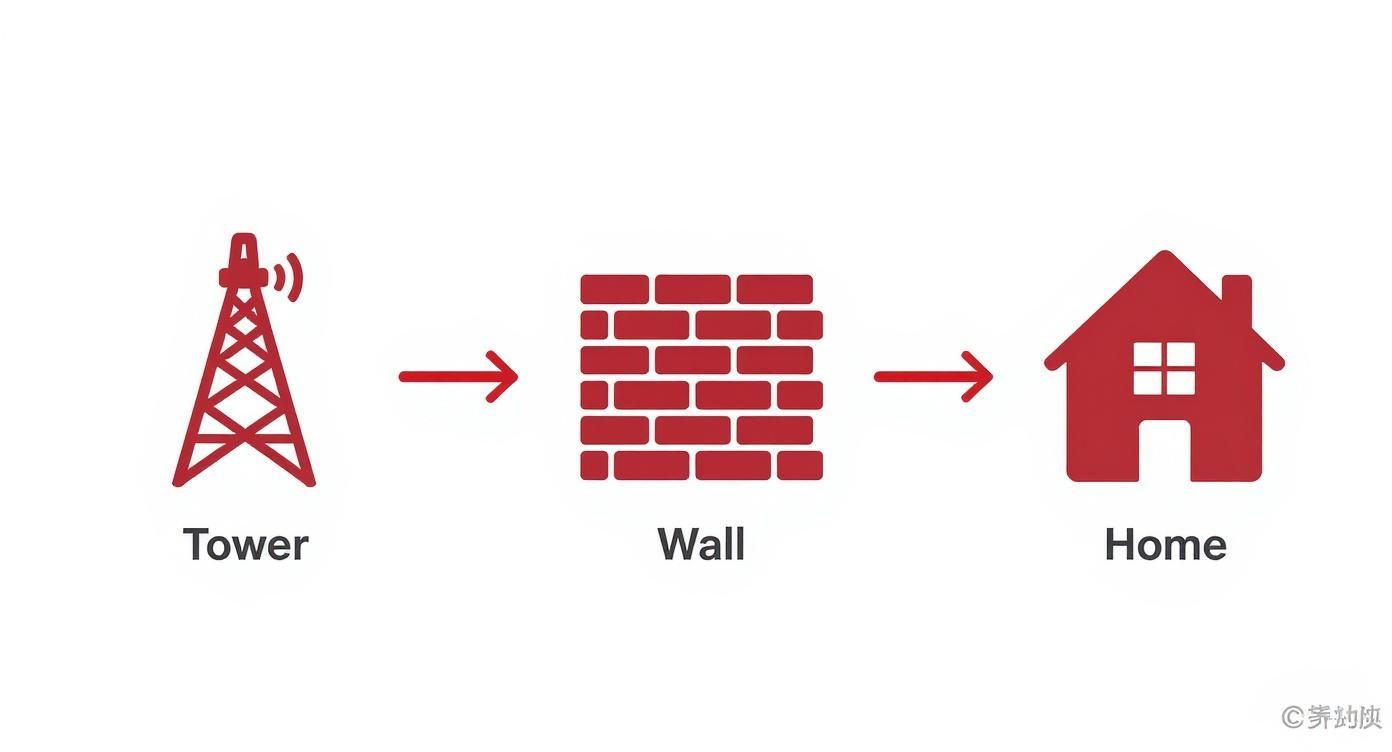
As you can see, the very materials your house is built from are often the main culprits. It's why your signal is almost always weaker the moment you step inside.
Once you know how to get a dBm reading, it's time to map your house. Walk through every room, taking readings as you go. Make a note of the dBm value in different spots—by the windows, in the middle of rooms, both upstairs and downstairs. This process creates a detailed signal map, pinpointing your home’s strongest areas and its most frustrating blackspots.
You might be surprised by what you find. The strongest signal often isn't where you'd expect it to be; sometimes it’s in an upstairs corner room that happens to have the clearest line of sight to the nearest mast. If you need a hand with that, check out our guide on finding mobile mast locations in the UK.
The goal here isn't necessarily to find a perfect signal, but the spot with the 'least bad' signal. This location becomes the prime candidate for placing the external antenna of a signal booster.
It's also worth remembering that mobile signal quality varies massively across the UK depending on geography. Research from the consumer group Which? found that certain postcodes, particularly in Wales and the South West, struggle with signal consistency. Even in cities with otherwise great coverage, building materials like metal frames or thick concrete can slash signal penetration by 50% or more, making this kind of diagnostic approach essential.
Using Wi-Fi Calling for Crystal-Clear Reception
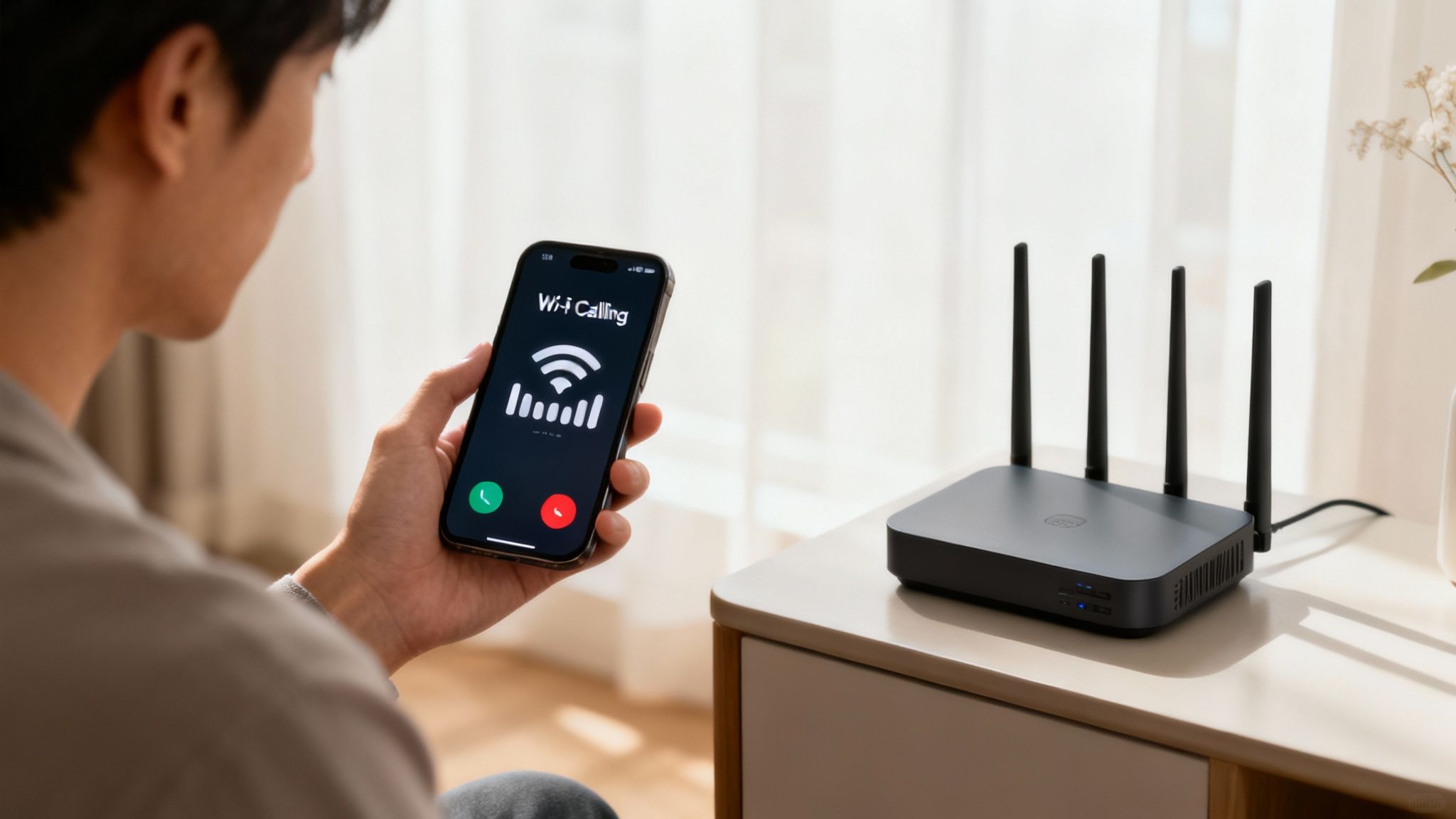
If you've got a decent broadband connection, one of the easiest ways to fix poor mobile signal indoors is probably already built into your phone. It’s called Wi-Fi Calling, a clever feature that lets your phone make and receive calls and texts over your home Wi-Fi network instead of a patchy mobile signal.
Think of it as an automatic backup. When your phone realises the mobile signal is weak but the Wi-Fi is strong, it seamlessly switches over, routing everything through your broadband. The best part? It's completely free and supported by all the major UK networks—EE, Vodafone, O2, and Three. Once it's on, you don't have to do a thing.
Enabling Wi-Fi Calling on Your Device
Getting this feature up and running is dead simple and takes just a moment. The steps vary slightly depending on whether you’re on an iPhone or an Android device.
For iPhone Users: Just head to Settings > Phone > Wi-Fi Calling. From there, flick the switch for "Wi-Fi Calling on This iPhone" to the on position.
For Android Users: The exact path can differ between manufacturers, but you'll usually find it under Settings > Network & Internet > Calls & SMS. Then, just select your network and enable Wi-Fi Calling.
Once it's switched on, you should see a small "Wi-Fi" icon pop up next to your network name in the status bar. That little icon confirms it's active and ready to take over when needed.
Common Questions Answered
A few common questions always come up. No, it doesn't use your mobile data allowance, and any impact on your phone's battery is so minimal you won't even notice it. It just piggybacks on your existing Wi-Fi, making it the perfect first line of defence against dropped calls indoors. If you're curious about the gear that powers your home network, we've got a guide that explains what routers and modems are for UK homes.
Of course, Wi-Fi Calling is only as good as your home Wi-Fi. If you have Wi-Fi "dead zones" where the signal doesn't reach, you'll still face dropouts in those spots. You might need to learn how to extend your WiFi range to solve that problem first.
With UK mobile data consumption hitting new highs, networks are under more strain than ever. This makes solid indoor reception a real challenge, even in areas with great outdoor coverage. It's no wonder millions of people are now relying on solutions like Wi-Fi calling to keep them connected at home.
Choosing an Ofcom-Compliant Signal Booster
When Wi-Fi Calling isn’t quite cutting it, a mobile signal booster is your next port of call. These devices offer a powerful hardware solution and are often the most direct way to tackle the problem of how to boost mobile signal at home.
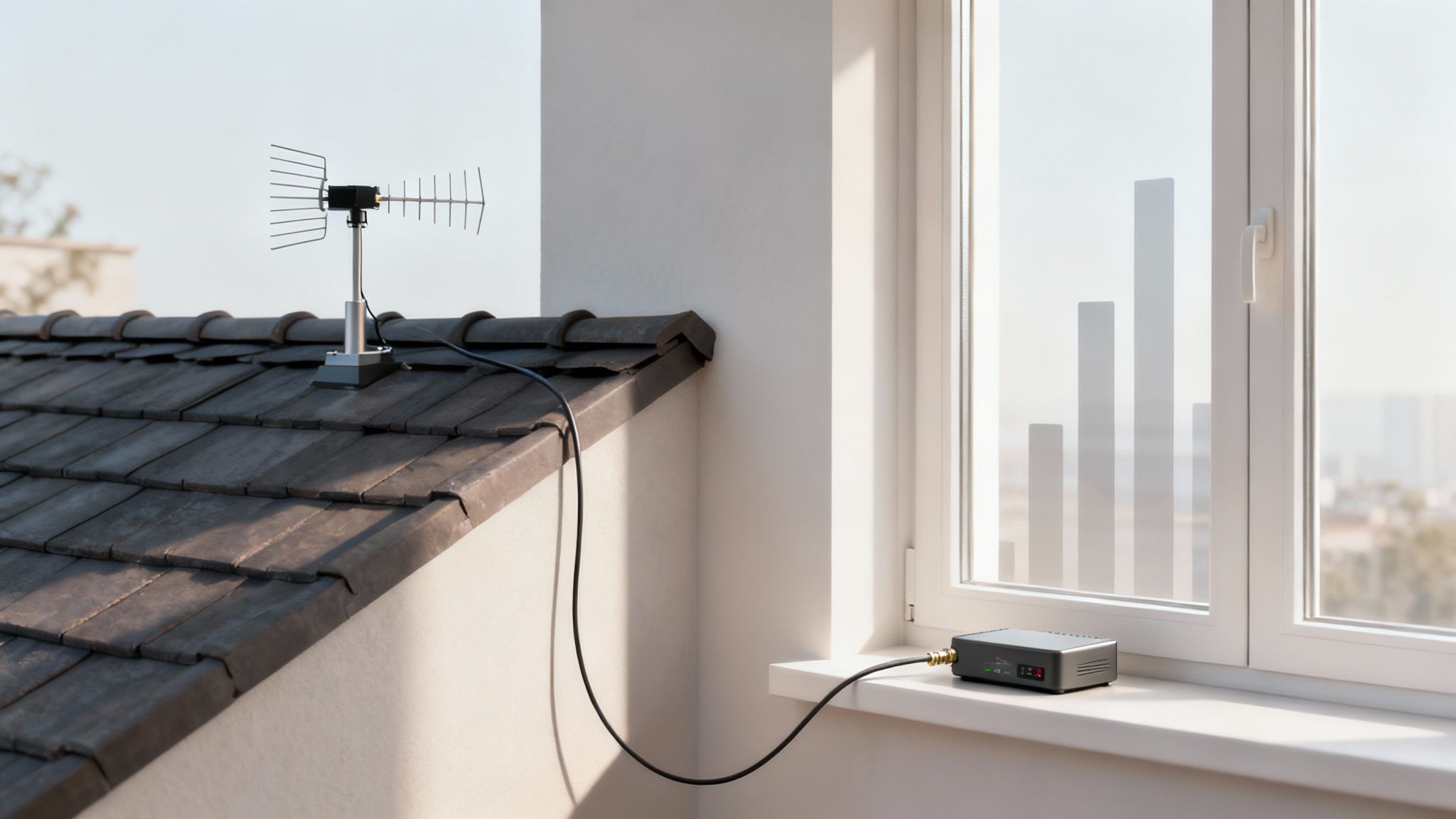
So, how do they work? A booster kit grabs the faint mobile signal from outside your home with an external antenna, pumps it through an amplifier, and then broadcasts a fresh, strong signal indoors via an internal antenna. The result is a night-and-day improvement in call quality, text reliability, and data speeds.
But before you rush to buy the first one you find online, there's a huge catch for anyone in the UK: it must be Ofcom-compliant. Using an illegal, unlicenced booster can mess with public mobile networks, and Ofcom has the power to take action. Compliant boosters are designed to work without causing this interference, making them "licence-exempt" and perfectly legal to own and operate.
Finding the Right Booster for Your Home
Not all signal boosters are made equal. Picking the right one boils down to a few key factors, and getting it right means you’ll see a real improvement instead of wasting your money.
First off, boosters are network-specific. A device designed for Three won't work for O2, and vice versa. You have to buy a booster that is explicitly built for your mobile network provider, otherwise it simply won’t amplify the correct frequencies.
Next, think about the size of your property. Boosters are rated to cover a certain area, from a single room in a small flat to a multi-room setup in a larger house. A basic model might be fine for a home office, but you’ll need a more powerful system if you want whole-home coverage.
The performance of any signal booster is directly tied to the strength of the signal it can capture outdoors. Before you commit, use the dBm measurement method we talked about earlier to find the spot with the best possible signal around your property.
DIY Installation Tips for Maximum Impact
Most Ofcom-compliant booster kits are designed for a straightforward DIY installation. The most critical part of the whole process is placing the outdoor antenna. You need to put it in that prime location you identified with the strongest external signal—this is usually high up on an exterior wall, on the roof, or mounted on a pole in the garden.
Here are a few quick tips to make sure your setup is as effective as possible:
Maximise Separation: Keep the outdoor and indoor antennas as far apart as you can. If they’re too close, you can get feedback, which kills the booster's performance.
Point it Right: If you have a directional outdoor antenna, make sure it’s pointing towards your nearest mobile mast. This will give you the best results.
Run Cables Carefully: Plan the route for the cable from the outdoor antenna to the amplifier inside. Keep it neat and protected from the elements to maintain signal integrity.
For most people, a standard kit will deliver a massive boost. If you're looking for model-specific advice, you can learn more about finding the right signal booster for your iPhone and other devices.
When to Call in a Professional Installer
While a DIY signal booster kit is a brilliant fix for many homes, sometimes it just doesn't cut it. There are situations where a simple plug-and-play solution won’t be enough to solve your signal woes for good.
If you're dealing with a larger property, a commercial space, or a building with tricky construction—think thick stone walls or lots of metal framing—getting consistent coverage demands a much more strategic approach. This is exactly where a professional installation shines.
Maybe you've already tried the DIY route and are still staring at one bar. Or perhaps you know from the outset that your property is too large or complex for a standard kit. Either way, it’s probably time to call in the experts. A professional service goes way beyond a one-size-fits-all box, delivering a bespoke solution engineered specifically for your building.
The Benefits of a Professional Site Survey
It all kicks off with a detailed site survey. A certified engineer won’t just eyeball it; they'll use specialised equipment to measure signal strength both outside and inside your property. This helps them pinpoint not only where the strongest external signal is but also which internal barriers are causing the most interference.
This diagnostic step is absolutely crucial. It informs every decision that follows, from choosing the right type of antennas to figuring out the perfect placement for internal broadcasting points. It completely removes the guesswork, guaranteeing the final system is perfectly matched to your building’s unique challenges.
Certified and Tested Network Delivery
One of the biggest advantages of going pro is the sheer quality of the equipment and the guaranteed performance. Working with an Excel Network accredited partner, for instance, means your system is built with high-grade, reliable components. This often includes robust fibre cable installation to link different parts of the system without any signal loss over long distances.
This commitment to quality carries right through to the finish line. Every professional installation should be a fully certified, tested network delivery to ensure it meets strict performance standards and delivers the promised signal boost across all the areas you need it.
With a professional setup, you're not just buying a product; you're investing in a guaranteed outcome. This often includes the peace of mind that comes with a comprehensive 25 year equipment warranty, safeguarding your investment for the long term.
Expert Cable Management and Aesthetics
A key, yet often overlooked, part of a professional job is the cable management. A skilled installer will make sure all the wiring is tucked away neatly and concealed from view, preserving the look and feel of your home or office. It’s not just about aesthetics, either—proper cable management protects the system's integrity and prevents signal degradation over time.
This attention to detail results in a clean, professional finish. You’re left with a tidy desk and no unsightly wires dangling about. This is especially important during an office relocation, where a professional team can handle the entire process, including equipment testing, to ensure your signal solution is up and running flawlessly from day one in the new space.
Ultimately, opting for a professional installer elevates the task from a hopeful DIY project to a reliable, warrantied infrastructure upgrade. It’s the definitive solution for anyone who needs a robust, whole-property signal boost they can count on.
DIY vs. Professional Signal Booster Installation
Deciding whether to install a signal booster yourself or hire a professional can be tricky. The DIY approach is budget-friendly and great for smaller, straightforward spaces. However, for larger or more complex buildings, a professional installation ensures you get the performance and reliability you're paying for.
This table breaks down the key differences to help you make the right choice for your situation.
Consideration | DIY Approach | Professional Service |
|---|---|---|
Cost | Lower initial cost, as you only pay for the kit. | Higher upfront investment due to labour, site survey, and premium components. |
Complexity | Best for smaller homes or offices with simple layouts and standard construction materials. | Ideal for large properties, commercial buildings, or structures with signal-blocking materials (metal, concrete). |
Equipment | Standardised kits designed for general use. May not be powerful enough for severe signal issues. | High-grade, commercial-quality antennas, boosters, and cables selected specifically for your property. |
Installation | You are responsible for finding the best antenna locations, running cables, and troubleshooting. | Certified engineers handle everything from the initial signal survey to final testing and certification. |
Performance | Can be effective, but results are not guaranteed and may vary. | Guaranteed signal improvement, with performance backed by testing and certification. |
Warranty | Typically a standard manufacturer's warranty on the hardware itself (e.g., 1-2 years). | Often includes a comprehensive 25 year equipment warranty and a guarantee on the installation workmanship. |
Aesthetics | You're responsible for managing and hiding cables, which can be challenging to do neatly. | Professional and clean installation with concealed wiring to maintain the property's aesthetics. |
While a DIY booster is a great starting point for many, a professional installation is an investment in a guaranteed, long-term solution. It’s the best way to ensure you get reliable, strong mobile signal exactly where you need it, without the hassle and guesswork.
Common Questions About Boosting Your Home Mobile Signal
Deciding on the best way to tackle a poor mobile signal can bring up a lot of questions. Whether you're thinking about a free software fix or a more permanent hardware solution, it’s only natural to want clear, straightforward answers before you commit. Here are some of the most frequent queries we come across when helping people boost their mobile signal at home.
Are Mobile Signal Boosters Legal in the UK?
This is one of the first things people ask, and for good reason. The short answer is yes, but with a big caveat: they must be Ofcom-compliant and licence-exempt.
Illegal boosters can cause serious interference with public mobile networks, which is why sticking to certified, network-specific models is so important. Using a non-compliant device isn't just ineffective; it can disrupt the service for everyone around you.
Will a Booster Work With My Phone?
Another common question is about compatibility. The good news is that signal boosters aren't tied to a specific handset. They amplify the signal for a particular network (like Vodafone, Three, or EE), not a brand of phone.
Any mobile on that network within the booster's coverage area will benefit from the improved reception. It doesn't matter if you have an iPhone, a Samsung, or a Google Pixel—if it's on the right network, it will get a better signal.
Does a Signal Booster Need an Internet Connection?
Not at all. A mobile signal booster operates completely independently of your home broadband. It works by capturing the existing outdoor mobile signal from a nearby mast, amplifying it, and then rebroadcasting that stronger signal indoors.
It doesn’t require any Wi-Fi or wired internet connection to function. This makes it an ideal solution for areas with poor broadband as well as poor mobile reception. This is a key difference between a signal booster and a femtocell, which actually uses your existing broadband connection to create a small, localised mobile signal.
Do Those Signal-Boosting Apps Actually Work?
You've probably seen them in your phone’s app store—apps claiming to boost your signal with a single tap. It sounds too good to be true, and unfortunately, it is.
A mobile phone's signal reception is all down to its physical hardware—the internal antenna and its ability to connect to the nearest mast. An app is just software; it has no way to physically alter or improve this hardware connection. While some apps can help you find where the signal is strongest by giving you detailed dBm readings, no app can magically amplify a weak signal.
There is no software fix that can substitute for a hardware solution when physical barriers are the root cause of poor signal. True signal amplification requires dedicated equipment like an Ofcom-compliant booster.
What if I Need a Guaranteed Solution for a Large Property?
For larger homes, complex buildings, or commercial spaces, a standard off-the-shelf kit might not cut it. You could end up with patchy coverage, which defeats the whole purpose. This is where a professional installation is the only real choice.
A service delivered by an Excel Network accredited partner ensures a certified, tested network delivery, often using high-performance fibre cable installation to maintain maximum signal integrity throughout the building.
These professional solutions aren't just about performance; they're about finish. The work includes meticulous cable management for a tidy desk and seamless integration into the building's aesthetic. This is especially vital during an office relocation with equipment testing, ensuring flawless connectivity from day one.
Best of all, these installations often come with a 25 year equipment warranty, offering long-term peace of mind and guaranteed performance. A professional service turns a signal problem into a reliable, long-term asset.
For a professionally planned and executed network infrastructure solution, from structured cabling to certified signal boosting, contact Constructive-IT. Find out more at https://www.constructive-it.co.uk.
Comments