


How to Increase Mobile Signal Strength at Home: Quick Fixes
- Craig Marston
- Nov 10, 2025
- 13 min read

To get a stronger mobile signal at home, you first need to figure out what’s getting in the way. Often, the culprit is something you can’t see, like the materials your house is made from, how far you are from the nearest mobile mast, or even just local network traffic. Pinpointing these root causes is the first real step toward a reliable connection.
Why Your Mobile Signal is Weak at Home

It’s incredibly frustrating when calls keep dropping and videos won’t load, especially when you’re in your own home. But there’s usually a perfectly logical explanation for the poor reception. Before you can find the right fix, you have to diagnose the problem – and more often than not, it’s not your phone but the environment it’s in.
Believe it or not, the very structure of your house can be the biggest signal blocker. Modern homes, particularly those built with energy efficiency in mind, often use materials that are absolute kryptonite for mobile signals.
Common Physical Signal Blockers
The most frequent offenders are the physical barriers standing between your phone and the nearest mobile mast. Think of a mobile signal as a radio wave; anything that gets in its path can weaken it or stop it dead in its tracks.
Key obstacles include:
Construction Materials: Thick concrete, brick, metal cladding, and even foil-backed insulation are notorious signal killers.
Energy-Efficient Windows: That special Low-emissivity (Low-E) glass designed to keep your house warm contains a thin metallic film that unfortunately reflects mobile signals right back outside.
Topography and Distance: If you live in a valley, behind a big hill, or are simply a long way from the nearest mast, your signal strength is going to take a hit. Our guide on finding mobile mast locations in the UK can help you find out exactly where your nearest one is.
To give you a clearer picture, here’s a quick rundown of the main things that get in the way of a good mobile signal indoors.
Common Roadblocks to a Strong Mobile Signal
Factor | Description | Potential Impact |
|---|---|---|
Building Materials | Concrete, brick, steel frames, and metal cladding are dense and block radio waves effectively. | Severe signal reduction; calls may drop frequently. |
Insulation | Foil-backed insulation, common in modern homes, acts like a shield against mobile signals. | Weak to non-existent signal in well-insulated rooms. |
Low-E Glass | Energy-efficient windows have a metallic coating that reflects radio frequencies. | Poor signal near windows, despite a clear line of sight. |
Geography | Hills, valleys, and dense woodland can obstruct the direct path from a mast to your home. | Consistently low signal strength across the property. |
Distance to Mast | The further your phone is from the mast, the weaker the signal will be by the time it reaches you. | Weak signal strength, especially for 4G and 5G. |
These factors work together to create what's known as the "indoor coverage gap," which explains why you can have full bars outside but struggle to get a signal the moment you step indoors.
The Indoor Coverage Gap
Networks are always expanding, but getting a strong signal to penetrate a building remains a huge challenge. While 5G now covers 62% of the UK landmass, a significant number of people still struggle with poor indoor reception. For instance, 42% of London residents report having a weak signal at home, highlighting the massive difference between outdoor coverage maps and real-world indoor performance.
Understanding these obstacles is crucial. A weak signal isn't random; it's a direct result of your physical environment interfering with the radio waves trying to reach your device.
Getting a handle on the basics of the importance of signal strength in wireless networks can shed even more light on the problem. This knowledge helps you understand exactly why your calls are dropping, paving the way for a targeted and effective solution.
Immediate Fixes for a Better Signal
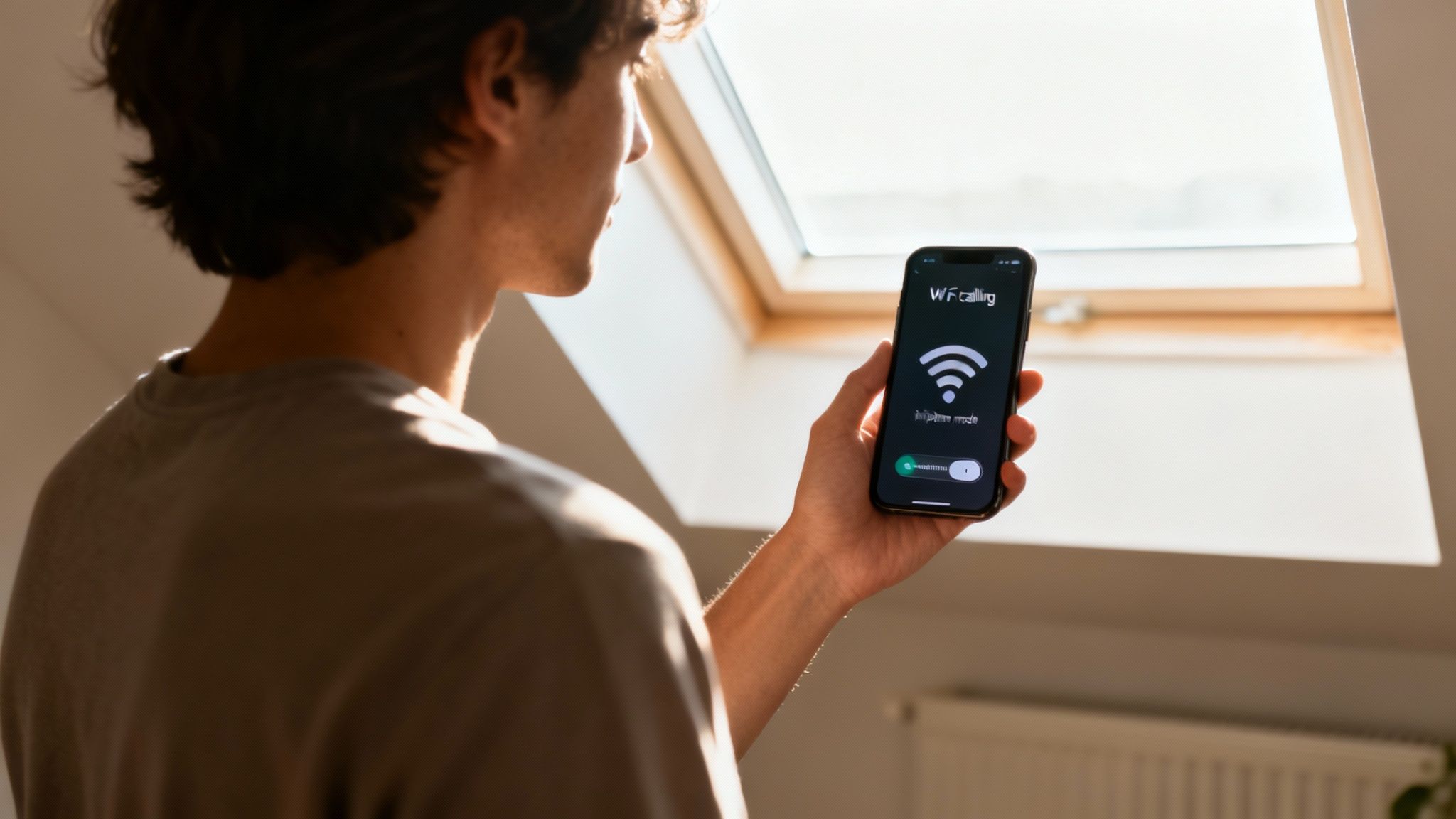
Before you start thinking about buying new gear, it’s always worth trying a few simple, no-cost tweaks. You’d be surprised how much you can boost your mobile signal at home just by changing a few habits or phone settings.
The easiest trick is often the most effective: just move. Since walls and furniture are the biggest culprits for blocking signals, shifting closer to a window or heading upstairs can make a massive difference straight away. This simple change reduces the number of physical barriers the signal needs to fight through, giving you a much cleaner connection.
Reset Your Network Connection
Been sitting in the same spot for ages? Your phone might be stubbornly clinging to a weak signal from a distant mast. A quick network reset can force it to look for a stronger, closer alternative.
The simplest way to do this is to toggle Airplane Mode on for about ten seconds, then switch it back off. This cuts all wireless connections and forces your phone to find the best signal available right where you are. It’s a small thing, but it can sometimes give you a significant boost.
It's a common myth that a phone case can’t affect your signal. The truth is, thick cases, especially those with metal parts, can interfere with your phone’s internal antenna. Try taking your case off for a minute to see if your signal strength ticks up.
Use Your Home Broadband to Your Advantage
One of the most powerful tools you have is probably already sitting in your living room: your Wi-Fi network. Wi-Fi Calling is a standard feature on most modern smartphones that routes your calls and texts over your home broadband instead of the mobile network. If your internet is solid but your mobile reception is patchy, this is an absolute game-changer.
Getting it set up is easy, and it’s supported by all the major UK networks, including EE, Vodafone, O2, and Three.
How to Switch on Wi-Fi Calling:
On an iPhone: Head to Settings > Phone > Wi-Fi Calling, and just flick the switch on.
On an Android: Go to Settings > Network & Internet > Calls & SMS. You should find the Wi-Fi Calling option there to enable it. (The exact menu path can vary slightly between manufacturers).
Once it’s on, your phone will automatically use Wi-Fi for calls whenever your mobile signal is poor, giving you crystal-clear audio without touching your mobile data. These calls are usually billed as standard minutes from your plan, making it the perfect fix for anyone fed up with dropped calls indoors.
Find the Best Mobile Network for Your Postcode
Sometimes, the simplest fix is the one we overlook. What if the problem isn’t your phone or the thick walls of your house, but the mobile network you’re with? Every provider has its own map of masts and dead zones, and what’s a blackspot for one network could be a stronghold for another.
Before you start looking at hardware, it's worth spending a few minutes checking you’re on the best network for your exact address. A quick bit of research could solve your signal woes for good, with no extra kit needed.
Use Official Coverage Checkers
Your first port of call should always be the experts. Ofcom, the UK’s communications regulator, has an impartial mobile and broadband checker that’s incredibly useful. Just pop in your postcode, and it will show you the predicted indoor and outdoor signal quality for both calls and data across all the major UK networks.
Think of this tool as your unbiased starting point. It gives you a high-level, honest view of what each provider claims they can deliver to your doorstep, helping you quickly weed out the networks that aren’t even in the running.
Don’t just take a network’s own marketing material at face value. While their shiny coverage maps are helpful, an independent source like Ofcom gives you a far more balanced perspective. It stops you from picking a network that looks great on paper but is a let-down in reality.
Compare Real-World Performance Data
While Ofcom’s predictions are a great start, nothing beats real-world data. Independent tests show you how networks actually perform day-to-day, which is where the truth really lies. For instance, stats from RootMetrics in the first half of 2025 showed EE consistently leading the pack for UK-wide performance.
They clocked the highest average 5G download speeds at a blistering 241.2 Mbps. But for home users, the most important finding was EE’s superior performance in indoor tests across 16 major UK cities—a critical detail if you’re struggling with signal inside your own four walls.
Why Switching Providers Can Be the Ultimate Fix
If your research points to a clear winner for your postcode, making the switch might just be the most effective and permanent solution you can find. This is especially true if you’re constantly stuck on one bar with your current provider while a competitor offers solid 4G or even 5G coverage right outside your window.
Think about these common scenarios:
Rural Locations: Out in the countryside, mobile masts are few and far between. One network might have a mast perfectly placed to cover your village, while another’s is miles away over a hill.
Urban Blackspots: Even in busy cities, tall buildings can create "signal shadows" that block reception. A different network might use alternative mast locations or frequencies that are better at penetrating into your flat or office.
5G Availability: If lightning-fast mobile data is your priority, checking which network has the most robust 5G signal at your specific address is absolutely crucial.
Switching providers gets to the root of the problem—a weak incoming signal—instead of just trying to boost what’s already poor. It’s a proactive move that can lead to a consistently better connection, finally ending the daily frustration of dropped calls and sluggish data.
Using Hardware to Boost Your Home Signal
If the software tweaks haven't cut it and switching providers didn't solve your signal woes, it’s probably time to look at some dedicated hardware. When you’re serious about sorting out your mobile signal at home for good, investing in the right bit of kit can make all the difference. The two main options you'll come across are mobile signal boosters and femtocells.
A mobile signal booster, often just called a repeater, does exactly what you’d expect. It grabs the weak signal from outside your house with an external antenna, gives it a serious boost with an amplifier, and then broadcasts that much stronger signal throughout your home using an internal antenna. This is usually the go-to solution for anyone in a rural spot or a building made of signal-blocking stuff like thick stone or metal.
On the other hand, you have a femtocell (sometimes called a microcell). Instead of boosting an existing signal, it creates a brand new, personal mobile signal bubble inside your home by piggybacking on your broadband connection. This is a brilliant option if you have absolutely zero signal outside but a solid, fast internet connection.
This decision tree gives you a good visual of the first steps you should take, which is always to check if your network is the problem before you start spending money on hardware.
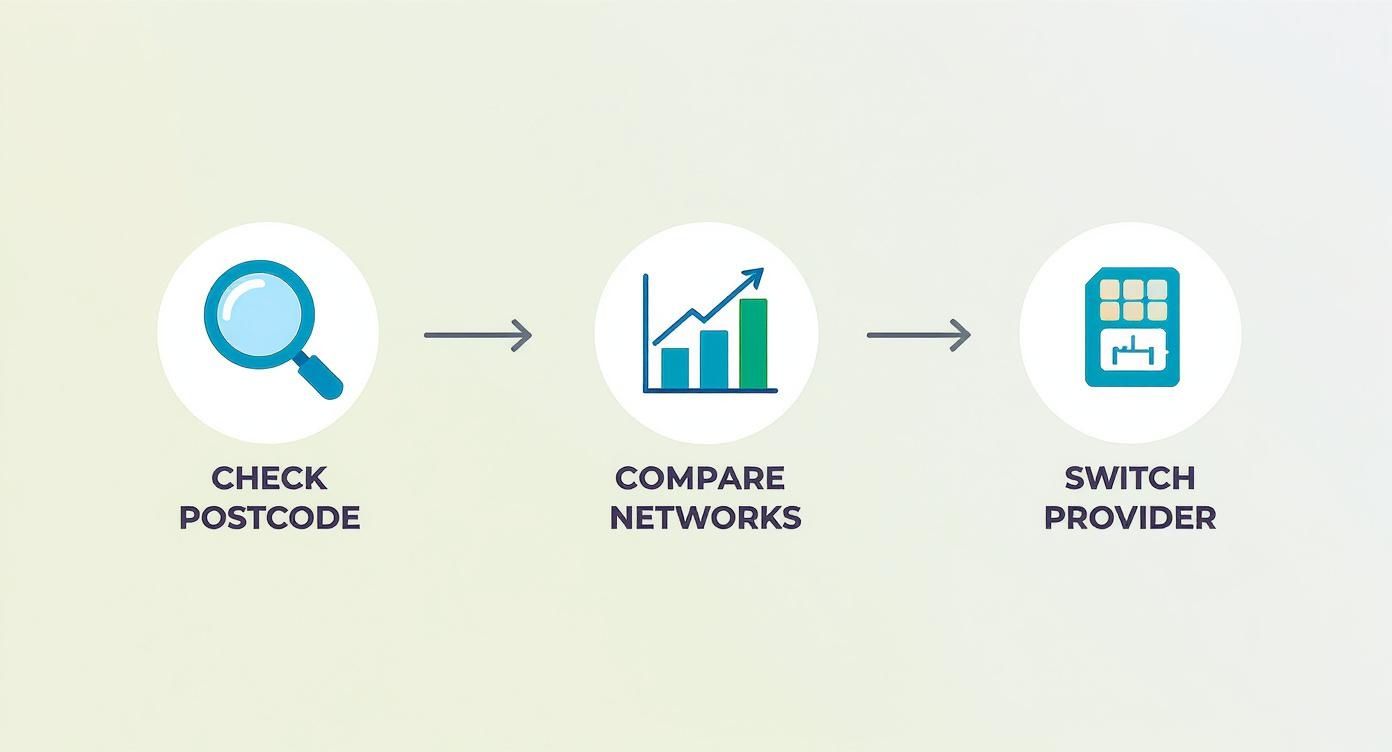
As the graphic shows, figuring out if your current provider is the root cause is a crucial first step before you commit to buying new equipment.
Choosing the Right Signal Boosting Device
When you're shopping for a signal booster, it is absolutely essential to pick an Ofcom-compliant one. Using an unapproved booster is illegal here in the UK because it can mess with the public mobile networks and cause chaos for other users.
To tackle poor indoor signal, lots of UK households are now using Ofcom-approved boosters. These devices can legally increase signal strength by up to 30 dB, which is a massive improvement for call quality and data speeds, especially if you're working from home or trying to use 5G.
Before you blame the network or your house, it's worth checking your phone isn't the culprit. A faulty internal part can be the real reason for weak reception. For example, a dodgy antenna cable, like a functional Samsung Galaxy A90 Signal Antenna Flex Cable, could be holding you back.
Signal Booster vs Femtocell: Which Is Right for You?
So, how do you choose? It really comes down to your specific situation. A comparison can help make the decision clearer.
Feature | Mobile Signal Booster (Repeater) | Femtocell (Microcell) |
|---|---|---|
How it Works | Captures, amplifies, and rebroadcasts an existing outdoor signal. | Creates a new, localised mobile signal using your broadband connection. |
Best For | Homes with at least one bar of weak but usable signal outside. | Homes with no mobile signal outside but a reliable, fast internet connection. |
Network Support | Usually supports multiple networks and users at the same time. | Typically locked to a single network provider (e.g., Vodafone, EE). |
Internet Reliance | Does not use your internet bandwidth for calls or data. | Relies entirely on your broadband; calls and data will use your bandwidth. |
Installation | Requires an external antenna, an amplifier, and an internal antenna. | A simple plug-and-play box that connects to your router. |
Legality (UK) | Must be an Ofcom-compliant device to be legal. | Provided and managed by your mobile network operator. |
Ultimately, if you have at least one bar of usable signal somewhere outside your property, a booster is almost always the better choice. It can support multiple users on different networks and doesn't touch your broadband speed. If you're an Apple user, our guide on choosing the best signal booster for an iPhone has some more specific tips.
However, if you're in a complete signal dead zone with nothing to amplify, a femtocell is your only real hardware option. Just remember it will be tied to one network and will use up your internet bandwidth. Weighing up these points carefully will help you pick the right solution for your home.
Optimising Your Setup for 4G and 5G
If you're looking to squeeze every last drop of performance out of your mobile connection, it's time to think beyond the quick fixes. We need to look at future-proofing your setup.
Simply getting a signal isn't the whole story anymore. The type of signal and the technology behind it have a massive impact on your day-to-day experience. It’s all about getting to grips with the finer points of 4G and 5G.
Making smart choices now will keep your connection strong as UK mobile networks continue to evolve. It’s about building a robust setup for tomorrow, not just patching today’s signal problems.
Understanding 5G Spectrum Bands
It’s a common misconception that all 5G is the same. It’s not. The specific spectrum band your network uses dramatically affects its speed and, crucially, how well it penetrates your walls.
In the UK, networks operate on different frequencies. Some are brilliant at covering wide open spaces, while others are much better at pushing a signal indoors.
For example, Three UK often uses C-band spectrum (around 3.6 GHz), which strikes a good balance between speed and coverage. Generally, wider spectrum bands mean more capacity and faster speeds, which is why operators like EE boast about having more 5G spectrum than anyone else. Knowing which bands are strong in your area helps you pick a provider that’s actually built for good indoor performance.
Choosing a network isn't just about looking at a coverage map. You need to understand their tech strategy. A provider that's heavily invested in high-frequency bands might give you unbelievable speeds outdoors but struggle to get a signal through your office walls.
The Critical Difference: Standalone vs Non-Standalone 5G
Here’s another technical detail that really matters: whether your network supports Standalone (SA) 5G.
Most early 5G rollouts were Non-Standalone (NSA), which meant they piggybacked on the existing 4G network core to work. Think of it like a high-speed train trying to run on old tracks—it’s fast, but it’s held back by the older infrastructure underneath.
Standalone 5G, on the other hand, runs on its own dedicated core network. This is the real deal. It delivers significantly lower latency (less lag) and a much more reliable connection. In fact, network tests have shown that SA 5G networks can achieve download times around 45% faster than their NSA counterparts. You can read more about how UK mobile networks are evolving on ispreview.co.uk.
When you next upgrade your phone, making sure it’s compatible with SA 5G is a savvy move.
Long-Term Professional Solutions
For businesses or anyone running a serious home office, a perfect signal often needs a more permanent, professional touch than a simple off-the-shelf booster can provide. This is where proper network design and installation come in.
A professional installer can deploy far more robust solutions, including:
Certified Fibre Cable Installation: This creates a rock-solid data backbone that can support other powerful signal-enhancing tech, like femtocells or a Distributed Antenna System (DAS).
Guaranteed Network Delivery: Working with an accredited partner, such as an Excel network accredited partner, means your system is designed, installed, and tested to guarantee flawless performance.
Long-Term Warranties: A professional job should come with complete peace of mind, like a 25 year equipment warranty.
This level of planning is a game-changer during an office relocation with equipment testing or a new fit-out. By integrating signal solutions from the very beginning, you get tidy cable management, a clean aesthetic, and a tidy desk environment that’s completely clutter-free.
If you’re managing a larger workspace, our guide on how to improve mobile signal in your office digs into more business-focused advice.
Common Questions About Improving Your Mobile Signal
When you start digging into how to boost your mobile signal at home, the same questions tend to pop up. Before you spend a penny on new kit or start messing with your setup, it’s vital to get straight answers. Let's tackle the most common queries to help you move forward with confidence.
One of the first things people ask, especially here in the UK, is about the legality of it all. Can you really just install your own signal-boosting hardware? The short answer is yes, but there's a crucial catch.
Are Mobile Phone Signal Boosters Legal in the UK?
Yes, they are completely legal in the UK, but only if they are Ofcom-compliant. You can't just buy any old booster off the internet and plug it in.
Using a non-compliant device is illegal because it can mess with public mobile networks, creating chaos for other users. If you're caught using an uncertified booster, you could face hefty fines and have your equipment confiscated. The key is to always buy from a reputable UK supplier who guarantees their devices are licence-exempt and meet Ofcom's standards.
Another frequent question is whether a booster is just for calls or if it helps with your data speeds too.
Will a Signal Booster Also Improve My Mobile Data Speed?
Absolutely. A proper signal booster doesn't just pick and choose—it amplifies the entire signal from your network. That means voice calls, 3G, 4G, and in many cases, 5G data all get a lift.
If you've got a weak but usable signal just outside your property, a booster's job is to grab it, strengthen it, and bring it indoors. The result? Faster download speeds, smoother video streaming, and a mobile internet connection you can actually rely on for everything from browsing to video calls.
Finally, with Wi-Fi Calling being a popular workaround, many people wonder how it impacts their mobile phone bill.
Does Wi-Fi Calling Use My Plan's Minutes?
For most of the big UK networks—think EE, Vodafone, O2, and Three—calls made over Wi-Fi are treated just like regular calls. When you ring a standard UK landline or mobile number, the call will typically come out of your monthly minute allowance.
It's worth remembering that calls to premium-rate or international numbers using Wi-Fi Calling will still be charged at your provider's standard rates. To avoid any nasty surprises on your next bill, it's always a good idea to double-check your provider's specific policy.
Getting your head around these points is the first step in choosing the right path, whether that’s a simple tweak in your phone's settings or a more robust, professionally installed solution for guaranteed results.
For a comprehensive, professionally engineered solution that includes certified fibre cable installation and a 25 year equipment warranty, Constructive-IT can design and deliver a certified, tested network to solve your signal issues for good. Learn more at https://www.constructive-it.co.uk.
Comments