


RG6 Cable TV: A Modern Guide for UK Commercial Buildings
- Craig Marston
- Jan 5
- 15 min read

In a world buzzing about fibre and Ethernet, it’s easy to wonder if old-school RG6 cable TV even has a place anymore. The answer is a resounding yes. This guide will show you why RG6 is still a vital, reliable, and seriously cost-effective solution for specific jobs in UK commercial buildings, especially in places like hospitals, where it perfectly complements modern data networks.
Why RG6 Cable TV Is Still a Smart Move for Modern Offices
While fibre cable installation is the undisputed champion for data, specialist systems like RG6 cable TV are designed to solve a completely different problem. It gives you a dedicated, rock-solid pathway just for video signals. This means your broadcast TV, CCTV, and AV distribution aren’t hogging precious bandwidth on your main data network—a simple separation that’s crucial for keeping everything running smoothly.
For any business knee-deep in an office relocation or a new fit-out, ignoring this can lead to some painful data network mistakes down the line. Shoving all your video traffic onto the IP network can introduce lag and strain, hitting critical business operations when you least expect it. A professionally designed structured cabling plan, however, gets it right from the start by integrating both fibre and RG6, letting each one do the job it was built for.
Its Enduring Role in Commercial Spaces
From corporate boardrooms to hospital wards, RG6 is the quiet workhorse that distributes terrestrial and satellite signals. It’s the perfect way to get a crystal-clear picture on the TVs in your reception area or to reliably send feeds to dozens of screens across large commercial buildings and hospitals (we focus on commercial projects, not houses). The real beauty of it is its simplicity; you can deliver a signal from one point to many without wrestling with complex network configurations.
It’s a common myth that coaxial cable is obsolete. The truth is, its role has just become more specialised. For high-frequency, one-way video distribution in a commercial setting, a properly installed RG6 system is often the most efficient and dependable tool for the job.
A Professional, Certified Approach Is Non-Negotiable
The effectiveness of any cable, RG6 included, comes down to one thing: a professional installation backed by rigorous testing. This is where partnering with an Excel network accredited partner becomes so important. A certified, tested network delivery guarantees that every single component, from the cable runs to the final connection points, is held to an exacting performance standard.
This commitment to quality means you get:
Meticulous Cable Management: We make sure all wiring is organised, labelled, and safely routed. This creates a clean, professional finish and contributes to that all-important tidy desk environment.
Comprehensive Equipment Testing: Before, during, and after an installation or office relocation with equipment testing, every link is tested to verify signal integrity and guarantee flawless performance.
Long-Term Reliability: A certified approach is what underpins services like a 25 year equipment warranty, giving you complete peace of mind that your infrastructure is built to last.
Globally, RG-type coaxial cables, with RG6 leading the pack, have dominated the market for years. That trend is holding strong right here in the UK, even with the rising demand for high-speed data in commercial CATV installations. In fact, across Europe, coaxial infrastructure still supports over 37% of all TV broadcasting revenue, which shows just how entrenched and important it remains. You can read the full report on television broadcasting trends at Mordor Intelligence.
Understanding RG6 Cable Specifications
To get the right RG6 cable TV solution for your office, you need to be able to read the language on the spec sheet. Don't think of these technical details as confusing jargon. They’re your guide to performance, helping you match the right cable to the job at hand, whether that’s a boardroom AV system or a multi-room video network in a hospital.
At the core of every RG6 cable is its 18 AWG solid copper conductor. You can think of this as the main artery carrying the video signal. Its thickness—AWG stands for American Wire Gauge, where a smaller number means a thicker wire—directly impacts signal strength. A thicker conductor has less resistance, meaning the signal can travel further before it weakens, which is absolutely critical in larger commercial buildings.
Decoding Core Technical Features
Beyond the central conductor, a few other key specifications determine how well the cable will do its job. Each one plays a critical role in delivering a clean, reliable picture to every single screen.
75-Ohm Impedance: This is the non-negotiable industry standard for video signals. Think of it like making sure the railway track's gauge perfectly matches the train wheels. Any mismatch in impedance creates signal reflections and ghosting, so sticking to 75 Ohms guarantees perfect compatibility between your cable and your equipment.
Shielding (Dual vs Quad): Shielding is the cable's armour against electrical 'noise', or electromagnetic interference (EMI). In a busy office packed with power lines, fluorescent lights, and countless other electronic devices, EMI can easily disrupt the signal and ruin the picture. Quad-shield offers a much denser layer of protection than standard dual-shield, making it the clear winner for electrically noisy environments.
Fire-Rated Jackets: In commercial buildings and hospitals, safety is everything. Standard PVC jackets just aren't compliant. You must use cables with fire-rated jackets like Low Smoke Zero Halogen (LSZH), which don't release toxic fumes in a fire. For air-handling spaces (plenums), a specific plenum-rated jacket isn't just a good idea—it's a legal requirement.
The infographic below shows some of the most common applications for RG6 cable within a typical commercial setting.
This visual really highlights how RG6 acts as a dedicated pathway for different video systems, keeping them completely separate from the building's main data network to ensure reliability.
Conductor Material: Copper vs Copper-Clad Steel
Another crucial detail on the spec sheet is the material of the central conductor. While you’ll see both options on the market, their performance is worlds apart, especially for professional installations where reliability is the top priority.
Copper-Clad Steel (CCS) has a steel core with a thin layer of copper coated on top. It’s cheaper, sure, but it also has higher resistance, which leads to greater signal loss over distance. This makes it a poor choice for long cable runs or any system where signal quality is critical.
For any professional installation in a commercial building or hospital, a solid copper conductor is the only acceptable choice. It guarantees maximum conductivity, minimal signal loss, and the long-term performance expected from a certified network delivery backed by a 25 year equipment warranty.
Choosing solid copper isn't just about best practice; it's a fundamental requirement for building an AV infrastructure you can depend on. It ensures that the system an Excel accredited partner certifies will perform flawlessly from day one and for years to come, helping you avoid the kind of data network mistakes that come from cutting corners on the basics. This knowledge gives you the confidence to read any specification sheet and making sure your network is tested and certified.
Choosing the Right Tool: RG6 vs. IP-Based Video
In any modern commercial building or hospital, the structured cabling system is the central nervous system. When it’s time to distribute video, you’re faced with a big decision: stick with the tried-and-tested RG6 cable TV or push everything over your data network using an IP-based solution. Getting this right is crucial for keeping both systems running flawlessly.
Think of it like choosing between a dedicated delivery lorry and your family car. The lorry (RG6) is purpose-built for one job: moving a big, consistent load from point A to multiple point Bs, reliably and efficiently. The family car (your data network) is incredibly versatile, but it’ll get overwhelmed fast if you try to cram heavy cargo in alongside your everyday passengers.
An IP-based video system, often called IPTV, works by chopping video signals into data packets and sending them across your local area network (LAN). This offers fantastic flexibility, letting you stream content to any device on the network. But there’s a catch. High-definition video streams are incredibly thirsty for bandwidth, adding a huge amount of traffic to a network that’s already busy handling emails, file transfers, and business-critical applications.
When RG6 Is the Unbeatable Champion
For straightforward, one-to-many video distribution, RG6 cable is still the undisputed champion. Think of a typical office reception with multiple screens all showing a live Freeview news channel, or a hospital that needs to pipe a consistent satellite feed to dozens of patient rooms.
In these scenarios, RG6 provides a simple, direct, and incredibly cost-effective solution. A single aerial or satellite feed can be split and sent out with minimal hardware and no complicated setup. Crucially, this entire system operates completely independently of your main data network. It doesn’t use a single kilobyte of your precious LAN bandwidth, which means your critical business data traffic is never compromised by video streams.
This separation is a core principle of robust network design. By engineering a purpose-built solution for each requirement—data on fibre cable installation, broadcast video on RG6—you create a more resilient and predictable infrastructure. It's a fundamental part of how a certified network delivery guarantees performance across the board.
The enduring relevance of this approach is backed up by market trends. Coaxial cables, led by the RG6 type, are projected to command a 42.1% market share in the cable TV industry by 2025. They remain a cornerstone for UK buildings reliant on Freeview and satellite, especially in commercial settings where reliability is everything.
Understanding IP-Based Video and Its Place
To make an informed choice, it's vital to understand the basics of IPTV. This excellent explainer on What Is IPTV and How Does It Work helps clarify when the added complexity is actually justified. IPTV really shines in dynamic environments where you need to deliver unique, individual streams to different endpoints or integrate video with other IP-based systems.
However, this flexibility comes at a price—both in cost and complexity. It demands network switches capable of handling multicast traffic, potential network segmentation (VLANs) to manage the video load, and very careful capacity planning to avoid crippling bottlenecks. If your main goal is simply to distribute a single, consistent broadcast feed, an IPTV system is often an over-engineered and unnecessarily complicated solution.
A Quick Word on RG59: The Predecessor
You might also stumble across RG59 cable, the predecessor to RG6. While they look similar, RG59 has a thinner central conductor and lighter shielding, which makes it suitable only for low-frequency, short-distance analogue signals. Today, its use is almost exclusively for legacy analogue CCTV systems.
For any modern digital TV, satellite, or high-definition signal, RG6 is the mandatory standard. Trying to use RG59 for a new TV installation is a guaranteed recipe for poor signal quality and endless performance headaches. While it’s a small detail, it’s worth noting that existing coaxial infrastructure can sometimes be repurposed; you can explore this further in our guide on using https://www.constructive-it.co.uk/post/ethernet-over-coaxial-a-practical-guide-to-upgrading-your-network.
Professional Installation for Flawless Performance
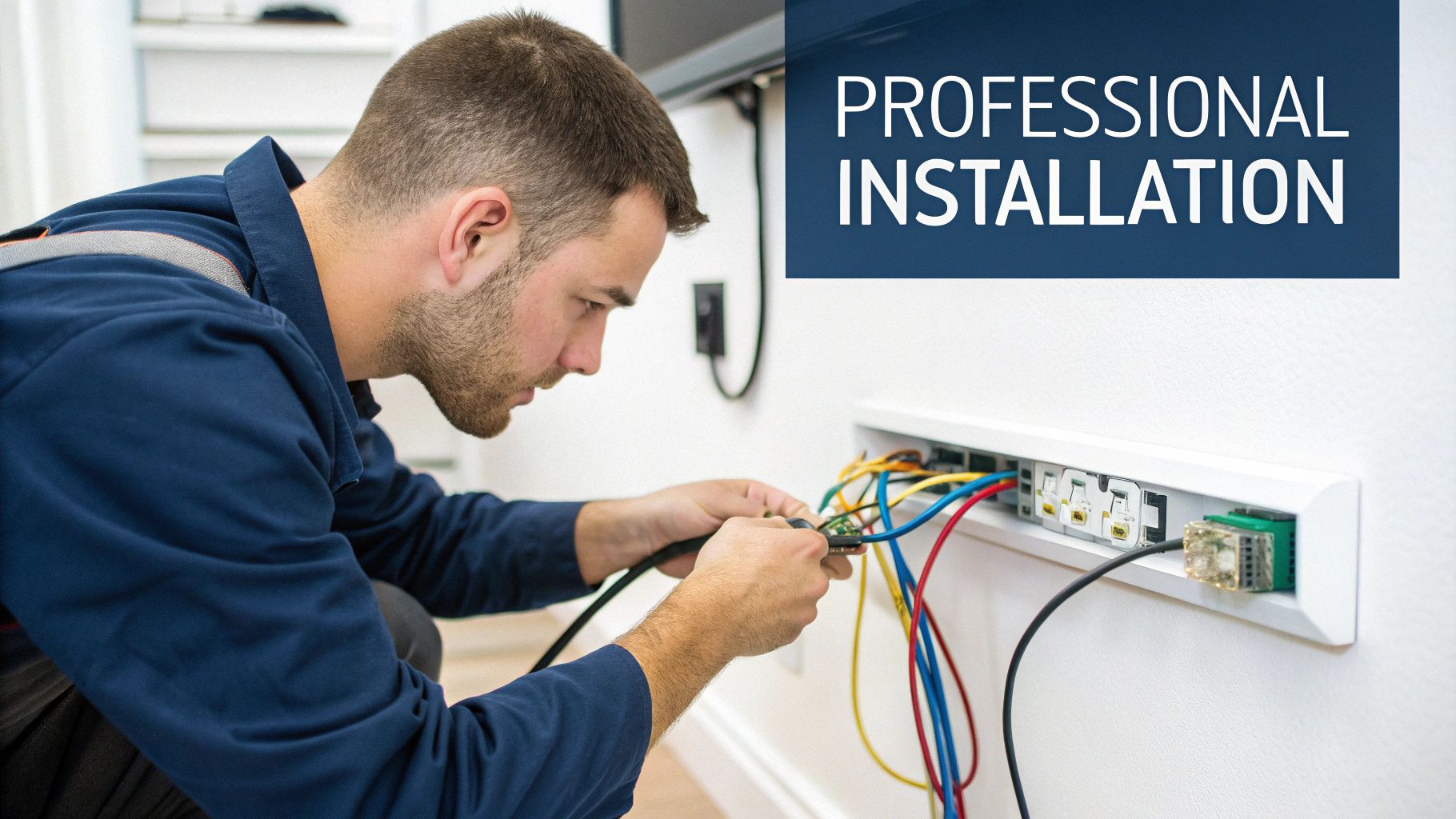
The difference between a flawless high-definition picture and a screen plagued by static often comes down to one thing: the quality of the installation. Even the best RG6 cable TV system is only as strong as its weakest link. That’s why professional installation isn’t a luxury—it’s essential for reliable, long-term performance in demanding commercial environments like offices and hospitals.
It starts at the most fundamental level: the connectors. A certified installer will only ever use compression connectors. These create a full, 360-degree seal around the cable jacket, forming a robust, weatherproof connection that’s far superior to older crimp or screw-on types, which are notorious for failing over time.
This meticulous approach extends to the entire cable run. Getting the bend radius right, for example, is non-negotiable. Bending an RG6 cable too sharply damages the internal dielectric and shielding, creating a permanent weak point that introduces signal loss and interference.
Best Practices for a Certified Network Delivery
A truly professional installation is about more than just connecting point A to point B. It’s a systematic approach to cable management and signal integrity, ensuring the entire system is clean, compliant, and built to last. For any large-scale project, like an office fit-out or a new hospital wing, these details are paramount.
Key installation pillars include:
Proper Grounding: The National Electric Code (NEC) mandates that all coaxial systems must be correctly grounded. It's a critical safety measure, but it’s also vital for eliminating signal hum and interference that can ruin picture quality.
Separation from Power Lines: Running RG6 cable parallel to high-voltage electrical wiring is a classic mistake that invites electromagnetic interference (EMI). Professional installers always maintain a safe distance or use separate containment to protect the signal.
Meticulous Cable Management: This means all cable runs are neat, organised, and clearly labelled. It doesn’t just look good at the wall outlet; it makes future maintenance and troubleshooting infinitely easier, preventing a tangled mess behind walls and in comms rooms and ensuring a tidy desk finish.
The ultimate goal of a professional installation is to deliver a fully tested and certified network. This certification is your guarantee that every component meets stringent performance standards—a commitment that underpins the 25 year equipment warranty offered by an Excel accredited partner.
Why Partnering with Certified Engineers Matters
Working with a certified team removes the guesswork and protects your investment. In complex commercial buildings, an experienced engineer anticipates challenges, from navigating fire-rated barriers to integrating the AV system seamlessly with the building’s existing infrastructure. This expertise is what separates a quick fix from a resilient, high-performance solution.
The process involves thorough testing at every stage, confirming that signal strength and quality are consistent across the entire building. It’s this dedication to proven standards that guarantees a flawless viewing experience from day one. To learn more about what sets top-tier installers apart, explore our guide on choosing network cabling installers you can trust.
Ultimately, a professional installation ensures your AV system is not just functional, but a reliable asset for years to come.
The Importance of Testing and Certification
A truly professional RG6 cable TV installation isn’t finished just because the last connector is crimped on. In fact, the most important phase comes next. It’s the only way to guarantee flawless performance and long-term reliability for your office, commercial building, or hospital: testing and certification.
Think of it like a structural engineer signing off on a new building. The plans were followed, the materials were right, but only a final, tough inspection proves it’s safe and sound. It’s exactly the same in network delivery. Certification is your ultimate quality assurance, turning a collection of cables and connectors into a proven, high-performance asset.
Verifying Performance with Precision Tools
Certified engineers don’t guess; they use specialist equipment to measure the things that actually matter. This process verifies that every connection is perfect and that every single screen—whether in a boardroom or a patient's room—gets a flawless image.
The two most important metrics they’ll test for are:
Signal Strength (dBmV): This measures the raw power of the signal coming out of the wall outlet. If it’s too weak, you get a snowy or pixelated picture. Too strong, and it can overwhelm the tuner. Testing makes sure the signal is right in that sweet spot for crystal-clear reception.
Signal-to-Noise Ratio (SNR): This one is arguably even more important. It measures the clarity of the signal compared to any background electrical interference. A high SNR means you have a clean, pure signal, free from the kind of disruption that causes annoying dropouts and frozen pictures.
The Link Between Certification and Long-Term Peace of Mind
Getting your system certified isn’t just a formality; it’s a non-negotiable part of any serious commercial AV project. It’s the documented proof that your system has been installed correctly and performs to exacting industry standards. This is precisely why an Excel accredited partner can confidently offer a 25 year equipment warranty—because the system’s performance has been scientifically verified.
Skipping the certification stage is one of the biggest data network mistakes a facilities manager can make. It leaves the entire system vulnerable to intermittent faults, pixelation, and complete signal failure, creating frustrating problems that are a nightmare to diagnose later on.
A certified network delivery means you have a system that is robust, reliable, and ready to perform from day one. It removes all doubt and gives you the concrete assurance that your investment is protected. This methodical approach is a core part of professional AV and something we explore further in our essential guide to data cabling installation.
Ultimately, making sure your network is tested and certified provides the final, authoritative sign-off. It’s the proof that the installation was executed with precision, ensuring that the professional finish is backed by a network that performs flawlessly for years to come.
Your Office TV System Project Checklist

Successfully weaving an RG6 cable TV system into an office fit-out or relocation isn't something you can leave to chance. It requires a proper plan. A structured approach is the only way to avoid common pitfalls and ensure every screen works perfectly from the moment you hand over the keys. This checklist gives you a clear roadmap, whether you're wiring up a new commercial building or a hospital wing.
Coaxial cable is far from obsolete. The UK's broadcasting and cable TV market is a massive industry, generating over USD 11,135.5 million in 2024. With satellite TV still leading the charge, the demand for solid coaxial infrastructure remains as strong as ever, forming the backbone of countless commercial AV systems.
Phase 1: Initial Planning and Site Survey
Before you even think about running a single cable, you need a detailed plan. This first phase is all about laying the groundwork for a smooth installation, preventing the kind of costly rework that can derail an office relocation with equipment testing.
Map All TV Locations: Get your building blueprints and mark every single spot where a screen will be. Think reception areas, boardrooms, breakout spaces, and even patient rooms in a hospital.
Identify the Signal Source: Pinpoint where your primary signal is coming from. Are you using a rooftop aerial for Freeview, a satellite dish, or an internal head-end system to distribute your own content?
Calculate Cable Run Lengths: Time to get the measuring tape out. You need to accurately measure the distance from the source to every single TV point. This is non-negotiable for specifying the right cable and planning for any signal boosters you might need.
Integrate with Structured Cabling: This is key. Your RG6 installation can't happen in a vacuum. You need to work closely with your network delivery partner to coordinate it with the wider fibre cable installation and Cat6 cabling plan.
When you’re putting your project checklist together, sourcing the right kit is vital. It's worth taking some time to explore RG6 cable products and components to see what your options are.
Phase 2: Specification and Procurement
With a solid plan in hand, the next step is to specify the exact materials for the job. Getting this right is what guarantees performance and compliance down the line.
Select the Right RG6 Variant: For most commercial buildings, you’ll want to specify solid copper, quad-shield RG6. It offers the best performance and protection against interference, making it the default professional choice.
Specify Connectors: Don't let your installer cut corners here. Mandate the use of high-quality compression F-type connectors for every termination. They create a secure, reliable connection that lasts.
Ensure Cable Compliance: Check that all the cable you specify has the correct fire rating for your building. In most commercial spaces, this will mean needing LSZH (Low Smoke Zero Halogen) rated cable.
Phase 3: Installation and Certification
This is where partnering with a certified installer, like an Excel accredited partner, really pays off. Their expertise takes the headache out of this final phase and ensures the project is completed to the highest possible standard, backed by a 25 year equipment warranty.
A professional partner simplifies this entire process. They’ll handle everything from the site survey and system design to procurement, cable management for a clean finish, and the final certified network delivery. This means your system is fully tested and verified, ready for flawless performance at handover. That end-to-end management is invaluable, especially during a hectic office move.
Your RG6 Cabling Questions, Answered
When you're knee-deep in planning an office fit-out or relocation, it’s only natural for a few questions to pop up about the RG6 cable TV system. Getting these details ironed out early is the best way to sidestep common data network mistakes and keep your project on track. Here are the straight answers to the questions we hear most often from managers on the ground.
Can I Run RG6 Cable Next to Cat6 Data Cables?
Yes, you absolutely can. This is standard practice in almost every modern office installation. Both RG6 and Cat6 are low-voltage cables, so they can happily share the same containment routes without causing any problems for each other.
The one golden rule is to keep them well away from high-voltage electrical cables. That’s the real source of electromagnetic interference (EMI) that can ruin your TV signal and disrupt your data network. A certified installer will always use separate trunking or maintain a safe distance, making sure both systems perform perfectly. It’s a fundamental part of proper cable management and the key to a clean, tested network delivery.
What Is the Maximum Length for an RG6 Cable Run?
For a standard digital TV signal, you can generally push an RG6 cable up to about 45 metres before you start to see signal loss creeping in. This distance gets shorter if you’re dealing with higher-frequency satellite signals. In big commercial spaces or hospitals, hitting this limit is a common problem, but it’s easily solved with smart system design.
An experienced engineer will never just run one enormous cable and hope for the best. Instead, they'll design a distributed system. This involves using high-quality amplifiers or splitting the main signal into several shorter, optimised runs. It’s a core principle of a tested and certified network, ensuring every single screen gets a crystal-clear picture, no matter how far it is from the source.
Do I Need a Special Type of RG6 for Commercial Buildings?
Without a doubt. Unlike a simple home setup, commercial buildings here in the UK are bound by strict fire safety regulations. Your installation isn't just about getting a good picture; it's about meeting legal compliance and ensuring people’s safety. An accredited installer will always specify the correct fire-rated cable after a proper site survey.
This usually means choosing between:
Low Smoke Zero Halogen (LSZH) Cable: This is the go-to for most office runs. In a fire, it doesn't release the thick, toxic smoke that standard PVC cables do.
Plenum-Rated (CMP) Cable: This is a must if the cable has to run through air-handling spaces (like ceiling voids used for air circulation) to stop it from spreading smoke through the building’s ventilation system.
Using the right cable is non-negotiable for a professional installation. It guarantees your building is safe, compliant, and ready for sign-off, all backed by a solid 25 year equipment warranty.
At Constructive-IT, we specialise in designing and delivering fully certified network and AV solutions for commercial fit-outs and relocations. Our expert team handles every detail, ensuring your infrastructure is reliable, compliant, and built for the future. Plan your project with us today.
Comments