

The lease is signed, the fit-out is on the calendar, and someone has just asked when the new office network will be ready. That's usually the moment the work starts, because the room is still empty, the comms cabinet isn't specified, the Wi-Fi hasn't been surveyed, and nobody has agreed what happens at cutover. In practice, network infrastructure services are the difference between a move that lands cleanly and one that burns time, money, and goodwill on day one.
For UK offices, clinics, and comms rooms, the hard part isn't just getting a line into the building. The hard part is making the building itself ready for the services that live inside it, from cabling and Wi-Fi to CCTV, access control, electrical certification, and the go-live plan that keeps people working while the change happens. Ofcom's March 2024 figures show why this matters now, with full fibre broadband available to 18.7 million homes, or 64% of UK homes, up from 12.1 million a year earlier, and gigabit-capable coverage at 73% (Ofcom market update referenced here). That capacity shift changes what a building can support, but it doesn't fix a poor internal design.
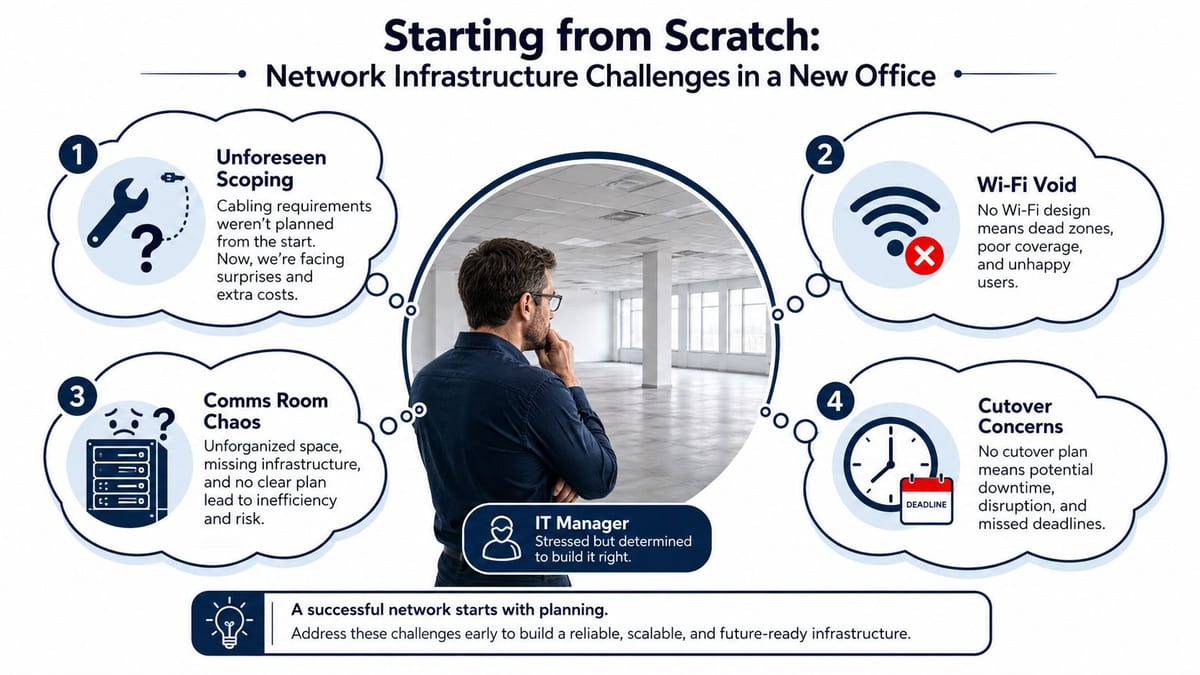
What Network Infrastructure Services Actually Cover
The phrase gets used loosely, which is why buyers get misled. In a real project, network infrastructure services cover the physical and operational layer that makes the office usable, not just the internet handoff from a telecoms provider. That includes structured cabling, LAN and WAN design, Wi-Fi surveys, server room expansion, telecoms, AV, CCTV, testing, certification, and on-site support during go-live.
The simplest way to think about it
Treat the building like a body. Structured cabling is the nervous system, switches and LAN design are the internal pathways, Wi-Fi is the wireless layer that lets people move around, and CCTV and access control are the sensory and security systems that keep the building safe. If one layer is weak, the whole environment feels unreliable, even if the broadband circuit itself is fine.
That distinction matters because buyers often focus on the last mile and ignore the inside of the building. A postcode might have fibre or gigabit availability, but that doesn't tell you whether the comms room has enough rack space, whether the floorplate has the right cable routes, or whether the AV and security systems will share power and data cleanly. In office moves, the internal network design is usually what decides whether the handover runs smoothly.
A serious provider should be able to scope seven workstreams end to end. Those are cabling, LAN and WAN design, Wi-Fi, server room works, telecoms and AV, CCTV and access systems, and testing with live support. If a supplier can only do one of those well, you'll end up coordinating the gaps yourself.
Practical rule: if the proposal only talks about “internet,” it's not a network infrastructure plan yet. It's a connectivity note.
For a more detailed primer on the backbone layer, see the guide to what structured cabling actually does in a workplace. The internal decision you need to make is simpler than the technical detail. You need one owner who can connect the building, the users, and the operational handover into a single delivery plan.
The Core Service Components Explained
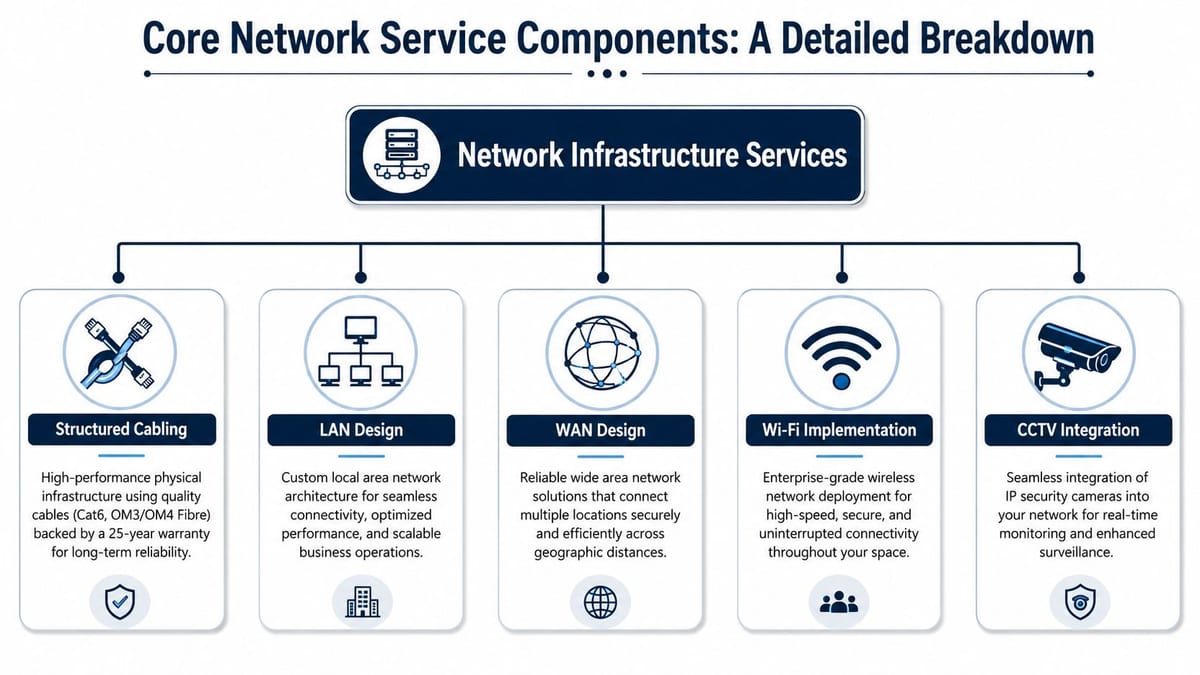
The parts only make sense when you see how they fit together. Structured cabling is the permanent plant in the building, usually Cat6 or Cat6A copper and fibre for the backbone, and it needs to be treated like long-lived infrastructure, not a disposable line item. A well-built cabling system supports switch-port density, access-point placement, and later upgrades without tearing the workspace apart again.
What each component does on site
LAN design sets how devices move inside the office, how subnets and switching layers are arranged, and how traffic is segmented so normal office work doesn't fight with guest access or specialist services. WAN design extends that thinking out to external links, resilience, and failover, which matters when cloud services, remote workers, and business-critical apps all depend on the same site.
Wi-Fi implementation is not just “put some access points in the ceiling.” A predictive survey shows how radio will behave in the actual floorplan, while post-install optimisation checks whether the world matches the plan. Glazed meeting rooms, dense furniture, and mixed construction can all change coverage once people move in.
Server room and comms-room expansion covers the physical home of the active kit. That means racks, containment, cooling headroom, power, patching layout, and safe access for maintenance. If the room is cramped, badly cooled, or poorly labelled, fault-finding becomes slow and every later change takes longer than it should.
Telecoms and AV integration keeps the workplace coherent. Phones, meeting-room displays, conferencing bars, and presentation systems all depend on the same infrastructure, so they need to be designed as part of the wider build rather than added after the main work is done. CCTV integration works the same way, because cameras are only useful when power, data, retention, and access are planned as one system.
Practical rule: certification is the MOT for the network. If it isn't tested, signed off, and documented, you don't really know what has been delivered.
Operationally, that's why a provider's installation skill matters as much as its design skill. Good delivery means the cabling routes, labels, test results, and room layouts all line up with the intended use, so the network can be supported after handover instead of reverse-engineered during the first fault. That's the difference between infrastructure that ages cleanly and infrastructure that gets blamed for everything.
Project Lifecycle From Survey to Handover
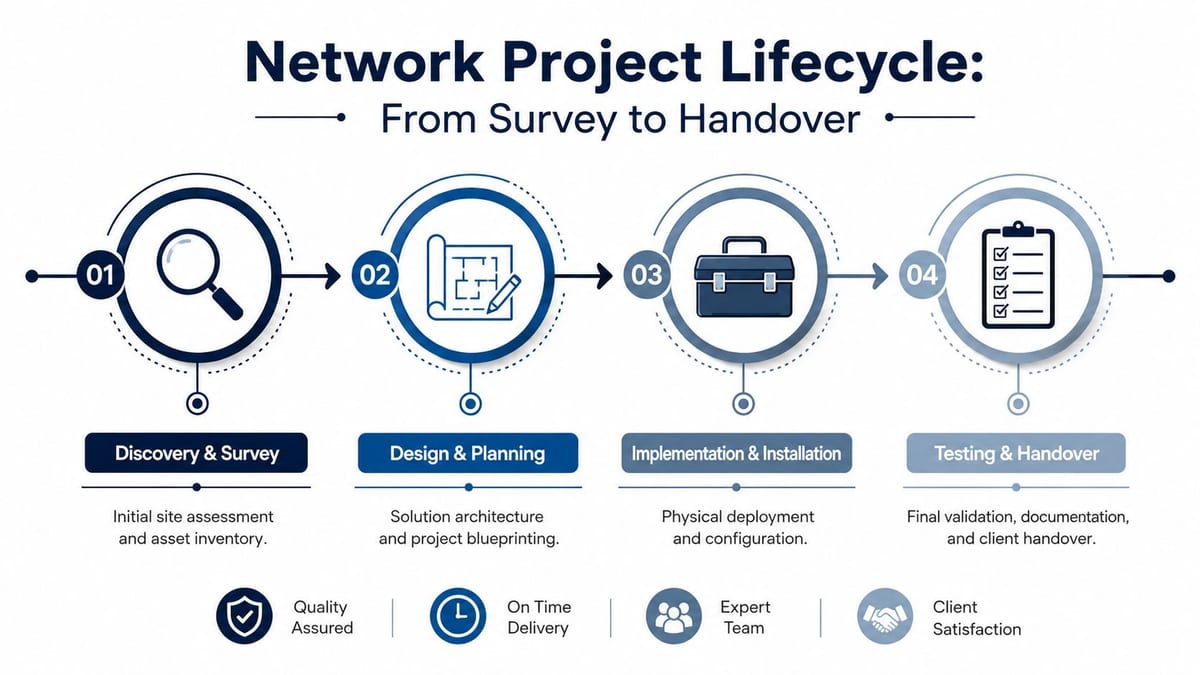
Every decent office move follows the same four gates, even when the schedule is messy. First comes discovery and site survey, where the engineer checks the existing assets, room constraints, routes, and access conditions. Then comes design and documentation, where the topology, labels, dependencies, and phasing plan are fixed before anyone starts pulling cable.
Where projects go wrong
The most expensive mistake is compressing the design stage. Teams think they are saving time, but they usually create rework when they discover the comms room is undersized, the old copper can't be reused safely, or the cutover window is tighter than anyone admitted at the start. That is also where midnight surprises happen, because the worksite changes once the fit-out team, furniture contractor, and landlord all get involved.
The third gate is installation and build, where the physical work happens. Good delivery here is boring in the best way, because every outlet, rack unit, patch lead, containment run, and AP location matches the plan. Bad delivery shows up as mislabelling, uneven finishes, missing pathways, and too many “we'll sort that later” decisions.
The final gate is testing, certification, and handover. That phase needs more than a quick ping test. It needs test results, as-built drawings, warranty information, and a handover pack that the IT team can use when the first fault appears.
Practical rule: if a provider can't show you the handover pack before the work starts, they probably haven't thought through the end state.
A clean lifecycle also makes support possible after move-in. When the topology is documented and the work is phased properly, the first support call doesn't become an excavation project. For project owners who want the delivery side managed properly, the basics of IT project management discipline matter as much as the hardware itself.
Cost Drivers and Realistic Budget Ranges
A network project quote can look inflated until you break it into workstreams. The honest answer is that cost moves with scope, access, finish quality, and how much risk the contractor is being asked to carry. A simple open-plan refresh is one thing. A live office, an awkward comms room, or a phased night move is another.
What usually pushes the price up
Here's the part buyers need to read carefully. Cable grade matters, because Cat6, Cat6A, and fibre are not interchangeable in performance or longevity. Certification depth matters too, because a bare-minimum test pack is not the same as a full handover file with traceable results, labels, and warranty-ready evidence.
Out-of-hours working is another big factor. If the client needs overnight or weekend cutover to avoid interrupting business, the contractor has to build around access, supervision, and coordination risk. Building fabric matters as well, because a clean raised floor is very different from a glass-heavy floorplate, a heritage building, or a site with difficult containment routes.
| Workstream | Typical price driver | What increases cost |
|---|---|---|
| Structured cabling | Number of outlets, cable grade, route complexity | Longer containment runs, fibre backbone work, out-of-hours access |
| Wi-Fi survey and deployment | Floor area, device density, material layout | Glazed rooms, dense occupancy, post-install optimisation |
| Comms-room works | Rack space, power, cooling, cabinet layout | Tight rooms, extra containment, more resilient power needs |
| Electrical works | Distribution, certification scope, scheduling | Live-site restrictions, new circuits, phased access |
| AV and CCTV | Device count, integration depth, retention needs | Multi-room integration, cabling complexity, access control links |
| Project management | Stakeholder count, phasing, cutover risk | Multiple contractors, compressed timelines, live operations |
Two quotes for the same project can differ materially because one supplier has allowed for more testing, better materials, or a stronger warranty position. Sometimes the lower number is just a thinner scope. Sometimes the higher number reflects the fact that the provider is absorbing more risk on your behalf.
For fixed-price work, it helps to understand where risk is sitting in the contract structure. A clear cost plus fee construction contract guide can be useful when you're comparing how a contractor prices uncertainty, especially on occupied sites where scope details often change after survey. The key is not to chase the cheapest quote. It's to know which quote assumes the least pain later.
Compliance, Warranty and Certification
A network build is only as good as the records that come with it. A tidy handover gives you test results, certificates, and as-builts that match what was installed. A poor handover leaves facilities, IT, and contractors arguing over what was done, who signed it off, and who pays when a fault shows up later.
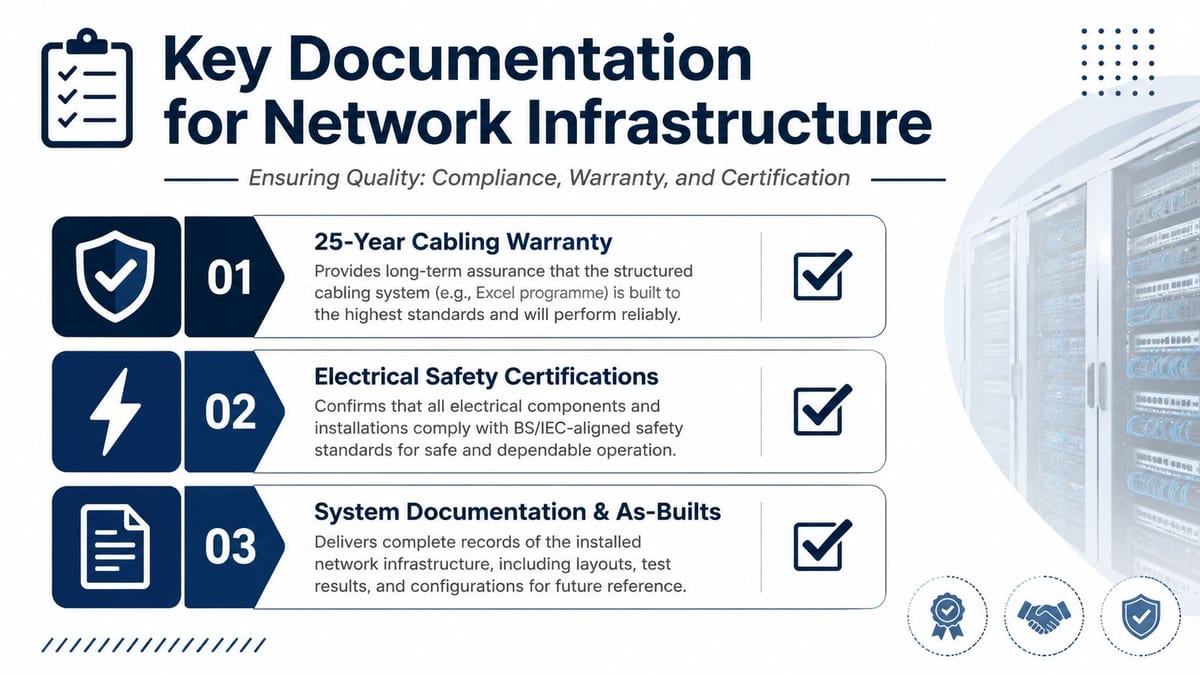
The chain of evidence buyers should insist on
A 25-year cabling warranty only has value if the installer followed the right specification and every link was tested correctly. That is why Excel Cat6 and fibre warranty cover matters commercially, not just as a badge in a proposal. It gives the client a route back to the manufacturer and the installer if the installation underperforms.
Electrical sign-off carries the same weight. BS and IEC-aligned electrical certification protects the business only when the paperwork is complete, filed, and tied to the actual circuits and equipment that went in. If the electrical side is vague, the network side becomes harder to defend when a fault appears in the comms room or at the cabinet.
System records matter just as much. As-built drawings, test sheets, asset lists, and room layouts help the IT team support the environment without guesswork. If you are retiring legacy hardware as part of the move, a useful reference point on myhalo data protection for old devices helps you build a clean decommissioning process alongside the install.
For buyers comparing suppliers, a practical compliance audit checklist is worth keeping close. The useful question is not whether a provider says they do compliance. It is whether they can show the evidence chain. A strong provider should be able to hand over cabling certificates, electrical certificates, Wi-Fi validation outputs, and as-built records without searching for them after the job is complete.
A warranty is only as strong as the test pack behind it.
Security and operations overlap here as well. CCTV, access control, power resilience, and data design only work together if they were engineered together. The system needs to be treated as one chain, not separate trades each finishing their own task.
UK Case Examples and Risk Scenarios
A 250-user office relocation is a timing exercise as much as a technical one. The team wants the new floor live overnight, the furniture arrives on a strict lead-time, and the boardroom can't have a Wi-Fi dead zone on day one. In that kind of move, reusable fibre can help, but only if the survey confirms it's suitable and the cutover plan protects business hours.
The risk is rarely one big failure. It's a cluster of small misses. A glazed space changes radio behaviour. A reused comms cabinet turns out to have no spare cooling headroom. A room label doesn't match the patch schedule, so support spends the first morning tracing simple faults instead of helping users.
An NHS-style clinic or hospital fit-out is different. The priorities shift to clinical-area segregation, infection-control friendly containment, medical-device network separation, and tight evidence for compliance audits. The engineering is still about cabling, power, Wi-Fi, and handover, but the stakeholder load is heavier and the tolerance for uncertainty is much lower.
Practical rule: the more sensitive the environment, the less you can afford improvisation after install.
The same playbook also applies to building out fully autonomous unmanned building units. In that setting, access control, sensor-driven power management, CCTV, and central alarm workflows all depend on the network staying up, so access, power, and data have to be designed together from the start. If any one is treated as a bolt-on, the building loses autonomy when it needs resilience most.
A lot of failures come from treating these systems as separate purchases instead of one operational platform. CCTV won't help if the recording path isn't reliable. Access control won't help if the power backup doesn't hold. And a smart building won't stay smart if no one planned how maintenance gets done when nobody's on site.
Choosing a Provider and Planning Next Steps
A serious provider should be able to show UK delivery references, in-house cabling and electrical capability, cyber and compliance experience, warranty-grade product lines, and a clear engagement model. In practical terms, that means they can survey, design, install, certify, and support the work without throwing every awkward piece to a subcontractor. It also means they know how to work around occupied offices, clinics, and comms rooms without making the client manage every dependency.
The questions worth asking before you sign
- Who does the electrical and cabling work? If the answer is vague, the coordination risk lands on your team.
- What does the handover pack include? Ask for a sample, not a promise.
- How will the cutover be protected? Put the window in writing and ask what happens if the plan slips.
- Who will be on site? Named engineers matter more than a generic resource pool.
- What gets surveyed before move-in? A pre-move Wi-Fi survey should happen early enough to change the design if needed.
Constructive-IT is one option that works in this model, combining structured cabling, Wi-Fi surveying, electrical work, CCTV, and on-site go-live support in one delivery chain. Other providers may cover parts of that scope, but the buyer still needs the same discipline, one owner for survey, design, build, and handover.
For many organizations, the smartest next step is a site survey or design review before the move gets any closer. That gives you a real answer on reuse, room capacity, cutover risk, and what needs to be fixed before the first user walks in. If that sounds like the stage you're at, start with a conversation, not a purchase order.
If you're planning an office move, fit-out, or infrastructure refresh, Constructive-IT can survey the site, map the build, and deliver the cabling, electrical, Wi-Fi, CCTV, and handover pieces as one project. Visit Constructive-IT to arrange a site review and see what needs fixing before go-live.