


Data Cabling Installations A Guide to UK Office Fit-Outs
- Craig Marston
- Jan 23
- 17 min read

A successful data cabling installation isn't just about running wires from A to B. It's the result of painstaking planning that happens long before the first cable is ever pulled. This is the foundational stage where we define exactly what you need, get a feel for the physical space, and create a detailed blueprint for a network that’s not just reliable today, but ready for whatever you throw at it tomorrow. Getting this part right is the single best way to prevent costly rework and ensure your network supports your business from day one.
Starting Your Data Cabling Project the Right Way
A high-performance network starts with a solid plan, not just a box of high-spec components. One of the most common mistakes we see is rushing into an office fit-out without a clear strategy. This almost always leads to blown budgets, unexpected delays, and a network that just doesn't deliver when people need it most. The first phase of any cabling project should be all about discovery and design—it sets the stage for everything that follows.
This initial process makes sure the final system is perfectly aligned with your business goals. It's about moving past theoretical specs and getting into the practical realities of your workspace.
This simple flow—from planning to surveying and finally creating a brief—is a logical progression. It takes you from high-level goals right down to a detailed, actionable project scope.
Defining Your Real-World Cabling Needs
The first question shouldn't be "what cable do we need?" but "what do we need the network to do?" To answer that, you have to look closely at your day-to-day operations and where you see the business heading.
User Density and Applications: How many people will be on the network? Are they just browsing and sending emails, or are they running bandwidth-hungry software for video editing or CAD? A small sales office has completely different needs to a media agency.
Device Types: Think about everything that will plug into the network. This isn't just PCs anymore; it’s VoIP phones, Wi-Fi access points, CCTV cameras, and door access systems. Some of these, like high-power Power over Ethernet (PoE) devices, might push you towards the superior performance of Cat6a cabling.
Future Growth: Are you planning to grow the team or bring in new tech in the next 5-10 years? Choosing a cabling standard that can handle future speeds, like 10-Gigabit Ethernet, means you won't have to rip everything out and start again in a few years.
Getting a handle on all the components, including the various Peripherals and Cabling types, is fundamental. It's the knowledge you need to make smart decisions right from the very start.
The Critical Role of the Site Survey
A site survey is an absolute, non-negotiable step in the process. This is where the plan on paper meets the bricks-and-mortar reality, and it's where we uncover the hidden problems that could completely derail your project.
A thorough site survey is the single best tool for risk reduction in a cabling project. It identifies the hidden challenges—from asbestos in older buildings to congested riser pathways—that a floor plan will never show you.
During a survey, an engineer will walk the building to map out the most efficient and safest routes for cable runs. This is especially vital in historic or listed buildings where you can’t just drill holes wherever you please. This step is also about sniffing out sources of electromagnetic interference (EMI) from heavy machinery or large power cables that could cripple your network performance.
To see how a professional assessment prevents these costly surprises, you can find out more in our guide on what a site survey for UK office IT relocations entails.
Building a Collaborative Project Brief
The final step in this planning phase is to pull everything together into one comprehensive project brief. This document becomes the single source of truth for the installation team and gets all stakeholders on the same page. It needs to clearly outline:
The number and exact location of all data outlets.
The chosen cabling standard (e.g., Cat6, Cat6a, or fibre optic).
The layout of the server or communications room.
A clear labelling scheme for every cable and port.
The project timeline with key milestones.
This document is your best defence against the dreaded "scope creep" because it sets clear boundaries and expectations from the outset. It effectively translates your business needs into a technical roadmap, ensuring your new data cabling installation is a success and a valuable asset for years to come.
Designing a Resilient and Future-Proof Network

A great network isn't just about speed on day one. It's about building a genuine asset for the business, one that’s designed for growth and longevity. To do that, we need to move beyond simple floor plans and think architecturally. A truly resilient structured cabling system is planned with the future in mind, taking a hard look at the comms room, server cabinets, and the pathways connecting everything, all while respecting real-world constraints like airflow and power.
This forward-thinking approach is what ensures your data cabling installations are scalable, manageable, and ready for whatever technology comes next. The market reflects this urgency; the UK structured cabling sector is projected to jump from USD 12.4 billion in 2025 to USD 21.8 billion by 2031. That growth is fuelled by skyrocketing data traffic and new, demanding technologies, making future-proofing more critical than ever.
Planning Communications Rooms and Pathways
The comms room is the heart of your entire network, and its design has a direct impact on reliability. All too often, it’s treated as an afterthought—stuffed into a tiny, windowless cupboard with zero ventilation. A properly designed space, however, provides plenty of room for server cabinets, patch panels, and switches, with serious thought given to airflow to stop expensive equipment from cooking itself.
A non-negotiable rule we follow is to leave at least 20-30% spare capacity in cabinets and on patch panels. It might seem like overkill at first, but this small provision saves a world of pain later when you need to add a new server or expand a department. It’s the difference between a simple patch job and a major weekend-long cabinet reshuffle.
Cable pathways are just as important. One of the most common—and frustrating—causes of poor network performance is electromagnetic interference (EMI) from nearby power cables.
Best practice is crystal clear: data cables must cross power lines perpendicularly. If they have to run parallel, keep them at least 30cm apart. Ignoring this simple rule can lead to intermittent connection drops and data corruption that are an absolute nightmare to troubleshoot.
Copper vs Fibre Optic Cabling Key Considerations
Choosing the right cable type for the job is fundamental. Copper is the workhorse for connecting devices at the desk, while fibre is the high-speed backbone. Here’s a quick rundown to help you decide where to use each.
Consideration | Cat6/Cat6a Copper Cabling | Fibre Optic Cabling |
|---|---|---|
Best Use Case | Horizontal cabling to desks, VoIP phones, Wi-Fi access points, and IP cameras. | Backbone links between comms rooms, connecting buildings, and high-speed server connections. |
Max Distance | Strictly limited to 100 metres (including patch leads). Performance degrades sharply beyond this. | Can run for many kilometres without signal loss, making it ideal for long distances. |
Bandwidth | Cat6a supports 10Gbps up to 100m. Good for most office needs today. | Offers virtually unlimited bandwidth potential, making it the ultimate future-proof choice. |
EMI Resistance | Susceptible to interference from power cables, fluorescent lights, and large motors. | Completely immune to electromagnetic interference as it transmits data using light. |
Installation | Relatively straightforward and familiar to most technicians. Termination is quick. | Requires specialised tools and skills for termination (splicing). More fragile than copper. |
Cost | Lower material and installation cost for shorter runs. More cost-effective for end-user connections. | Higher initial cost for components and skilled labour, but offers better long-term value for backbones. |
In short, a hybrid approach is almost always the best strategy. Use cost-effective copper where it makes sense for user connections, and invest in a powerful fibre backbone to handle the heavy lifting between key network points.
Integrating Systems from Day One
A modern office network is a converged platform. It’s no longer just for plugging in computers. It now has to support an entire ecosystem of smart devices, and designing for these from the very beginning is far more efficient than trying to bolt them on later. When specifying a resilient network, it's also important to understand specific components like the widely used Fiber Optic ST Connector.
Key systems to plan for during the initial design include:
CCTV: Modern IP cameras need stable network connections and often use Power over Ethernet (PoE). Planning their locations and cable runs early ensures you get perfect coverage and reliable recordings.
Access Control: Door readers, security gates, and intercoms are increasingly network-based. Integrating them into your structured cabling plan avoids running messy, separate wiring and simplifies management.
Audio-Visual (AV): From conference room projectors to video conferencing units, AV gear needs a solid network to perform without frustrating lag or buffering. To learn more about high-performance copper cabling, check out our guide on CAT 6a cables for business networks.
These principles become absolutely essential when designing fully autonomous facilities like self-storage sites or remote co-working spaces. By building out a fully autonomous unmanned building unit, you create a property that is efficient, secure, and operationally sound from day one.
Getting the On-Site Installation Right
This is where the rubber meets the road—the point where all those carefully drawn plans become a physical reality. A smooth on-site installation for your data cabling hinges entirely on coordination. It’s not just about what our cabling engineers do; it’s about how they work in sync with every other trade on site, from the electricians laying power to the fit-out teams putting up walls.
Getting the project management right during this phase is what separates a clean, on-time job from a chaotic mess of delays and costly rework. The mission is simple: bring the design to life with absolute precision, keep disruption to a minimum, and deliver a final network that hits every single technical and aesthetic mark.
Working with Other Trades
On a busy fit-out site, your cabling team is just one part of a much bigger machine. Without constant communication and a shared schedule, things can get messy fast. You might find electricians have installed power trunking exactly where your data cables were meant to run, or the plasterers have already sealed up the walls before a single cable has been pulled.
To head this off, daily or weekly coordination meetings are a must. These huddles allow our project manager to align the cabling work with everyone else, making sure the dependencies are crystal clear.
Electricians: It’s a golden rule: keep data and power cables separate to avoid signal interference. This means working closely together to map out distinct, parallel routes for both.
Fit-Out Teams: Timing is everything. We need to pull cables through walls and ceilings after the main construction is done, but before the walls and ceilings are closed up. Getting this sequence right is critical.
HVAC and Plumbing: These services often hog a lot of space in ceiling voids and risers. We have to plan our cabling pathways around them to prevent damage and ensure everything remains accessible for future maintenance.
A proactive approach here is the only way to go. It prevents that frustrating "stop-start" dance and ensures that when our team turns up to run a cable, the path is clear and ready.
Minimising Disruption in a Live Office
Cabling a fully operational office is a different ball game entirely. The top priority shifts from raw speed to causing as little disruption as possible to your business and your people. Firing up a drill to cut through concrete floors or core drilling between levels just isn't going to fly during office hours.
The key to success in a live environment is phased scheduling. We break the project down into smaller, self-contained chunks. The noisy, disruptive jobs—like drilling and pulling the main backbone cables—are done out of hours, either in the evenings or over a weekend.
This strategy means that when your staff come in on Monday morning, their workspace is clean, safe, and ready for them to use. It demands meticulous planning and a real commitment from our installation team to work tidily, cleaning up thoroughly at the end of every single shift. We also find that clear communication with your staff is vital; letting them know which areas will be affected and when helps manage expectations and keeps frustration to a minimum.
Attention to Installation Detail
The long-term performance and reliability of your network are forged in the small details of the physical installation. Rushing this stage or cutting corners will inevitably lead to gremlins in the system—performance issues that are a nightmare to diagnose and fix down the line.
There are two details we are absolutely militant about:
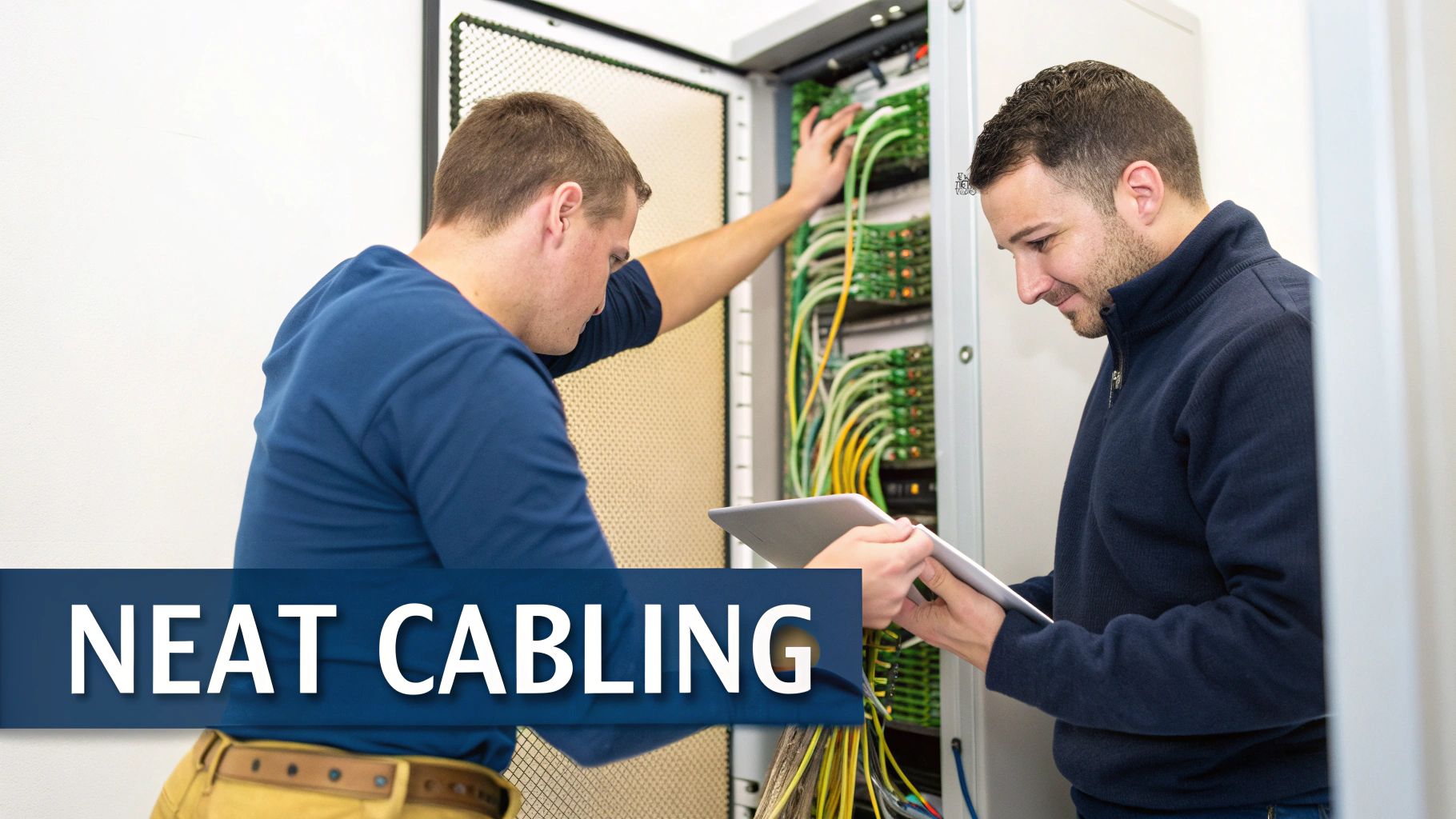
Respecting the Bend Radius: Every data cable has a minimum bend radius, which is a limit on how tightly it can be bent before the internal wiring gets damaged and signal quality drops. Yanking cables around sharp corners is a classic mistake that causes data loss and slow speeds. Professional installers use gentle, sweeping paths and proper supports to protect the cable’s integrity.
Clear and Logical Labelling: This is completely non-negotiable. Every cable, port, and patch panel must be labelled at both ends. The label needs a unique, logical identifier that matches the as-built drawings perfectly. A simple scheme like "Floor-Room-Port" (e.g., 01-105-A01) makes troubleshooting and future moves-and-changes infinitely easier for your IT team. Insisting on this will save them countless hours of pain.
Another challenge we often see is discovering a blocked conduit that wasn't visible during the initial survey. An experienced contractor doesn't just throw their hands up. They immediately flag the issue and propose a viable alternative route. This ability to problem-solve on the fly without compromising on standards is the true hallmark of a quality data cabling installation.
Testing, Certification, and a Flawless Handover
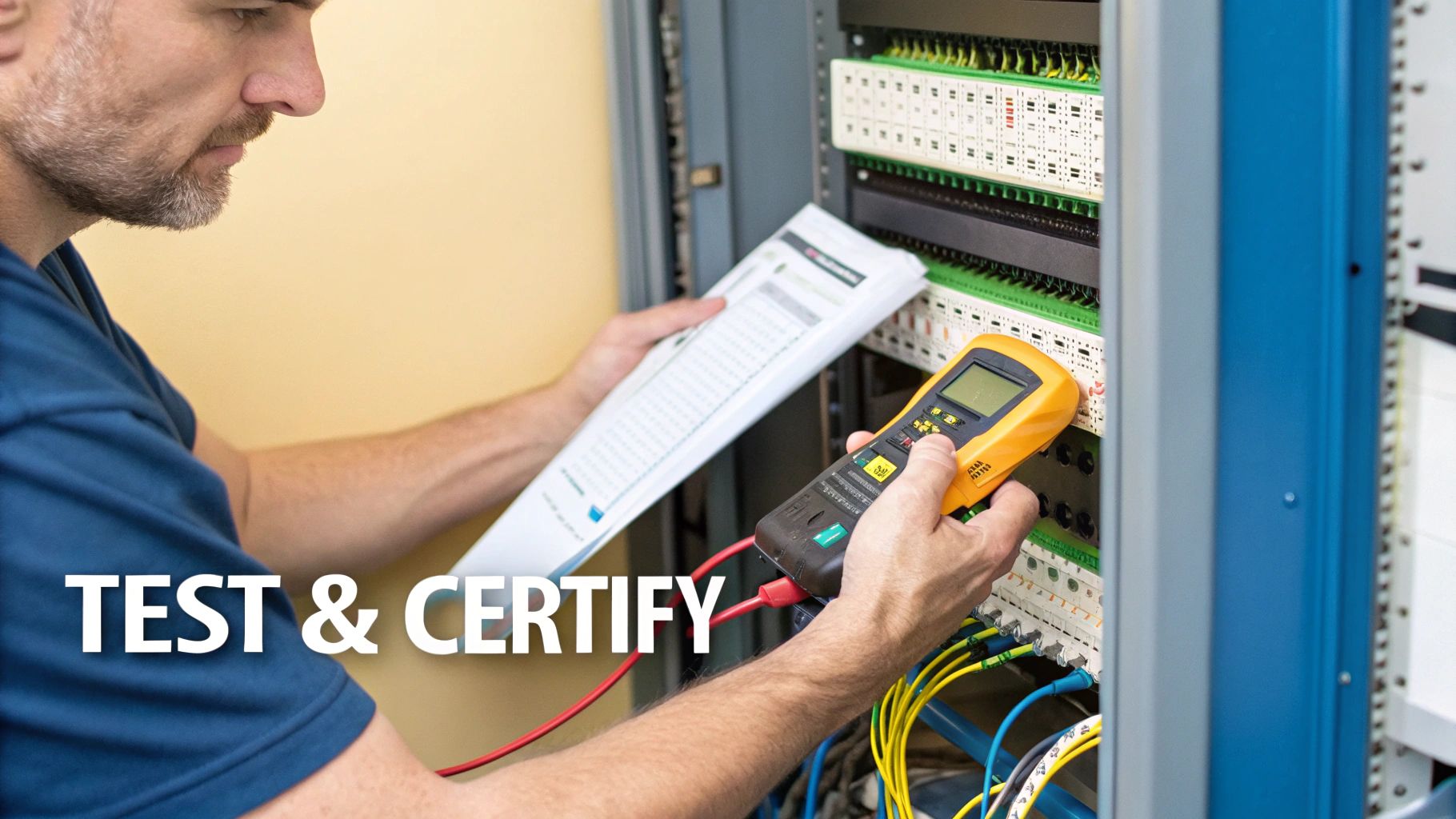
The physical installation might be complete, but the job is far from over. A data cabling installation isn't truly finished until it's proven to perform under pressure. This final phase is where everything gets properly tested, certified, and handed over. It’s what separates a professional, reliable network from a ticking time bomb of future problems.
Think of it as the ultimate quality assurance check. Skipping this stage to save a bit of time or money is a classic false economy. It's like building a high-performance engine but never actually turning the key to see if it starts. This is where you get undeniable proof that every single connection meets the strict standards your business operations depend on.
And this demand for properly verified infrastructure is only growing. The UK structured cabling market is currently worth around USD 858.6 million, and it's projected to nearly double, hitting USD 1,684.2 million by 2033. This massive growth is driven by businesses needing networks they can absolutely trust. You can read more about the UK structured cabling market's projected growth in the full report.
Demystifying the Certification Process
So, what actually happens during testing? Professional installers use sophisticated gear, like a Fluke DSX CableAnalyzer, to test every single copper and fibre link—right from the patch panel to the wall outlet. This isn't just a basic check to see if a signal can get from A to B.
This advanced testing measures a whole range of performance metrics against tough ANSI/TIA standards. We're talking about things like crosstalk (interference between wire pairs), return loss (signal reflection), and attenuation (how much the signal weakens over distance).
Each test spits out a simple result for the "Permanent Link," which is all the fixed cabling hidden in the walls and ceilings. A 'Pass' is a definitive, non-negotiable confirmation that the cable run meets or exceeds the performance for its category, like Cat6a. If it comes back with a 'Fail', something's wrong—a bad termination, a kink in the cable, or it's just too long. It must be fixed and re-tested until it passes. No exceptions.
The Non-Negotiable Handover Documentation
Once every single link has passed its certification test, the project moves to the final handover. At this point, your installer absolutely must provide you with a complete documentation package. This isn't a "nice-to-have"; it's a critical part of the service you've paid for and is essential for managing your network down the line.
The handover documentation is the official birth certificate of your network. It provides the baseline for all future troubleshooting, validates your warranty, and gives your in-house IT team the tools they need to manage the infrastructure for years to come.
Your documentation pack should be a complete portfolio of the entire project. Don't even think about signing off on the work until you have every single one of these items in your hand.
Essential Handover Documentation Checklist
This table breaks down the critical documents you must receive from your installer upon project completion. Treat it as your final sign-off checklist.
Document Type | Purpose and Importance |
|---|---|
Full Test Results | Provides a detailed performance report for every single data point. This is your proof that the entire system meets industry standards. |
As-Built Drawings | Floor plans that show the exact location of every data outlet and the precise routes the cables take through the building. |
Cabinet/Rack Diagrams | A visual layout of how patch panels and equipment are arranged in each server cabinet, showing port assignments. |
Labelling Schedule | A master document that explains the logical labelling system used on all cables, outlets, and patch panels. |
Manufacturer's Warranty | The official certificate, often for 25 years, that guarantees the performance of the entire cabling system. |
Having this complete set of documents empowers your IT team and protects your investment, ensuring you have a full and accurate record of the work that was completed.
Securing Your 25-Year System Warranty
That manufacturer's system warranty is arguably the most valuable document you'll receive. It's not just a warranty on the physical cables; it's a guarantee that the entire system, as installed and certified by an accredited partner, will perform to its specified standard for a full 25 years.
To secure this, the work has to be done by a certified engineer using components from a single manufacturer. This warranty is your long-term insurance policy, giving you complete peace of mind that your investment is protected.
Receiving this full package—certified results, detailed drawings, and the warranty—marks the successful end of your data cabling installation. It equips your team with everything they need to manage, maintain, and build upon a network foundation you can truly depend on.
Integrating Systems for Unmanned Building Management
Modern commercial properties are becoming complex ecosystems, and data cabling installations are the central nervous system for the entire building. This is especially true with the rise of unmanned building management, a setup where facilities like self-storage depots, remote utility hubs, and co-working spaces are designed to run securely and efficiently without daily on-site staff. For this to work, every critical system must be seamlessly integrated and remotely managed.
Why Many Unmanned Building Projects Fail
Many unmanned projects fail because of siloed thinking. The access control, power grid, and data network are often designed and installed as three separate jobs. This approach is a recipe for integration nightmares and long-term maintenance headaches. When a system goes offline, pinpointing the root cause—be it a network fault, power issue, or hardware failure—becomes a slow and costly process of elimination.
A successful unmanned building isn't a collection of separate parts. It's designed from the ground up as a single, unified system where access, power and data must be designed together. This holistic approach is the only way to build true operational resilience.
This unified design stops critical gaps from ever appearing, ensuring every component works seamlessly to create a robust, low-maintenance environment that can genuinely look after itself. To get deeper into this, check out our guide on the principles of designing for unmanned building management and how to nail it.
Real-World Technology Choices for Autonomy
On an unmanned site, every component must be chosen for maximum reliability. One of the most critical choices involves door locks. Real-world reasons for choosing battery-less, NFC proximity locks are compelling: they are powered for a fraction of a second by the user's phone or keycard. This simple but brilliant design eliminates a massive maintenance headache and operational cost—the need to replace hundreds of batteries every few years.
This same practical logic applies to other vital systems:
CCTV: Cameras require a robust Power over Ethernet (PoE) network. This provides a constant, reliable power source and a stable data connection, which is essential for the high-quality video feeds you need for remote security monitoring.
Remote Power Management: Every key network device should be plugged into a smart Power Distribution Unit (PDU). This allows an administrator to reboot an unresponsive device from anywhere, saving the cost and delay of sending an engineer to site.
Maintenance and Operational Considerations
When running an unmanned facility, maintenance and operational considerations are paramount. The entire infrastructure, from the data cabling installations to the power grid, must be incredibly robust. This begins with a professional commercial electrical installation and certification. Power systems need built-in redundancy to keep critical security and access systems running 24/7, even during a local outage.
The demand for this kind of resilient infrastructure is skyrocketing. Just look at the UK data centre construction sector, where UK data centre capacity is projected to expand from 3.3 gigawatts in 2025 to 6.3 gigawatts by 2030. That’s nearly a 91% increase in just five years. You can see more on the drivers behind this in this in-depth market report. This growth underscores the need for impeccable, integrated design when building out a fully autonomous unmanned building unit, creating a property that is efficient, secure, and resilient with minimal human oversight.
Your Data Cabling Questions, Answered
When you’re planning a new data cabling installation, a few key questions always come up. We get it. You need clear, straight answers to move forward with your project, so here are the most common queries we tackle for IT and facilities managers day in and day out.
How Long Does a Typical Office Data Cabling Installation Take?
This is usually the first question on everyone's mind, and the honest answer is: it really depends on the scale and complexity of the job. For a small office fit-out with maybe 20-30 data points, we could be in and out in just a couple of days.
But for a large, multi-floor installation for 200 users, you’re likely looking at a project spanning several weeks. The biggest factors influencing the timeline are the physical state of the building, the total number of outlets you need, and how well we can coordinate with other trades on-site, like the electricians and fit-out crews.
The only way to get a truly realistic schedule is through a detailed site survey. This lets us spot potential roadblocks early and map out a phased installation, often scheduling the disruptive work like drilling for after-hours to minimise the impact on your business.
This careful planning is what keeps the project running smoothly and on track, whether it's a small upgrade or a major relocation.
What Is the Difference Between Cat6 and Cat6a Cabling?
Choosing between Cat6 and Cat6a boils down to balancing your current needs against future-proofing your investment. The key technical difference is all about performance over distance and its muscle against interference.
Both standards can handle speeds up to 10 Gigabit Ethernet, but Cat6a is built to maintain that speed over the full 100-metre channel length. Cat6, on the other hand, is only guaranteed for those 10 Gigabit speeds over much shorter distances—think 37-55 metres at most.
On top of that, Cat6a comes with far superior shielding. This gives it much better protection against "crosstalk" and electrical noise from nearby power cables, making it a more robust and reliable choice for busy modern environments.
Choose Cat6 if: You mainly need solid gigabit connectivity for desktops and phones and you're working with a tighter budget. It's a dependable workhorse for most standard office needs today.
Choose Cat6a if: You're deploying power-hungry Power over Ethernet (PoE) devices like Wi-Fi 6 access points or IP security cameras, or if you want to be certain your infrastructure is ready for the next decade of tech.
For many businesses, the slightly higher upfront cost of Cat6a is a smart long-term investment in the reliability and future of their network.
Why Is a 25-Year System Warranty So Important?
A 25-year system warranty is so much more than a guarantee on the parts. It’s your comprehensive assurance that the entire installation—from the cables and patch panels right down to the wall outlets—was designed, installed, and tested to meet strict international performance standards.
This warranty is only ever issued when the project is completed by an accredited partner using components from a single manufacturer. Think of it as your ultimate proof that the job was done properly.
It protects your investment by guaranteeing the network will consistently support the applications and speeds it was designed for. It’s peace of mind and a tangible mark of quality.
Can New Cabling Be Installed in a Live Office Environment?
Absolutely. Installing new cabling in a live, working office is something we do all the time. The whole operation hinges on meticulous planning, clear communication, and a commitment to keeping disruption to a bare minimum.
We work hand-in-hand with your team to map out a detailed schedule that fits around your business hours. Noisy or intrusive work, like drilling through walls or pulling cables through busy areas, is almost always scheduled for evenings or weekends. Our engineers are trained to work cleanly and efficiently, ensuring the workspace is left tidy and ready for your staff at the start of each day so business can carry on as usual.
Planning your next office fit-out or network upgrade? The team at Constructive-IT has over 20 years of experience delivering high-performance, fully warrantied data cabling installations for UK businesses. We manage the entire process, from initial survey to final certification, ensuring your project is delivered on time, on budget, and with minimal disruption. Schedule your free consultation today to discuss how we can build a network that powers your business for years to come.
Comments