


Data Centre Relocation Services A Guide to Seamless Migration
- Craig Marston
- Feb 6
- 16 min read

Moving a data centre isn't just about shifting servers from one building to another. It's a hugely complex undertaking that touches every part of your IT infrastructure. Think of it as a carefully managed operation, covering everything from the initial discovery and risk planning to the physical move and final sign-off, all orchestrated to minimise downtime and keep the business running.
Why Moving Your Data Centre Is a Strategic Necessity
Deciding to relocate a data centre is rarely a simple choice. It's usually a strategic move, a direct response to fundamental shifts in technology, business needs, or the sheer physical limits of your current facility. For many UK businesses, the data centre that was once a reliable asset has now become a roadblock to growth.
The push often comes from the tech itself. The massive demand for AI and high-density computing has made many older facilities functionally obsolete. These modern workloads need huge amounts of power and specialised cooling that legacy data centres were never built to handle. This creates a hard ceiling on performance, stopping businesses from adopting the very technologies they need to compete.
The Power and Space Predicament
One of the biggest catalysts for a move is hitting the wall on power and space, especially in traditional hubs like West London. Once a facility maxes out its power capacity, you're stuck. You can't deploy new hardware or scale up what you have, effectively putting a freeze on innovation.
This isn't just about adding a few more servers. We're talking about a fundamental change in hardware. A single rack of modern, AI-ready servers can chew through as much power as five or even ten older racks. Older electrical and cooling systems simply can't cope. In this scenario, a relocation isn't just a good idea—it's essential for survival and future growth.
Before diving into a relocation project, it's worth understanding the common forces driving these decisions across the UK.
Key Drivers for Data Centre Relocation in the UK
Relocation Driver | Business Impact | Strategic Solution |
|---|---|---|
Power & Cooling Limits | Inability to deploy modern, high-density hardware (e.g., for AI). | Relocate to a facility with higher power density and advanced cooling. |
Business Growth/Consolidation | Current facility is too small or multiple sites need merging after M&A. | Move to a larger, scalable site to support future expansion. |
End of Lease/Property Sale | The existing building is no longer available. | Procure a new data centre space that aligns with long-term strategy. |
Legacy Infrastructure | Ageing equipment is unreliable, inefficient, and expensive to maintain. | Use the move as a chance for a complete tech refresh. |
Cloud Adoption Strategy | A strategic shift to a hybrid cloud model reduces physical footprint. | Right-size by moving a smaller, core infrastructure to a colocation facility. |
Compliance & Resilience | Need for higher physical security, better disaster recovery, or specific certifications. | Move to a certified facility with improved resilience and security measures. |
These drivers show that a data centre move is rarely just a logistical task; it's a direct response to core business needs.
A Catalyst for Transformation
If you only see a data centre move as a logistical headache, you're missing the real opportunity. The smartest organisations view it as a rare chance to completely modernise their infrastructure from the ground up.
A data centre relocation is one of the few times a business gets a green-field opportunity to redesign its core infrastructure, shedding legacy constraints and building an environment engineered for future demands.
This strategic reset lets you align your IT environment perfectly with your long-term business goals. This trend is reflected in the market's explosive growth; the UK data centre market is projected to grow from USD 22.23 billion in 2025 to USD 43.17 billion by 2030. This underlines the urgent need for modern, capable digital infrastructure. You can learn more about the UK's data centre growth trajectory on nextmsc.com.
Ultimately, a professionally managed data centre relocation is about future-proofing your operations. It’s an investment in agility, scalability, and resilience that ensures your infrastructure is an enabler of your business strategy, not a roadblock.
Building Your Relocation Blueprint
Trying to move a data centre without a detailed blueprint is like navigating a minefield blindfolded. Success doesn't come from luck; it’s all about eliminating surprises with rigorous, upfront discovery and planning. This first phase goes way beyond a simple server count, digging into a forensic-level audit of every single asset, dependency, and process your business relies on.
It all starts with a comprehensive asset audit. And I don’t just mean a list of servers and switches. This is a deep dive into the specifics of every piece of hardware. Think of it as creating a detailed biography for each device, capturing everything from model numbers and power requirements to warranty status and physical dimensions. This granular detail is absolutely crucial for everything that follows, from designing the new rack layouts to calculating power loads.
Next comes dependency mapping, which is arguably the most critical—and complex—part of the entire project. This is where you uncover the invisible threads connecting your infrastructure. The goal is to map every physical and logical connection, figuring out which applications rely on which servers and how data flows between them. Getting this wrong is the number one cause of extended, business-crippling downtime during a move.
This process flow shows the strategic thinking behind a successful data centre move, focusing on the core drivers of demand, constraints, and future growth.
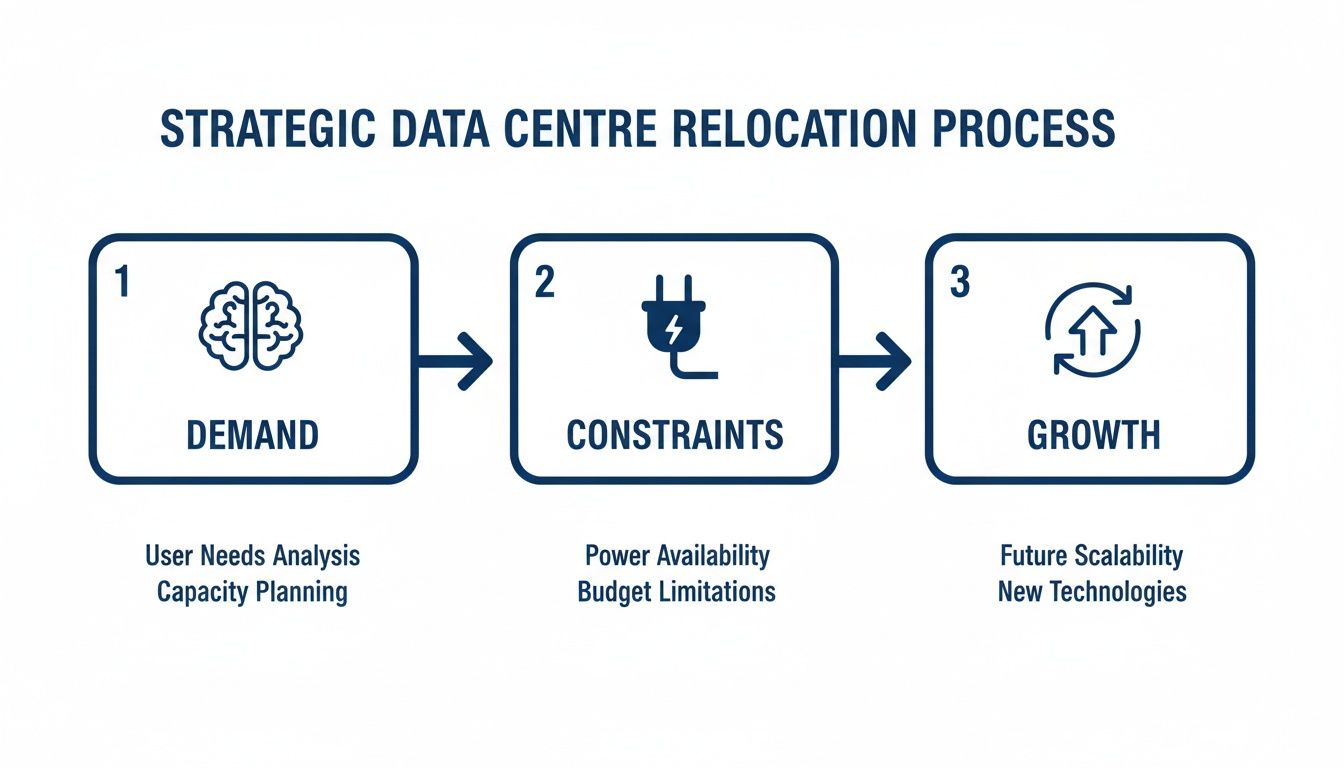
The visualisation highlights that a move is never just a logistical exercise. It’s a strategic response to evolving business needs, physical limitations, and where you want to be in the future.
From Inventory Lists to Actionable Intelligence
A simple spreadsheet of your assets just won’t cut it. Your inventory needs to become a dynamic tool for assessing risk. By mapping all those dependencies, you start to see the potential single points of failure that could derail your entire operation.
For instance, you might discover a single, non-redundant core switch handling traffic for your most critical financial applications. In the old data centre, that might have been an accepted risk. But in the context of a relocation, it becomes a high-priority threat that needs a specific mitigation strategy, like upgrading to a redundant pair at the new site before the move even begins.
The discovery phase isn't about confirming what you think you know; it’s about uncovering what you don't. A thorough audit illuminates hidden risks and interdependencies that are often missed in day-to-day operations.
Building a Robust Risk Assessment
With a complete map of your assets and their interdependencies in hand, you can build a realistic and actionable risk assessment. This isn’t a theoretical exercise. It’s about anticipating specific, real-world problems and planning your response well in advance.
Your risk assessment should get into the weeds on several key areas:
Technical Risks: What happens if a critical server fails to power on at the new site? What if a specific network connection is misconfigured?
Logistical Risks: What if the transport is delayed by traffic or weather? Are there access restrictions at the new building that nobody mentioned?
Human Risks: Has the team been fully briefed on their roles? Is there a crystal-clear communication plan for when something goes wrong?
Business Risks: What is the maximum acceptable downtime for each application? How much money does the business lose for every hour of delay?
Each risk you identify needs a corresponding mitigation strategy. For a critical server, the plan might involve having cold spares ready and waiting at the new site. For logistical issues, choosing the right transport partner is key. When building your relocation blueprint, selecting the right Australian interstate transport companies is vital if your project spans across states.
Creating Your Business Continuity Plan
Your risk assessment feeds directly into your business continuity and mitigation plans. This is your safety net, ensuring the business can keep operating even if the migration hits a major snag.
A solid continuity plan must include a detailed rollback procedure. This means having a pre-agreed set of triggers and actions to revert to the original site if the cutover isn't successful within the planned window. This plan has to be tested and validated before the move.
By creating this robust blueprint—combining a deep asset audit, meticulous dependency mapping, and a pragmatic risk assessment—you transform a high-stakes relocation from a gamble into a calculated, controlled, and ultimately successful project.
Engineering Your New Data Centre Environment
Designing the new site is where your relocation strategy truly comes to life. This isn't just about recreating your old environment in a new space; it's a golden opportunity to engineer a facility that’s robust, scalable, and perfectly aligned with your future needs. The secret to success lies in designing power, cooling, and data in concert, not as separate, siloed workstreams.

You simply can't overstate how interdependent these core systems are. For instance, if you're deploying high-density racks for AI and machine learning workloads, that decision directly impacts your entire facility design. Those power-hungry systems generate immense heat, demanding advanced cooling solutions like liquid cooling or hot/cold aisle containment, which in turn require specific power distribution and floor layouts.
Planning these elements in isolation is a recipe for inefficiency and future bottlenecks.
Integrating Power, Cooling, and Data
A holistic design approach is the only way forward. Your choice of structured cabling—whether it's high-speed copper or long-distance fibre—must be planned right alongside rack placement and power delivery. This ensures you have adequate pathways from the start and avoids costly, disruptive retrofitting later on. You can get into the nitty-gritty of how to properly choose and set up your infrastructure with our guide to selecting and installing network server racks.
This integrated mindset needs to extend beyond the main data hall. It has to encompass all the supporting systems that make the facility functional and secure, including:
Commercial Electrical Installation: Professional installation and certification are non-negotiable. Your power infrastructure must be resilient, with redundant power feeds (A/B feeds), Uninterruptible Power Supplies (UPS), and backup generators.
Comprehensive CCTV: Security is paramount. A modern CCTV system with complete coverage, secure storage, and integrated access control is a foundational requirement.
Telecommunications: Diverse fibre entry points from multiple carriers are essential. This simple step prevents a single point of failure from taking your entire operation offline.
The Rise of Unmanned and Autonomous Facilities
As part of engineering a modern environment, many organisations are looking to build out fully autonomous, unmanned building units. Unmanned building management means operating a facility with minimal to zero on-site human intervention. In practice, this relies on a suite of integrated technologies for remote monitoring, management, and physical security.
Here’s the catch: many unmanned building projects fail. This is often because access, power, and data were not designed together from the outset. A classic failure point is an access control system that relies on the very network it's supposed to protect. If the network goes down, nobody can get in to fix it.
True autonomy requires systems that are independently resilient. Access control must function even during a total power or network outage, which is a fundamental design principle for any unmanned site.
This is exactly why battery-less, NFC proximity locks are a game-changer for unmanned sites. These locks are powered by the user's device (like a smartphone) at the exact moment of entry. This completely eliminates the risk of a dead battery locking technicians out and removes the maintenance headache of replacing hundreds of batteries.
Operational and Security Considerations
Maintenance and operational needs are very different in an unmanned environment. Remote monitoring tools for power, cooling, and network performance are absolutely critical. You need real-time alerts for any deviation from normal parameters.
When access, power, and data are cohesively designed, you create a truly resilient system. For example, a security alert from a CCTV camera can trigger an automated workflow, granting a pre-approved engineer temporary access via their NFC device, all while logging every single action for a full audit trail.
As you engineer your new data centre, a well-designed electrical system is paramount, with the heart often being a robust Power Distribution Center. This core component is critical for ensuring reliable power delivery to every rack.
The UK's data centre electricity demand is skyrocketing, with forecasts projecting consumption could exceed 26.2 TWh by 2030—a more than fivefold increase from today. This huge demand underscores why professional commercial electrical installation and certification are absolutely essential for future-proofing your facility. You can explore the full findings of the UK's rising power challenge on oxfordeconomics.com.
These integrated, autonomous systems are commonly used in:
Edge computing sites in remote locations.
Mobile network base stations and telecoms exchanges.
Private colocation cages within larger data centres.
Disaster recovery sites that are only staffed during an emergency.
By taking a unified approach to engineering your new environment, you build a facility that is not only ready for today's demands but is also prepared for the autonomous future.
Assembling Your Migration Team and Runbook
Even the most perfectly engineered data centre is useless without a flawless migration plan executed by a skilled team. A successful move hinges on people and processes, not just technology. This is where we get into the practical project management of it all—defining who does what and scripting the entire migration event with military precision.
The very first job is to establish who owns what. This isn't about job titles; it's about assigning clear ownership for specific outcomes. Your team will be a mix of your own in-house experts and external partners, and every single person needs to know exactly what they're accountable for, from the network lead right down to the logistics manager.
A classic mistake is assuming your internal IT team can handle the whole thing. While they know your applications inside and out, they often lack the specialist experience in the physical logistics and risk management that a large-scale move demands. This is precisely where specialist vendors become indispensable.
Defining Roles and Selecting Specialist Vendors
Building the right team means being honest about the gaps in your internal skills and filling them with proven experts. A typical migration team has a clear hierarchy and defined responsibilities for both your own staff and your chosen partners.
Your core team should always include:
Project Manager: The central point of command. They own the overall plan, the timeline, the budget, and all communications.
Technical Leads: Your designated experts for key areas like networking, storage, servers, and applications. They are responsible for the technical validation at both the old and new sites.
Application Owners: These are the business-side stakeholders who have the final say. They are responsible for testing and signing off on their specific applications once the move is complete.
Facilities Manager: The person who coordinates physical access, power, and security at both locations. It's a role that's easily overlooked but absolutely critical.
When it comes to choosing external partners for your data centre relocation services, look for specialists in IT logistics. Your standard removal company is simply not equipped to handle sensitive, high-value electronic equipment. A specialist vendor brings secure, climate-controlled transport, experienced engineers for de-racking and re-racking, and the correct insurance.
Creating the Migration Runbook
The runbook is the heart of your entire migration. It's so much more than a simple to-do list; it's a detailed, minute-by-minute script for the whole cutover event. A vague plan is a recipe for chaos, but a granular runbook ensures everyone is synchronised and knows exactly what to do next, even at 3 AM.
A truly effective runbook breaks the whole process down into distinct phases and individual tasks, assigning a specific owner and a clear timeframe to every single one.
Your runbook is the single source of truth during the migration weekend. If a task, contact number, or escalation path isn't in the runbook, it effectively doesn't exist.
This document must be meticulously detailed, covering every single action from the initial system shutdown to the final client sign-off.
Essential Components of a Detailed Runbook
A robust runbook is the difference between a controlled, predictable process and a weekend of frantic firefighting. It should be a living document, constantly refined through testing and reviews with the team.
Timeline: A minute-by-minute schedule of events, from the start of the shutdown sequence to the planned completion of post-move testing.
Task List: Each step clearly defined (e.g., "Power down server XYZ," "Verify network connectivity for firewall ABC"). No ambiguity.
Ownership: Every single task must have a named individual assigned as the owner. Not a team, a person.
Dependencies: Clearly note which tasks cannot start until a previous one is completed. This prevents costly sequence errors.
Communication Plan: A directory of all team members with primary and secondary contact details, plus a schedule for regular check-in calls or bridge lines.
Escalation Paths: Pre-defined procedures for what to do when a task fails or a deadline is missed. This should include who to contact and when.
Rollback Plan: A clear set of triggers and steps to abort the migration and revert to the original site if major, unresolvable issues arise.
The Critical Role of Pre-Move Testing
Finally, you absolutely have to validate the entire plan before the live event. Pre-move testing and dry runs are completely non-negotiable. This means walking through the runbook with the entire team, simulating key steps, and testing your communication protocols.
This rehearsal is where you find the flaws in your plan, clarify roles, and build the team's confidence. Running a simulated "downtime" scenario helps everyone understand the pressures of the real thing in a controlled setting. It's your last, best chance to catch an error before it has a real-world business impact.
Executing the Cutover and Ensuring Post-Move Success
This is the moment of truth. After months of meticulous planning, auditing, and engineering, the success of your entire data centre relocation comes down to the cutover weekend. This phase is all about a graceful shutdown, a secure and calculated physical move, and a seamless power-up at the new site.
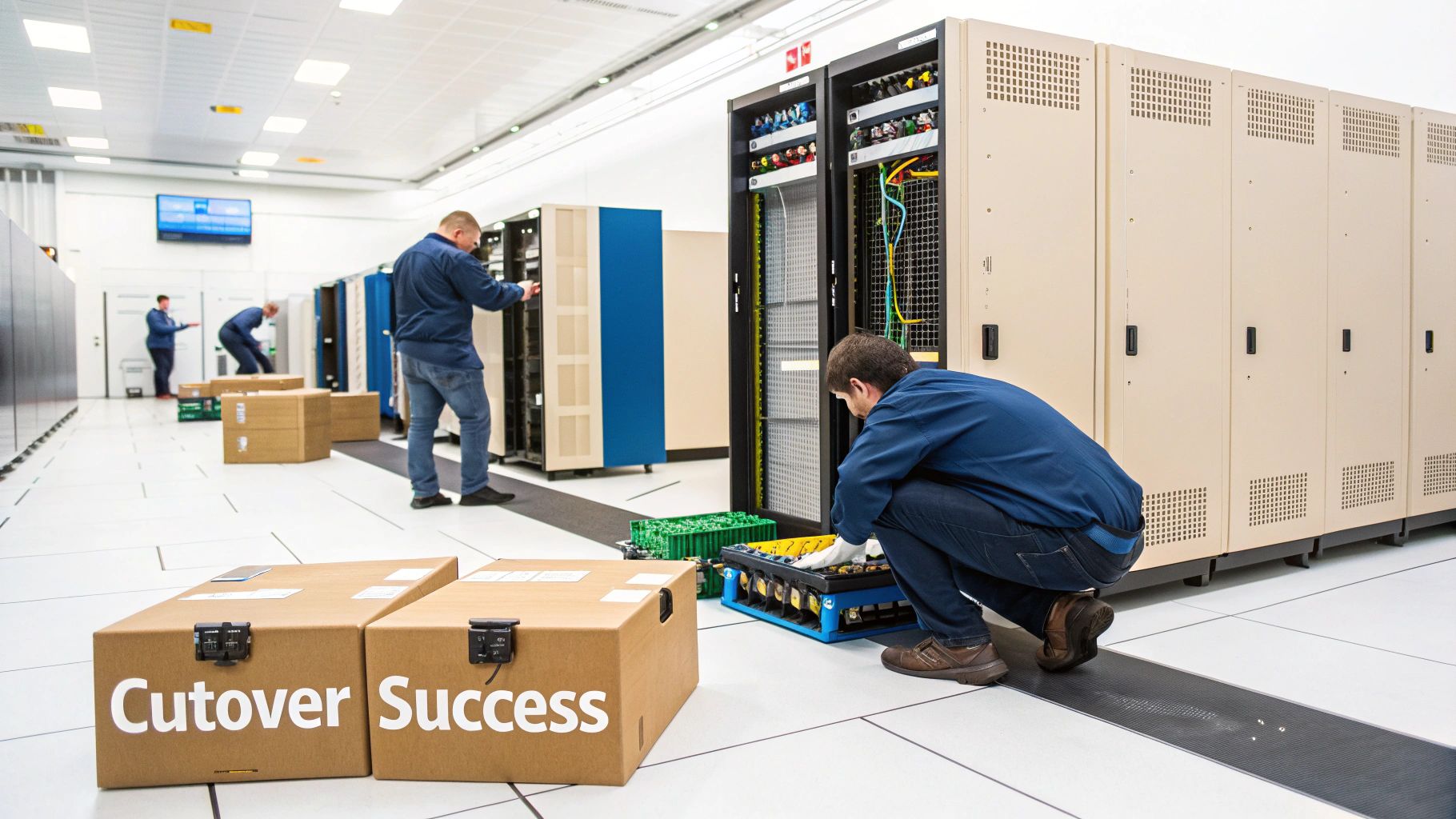
It all starts with a controlled, graceful shutdown of every system, following the sequence laid out in your runbook. This isn't just about pulling plugs; it involves stopping applications, taking final backups, and ensuring all data is quiescent before a single piece of hardware is touched. Each step has to be verified and signed off before moving to the next.
Once everything is powered down, the physical de-racking and transport begin. Specialist logistics teams handle the careful packaging, moving, and secure transit of your high-value assets. This is where experience really matters—ensuring every server, switch, and storage array arrives at the new site in exactly the same condition it left the old one.
The Power-Up Sequence and Your Rollback Plan
At the new facility, the re-racking and cabling process kicks off immediately, again following the precise rack elevations and patching schedules from your plan. The power-up sequence is just as critical as the shutdown, bringing infrastructure online in a specific order—core network first, then storage, followed by servers and finally applications.
But what happens if something goes wrong? This is where your rollback plan becomes your most important document. A rollback plan is your safety net, a pre-agreed procedure to revert to the original site if a critical issue crops up that can't be fixed within a defined timeframe.
A well-defined rollback plan isn't an admission of potential failure; it's a mark of professional planning. It ensures that business continuity remains the top priority, no matter what happens during the cutover.
This plan needs clear triggers. For instance, if core network connectivity isn't established within two hours of the scheduled time, the project manager might invoke the rollback procedure. This prevents panicked, on-the-fly decision-making during a high-stress event.
Post-Move Validation: The First 24 Hours
Once the systems are live at the new site, the work is far from over. The next phase involves intensive post-move validation to confirm that everything is working exactly as it should be. This isn't a quick check; it's a comprehensive series of tests designed to catch any issues before they can impact the business.
This validation phase is a joint effort between your technical teams and the business application owners. The goal is to move from "the lights are on" to "the business is fully operational".
This checklist outlines the essential tests and certifications that must be completed immediately after the cutover.
Post-Move Validation Checklist
Validation Area | Key Checks to Perform | Success Criteria |
|---|---|---|
Physical Infrastructure | Verify all racks are secure, powered correctly (A/B feeds), and cooling is optimal. Check all physical cabling against diagrams. | All devices powered on and reporting normal temperatures. No cabling errors. |
Network Connectivity | Test internal LAN, WAN, and internet links. Verify firewall rules and VLAN configurations. Check for latency and packet loss. | All network paths are operational. Performance metrics are within pre-move baseline levels. |
Server & Storage Health | Check all servers boot correctly. Confirm storage arrays are accessible and all logical unit numbers (LUNs) are presented. | No hardware errors reported in system logs. All storage volumes are mounted and accessible. |
Application Functionality | Application owners log in and perform key business processes. Test integrations between different systems. | All core application functions are confirmed to be working by business stakeholders. |
Security & Monitoring | Confirm CCTV is recording, access control systems are functional, and all monitoring tools are receiving data from the new environment. | All security and monitoring systems are online and reporting accurate data. |
Completing these checks gives you the confidence that the core of the migration has been a success.
Long-Term Stability and Certification
After the initial thumbs-up, the focus shifts to ensuring long-term stability and achieving any necessary certifications. This includes detailed network performance monitoring to establish a new baseline and identify any subtle, post-move issues. It's crucial to dive deep into network performance monitoring to improve your new office network from day one.
This period also involves finalising all documentation, updating your asset management database, and conducting a post-project review to capture lessons learned. If the new facility needs to meet specific compliance standards (like for handling NHS data), this is when you complete the final audits and paperwork.
The rise of specialised AI infrastructure and large-scale moves is reshaping how organisations plan. The UK data centre construction market is seeing a major shift, with hyperscaler self-builds growing at 16.2% CAGR, showing the importance of professional IT infrastructure services during these transitions. You can find out more by reading insights into the UK data centre construction market on mordorintelligence.com.
A successful cutover isn’t just about being operational on day one. It's about ensuring the new environment is stable, certified, and fully supported for the long haul, providing a solid foundation for future growth.
Answering Your Data Centre Relocation Questions
Even the most thorough plan is bound to spark a few questions. Drawing on years of hands-on experience, we've tackled some of the most common queries that come up when IT and Operations Managers first start thinking about a data centre move.
What Is the Biggest Risk and How Do You Mitigate It?
Without a doubt, the single biggest risk is unplanned downtime. When a migration window is missed and the business can't get back online, the impact on operations and revenue can be devastating.
Almost every time this happens, it boils down to poor planning—specifically, a failure in dependency mapping. It only takes one forgotten network connection, one misconfigured firewall rule, or one overlooked application dependency to grind the entire cutover to a halt.
Mitigation starts with a discovery and audit phase that leaves absolutely no stone unturned. A professional partner uses specialist tools to map every physical and logical dependency across your estate. The second line of defence is a meticulously detailed runbook, complete with a clear and rehearsed rollback plan. You have to ensure there's a tested, proven procedure to revert to the original site and keep disruption to an absolute minimum if things don't go to plan.
How Long Does a Data Centre Relocation Take?
There’s no one-size-fits-all answer here; the timeline is dictated entirely by the scale and complexity of your infrastructure. A small comms room with just a handful of racks might be planned and executed in 4-6 weeks.
On the other hand, a large enterprise data centre with hundreds of devices and complex interdependencies can easily take 6-12 months—sometimes even longer—to plan and deliver successfully.
The planning phase is where the real work happens. Discovery, design, and procurement are the longest and most critical stages, often accounting for 70-80% of the entire project timeline. The physical move itself is relatively short, but its success is built entirely on the months of preparation that come before it.
Can We Manage the Move with Just Our In-House Team?
While it might seem tempting for a very small, non-critical move, relying solely on your in-house team is something we’d strongly advise against for any business-critical infrastructure. Your internal experts know your applications inside out, but they rarely have the specialist tools and, crucially, the hands-on experience required for a large-scale physical relocation.
A specialist partner brings a completely different set of skills to the table:
Logistics and Secure Transport: They have the right equipment—from server lifts to custom flight cases—and proven methods to move high-value assets safely and securely.
Risk Management: Their experience allows them to spot potential points of failure that an internal team, focused on the day-to-day, might easily overlook.
Multi-Vendor Coordination: They act as a single, accountable point of contact to manage all the third parties involved, from telecoms providers to transport crews.
Think of them as a physical extension of your own team. They handle the complex, high-risk logistics of the move itself. This frees up your key people to focus on what they do best: testing and validating the critical business applications to ensure everything works perfectly post-migration.
Navigating a data centre relocation requires specialist expertise and meticulous planning. At Constructive-IT, we provide end-to-end project management, from initial design to post-move certification, ensuring your migration is a strategic success with minimal disruption. If you are planning to build out an efficient and secure new environment, our team of network and electrical engineers can help you design a solution from the ground up. Learn how our data centre relocation services can future-proof your infrastructure.
Comments