


Your Ultimate Office Fit Out Checklist: 10 Essential Steps for 2026
- Craig Marston
- Feb 5
- 16 min read

Embarking on an office fit out or relocation is a monumental undertaking. While architectural plans and interior design often take centre stage, the ultimate success of any modern workspace hinges on its digital backbone. A poorly planned or executed IT infrastructure can lead to crippling downtime, spiralling costs, and operational chaos long after the paint has dried. A great design is more than just furniture and paint; it's about creating a high-performance environment where technology and physical space work in perfect harmony.
This comprehensive office fit out checklist moves beyond aesthetics to provide a detailed, actionable framework for the critical technology stages. We will cover everything from the initial site surveys and structured cabling to the intricate requirements of server rooms, CCTV, and AV integration. Whether you are an IT manager overseeing a large-scale project, a facilities manager tasked with delivering reliable connectivity, or a business leader planning an expansion, this guide is your blueprint for success.
Following a structured plan ensures no critical component is overlooked, from ensuring your power and data are designed together to planning for future scalability. This approach not only prevents costly rework but also lays the foundation for a resilient and efficient workspace. Beyond the initial setup, effective management of your hardware and software throughout its lifespan is crucial; understand the principles of IT Asset Lifecycle Management to maximise value and minimise risk post-deployment. This checklist will guide you through each essential step, guaranteeing your IT infrastructure is not just functional, but a genuine asset to your organisation from day one.
1. Comprehensive Site Survey and Assessment
The first and most critical item on any office fit out checklist is a thorough site survey and physical assessment. This is the foundational stage where the physical space is meticulously evaluated to inform every subsequent IT and infrastructure decision. It moves beyond a simple walkthrough, involving precise measurements, structural analysis, and an audit of all existing systems. A critical part of this initial phase involves a strategic and well-executed, comprehensive office space planning and design guide, which lays the foundation for all subsequent installations.

This process involves identifying potential challenges early, such as locating load-bearing walls that cannot be altered, assessing the capacity of existing power distribution boards, and documenting all current cabling routes. For IT-specific needs, this survey pinpoints optimal locations for server rooms, identifies clear pathways for structured cabling, and evaluates sources of radio frequency (RF) interference that could disrupt Wi-Fi performance.
Implementation in Practice
Consider a large corporate relocation across multiple floors. A detailed site survey would map out potential network zones, identify ideal placement for wireless access points on each level using professional RF mapping tools, and confirm riser capacity for vertical cabling. Similarly, for an NHS hospital project, a structural survey is paramount to ensure that walls and floors can support heavy-duty infrastructure like uninterruptible power supply (UPS) units and server racks for critical systems. You can explore a more detailed breakdown of what is a site survey for UK office IT relocations to understand the full scope of this crucial step.
Key Takeaway: A site survey is not just about measuring a room; it's a diagnostic exercise that prevents costly and disruptive surprises during the construction and installation phases. It ensures that the design is viable, safe, and optimised for performance from day one.
2. Network Design and Infrastructure Planning
Following the site survey, the next crucial item on your office fit out checklist is the development of a comprehensive network design and infrastructure plan. This is the architectural blueprint for your entire IT ecosystem, translating organisational needs into a technical specification for performance, reliability, and security. It encompasses the complete Local Area Network (LAN) and Wide Area Network (WAN) architecture, dictating everything from structured cabling pathways to server room configurations and security protocols.
A robust design balances current requirements with future scalability, ensuring the network can handle projected growth in data traffic, devices, and applications. This involves meticulously planning structured cabling systems (e.g., Cat6, Cat6a, and fibre optics), defining network segmentation to isolate traffic for security and performance, and designing resilient Wi-Fi coverage zones. The plan must adhere to industry standards like BS 6701 and BS EN 50173, ensuring compliance and interoperability from day one.
Implementation in Practice
For a large NHS hospital, this phase would involve designing a highly segmented network to separate critical clinical systems from patient Wi-Fi and administrative traffic, with built-in redundancy to guarantee uptime for life-saving equipment. In a corporate campus deployment with multiple buildings, the design would map out a high-speed fibre backbone to connect each location, ensuring seamless data flow and unified communications. The design must also consider the convergence of services like data, voice (VoIP), video conferencing, and building management systems onto a single, optimised network infrastructure.
Key Takeaway: Network design is not just about connecting computers; it’s a strategic process that underpins your organisation's operational efficiency and future growth potential. A well-documented plan prevents bottlenecks, enhances security, and ensures the infrastructure is a long-term asset, not a future liability.
3. Structured Cabling Installation (Cat6 and Fibre)
The backbone of any modern office is its structured cabling, the permanent infrastructure that supports all data, voice, and video transmission. This critical component of the office fit out checklist involves the professional installation of copper (typically Cat6 or higher) and fibre optic cables, connecting everything from desk endpoints to server rooms via patch panels and distribution frames. A well-designed and properly installed cabling system ensures reliable network performance, minimises downtime, and provides the scalability needed for future technological demands.
This stage moves the design from paper to physical reality. It requires meticulous planning of cable routes to avoid sources of electromagnetic interference, such as power lines and heavy machinery, which can degrade signal quality. Adherence to industry standards like TIA-568 ensures interoperability and performance. Professional installation is non-negotiable, as it guarantees that every connection is correctly terminated, tested, and certified, providing a stable foundation for all network-dependent systems, including AV equipment, CCTV, and access control.
Implementation in Practice
Consider a new corporate headquarters requiring over 500 desk connections. An Excel Cat6 structured cabling solution would be deployed, with each cable run methodically labelled, routed through containment like trunking and trays, and terminated at centralised patch panels. For a multi-building NHS hospital campus, a fibre optic backbone is essential to connect disparate departments, providing the high bandwidth needed for transferring large medical imaging files and supporting critical patient systems. In both scenarios, a certified installation is crucial; you can find more details in this comprehensive guide to data cabling installations for UK office fit outs.
Key Takeaway: Structured cabling is a long-term investment in your office's operational capability. A certified, professionally installed system is the fundamental platform that underpins every piece of network technology, ensuring speed, reliability, and the flexibility to adapt to future growth.
4. Wi-Fi Survey, Design, and Optimisation
Seamless wireless connectivity is no longer a luxury but a core utility in the modern workplace. Therefore, a systematic Wi-Fi survey, design, and optimisation process is a non-negotiable part of any IT-focused office fit out checklist. This stage involves a professional evaluation of the office environment to map radio frequency (RF) behaviour, ensuring reliable, high-speed wireless coverage everywhere it is needed. It goes beyond simply placing access points, encompassing a strategic plan to mitigate interference, eliminate dead zones, and support high-density user environments.
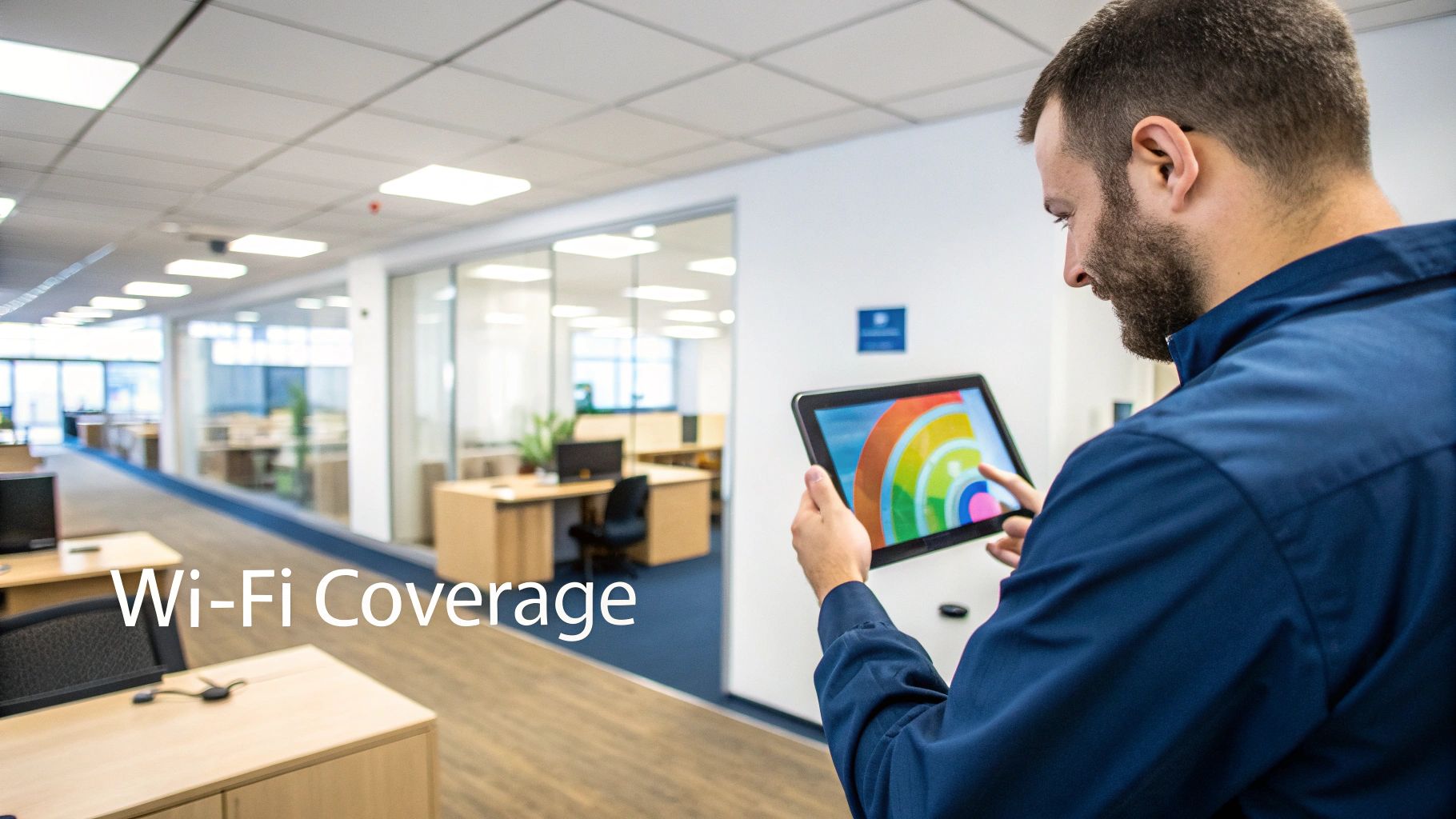
The process starts with a predictive or on-site RF survey using specialised tools to understand how building materials like concrete walls, metal-infused glass, and even office furniture will affect signal propagation. This data informs the optimal placement and configuration of wireless access points (APs), the selection of appropriate standards like Wi-Fi 6 (802.11ax) for new deployments, and the planning of channel allocation to avoid interference. Post-installation, the network is fine-tuned to ensure peak performance and seamless roaming for all users and devices.
Implementation in Practice
For a large corporate office with over 1,000 users, a detailed Wi-Fi survey ensures that high-density areas like conference rooms and open-plan zones can support hundreds of concurrent connections without performance degradation. In an NHS hospital setting, this process is critical for guaranteeing that life-saving medical devices, mobile workstations, and communication systems have uninterrupted connectivity. A multi-floor building benefits from meticulous design by enabling smooth roaming between APs, so a user on a VoIP call can walk between floors without a dropped connection. To do this effectively, always plan for at least 20% capacity headroom to accommodate future growth and increasing device density.
Key Takeaway: A professional Wi-Fi survey and design phase is an investment, not an expense. It prevents the common pitfalls of poor coverage and unreliable performance that can cripple productivity, ensuring your wireless infrastructure is robust, scalable, and fit for purpose from day one.
5. Server Room and Data Centre Planning
The server room or data centre is the operational heart of any modern business, housing the critical IT infrastructure that powers daily operations. Effective planning for this space is a non-negotiable part of any office fit out checklist, moving far beyond simply allocating a room. It involves a strategic approach to physical layout, power distribution, environmental controls, and security to ensure resilience, scalability, and optimal performance.
This process involves designing a dedicated environment that can protect sensitive equipment from physical and environmental threats. Key considerations include the installation of robust racking systems, uninterruptible power supply (UPS) units for power continuity, and sophisticated cooling systems to prevent overheating. It also encompasses physical access controls, fire suppression systems, and meticulous cable management to facilitate maintenance and future expansion. Proper planning ensures the infrastructure hub is not just functional but also secure and built to last.
Implementation in Practice
For a large corporate data centre serving over 5,000 users, planning would necessitate redundant power feeds from separate electrical distribution boards and parallel UPS systems to eliminate single points of failure. In an NHS hospital setting, the server room design must support critical clinical systems with stringent uptime requirements, incorporating advanced environmental monitoring with automated alerts for temperature and humidity fluctuations. When a multi-site organisation expands its central data centre, a key objective is maintaining business continuity, which involves phasing the build-out to keep existing systems online throughout the project.
Key Takeaway: The server room is a strategic asset, not just a utility space. Meticulous planning in the design phase is essential to protect critical business data, ensure operational uptime, and create an environment that can adapt to future technological demands.
6. Voice and Telecoms Infrastructure Integration
A modern office fit out checklist must prioritise the integration of voice and telecoms infrastructure, as communication is the lifeblood of any organisation. This stage involves the meticulous planning and installation of telephone systems, Voice over IP (VoIP) platforms, and unified communications (UC) solutions. It moves beyond simply plugging in phones, encompassing everything from telephone line provisioning and Private Branch Exchange (PBX) selection to SIP trunk configuration and the strategic design of dedicated voice networks.
The core principle here is the convergence of voice and data. Unlike traditional analogue systems, modern telephony relies on the data network to function. This requires careful planning to ensure call quality, reliability, and security are not compromised. The process involves allocating sufficient bandwidth for voice traffic, implementing Quality of Service (QoS) protocols to prioritise calls over less critical data, and segmenting voice onto its own Virtual LAN (VLAN) to enhance performance and security. This is particularly crucial for systems that handle sensitive information or must remain operational at all times.
Implementation in Practice
Consider a corporate headquarters transitioning from an outdated PBX system to a cloud-based solution like Microsoft Teams Voice or Mitel. The fit out plan must account for resilient internet connections to support the cloud service, configure network switches to prioritise voice packets, and ensure all structured cabling can handle the required Power over Ethernet (PoE) for the handsets. For an NHS hospital, this integration is even more critical, involving the deployment of clinical communication platforms that link directly with patient record systems and emergency alert protocols, all while ensuring compliance with stringent healthcare data regulations. Proper planning ensures these vital systems are robust, secure, and fail-safe.
Key Takeaway: Integrating voice and telecoms is no longer a separate task but a core component of network design. Proactive planning for bandwidth, Quality of Service, and security is essential to deliver a reliable and scalable communication platform that supports modern business operations.
7. Audio-Visual and Meeting Room Technology Installation
In the era of hybrid working, the effective integration of audio-visual (AV) and meeting room technology is no longer a luxury but a fundamental component of a functional office. This step in the office fit out checklist involves the strategic installation of video conferencing systems, large-format displays, audio solutions, and interactive presentation technology. It ensures that meeting rooms and collaborative spaces are fully equipped to connect on-site and remote team members seamlessly, fostering productivity and engagement.
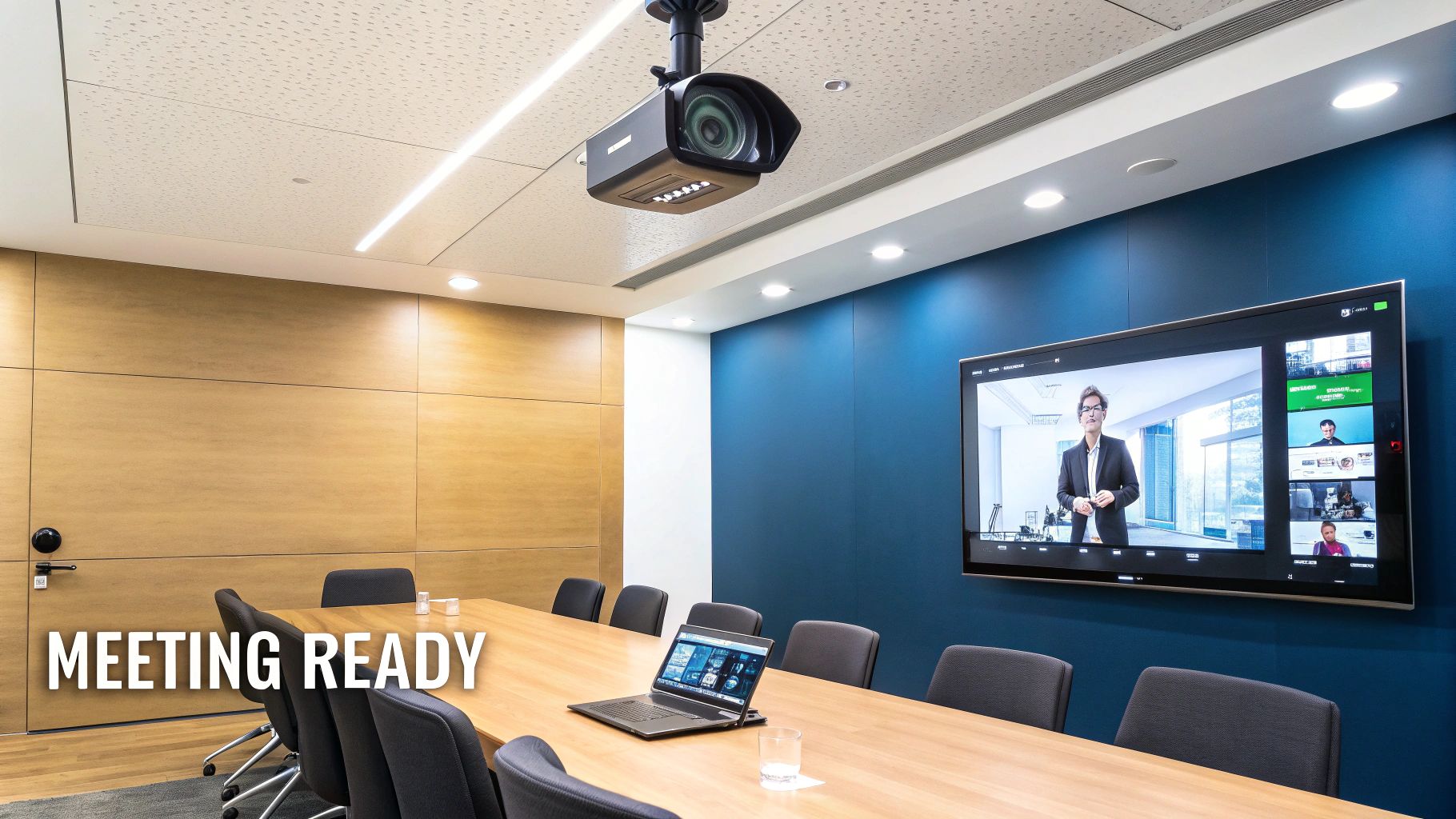
A successful AV installation goes beyond simply mounting a screen on a wall. It requires meticulous planning to ensure all components work in harmony. This includes installing microphone and speaker arrays for crystal-clear audio, selecting displays appropriate for room size and viewing angles, and integrating intuitive control systems that simplify the user experience. Crucially, these systems must be supported by the underlying network infrastructure, with sufficient bandwidth and Quality of Service (QoS) configurations to handle high-definition video and audio streams without interruption.
Implementation in Practice
For a corporate head office fit-out with over 20 meeting rooms, the focus would be on standardisation and reliability. This involves deploying a consistent technology stack (e.g., Microsoft Teams Rooms or Zoom Rooms) across all spaces, allowing employees to move between rooms without facing a new learning curve. In contrast, an NHS hospital's clinical collaboration spaces would prioritise security and high-resolution imaging for sharing medical data, requiring encrypted video conferencing codecs and specialised displays. A creative agency might invest in showcase rooms with interactive whiteboards and superior projection systems for impactful client presentations.
Key Takeaway: Modern AV and meeting room technology is the central nervous system for hybrid collaboration. A well-executed installation ensures these critical spaces are not just functional but are powerful tools for communication, driving efficiency and connecting teams regardless of their physical location.
8. CCTV and Physical Security System Installation
A modern office fit out must integrate physical security from the ground up, moving beyond standalone systems to a cohesive, network-based infrastructure. This involves the strategic deployment of closed-circuit television (CCTV), access control, and alarm systems that are deeply integrated with the core IT network. Planning for these systems during the fit out ensures that camera placement, network video recorder (NVR) setup, and access control points are optimised for security and performance, not retrofitted as an afterthought.
As most contemporary security systems are IP-based, they place direct demands on the network infrastructure. This requires careful planning for bandwidth allocation, storage capacity for video retention, and robust cybersecurity measures to protect these critical systems from digital threats. Integrating access control with CCTV provides a powerful tool for incident response, allowing for visual verification of access events and creating a comprehensive security overview of the premises.
Implementation in Practice
For a corporate headquarters, this means deploying high-definition IP cameras at all entry points, sensitive areas, and server rooms, all feeding back to a central NVR. Access control systems using keycards or biometrics would be integrated, logging every entry attempt and flagging unauthorised access. In an NHS hospital, this becomes even more critical, with layered access control restricting entry to secure wards or data centres, while comprehensive CCTV provides round-the-clock monitoring of public and sensitive areas to ensure patient and staff safety. Understanding how to find a certified access control installer you can trust is crucial for ensuring these systems are implemented to the highest standard.
Key Takeaway: Physical security is now an integral part of the IT ecosystem. Planning for CCTV and access control during the office fit out checklist phase ensures these systems are securely integrated, scalable, and fully compliant with data protection regulations like UK GDPR from day one.
9. Electrical Installation and Power Distribution
A robust electrical installation is the lifeblood of a modern office, powering everything from workstations and servers to lighting and security systems. This item on the office fit out checklist covers the planning, installation, and certification of all electrical infrastructure. It involves designing power circuits, specifying outlet locations, and implementing backup power systems like uninterruptible power supplies (UPS) to ensure operational continuity for critical IT and building systems. All work must adhere strictly to UK building regulations, including BS 7671, and be executed by qualified electricians.
The process begins with meticulous capacity planning, ensuring the power distribution can support current needs with at least 30% headroom for future growth. It demands close coordination between electrical and IT teams to align power provision with infrastructure requirements. This includes allocating dedicated, clean circuits for the server room, strategically placing outlets to minimise cable clutter at desks, and integrating power for AV systems, CCTV, and access control. Proper earthing and surge protection are non-negotiable to safeguard sensitive electronic equipment from damage.
Implementation in Practice
For a large corporate office fit out, this means planning for over 1,000 power outlets, each strategically positioned, alongside redundant UPS systems to protect trading floors or contact centres from outages. In an NHS hospital, the focus is on critical power feeds to clinical areas and life-support systems, often requiring N+1 redundancy in power distribution units. Similarly, for an unmanned building, the electrical design must reliably power automated systems like NFC proximity locks and CCTV, ensuring the facility remains secure and functional without on-site staff.
Key Takeaway: Electrical installation is more than just running wires; it’s a foundational system that dictates the reliability and scalability of the entire office. A well-planned power distribution strategy prevents downtime, protects expensive hardware, and ensures the workspace is safe and compliant.
10. Installation, Testing, Certification and Go-Live Support
The transition from design to a fully operational environment is the defining phase of any office fit out checklist. This stage encompasses the physical installation of all planned infrastructure, followed by rigorous testing, official certification, and dedicated on-site support during the critical go-live period. It’s a methodical process where every cable is connected, every system is validated, and every performance metric is verified against the original design specifications, ensuring a seamless handover from the project team to the end-users.
This comprehensive execution phase moves from theory to reality. It involves testing cabling systems for signal integrity (using TDR and insertion loss metrics), validating network connectivity, and confirming that Wi-Fi performance meets the standards established during the survey stage. Professional certification to standards like BS EN 50173 or TIA validates component and manufacturer warranties, providing long-term assurance that the installation meets industry benchmarks. Finally, go-live support bridges the gap between pre-production and full operational status, providing immediate assistance to resolve any unforeseen issues.
Implementation in Practice
For a large-scale corporate relocation of over 500 users, this phase is often executed over a single, high-pressure weekend. The plan involves a phased migration where systems are tested and certified floor by floor, culminating in a coordinated go-live with on-site engineers ready to assist users on Monday morning. In an NHS hospital setting, the focus is on a zero-downtime migration of critical systems. This requires parallel running of old and new networks, with extensive user acceptance testing (UAT) completed weeks in advance, before a meticulously planned and certified final switchover. A clear rollback procedure is essential in these scenarios.
Key Takeaway: This phase is more than just installation; it’s a systematic validation process that guarantees performance, compliance, and operational readiness. Meticulous testing and certification prevent post-launch failures, while dedicated go-live support ensures business continuity from day one.
10-Point Office Fit-Out Checklist Comparison
Item | 🔄 Implementation Complexity | ⚡ Resources & Time | 📊 Expected Outcomes | 💡 Ideal Use Cases | ⭐ Key Advantages |
|---|---|---|---|---|---|
Comprehensive Site Survey and Assessment | Medium–High 🔄🔄 — onsite measurements, RF & CAD work | Moderate — specialist survey tools, 1–3 days onsite ⚡ | Accurate floor/CAD data; early risk & interference identification 📊 | New fit-outs, relocations, multi‑floor offices, hospitals 💡 | Prevents rework; informs design and budgeting; compliance early ⭐ |
Network Design and Infrastructure Planning | High 🔄🔄🔄 — architecture, standards, segmentation | Moderate — network engineers, design tools; weeks to deliver ⚡ | Scalable, secure LAN/WAN with redundancy and performance SLAs 📊 | Campus networks, data‑centre expansions, organisations needing segmentation 💡 | Future‑proofing; cost/performance optimisation; standards compliance ⭐ |
Structured Cabling Installation (Cat6 and Fibre) | Medium 🔄🔄 — physical installs, coordination with building works | High — materials, certified installers; disruptive install period ⚡ | Certified wired backbone; long‑term bandwidth and warranty coverage 📊 | High‑density offices, multi‑building fibre backbones, regulated sectors 💡 | Long‑term reliability; high throughput; certified installations ⭐ |
Wi‑Fi Survey, Design, and Optimisation | Medium 🔄🔄 — RF expertise and iterative tuning | Low–Moderate — RF tools, APs; ongoing monitoring and tuning ⚡ | Reliable wireless coverage, capacity for user density, improved UX 📊 | Open‑plan offices, high‑density areas, hybrid working spaces 💡 | Maximises wireless ROI; faster user rollout than wired ⭐ |
Server Room and Data Centre Planning | High 🔄🔄🔄 — power, cooling, security, compliance | High — electrical/HVAC works, specialised build; long lead times ⚡ | Resilient centralised infrastructure; improved uptime and equipment life 📊 | On‑premise critical systems, enterprise data centres, hospitals 💡 | Controlled environment; redundancy; scalable operations ⭐ |
Voice and Telecoms Infrastructure Integration | Medium 🔄🔄 — telephony + network QoS and SIP integration | Moderate — SIP provisioning, configuration, user training; network dependent ⚡ | Cost‑efficient telephony, unified comms, analytics and mobility 📊 | Organisations migrating to VoIP or unified communications 💡 | Reduced telephony costs; converged infrastructure; flexible working ⭐ |
Audio‑Visual and Meeting Room Technology Installation | Medium–High 🔄🔄🔄 — AV integration, platform interoperability | High — equipment, cabling, control systems, user training ⚡ | Professional meeting spaces; improved collaboration and remote inclusion 📊 | Hybrid workrooms, client presentation rooms, boardrooms 💡 | Enhances collaboration; platform compatibility; polished client experience ⭐ |
CCTV and Physical Security System Installation | Medium 🔄🔄 — camera planning, privacy and network security | Moderate–High — cameras, NVR/storage, analytics; bandwidth/storage planning ⚡ | Enhanced site security, remote monitoring and analytics insights 📊 | Secure areas, hospitals, multi‑site organisations with central monitoring 💡 | Scalable surveillance; analytics; integration with access control ⭐ |
Electrical Installation and Power Distribution | High 🔄🔄🔄 — regulatory compliance, coordination with building works | High — qualified electricians, UPS/PDU, distribution panels; disruptive ⚡ | Safe, reliable power delivery with UPS failover and surge protection 📊 | Server rooms, critical clinical areas, large corporate offices 💡 | Ensures compliance and safety; reduces downtime; protects equipment ⭐ |
Installation, Testing, Certification and Go‑Live Support | High 🔄🔄🔄 — multi‑discipline coordination and rigorous testing | Moderate–High — certified engineers, test gear, on‑site support; extends timeline ⚡ | Validated systems, certifications/warranty, smoother activation and handover 📊 | Large relocations, regulated environments, phased multi‑site rollouts 💡 | Catches issues pre‑production; ensures compliance; lowers go‑live risk ⭐ |
From Checklist to Reality: The Rise of the Autonomous Office
Completing a detailed office fit out checklist is more than just a procedural exercise; it is the foundational act of creating a workspace that empowers your organisation. You’ve journeyed through the critical stages, from the initial comprehensive site survey and the strategic network design, right through to the final go-live support and post-deployment maintenance. Each step, from structured cabling and Wi-Fi optimisation to server room planning and AV integration, is an essential component in a much larger, interconnected system.
This meticulous approach ensures that your office doesn't just function, it thrives. A well-executed fit out guarantees that your network is resilient, your security systems are robust, and your collaborative tools are seamless. It transforms a physical space into a strategic asset, capable of adapting to future technological demands and supporting your team’s productivity without compromise. However, ticking every box on this list is not the end of the journey. It's the launchpad for the next evolution in commercial real estate: the truly autonomous, unmanned building.
The Next Frontier: Unmanned Building Management
The future of workspace efficiency lies in creating environments that manage themselves. In practical terms, unmanned building management means integrating core systems to operate without constant human intervention. Imagine a building where lighting and climate control intelligently adapt to real-time occupancy, and security protocols are managed remotely with complete reliability. This is the autonomous office.
However, many of these forward-thinking projects fail. The primary reason is a siloed approach to design. True autonomy is only achievable when access, power, and data are designed together as a single, cohesive ecosystem from the very beginning.
Resilient Power: The electrical installation must be certified and designed for continuous, uninterrupted operation, providing a reliable foundation for all other systems.
Secure Data: The network infrastructure, including structured cabling and Wi-Fi, must be robust and secure to handle the constant flow of information between integrated systems.
Intelligent Access: Access control must be dependable and low-maintenance, eliminating common points of failure that would require on-site intervention.
Building a Truly Autonomous Unit
Consider the practical implications for facilities like self-storage units, co-working pods, or remote equipment rooms. In these scenarios, operational overhead is a major concern. This is where specific technology choices become critical. For instance, choosing battery-less, NFC proximity locks is a strategic decision, not just a preference. It removes a significant maintenance headache, as dead batteries are a leading cause of access failure in unmanned sites. These locks draw power during interaction, ensuring they are always ready and drastically reducing the need for physical call-outs.
By combining a certified commercial electrical installation, a comprehensive CCTV network for surveillance, and intelligent, battery-less access control, you create a truly self-sufficient unit. This integrated approach doesn't just offer convenience; it builds a highly efficient, low-overhead operational model that maximises return on investment. You move beyond simply completing an office fit out checklist and start architecting a future-proof, intelligent environment. This is the ultimate goal: turning a well-planned space into a self-sustaining asset.
Are you ready to transform your detailed plans into a high-performance, autonomous reality? At Constructive-IT, we specialise in integrating the complex electrical, data, and security systems detailed in this checklist to build intelligent, unmanned workspaces. Visit Constructive-IT to see how our expertise can bring your vision for a smarter, more efficient building to life.
Comments