


How Does Mesh WiFi Work A Guide To Seamless Office Connectivity
- Craig Marston
- Dec 12, 2025
- 15 min read

So, how does mesh WiFi actually work its magic? It all comes down to a team of interconnected devices, called nodes, working together to create one powerful and seamless wireless network. Forget relying on a single router to cover your entire office; a mesh system uses a main node plugged into your internet connection and several satellite nodes placed strategically to blanket the whole space in solid, reliable coverage.
Understanding The Core Concept Of Mesh WiFi
Think of your traditional WiFi router as a single person trying to shout instructions across a busy, open-plan office. Anyone nearby hears them perfectly, but people in distant meeting rooms or behind thick walls will only catch bits and pieces, if they hear anything at all. This is what creates those frustrating "dead zones" where your connection crawls or drops completely.
A mesh WiFi system, on the other hand, is more like a team of couriers. The first courier gets the message (your data) and passes it seamlessly to the next, who passes it to the next, until it reaches its destination anywhere in the building. Each node talks to the others, creating a web of connectivity that intelligently routes your data along the fastest and most reliable path available.
This "self-healing" ability is a real game-changer for business continuity. If one node suddenly goes offline or gets swamped with traffic, the system automatically reroutes data through other active nodes to keep your connection stable. This kind of reliability is essential for UK businesses that depend on consistent internet access. With fibre rollouts now reaching nearly 7 in 10 homes and median download speeds soaring, you need a robust internal network to actually make use of that performance. You can find more insights on the growing wireless mesh network market and its impact.
Traditional WiFi vs Mesh WiFi At A Glance
To put it simply, a mesh network is built from the ground up to fix the coverage and consistency headaches that are baked into single-router setups.
The table below breaks down the key differences for a typical business environment, showing exactly where mesh systems pull ahead.
Feature | Traditional WiFi Router | Mesh WiFi System |
|---|---|---|
Coverage | Signal weakens with distance, creating dead zones in larger or complex spaces. | Provides consistent, strong coverage across the entire premises using multiple nodes. |
Network Name (SSID) | Often requires separate network names for extenders, causing connection drops as you move. | Uses a single, unified network name for seamless roaming between nodes without interruption. |
Performance | Can suffer from congestion and slow speeds, especially when many devices are connected. | Intelligently manages traffic and load-balances devices across nodes for optimal performance. |
Scalability | Limited scalability; adding extenders often degrades overall network performance. | Easily scalable by simply adding more nodes to expand coverage as your business grows. |
As you can see, the design philosophy is fundamentally different. While a traditional router offers a single point of broadcast, a mesh system creates a dynamic and resilient web of connectivity designed for modern, device-heavy workspaces.
The Three Core Components Of A Mesh Network
To really get your head around how mesh WiFi delivers such consistent coverage, it helps to look under the bonnet. A mesh system isn't just a bunch of signal boosters daisy-chained together; it's a smart, coordinated system built on three distinct parts that all work as a single team.
This simple diagram shows the flow from your main internet connection, through the mesh nodes, to blanket your entire office with a strong, reliable signal.
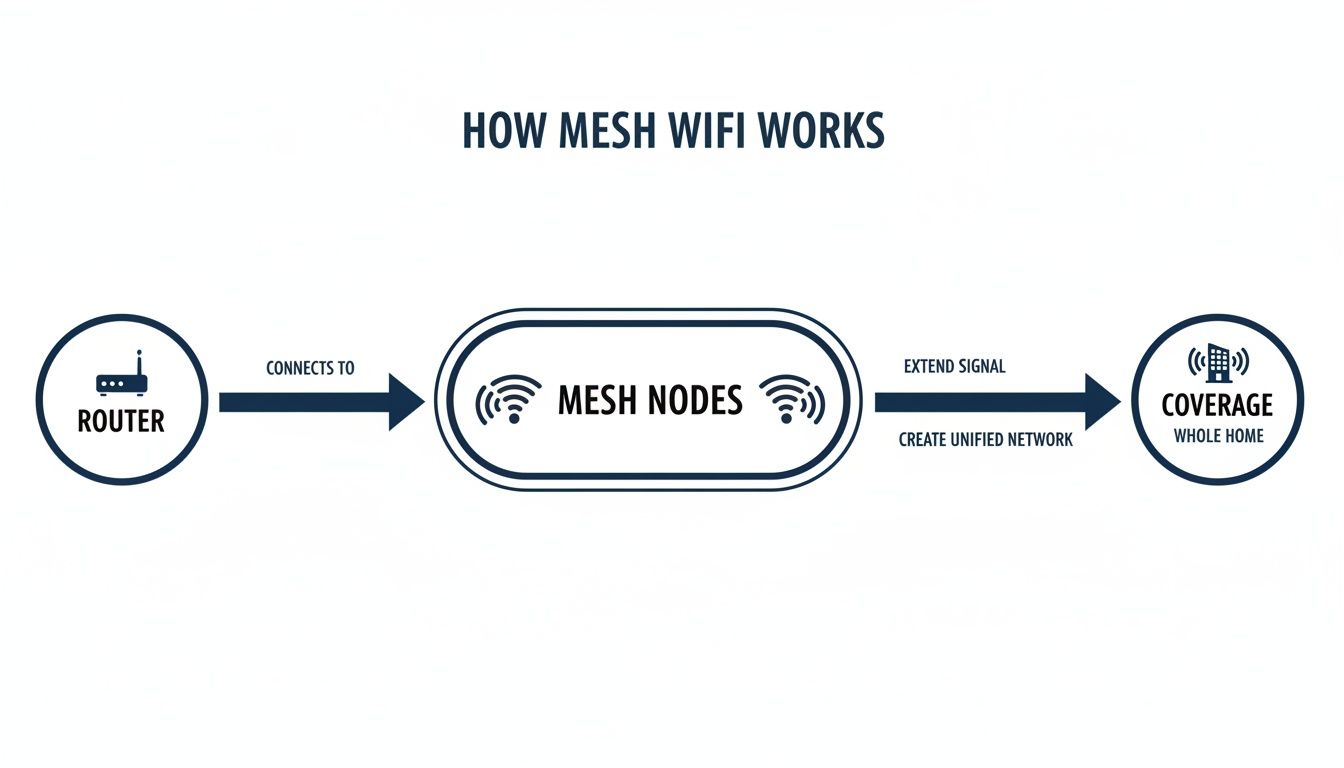
As you can see, the system takes a single internet source and multiplies its reach through a network of nodes. It turns what would be a single point of failure into a robust web of connectivity, which is precisely how it eliminates dead zones in a complex office layout.
The Primary Node: Your Gateway To The Internet
First up is the most essential piece of the puzzle: the primary node. You might hear it called the main router or gateway. This is the only unit that physically plugs into your modem – likely a high-speed fibre connection in a modern UK office.
Think of the primary node as the team captain. It takes the internet signal from your provider and acts as the main distribution point for the entire network. Every other part of the system communicates through this central hub to get online.
Satellite Nodes: The Coverage Team
Next are the satellite nodes. These are the teammates you place strategically around your office—in meeting rooms, breakout areas, or on different floors. Unlike a traditional WiFi extender that just parrots a weakening signal, these satellite nodes are genuinely intelligent access points.
They don't just talk back to the primary node; they talk to each other. This inter-node communication is the secret sauce. It allows data to take the most efficient route back to the gateway, hopping between nodes if needed. This is what maintains high speeds, even at the furthest corners of your office.
A professional plan is crucial here. An expert will perform a site survey to pinpoint the best spots for each satellite node, ensuring perfect signal overlap without causing interference. This guarantees you get the full benefit of the system's design and avoids any frustrating coverage gaps.
The Mesh Fabric: The Invisible Intelligence
The final, and arguably most important, component is the invisible mesh fabric. This isn't a physical device, but the clever software layer that runs the whole show. It's the set of rules and protocols that lets all the nodes constantly talk to each other and make smart decisions.
This intelligent fabric is responsible for some key features:
Self-Healing: If one node gets unplugged or fails, the fabric instantly reroutes traffic through the next best path. Your network stays up.
Load Balancing: It smartly shifts devices between different nodes to prevent any single one from getting bogged down with too much traffic.
Seamless Roaming: The fabric manages the handoff of your device from one node to another as you move. This ensures a completely smooth, uninterrupted connection.
This underlying intelligence is what creates a single, unified network name, or SSID. It’s the reason you can walk from reception to the boardroom on a video call without a single dropped frame. Your laptop is seamlessly passed to the strongest signal source without you ever noticing.
For a deeper dive into the technical architecture, our guide explaining mesh topology in networking has more detail. This unified approach is what makes mesh WiFi so simple and powerful for everyone in the office.
How Mesh Wi-Fi Uses a 'Data Superhighway' to Keep Speeds Fast
The real magic of a modern mesh system shines when you put it up against an old Wi-Fi extender. Where an extender just grabs a signal and blasts it out again—often slashing its speed in half in the process—a proper mesh network has something far smarter under the bonnet: a dedicated, high-speed connection between the nodes themselves. This is what we call the backhaul.
Think of your office network like the road system. The lanes your laptops, phones, and printers use to talk to the nearest node are the local A-roads. The backhaul, on the other hand, is a private, multi-lane motorway reserved only for the nodes to communicate with each other at top speed. This is what stops the performance bottlenecks that always seem to plague simpler extender setups.

Separating this traffic is absolutely crucial for maintaining performance across a busy office. It means the chatter between nodes doesn't have to fight for bandwidth with your team's day-to-day device usage, leading to a much faster and more stable experience for everyone.
The Power of a Dedicated Backhaul Band
The best mesh systems pull this off with a tri-band design. A standard dual-band system juggles traffic between a 2.4 GHz band (better for range) and a 5 GHz band (better for speed). A tri-band system adds a second, independent 5 GHz or 6 GHz radio that acts exclusively as that superhighway for backhaul traffic.
By dedicating an entire radio band just for the nodes to talk to each other, a tri-band mesh system can sidestep the typical 50% speed loss that comes with traditional repeaters. This means the full speed of your internet connection is actually delivered to each satellite node, not just a weak fraction of it.
This design makes a world of difference in a demanding office. When your team is relying on video calls, cloud software, and big file transfers, a dedicated backhaul ensures the network's internal plumbing can keep up with whatever you throw at it.
Smart Routing: Like a Traffic App for Your Data
Beyond the backhaul, the real intelligence of mesh Wi-Fi lies in its dynamic routing. It works a lot like a smart traffic app on your phone, such as Waze or Google Maps.
Just as a traffic app constantly checks for accidents and congestion to find you the quickest route, a mesh network is always monitoring its own internal traffic. It works out which nodes are busy, which have the strongest connection, and which path offers the least resistance for your data to travel.
This constant rerouting is what delivers the low-latency, high-reliability connection essential for business tools. For example:
VoIP Calls: When you're on a voice call, the system finds the clearest, most stable path to prevent jitter and dropped words.
Cloud Software: It ensures data for your CRM or accounting software travels without delay, keeping everything feeling responsive.
Video Conferences: The network maps out the most efficient route to maintain smooth, high-quality video and audio feeds.
Balancing the Bands for Peak Performance
The system also cleverly manages which frequency bands your devices are using. It might put a laptop that needs serious throughput on the faster 5 GHz band, while a simple IoT sensor connects to the longer-range 2.4 GHz band, which still accounts for 39% of connections.
It's a smart allocation of resources. With the 5 GHz band seeing a 10.38% fastest CAGR in adoption and 66% of business providers now prioritising new Wi-Fi 7 tri-band systems, mesh is becoming essential. You can find out more about the future of Wi-Fi standards and how they're shaping the market.
This combination of a dedicated data superhighway and intelligent device management is precisely how mesh Wi-Fi consistently outperforms older tech, delivering the speed and stability a modern UK business needs.
Solving The 'Sticky Client' Problem With Seamless Roaming
Ever walked from one side of the office to the other on a Teams call, only for the connection to crawl to a halt, even though you know there’s a stronger Wi-Fi signal nearby? You've just experienced the 'sticky client' problem. It’s a common frustration that happens when your laptop or phone stubbornly clings to the first access point it connected to, long after you’ve moved out of its effective range.
Traditional networks leave the roaming decision entirely up to the device, and frankly, most devices are terrible at letting go. They’ll hang onto a weak connection until it drops completely before they even think about looking for a better one. In a busy office, this leads directly to dropped video calls, lagging cloud apps, and a whole lot of frustration for your team.

This is where a professionally installed mesh system shows its real intelligence. Instead of just passively providing a signal, the network becomes an active traffic controller. It uses a clever process called client steering to manage which node each device connects to, making sure everyone gets the best possible experience as they move around.
How Intelligent Client Steering Works
A key part of how mesh Wi-Fi works is realising the network is constantly monitoring the health of every single connection. It doesn’t just see your device; it sees the signal strength and performance of every node in the entire system.
When the network notices your laptop's connection to one node is weakening and a much stronger signal is available from another, it doesn't wait for your device to figure it out. It takes control.
The system uses industry-standard protocols (like 802.11k and 802.11v) to essentially tell your device, "There's a much better connection waiting for you over here." It then gently nudges the device to hand off its connection to the stronger node. We call this seamless roaming.
The handover is so fast and smooth that you don't even notice it. Your video call continues without a single stutter, the file download doesn't pause, and productivity is completely uninterrupted. It’s a world away from the old, disjointed experience of having to manually switch between different Wi-Fi network names.
A Practical Office Scenario
Picture this: a sales team member starts their day at their desk, laptop connected to the local node, and everything is running at top speed.
Move to a breakout area: They walk over to a breakout space for a quick team meeting. As they move, the signal to the first node naturally weakens. The mesh system spots this immediately and seamlessly hands their connection over to the node in the breakout area. Perfect connection, no interruption.
Enter a conference room: A few minutes later, they head into a conference room for an important client video call. As they walk in, the mesh fabric intelligently steers their laptop to the node inside that room, guaranteeing the best possible signal strength for a critical call.
Throughout this entire journey across the office, the user does nothing. No manual switching, no connection drops, and absolutely no lag. The network handles everything behind the scenes.
This is the level of reliability that a modern, mobile workforce needs to operate efficiently. When you combine this intelligence with a professionally certified and tested network, meticulous cable management for a tidy desk, and the peace of mind from a 25-year equipment warranty provided by an Excel network accredited partner, you get an infrastructure that simply works. This is especially vital during an office relocation, where proper equipment testing ensures your team is ready to go from day one.
Planning Your Professional Mesh Wi-Fi Deployment
Putting a business-grade mesh network in place is a world away from plugging in a few boxes at home and hoping for the best. To really get a grip on how mesh Wi-Fi works in a professional setting, we need to move from the abstract to the practical. A successful deployment isn't an accident; it's a deliberate process that builds a reliable foundation for your entire office's connectivity.
The absolute first step, without question, is a professional wireless site survey. This isn’t a quick walk-around with a laptop. It's a proper technical exercise using specialised tools to map out your office's radio frequency (RF) environment. This process uncovers potential interference, pinpoints the perfect spot for each node, and guarantees you get seamless coverage without any dead spots or frustrating performance dips.
The Critical Choice: Wired vs. Wireless Backhaul
One of the biggest decisions you'll make is how your mesh nodes talk to each other—what we call the "backhaul." While a wireless backhaul is certainly convenient, a wired backhaul using structured cabling is the undisputed gold standard for performance and stability in any business environment. This means running a physical Ethernet or even a fibre cable installation from your main network switch to each satellite node.
This single choice completely transforms your mesh system. Instead of sharing a wireless band to communicate, each node gets its own direct, high-speed, interference-free connection back to the core network. This is how you guarantee maximum throughput and the lowest possible latency for data-heavy tasks. A professional job also includes meticulous cable management, giving you a clean, professional finish and a tidy desk environment, free from a tangled mess of wires.
To see the full picture of how these pieces fit together, it's worth understanding what a business network infrastructure involves and why it's so critical.
Why Partnering With Experts Matters
Achieving this level of quality isn't a DIY job; it requires specific expertise. Working with an Excel network accredited partner, for instance, ensures your entire cabling infrastructure is built to meet strict industry standards. This partnership comes with the assurance of a certified and tested network delivery, where every single connection is verified to perform exactly as it should.
This certification is often backed by a 25-year equipment warranty, which provides incredible long-term security and peace of mind for your investment. For any business, this is a massive consideration, as it protects you against equipment failure and ensures the longevity of your network's backbone.
A professional deployment isn't just about the initial setup. It’s about building a robust system that can handle future growth and even a complete office relocation. A certified partner will manage the whole process, including equipment testing before and after a move, to guarantee your team is fully operational with zero downtime.
Of course, the technology itself is only one part of the equation. Any professional mesh Wi-Fi deployment must be built upon strong foundational network security principles to protect your sensitive business data.
The table below breaks down the two backhaul approaches to help make the decision clearer for a business setting.
Mesh Deployment Considerations: Wireless vs. Wired Backhaul
Consideration | Wireless Backhaul | Wired (Ethernet/Fibre) Backhaul |
|---|---|---|
Performance | Good, but can be susceptible to wireless interference and potential speed loss over multiple hops. | Excellent. Provides maximum speed and lowest latency to every node, free from RF interference. |
Reliability | Generally reliable, but a single busy node can create a bottleneck for others connected through it. | Highest reliability. Each node has a dedicated, stable connection, eliminating single points of failure. |
Installation | Simple and fast to set up, requiring minimal physical changes to the office space. | More complex, requiring professional structured cabling installation, but delivers a superior result. |
Best For | Smaller offices with simple layouts or where running new cables is not feasible. | Medium to large offices, multi-floor buildings, or any business that depends on mission-critical connectivity. |
Ultimately, investing in a professionally planned and installed mesh system with a wired backhaul is about building a business asset, not just a utility. It creates a powerful, secure, and scalable network that supports your operations today and is ready for whatever comes next.
Putting Mesh Wi-Fi To Work In UK Businesses
Theory is one thing, but seeing mesh Wi-Fi solve genuine business problems is where it really clicks. Across the UK, companies are using professionally installed mesh networks to power their operations, from bustling multi-storey offices to sprawling industrial sites.
At its core, a solid mesh system provides the foundation for growth, ensuring every device, sensor, and user gets a reliable connection. Let's look at a few scenarios where this technology is making a tangible difference.
The Multi-Floor Accounting Firm
Picture a busy accounting firm in Manchester, spread across three floors of a historic building. You know the type – thick walls that kill Wi-Fi signals. They handle sensitive client data and rely on cloud software, so any network hiccup means lost billable hours. A single router was never going to cut it.
By deploying a mesh system with a certified wired backhaul (using a proper fibre cable installation), every corner of every floor gets full-strength connectivity. This setup, managed by an Excel network accredited partner, means accountants can walk between floors during a video call without it dropping. The project also included professional cable management for a tidy desk environment, and the whole network is covered by a 25-year equipment warranty.
The Midlands Logistics Warehouse
Now, let's head to a massive logistics warehouse in the Midlands. This isn't about checking emails; it’s about connecting a complex web of IoT inventory scanners, automated sorting systems, and staff comms devices across a huge, open space. A single access point would create enormous dead zones, grinding operations to a halt.
A mesh network blankets the entire warehouse floor, giving them the low-latency connection needed for real-time inventory tracking. As staff and robots move around, their devices just seamlessly hop between nodes without a single dropped packet. This sort of robust setup is also a lifesaver for companies planning an office relocation, as a professional team can manage the move and carry out full equipment testing to guarantee zero downtime. You can learn more about the key advantages of mesh networking for UK offices in our detailed guide.
The impact of mesh technology goes far beyond individual businesses. Smart city projects across the UK are fuelling wireless mesh adoption, with the sector poised for 40% of deployments by 2025. This tech is the hidden engine behind everything from traffic cameras in Birmingham to utility grids in Glasgow, using interconnected nodes that dynamically route data for maximum efficiency.
The Boutique London Hotel
Finally, think about a boutique hotel in London where guest experience is everything. Fast, reliable Wi-Fi in every single room and common area isn't a perk anymore—it's an absolute expectation. Patchy signal leads directly to bad reviews and lost bookings.
A professionally installed mesh system ensures every guest gets a flawless connection, whether they're streaming a film in their suite or joining a video conference from the lounge. To get the most from this investment, hotels can also promote the use of technologies that rely on great Wi-Fi, like the best apps for Wi-Fi calling, ensuring guests and staff can always communicate clearly, even if the mobile signal is poor.
Got Questions About Business Mesh Wi-Fi?
Deciding on the right network infrastructure always brings up important questions. Here are some clear, practical answers to the queries we hear most often about implementing mesh Wi-Fi in a professional setting.
Is a Mesh Wi-Fi System More Secure Than a Traditional Router?
In most cases, yes. Business-grade mesh systems are built with security front and centre, often including automatic firmware updates to patch vulnerabilities as soon as they appear. They also give you advanced tools like network segmentation, which lets you create completely separate, secure networks for staff, guests, and sensitive devices like servers or payment terminals.
But the real security advantage comes from a professional configuration. An expert will ensure that best practices—like setting up the latest WPA3 encryption and properly segmenting your network traffic—are correctly applied from day one, not just left as a default setting.
How Many Mesh Nodes Does My Office Need?
This is one of those "how long is a piece of string?" questions because the number of nodes depends entirely on your specific environment. Things like your office size, the floor plan, what the walls are made of (concrete and brick are signal killers compared to plasterboard), and the sheer number of connected devices all play a huge role.
While you might see a rough estimate of one node per 1,500-2,000 square feet online, that's not a reliable guide for a business. The only way to know for sure is with a professional wireless site survey. This scientifically maps your space to pinpoint the precise number and optimal placement of nodes needed for complete, uninterrupted coverage.
Can I Mix and Match Nodes from Different Brands?
We strongly advise against mixing mesh nodes from different manufacturers. While your laptops and phones connect using standard Wi-Fi protocols, the crucial backhaul communication between the nodes themselves is proprietary to each brand.
If you combine brands, the system won't function as a true mesh network. Your satellite nodes will effectively become glorified (and inefficient) extenders. You'll lose all the intelligent routing and seamless roaming that make mesh technology so effective in the first place. For a stable, reliable system, stick to nodes from the same product family.
Will a Mesh Network Increase My Internet Speed?
Let's be clear: a mesh network won't increase the speed of the internet plan you buy from your provider. If you have a 1 Gbps fibre cable installation, that's your maximum potential speed, full stop.
What mesh Wi-Fi does is deliver that speed consistently across your entire office. It gets rid of the dead spots and performance bottlenecks you get with a single router, ensuring a device in a far-flung meeting room can actually use the full internet speed you pay for.
A certified, tested network delivery from an Excel network accredited partner ensures this performance is guaranteed, often backed by a 25-year equipment warranty on the infrastructure itself. This professional approach, which includes meticulous cable management for a tidy desk environment, is vital—especially during an office relocation where thorough equipment testing ensures zero downtime.
A robust, professionally installed network is the backbone of any modern business. At Constructive-IT, we specialise in designing and deploying high-performance mesh Wi-Fi and structured cabling solutions that are built to last. Schedule a consultation with our expert team today.
Comments