


How to Extend WiFi with Ethernet for Flawless UK Office Coverage
- Craig Marston
- Feb 2
- 14 min read

To extend your WiFi with an Ethernet cable, you’re essentially creating a direct, high-speed link from your main router or switch to a new wireless access point (WAP). This wired connection, what we in the industry call a backhaul, is the secret to getting a full-strength, stable signal out to a WiFi dead zone without dropping any performance.
Why Ethernet Is the Backbone of Reliable Office WiFi
When the office WiFi starts to crawl or drops out completely in the big conference room, the knee-jerk reaction is often to grab a simple wireless repeater or a mesh system you’d use at home. While those might do the job for watching Netflix in the bedroom, they just don't cut it in a professional environment where consistent connectivity is everything.
Using a proper wired Ethernet connection as the foundation for your wireless network isn't just a "better" option—it's the only one that truly guarantees reliability.
Think about it: a wireless extender works by catching an existing WiFi signal and then rebroadcasting it. This process alone slashes your available bandwidth by at least 50% for any device connected to it. In a busy office with constant video calls, cloud apps running, and large files being shifted around, that kind of performance hit is a deal-breaker. It’s the root cause of frustrating lag and the kind of unpredictable connection that grinds productivity to a halt.
The Problem with Wireless-Only Solutions
Relying purely on a wireless signal path means you're at the mercy of every physical object in your way. Just look at a typical office layout:
Structural Barriers: Solid concrete walls, metal lift shafts, and even large panes of glass can stop a WiFi signal in its tracks.
High-Density Areas: An open-plan office packed with people and their devices all trying to connect at once will quickly overwhelm a single wireless point.
Radio Frequency (RF) Interference: You're not just competing with yourself. Signals from the business next door, microwaves in the break room, and even certain electrical systems can cause chaos for your WiFi.
A wired backhaul neatly sidesteps all these headaches. By running a dedicated Ethernet cable to a well-placed wireless access point, you’re delivering a clean, full-speed data connection exactly where you need it. This setup ensures the access point is broadcasting a powerful, top-quality signal, not a weak, repeated one that's already struggling.
The core principle is simple but incredibly effective: Ethernet acts as a stable, high-speed data "motorway" running directly to your access points. It completely eliminates the wireless bottlenecks that make consumer-grade extenders and repeaters a liability in a business setting.
This approach also gives you a robust and scalable network. As your business grows, you can add more access points to your wired infrastructure without crippling the performance of the entire network. It turns your WiFi from a temperamental utility into a dependable business asset.
To dig deeper into why a solid cabled network is so crucial, you can learn more about the benefits of a wired network for UK businesses. And for a wider look at improving your wireless environment, check out this excellent guide on how to improve WiFi coverage.
Mapping Your Network Expansion with a Professional Site Survey
Trying to extend your office Wi-Fi with Ethernet without a proper plan is a bit like driving in a new city without a map. You might get there in the end, but you’ll almost certainly waste time, money, and a whole lot of effort along the way. A professional site survey is your data-driven blueprint, swapping guesswork for a precise strategy to achieve flawless coverage.
The whole process kicks off with your office floor plans. Before a single cable is even considered, the goal is to map out the key areas. This isn't just about finding spots with a weak signal; it's about understanding why they're weak and how your teams actually use the space day-to-day.
A solid plan will pinpoint potential problem areas and high-demand zones, giving you a crystal-clear picture of what your network really needs.
Identifying Signal Killers and High-Density Zones
Every office has its own unique quirks that can play havoc with a wireless signal. A thorough survey means getting boots on the ground, walking the floor to identify sources of radio frequency (RF) interference and physical blockages. Often, these are things you wouldn't immediately flag as a networking problem.
Common culprits include:
Structural Elements: Lift motors, reinforced concrete walls, and even metal-framed partitions are notorious for blocking or reflecting Wi-Fi signals.
Office Equipment: Think large metal filing cabinets, microwaves firing up in the break room, or even certain types of fluorescent lighting. They can all degrade wireless performance.
Neighbouring Networks: If you're in a shared building, you could be competing with dozens of other wireless networks for the same airtime, creating a huge amount of signal congestion.
Alongside these obstacles, you’ve got to map out where the network will be under the most strain. High-density areas like big conference rooms, bustling open-plan desk areas, and communal breakout spaces need a totally different approach than a quiet corridor. If you don't plan for peak usage in these zones, you're asking for slowdowns the minute everyone tries to connect at once.
A classic mistake is to just stick an access point in the middle of a room and hope for the best. A professional survey uses specialised tools to see exactly how signals travel through your specific environment, making sure APs are placed for optimal reach and capacity, not just convenience.
Getting a handle on these variables means you can plan cable runs and access point placements that actively work around problems instead of being tripped up by them.
Using Wi-Fi Analysis Tools for Data-Driven Decisions
The real power of a site survey is making the invisible, visible. Using professional Wi-Fi analysis tools, an engineer can generate a heat map overlaid on your floor plan. This map uses a simple colour code to show signal strength across the entire office, instantly highlighting dead spots and areas where the coverage is poor.
This is where you see just how effective a wired Ethernet backhaul can be. It provides a clean, powerful signal directly to an access point, turning a weak connection into a rock-solid one.
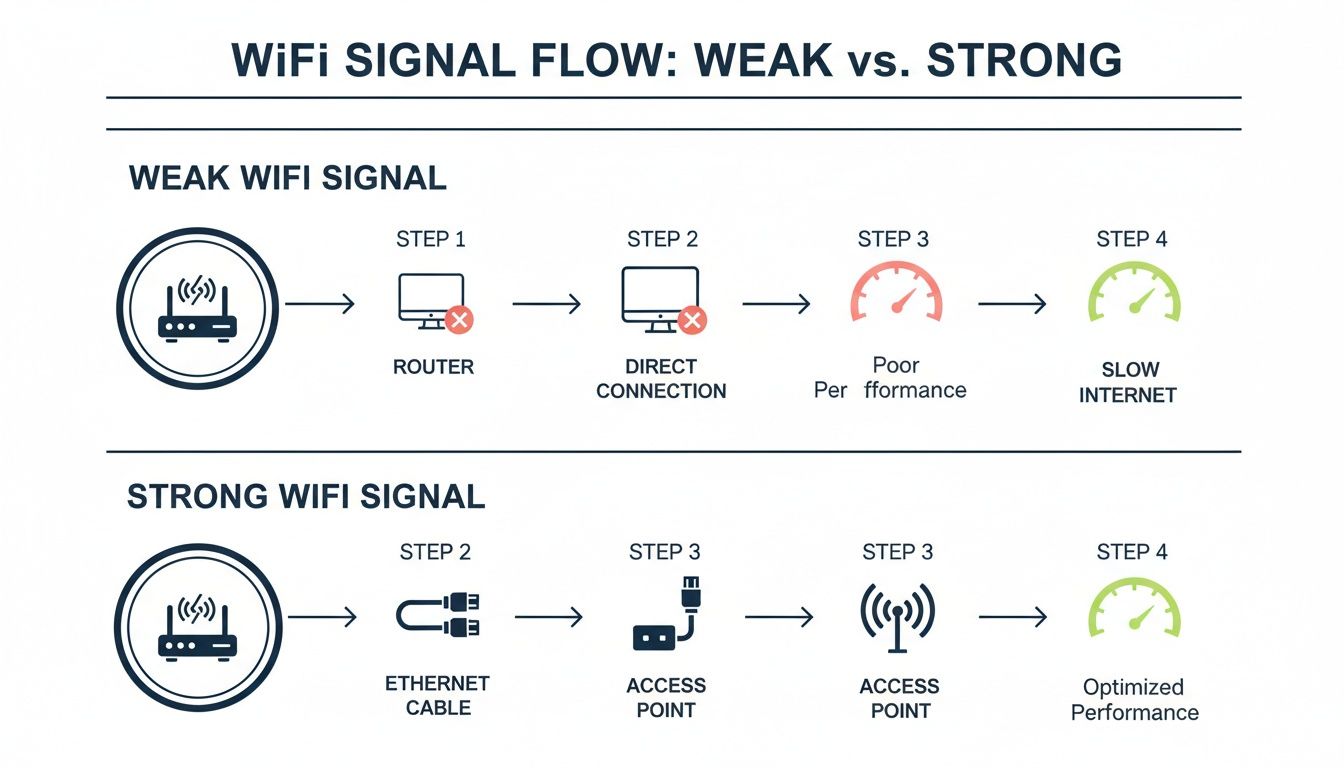
The heat map confirms that a direct Ethernet connection is the best way to bypass signal degradation and deliver full-strength Wi-Fi right where you need it.
But it goes beyond just signal strength. These tools also analyse channel utilisation and interference levels. This data is absolutely critical for configuring your access points to use the least congested channels—a step that massively improves performance, especially in crowded office blocks. The final survey report becomes your installation guide, detailing the precise mounting location for each AP and the most efficient routes for running the Ethernet cabling.
For IT teams handling a complex office move or a new fit-out, a detailed survey is non-negotiable. You can learn more in our complete guide on what is a site survey for UK office IT relocations. It’s this strategic foundation that ensures your project delivers the reliable, high-speed connectivity your business depends on.
Choosing the Right Cabling and Hardware for Future Growth
The physical kit you choose is the absolute foundation of your network’s performance for years to come. Getting these hardware decisions right now is non-negotiable if you want a system that’s not just robust today, but ready for whatever comes next.
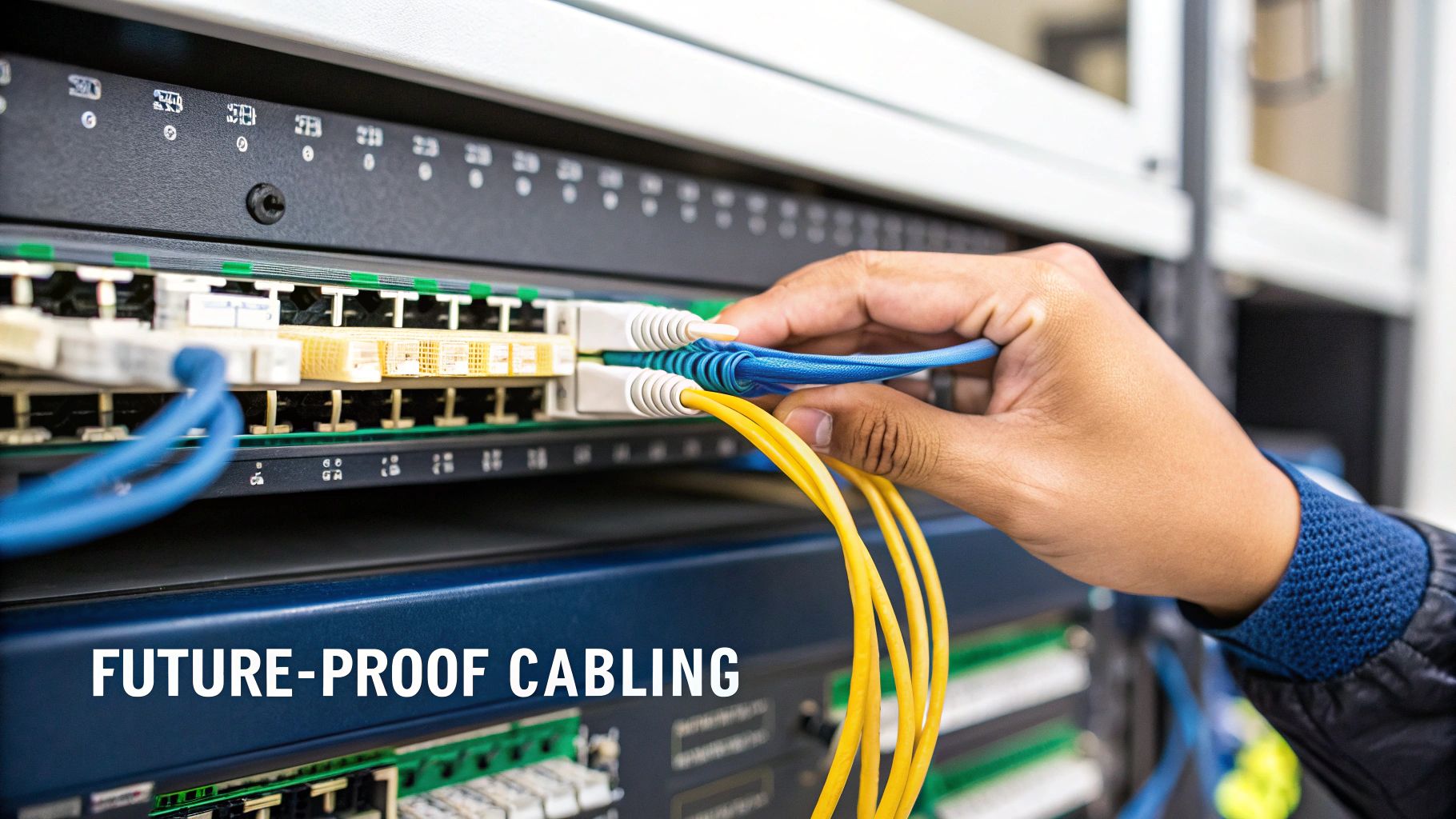
It really boils down to looking beyond your immediate needs. You need to select structured cabling and network switches that won’t become a frustrating bottleneck when you upgrade to faster internet or your team starts using more powerful devices.
H3: Selecting the Right Structured Cabling
Think of the Ethernet cable running from your central switch to each wireless access point (WAP) as the data motorway. Its capacity directly limits the performance of your entire Wi-Fi network. While Cat5e might have got the job done in the past, it’s simply not a sensible choice for any new office installation today.
For modern businesses, the real conversation is between Cat6, Cat6A, and in some specific cases, fibre optic cabling.
Choosing the right option is crucial for performance and future-proofing. Here's a quick rundown to help you decide.
Cabling Choices for Your Wired Wi-Fi Backhaul
Cabling Type | Max Speed | Typical Use Case | Future-Proofing Level |
|---|---|---|---|
Cat6 | 10Gbps (up to 55m) | Small offices, budget-conscious projects with short cable runs. | Medium |
Cat6A | 10Gbps (up to 100m) | The new standard for modern offices needing reliable, high-speed connections. | High |
Fibre Optic | 40Gbps+ | Connecting separate buildings, long backbone runs, high-interference areas. | Very High |
While Cat6 might look like enough on paper, we almost always recommend Cat6A as a smart investment. As internet speeds climb and office tech becomes more demanding, a Cat6A backbone ensures your physical infrastructure is ready to handle the load without needing a costly and disruptive replacement down the line. To get deeper into the specifics, you can check out your essential guide to Cat 6 cable.
The UK's broadband infrastructure has seen a massive leap forward. By May 2023, gigabit-capable coverage had soared to 75% of all UK properties—a jump of 35 percentage points in just two years. Choosing Cat6A cabling is the only way to make sure your internal network can actually use these incredible external speeds.
H3: Powering Your Access Points with PoE Switches
Power over Ethernet (PoE) is a genuine game-changer for any Wi-Fi extension project. This clever tech lets a single network cable carry both data and electrical power, which means you don’t need a separate power socket for each access point.
This makes installation much simpler, cuts down on cable clutter, and gives you the freedom to place WAPs in the best possible locations—like high up on ceilings for maximum coverage.
But not all PoE is created equal. You have to match your network switch's PoE capabilities with the power demands of your access points. Get this wrong, and you’re in for a world of pain.
There are three main PoE standards you’ll encounter:
PoE (802.3af): Delivers up to ~13W. Fine for older Wi-Fi 5 access points or simple VoIP phones.
PoE+ (802.3at): Provides up to ~25.5W. This is the sweet spot for most modern, high-performance Wi-Fi 6 access points.
PoE++ (802.3bt): Supplies a hefty ~51W to 71W. You'll need this for the most advanced Wi-Fi 6E/7 APs or other power-hungry devices.
When you’re choosing a network switch, there are two numbers you absolutely must check. First, make sure it supports the right PoE standard for your APs (usually PoE+ for anything new).
Second, and this is the bit people often forget, you must calculate the total power budget. This is the maximum power the switch can deliver across all its ports at the same time.
For instance, if you're installing 10 Wi-Fi 6 access points that each need 20W, you’ll need a switch with a total power budget of at least 200W. Skimping on the power budget is a classic mistake that leads to unstable devices and random network dropouts. Always buy a switch with a comfortable power margin to allow for future expansion.
Getting Your Access Points Installed and Configured
You’ve done the hard work of planning and pulling cables. Now for the satisfying part: getting your wireless access points (WAPs) physically installed and configured. This is where all that meticulous prep comes together to create a seamless, high-performance network.
The physical placement of your WAPs is everything. It's the difference between flawless coverage and frustrating dead zones. Your site survey should have pinpointed the ideal spots, and now it’s time to mount the hardware.
Optimal Placement and Mounting
For almost any office, ceiling mounting is the way to go. Access points are engineered to broadcast their signal down and out in a cone shape, so a central spot on the ceiling gives you the best possible coverage area with the fewest obstructions. It also keeps the kit neatly out of the way.
Wall mounting can work, especially in long, narrow spaces like corridors, but you need to be aware of the signal pattern. Wall-mounted APs tend to push the signal horizontally, which isn't as effective for big, open-plan spaces.
Whatever you do, steer clear of these common mistakes:
Hiding APs in cupboards or above ceiling tiles: It might look tidy, but you're effectively putting your Wi-Fi signal in a box. It cripples performance.
Mounting them near large metal objects: Filing cabinets, lift shafts, and even structural I-beams can reflect and interfere with Wi-Fi signals.
Sticking them in corners: This is a huge waste. You're just broadcasting a huge chunk of your signal straight into the walls instead of where your users are.
Centralised Management for a Unified Network
The real magic of a modern office Wi-Fi network is managing all your APs as a single, intelligent system. This is done with either an on-site network controller or a cloud-based management platform. From a single dashboard, you can push out configurations, update firmware, and monitor the health of the entire wireless network.
This unified approach is absolutely critical for ensuring seamless roaming. As someone walks through the office on a VoIP call, their device will intelligently hop between access points without dropping the connection. No controller, no seamless roaming. It's that simple.
One of the biggest wins with a controller-managed system is its ability to self-optimise. It can dynamically adjust the channels and power levels of each AP to minimise interference from its neighbours, ensuring you get the best performance without constant manual adjustments.
Securing Your Network with VLANs and SSIDs
A fundamental step in any professional setup is segmenting your network traffic. You do this by creating multiple Wi-Fi network names, or Service Set Identifiers (SSIDs).
As a bare minimum, you need two:
A Corporate SSID: This is for employees and company-owned devices. Lock it down with WPA2/WPA3-Enterprise authentication, which forces users to log in with their company credentials.
A Guest SSID: For visitors, clients, and staff personal devices. The golden rule here is to completely isolate this network from your internal resources.
This isolation is achieved using Virtual LANs (VLANs). By assigning the guest SSID to its own VLAN, you create a digital barrier. Guest traffic can get to the internet, but it's blocked from ever touching your internal servers, printers, or file shares. It’s one of the most important security moves you can make.
This kind of traffic separation is becoming non-negotiable as UK fibre infrastructure expands. Alternative network operators are pushing full-fibre into more businesses, with FTTP coverage expected to hit 16.7 million premises by the end of 2024, up from 12.9 million in 2022. As these gigabit-capable connections become standard, a properly segmented and secure internal network is vital to handle the data safely. You can explore the full report on UK fixed connectivity to see how the market is changing.
Prioritising Traffic with Quality of Service
Finally, you need to tell your network what's important. Quality of Service (QoS) is the tool for the job, letting you prioritise time-sensitive applications over everything else.
For example, you can set up QoS policies to give Voice over IP (VoIP) and video conferencing traffic the highest priority. This means that even if the network is being hammered by large file downloads, your video calls and phone calls will remain perfectly clear and lag-free. Without QoS, one person downloading a massive file could make everyone else's Teams meeting unusable.
Validating Performance and Managing Your Network Long-Term
Getting the last access point mounted on the ceiling doesn't mean the job is finished. The final phase—validation and long-term management—is where you prove the new Wi-Fi system performs exactly as it was designed to.
This process starts right down at the physical layer. Every single Ethernet cable you've run needs to be professionally certified. I'm not talking about a simple continuity check; a proper certification tool runs a whole battery of tests to confirm the cable can actually handle its rated speed, like 10Gbps for Cat6A, without a single error.
This step is non-negotiable. It guarantees the performance of your network's backbone and is often a requirement for the manufacturer's cabling warranty. Think of it as your quality assurance that the data motorway you've just built is flawless from end to end.
Conducting the Final Walk-Through
With the cabling certified, it's time to check performance from the user's perspective. This means doing a final walk-through, which is basically a lighter version of your initial site survey to confirm everything works as planned.
Grab a laptop with Wi-Fi analysis software and walk the entire office space. You'll want to check a few key things:
Signal Strength: Does the real-world coverage map line up with the blueprint you created during the planning stage?
Seamless Roaming: Try making a VoIP call and walk between different access point zones. Does the call drop or stutter? It shouldn't.
PoE Delivery: Is every access point getting the right voltage and wattage from the PoE switch?
This final check is all about making sure there are no last-minute surprises. It’s your confirmation that the plan to extend Wi-Fi with Ethernet has truly eliminated dead zones and delivered the reliable, high-speed coverage your business needs.
Simply seeing five bars of Wi-Fi isn't enough. True validation means proving that roaming is seamless and that every user, in every corner of the office, is getting the full benefit of your carefully planned Ethernet backhaul.
Security Hardening and Ongoing Management
Once you've validated performance, the focus shifts to securing and maintaining the network for the long haul. Good network management is an ongoing process, not a one-time setup.
Start with the security fundamentals. That means immediately changing all default administrator usernames and passwords on your switches and access points. You should also update all your hardware to the latest stable firmware to patch any known security holes.
A simple but critical step many people forget is to disable any unused physical ports on your network switches. An open, unmonitored port is an open door for unauthorised access.
It’s clear that businesses are moving away from simplistic solutions. The UK's mesh Wi-Fi systems market is seeing huge growth, with adoption climbing at nearly 25% annually, far outpacing older router-extender setups. This shows a wider trend towards more robust, managed systems, as the limitations of basic approaches become obvious in demanding office environments. You can discover more insights about home Wi-Fi market trends to see how this shift is playing out.
Ultimately, your network has to evolve with your business. You’ll need to monitor performance, look for bottlenecks, and tweak configurations as your teams grow and application usage changes. For many in-house IT teams, partnering with a specialist like Constructive-IT provides the expert support needed to manage this lifecycle effectively, ensuring the network remains a reliable asset long after the installation is complete.
Common Questions About Extending Wi-Fi with Ethernet
When you start planning to expand your office Wi-Fi with an Ethernet backhaul, a few questions always pop up. Getting straight, practical answers is key to making the right calls for your network and avoiding expensive headaches later on. Let's dig into the most common queries we hear from IT managers and business owners.
Can I Just Use a Wi-Fi Extender Instead?
This is easily the first question everyone asks. A simple wireless extender might look like a quick and easy fix, but it’s really a solution for home use, not a busy office. These devices work by catching an existing Wi-Fi signal and then rebroadcasting it. That process alone immediately cuts your available bandwidth in half and adds a noticeable delay (latency).
For anything your business relies on—smooth video calls, responsive cloud software, or shifting large files—that kind of performance drop is a dealbreaker. An Ethernet backhaul, on the other hand, gives each access point a dedicated, full-speed connection directly to your core network. It guarantees every WAP delivers stable, maximum performance, giving you the solid reliability your business needs to operate.
As you weigh up your options, you might come across discussions about the effectiveness of Wi-Fi extenders. While they serve a purpose in less demanding settings, they just don't have the muscle for commercial use.
What is Power over Ethernet and Why is it Essential?
Power over Ethernet (PoE) is a brilliant piece of tech that lets a single network cable carry both data and electricity. For installing wireless access points, it’s a total game-changer because you no longer need to find a power socket for every device.
With PoE, you’re free to mount APs in the absolute best spots for coverage—think high on ceilings or walls—without calling in an electrician to run new power points. A central PoE-enabled network switch provides the juice for all your connected devices. This massively simplifies installation, gets rid of cable clutter, and makes managing the network a whole lot more efficient.
PoE isn't just a convenience; it's a core part of any professional, scalable network design. It gives you the freedom to put hardware exactly where it needs to be for peak performance, not just where a plug socket happens to be.
When Does It Make Sense to Hire a Professional Installer?
While your in-house team might handle a small, single-room setup just fine, bringing in a professional network installer is a very smart move for any larger or more complex project. Specialists bring a wealth of experience and some seriously expensive kit—like RF analysers for site surveys and Fluke testers for cable certification—that are vital for proving your network meets industry standards.
A pro installer understands UK building regulations, knows how to map out efficient structured cabling plans with the right materials like Cat6A, and can handle tricky installations with minimal disruption to your team's day.
Think about getting an expert in if your project involves:
Multiple Floors or Buildings: Juggling cable runs and signal strength across complex layouts is their bread and butter.
Guaranteed Performance: You need certified cabling that’s backed by a manufacturer’s warranty.
Limited In-House Resources: Your IT team is already flat out with their day-to-day work.
A New Office Fit-Out or Relocation: You need the network to be flawless from the moment you move in.
At the end of the day, if network reliability is critical to your business, a professional ensures the job is done right, securely, and efficiently the first time. It'll save you a huge amount of time and stress down the line.
If your office move or network upgrade demands flawless execution, the experts at Constructive-IT can help. We design and deliver high-performance, warrantied network infrastructure tailored to your business needs. Learn more about our structured cabling and Wi-Fi solutions.
Comments