


A Practical Guide to Unmanned Building Management and Connectivity
- Craig Marston
- Feb 1
- 14 min read

Before you build out an autonomous, unmanned property, it's vital to understand that the systems enabling it are only as reliable as their foundation. The backbone of any smart building—access control, power, and data—must be designed together from the ground up. This is where many projects fail. They treat these critical elements as separate components, leading to systems that are complex, fragile, and expensive to maintain. A truly autonomous building relies on an integrated infrastructure, often underpinned by robust external cabling like cat6 cable external, to ensure seamless and reliable operation.
What Does Unmanned Building Management Mean in Practice?
Unmanned building management means creating a property that can operate securely and efficiently without day-to-day human intervention on-site. This isn't just about remote access; it's about building a fully autonomous unit. In practice, this involves a cohesive ecosystem where every component works in harmony:
Autonomous Access Control: Guests or staff can gain entry using digital keys (e.g., NFC on a smartphone) without needing physical keys or a receptionist.
Integrated Power Systems: Critical systems like locks, sensors, and cameras have reliable power sources that are not dependent on a single point of failure.
Centralised Data & Monitoring: All systems, from CCTV to door locks, report back to a central management platform, providing real-time status updates and alerts.
Building out a fully autonomous unmanned building unit requires a holistic approach. It’s not about bolting on smart gadgets; it's about engineering a single, resilient system.
Why Many Unmanned Building Projects Fail
Many projects fail because they overlook the fundamental interdependence of access, power, and data. A smart lock is useless if its power source fails or its data connection drops. A CCTV system provides no security if it can't transmit its footage.
The most common points of failure include:
Siloed Design: Access control is planned by one team, electrical by another, and data by a third. The result is a patchwork of systems that don't communicate effectively.
Over-reliance on Batteries: Battery-powered locks and sensors create a massive maintenance burden, requiring constant monitoring and replacement, which defeats the purpose of an "unmanned" building.
Inadequate Connectivity: Using indoor-rated cables like standard Cat6 for external connections or failing to plan for robust data links leads to unreliable performance and system downtime.
The consequences are predictable: unreliable access, high operational costs, and a poor user experience, ultimately rendering the "unmanned" concept unviable.
The Integrated Approach: Access, Power, and Data by Design
The only way to build a successful autonomous property is to design access, power, and data as a single, unified system.
Access: This is the user's primary interaction point. The choice of lock technology is crucial.
Power: How will the lock and its controller be powered reliably, 24/7?
Data: How will the lock communicate with the central management system to grant access and report its status?
A robust solution often involves a cat6 cable external providing a single, reliable connection for both Power over Ethernet (PoE) and data transmission to the access control reader. This single-cable approach simplifies installation, reduces points of failure, and ensures consistent performance.
Choosing the correct integrated system is not just a best practice; it's a non-negotiable requirement for any professional unmanned building installation. It ensures the longevity, security, and reliability of your entire infrastructure investment.
This need for robust, integrated solutions is growing across the UK. In fact, the United Kingdom's Ethernet cable market is projected to expand at a compound annual growth rate (CAGR) of 10.8% through 2031, driven by the increasing demand for reliable, high-speed solutions in commercial and industrial settings like unmanned properties. To understand the basics of this vital cabling, see our guide on Cat 6 cable essentials.
Choosing the Right Technology: Locks, CCTV, and Connectivity
To really get why an integrated approach is critical, you have to look at the anatomy of the core systems. For an unmanned building, every component must be engineered to be low-maintenance, highly reliable, and resistant to failure. It’s not just one feature but the combination of them that keeps your property secure and operational for years.
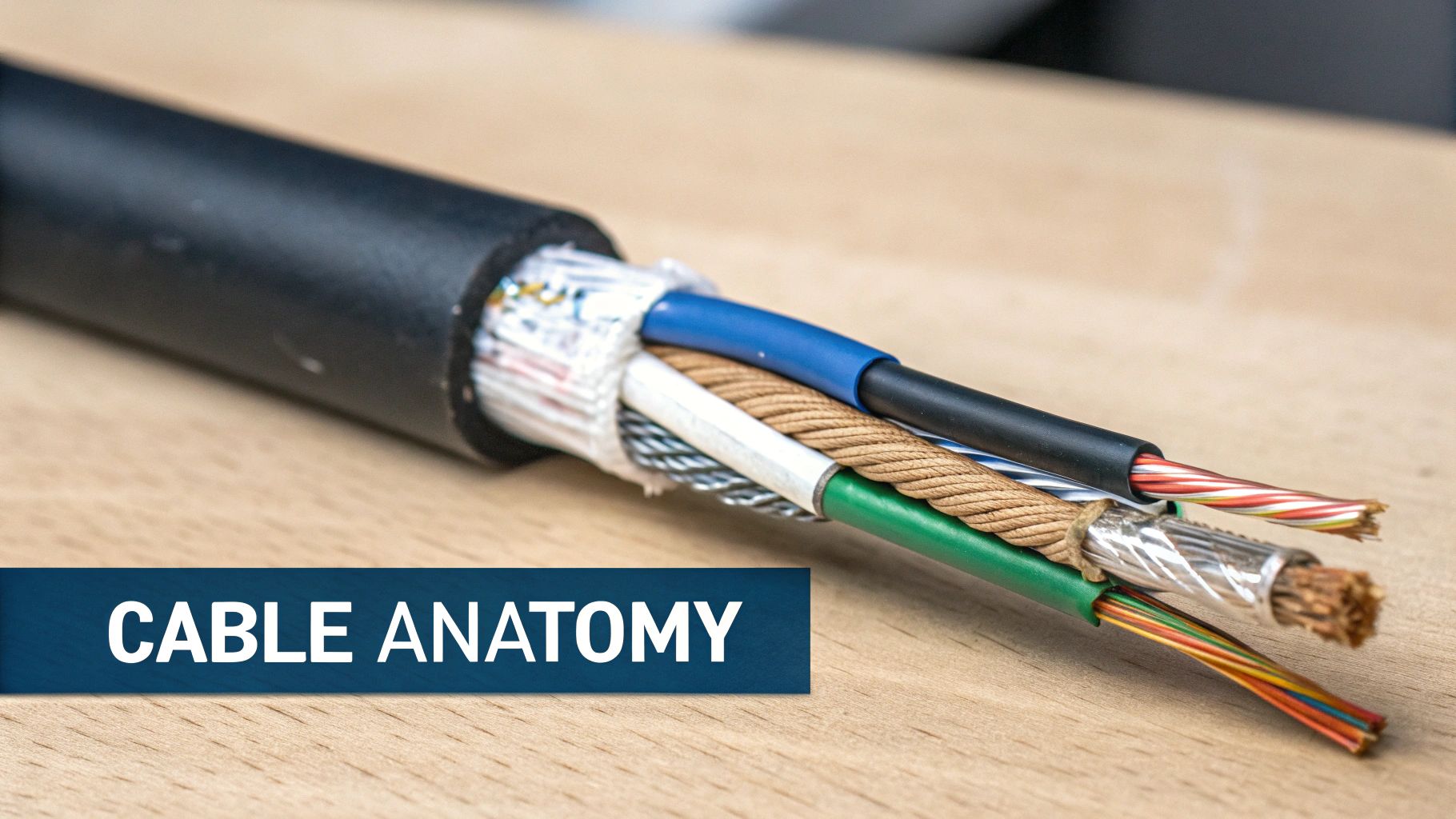
Let's break down the core components you need to consider for a truly autonomous unit.
Real-World Reasons for Choosing Battery-less, NFC Proximity Locks
The access control system is the heart of an unmanned building. The biggest mistake is choosing battery-powered locks. While convenient for retrofitting, they are an operational nightmare in a truly unmanned environment.
Maintenance and Operational Considerations:
Battery Life: Batteries die, often without warning, locking guests out and requiring an emergency call-out.
Environmental Impact: Constant battery replacement is costly and environmentally unfriendly.
Connectivity Issues: Wireless, battery-powered locks can suffer from intermittent connectivity, making them unreliable.
A far superior solution is a hardwired, battery-less lock system. Specifically, NFC (Near Field Communication) proximity locks powered via the network are the gold standard. Users can tap their smartphone to gain access, providing a seamless experience. By powering the reader and lock mechanism via a cat6 cable external using PoE, you eliminate batteries entirely, creating a "fit and forget" system that is exceptionally reliable.
The Role of CCTV and Network Infrastructure
Modern CCTV is more than just a security camera; it's a data-gathering device. For unmanned properties, a robust CCTV system is non-negotiable. These high-resolution IP cameras require a stable, high-bandwidth connection to transmit clear footage to a central recording and monitoring station.
This is where a high-performance cat6 cable external becomes essential. It can deliver both power (via PoE) and data over a single cable, simplifying the commercial electrical installation and certification process. A single certified cable run can power a high-definition camera and ensure a flawless data stream, crucial for security and operational monitoring.
Ensuring Physical Protection for Critical Cables
For any installation where the cable runs externally or underground, an extra layer of armour is essential. This is non-negotiable for direct burial or for routes where there's a risk of damage from digging, ground movement, or even pests.
An unarmoured cable buried directly in the ground is an expensive network failure just waiting to happen. The cost of adding armour is minimal compared to the cost of locating and replacing a damaged, buried link that has taken down your entire security system.
There are a few common types of armoured external Cat6 cable to consider:
Steel Wire Armour (SWA): This is the gold standard for physical protection. A layer of steel wires is wrapped around the inner cable, giving it exceptional crush resistance and strength. SWA is the go-to choice for direct burial in challenging ground or industrial environments.
Steel Tape Armour: A corrugated steel tape is wrapped around the cable instead of individual wires. This offers good protection against rodents and moderate impacts but isn't quite as tough as SWA.
Duct Grade: This is a non-armoured but highly durable external cable designed specifically to be pulled through a dedicated protective duct or conduit. While the cable itself is tough, it relies entirely on that conduit for its physical protection.
By understanding these core components—NFC locks, IP CCTV, and the robust cabling that connects them—you can confidently design an unmanned system that is secure, reliable, and truly autonomous.
Choosing Between Cat6, Cat6A, and Fibre Optic Cable
Picking the right cable for an external run is one of those critical decisions for any smart building developer. You're constantly balancing what the property needs right now with what it's going to demand in the future. While a Cat6 external cable is a fantastic workhorse for many jobs, it’s not the only tool in the box.
Getting this right isn't just about reading specs off a datasheet; it's about matching the tech to the real-world situation. It all boils down to three things: how fast you need to go, how far you need to run the cable, and what kind of electrical noise you might encounter along the way.
When to Stick with External Cat6
For reliable Gigabit Ethernet connectivity up to 100 metres, standard external Cat6 is your go-to solution. It delivers more than enough performance for a huge range of common applications in unmanned buildings without complicating things or blowing the budget.
It’s the perfect, no-nonsense choice for scenarios like:
Connecting external IP CCTV cameras back to your main network.
Providing a stable link to outdoor Wi-Fi access points.
Linking building entry systems, intercoms, or hardwired NFC access control panels.
For these kinds of jobs, a 1Gbps connection is plenty, and Cat6 delivers it reliably and affordably. It really hits that sweet spot of performance and cost for the majority of standard external network points.
Upgrading to Cat6A for More Demanding Links
When your performance needs jump to 10 Gigabits per second (10Gbps), Cat6A enters the conversation as the leading copper option. It’s specifically engineered to maintain that high speed over the full 100-metre distance, which is a huge step up from standard Cat6 that can only manage 10Gbps over much shorter runs of around 37-55 metres.
Cat6A is the logical choice for high-throughput links between nearby buildings, like connecting a main office to a workshop, or linking multiple unmanned units within a single development. It gives you a robust, future-ready copper link capable of handling large data transfers without the jump in cost to fibre.
If your project involves linking two buildings that need a 10Gbps connection, Cat6A is a powerful and practical solution. For anyone weighing this up, our definitive guide to Cat 6A cable digs much deeper into what it can do.
Making the Leap to Fibre Optic Cable
Fibre optic cable is in a completely different league. It becomes the undisputed champion in certain situations because it sends data using pulses of light, not electrical signals. This gives it some unique and powerful advantages over any copper cable.
You absolutely need to choose fibre when your project involves any of these:
Long Distances: For any link stretching beyond 100 metres, fibre is your only real option. It can push data over many kilometres with barely any signal loss.
Extreme Speeds: If you need to plan for speeds beyond 10Gbps, either now or in the future, fibre is the only path forward.
Electrical Interference: Because it uses light, fibre is 100% immune to electromagnetic interference (EMI). This makes it essential for runs near heavy machinery, power lines, or anything else that creates a lot of electrical noise.
To help you visualise these key decision points, we’ve put together a simple flowchart.
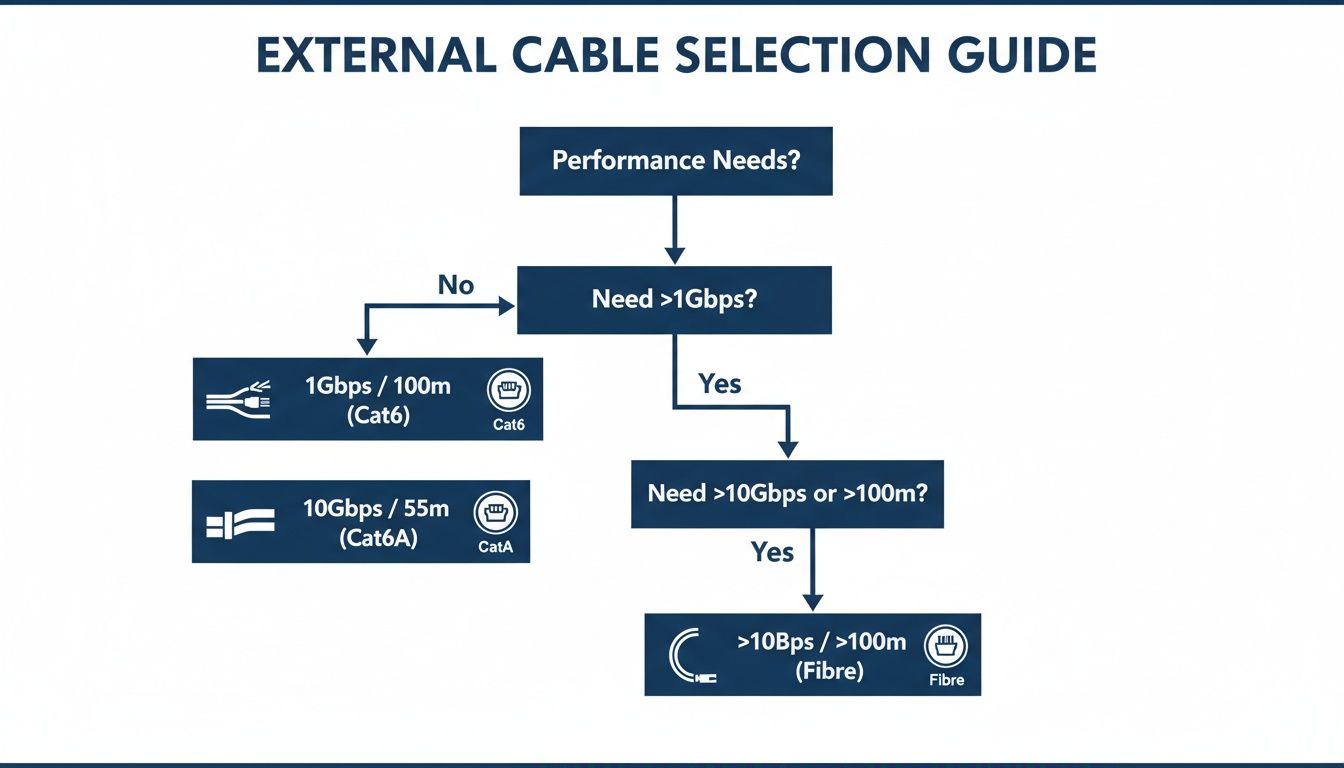
As you can see, the choice becomes clear once you define your needs. Cat6 is perfect for standard gigabit links, Cat6A steps in for short-range 10Gbps runs, and fibre takes over for everything else.
External Cabling Decision Matrix: Cat6 vs. Cat6A vs. Fibre
Cabling Type | Max Distance for 10Gbps | Best For | Key Consideration |
|---|---|---|---|
External Cat6 | ~37-55 metres | Standard 1Gbps links up to 100m (CCTV, Wi-Fi Access Points, door entry). | The cost-effective workhorse for everyday external connections. |
External Cat6A | 100 metres | High-speed links between nearby buildings; future-proofing copper networks. | The go-to for 10Gbps copper runs without the cost of fibre optics. |
Fibre Optic | Many kilometres | Any run over 100m; speeds beyond 10Gbps; environments with high EMI. | Unbeatable for distance and speed, and essential in noisy electrical areas. |
Ultimately, choosing the right cable ensures your network performs exactly as it should from day one and is ready for the demands of tomorrow. It’s about making a smart investment in your infrastructure's backbone.
Best Practices for Installing External Cat6 Cable
Choosing a high-quality Cat6 external cable is a great start, but it's only half the battle. The real-world performance and lifespan of your outdoor network link depend entirely on the quality of the installation. Even the toughest armoured cable is destined to fail if corners are cut.
Following professional best practices isn't just about keeping things tidy—it's about building a resilient network backbone that can shrug off the harsh UK weather for years to come.
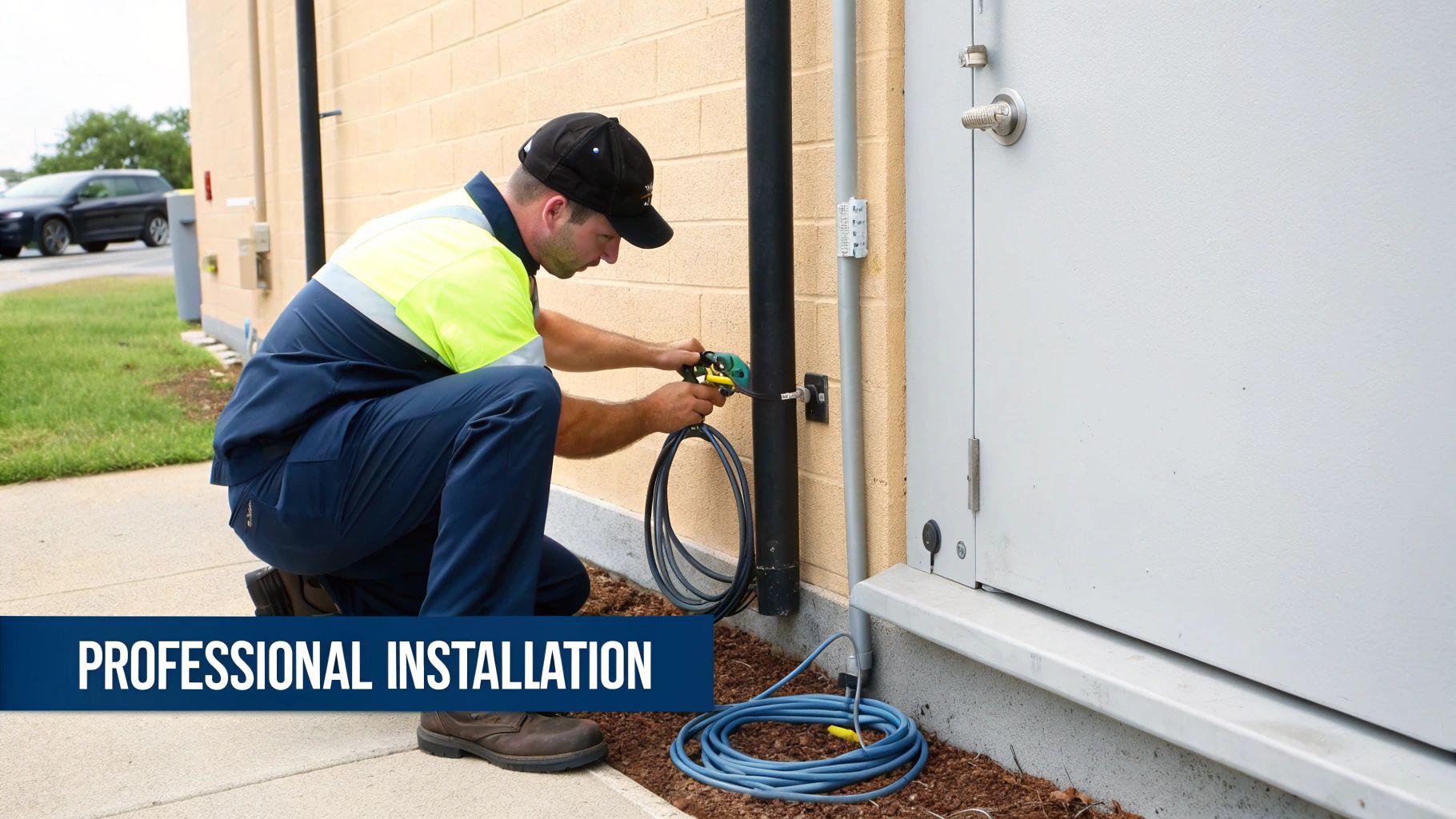
A proper installation is a non-negotiable part of any professional data cabling project. It ensures your network performs to certified standards, protects your expensive equipment, and validates the manufacturer's warranty. Let’s walk through the critical steps that separate a professional job from a future network headache.
Always Use Dedicated Conduit for Protection
Think of a conduit as the cable's personal bodyguard. While direct-burial armoured cables are incredibly tough, running any external cable through a dedicated, heavy-duty conduit provides an unmatched level of protection against physical damage. This is absolutely vital in areas with vehicle traffic or where future digging is a possibility.
Using conduit gives you several key advantages:
Physical Shielding: It protects the cable from being crushed, sheared by sharp rocks, or accidentally sliced by a stray shovel.
Simplified Future Upgrades: Need to upgrade from Cat6 to fibre in a few years? You can simply pull the new cable through the existing conduit without digging up your entire site again.
Environmental Barrier: A properly sealed conduit adds an extra layer of defence against persistent moisture and acidic soil.
For any professional job, especially for direct burial or exposed routes, conduit isn't an optional extra—it’s an essential part of a reliable system. For a deeper dive into cable management solutions, check out our essential guide to raceway for cable systems.
Maintain Separation from Power Lines
One of the biggest threats to data integrity in a copper cable is electromagnetic interference (EMI), often just called "noise". High-voltage power cables, transformers, and even fluorescent lighting ballasts create powerful electrical fields that can corrupt the data signals running through your network cable. This interference leads to packet loss, slow speeds, and infuriatingly intermittent connection dropouts.
To prevent EMI, professional installers stick to a golden rule: maintain a minimum separation of at least 30cm (12 inches) between your external Cat6 cable and any parallel power lines. Crossing power lines at a 90-degree angle is fine, but running them side-by-side is a recipe for network trouble.
In environments where this separation just isn't possible, using a shielded external Cat6 cable (F/UTP or S/FTP) becomes critical. The foil or braid screen acts like a Faraday cage, grounding the electrical noise before it has a chance to mess with your data.
Implement Grounding and Surge Protection
External cable runs, particularly those linking separate buildings, are prime targets for electrical surges from lightning strikes or power grid faults. A powerful surge can travel down the copper cable and instantly destroy expensive network hardware like switches, routers, and servers.
Proper grounding (earthing) and surge protection are absolutely vital safeguards.
Grounding: If you're using a shielded or armoured cable, it must be properly earthed at one end, typically at the main building's patch panel. This gives any induced electrical noise or static buildup a safe path to dissipate into the ground.
Surge Protection: Ethernet surge protectors should be fitted at both ends of the cable, just before it connects to your network equipment. These devices act like a fuse, sacrificing themselves to absorb a massive electrical surge and stopping it from frying your critical kit.
Ensure a Professional Transition Indoors
The point where the external cable enters a building is a common point of failure if it's not handled correctly. Water loves to follow cables through walls, leading to damp, corrosion, and damage. A professional will always drill the entry hole at a slight upward angle from the outside in, creating a natural slope for water to run away from the building.
The entry point must then be sealed with a weatherproof, UV-stable silicone sealant or a purpose-built cable gland. Once inside, the tough external-grade cable should be terminated at a patch panel or wall outlet. A short, flexible indoor-rated patch lead is then used to connect from the outlet to your network switch, ensuring a clean, compliant, and professional transition from the outdoors in.
Where Are Unmanned Systems Commonly Used?
Laying a high-quality cat6 cable external run is a serious investment in your network's future, but the job isn't finished once the last connector is crimped. The final, and arguably most important, step is to put that cable through a rigorous testing and certification process. This is what turns a simple cable run into a guaranteed, high-performance asset for the various properties that rely on this technology.
The principles of integrated, unmanned building management are being applied across a growing range of sectors where efficiency, security, and low operational overheads are paramount.
Examples of where these systems are commonly used include:
Self-Storage Facilities: Customers can rent, access, and vacate units 24/7 without any staff present on-site.
Student Accommodation: Provides secure, keyless entry for thousands of students, simplifying management and enhancing safety.
Short-Term Rentals (e.g., Airbnb): Allows for seamless check-in and check-out, remote monitoring, and management of multiple properties from a single dashboard.
Remote Industrial Sites: Secure and monitor critical infrastructure locations like substations or communication towers where regular staffing is impractical.
In all these applications, the reliability of the underlying power, data, and access control infrastructure is what makes the business model viable.
Your Gateway to a 25-Year Warranty
This certification isn't just for your peace of mind; it's a commercial necessity. Reputable manufacturers like Excel offer long-term system warranties—often up to 25 years—on their structured cabling. There’s a catch, though. These warranties are only valid if the system is installed by an accredited partner and every single link is professionally tested and certified.
Without that final certification report, your warranty is essentially void before it even begins. It’s the key that unlocks the manufacturer's backing.
The global demand for reliable, high-performance cabling highlights just how critical this is. The Cat6 cable market hit a massive USD 10.27 billion, and it's projected to climb to USD 17.48 billion by 2033. You can explore the growth drivers in the Cat6 market for more insight. Investing in a certified installation ensures you get the full value and protection for your piece of that technology.
For long-term reliability, it's also wise to periodically inspect your cat6 cable external runs, making sure conduits are still sealed and entry points haven't been compromised. But ultimately, professional testing and certification are what provide the final sign-off, guaranteeing your network is robust, compliant, and ready for whatever you throw at it.
Your External Cabling Questions, Answered
When you start planning a network that needs to step outside the building, plenty of practical questions pop up. Getting straight answers is vital for making sure your project is reliable, compliant, and doesn't come with nasty surprises down the line. Here, we tackle the most common queries we hear from IT managers and business owners about taking their network outdoors.
Can I Just Run My Normal Indoor Cat6 Cable Outside in a Conduit?
It might seem like a tempting shortcut to save a bit of cash, but running standard indoor Cat6 cable outside, even inside a conduit, is a recipe for disaster in the UK climate. The PVC jacket on indoor cable simply isn't built for it; sunlight will break it down, leaving it brittle and cracked.
But the real killer is moisture. Condensation is guaranteed to build up inside any conduit, and that dampness will slowly but surely work its way through the non-waterproof jacket. Once it reaches the copper conductors, corrosion sets in, and it's only a matter of time before your network link fails completely. For any outdoor run, you absolutely must use a cable designed specifically for the job.
What’s the Maximum Length for an External Cat6 Cable Run?
The rules are the same whether you're inside or out: the maximum channel length for any Cat6 cable is 100 metres (328 feet). This distance will reliably support data speeds of up to 1 Gigabit per second (Gbps).
However, if you're aiming for faster 10 Gigabit Ethernet, that maximum distance for standard Cat6 drops dramatically to somewhere between 37 and 55 metres. If you need to go further than 100 metres, or require 10Gbps beyond that 55-metre limit, you'll need to step up to Cat6A or, more commonly, make the switch to fibre optic cable.
An external cable run that pushes past its distance limits isn't just out of spec—it's an unreliable link waiting to fail. Performance will be all over the place, and it will never pass professional certification, which means any manufacturer warranty is instantly void.
Is Armoured Cable Always Necessary if I'm Burying It?
Yes, if you're planning to bury a Cat6 external cable directly in the ground without the protection of a dedicated, heavy-duty duct, then armoured cable is essential. The industry standard for this is Steel Wire Armoured (SWA) cable, and for very good reason.
The armour provides a crucial shield against some very real-world threats:
Crushing: It can handle the pressure from rocks, shifting soil, or even the weight of vehicles driving over it.
Impacts: It protects the delicate cores from being severed by a shovel during future digging or landscaping work.
Pests: That steel layer provides a robust defence against rodents who would happily chew through a standard cable.
While you could use a non-armoured direct-burial cable if it's pulled through a solid underground conduit, SWA cable gives you the ultimate level of protection and long-term peace of mind for any network link you can't afford to lose.
Your property's reliability shouldn't stop at the front door. For expert planning and installation of a truly autonomous building system—from integrated access control to the certified cabling infrastructure that powers it—trust the specialists at Constructive-IT. We deliver warrantied, high-performance solutions designed for the demands of modern unmanned properties.
Comments