


A UK Guide to Comms room Decommissioning and Autonomous Building Management
- Craig Marston
- Jan 31
- 18 min read

Decommissioning a comms room is the process of completely stripping out all the IT gear, cabling, and environmental systems. This isn't just about pulling plugs. It’s a carefully planned operation to guarantee data security, meet regulatory standards, and keep business disruption to an absolute minimum during an office move or major upgrade. This process is often a critical first step towards building out fully autonomous unmanned building units, where smart systems replace manual oversight.
Why Your Decommissioning Project Needs a Strategy

Trying to decommission a comms room without a solid plan is a massive business risk. You’re opening the door to data breaches, steep fines for non-compliance, and spiralling costs that can completely derail the project. This is a high-stakes job involving sensitive data, potentially hazardous materials, and contractual obligations with landlords or service providers. It’s much more than a simple clear-out.
A proper strategy turns a chaotic logistical nightmare into a controlled business process. It gives you a clear roadmap that covers every vital step, from getting stakeholders on the same page to getting that final handover certificate signed off. To get a handle on just how detailed this can get, it's worth looking at a comprehensive data center decommissioning process to understand the full scope.
The Real Risks of an Unplanned Approach
Wing it, and you'll run into serious trouble, fast. The single biggest risk? A data breach. One hard drive that hasn't been properly wiped or a server that goes missing in transit can cause catastrophic damage to your reputation and land you with severe penalties under UK GDPR.
On top of that, UK businesses have a legal duty when it comes to e-waste. The Waste Electrical and Electronic Equipment (WEEE) regulations are very clear about how you must responsibly dispose of IT hardware. You can't just send old servers to the landfill—it's illegal and environmentally reckless.
A decommissioning project without a strategy isn't a cost-saving measure; it's a gamble with your company's security, compliance, and budget. Every step must be deliberate and documented.
Key Pillars of a Successful Strategy
A watertight decommissioning strategy is built on a few core principles. These pillars should guide every decision you make throughout the project.
Your strategy must always include:
Security First: The absolute priority is the secure sanitisation of every device that holds data. This means using compliant methods like physical destruction or certified data erasure software.
Compliance by Design: From day one, your plan needs to be built around UK-specific regulations like GDPR and WEEE. Every action should be documented, creating an audit trail.
Minimal Disruption: Services need to be shut down and migrated in a carefully planned sequence. The goal is to avoid costly downtime and keep the business running smoothly.
Stakeholder Alignment: Get IT, facilities, finance, and any external partners in a room and make sure everyone knows their role. Clear communication and defined responsibilities prevent misunderstandings and delays.
Ultimately, a strategic approach is just good project management. If you want to dig deeper into this, you might find our guide on mastering IT infrastructure project management strategies useful.
Building Your Decommissioning Blueprint
Before a single cable gets unplugged, your most valuable asset is a solid, well-defined plan. A successful comms room decommissioning runs on clarity, not assumptions. This blueprint isn’t just a to-do list; it’s the strategic document that gets everyone on the same page and stops costly mistakes before they happen.
The whole process kicks off by putting together a cross-functional project team. This isn't just an IT job. You absolutely need key players from facilities, who know the building's infrastructure inside and out; finance, who will be managing the budget and any asset recovery; and security, who will oversee data protection and physical access. Every department has a stake in the outcome.
Defining Roles and Responsibilities
Miscommunication is the number one cause of project delays and blown budgets. To get ahead of this, you need to clearly define who owns each part of the process right from the start. A simple responsibility matrix can wipe out any confusion and make sure everyone is accountable throughout the project.
Getting this right means there's no grey area. Everyone knows who is responsible for asset inventory, who needs to authorise the data sanitisation methods, and who signs off on the final site handover. Without that clarity, crucial tasks can easily fall through the cracks, leading to serious security risks or contractual penalties down the line.
To make this crystal clear, here’s a simple breakdown of who typically does what:
Decommissioning Stakeholder Responsibility Matrix
Role/Department | Primary Responsibilities | Key Decisions Owned |
|---|---|---|
Project Manager (IT) | Owns the overall plan, coordinates all teams, manages the timeline and budget. | Final go/no-go on project phases, vendor selection, risk escalation. |
Facilities Manager | Oversees physical site works, power-down, lease compliance, and site remediation. | Method of making good, contractor selection for electrical/HVAC work. |
Finance/Asset Manager | Manages asset inventory, valuation, resale/recycling process, and budget tracking. | Asset disposal route (resale vs. recycle), final budget sign-off. |
Security/Compliance Officer | Ensures data sanitisation meets standards (e.g., GDPR), manages physical access. | Approval of data destruction methods, final data security certification. |
Network/Infrastructure Team | Executes the technical shutdown, documents configurations, and manages data migration. | Migration sequencing, final system testing and validation. |
A matrix like this isn't just paperwork; it’s a tool that forces critical conversations early on, ensuring nothing is left to chance.
Building Your Project Charter
A formal project charter is your single source of truth. Think of it as a concise document that outlines the entire operation, securing buy-in from senior management and setting clear expectations for everyone involved.
Your charter should nail down the following:
Scope Definition: What is included and, just as importantly, what is not included? Define the physical boundaries of the comms room and list all the asset categories you’re dealing with.
Key Objectives: What does success actually look like? This could be zero data security incidents, achieving a 95% asset value recovery rate, or hitting a non-negotiable deadline for an office move.
Budget and Resources: Get specific on the estimated costs for labour, specialist contractors, transport, and disposal. You should also list the internal team members and tools required.
Success Metrics: How will you measure performance? Track things like budget variance, adherence to the project timeline, and the number of assets successfully sanitised and documented.
A well-crafted charter transforms your project from a vague idea into a measurable, manageable operation. It’s the reference point that keeps the entire team focused on the same goals.
As you put your blueprint together, getting into the operational details is essential. Understanding what goes into creating a detailed method statement, especially for high-risk activities like power-downs, can be hugely beneficial. This level of detail ensures safety and procedural compliance are baked into your plan from day one.
Navigating Lease Agreements and Exit Clauses
One of the most frequently overlooked areas is the commercial lease agreement. So many organisations get caught out by specific clauses dictating the state the comms room must be left in. Failing to meet these obligations can lead to hefty financial penalties and messy disputes with landlords.
Scrutinise your lease for any "make good" or "reinstatement" clauses. These often require you to return the space to its original condition, which could mean:
Removing all non-standard cabling, including abandoned wires above ceilings and under floors.
Patching and painting walls where racks or cooling units were mounted.
Repairing any damage to raised flooring or ceiling tiles.
Ensuring electrical systems are safely capped and certified by a qualified electrician.
Ignoring these details can jeopardise the return of your deposit and damage your company’s reputation with commercial landlords. This is exactly why getting your facilities manager and even legal counsel involved early is so important. They can translate the contractual jargon and ensure your decommissioning plan fully addresses your legal obligations, leaving no room for expensive surprises at the end.
The Shift to Unmanned Building Management
Once a legacy comms room is decommissioned, it clears the way for modern, autonomous infrastructure. Unmanned building management means using technology to control access, power, security, and environmental systems without needing staff on-site. In practice, this translates to remote control over everything from door locks and lighting to CCTV and server reboots, often managed through a single online portal.
These systems are commonly used in distributed sites like self-storage facilities, remote data centres, co-working spaces, and multi-unit commercial properties where having full-time staff is impractical and costly. The goal is to maximise operational efficiency and security while minimising human intervention.
Why Many Unmanned Building Projects Fail
Many unmanned projects stumble because they treat access, power, and data as separate problems. A sophisticated smart lock is useless if there's a power cut. Remote power management fails if the network connection drops. These systems are interdependent. True autonomy is achieved only when access, power, and data are designed together as a unified ecosystem. If one part fails, the others must have built-in resilience to compensate.
Designing a Unified Autonomous System
Building a truly autonomous unit requires integrating several key components:
Access Control: The choice of locks is critical. Battery-less, NFC proximity locks are a prime choice for real-world reliability. They draw power from the user's phone or keycard, eliminating the operational headache and cost of replacing thousands of batteries. This also removes a major failure point, as dead batteries are a common cause of lockouts.
Power Management: This involves more than just the mains supply. Remote Power Distribution Units (PDUs) allow you to reboot individual devices from anywhere. For critical systems, Uninterruptible Power Supplies (UPS) and even backup generators are essential for maintaining uptime during outages. A robust commercial electrical installation and certification process is the foundation of this reliability.
Data Connectivity: A primary high-speed fibre line is standard, but a true unmanned system needs redundancy. A secondary connection, often a 4G/5G cellular backup, ensures the building remains online and manageable even if the primary line is cut.
Security and Monitoring: High-definition CCTV is non-negotiable for both security and operational insight. Integrated with motion sensors and alarms, it provides a complete picture of the site's status, with alerts pushed directly to a central management team.
Maintenance and Operational Considerations
An unmanned building isn't a "set it and forget it" solution. Proactive maintenance is vital. This includes regular testing of backup power systems, firmware updates for all connected devices (locks, cameras, network gear), and scheduled physical inspections. An operational plan must define clear protocols for responding to alerts, managing remote access for maintenance crews, and handling emergency scenarios like security breaches or prolonged power failures.
Managing Your Assets and Sanitising Data
Once you’ve got your strategic blueprint nailed down, the focus shifts to the nuts and bolts—the actual physical and digital assets sitting in the comms room. This is where meticulous attention to detail is non-negotiable. Get this wrong, and you could be facing major security headaches or financial losses long after the room is empty.
First things first: you need a complete and exhaustive asset inventory. This isn't just a quick list of equipment. It's a detailed record of every single item, from the big-ticket servers and network switches right down to the individual software licences tied to them. This inventory is the bedrock for every decision that follows.
Deciding the Fate of Every Asset
With your full inventory in hand, every item needs a destination. Not everything is destined for the skip. In fact, you can often recover a significant chunk of your project budget by managing these assets intelligently.
Every piece of hardware and software should be sorted into one of four categories:
Migrate: These are the crown jewels—the critical assets that will move to a new location, whether that's another office, a colocation facility, or the cloud. Their journey needs careful planning to keep downtime to an absolute minimum.
Repurpose: Some older kit might not be up to its primary job anymore, but it could be perfect for a test lab, a development environment, or a less critical role somewhere else in the business.
Resell: Components like CPUs, RAM, and networking gear often hold decent market value. A specialist IT Asset Disposition (ITAD) partner can help you cash in on this, helping to offset the overall project cost.
Dispose: This is for anything that's obsolete, broken, or has no resale value. These items must be disposed of in line with the UK's WEEE regulations to sidestep any legal trouble.
For a deeper dive into this initial but critical phase, check out our comprehensive guide on how to perform an asset audit.
Secure Data Sanitisation: The Non-Negotiable Step
Now we get to the most critical security task in any decommissioning project: making sure every last byte of sensitive data is permanently and verifiably destroyed. Just deleting files or reformatting a hard drive is nowhere near enough. Data can often be recovered from drives treated this way with worrying ease.
Under UK GDPR, your organisation is legally on the hook for protecting personal data, and that duty extends right up to the end-of-life of the hardware it’s stored on. A slip-up here can lead to fines of up to 4% of your annual global turnover.
The biggest mistake you can make is assuming a device has no data on it. From network switches holding configuration files to printers with cached documents, data hides in more places than just servers. Every device must be treated as a potential security risk until it's proven clean.
There are two primary, industry-accepted methods for data sanitisation. The right one for you will depend on how sensitive the data is and what your internal security policies demand.
Choosing Your Data Destruction Method
The destruction method has to be right for the media type and the data's sensitivity. For instance, you can't treat solid-state drives (SSDs) the same way you treat traditional magnetic hard drives (HDDs).
Your main options are:
Cryptographic Erasure/Data Wiping: This is a software-based approach that overwrites all the data on a storage device with random characters, usually several times over, making the original information impossible to get back. It meets standards like NIST 800-88 and is perfect for devices you plan to resell or repurpose, as it keeps the hardware intact and valuable.
Physical Destruction: This is the ultimate guarantee of data elimination. The storage media is physically destroyed by shredding, disintegration, or degaussing (for magnetic media). This is the only acceptable method for devices that held highly classified or extremely sensitive information where zero risk is the only option.
After sanitisation, you must get a Certificate of Destruction (CoD) for every single data-bearing device that has been processed. This certificate is your proof of compliance—a legally defensible document that becomes a crucial part of your audit trail, showing you've met your GDPR obligations.
With your strategy locked in, it’s time to get hands-on and start the physical decommissioning of the comms room. This is where all that careful planning pays off, turning your blueprint into a methodical, step-by-step operation. This isn't about just yanking out old kit; it’s a controlled process designed to minimise risk, keep everyone safe, and tick every box on your contractual and legal to-do list.
The whole thing lives or dies by the shutdown sequence. You can't just flip the main breaker and call it a day. Every service needs to be powered down in a logical order, perfectly in sync with your migration plan to avoid any nasty surprises that could hit the business. Typically, this means starting with non-essential systems, then moving on to application servers, and finally, once everything else is safely migrated, powering down the core network infrastructure.
Safe Disconnection of Power and Cooling
Before anyone even thinks about touching a server, the room has to be made completely safe. That means a full, verified power-down of all electrical and cooling systems, handled by qualified professionals. The mains supply to the distribution boards feeding your server racks and any CRAC (computer room air conditioning) units must be completely isolated and locked off.
This is a non-negotiable health and safety step. A certified electrician needs to carry out this work and provide you with documentation confirming the circuits are dead and safe. This doesn't just protect your team on the ground; it ensures you're fully compliant with UK electrical safety regulations.
Trying to de-rack equipment from live cabinets is not just a bad idea—it’s a massive safety hazard and an absolute recipe for disaster. Professional power isolation isn't just best practice; it's a mandatory requirement that protects your people and your business from serious liability.
Systematic De-racking and Cable Removal
Once the room is confirmed to be electrically safe, the physical work of emptying the racks can begin. Always work methodically from the top of each rack downwards. This simple rule keeps the cabinets stable and stops them from becoming top-heavy and dangerously unbalanced. As each piece of kit comes out, it needs to be checked against your asset inventory, its status updated, and then moved to a secure staging area.
Now for a crucial, and often massively underestimated, part of the job: removing all the redundant cabling. Just leaving old copper and fibre cables in ceilings, under floors, or stuffed into riser cupboards isn't just messy—it's a serious compliance and safety issue. Old, abandoned cabling can be a fire hazard, block airflow for cooling systems, and make any future network installations a nightmare. In fact, many UK lease agreements explicitly require the removal of all non-standard wiring as part of the "make good" clause.
A professional cable removal job always involves:
Tracing and Identification: Making absolutely sure you're only pulling out redundant cables without accidentally disrupting any live services belonging to other tenants in the building.
Complete Extraction: Pulling every cable right back to its source, not just snipping the ends and leaving the rest hidden in the walls.
Certification: Providing you with paperwork to prove the work has been completed to industry standards, which will keep landlords and insurers happy.
Getting your head around the costs of decommissioning is vital for accurate budgeting. While the specifics for comms rooms are unique, you can look at other sectors to see how complex these projects can get. For instance, data from the UK's offshore industry shows how large-scale decommissioning costs can spiral, even if the technical challenges are very different. You can learn more about how complex projects are budgeted from the North Sea Transition Authority’s cost analysis.
Compliant E-waste Disposal and Site Remediation
With the hardware de-racked and the cabling gone, the next step is to deal with all the electronic waste. Under the UK's Waste Electrical and Electronic Equipment (WEEE) Directive, your organisation has a legal duty to make sure old IT gear is disposed of in an environmentally responsible way. You can't just chuck it in a skip.
You'll need to work with a licensed e-waste recycler who can give you a full audit trail and certification for every single asset they take away. This paperwork is your proof that you’ve met your environmental obligations and is essential if you're ever audited.
To get this right, you first need to conduct a thorough inventory, categorise each asset, and then make certain all data has been wiped clean before anything leaves the site.
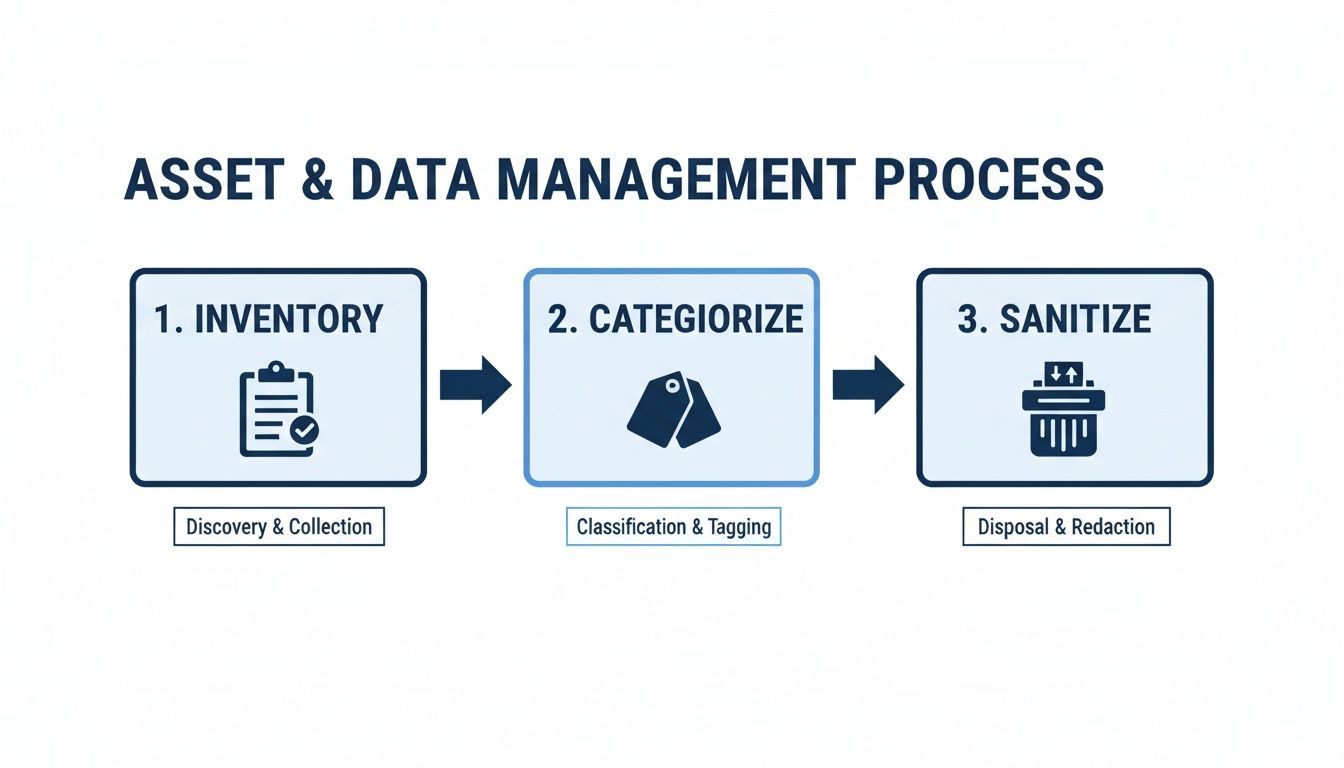
This simple three-step flow—Inventory, Categorise, Sanitise—is the backbone of responsible asset management. It ensures no device gets missed and all your sensitive data is handled securely.
The very last piece of the puzzle is site remediation. This is all about returning the comms room to the state specified in your lease agreement. This "make good" process often includes:
Patching any holes in walls or floors left by cabling or cooling pipes.
Removing any non-standard fittings like rack mounts or cable trays.
Repainting the walls back to their original colour.
Giving the floor a thorough clean, making sure it's free from dust and debris.
Nailing this final step is essential for a smooth handover to the landlord and, crucially, getting your rental deposit back. It’s the final act that officially closes the chapter on the physical site.
Finalising Your Project with Proper Handover

The heavy lifting might be done, but a comms room decommissioning project isn't truly finished until the paperwork is signed. This final phase is all about verification, documentation, and getting that formal sign-off. If you skip these last steps, you risk undermining all your hard work, leaving the business exposed to compliance headaches and operational blind spots down the line.
This is where you ensure a clean break, satisfying everyone from your IT team right through to the landlord. It’s the professional finish that turns a completed job into a successful, fully documented, and risk-free project.
Validating Service Stability
Before you can even think about declaring victory, you need to be 100% certain that no business-critical services have taken a hit. The last thing anyone wants is a frantic call a week later about a system that vanished when the old room was powered down. This means rigorous testing and validation of any services that were migrated.
Your technical team should be running a full suite of post-migration checks. Their goal is to confirm that performance, availability, and security are all at, or ideally above, pre-decommissioning levels. Getting formal sign-off from the heads of each business unit is the final piece of this puzzle—it confirms their operations are running smoothly and officially closes the loop on the technical side of things.
Securing Essential Certification
Think of your documentation as your legal and procedural shield. You absolutely must have a complete set of certificates that provide a verifiable audit trail for every single thing you’ve done, especially when it comes to data and waste.
This is your non-negotiable certification checklist:
Certificates of Data Destruction (CoD) for every single data-bearing asset you've processed. This is your proof of GDPR compliance, showing exactly when and how each device was sanitised.
WEEE Transfer Notes from your licensed e-waste recycler. This document proves you have met your environmental duties under UK law.
Electrical Safety Certificate from the electrician who handled the power isolation and made the area safe.
Cabling Removal Certification, if applicable, confirming that abandoned cables were stripped out in line with industry standards.
Think of this paperwork as your project’s insurance policy. In the event of an audit or a dispute, these documents are your indisputable evidence of a compliant and professionally managed comms room decommissioning.
Compiling the Final Project Report
With all your certificates in hand, it's time to pull everything together into a comprehensive final project report. This document becomes the official record of the entire operation, providing valuable insights for future projects and formally closing the books on this one.
A solid report acts as a single source of truth for senior management, finance, and the facilities team. The project isn't just about the cost; it's about understanding the entire lifecycle. While IT projects have their own financial markers, it's interesting to see the scale of decommissioning in other UK sectors. The offshore industry, for example, highlights just how critical precise cost tracking is on complex projects. You can learn more about how these are managed from this analysis of the UK decommissioning sector.
Your report should always include these key elements:
Final Asset Inventory Reconciliation: An updated version of your inventory showing the final destination of every asset, cross-referenced with its corresponding certificate.
Budget vs Actuals Analysis: A transparent breakdown of the final project costs compared to the initial budget, with clear explanations for any differences.
Lessons Learned: An honest look at what went well and what could be improved next time. This is invaluable organisational knowledge.
Timeline Review: A summary of the project timeline, noting any delays and the reasons behind them.
The Formal Handover and Sign-Off
The very last step is the formal handover of the empty, safe space back to the facilities manager or landlord. This is usually a physical walkthrough where both parties inspect the room against the "make good" clauses in your lease agreement.
Once they are satisfied that all contractual obligations have been met, they will formally sign off on the project. This final signature officially closes the book, releasing your team from any further liability for the space. It’s the handshake that confirms a job well done.
Finding the Right Decommissioning Partner
Trying to decommission a comms room on your own is a huge gamble. As we've seen, the job is far more complex than just yanking out old equipment. It’s a minefield of compliance risks, data security holes, and hidden costs that can quickly spiral out of control. One wrong move could lead to a serious data breach or hefty legal fines.
This is where bringing in a specialist partner isn’t just a good idea—it’s essential. They aren’t just another contractor; they become your end-to-end project manager, guiding you through the entire process. A good partner brings a structured, battle-tested methodology to the table, overseeing every critical stage we've discussed.
End-to-End Project Management
The right partner takes the entire project off your plate, ensuring a secure and seamless transition from start to finish. Their role typically covers all the crucial bases:
Initial Planning: Kicking things off by building a solid strategy, defining the scope, and getting all your stakeholders on the same page.
Compliance Assurance: Making sure every single action complies with UK GDPR and WEEE disposal regulations. No exceptions.
Secure Execution: Managing the entire hands-on process, from secure data sanitisation and physical removal to certified, environmentally-friendly disposal.
Final Certification: Providing all the official documentation you need for a clean, fully auditable handover.
By entrusting the process to a team with proven expertise, you’re insulating your business from the very real risks of a DIY job. A properly managed comms room decommissioning ensures that every single detail, from the first audit to the final sign-off, is handled with absolute precision. When you're thinking about your next project, it’s worth looking at our advice on choosing network cabling installers you can trust to understand the value an experienced partner truly brings.
Your Decommissioning Questions, Answered
When you're staring down the barrel of a comms room decommissioning, a few key questions always pop up. Getting straight answers to these early on is the difference between a smooth project and one that spirals out of control, taking your budget and timeline with it.
How Long Does a Decommissioning Actually Take?
This is the classic "how long is a piece of string?" question. There's no single answer because every project is different. A tiny server closet with a couple of racks? We could be in and out in a couple of days. But a complex, business-critical data room could easily take several weeks of meticulous planning and execution.
The timeline really hinges on a few key things:
The sheer volume of kit: How much equipment needs to be inventoried, disconnected, documented, and physically removed? This is the biggest driver.
The complexity of the gear: Standard servers are one thing. Specialised networking equipment or ancient legacy systems often throw a spanner in the works and require more delicate handling.
Migration dependencies: The whole project is often tied to the successful move of services to a new location or the cloud. The physical work can't start until the digital move is complete and verified.
What Are the Biggest Hidden Costs I Should Watch Out For?
The most dangerous costs are the ones that aren't on your initial quote. It’s easy to account for labour and logistics, but the financial landmines are usually buried in the small print of your lease agreement.
Landlords often have strict "make good" clauses, and failing to remove all redundant cabling properly can lead to hefty penalties. This isn't just about pulling out the old patch leads; it means tracing and removing every single cable back to its source.
Another budget-killer is improper e-waste disposal. Cutting corners here is a false economy. The fines for breaching UK WEEE regulations are no joke, which makes using a fully certified and compliant disposal partner an essential investment, not a luxury.
We often see people thinking they'll save a fortune by pulling out old structured cabling to reuse in their new office. In reality, it almost never works out. The labour cost to carefully remove, test, and re-certify old cabling usually ends up being more expensive than just installing a new, fully warrantied system from scratch.
Can We Just Reuse Our Old Structured Cabling?
Technically, you can. But honestly, it’s almost always a terrible idea. Trying to move and reinstall old network cabling is asking for trouble.
The copper or fibre is incredibly delicate. The process of pulling it out and reinstalling it can easily cause damage that leads to phantom performance issues—the kind that are an absolute nightmare to track down later.
More importantly, no professional installer will ever provide a warranty on reused cabling. This means if (or when) you start having connectivity problems, you're on your own. It's far smarter and safer to start fresh with a new, professionally certified installation that comes with a proper 25-year warranty. That peace of mind is worth every penny for your business continuity.
Facing an office move, a major infrastructure change, or looking to build fully autonomous unmanned units? A comms room decommissioning is the critical first step and it's too complex to leave to chance. At Constructive-IT, we manage the entire process, from secure hardware removal to designing and implementing robust autonomous building systems.
Schedule a consultation with our team today to make sure your transition is a success.
Comments