


Your Guide to a Booster for WiFi Internet in the UK
- Craig Marston
- Oct 31
- 12 min read

A booster for wifi internet is a handy bit of kit designed to stretch your wireless network's coverage, stamping out those infuriating dead zones where the signal just gives up. Think of it as a relay station for your Wi-Fi. It catches the signal from your main router and then throws it further, reaching into the far corners of your home or office. This means a steadier, more reliable connection for everything from your laptop to your smart telly.
Tired of Wi-Fi Dead Zones in Your UK Home?

We’ve all been there. Staring at a buffering screen is a frustration that’s especially common in UK homes. The very things that give our houses character—like solid brick walls, multiple floors, and quirky layouts—are often the biggest enemies of a strong Wi-Fi signal.
Imagine your router is a lamp in the hallway. The light it casts is bright and clear nearby, but it gets dimmer and weaker as it tries to get into other rooms and around corners. A booster for wifi internet acts like a mirror you’d place strategically, catching that fading light and bouncing it into those dark, hard-to-reach spots.
Why Your Connection Suffers
Poor Wi-Fi coverage isn't always your internet provider's fault. Several factors can get in the way of a good signal, and understanding them is the first step to sorting it out.
Building Materials: Thick walls made of brick, stone, or concrete are notorious for blocking Wi-Fi signals. They just absorb the radio waves.
Home Layout: The more floors and walls the signal has to punch through, the weaker it gets with every obstacle.
Device Congestion: The modern home is packed with dozens of smart devices—phones, tablets, speakers, and TVs—all shouting for a slice of the bandwidth.
This problem has become even more noticeable with the shift to remote working. A 2021 study revealed that 42% of UK households reported Wi-Fi issues, with poor signal strength being one of the top complaints. Before jumping straight to boosters, it’s worth checking out some tips on how to optimize internet speed and boost your Wi-Fi to build a solid foundation.
A strong, reliable network is no longer a luxury; it's essential for work, learning, and entertainment. The key is to move the signal effectively throughout your entire property, not just near the router.
This guide will walk you through the main ways to solve this all-too-common problem, breaking down the differences between extenders, repeaters, and the more modern mesh systems.
How a WiFi Booster Actually Strengthens Your Signal
So, how does this clever bit of kit actually bring your network back to life? It’s simpler than you might think. A booster for wifi internet works on a straightforward principle: it grabs the existing signal from your router, gives it a serious power-up, and then rebroadcasts it further into your home or office.
Think of it like a relay runner in a race. Your router is the first runner, holding the baton (your Wi-Fi signal). The booster is the second runner, strategically placed down the track to grab that baton and carry it much farther than the first runner ever could on their own.
This simple hand-off is what fills in those frustrating signal gaps, turning dead zones where you can't even load a webpage into spots with reliable connectivity. But not all boosters run this relay race the same way, and that's where performance really starts to differ. The biggest dividing line is whether the device is single-band or dual-band.
Single-Band vs Dual-Band Boosters
A basic single-band booster has to do everything on one frequency, usually the 2.4GHz band. This means it’s trying to do two jobs on the same channel: it has to listen for the signal coming from the router and send that signal out to your devices.
This constant back-and-forth creates a bottleneck. Imagine a single-lane country road where traffic has to stop and wait for cars coming the other way to pass. It slows everything down. The result is often a hefty drop in your available internet speed—sometimes by as much as 50%—because the poor device is splitting its attention.
A dual-band booster, on the other hand, creates a dedicated, high-speed connection back to the router. This "backhaul" prevents the performance drop seen in single-band models, delivering a faster and more stable experience for your connected devices.
Dual-band models are far more efficient because they use two separate frequencies (typically 2.4GHz and 5GHz) to create dedicated communication lanes.
The Express Lane: One band is used exclusively for the booster to talk to the router. This creates a strong, stable connection that isn't competing for airtime.
The Device Lane: The second band is then completely free to broadcast the amplified signal to your phones, laptops, and smart TVs without any interference.
This clever separation of traffic is precisely why a dual-band booster for wifi internet delivers a significantly faster and more reliable connection. If you want to dive deeper into the technical side of things, you can learn more about how a Wi-Fi extender works in our simple guide. It’s this smart engineering that makes all the difference in real-world performance.
Choosing Your Solution: Repeaters, Extenders, and Mesh Systems
Not every booster for wifi internet is built the same, and picking the right one will dramatically change your day-to-day online experience. To make the right call, you need to understand the three main players in the game: Wi-Fi repeaters, extenders that use Powerline technology, and modern mesh Wi-Fi systems. Each one is designed for a specific job.
A simple repeater might be perfect for zapping a single dead zone in a home office, but it's the wrong tool for a large, multi-storey property. Let's break down the options to find the best fit for your home and your budget.
The Quick Fix: WiFi Repeaters
A Wi-Fi repeater is the most basic type of booster you can get. It's a single, plug-in device that catches your router's existing signal and simply rebroadcasts it. Think of it like a relay runner—it takes the signal and carries it a little bit further down the track.
Ideal Use Case: Best for small, specific dead zones, like a single room or a conservatory that just can't get a reliable signal.
Key Benefit: They are usually the cheapest and easiest solution to set up. Plug it in, connect it, and you're done.
Potential Drawback: This is a big one. Because a repeater uses the same channel to both receive and send data, it often cuts your available internet speed in half for any device connected to it.
The Clever Workaround: Powerline Extenders
Powerline extenders offer a much smarter approach. This system uses a pair of adapters: one plugs in near your router and connects via an Ethernet cable, while the other plugs into a socket in the room with poor Wi-Fi.
The clever bit? It sends the internet signal through your home’s existing electrical wiring, completely bypassing thick walls and other physical blockers. The second adapter then creates a brand new, strong Wi-Fi hotspot right where you need it. It’s like creating a secret data motorway inside your walls.
The Ultimate Upgrade: Mesh WiFi Systems
For total, seamless coverage across your entire property, mesh Wi-Fi systems are the undisputed champion. Instead of one device trying to stretch a weakening signal, a mesh system uses multiple "nodes" or satellites placed strategically around your home. They all work together as a single, intelligent team to blanket your property in one unified network.
Mesh systems don't just repeat a signal; they create an intelligent, self-healing network. Your devices automatically connect to the strongest node as you move around, ensuring you always have the best possible connection without any frustrating drop-offs.
The technology is exceptionally effective. Real-world data shows that while a standard booster for wifi internet can improve signal strength by up to 70%, a mesh system can extend reliable coverage to an additional 1,000 square feet per unit. In fact, a recent report found that 68% of UK users who installed a Wi-Fi booster noticed a significant improvement in their internet speed and reliability.
For businesses looking to achieve this level of performance, you can read more about the advantages a mesh network brings to a UK office. You can also explore the full UK broadband coverage report and its findings for more details on nationwide connectivity.
To help you decide, here's a quick comparison of the three options.
WiFi Booster Comparison: Repeater vs Extender vs Mesh System
A side-by-side comparison to help you choose the best WiFi solution for your home based on key features and scenarios.
Feature | WiFi Repeater | WiFi Extender (Powerline) | Mesh WiFi System |
|---|---|---|---|
Best For | Small, single-room dead zones. | Rooms with thick walls or floors blocking the signal. | Entire homes with multiple dead zones or multiple floors. |
Performance | Reduces speed by up to 50% due to signal rebroadcast. | Maintains good speed by using electrical wiring. | Excellent, consistent speed across the entire property. |
Coverage | Limited, localised boost. | Strong, new hotspot in a specific area. | Seamless, whole-home coverage. |
Ease of Use | Very easy. Plug-and-play setup. | Easy. Plug in two adapters and sync them. | Simple setup via a mobile app, but requires placing nodes. |
Cost | £ (Most affordable) | ££ (Mid-range) | £££ (Most expensive) |
Network Name (SSID) | Creates a new network (e.g., "HomeWiFi_EXT"). | Creates a new network. | Creates a single, unified network name for the whole house. |
Choosing the right technology really depends on the problem you're trying to solve. For a quick fix in one room, a repeater is fine. For a stubborn dead zone behind a thick wall, a Powerline extender is a great workaround. But if you want to eliminate dead spots for good and get reliable Wi-Fi everywhere, a mesh system is the definitive solution.
Finding the Sweet Spot for Your WiFi Booster
Where you place your WiFi booster can make or break its performance. It’s a classic mistake to stick it right in the middle of a dead zone, but that’s like trying to fill a bucket from a dry tap. If the signal is already on its last legs, the booster has nothing decent to amplify and rebroadcast.
To get the most out of your booster for wifi internet, you need to find that perfect middle ground. The sweet spot is usually about halfway between your main router and the area with patchy coverage. This way, the booster gets a strong, stable signal from the router that it can then push effectively into the rooms that need it most.
Avoiding Signal Blockers
Finding the halfway point is only half the battle; you also need to think about what’s physically in the way. Wi-Fi signals are just radio waves, and they really don't like travelling through certain materials.
To get the best performance, you should position your booster well away from common signal killers:
Thick Walls: Brick, concrete, and stone are notorious for soaking up Wi-Fi signals like a sponge.
Large Metal Appliances: Fridges, microwaves, and even big metal filing cabinets can block or reflect signals, causing all sorts of interference.
Other Electronics: Things like microwaves, cordless phones, and even Bluetooth devices operate on similar frequencies and can create signal "noise" that confuses your booster.
By keeping your device clear of these obstacles, you give it the best possible chance to receive and send out a clean, strong signal. For a more technical approach, you can learn how to test Wi-Fi signal strength in your UK home to pinpoint exactly where your problem areas are.
Placing your booster in an open space, away from obstructions and interference, is the single most effective thing you can do to improve its performance. Think of it as giving your signal a clear and open road to travel on.
This decision tree infographic can help you visualise which WiFi solution might be best based on your home's layout and needs.
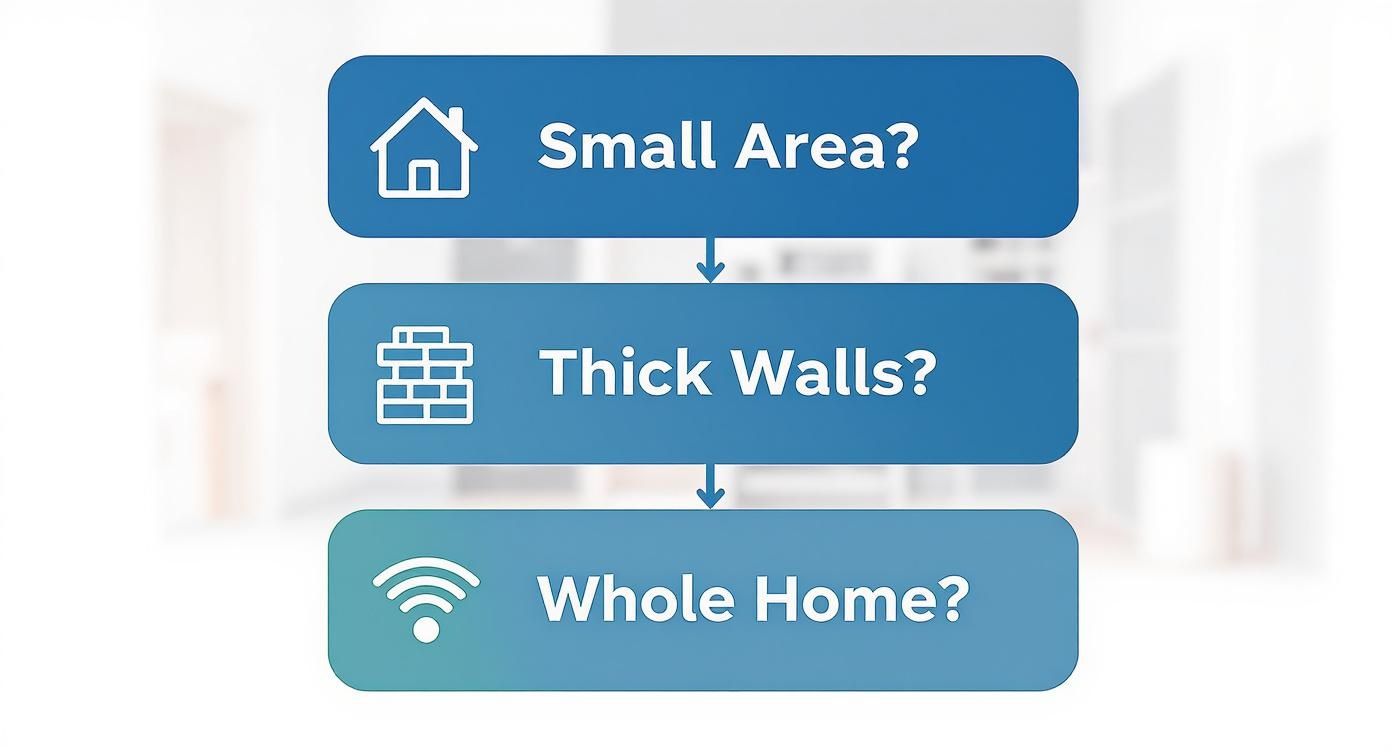
As the infographic shows, a basic booster might be enough for a small area, but if you’re dealing with thick walls or need whole-home coverage, a more robust solution like a mesh system is the way to go.
Finally, don't forget that height can be your friend. Popping a booster on a higher shelf or mounting it on a wall often helps the signal travel over furniture and other low-level clutter, improving its reach and reliability. A few simple adjustments can truly make a world of difference.
When a Professional Network Installation Is the Right Move
There comes a time when a consumer-grade booster for wifi internet just isn't going to cut it. For large properties, home offices that depend on flawless video calls, or buildings with tricky layouts, a DIY fix can quickly turn into a constant headache.
If performance and reliability are absolutely non-negotiable, it’s probably time to look at a professional solution. While plug-in boosters and mesh systems do a decent job of improving an existing signal, they are still limited by the wireless signal they receive.
A professional installation, on the other hand, builds your network from the ground up. It creates a proper digital backbone for your property that guarantees performance, moving beyond simply repeating a weak signal to engineering a robust, high-speed infrastructure.
Building a Rock-Solid Data Backbone
The heart of a professional network installation is structured cabling. This means running high-performance data cables, like fibre cable installation or Cat6a, from a central hub to key locations throughout your property.
Think of it as building a private motorway just for your data, completely bypassing the traffic jams and interference you get with a purely wireless setup.
This physical connection ensures that access points, computers, and other critical devices get the maximum possible speed and stability. The result is a network that isn't just fast—it's incredibly reliable and consistent, free from the annoying dropouts that plague wireless-only solutions.
A certified, tested network delivery means every cable and connection point has been professionally verified to meet strict performance standards. It’s not just about plugging things in; it’s about guaranteeing that the infrastructure will perform exactly as designed.
By laying this solid foundation, you’re effectively future-proofing your home’s digital capabilities for years to come.
The Value of Certified Expertise
Going down the professional route brings a level of assurance that DIY solutions simply can't match. Working with an Excel network accredited partner, for instance, gives you access to expertly trained engineers who follow industry best practices for every single part of the project, from design and planning to the final installation.
This kind of accreditation often comes with some serious benefits for you as the property owner:
Guaranteed Performance: The network is meticulously planned and installed to deliver the best possible speed and coverage right where you need it most.
Certified and Tested Delivery: Every component is tested to ensure it meets rigorous standards, which gets rid of any guesswork or potential performance bottlenecks.
Long-Term Peace of Mind: Many professional installations come with an extensive 25 year equipment warranty, covering the cabling and components for decades.
This level of professional oversight ensures your investment provides a stable, high-performance network you can truly depend on. It shifts the conversation from just finding a quick fix for a weak signal to implementing a permanent, high-quality solution for your entire property.
When your work, security, or entertainment relies on a perfect connection, a professional approach is the definitive move.
Still Got Questions About WiFi Boosters?
We’ve covered a lot of ground, from the nuts and bolts of how a booster for wifi internet works to the clear advantages of a professional setup. To round things off, let’s tackle some of the most common questions that come up. This should help clear up any lingering confusion and make sure you feel confident about the next steps.
The huge shift to home working and our ever-growing collection of connected gadgets has made these questions more important than ever. In fact, a 2022 survey revealed that around 30% of UK households now use some form of Wi-Fi extender or mesh system to stamp out weak signals. You can dive deeper into these trends and discover detailed UK broadband statistics on broadband.co.uk.
Should I Get a Booster or a New Router?
This is the classic dilemma, and the right answer really hinges on what’s causing your Wi-Fi headaches in the first place. A powerful new router can be a brilliant investment, especially if your current one is getting a bit long in the tooth and can’t keep up with the demands of a modern smart home.
But even the best router on the market has its physical limits. If your problem is getting a signal into that one awkward corner of the house or punching through a thick, old brick wall, a new router on its own might not cut it.
Get a New Router If: Your current router is several years old, you’re paying for superfast internet but your Wi-Fi speeds are sluggish everywhere, or you’re after advanced features like better security and parental controls.
Get a WiFi Booster If: Your Wi-Fi is generally fine near the router, but you have specific dead zones in other parts of the house that desperately need a signal.
Often, the ultimate solution is a combination of the two: a modern router providing a strong foundation, with a mesh system or extender stretching that signal to every spot it needs to reach.
Will a Booster for WiFi Internet Increase My Internet Speed?
This is a massive point of confusion, so let's be crystal clear. A Wi-Fi booster is designed to improve your signal strength, not your internet speed. They are two completely different things.
Think of it like the water pressure in your house. The internet plan you buy from your provider (like BT or Virgin Media) is the main water pipe coming into your property—it sets the maximum volume of water (or data) you can get. A booster is like adding a small pump to a garden hose; it helps the water get to the far end of the garden with decent pressure, but it can't magically increase the total amount of water flowing from the main pipe.
A Wi-Fi booster fixes a local signal problem. It takes the internet speed you already pay for and helps deliver it more reliably to areas where the signal was previously weak or non-existent. It cannot make your internet plan faster.
If your internet feels slow even when you're standing right next to the router, a booster won't fix it. In that situation, the problem lies with your broadband plan, and you'll need to chat with your internet provider about an upgrade.
Does a WiFi Booster Work with Any Provider?
Yes, absolutely. A booster for wifi internet is a universal piece of kit. It works completely independently of your internet service provider (ISP). It doesn't matter if your broadband comes from BT, Virgin Media, Sky, TalkTalk, or any other UK provider—a booster is compatible with all of them.
The booster simply latches onto your existing router's Wi-Fi signal, regardless of who supplied it. It’s a totally separate device focused on one job: extending your local wireless network. This gives you the freedom to switch internet providers in the future without ever having to worry about changing your booster or mesh system.
For guaranteed network performance that goes beyond off-the-shelf solutions, consider a professional, structured cabling installation. Constructive-IT is an Excel network accredited partner, delivering certified, tested network infrastructure with a 25-year equipment warranty, ensuring your property is ready for any digital demand. Learn more about our professional network services.
Comments