


A Complete Guide to Smart Interactive Whiteboards
- Craig Marston
- Dec 15, 2025
- 16 min read

Picture a classic whiteboard, but give it the brain of a giant, powerful tablet. That’s pretty much what a smart interactive whiteboard is at its core. These aren’t just displays; they’re dynamic hubs that are completely changing how modern teams connect, brainstorm ideas, and get decisions made.
Why Do Smart Interactive Whiteboards Matter?
At their heart, smart interactive whiteboards are large-format touchscreens that let you interact directly with digital content, using your finger, a stylus, or other tools. They become the focal point for meetings, presentations, and training sessions, making them a must-have tool in any digitally-focused workplace. Think of them less as a bit of hardware and more as a catalyst for getting things done.
Instead of just sitting through static slides and one-way presentations, these devices create a proper two-way street for communication. Teams can mark up documents in real-time, sketch out ideas on a limitless canvas, and instantly fire off the notes to everyone involved. This is a game-changer in places where speed and clarity are everything, like busy commercial buildings and hospitals (not houses).
Building Connection and Clarity
The real magic of smart whiteboards is how they close the communication gap. It doesn't matter if your colleagues are in the same room or dialling in from home; everyone sees and contributes to the exact same workspace. This shared experience makes complicated information, like project plans or patient data, much easier for everyone to grasp and act on.
The main benefits really stack up:
Better Meeting Engagement: People are no longer just passively watching a screen. They're actively taking part, which keeps them focused and invested.
Clearer Data Visualisation: Complex charts, architectural plans, or medical scans can be pulled up, zoomed into, and discussed right there on the screen.
Simpler Workflows: Every idea captured on the board can be saved and emailed out immediately. No more taking blurry photos of a whiteboard or trying to decipher messy handwriting.
A Growing Role in Modern Workplaces
Make no mistake, this technology isn't just a passing trend. It's a fundamental shift in how organisations work, especially here in the UK where the market is growing fast. The UK interactive whiteboard market hit a value of USD 349.0 million recently and is on track to climb to USD 491.8 million by 2030—that’s a solid annual growth rate of 6.1%. This growth shows a real commitment to digital tools that properly support the new ways of hybrid working. You can dig into more stats about the UK's interactive whiteboard market over on Grandview Research.
Ultimately, investing in a smart interactive whiteboard is really an investment in better, smarter collaboration. But there’s a catch: their performance is completely dependent on the network infrastructure behind them. To get the most out of them, a professionally planned and installed network, from certified fibre cable installation to meticulous cable management, isn't just a nice-to-have—it's absolutely essential for a smooth, reliable experience.
Understanding Core Features and Technology
To get the most out of a smart interactive whiteboard, you need to look past the marketing and understand what’s actually working behind the screen. It’s this core technology that dictates everything from the feel of the pen on the surface to how well the unit holds up in a busy hospital ward or a bustling office. Choosing the right features is all about matching the tech to the job it needs to do.
At the heart of it all is the touch technology. This is what transforms a simple display into a hands-on, collaborative tool. You'll mainly come across two types: resistive and capacitive, and they each have their own strengths depending on the environment you’re putting them in.
This concept map shows how these whiteboards become a central hub for boosting team performance, visualising data, and making collaboration genuinely better.
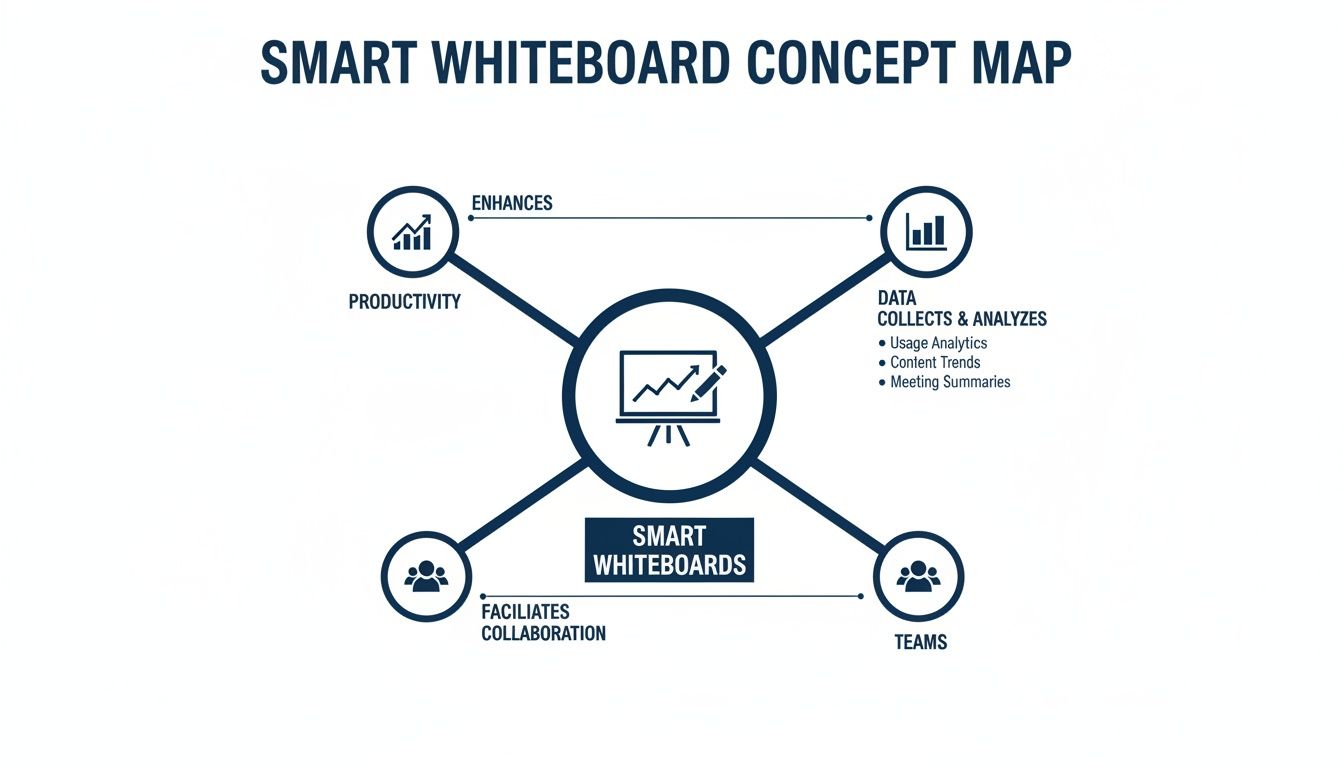
As you can see, these aren't just fancy presentation screens. They’re integrated platforms designed to get more done and pull real insights from the data you’re working with.
Interactive Whiteboard Technology Comparison
The biggest difference between boards comes down to how they register your touch. Resistive screens work on pressure. Think of it as two flexible layers with a tiny gap between them; when you press on the surface, the layers make contact and register the location. Simple and effective.
This pressure-based system means it doesn't matter what you use—a stylus, your finger, or even a gloved hand will work. That versatility is why resistive membrane technology has been a workhorse in professional settings for years, leading the UK interactive whiteboard market with a 46.76% revenue share recently, thanks to its reliability and affordability.
Capacitive screens, on the other hand, are what you’re used to on your smartphone or tablet. They work by sensing the tiny electrical charge from your body, which makes them incredibly responsive and allows for intuitive gestures like pinching to zoom or swiping through documents. While capacitive tech is catching up fast and is tipped to be the fastest-growing segment, its smooth, fluid experience is the main draw for fast-paced, collaborative work. You can explore the full market research and trends on Mordor Intelligence.
To help you weigh up the options, here’s a quick comparison.
Feature | Resistive Membrane | Capacitive Touch |
|---|---|---|
Activation Method | Pressure-based (stylus, finger, gloved hand) | Conductive touch (finger, specialised stylus) |
Responsiveness | Good, but can feel less fluid | Excellent, highly responsive and fluid |
Multi-Touch | Limited; often single or dual-touch | Superior; supports complex multi-touch gestures |
Durability | Very robust and resistant to surface contaminants | Durable, but can be affected by deep scratches |
Cost | Generally more affordable | Typically a higher initial investment |
Best For | Hospitals, industrial settings, education | Boardrooms, creative agencies, collaborative spaces |
Ultimately, the choice comes down to your priorities. If you need a bomb-proof, versatile screen for a tough environment, resistive is a solid bet. But if you're after that slick, modern user experience, capacitive is the way to go.
Key Specifications to Evaluate
Beyond the touch technology, a few other specs are crucial. Getting these right ensures the board performs exactly how you need it to, without lag or limitations.
Choosing a whiteboard is like choosing a vehicle. You wouldn't buy a sports car to navigate a construction site. Similarly, you must match the screen's resolution, size, and connectivity to the environment where it will be used.
Here are the essential features to look out for:
Resolution and Screen Size: 4K Ultra HD (3840 x 2160 pixels) is now the standard for any serious commercial-grade board. This level of detail makes text, diagrams, and videos incredibly sharp, which is non-negotiable when you’re looking at complex spreadsheets in a boardroom or detailed schematics in an engineering firm. Screen size should be based on the room itself, making sure everyone can see clearly.
Onboard Processing Power: Most modern whiteboards are essentially giant tablets with a built-in computer, usually running Android or Windows. A powerful processor and a decent amount of RAM are critical for a smooth, lag-free experience, especially if you plan on running multiple apps, streaming video, or working with large files.
Connectivity Options: A good board needs to play well with others. Look for a generous array of ports: multiple HDMI inputs for laptops, USB-C for modern devices that can handle video and power in one cable, and—most importantly—an Ethernet port. A wired network connection will always be more stable and reliable than relying on Wi-Fi alone.
Durability and Build Quality: In places like commercial buildings or hospitals, your equipment needs to be tough. Look for screens with toughened, anti-glare glass to withstand constant use and cut down on annoying reflections from overhead lights. A solid, well-built frame is a clear sign that the device is designed for a professional environment, not just for home use.
Building Your Network Foundation for Flawless Performance
A feature-rich smart interactive whiteboard is an impressive bit of kit, but its real-world performance is completely at the mercy of the invisible infrastructure holding it up. What good is a cutting-edge collaboration tool if you’re plagued by lag, buffering video, or dropped connections during a critical meeting? It renders the entire investment useless.
To guarantee a smooth, frustration-free experience, you have to start with a rock-solid network foundation. That means getting the basics right.
This foundation begins with a professional, structured cabling system. While wireless connectivity has its place, a dedicated, hard-wired connection is non-negotiable for a high-bandwidth device like a smart whiteboard. This is especially true in demanding environments like busy commercial buildings or hospitals, where reliability is everything.

This image isn't just about tidy wires; it shows the central nervous system of a high-performance network. Proper organisation and quality components in your comms rack are essential to prevent data bottlenecks and ensure information flows efficiently to devices like your new whiteboard.
Why Fibre Cable Installation Matters
For anything data-heavy—like streaming 4K video, collaborating on massive design files, or connecting lots of remote users at once—standard copper cabling can start to show its limits. This is where fibre cable installation becomes less of an upgrade and more of a necessity for future-proofing your building.
Fibre optic cables send data using pulses of light, giving them massively higher bandwidth and speed over much longer distances than old-school copper. This makes them perfect for connecting your main server room to meeting spaces on the other side of the building, or for linking different floors in a large office block.
Opting for fibre means your network won’t just handle today’s demands. It will be ready for the next generation of collaborative tech without needing a complete and costly overhaul.
Common Data Network Mistakes to Avoid
Far too many installations are sabotaged by simple, avoidable errors. These data network mistakes usually happen when the focus is all on the upfront cost of the whiteboard, forgetting about the total cost of making it actually work properly.
Here are the most common pitfalls we see:
Underestimating Bandwidth: Just assuming your current network can cope with multiple HD video streams and cloud apps is a recipe for disaster.
Poor Cable Management: That tangled mess of wires behind the unit or in the server room isn't just about keeping a tidy desk or meeting space. It's a practical problem that can lead to accidental disconnections, signal interference, and make troubleshooting an absolute nightmare.
Using Uncertified Cabling: Choosing cheaper, non-certified network components is a classic false economy. These materials often fail to meet performance standards, leading to flaky connections and inconsistent speeds.
Neglecting Future Needs: Installing a network that only just meets today's requirements leaves you with zero room for growth, forcing expensive upgrades much sooner than you think.
A smart interactive whiteboard on a poor network is like a performance car stuck in traffic. You have all the power and capability, but the infrastructure prevents it from going anywhere. Making sure your network is tested and certified is the only way to open up the road.
For the best possible performance, particularly when using cloud features and high-bandwidth apps, it's worth considering a dedicated business leased line. This gives you your own uncontended, symmetrical connection to the internet, guaranteeing a stable link that you don't have to share.
The Value of an Accredited Partner and Certified Delivery
The single best way to sidestep all these mistakes is to work with an experienced and accredited partner. An Excel network accredited partner, for instance, is trained to install systems to the manufacturer’s exacting standards, ensuring every single component works together perfectly.
This partnership brings two massive advantages to the table: a 25 year equipment warranty and a certified, tested network delivery. The warranty is a mark of quality, guaranteeing that the physical components—the cables, outlets, and panels—are free from defects and will perform for decades.
A certified network delivery is the final, crucial piece of the puzzle. It means that after the installation is complete, a technician uses specialised equipment to test every single connection. They verify that it meets or exceeds the required performance standards for speed and reliability, confirming the infrastructure is ready to support your smart whiteboards without any weak links. This is especially vital during an office relocation, where testing every new network point is essential before you even think about installing equipment.
Ultimately, investing in your network is investing in the performance of your smart whiteboards. By prioritising a high-quality fibre cable installation, avoiding common mistakes, and insisting on a certified delivery from an accredited partner, you create an environment where your technology can truly shine. To get a better handle on the components involved, you can dig deeper into what a business network infrastructure includes and why it's so vital: https://www.constructive-it.co.uk/post/what-is-network-infrastructure-a-guide-to-your-business-backbone
Getting the Installation Right: Protecting Your Investment for the Long Haul
Buying a powerful smart interactive whiteboard is one thing, but making sure it actually delivers on its promise is another. To truly unlock its potential and protect your investment, the quality of the installation is everything. A professional setup isn't just about bolting the screen to a wall; it’s about weaving the device seamlessly into your building's digital fabric so it performs flawlessly from day one.
This becomes absolutely critical in environments where you simply can't afford downtime, like busy commercial offices or hospitals. A rushed or sloppy installation can lead to a cascade of problems—frustrating technical glitches, poor user adoption, and even safety hazards—completely wiping out the benefits you were hoping for.
Certified Network Delivery: The Gold Standard
When an installer talks about a certified and tested network delivery, they’re talking about a rigorous, measurable standard of quality. It’s a guarantee that the physical cabling infrastructure propping up your new whiteboard has been installed perfectly and is verified to perform at its specified speed, error-free. This isn’t just a vague promise; it’s a data-backed certification.
After the fibre cable installation or copper cabling is run, technicians use specialised diagnostic tools to test every single connection. This generates a detailed report confirming that the network meets strict industry performance standards. It’s the ultimate proof that there are no weak links between your new board and your server room.
Think of it like getting an MOT for your building's data network. It provides documented proof that the infrastructure is not just working, but is fit for purpose and ready to handle the high-bandwidth demands of modern collaboration tools. This certification is your best insurance against the common data network mistakes that cause lag and instability.
Without this certification, you’re flying blind. You’re just hoping that the hidden cabling can cope with 4K video streams and real-time collaboration. Insisting on a certified delivery is the single most effective way to guarantee reliability.
The Power of a 25-Year Equipment Warranty
In the world of network infrastructure, a long-term warranty speaks volumes. When an Excel network accredited partner offers a 25-year equipment warranty, it shows immense confidence in both the quality of the components and the precision of the installation itself. We're not talking about your typical one-year warranty on a consumer gadget.
This comprehensive guarantee covers all the passive components of your network—the cables, patch panels, and outlets—against defects for a quarter of a century. It's a long-term commitment that your network’s foundation will remain solid, providing a stable platform not just for your current whiteboards, but for whatever technology comes next.
This level of assurance is particularly important for organisations that see their building's infrastructure as a long-term asset, like hospitals and large commercial properties. For a deeper look at what goes into a professional setup, check out our guide on data cabling installation.
From Tidy Cables to a Seamless Office Move
A professional installation also sweats the small stuff—the practical, everyday details that directly impact usability and safety. Meticulous cable management is a hallmark of a quality job, ensuring all wiring is neatly contained, concealed, and protected. This not only creates a tidy desk and an uncluttered meeting room but also prevents accidental disconnections and trip hazards.
This attention to detail is even more vital during an office relocation. Moving your high-value tech requires more than just careful packing.
Pre-Move Audit: A professional partner will assess the network infrastructure at the new site to ensure it can support your equipment from the get-go.
Certified Testing: Every network point your whiteboards will use in the new office must be tested and certified to guarantee performance.
Seamless Re-installation: The equipment is then re-installed and commissioned, ensuring it works just as well in its new home as it did in the old one.
This methodical approach to office relocation with equipment testing prevents the all-too-common headache of moving into a new space only to find the network isn't ready, causing huge disruption. By prioritising a professional, certified installation from the start, you ensure your interactive whiteboards deliver consistent value, whether they stay in one room for a decade or move with you as your business grows.
Real-World Applications in Business and Healthcare
The spec sheet for a smart interactive whiteboard is one thing, but its real value comes to life when you see it solving genuine problems in demanding professional settings. Let's move past the features and look at how these tools are actually delivering a solid return on investment for UK businesses and hospitals.

In today's commercial buildings, these devices have become the hub for modern collaboration, tackling the challenges of a scattered workforce head-on. The rise of hybrid work in the UK has poured fuel on this fire. With 41% of workers now in remote setups—28% hybrid and 13% fully remote—companies are desperate for tools that can seamlessly connect people in the office with those at home. You can dig into this trend and its market impact over at the IMARC Group.
Driving Efficiency in Commercial Buildings
In the corporate world, time is money and confusion costs both. Smart whiteboards make a direct impact on the bottom line by turning passive meetings into productive, dynamic work sessions. They shift teams from simply listening to actively participating, which is the key to faster innovation and decision-making.
Here’s where they really shine:
Dynamic Client Presentations: Forget static slideshows. Imagine your sales team annotating a proposal live, pulling up real-time data, and sketching out a custom solution right there with the client. It’s a far more engaging and persuasive way to do business.
Hybrid Team Brainstorming: Colleagues in the office can scribble ideas on the board while remote team members add their thoughts to the very same digital canvas from their laptops. No idea gets lost in translation.
Interactive Project Dashboards: During daily stand-ups, project managers can bring up live dashboards, drag-and-drop timelines, and assign tasks directly on the screen, keeping everyone on the same page.
By transforming meetings into interactive workshops, organisations can significantly shorten project cycles and improve stakeholder alignment. The whiteboard becomes a single source of truth that everyone contributes to and understands.
Beyond the office, smart interactive whiteboards are also a cornerstone of change in schools and universities, creating more dynamic learning environments. It’s a big reason why the tech behind digital signage in education has become so vital for modern institutions.
Enhancing Patient Care in Hospitals
In healthcare, clear and instant communication can literally be a matter of life and death. Hospitals are increasingly turning to smart interactive whiteboards to improve patient outcomes and streamline their own operations. They serve as a central information hub, connecting patients, their families, and the clinical staff.
These screens are particularly effective in a few critical areas:
Multidisciplinary Patient Reviews: Specialists from different departments—some in the room, others dialling in—can review patient scans, lab results, and treatment plans together on one interactive display. This collaborative approach leads to better, more informed clinical decisions.
Surgical Planning: Surgical teams can use the large, high-resolution screen to map out complex procedures. They can annotate medical images to highlight key anatomical landmarks and plan their approach as a group.
Immersive Staff Training: Medical staff can run through interactive simulations and training modules, practising new procedures or learning to use new equipment in a controlled, engaging digital space.
Of course, in sensitive hospital environments, the physical safety of the equipment is also a top priority. For a deeper look at protecting equipment in clinical settings, check out our guide on the role of anti-ligature covers in hospitals. It's clear from these applications that smart interactive whiteboards are far more than just screens; they are powerful platforms that directly improve how we work, collaborate, and care for one another.
Common Questions About Smart Interactive Whiteboards
When you’re looking to bring a smart interactive whiteboard into your organisation, it’s only natural for practical questions to pop up. We get asked all the time about the real-world details, from installation headaches to daily logistics and long-term value. This is where we give you the straight answers to clear up any doubts, so you can move forward with total confidence.
What Is the Most Common Mistake Businesses Make?
The single biggest and most expensive mistake we see is underestimating the network. It's easy to get excited by the impressive features on the screen, but people often forget to invest in the structured cabling that actually makes it all work. A high-resolution interactive board that’s streaming video, syncing to the cloud, and letting multiple people collaborate at once is putting a serious, constant demand on your network.
Trying to run this kind of tech on old, uncertified cabling or a flaky Wi-Fi connection is a recipe for frustration. This one oversight is the direct cause of input lag, dropped video calls, and a painfully slow user experience—which completely defeats the purpose of your investment. A professional, certified network delivery using high-grade cabling isn’t a luxury; it’s essential for the board to perform flawlessly.
Why Is a 25 Year Equipment Warranty So Important?
A 25 year equipment warranty on your network components, especially one provided by an Excel network accredited partner, is a huge statement. It tells you that the quality, reliability, and long-term performance of your installation are guaranteed. It means the entire physical setup—from the fibre optic or copper cables in the walls to the data outlets they connect to—has been installed to the manufacturer's exacting standards. It also confirms the system has been tested from end to end to prove it.
For a long-term asset like a building’s infrastructure, this warranty protects your investment against defects and performance drops. It’s your assurance that the network foundation supporting your smart interactive whiteboards and other critical systems will stay solid and dependable for decades, not just a few years. Think of it as your guarantee of future-proof performance.
How Do You Achieve a Tidy Meeting Room with All the Cabling?
Getting that clean, professional look in a room packed with technology all comes down to meticulous cable management that's planned right from the start. A professional installation is about more than just making things work; it’s about creating a space that’s safe, uncluttered, and easy to use. To do this, installers use structured solutions to hide and organise every wire.
Common methods include:
Containment Systems: Running cables through dado trunking along the walls, hiding them in ceiling voids, or tucking them under raised floors to keep them completely out of sight.
Floor Boxes: Installing discreet floor boxes under conference tables to provide hidden power and data points right where you need them.
Precise Patch Leads: Using custom-length patch cables at the wall plate and desk to get rid of messy coils of wire, ensuring a tidy desk and a clean connection.
This approach doesn't just make the room look better. It makes it safer by getting rid of trip hazards and makes any future maintenance or troubleshooting a whole lot easier.
What Is Involved in an Office Relocation with This Equipment?
Successfully moving smart interactive whiteboards is about more than just carrying the screen to a new building. The real focus has to be on making sure the network infrastructure at the new site is up to the job. An office relocation with equipment testing, managed by an accredited partner, is a critical step-by-step process.
The first job is a complete audit of the network points at the new location. A technician will test and re-certify every single data outlet to confirm it delivers the performance needed for your high-bandwidth equipment. If you skip this, you risk plugging your expensive new whiteboard into a faulty or underperforming connection from day one.
An office move is the perfect chance to find and fix any old network problems. Making network certification a non-negotiable part of your relocation plan stops you from discovering your new space isn’t ready for your tech on moving day—a chaotic and costly surprise.
An experienced partner will decommission the equipment properly at your old site, handle the network validation at the new one, and then professionally reinstall and test the whiteboard. This guarantees it works just as well in its new home as it did in the old one, preventing any disruptive downtime.
At Constructive-IT, we specialise in designing and installing the robust, certified network foundations that high-performance technologies like smart interactive whiteboards depend on. From initial consultation to a fully warrantied installation, we ensure your infrastructure is ready for today's demands and tomorrow's growth.
Comments