


Networking and Cabling for a Seamless Office Relocation
- Craig Marston
- 2 days ago
- 16 min read

An office relocation is so much more than just moving desks and chairs; it’s a critical infrastructure project. The networking and cabling decisions you make today will define your company's operational efficiency, security, and ability to grow for years to come.
Think of this guide as your blueprint for navigating this complex process from start to finish.
Your Blueprint for a Flawless Office IT Move
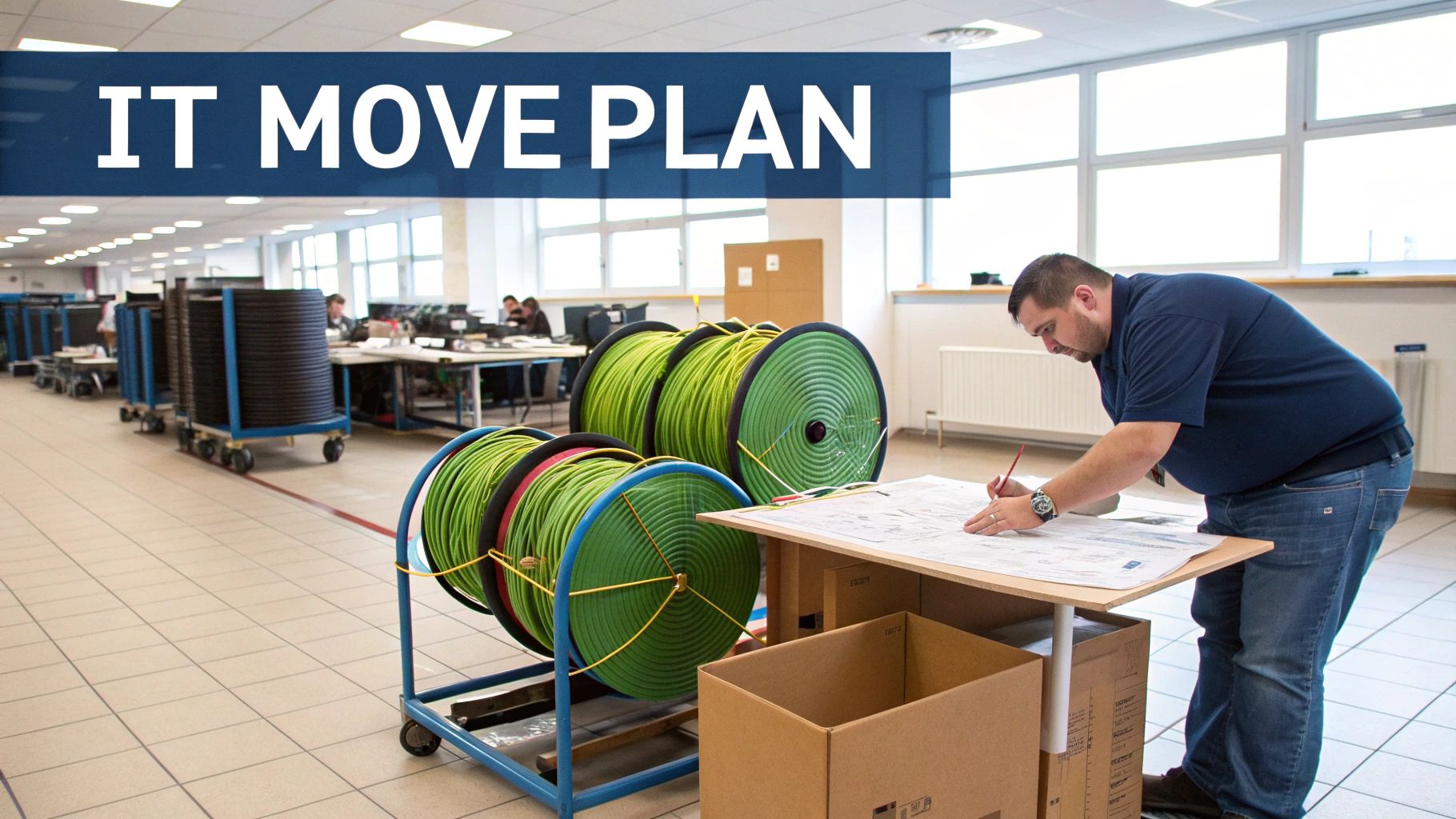
An office move presents a rare opportunity: the chance to build your IT infrastructure correctly from the ground up. Instead of wrestling with an existing, often flawed, setup, you get to design a network that perfectly matches your current business needs and future ambitions.
This process involves far more than just plugging in computers at the new address. It demands a strategic approach that turns technical jargon into a practical roadmap. The goal is to make sure your cabling choices, whether that's Cat6A or fibre optics, directly support what your business is trying to achieve.
A well-executed plan is your best defence against the costly downtime that can cripple a business during a move. From the very first site survey to the final network certification, every single step is crucial for success.
Building for Today and Tomorrow
A successful project ensures your team is productive from day one in the new space. More importantly, it lays a robust and reliable foundation that’s ready for future technological demands. Consider this guide your comprehensive project plan for delivering a high-performance network on time and within budget.
A thoughtfully designed network is not an expense; it's a long-term investment in your company's productivity and growth potential. It ensures that as your business evolves, your infrastructure can keep pace without requiring disruptive and expensive overhauls.
The initial planning phase is, without a doubt, the most important part of the entire project. This is where you identify potential challenges and map out a clear path forward.
For a deeper dive into this first crucial step, learn more about what a site survey for UK office IT relocations involves in our detailed article. By understanding the physical and technical landscape of your new office, you can avoid costly surprises and ensure a seamless installation.
Right then, let’s get our heads around the language of structured cabling.
Stepping into the world of networking and cabling for the first time can feel a bit like learning a new language, full of jargon and acronyms. Before you can even think about planning an office fit-out, you need to get to grips with the core components you’ll be dealing with.
The key is to stop thinking of it as a chaotic mess of wires behind a wall. A modern structured cabling system is more like the building's central nervous system—a highly organised, logical system designed for peak performance and, crucially, to make future changes simple.
This methodical approach is what ensures data flows reliably to every single device, from the PCs on desks to the security cameras on the ceiling. Nailing these fundamentals will put you in a much stronger position to make smart decisions and talk turkey with your installation partners.
Copper Cabling: The Workhorse of the Office
Chances are, the cables connecting individual devices like computers, phones, and printers in your office are copper twisted-pair cables. For any modern workspace, the conversation really boils down to two main standards.
Cat6 (Category 6): This has been a reliable standard for years, capable of delivering speeds up to 10 Gigabits per second (Gbps) over shorter distances (up to 55 metres). It's a solid, budget-friendly choice for many small to medium-sized offices where workstations aren't too far from the network cabinet.
Cat6A (Category 6 Augmented): Think of this as the enhanced, more robust version. It also supports 10 Gbps but can maintain that speed over the full 100-metre distance allowed by networking standards. It has better shielding against electronic interference, making it the go-to for data-heavy environments or anywhere you need to guarantee performance.
For any new installation today, Cat6A is overwhelmingly the recommended choice. The extra investment provides the headroom you'll need for next-generation tech, ensuring your new network has a much longer lifespan.
Fibre Optics: The High-Speed Backbone
While copper does the final legwork to the desk, fibre optic cabling is the superhighway that connects the core parts of your network. Instead of sending electrical signals down a wire, it uses tiny pulses of light travelling through incredibly thin glass strands. This allows it to move staggering amounts of data over much longer distances without the signal degrading.
You'll typically find fibre being used for the most critical, high-speed links. Think of the connection between your main server room and other communications cabinets on different floors, or even linking separate buildings across a campus.
A well-designed network uses both copper and fibre strategically. Copper provides cost-effective connectivity to the desk, while fibre creates a powerful, high-capacity backbone that prevents data bottlenecks between key areas of the building.
To make the choice clearer, here’s a quick rundown of how the two stack up against each other.
Copper vs Fibre Optic Cabling At a Glance
Attribute | Copper Cabling (Cat6/Cat6A) | Fibre Optic Cabling |
|---|---|---|
Primary Use | Connecting end-user devices (PCs, phones) to the local network. | Creating the high-speed 'backbone' between comms rooms, floors, and buildings. |
Max Distance | 100 metres (with Cat6A). | Many kilometres without signal loss. |
Speed | Up to 10 Gbps. | Virtually unlimited; far exceeds 100 Gbps. |
Durability | Relatively robust and easy to terminate. | More fragile; requires specialist installation and handling. |
Cost | Lower cost for both cable and installation. | Higher initial cost for cable, equipment, and specialist labour. |
Interference | Susceptible to electromagnetic interference (EMI) from power lines etc. | Completely immune to EMI. |
Ultimately, it’s not a case of one being better than the other; they are designed for different jobs. A smart network design uses both to their strengths.
The Hardware That Directs the Traffic
Of course, the cables are only part of the story. You need a few key pieces of hardware to manage and direct all that data traffic. If you imagine an old-fashioned telephone exchange, these components are the switchboard operators for your data.
Data Cabinets/Racks: These are the big metal enclosures that act as the central hub for all your critical networking gear. They keep everything organised, secure, and properly cooled.
Patch Panels: This is a bit like a static switchboard. All the cables running from the office desks terminate here. This clever setup allows for easy and flexible connections to the network switches, making it simple to manage moves and changes without ever touching the main cabling infrastructure.
Network Switches: These are the active "brains" of the operation. They take the data coming in from one device and intelligently forward it only to its intended destination on the network. This ensures information gets where it needs to go quickly and efficiently, without clogging up the whole system.
By understanding these core elements—copper, fibre, and the hardware that connects them—you’re well on your way to planning a networking and cabling infrastructure that’s not just powerful today, but ready for whatever you throw at it tomorrow.
Designing a Network That Grows With Your Business
A truly successful networking and cabling project is won long before the first cable is pulled. The real make-or-break phase is the design stage, where thoughtful planning prevents future bottlenecks, unforeseen costs, and the need for expensive, disruptive retrofits down the line.
Think of your network design as the architectural blueprint for your office’s digital operations. A poorly planned foundation will inevitably lead to problems. But a robust, forward-thinking design ensures your infrastructure can support your business for the next decade and beyond. This means looking past today's headcount and server count.
Conducting a Thorough Needs Analysis
First things first, you need a comprehensive needs analysis. It's a huge mistake to simply replicate your old setup in a new space. You have to anticipate what's coming next.
Future Growth: How many employees do you expect to have in three, five, or even ten years? Each new team member means another data point, more traffic, and increased demand on the network.
Application Demands: What applications does your business rely on? Are you planning to adopt more cloud-based services, video conferencing tools, or data-intensive software? These all require a network that can handle the load without faltering.
Device Density: Think about the explosion in high-density Wi-Fi and IoT devices. Modern offices aren't just full of computers anymore; they have smart TVs, security cameras, access control systems, and countless wireless gadgets all competing for bandwidth.
Answering these questions helps define the capacity and performance requirements of your structured cabling system, ensuring it's built not just for today, but for where your business is heading.
Mapping the Physical Infrastructure
Once you understand your needs, you can start mapping the physical layout. This is where a professional site survey becomes indispensable, helping to uncover hidden challenges like structural issues, power limitations, or problematic cable pathways.
The placement of your server room or main comms cabinet is critical. It needs to be in a secure, climate-controlled location with adequate power and room to grow. The goal is to centralise your network core for optimal performance and easier management, keeping the length of cable runs to workstations as short as possible.
The flow of data from a user's device to the core network is a fundamental part of this design. This path typically runs from a workstation, through a patch panel, and into the network switch.
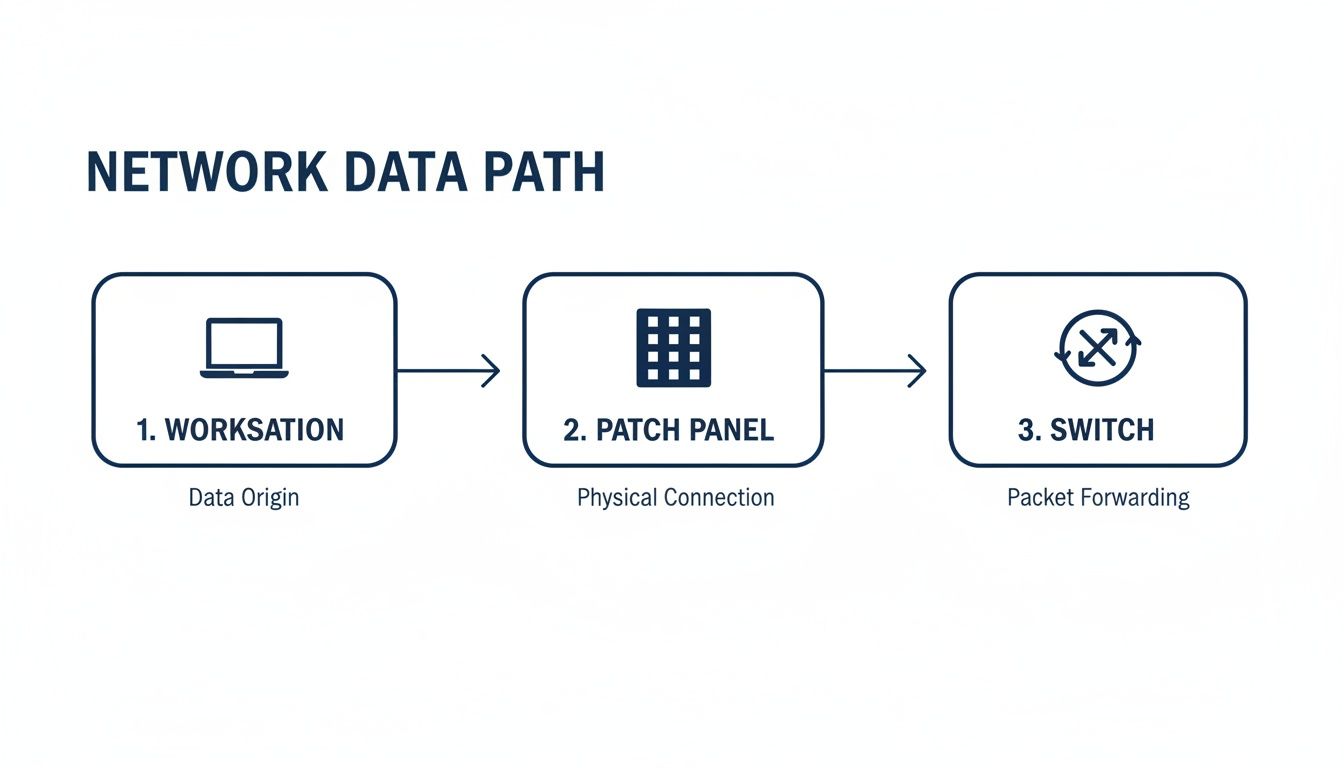
This setup shows how a structured system keeps everything organised and flexible. Connections can be easily changed at the patch panel without ever touching the permanent "backbone" cabling in the walls and ceilings.
Planning for Scalability and Compliance
A forward-thinking design is inherently scalable. This means installing more capacity than you currently need. For instance, running extra cables to key areas or choosing higher-specification cabling like fibre for backbone links provides crucial headroom for future growth. You can learn more about planning these high-capacity links in our strategic guide to fibre optic cabling.
Choosing a standards-compliant design from a certified installer not only guarantees performance but also unlocks long-term warranties. A 25-year manufacturer guarantee is the hallmark of a professional installation, offering peace of mind that your investment is protected against component failure and workmanship issues.
This strategic approach to infrastructure fits right in with what's happening nationally. UK infrastructure investment saw market sector net stocks climb to £396.6 billion, a 1.5% rise driven largely by telecommunications. By undertaking a professionally designed office fit-out with robust structured cabling, you're not just improving your office; you're building an asset that delivers value for years to come.
Executing the Installation Without Disrupting Business
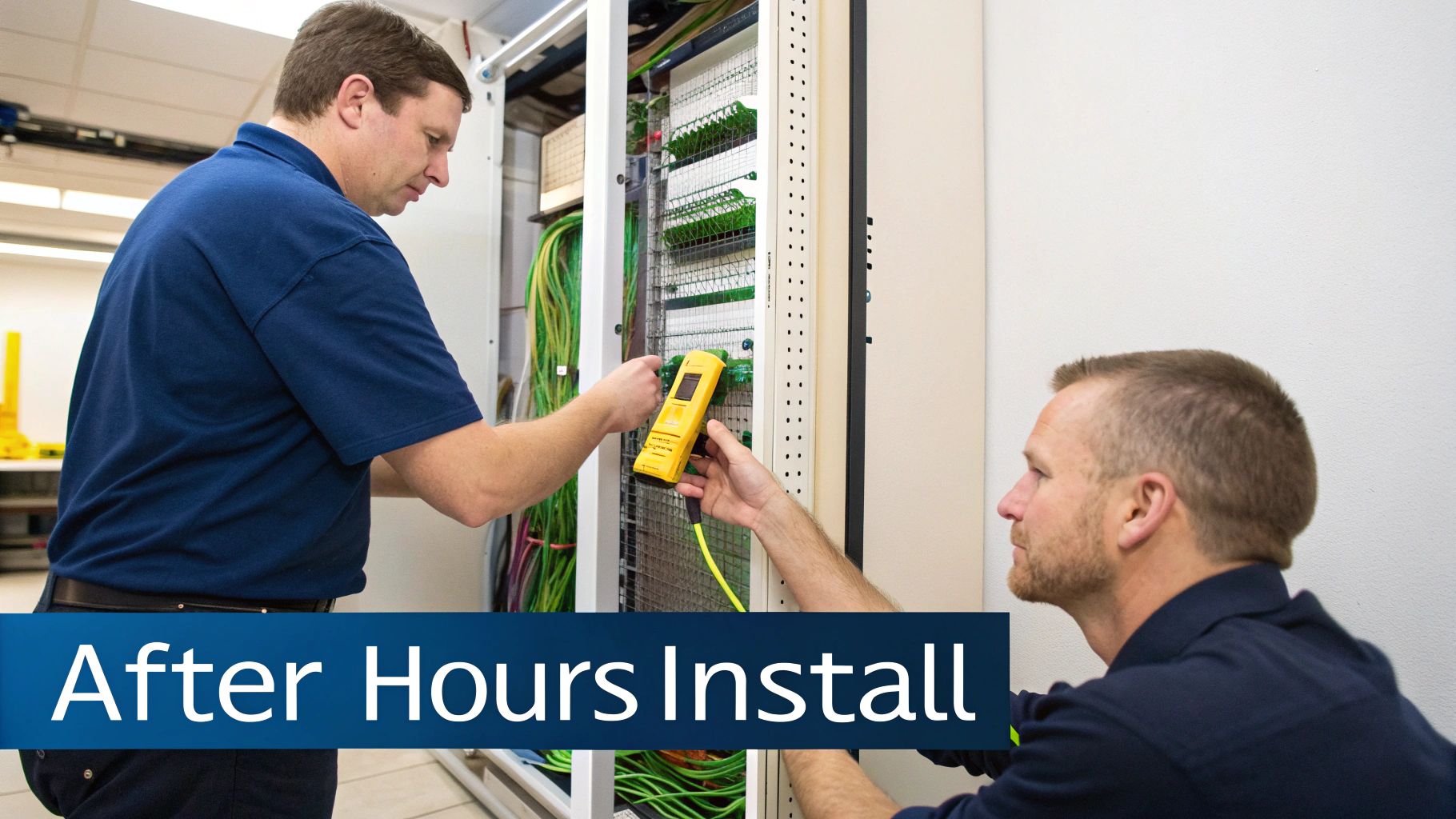
Once the network design is signed off, the project moves into its most critical phase: the physical installation. For any business, downtime is the single biggest threat during a relocation or upgrade. A single day of lost productivity can have serious financial consequences, which makes a seamless execution plan absolutely essential.
The goal here is simple: keep your team working without interruption. This takes meticulous project management, clear communication, and a deployment strategy that puts your day-to-day operations first. The perfect scenario is your staff leaving the old office on Friday and walking into the new one on Monday with a network that’s not just working, but fully tested and certified for peak performance from the get-go.
Minimising Disruption with Out-of-Hours Deployment
One of the most effective strategies for a smooth transition is to schedule the installation work outside of standard business hours. An out-of-hours deployment means our installation teams come in during evenings and weekends to do all the heavy lifting.
This approach ensures the core networking and cabling infrastructure is put in place without impacting your team’s daily workflow. There are no disruptions from drilling, no noise from pulling cables, and no areas of the office being cordoned off while people are trying to work. It allows for a clean, efficient installation that happens almost invisibly, getting the new space ready for a seamless switchover.
By scheduling the main installation activities during non-operational hours, you effectively de-risk the entire project. It transforms a potentially disruptive construction phase into a quiet, background task, allowing your business to function without interruption.
This strategy is especially crucial for businesses that operate with tight deadlines or have client-facing roles where any downtime is immediately noticeable and potentially damaging.
Phased Migration for Live Environments
But what if you aren't moving to a brand-new office? What if you're upgrading your current, live environment? In these situations, a "big bang" switchover is often far too risky. This is where a phased migration plan becomes invaluable.
A phased migration involves moving systems and users over to the new network in carefully managed stages. Rather than flipping the switch for everyone at once, you might move one department or floor at a time. This methodical approach has several key benefits:
Risk Reduction: It contains any potential issues to a small, manageable group of users, allowing for quick troubleshooting without affecting the entire organisation.
Controlled Rollout: Each phase is completed and verified before moving to the next, ensuring stability and performance at every step of the upgrade.
User Training: It allows for focused user support and training for smaller groups, making the transition smoother for employees.
This strategy needs careful planning but is the gold standard for upgrading a network in an office that needs to remain operational 24/7. You can find out more about deployment scenarios in our essential guide to data cabling installation.
Coordinating with Other Trades for Efficiency
Your networking and cabling installation doesn't happen in a vacuum. During an office fit-out, your installers will be working alongside electricians, builders, decorators, and furniture fitters. Without excellent coordination, this is a recipe for delays and costly rework.
Effective project management is the key to creating a realistic and efficient timeline. The cabling team has to work in sequence with other trades—for instance, cables have to be run before ceilings are closed up, and data outlets need installing before desks are put in place.
Clear communication between all parties, managed by an experienced project lead, ensures everyone knows what's happening and when. This collaborative approach prevents logistical logjams and guarantees the entire fit-out project stays on schedule and within budget, delivering a fully functional and connected workspace on moving day.
Integrating Power Access and Security Systems

A modern office network has moved far beyond just getting computers online. Today, your structured networking and cabling infrastructure is the central nervous system for a whole host of critical building systems, from CCTV and secure access control right through to power delivery itself. This integration is the secret to building a genuinely smart and efficient workspace.
The magic behind all this is a technology called Power over Ethernet (PoE). It’s a clever standard that lets a single network cable carry both data and electrical power, completely doing away with the need for separate power supplies for many devices. This instantly simplifies installation, kills cable clutter, and can dramatically cut down on electrical work.
Take devices like IP security cameras, wireless access points, or VoIP phones. With PoE, they draw power directly from the network switch. This means you can place them in the most effective locations without ever worrying about being near a power socket, making your entire setup cleaner, more flexible, and ultimately, more cost-effective.
The Rise of Unmanned Building Management
This convergence of power, data, and security over a single cabling system is what makes unmanned building management a reality. In practice, this means creating a fully autonomous unit—like a remote office, a co-working space, or a secure storage facility—that can be managed, monitored, and secured from a central point, with no need for staff on-site.
But a lot of these ambitious projects stumble. The number one reason? A siloed approach to planning. When access control, power systems, and data networks are designed in isolation, they inevitably clash, leading to system instability and endless operational headaches. A cohesive design, where all three are planned as one unified system from day one, is absolutely essential for success.
A truly autonomous building relies on the seamless integration of its core systems. Power, data, and access must be designed as a single, interdependent ecosystem, not as separate components forced to work together later.
This unified approach is what guarantees reliability. After all, if your door locks, cameras, and alarms all depend on the network, that network has to be impeccably planned and installed.
Smart Choices for Access and Maintenance
In an unmanned environment, maintenance is a major operational cost and a logistical nightmare. This is where modern access control technology offers a huge advantage. Battery-less, NFC proximity locks are an excellent choice for these kinds of setups.
Because they draw power from the user's NFC-enabled device (like a smartphone) at the moment of use, they need no internal batteries. This single feature completely eliminates the recurring, costly, and time-consuming job of replacing batteries across dozens or even hundreds of locks. It’s a real-world solution commonly used in:
Self-Storage Units: Granting temporary access to renters without physical keys or on-site staff.
Co-working Spaces: Allowing members to access offices and meeting rooms using their phones.
Server Rooms: Providing audited, time-limited access for engineers without having to hand out physical keys.
Building a Complete Autonomous System
Achieving a fully autonomous building takes more than just smart locks. It demands the robust integration of several key systems, all running on a rock-solid networking and cabling foundation. A certified commercial electrical installation is non-negotiable to ensure the network switches and core infrastructure have clean, reliable power.
Furthermore, a comprehensive security posture requires high-quality surveillance. To ensure you’re properly protected, you need to consider professional, reliable options like dedicated CCTV installation services that can be integrated directly into your IP network. By planning these systems together, you create a secure, efficient, and centrally managed asset. If you're looking to build a truly modern workspace, our team can help you design the integrated infrastructure you need.
Testing and Certification for Long-Term Reliability
The final stretch of any networking and cabling project is where your investment truly proves its worth. The job isn’t done when the last cable is pulled; it’s done when every single connection is proven to perform under pressure. This is the crucial stage of testing and certification—it’s what separates a professional installation from a future liability.
Proper testing goes way beyond a simple "does it work?" check. It means bringing in specialised diagnostic gear, like a Fluke network tester, to certify that every single cable run meets strict performance standards. This process measures key metrics like signal loss, crosstalk, and bandwidth capacity, giving you concrete proof that the physical infrastructure can actually deliver the speeds you've paid for.
The Power of a Manufacturer Warranty
This rigorous testing is exactly what unlocks a 25-year manufacturer's warranty. This isn't just a piece of paper; it’s a legally binding guarantee covering both the product quality and the excellence of the installation. It certifies that every component, from the patch panels right down to the data outlets, has been installed by accredited engineers following the manufacturer's precise guidelines.
Think of this warranty as your ultimate assurance of long-term reliability. It protects your business against component failure and performance issues, giving you complete peace of mind that your network's foundation is solid for decades. It's the definitive hallmark of a high-quality job.
Certification isn’t just about compliance; it's about confidence. It provides verifiable proof that your network is not only functional today but is also robust enough to handle the demands of tomorrow, safeguarding your operational continuity.
Achieving this certified performance is more important than ever, especially as UK businesses finally get their hands on better external connectivity. With UK full fibre (FTTP) connections now reaching 11.56 million and officially surpassing older FTTC technology, 79.5% of premises now have fibre access. A professionally certified internal network is essential to eliminate bottlenecks and actually realise the speed benefits of this national upgrade. You can find more detail on this national trend in the latest market overview from Point Topic.
Documentation and Ongoing Support
Once all the tests are passed, the final deliverable is a set of clear, detailed documentation. This is an often-overlooked step that becomes invaluable for future management and troubleshooting. This documentation package should always include:
As-Built Diagrams: Detailed floor plans showing the exact locations of all cables, outlets, and cabinets.
Labelled Components: Every port, patch panel, and cable should be clearly labelled to match the diagrams.
Test Results: A full report with the certification test results for every single cable run, providing a performance baseline.
Having this information on hand can save enormous amounts of time and money down the line when you need to make changes or track down a fault.
Finally, the relationship shouldn't end when the project is signed off. Professional ongoing support is vital. This means having hands-on assistance during the critical "go-live" phase to ensure a smooth transition for your team. It also means building a long-term partnership that helps your network infrastructure evolve as your business continues to grow and change.
Of all the moving parts in an office fit-out or relocation, the network cabling is one of those things you absolutely have to get right. When you’re staring down the barrel of a major project, a lot of questions naturally come to mind. Getting clear, straightforward answers is the first step to building a solid plan and keeping everyone on the same page.
Let’s tackle some of the most common queries we hear from IT and facilities managers.
How Long Does a Typical Office Cabling Project Take?
This is the classic "how long is a piece of string?" question, and the honest answer is: it depends entirely on the scope. A small office fit-out with 20-30 data points might only take a few days. In contrast, a full, multi-floor installation for over 200 staff members could easily stretch over several weeks.
The real timeline is shaped by the building's condition, the total number of outlets you need, and—crucially—how well we can coordinate with other trades like electricians and builders. The only way to get a firm timeline is with a detailed project plan, which always follows a thorough site survey. And for businesses that can't afford a single minute of interruption, most professional installers can schedule the work out-of-hours to make sure your operations aren't disrupted at all.
What Is the Real Difference Between Cat6 and Cat6A Cabling?
The difference really boils down to performance headroom and future-proofing. For years, Cat6 has been a solid, reliable choice. It supports 10 Gigabit speeds over shorter distances (up to 55 metres), which is often perfectly fine for many smaller office layouts.
However, Cat6A (the 'A' stands for Augmented) also handles 10 Gigabit speeds but does it over the full 100-metre industry standard distance. It also comes with much better shielding, which protects against electronic interference from things like power lines or heavy machinery.
For virtually all new installations today, Cat6A is the standard we recommend. It gives you a much more robust foundation for the technologies of tomorrow and handles growing bandwidth demands with ease, delivering far better value over the long run.
Choosing Cat6A is less about meeting today's needs and more about building a network that won't become a bottleneck in five years. It's a strategic decision that safeguards your infrastructure's performance for the foreseeable future.
Why Is a 25-Year Cabling Warranty So Important?
A 25-year manufacturer warranty is your ultimate guarantee of both product quality and installation excellence. It’s so much more than a certificate; it’s proof that the entire system—from the cables hidden in the ceiling to the outlets on the wall—has been installed by accredited engineers following strict, best-practice standards.
This kind of comprehensive warranty protects your investment against any component failure or drop in performance, giving you complete peace of mind that the physical foundation of your network is solid for decades. Ultimately, it’s the definitive hallmark of a professional, high-quality, and standards-compliant installation.
How Can I Budget Accurately for My Cabling Project?
A good budget starts with a clear and detailed scope of work. The main cost drivers in any networking and cabling project almost always come down to four things:
The total number of data points required.
The type of cable you choose (e.g., Cat6A versus more expensive fibre optic links).
The physical complexity of the site itself.
The hardware needed, like comms cabinets, switches, and patch panels.
Without a doubt, the most effective way to get a precise budget is to bring in a professional partner for a full site survey. This allows them to give you a transparent, itemised quote that kills any chance of unexpected costs later on. It also ensures the final solution is a perfect match for both your technical goals and your budget.
Planning and executing a flawless office network requires expertise and meticulous attention to detail. At Constructive-IT, we specialise in delivering end-to-end networking and cabling solutions that are designed for performance, reliability, and future growth. Let's build your new office infrastructure together.
Comments