


Your Essential Guide to Server Cabinet PDU Power Sizing
- Craig Marston
- Feb 10
- 19 min read

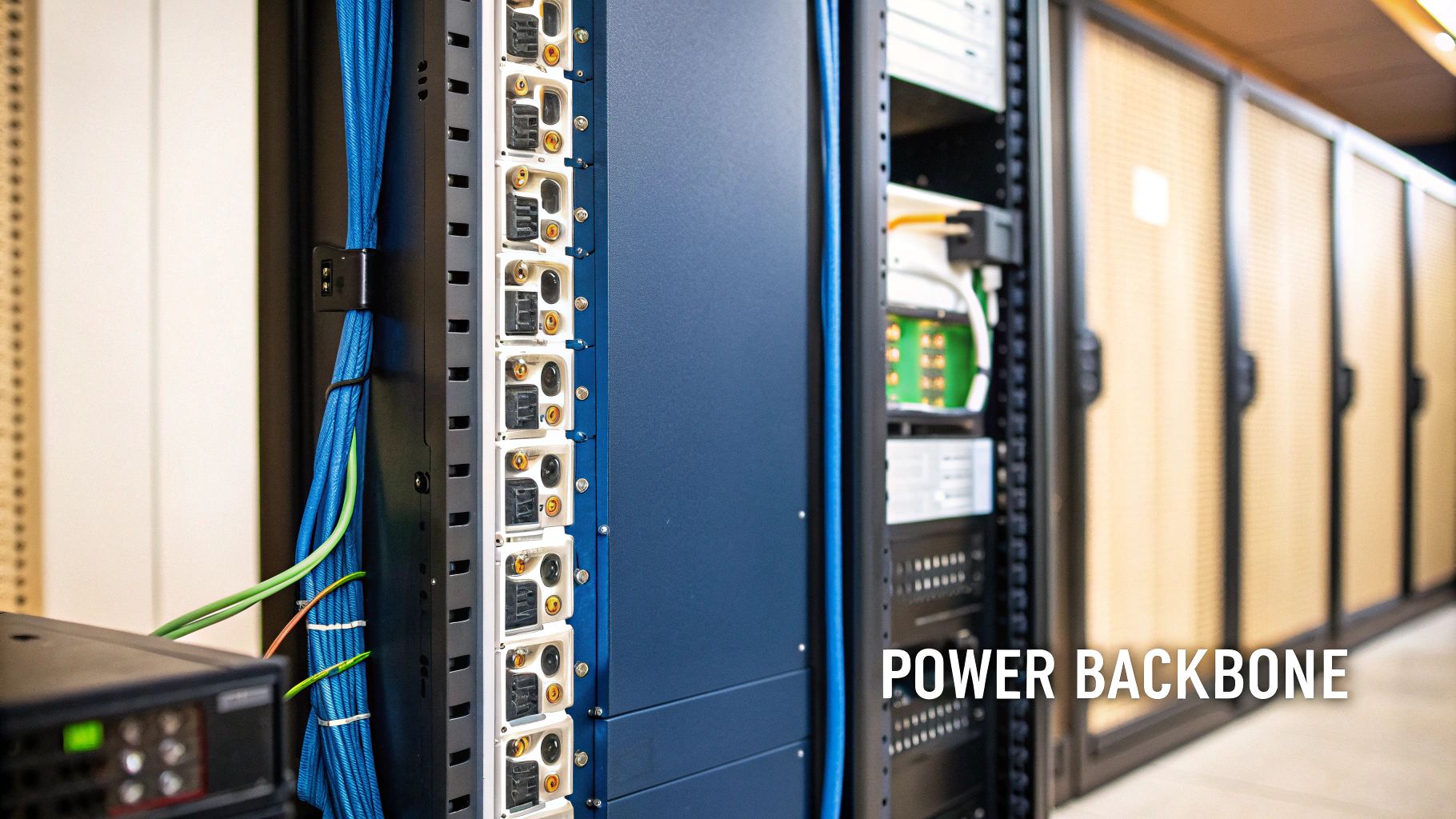
A server cabinet PDU is the professional-grade power backbone for your IT rack, built to distribute clean, reliable electricity from a single source to critical components like servers and switches. It’s a world away from a standard power strip, offering far higher amperage, robust circuit protection, and intelligent features designed for high-density IT environments. In short, it’s essential for organising power, preventing electrical hazards, and guaranteeing uptime in any serious IT setup.
The Role of a PDU in Your Server Cabinet
Think of your server cabinet as the central nervous system of your entire business. Inside, dozens of devices are working around the clock, each one demanding a stable and reliable supply of electricity. Trying to power this critical infrastructure with consumer-grade extension leads is like trying to fuel a high-performance engine with contaminated petrol—it’s a recipe for disaster.
This is where the server cabinet PDU (Power Distribution Unit) steps in. It’s not just about providing more outlets; it’s about managing power intelligently and safely. A PDU takes a high-amperage input, often directly from a UPS (Uninterruptible Power Supply), and distributes it cleanly to each piece of equipment. This organised approach transforms a potential spaghetti junction of cables into a streamlined, manageable system, which is absolutely crucial during office fit-outs or data centre expansions.
Why a Standard Power Strip Is Not an Option
It's a common and dangerous mistake to think a PDU is just a fancy power strip. While they both distribute electricity, their design, purpose, and safety features are fundamentally different. Using the wrong tool for this job introduces significant risks to your hardware, your data, and your business.
A standard power strip is built for low-power consumer electronics. A server cabinet PDU, on the other hand, is engineered for the demanding environment of an IT rack. The differences are night and day.
Let’s be clear: a server cabinet PDU isn't an upgrade, it's a completely different class of equipment. This table breaks down the key distinctions.
Server Cabinet PDU vs Standard Power Strip
Feature | Server Cabinet PDU | Standard Power Strip |
|---|---|---|
Amperage Capacity | High (typically 16A, 32A, or higher) | Low (usually 10A or 13A maximum) |
Construction | Rugged metal chassis (steel or aluminium) | Lightweight plastic casing |
Mounting | Designed for vertical or horizontal rack mounting | No secure mounting mechanism for racks |
Outlets | Professional-grade (e.g., IEC C13/C19) with locking options | Standard domestic sockets (e.g., BS 1363) |
Circuit Protection | Advanced, often with individual circuit breakers | Basic fuse or single thermal trip |
Advanced Features | Remote monitoring, per-outlet switching, environmental sensors | None |
Environment | Built for high-density, high-heat data centre use | Designed for home or light office use |
As you can see, a standard power strip simply isn't equipped to handle the electrical load, heat, and operational demands of a server cabinet. Relying on one is a gamble you can't afford to take.
The Growing Demand for Professional Power Management
The need for robust power distribution is more critical than ever, especially in the UK's expanding digital infrastructure. As hyperscale data centres and AI workloads drive up power densities, the market for specialised PDUs is growing rapidly.
The UK is projected to represent 13.90% of Europe's Data Centre Rack PDU market in 2025, a market forecasted to surge from $406.89 million in 2021 to over $1.15 billion by 2033. This growth highlights a massive shift: professional-grade power management is now a non-negotiable part of modern IT. You can read the full research on data centre PDU market trends to understand the scale of this shift.
A server cabinet PDU is the foundational layer of reliability. Without clean, organised power distribution, even the most advanced servers and network switches are vulnerable to unpredictable failures and costly downtime. It transforms power management from a source of chaos into a strategic asset.
Building Fully Autonomous Unmanned Facilities
The conversation around power management is evolving beyond individual racks to encompass entire buildings. Unmanned building management means operating a facility—like a self-storage unit, a remote data processing centre, or a series of rental properties—with zero permanent on-site staff. In practice, this means every critical system, from door access and CCTV to power and climate control, must be automated, monitored, and managed remotely.
However, many unmanned projects fail because they treat these systems as separate components. The key to success is designing access, power, and data infrastructure as a single, cohesive ecosystem from day one. If the network goes down, you lose control of the smart locks. If power fails, the CCTV and access control are useless. They are all critically interdependent.
This integrated approach is essential for maintenance and operational efficiency. For instance, choosing battery-less, NFC proximity locks is a smart long-term strategy. These locks are powered directly by the user's smartphone, eliminating the huge operational headache and cost of replacing thousands of batteries. They offer a reliable, low-maintenance solution perfect for unmanned sites where sending an engineer for a simple battery change is impractical. Common applications for these integrated systems include student accommodation, self-storage facilities, and build-to-rent apartment blocks.
Understanding PDU Types From Basic to Intelligent
Not all server cabinet PDUs are created equal. Far from it. Choosing the right one comes down to what you actually need to do—from simply getting power to a handful of devices in a small comms closet to having granular, remote control over every single outlet in a high-density data centre.
Think of it like choosing a vehicle for a job. A Basic PDU is your trusty work van: it gets power from A to B reliably, without any fuss. A Metered PDU is that same van, but now it’s fitted with a detailed fuel consumption gauge and trip computer. Suddenly you have the data to plan more efficiently. And an Intelligent PDU? That’s a fully-kitted-out fleet vehicle with live GPS tracking, remote engine diagnostics, and the power to shut down specific systems right from a central dashboard.
Each type serves a very different purpose. Nailing the differences is the first step to building a power infrastructure that genuinely matches your operational needs and, of course, your budget.
The Workhorse: Basic PDUs
A Basic PDU is the most straightforward bit of kit in the power distribution family. Its one and only job is to take a single power input and safely distribute it to multiple outlets inside your server rack. Think of it as a professional, heavy-duty alternative to a consumer power strip, but without any of the fancy monitoring or remote-control features.
These are the perfect choice when all you need is simplicity and rock-solid reliability, and you’re not worried about tracking detailed power metrics.
Real-World Example: Imagine a small business's network closet. It’s probably got a single switch, a router, and maybe a small NAS drive. The IT load is low and completely stable, so the main goal is just safe, organised power. A basic vertical PDU keeps the cables tidy and makes sure every device gets power from a properly protected source. Simple.
Gaining Insight with Metered PDUs
Moving up a step, a Metered PDU is all about giving you one critical piece of information: how much power you’re actually using. It has a built-in digital display showing the total power draw for the entire unit in real-time, usually measured in Amps. This single feature is a game-changer for capacity planning.
Once you know exactly how much power your rack is pulling, you can add new equipment with confidence, rather than just guessing and hoping you don’t trip a breaker. More advanced metered units can even feed this data over the network, letting you build up a historical picture of your power consumption.
Real-World Example: A company renting space in a colocation data centre. The facility bills them based on power usage. A metered PDU lets the IT manager see precisely what they’re consuming, helping them optimise server loads to stay within their power budget and accurately predict future costs.
Total Control with Intelligent PDUs
At the top of the ladder, you'll find Intelligent PDUs (often called Switched or Monitored PDUs). These are fully network-connected devices that offer the ultimate remote power management. This is where the PDU stops being a passive piece of metal and becomes an active, vital part of your management toolkit.
The growth in this space has been massive. Here in the UK data centre market, PDUs are the fastest-growing segment, projected to hit a 9.3% compound annual growth rate through 2031. Why? Because the demands of AI and other high-density workloads mean rack power is becoming volatile, and that demands the kind of sophisticated control only an intelligent PDU can offer. You can read more about these UK data centre power market trends.
An Intelligent PDU gives you the power to see, measure, and control everything happening in your rack from anywhere in the world. This remote capability is essential for minimising downtime and reducing the need for on-site engineering visits.
This is what they bring to the table:
Remote Outlet Switching: The ability to turn individual outlets on or off from a web browser. This is absolutely invaluable for rebooting a frozen server without having to physically go to the data centre, saving critical time and money.
Per-Outlet Power Monitoring: Get granular data on what each individual device is consuming. This helps you spot underutilised servers that could be decommissioned or identify power-hungry kit that needs attention.
Environmental Sensing: Most have ports for connecting sensors to keep an eye on temperature, humidity, and even airflow inside the cabinet, firing off alerts if things get outside of safe limits.
Real-World Example: A high-density rack in a corporate data centre running mission-critical applications. An intelligent PDU lets an engineer reboot a non-responsive server at 3 AM from their laptop at home. It also sends an automated alert when the cabinet temperature starts creeping up, allowing them to fix a failing fan unit before it causes a catastrophic hardware meltdown.
Choosing the Right PDU Form Factor and Mounting
Beyond the tech specs, the physical shape and placement of your server cabinet PDU have a massive impact on how well your rack works. Picking the right form factor is one of those foundational decisions that affects airflow, cable management, and how much precious space you have left for your servers and switches. Get this wrong, and you’re signing up for overheating issues and a spaghetti junction of cables that makes any maintenance job a complete nightmare.
The decision really boils down to two main styles: horizontal or vertical. Each has its place, and the right one for you depends entirely on how packed your racks are and the scale of your setup.
Horizontal PDUs for Smaller Racks
Horizontal PDUs are designed to mount just like your servers and network gear—bolted across the front or rear mounting rails. They take up standard rack unit (U) space, usually 1U (1.75 inches) or sometimes 2U high.
This style can be a decent fit for smaller wall-mounted cabinets or half-height racks where you only need to power a handful of devices. Because they sit right next to the equipment, you can keep power cables short and tidy.
But here’s the big drawback: they eat up the very space you need for your IT kit. In a standard 42U cabinet, giving up 2U to PDUs means you’ve lost almost 5% of your usable space before you’ve even racked a single server. For that reason alone, they’re rarely the right call for dense environments.
The Power of Vertical Zero-U PDUs
Vertical PDUs, known across the industry as Zero-U PDUs, are the undisputed standard for any high-density server cabinet. These long, skinny power strips mount in the vertical space at the back or sides of the rack, completely outside the main equipment mounting area.
This "Zero-U" design is their killer feature. They don't use up any of your valuable horizontal rack space, leaving every single 'U' free for the hardware that actually runs your business.
By mounting vertically, a Zero-U PDU keeps power distribution separate from the data cabling and server airflow paths. This strategic placement is fundamental to building a clean, cool, and easily maintainable server rack.
Choosing the right mounting style goes hand-in-hand with the type of server cabinet you're using. It's crucial to make sure your PDU and cabinet are compatible. For a complete rundown of the physical housing for your IT equipment, this ultimate computer server rack guide is an excellent resource.
Horizontal (1U/2U) vs Vertical (Zero-U) PDU Comparison
To make the choice clearer, it helps to see the trade-offs side-by-side. Each mounting style has distinct advantages depending on your specific needs, particularly around rack space and cable management.
Attribute | Horizontal PDU | Vertical (Zero-U) PDU |
|---|---|---|
Rack Space Used | Consumes 1U or 2U of valuable equipment space. | Consumes no 'U' space, freeing it up for servers. |
Best For | Low-density setups, small wall cabinets, half-racks. | High-density racks (42U and above), data centres. |
Cable Management | Can be neat for a few devices, but gets messy at scale. | Excellent. Keeps power cables away from data and airflow. |
Outlet Capacity | Limited number of outlets due to its short length. | High outlet count, perfect for fully populated racks. |
Airflow Impact | Can obstruct front-to-back airflow if not placed carefully. | Minimal impact, as it sits in the side channels. |
Installation | Quick and easy, mounts just like a server. | Mounts to the frame, sometimes requires specific brackets. |
Ultimately, while horizontal PDUs have their niche, the Zero-U model is the superior choice for any serious, scalable server environment. It's the professional standard for a reason.
Matching Form Factor to UK Data Centre Trends
Here in the UK, the data centre market is dominated by enclosed cabinet racks, which are set to command a 64.02% market share in 2025. This is largely driven by the security needs of colocation facilities, especially around London’s financial hubs, where lockable, contained racks are a baseline requirement. This trend directly shapes PDU choice, because these enclosed spaces demand every bit of space to be used efficiently.
The most common cabinet height is 42U, holding a 55.82% share of the market. However, we're seeing rapid growth in taller 48U racks, with a 14.92% growth rate, to house power-hungry AI and HPC servers. In these incredibly dense setups, a Zero-U server cabinet PDU isn't just a nice-to-have—it's absolutely essential for maximising space and managing the intense heat loads. To properly power these taller cabinets, you need a PDU that matches their height. Our guide on selecting and installing network server racks offers more detail on planning out your physical infrastructure.
Decoding Power Specifications for Your IT Environment
Stepping into the world of power specifications can feel a bit like learning a new language. Amps, Volts, Watts, and phases are the grammar of electricity, and getting your head around them is non-negotiable if you're responsible for keeping an IT rack online. Get it wrong, and you’re not just looking at confusion; you’re facing overloaded circuits, tripped breakers, and catastrophic downtime.
But it doesn’t have to be that complicated. Once you translate the jargon into practical, real-world terms, you can confidently size and specify the right server cabinet pdu for any environment, from a small comms room to a high-density data centre.
Single-Phase vs Three-Phase Power Explained
The first and most important concept to get right is the difference between single-phase and three-phase power. The easiest way to think of it is like a road network leading to your server cabinet.
Single-Phase Power: This is your standard single-lane road. It delivers power along one primary wire and is perfectly fine for everyday office equipment and low-density racks. Most UK offices run on a single-phase 230V supply.
Three-Phase Power: This is a three-lane motorway. It delivers power across three separate, synchronised wires, allowing it to carry a much heavier load. It provides more power, more efficiently, and with better balancing.
For data centres and server cabinets packed with powerful kit, three-phase power is the undisputed standard. It can deliver a huge amount of power to the rack (often at 400V in the UK), letting you support dozens of servers without having to run multiple, separate circuits. An intelligent PDU built for a three-phase input can then cleverly balance the load across the phases, stopping any single one from getting overloaded.
Understanding Plugs and Outlets in the UK
Once the power gets to the PDU, you need to get it to your equipment. In any professional IT environment, you won't be using the standard BS 1363 wall sockets you have at home. Instead, the industry relies on internationally recognised IEC connectors, with two types dominating the scene.
IEC C13: This is the one you’ll see everywhere, rated for up to 10A. It’s the standard connector for most network switches, routers, and typical 1U/2U servers.
IEC C19: This is a chunkier, more robust connector rated for up to 16A. You’ll find it on high-draw equipment like blade server chassis, large storage arrays, and beefy core switches that need more current.
When you’re specifying a server cabinet PDU, you absolutely have to make sure it has the right mix of C13 and C19 outlets for the gear you plan to install. A classic mistake is buying a PDU with only C13 sockets, only to find your shiny new high-performance server needs a C19 plug, bringing your installation to a dead halt.
This diagram shows how different PDU mounting styles—horizontal and vertical—can accommodate these outlets inside a rack.
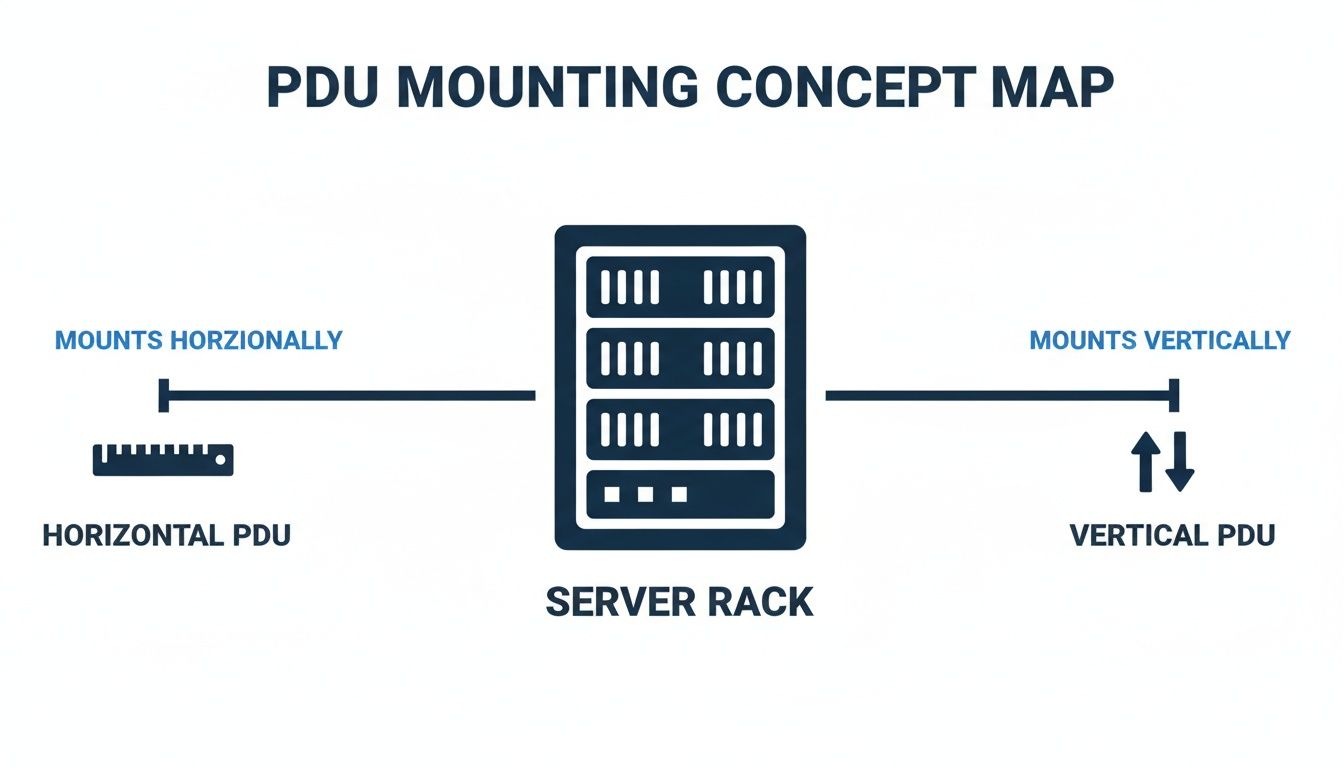
As you can see, a vertical PDU is brilliant for packing in a high number of outlets like C13s and C19s without eating up valuable rack unit space.
Calculating Your Total Power Requirements
Finally, we get to the most critical calculation of all: working out your rack's total power load. Getting this right is what prevents you from exceeding your circuit’s capacity, which is the number one cause of unexpected power trips.
The formula itself is beautifully simple: Power (Watts) = Voltage (Volts) x Current (Amps).
Here's how to apply it in three easy steps:
List Your Equipment: Make a complete list of every single device going into the rack. Find the maximum power draw (in Watts or Amps) from the nameplate on each device's power supply unit.
Sum the Total Load: Add up the maximum power draw for all devices. This gives you the theoretical peak load your rack could ever pull from the PDU.
Apply the 80% Rule: For safety, and to leave headroom for the inrush current when devices boot up, you should never plan to exceed 80% of your circuit's total capacity.
Example Calculation: Let’s say your PDU is connected to a standard 16A, 230V single-phase circuit in your UK comms room. * Total Capacity: 230V x 16A = 3,680 Watts * Safe Capacity (80%): 3,680W x 0.80 = 2,944 Watts This means your total planned equipment load should never go above 2,944W.
This simple bit of maths is your best defence against overloads. By understanding these core power specs, you can build a stable, reliable foundation for all your IT infrastructure.
Maximising Uptime with Power Redundance and Monitoring
For any business, downtime isn't just an inconvenience; it's a direct threat to revenue, reputation, and operational stability. While a single, well-managed server cabinet PDU is a solid foundation, a truly resilient power infrastructure is built on the principle of redundancy.
This is all about eliminating single points of failure, ensuring that even if one power source goes down, your critical equipment stays online. This level of resilience moves beyond basic power distribution and into strategic infrastructure design. It’s the difference between hoping for the best and being genuinely prepared for the worst.
The A/B Power Feed Strategy
The cornerstone of any high-availability power design is the A/B power feed. The concept is straightforward but incredibly effective. Instead of one PDU, you install two completely independent PDUs in each server cabinet.
Each PDU is then connected to a separate power source.
Feed 'A' might connect to the primary mains power via one UPS system.
Feed 'B' would connect to a secondary source, like a different UPS that's backed by a generator.
Modern servers and network hardware are designed for this exact scenario. They come equipped with dual power supply units (PSUs). You simply plug one of a server's PSUs into the 'A' PDU and the other into the 'B' PDU.
If the entire 'A' circuit fails—whether due to a tripped breaker, a UPS failure, or a wider grid issue—the server's second power supply instantly takes the full load from the 'B' feed. The result? Zero downtime. Your operations continue uninterrupted, and you have time to resolve the issue on the failed circuit without any panic.
By implementing an A/B feed, you effectively build a fail-safe into your rack’s power architecture. It’s the single most important step you can take to protect your mission-critical services from unexpected power loss.
Shifting from Reactive to Proactive with Intelligent Monitoring
Power redundancy is your insurance policy, but intelligent monitoring is your early warning system. This is where intelligent PDUs become essential, transforming your maintenance strategy from reactive firefighting into proactive management.
An intelligent server cabinet PDU doesn't just distribute power; it communicates. By connecting to your network, it streams a wealth of real-time data that can be viewed on a central dashboard or integrated into your existing network management systems using protocols like SNMP (Simple Network Management Protocol). This remote visibility is also crucial for managing CCTV systems, ensuring they remain operational and secure.
This visibility allows your team to monitor critical environmental factors and power metrics remotely.
Real-Time Alerts: Get immediate email or SMS notifications for power spikes, overloaded circuits, or unexpected drops in load that might indicate a failed device.
Environmental Sensing: Attach optional probes to your PDU to monitor temperature and humidity inside the cabinet. You can get an alert if a server fan fails and temperatures start climbing, long before it leads to a thermal shutdown.
Capacity Planning: Track power consumption trends over time to accurately predict when you'll need to upgrade your capacity, preventing future overloads.
This constant stream of data provides a clear picture of your infrastructure's health. The ability to organise this data alongside network performance is crucial, and effective infrastructure design often includes robust strategies for managing both power and data cables. You can learn more about the benefits of structured cable management in our related guide.
By combining A/B power redundancy with the detailed insights from an intelligent PDU, you build a truly robust system. You have the resilience to survive an outage and the intelligence to prevent many issues from ever becoming critical in the first place.
Your PDU Installation and Sizing Checklist

Successfully deploying a server cabinet PDU is all about careful, methodical planning. If you rush this part, you're setting yourself up for overloaded circuits, frustrating compatibility issues, and a whole world of maintenance headaches down the line.
Think of this as your pre-flight check before powering up a new rack. Following these steps will help you sidestep the common mistakes that always seem to pop up during a fast-paced office fit-out or data centre expansion.
Step 1: Calculate Your Total Power Load
Before you even think about looking at hardware, you need a crystal-clear picture of your power requirements. This is the single most important step for preventing dangerous overloads.
List All Devices: Start by creating a detailed inventory of every single server, switch, storage array, and anything else that will live in the cabinet.
Find Maximum Wattage: Look at the power supply nameplate on each device to find its maximum power draw in Watts. This figure is your worst-case scenario.
Sum the Total: Add up the wattage of every device to get your total theoretical peak load.
Apply the 80% Rule: To be safe and to account for the inrush current when everything boots up, your total load should never exceed 80% of the circuit's maximum capacity. For example, a standard 16A/230V circuit gives you 3,680W, so your planned load must stay under 2,944W.
Step 2: Select the Right PDU and Form Factor
With your power budget properly calculated, you can now pick the right PDU. This choice will affect everything from how much space you have left to your capacity for future growth.
PDU Type: Decide what you really need. Is a Basic PDU for simple power distribution enough, or do you need a Metered PDU for load monitoring? Or perhaps an Intelligent PDU for full remote control and monitoring?
Form Factor: For any rack with more than a handful of devices, a vertical Zero-U PDU is the only sensible choice. It saves every last bit of your valuable rack unit space for the IT equipment itself.
Amperage and Phase: Make sure the PDU's input rating (like 16A single-phase or 32A three-phase) is an exact match for the supply circuit it will be plugged into.
Always plan for tomorrow. If your current load is 2,000W, don't just spec for 2,000W. Choosing a PDU and circuit that can handle up to 3,000W gives you vital headroom, so you can add new servers later without having to re-engineer your entire power setup.
Step 3: Verify Plugs and Outlets
This might seem obvious, but a simple mismatch between a plug and an outlet can bring an entire installation to a grinding halt. You need to double-check every single connection before you buy anything.
Check Equipment Plugs: Go through your device list and identify whether your servers and switches use standard IEC C14 plugs (which fit into C13 outlets) or the chunkier, high-power IEC C20 plugs (which need C19 outlets).
Match PDU Outlets: Count them up. Make sure the PDU you choose has the right number and type of C13 and C19 outlets to power all your gear.
Verify Input Plug: Finally, confirm the PDU's main input plug (often a Commando plug) is the correct type for the wall receptacle your electrician is providing.
For more on the physical housing that holds all this gear, check out our guide on server cabinet dimensions for UK businesses.
When you're dealing with complex projects where power, data, and security all need to align perfectly, a professional installation is the only way to go. A certified commercial electrical installation ensures your foundation is safe, fully compliant with UK electrical standards, and built for rock-solid reliability.
Server Cabinet PDU FAQs
Even with the best plans in place, a few questions always pop up when it's time to specify or install PDUs. Here are some straightforward answers to the queries we hear most often from IT and facilities managers, designed to help you finalise your power strategy with confidence.
How Do I Correctly Size Power for My Server Rack?
Getting your power calculation right is the single most important step. Don't guess. Start by making a list of every single device going into the rack and find the maximum power draw (in Watts) listed on each unit's nameplate. Add all those numbers together to get your theoretical peak load.
Then, for both safety and future breathing room, you absolutely must follow the 80% rule. Your total planned load should never climb above 80% of your circuit's maximum capacity. For example, a standard 16A/230V circuit in the UK delivers 3,680W. Applying the rule means your safe, operational load should stay under 2,944W.
What Is the Difference Between IEC C13 and C19 Outlets?
The real difference between these two common PDU outlets boils down to their amperage rating. Getting this right is crucial for equipment compatibility and safety.
An IEC C13 outlet is your workhorse connector, rated for up to 10A. It’s the standard for the vast majority of IT kit, like network switches, routers, and typical 1U/2U servers.
An IEC C19 is a much beefier connector rated for up to 16A. You'll need this for power-hungry hardware like blade server chassis, large storage arrays, or hefty core network switches.
Can I Use a Standard Power Strip in a Server Cabinet?
In a word: no. We strongly advise against using a standard, consumer-grade power strip in any professional IT environment. These flimsy extensions are not built for the constant, high-amperage demands of a server cabinet and lack the durability and safety features required.
Using one is a serious fire risk, can easily lead to tripped circuits, and will almost certainly cause unplanned downtime. A purpose-built server cabinet PDU is the only safe and reliable choice for critical IT infrastructure.
Think of it this way: a standard power strip is a temporary, low-load solution for a desk lamp. A PDU is an engineered, permanent component of your critical infrastructure, designed for 24/7 operation under heavy load. The risk of using the wrong tool is simply too high.
Beyond day-to-day operations, remember that the lifecycle of your hardware includes its eventual retirement. Planning for responsible data center equipment recycling is a key part of managing your infrastructure sustainably.
What Is Zero-U Mounting and Why Is It Important?
"Zero-U" simply means mounting a PDU vertically. Instead of consuming valuable horizontal rack space (measured in 'U' spaces), the PDU is installed neatly in the vertical channel at the side or rear of the cabinet.
This is incredibly important for maximising the usable space in your rack. By using a Zero-U PDU, you leave every single one of your 42U or 48U of rack space free for the servers, switches, and storage that actually run your business. It's the definitive standard for any efficient data centre or server room build.
Building a reliable and scalable power foundation is critical for any office fit-out or data centre expansion. At Constructive-IT, we specialise in designing and installing robust infrastructure that integrates power, data, access, and security seamlessly. If you need expert guidance to ensure your project is built right from the start, get in touch with our team today.
Comments