


Your Ultimate Cat 6 Connectors Diagram Guide
- Craig Marston
- Dec 25, 2025
- 13 min read

Staring at a tangled mess of coloured wires can be intimidating, but think of the Cat 6 connectors diagram as your map to a high-performance network. It’s less of a dry technical drawing and more of a blueprint for business continuity, ensuring everything from a new office fit-out to a complex hospital infrastructure runs without a hitch. This guide will break it all down, simply and effectively.
Your Blueprint for Network Performance
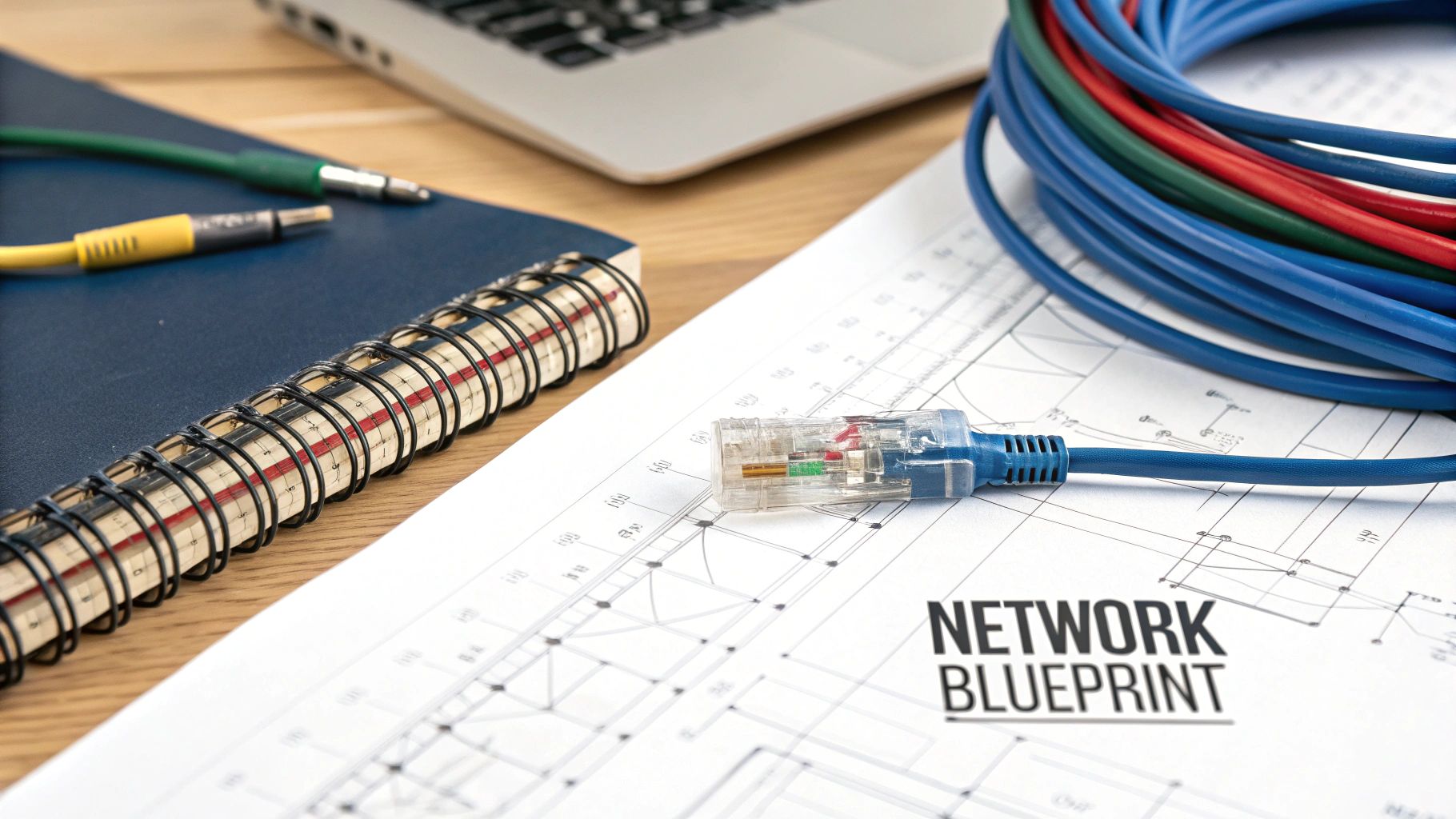
This close-up view shows the eight individual conductor slots inside the RJ45 connector. Getting the coloured wires from a Cat 6 cable into these slots in the right order is absolutely crucial.
Getting your head around a Cat 6 connectors diagram is the first step towards building a reliable, scalable data network that sidesteps the common, costly installation mistakes we see all too often. The goal is to create a physical connection that delivers rock-solid speed and data integrity, whether it's for a single tidy desk or an entire commercial building.
There are two main wiring standards, T568A and T568B. But for modern UK commercial installations, it’s simple: T568B has become the non-negotiable industry choice.
Before we dive into the nitty-gritty of wiring, it helps to see where this fits into the bigger picture of your IT setup, especially when understanding the role of on-premises infrastructure compared to cloud-based solutions.
The Foundation of a Certified Network
Getting the wiring right is the bedrock of a tested and certified network. It’s the foundation upon which high-speed data transfer, minimal downtime, and business efficiency are built. A properly terminated cable, following the precise T568B diagram, is an absolute prerequisite for achieving a 25 year equipment warranty from an Excel accredited partner. For any business undergoing an office relocation or a major fit-out, that guarantee is vital.
The importance of these small components is reflected in the market. In the UK, the cable connector market, which includes these critical Cat 6 connectors, hit a valuation of US$ 3.46 billion and is set to grow substantially. This boom is directly linked to the ever-increasing demand for robust network infrastructure in commercial spaces.
For a deeper dive into the cable itself, check out our essential guide to Cat 6 cable. Adhering to the correct wiring diagram also ensures you meet BS EN 50173 standards—a key requirement for any professional network project.
Comparing T568A and T568B Wiring Standards
When you look at a Cat 6 connector diagram, you're essentially seeing a universal language for network hardware. In this language, there are two main dialects: T568A and T568B. While they look slightly different, they're both designed to do exactly the same thing—create a flawless, high-speed connection.
From a performance perspective, one isn't better than the other. Proper testing confirms that when terminated correctly, both standards perform identically. The only physical difference is the position of the orange and green wire pairs. Think of it as two different routes on a map that lead to the same destination; as long as you follow one route consistently, you’ll get there without any problems.
However, in the world of UK commercial network installations, consistency is everything. For that reason, T568B has become the de facto standard for almost all new projects, from office fit-outs to new hospital wings.
Why T568B Dominates UK Commercial Installations
The preference for T568B isn't random; it's rooted in practicality and history. Most pre-existing network infrastructure and equipment in the UK were terminated using the T568B standard. Sticking with T568B for new installations ensures seamless backward compatibility, preventing the kind of confusing, time-wasting network mistakes that can bring an office relocation to a halt.
For IT managers and professional installers, a single, unified standard simplifies everything:
Troubleshooting is Faster: When every connection follows the same pinout diagram, isolating faults becomes a much quicker and less painful process.
Consistency Prevents Errors: Technicians don't need to second-guess which standard is in use, dramatically reducing the risk of mis-wiring a connection.
Certification is Streamlined: A consistent network is a reliable network, making it far more likely to pass the rigorous tests required for a 25 year equipment warranty.
A key takeaway for any project is this: pick one standard and stick with it religiously. For commercial UK projects, that choice is almost always T568B. Mixing T568A and T568B on the same straight-through cable will result in a failed connection, every single time.
While T568A still exists and is occasionally specified in certain legacy government or international contracts, you'll rarely see it in a modern UK commercial environment. Adopting the T568B diagram as your blueprint ensures your network aligns with industry best practice. For those managing complex projects, our comprehensive UK office network wiring installation guide offers further insights into maintaining these high standards.
The Critical Pinout Differences
To really get to grips with this, you need to see the difference. The RJ45 connector has eight pin positions, and each one must be filled with the correct coloured wire for the connection to work.
The table below gives you a clear side-by-side comparison, showing exactly how the green and orange pairs are swapped.
T568A vs T568B Pinout Comparison
Pin Number | T568B Standard (UK Commercial Standard) | Wire Colour | T568A Standard | Wire Colour |
|---|---|---|---|---|
1 | White/Orange | White/Green | ||
2 | Orange | Green | ||
3 | White/Green | White/Orange | ||
4 | Blue | Blue | ||
5 | White/Blue | White/Blue | ||
6 | Green | Orange | ||
7 | White/Brown | White/Brown | ||
8 | Brown | Brown |
As you can see, the only difference is that pins 1, 2, 3, and 6 are where the swap happens. This simple exchange of the green and orange pairs is the sole distinction. Committing the T568B sequence to memory is a fundamental skill for anyone overseeing a data network installation, ensuring every connection is made right the first time.
Anatomy Of A High-Performance Connection
A reliable network in a commercial building or hospital isn't just about following the right wiring diagram; it's built from high-quality, certified components. To really get to grips with a Cat 6 connectors diagram, you first have to appreciate the hardware itself, where every little piece is engineered for performance and longevity.
Think of an RJ45 connector not as a simple plastic plug, but as a precision-engineered gateway for your data. Those small, often overlooked gold-plated contacts are absolutely essential. Gold is used for its superior conductivity and resistance to corrosion, ensuring a clean, stable signal for years. This is what prevents the kind of signal degradation that leads to frustrating network errors and performance drops over time.
Similarly, the strain relief boot—that flexible cover where the cable enters the plug—is a critical defender against physical damage. During an office fit-out or even just daily use, cables get pulled, bent, and moved around. This boot absorbs that stress, protecting the delicate internal terminations from being yanked loose, which is one of the most common points of failure in poorly made patch leads.
Inside The Cat 6 Cable
A look inside the cable itself reveals even more clever engineering designed to combat interference. A Cat 6 cable contains four twisted pairs of copper wires, but the magic is in the details. The specific number of twists per inch is precisely calculated to cancel out electromagnetic interference, or "crosstalk," from neighbouring pairs and external sources like power cables.
Many high-quality Cat 6 cables also feature a crucial component: a plastic central divider known as a spline. This little cross-shaped piece runs right down the centre of the cable, physically separating the four twisted pairs.
The spline acts as an additional barrier against internal crosstalk. By keeping the wire pairs properly isolated, it ensures the cable can consistently handle the higher frequencies (up to 250MHz) required for Gigabit speeds—a non-negotiable for any certified network delivery.
This diagram compares the two main wiring standards, T568A and T568B. It highlights the T568B scheme, which has long been the established convention for UK commercial projects.
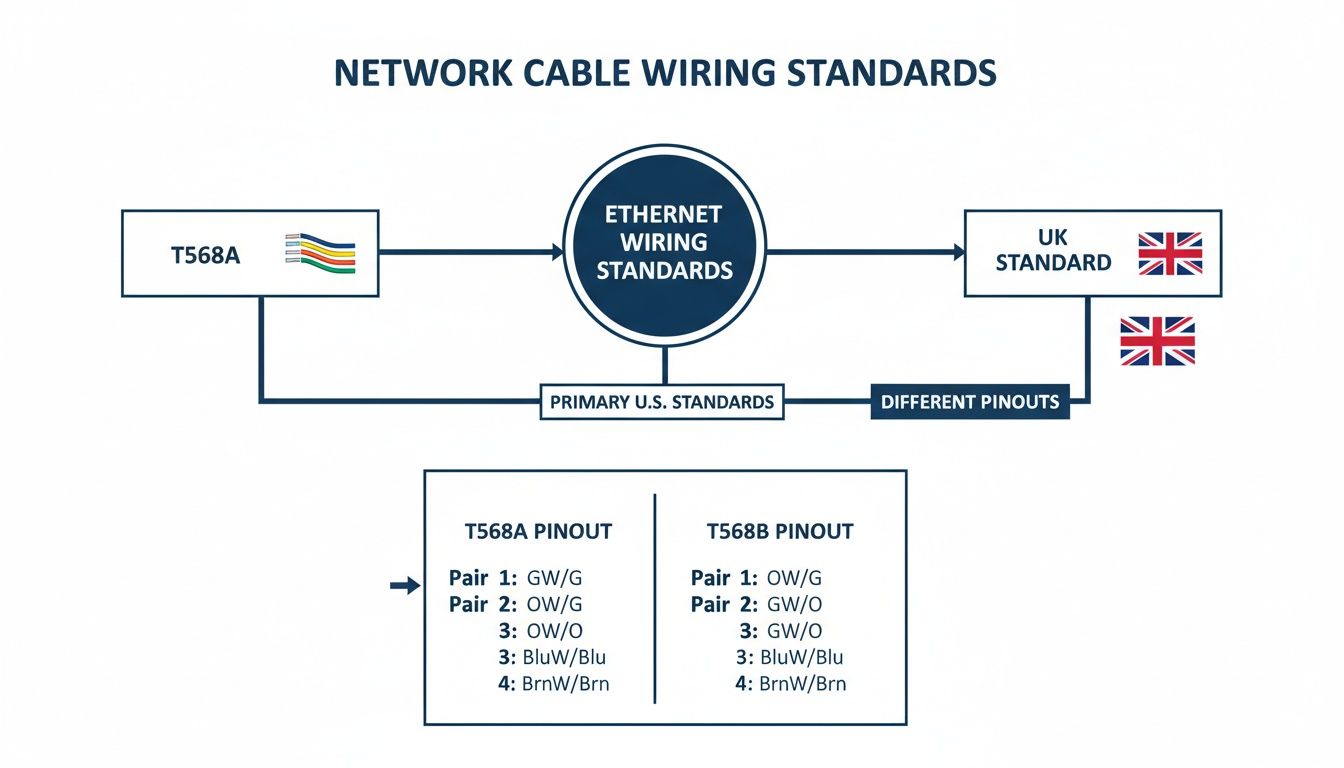
The clear distinction between the two illustrates why sticking to the T568B standard is critical. It ensures consistency and reliable performance across an entire professional network installation, leaving no room for guesswork.
The Importance Of Certified Components
Using these high-calibre components is the only way to achieve guaranteed network speeds and qualify for a 25 year equipment warranty from an Excel accredited partner. There's a reason for this focus on quality. Cat 6 connectors form the backbone of UK structured cabling, commanding a massive 45% of the Ethernet cable market share globally. While this guide focuses on copper, we also specialise in high-speed fibre cable installation for backbone and long-distance requirements.
Furthermore, recent data shows that 72% of UK commercial buildings now mandate Cat 6 as a minimum to achieve 1Gbps+ speeds and reduce latency by up to 50% compared to older Cat 5e systems. Learn more about the Ethernet cable market trends. This is why professional, tested network delivery relies on using the right parts, not just the right diagram. It’s about building a dependable asset, not just plugging things in.
Putting The Diagrams Into Practice
Alright, we’ve covered the theory behind T568A and T568B. Now, let's translate those diagrams into the actual network cables you'll be making and using in any commercial installation. For almost every modern setup—from plugging an employee's computer into a wall socket to linking a switch to a patch panel—the straight-through cable is your go-to.
This is the absolute workhorse of any data network. A straight-through cable is simply one where you terminate both ends with the exact same wiring standard. Since T568B is the established convention for UK commercial buildings, this means both of your RJ45 connectors will follow the T568B pinout. This consistency is what allows different types of devices (like a PC and a switch) to talk to each other properly.
Straight-Through T568B: The UK Standard
For any certified network project, consistency is everything. Sticking to the T568B diagram for every single connection makes the initial installation simpler, speeds up the testing phase, and makes future troubleshooting a whole lot less painful. This kind of uniformity is a core principle behind every professional job we do, whether it's part of a comprehensive cable management plan to achieve a tidy desk or a full-scale office relocation.
To build a standard straight-through patch cable, you just need to:
Terminate one end of your Cat 6 cable using the T568B pinout.
Terminate the other end using the exact same T568B pinout.
It’s a simple but critical process that ensures every cable performs exactly as it should, forming the reliable backbone your network needs to perform at its best. For a deeper dive into project requirements, you can check out our essential guide to data cabling installation.
Understanding Crossover Cables
The other type of cable you might hear about is the crossover cable. This one is made by terminating one end of the cable using the T568A standard and the other end with T568B. Years ago, this was the only way to connect two similar devices directly—for instance, linking two computers together without a switch, or connecting one network switch to another.
However, the need to make a crossover cable today is incredibly rare. Modern network gear comes with a brilliant feature called Auto MDI-X, which automatically detects the type of cable you've plugged in and adjusts its internal logic to match. This smart technology means you can now use a standard straight-through cable for pretty much every connection you can think of.
While you will almost certainly never need to make a crossover cable for a new office fit-out or hospital installation, it’s still good to know what they are. Understanding the concept can be a lifesaver when you’re diagnosing issues with older network hardware or dealing with specific testing scenarios you might run into during an office relocation.
Costly Network Mistakes And How To Avoid Them
Even with a perfect Cat 6 connectors diagram in hand, it’s the small physical mistakes during installation that cause the biggest network headaches. These seemingly minor slip-ups are a direct cause of slow speeds, flaky connections, and total failures that can bring a whole commercial building to a standstill. As an Excel accredited partner, we’ve seen first-hand how easily these data network mistakes can be avoided.
One of the most common blunders is untwisting the wire pairs more than absolutely necessary before punching them down. Those twists are precision-engineered to cancel out electromagnetic interference; untwisting them even an extra centimetre invites signal crosstalk and noise. This one error is a leading cause of failed network certification tests.
Another critical factor that often gets ignored is the cable's bend radius. Cat 6 cable is tough, but it’s not designed to be yanked around sharp corners or pulled tightly through conduit. Exceeding its minimum bend radius—usually about four times the cable diameter—causes permanent damage inside the cable, creating a performance bottleneck that’s a nightmare to diagnose later.
Avoiding Installation Pitfalls
To guarantee performance and secure that all-important 25 year equipment warranty, every single termination has to be flawless. This isn’t just about following the T568B diagram precisely; it’s about respecting the physical limits of the cable itself.
Here are a few common but damaging mistakes we see all the time in commercial and hospital environments (not houses):
Improper Cable Management: Leaving cables hanging unsupported, kinked, or cinched down too tightly with cable ties will slowly degrade performance.
Using Incorrect Components: Terminating a high-spec Cat 6 cable with a lower-rated Cat 5e connector instantly downgrades the entire link's capability to Cat 5e.
Poor Strain Relief: If the outer jacket isn't secured properly inside the connector, any pull on the cable goes straight to the fragile internal wires, leading to inevitable connection failure.
The cumulative effect of these small errors is a network that is unreliable at best. For businesses undergoing an office relocation with equipment testing, these issues can cause significant delays and added expense, turning a planned upgrade into a troubleshooting nightmare.
The Value Of Professional Certification
Ultimately, the best way to sidestep these costly data network mistakes is to partner with a certified installer. A professional team doesn't just build a network that works; they deliver one that is tested and certified to meet exacting performance standards. When your network performance grinds to a halt, leading to issues like 'no internet,' it often takes expert network support services for connectivity issues to find the root cause.
This rigorous, tested approach ensures every connection, from the comms room to the desk, performs exactly as it should from day one. It takes the guesswork out of the equation and gives you the peace of mind that your infrastructure is built correctly, ready to support your organisation now and for years to come.
Why Certified Testing Is Your Ultimate Safety Net
It’s tempting to think that if a network port is working, it’s all good. You plug in a laptop, the light blinks, and you move on. But for any serious commercial building or hospital network, that’s a dangerously simplistic view. A connection that simply "works" is a world away from one that is professionally certified to perform under pressure.
This is where professional testing becomes non-negotiable. It goes far beyond a basic continuity check to prove your infrastructure can reliably handle the high-bandwidth traffic a modern business throws at it. This rigorous process is the only way to turn a collection of cables and connectors into a high-performance business asset you can actually depend on.
Beyond The Blinking Light
Advanced tools, like the Fluke network testers we use, don’t just ask if the connection is live; they conduct a full diagnostic MOT on every single cable. This is absolutely essential for delivering a tested network that qualifies for a 25 year equipment warranty.
A simple continuity checker can be fooled, but these professional tools measure critical performance metrics that are invisible to the naked eye:
Crosstalk (NEXT): Measures signal bleed between wire pairs. Too much of this is a primary cause of frustrating data errors and slowdowns.
Attenuation: Checks for signal strength loss over the length of the cable. A long run or a poor connection can weaken the signal until it becomes unusable.
Return Loss: Identifies signal reflections caused by dodgy terminations or cable damage, which can corrupt data packets and cripple performance.
Making sure your network is tested and certified is the ultimate safety net. It confirms that every single connection—from the server room to the tidy desk—meets the strict performance standards required for data-heavy applications, preventing the kind of data network mistakes that lead to costly downtime.
The Business Case For Certification
For any IT manager overseeing an office relocation or a new fit-out, certified testing isn't an expense; it's an insurance policy. It provides the absolute peace of mind that your new infrastructure is not just functional but has been optimised for peak performance from day one.
A certified network simplifies future troubleshooting, gives you a clear performance baseline, and validates the quality of the installation work. As an Excel accredited partner, we ensure every cable run is meticulously tested. We then provide you with a detailed report that proves your network is built to last and ready to support your organisation's growth. This step is what guarantees your network delivery is a success.
Your Cat 6 Connector Questions, Answered
Getting the details right on a network installation is what separates a reliable, high-speed system from a source of constant frustration. Here, we tackle the most common questions we hear on commercial projects, giving you straight answers based on years of in-the-field experience.
Should I Use T568A or T568B in the UK?
This is a big one, but the answer is refreshingly simple. For any new commercial network installation in the UK—from an office fit-out to a new hospital wing—T568B is the definitive industry standard. Full stop.
Why? It all comes down to consistency and compatibility. The vast majority of existing UK infrastructure is wired to T568B, so sticking with it ensures everything plays nicely together. More importantly, it’s the standard that professionals use. Any Excel accredited partner will use T568B exclusively, as it's a requirement for getting your network professionally certified and unlocking the all-important 25 year equipment warranty.
What's the Maximum Length for a Cat 6 Cable Run?
The official maximum "channel length" for a Cat 6 cable is 100 metres. Now, that's not just the cable hidden in the wall; it includes the patch cords at both ends connecting your device to the wall plate and the patch panel to the switch.
However, there's a crucial catch. If you're aiming for rock-solid 10 Gbps speeds, you need to keep that run down to a maximum of 55 metres. Pushing past these limits is asking for trouble. The signal starts to degrade, leading to dropped packets, slow performance, and—critically—a guaranteed failure during the certified testing process that validates your network's performance.
Can I Use Cat 5e Connectors on a Cat 6 Cable?
Technically, it might fit. But in practice, this is one of the most critical mistakes you can make on a data network. Using a lower-spec component like a Cat 5e connector on a Cat 6 cable instantly creates a bottleneck, dragging the performance of the entire run down to Cat 5e standards.
Think of it like putting budget tyres on a performance car—you've just wasted the potential of the engine. Cat 6 connectors are engineered with much tighter tolerances to handle the higher frequencies and reduce crosstalk. To ensure your network performs as advertised and passes the rigorous testing required for a commercial building, every single component—from the cable to the connector to the patch panel—must be Cat 6 rated. No exceptions.
A network that works flawlessly from day one isn't an accident. It's the result of professional planning, expert installation, and rigorous certification. At Constructive-IT, we build future-ready networks that support your business goals. Ensure your next office fit-out or relocation is built on a foundation of reliability. Plan your project with us today.
Comments